2 layers273.1 × 144.8 mm
Keyboard
penguin86/pat80
Pat80 Home Computer is an attempt to develop the simplest possible Zilog Z80 based computer in 2021
123 parts3

 penguin86/pat803
Pat80 Home Computer is an attempt to develop the simplest possible Zilog Z80 based computer in 2021
Pat80 is an open-source printed circuit board by penguin86, from the penguin86/pat80 repository on GitHub. It is a 2-layer board with 44 parts on 75 nets, routed with 470 tracks and 32 vias.
It is built around the 74HC244D, 74HC245D and 74HC04D, with the 74HC138 and 74HC32D among its other parts. Its parts include 20 capacitors, 9 ICs, 5 resistors, 5 connectors and 2 switches. It belongs with the retro computing and games boards of this library.



Pat80 Home Computer is an attempt to develop the simplest possible Zilog Z80 based computer in 2021.
This project was moved to my private git server . This repository may not be up to date.
Instead of being another single board computer, Pat80 focuses on modularity:
Here is a picture of the early stages of development:
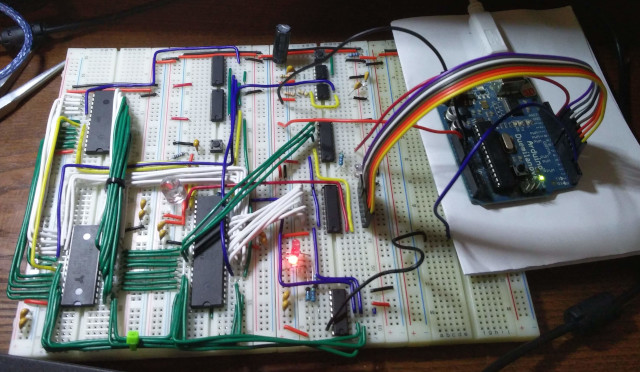
A parallel terminal based on Arduino is used for development purposes and will be replaced by an UART card.
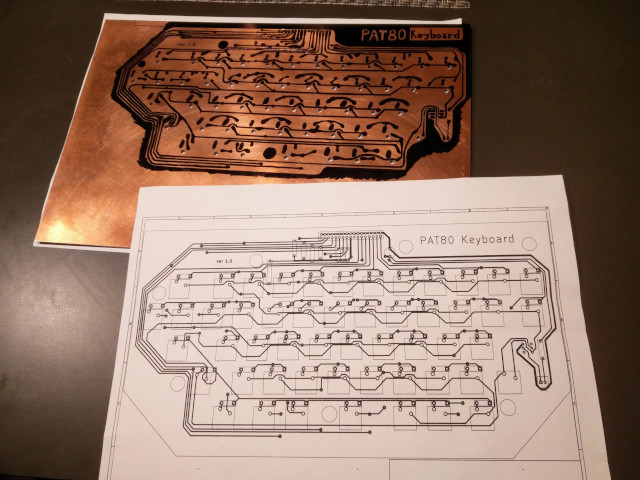
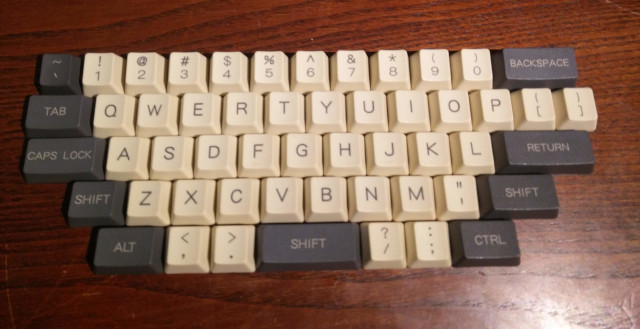
Pat80 features a blue-switches mechanical matrix keyboard, seen by the system as a memory area in I/O space. The keyboard doesn't use interrupts and is polled by the OS.
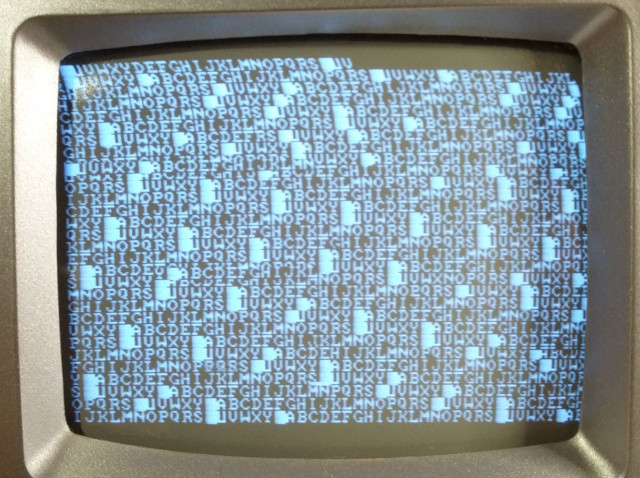
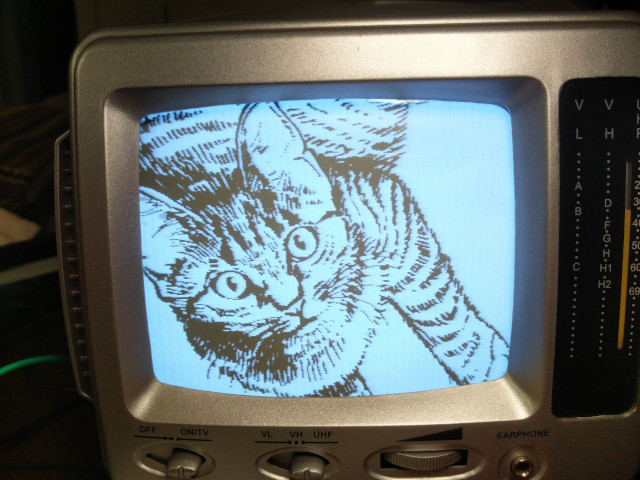
The monochrome 368x248 pixels video output is software-generated by an ATMega 1284 MCU. The timings are generated by the MCU's 16 bit internal timer and the vertical sync time is used to update the framebuffer.
The OS is a simple Memory Monitor. It can show memory content in hex and ascii with the typical hex editor tabular view. Programs can be loaded from the keyboard, writing Z80 opcodes and data in hex. The program can be executed from any ram position and the Memory Monitor can be brought to screen in any moment issuing an INT signal (the Z80 INT pin should be connected to a button with pull-up resistor). There is an experimental and unfinished quick load function using a python terminal to load a binary file directly to memory and execute it.
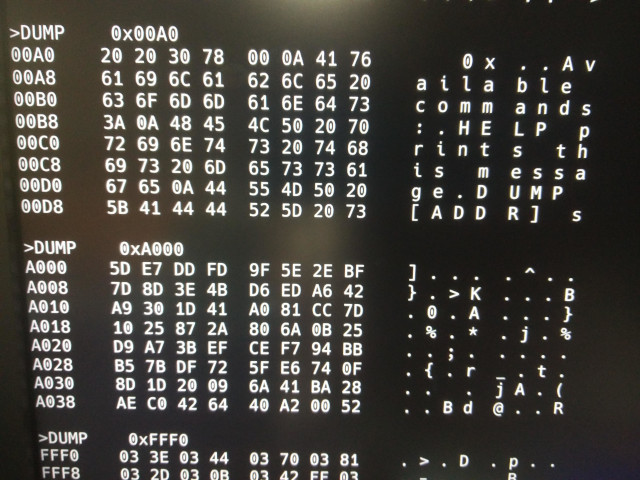
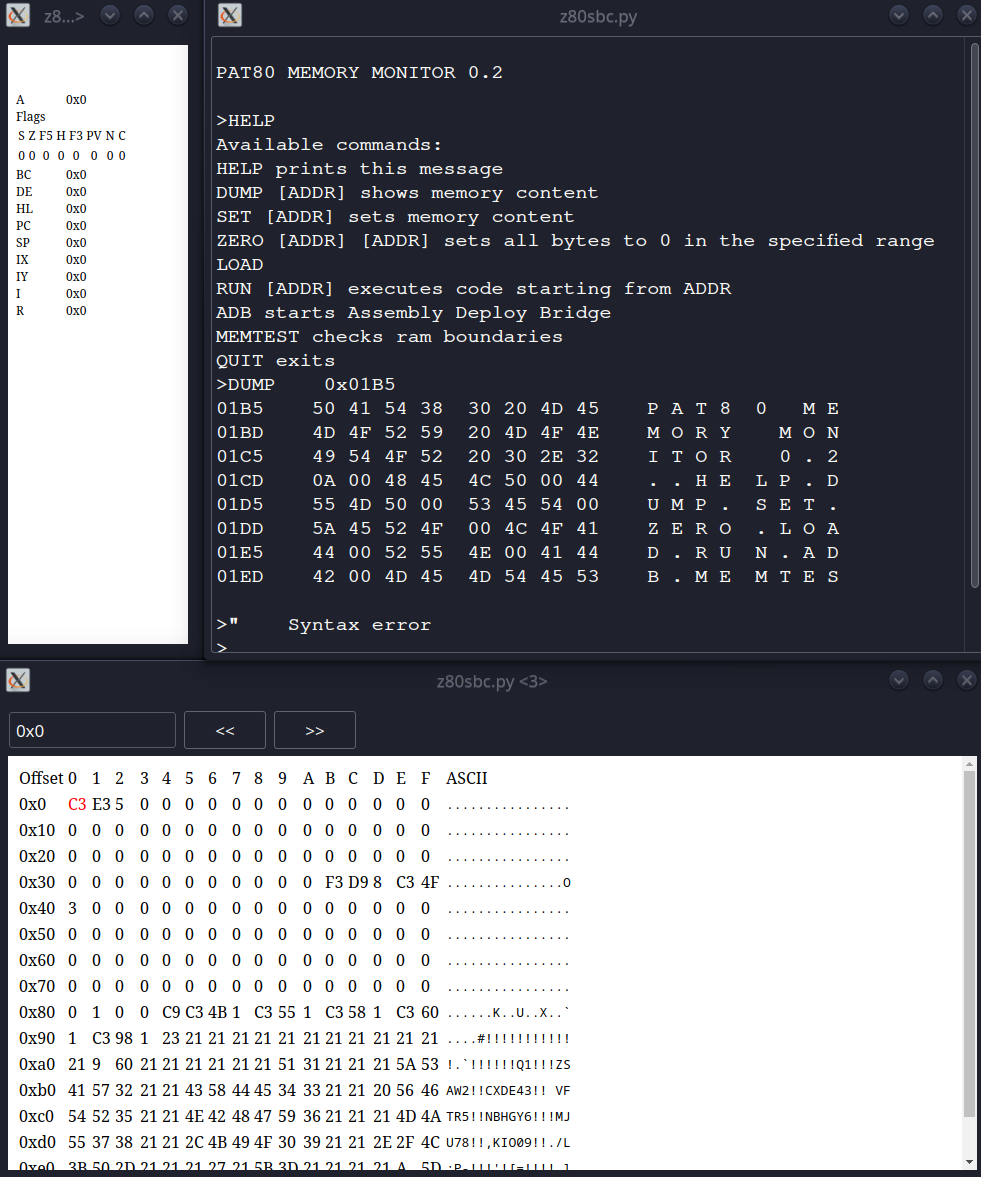
The pat80 memory monitor (the os) can be run in a z80 emulator. This repository contains an emulator as submodule, already set up to run the os.
To try it, head to pat80-computer/software/z80-assembly/os/Makefile and run make run to build the rom from assembly and start the emulator. You will see some windows showing the emulated computer's memory and register status and the pat80 memory monitor prompt.
The project is heavily work in progress.
The only fully working configuration as now is the Core board with two devices hooked to its I/O bus: the Arduino Parallel Terminal (see pat80-io-devices/parallel-terminal and pat80-computer/software/z80-assembly/os/drivers/arduino_terminal.asm) and the SN76489 sound chip (see pat80-computer/software/z80-assembly/os/drivers/hd44780.asm)
The keyboard is only partially tested, as it's not completed.
The composite video card is partially working, but has some nasty bugs on text cursor positioning and the graphics mode is not yet implemented (the only way to output graphics ATM is to place the bitmap in the MCU flash and load it to VRAM manually).
For the moment, better to stick with the Arduino Parallel Terminal.
All the rest
All the project is under GPL v3 license
The project is open to contribution, but with some limits:
Please see the main repository README file on how to obtain an account to my git instance.
| Qty | Value | Footprint | References |
|---|---|---|---|
| 6 | 100nF | Capacitor_THT:CP_Radial_Tantal_D6.0mm_P5.00mm | C8, C11, C13, C14, C16, C18 |
| 6 | 56pF | Capacitor_THT:CP_Radial_Tantal_D6.0mm_P5.00mm | C9, C10, C12, C15, C17, C19 |
| 2 | 10k | Resistor_THT:R_Axial_DIN0207_L6.3mm_D2.5mm_P7.62mm_Horizontal | R2, R3 |
| 2 | 10uF | Capacitor_THT:CP_Radial_Tantal_D6.0mm_P5.00mm | C1, C6 |
| 2 | 30pF | Capacitor_THT:CP_Radial_Tantal_D6.0mm_P5.00mm | C2, C3 |
| 2 | 470uF | Capacitor_THT:CP_Radial_D6.3mm_P2.50mm | C7, C20 |
| 1 | 0,1uF | Capacitor_THT:CP_Radial_Tantal_D6.0mm_P5.00mm | C5 |
| 1 | 0,22uF | Capacitor_THT:CP_Radial_Tantal_D6.0mm_P5.00mm | C4 |
| 1 | 256k (32k x 8) EEPROM | Package_DIP:DIP-28_W15.24mm_Socket_LongPads | U2 |
| 1 | 256k (32k x 8) SRAM | Package_DIP:DIP-28_W15.24mm_Socket_LongPads | U3 |
| 1 | 270k | Resistor_THT:R_Axial_DIN0207_L6.3mm_D2.5mm_P7.62mm_Horizontal | R5 |
| 1 | 3,3M | Resistor_THT:R_Axial_DIN0207_L6.3mm_D2.5mm_P7.62mm_Horizontal | R1 |
| 1 | 470 | Resistor_THT:R_Axial_DIN0207_L6.3mm_D2.5mm_P7.62mm_Horizontal | R4 |
| 1 | 4Mhz | Crystal:Crystal_HC18-U_Vertical | Y1 |
| 1 | 74HC04 | Package_DIP:DIP-14_W7.62mm_Socket_LongPads | U11 |
| 1 | 74HC138 | Package_DIP:DIP-16_W7.62mm_Socket_LongPads | U20 |
| 1 | 74HC244 | Package_DIP:DIP-20_W7.62mm_Socket_LongPads | U21 |
| 1 | 74HC245 | Package_DIP:DIP-20_W7.62mm_Socket_LongPads | U22 |
| 1 | 74HC32 | Package_DIP:DIP-14_W7.62mm_Socket_LongPads | U10 |
| 1 | Break | Button_Switch_THT:SW_Tactile_Straight_KSA0Axx1LFTR | SW2 |
| 1 | IO_bus_conn | Connector_PinHeader_2.54mm:PinHeader_1x26_P2.54mm_Horizontal | IOBUS1 |
| 1 | LED | LED_THT:LED_D5.0mm | D1 |
| 1 | LM7805_TO220 | Package_TO_SOT_THT:TO-220-3_Vertical | U30 |
| 1 | Power input | Connector_PinHeader_2.54mm:PinHeader_1x02_P2.54mm_Vertical | J2 |
| 1 | SW_Push | Button_Switch_THT:SW_Tactile_Straight_KSA0Axx1LFTR | SW1 |
| 1 | Z80CPU | Package_DIP:DIP-40_W15.24mm_Socket_LongPads | U1 |
| 1 | nmi | Connector_PinHeader_2.54mm:PinHeader_1x01_P2.54mm_Vertical | J5 |
| 1 | panel_btn_brk | Connector_PinHeader_2.54mm:PinHeader_1x01_P2.54mm_Vertical | J1 |
| 1 | panel_btn_rst | Connector_PinHeader_2.54mm:PinHeader_1x01_P2.54mm_Vertical | J4 |
| 1 | panel_led_halt | Connector_PinHeader_2.54mm:PinHeader_1x01_P2.54mm_Vertical | J3 |
penguin86/pat80
Pat80 Home Computer is an attempt to develop the simplest possible Zilog Z80 based computer in 2021


c0pperdragon/BreadBin
A CPU made of 7400 logic on breadboards - inside a bread bin ;-)


ifilot/p2000t-ram-expansion-board
RAM expansion board for the P2000T
44 parts, built around the 74HC244D, 74HC245D, 74HC04D and 74HC138. The full list of its parts is on this page, with links to each part's symbol and footprint where PCBKit's library has them.
From the penguin86/pat80 repository on GitHub, at the commit this page was made from: the board is pat80-computer/hardware/schematics/pat80/pat80.kicad_pcb. PCBKit opens the board in the browser, with nothing to install.
Its repository states no licence, so its author keeps all rights: ask penguin86 before reusing the design.