The Pocket SDR FE device includes 2, 4, or 8 RF frontend channels, supporting the GNSS L1 band (1525 - 1610 MHz) or L2/L5/L6 bands (1160 - 1290 MHz). For these signal bands, refer to GNSS Signal Bands.
FE 8CH is an open-source printed circuit board by osqzss, from the osqzss/PocketSDR repository on GitHub. It is a 4-layer board of 70 × 92.8 mm with 238 parts on 247 nets, routed with 2,964 tracks and 1,445 vias.
It is built around the CYUSB3014-BZXC, MAX2771ETI+ and 74AVC9112DCH, with the 74FCT3807APYG, AT24CM01-XHM-T and PI3USB302-AZBEX among its other parts. Its parts include 140 capacitors, 27 resistors, 16 ICs, 16 inductors and 13 connectors. It belongs with the radio and wireless boards of this library.
Pocket SDR is an open-source Global Navigation Satellite System (GNSS) receiver based
on software-defined radio (SDR) technology. It consists of RF frontend devices named
Pocket SDR FE, utilities for these devices, and GNSS SDR applications (APs) written
in Python, C, and C++. It supports almost all signals for GPS, GLONASS, Galileo,
QZSS, BeiDou, NavIC, and SBAS.
The Pocket SDR FE device includes 2, 4, or 8 RF frontend channels, supporting the
GNSS L1 band (1525 - 1610 MHz) or L2/L5/L6 bands (1160 - 1290 MHz). For these signal bands, refer to GNSS Signal Bands. Each RF channel
of the Pocket SDR FE device provides IF (intermediate-frequency) bandwidth of up to 36 MHz. The ADC sampling rate can be configured up to 32 Msps (FE 2CH) or 48 Msps (FE 4CH and FE 8CH).
Pocket SDR also includes utility programs to configure the Pocket SDR FE devices,
capture, and dump digitized IF data.
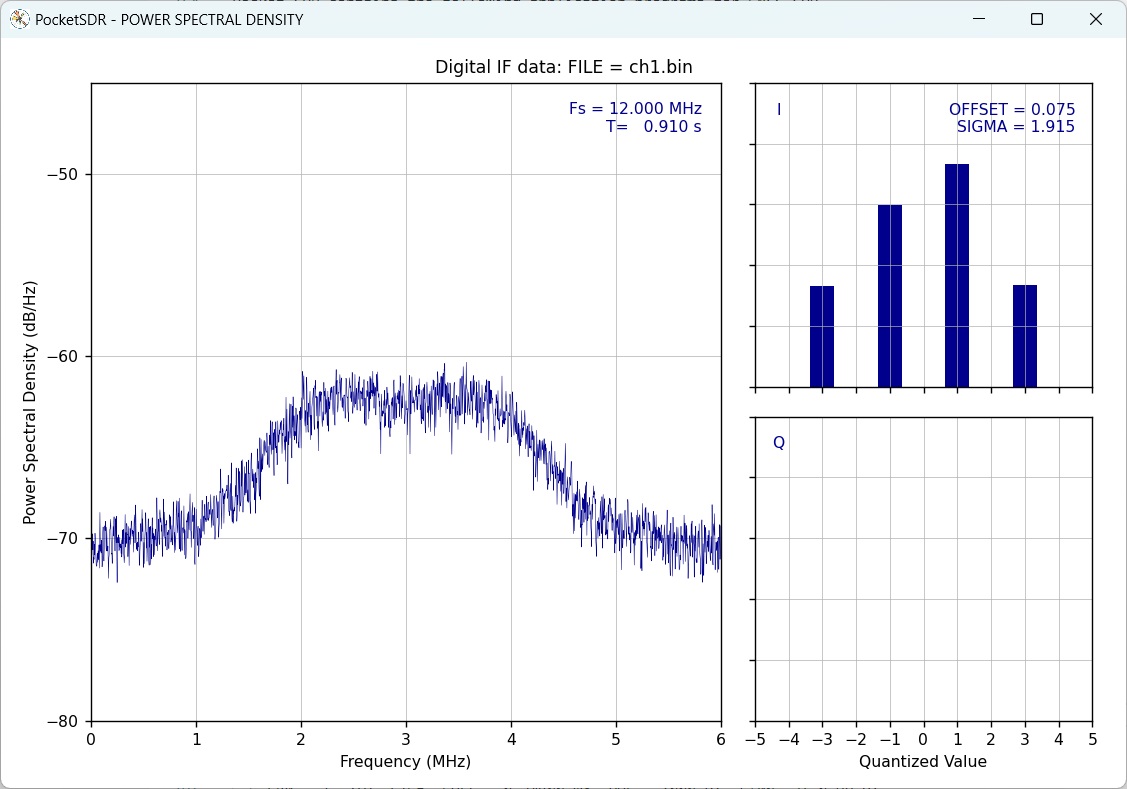
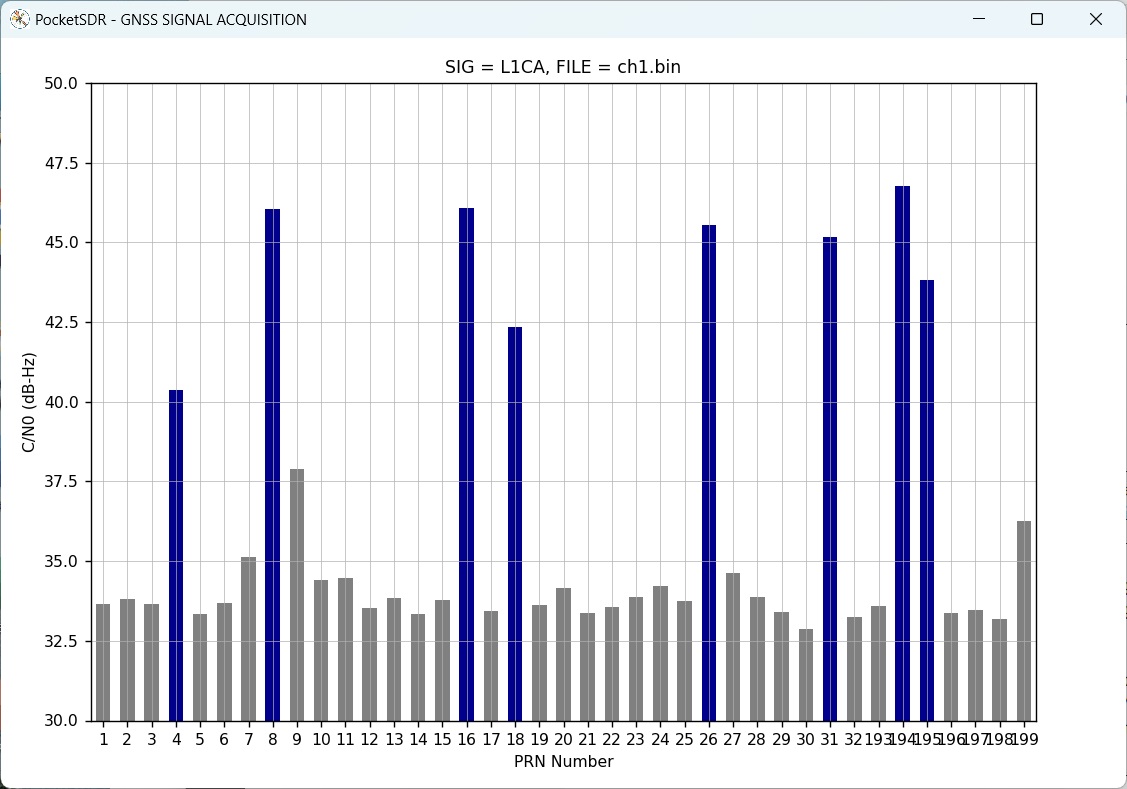
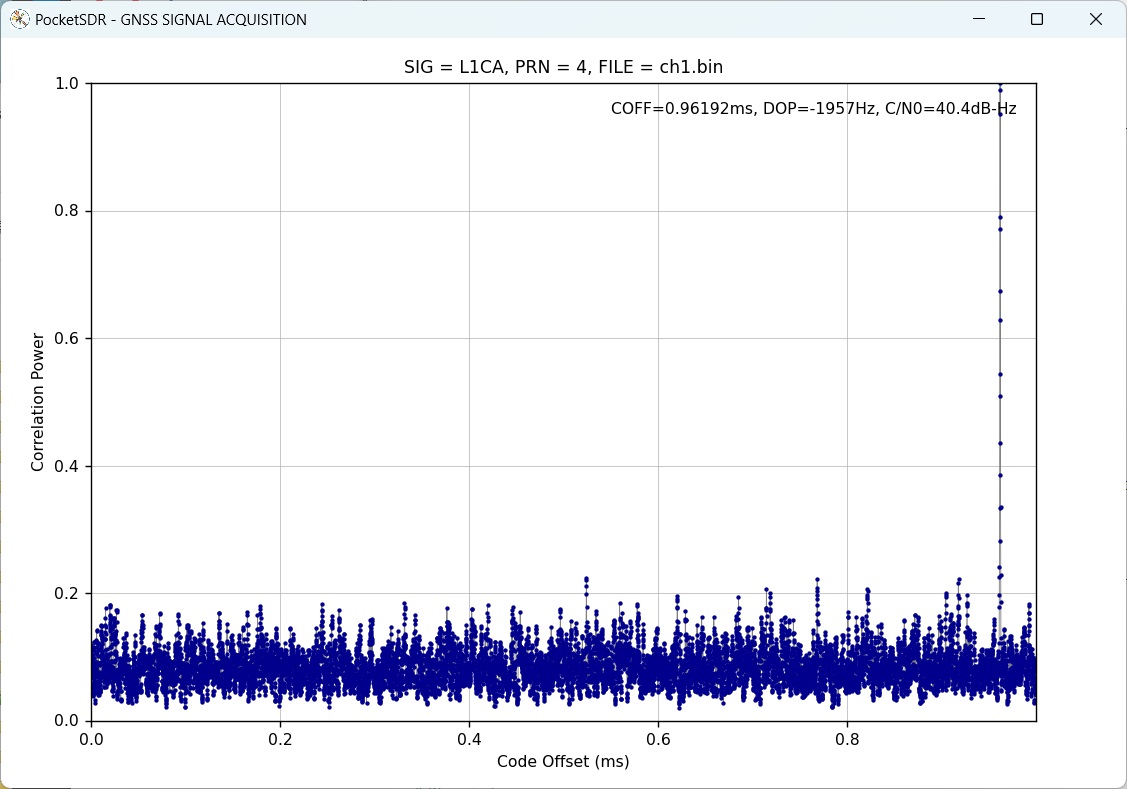
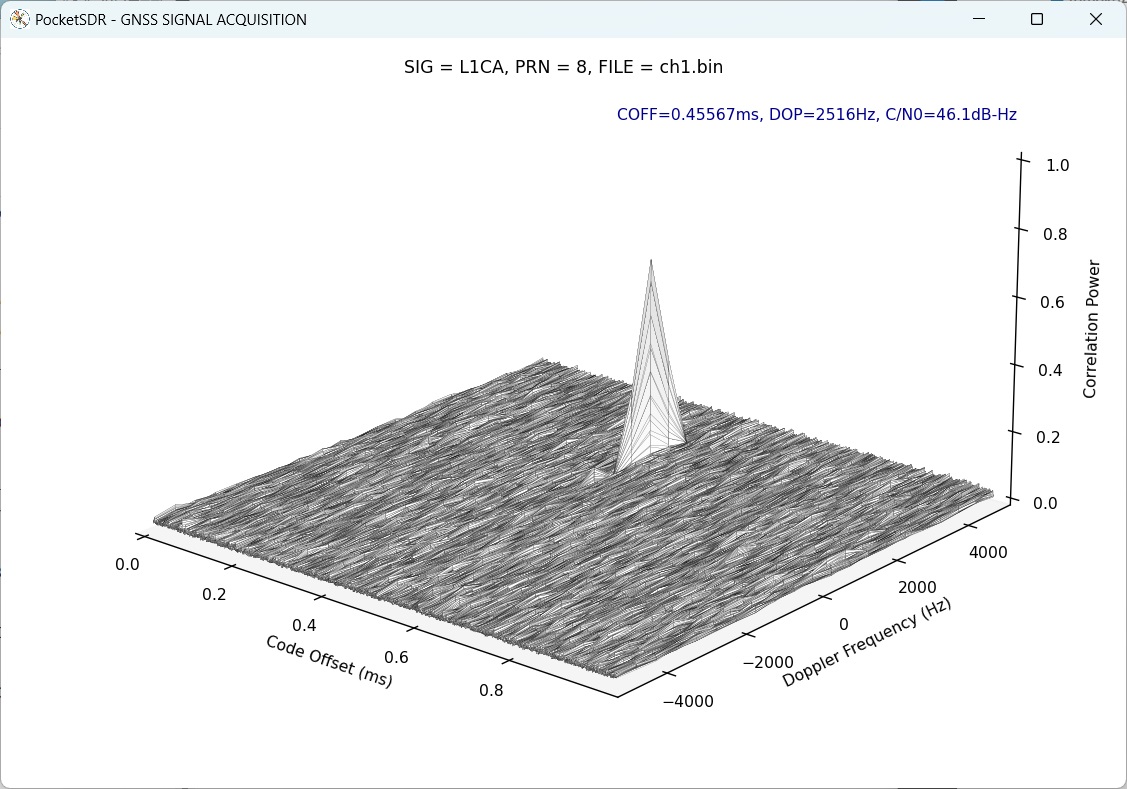
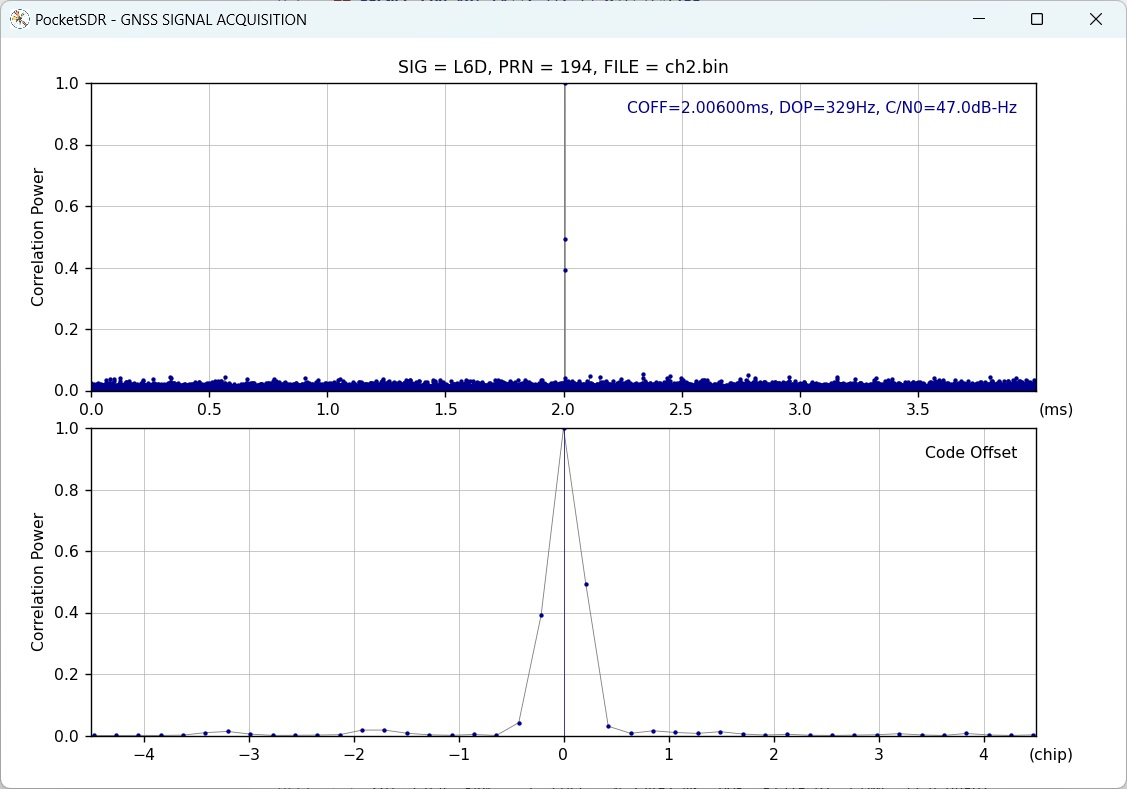
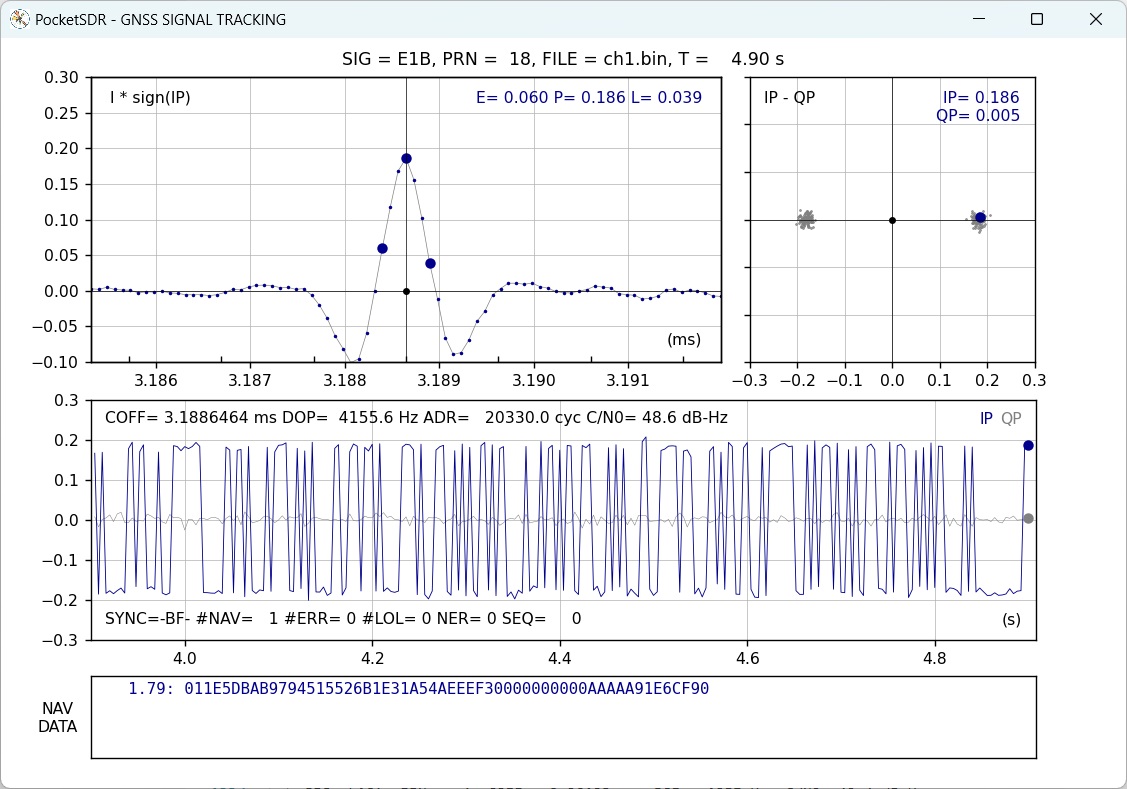
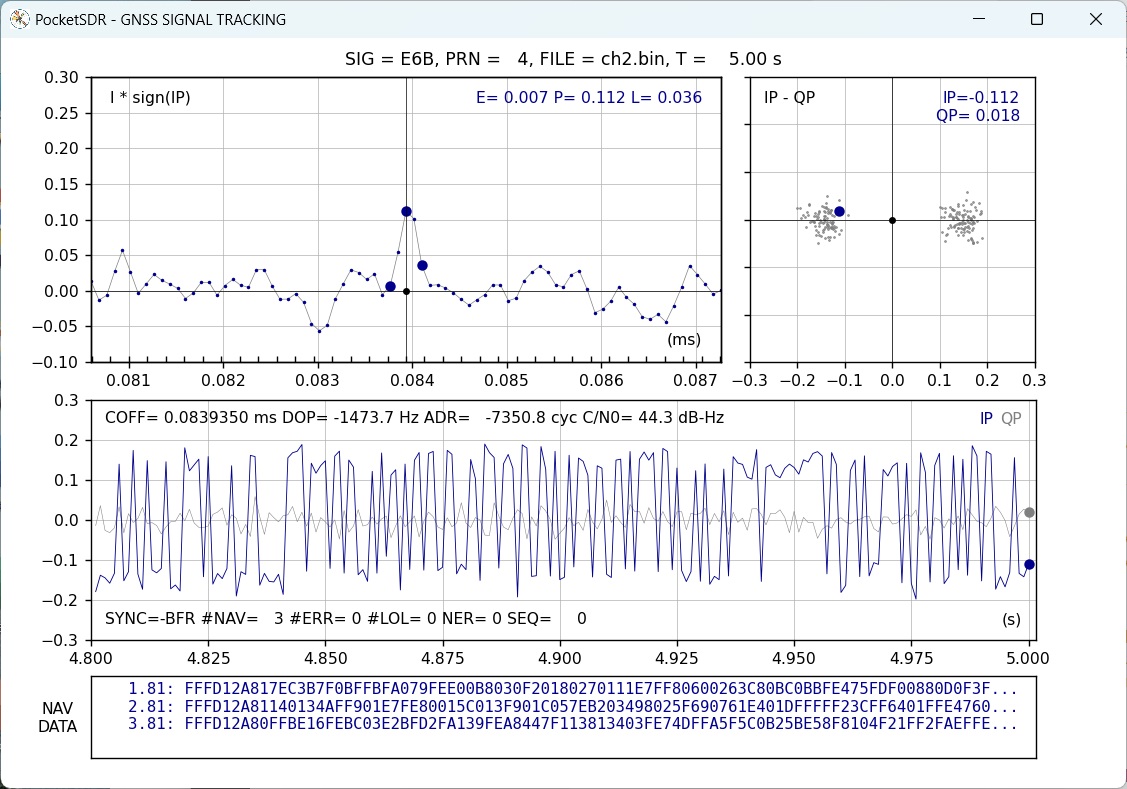
Additionally, Pocket SDR provides GNSS SDR APs to display the PSD (power spectrum density) of captured IF data, search for GNSS signals, track these signals, decode navigation data, and generate PVT (position, velocity, and time) solutions.
These utilities and APs are compatible with Windows, Linux, Raspberry Pi OS, macOS, and other environments.
The supported GNSS signals by Pocket SDR are as follows. For details on these signals and Pocket SDR signal IDs, refer to
GNSS Signals.
These utilities and APs are written in Python, C, and C++ in a compact and modular way,
making them easy to modify for adding custom algorithms.
In addition to the Pocket SDR FE devices, Pocket SDR supports third-party
SDR hardware (USRP, LimeSDR, bladRF, PlutoSDR, RTL-SDR, and so on) via
SoapySDR.
See SoapySDR Device Notes for verified devices,
installation notes, and device-specific caveats.
PocketSDR
├── bin         # Pocket SDR APs binary programs
├── app         # Pocket SDR APs source programs
│   ├── pocket_conf  # Pocket SDR FE device configurator
│   ├── pocket_dump  # Dump digital IF data of Pocket SDR FE device
│   ├── pocket_scan  # Scan and list USB devices
│   ├── pocket_acq   # GNSS signal acquisition
│   ├── pocket_trk   # GNSS signal tracking and PVT generation
│   ├── pocket_web   # GNSS receiver server with Web UI
│   ├── pocket_snap  # Snapshot Positioning
│   ├── pocket_calib # Antenna array attitude / per-CH bias calibration
│   ├── convbin      # RINEX converter supporting Pocket SDR
│   └── str2str      # Stream converter (RTKLIB-derived)
├── src         # Pocket SDR library source programs
├── html        # Web UI files served by pocket_web (JS + CSS, no build step)
├── python      # Pocket SDR Python scripts (incl. pocket_sdr.py GUI)
├── lib         # Libraries for APs and Python scripts
│   ├── win32        # Built libraries for Windows (UCRT64)
│   ├── macos        # Built libraries for macOS
│   ├── linux        # Built libraries for Linux or Raspberry Pi OS
│   ├── build        # Makefiles to build libraries (UCRT64 / Linux / macOS)
│   ├── cyusb        # Cypress EZ-USB API (CyAPI.a) and includes
│   ├── RTKLIB       # RTKLIB source programs based on 2.4.3 b34
│   ├── pocketfft    # PocketFFT (header-only FFT, used internally)
Installation for Windows
Download and extract PocketSDR.zip or clone the git repository here to an appropriate directory <install_dir>.
to an appropriate directory <install_dir>.
text
> unzip PocketSDR.zip
or
> git clone https://github.com/tomojitakasu/PocketSDR
Install USB device driver for Pocket SDR FE according to driver/readme.txt
.
Install Python with checking "Add python.exe to PATH".
Install additional python packages as follows.
text
> pip install numpy scipy matplotlib
(Optional) To use SoapySDR-supported devices (LimeSDR, HackRF, RTL-SDR,
bladeRF, etc.), install radioconda
and add <radioconda_install_dir>\Library\bin to PATH. See
SoapySDR Device Notes for per-device
packages, Zadig driver setup, and bladeRF version caveats.
Add the Pocket SDR binary programs path (<install_dir>\PocketSDR\bin) to
the command search path (Path) of Windows environment variables.
Add the Pocket SDR Python scripts path (<install_dir>\PocketSDR\python) to
the command search path (Path) of Windows environment variables.
To rebuild binary programs for Windows
If you want to rebuild the binary utilities, APs, or shared libraries for the python APs
for Windows, you need MSYS2 with the UCRT64 environment.
The UCRT64 toolchain links against the same C runtime (ucrtbase.dll) as
radioconda's SoapySDR DLLs, which
gives stable high-rate streaming with SDR hardware (e.g., LimeSDR at 64 Msps).
The legacy MINGW64 environment also builds, but suffers significant
performance loss with SoapySDR devices due to msvcrt/UCRT mixing.
Open the MSYS2 UCRT64 shell and install the development tools and the
Python stack used by the python APs:
If you intend to use SoapySDR-supported devices, install radioconda first.
The default radioconda location used by the Makefiles is
/c/Users/<user>/radioconda/Library. If installed elsewhere, override
with SOAPY_ROOT on the make command line. See
SoapySDR Device Notes
for details.
If SoapySDR device support is not required, build libsdr, pocket_trk,
and pocket_dump with USE_SOAPY=0. Pocket SDR FE USB devices and
IF-file based processing still work; only SoapySDR device input is
disabled. If you are rebuilding an existing tree, run make clean first.
text
$ cd <install_dir>/lib/build
$ make clean && make USE_SOAPY=0 && make install
$ cd <install_dir>/app/pocket_trk
$ make clean && make USE_SOAPY=0 && make install
$ cd <install_dir>/app/pocket_dump
$ make clean && make USE_SOAPY=0 && make install
Move to the library build directory and build libraries.
text
$ cd <install_dir>/lib/build
$ make
$ make install
The default radioconda location is /c/Users/<user>/radioconda/Library. If
installed elsewhere, override on the command line:
text
$ make SOAPY_ROOT=/c/path/to/radioconda/Library
Move to the application program directory and build utilities and APs.
text
$ cd <install_dir>/app
$ make
$ make install
To run unit tests for the libraries:
text
$ cd <install_dir>/test/utest
$ make
$ make test
==> test_sdr_array.exe
test_sdr_array_new_free_api ... OK
test_sdr_array_ant_pos_api ... OK
t...
test_sdr_usb_req_control ... OK
Installation for Linux or Raspberry Pi OS
Note: Pocket SDR has been verified on Ubuntu / Debian-based Linux
distributions and on Raspberry Pi OS (Bookworm) on Raspberry Pi 5
(aarch64). The Pi 5 has been confirmed to handle Pocket SDR FE and the
apt-installed SoapySDR devices for typical L1 / L2 single-channel use;
see the Notes for Raspberry Pi 5 subsection below for hardware
caveats (USB power, USB 3.0 routing, CPU limits).
You need fundamental development packages and some libraries. Confirm the following
packages installed: git, gcc, g++, make, libusb-1.0-0-dev, libfftw3-dev, python3, python3-numpy,
python3-scipy, python3-matplotlib, python3-tk
(Optional) To use SoapySDR-supported devices (LimeSDR, HackRF, RTL-SDR,
SDRPlay, bladeRF, etc.), install SoapySDR and the per-device modules:
See SoapySDR Device Notes
for per-device package names, udev access, UHD image installation, and
the Ubuntu 24.04 bladeRF module update workaround.
Download and extract PocketSDR.zip or clone the git repository to an appropriate directory <install_dir>.
text
$ unzip PocketSDR.zip
or
$ git clone https://github.com/tomojitakasu/PocketSDR
Move to the library build directory and build libraries.
text
$ cd <install_dir>/lib/build
$ make
$ make install
Move to the application program directory and build utilities and APs.
text
$ cd <install_dir>/app
$ make
$ make install
Add the Pocket SDR binary programs path (<install_dir>/PocketSDR/bin) to the command search path.
(Recommended) Install the udev rule so the Pocket SDR FE device is
accessible to a normal user account (no sudo required). The repository
ships a ready-to-use rule at driver/99-pocket-sdr.rules that grants the
plugdev group read/write access to Pocket SDR FE 2CH (Cypress
EZ-USB FX2LP, VID 04B4 / PID 1004) and FE 4CH / 8CH (Cypress
EZ-USB FX3, VID 04B4 / PID 00F1):
Log out and back in (or reboot) so the new group membership takes effect,
then unplug and re-plug the device. After that, pocket_scan,
pocket_conf, pocket_dump, pocket_trk, and pocket_sdr.py all run
without sudo.
Verify the rule is in effect:
text
$ lsusb -d 04b4:                         # confirm the device is enumerated
$ ls -l /dev/bus/usb/<bus>/<dev>          # group should be "plugdev", mode 0660
$ pocket_scan                             # should list the device
If your distribution uses a different group than plugdev (e.g.
dialout on some systems, or systemd-logind's uaccess is sufficient
on its own), adjust GROUP= in the rule file or rely on the
TAG+="uaccess" line which grants access to the currently logged-in
seat user on systemd-based systems.
If you skip the udev rule, you must run the Pocket SDR utilities under
sudo to access the USB device:
Raspberry Pi 5 (Cortex-A76 4-core @ 2.4 GHz, aarch64) runs the same
build path as desktop Linux above. The Makefiles auto-detect aarch64
and enable NEON SIMD optimizations (-DNEON). A few Pi-specific
constraints to be aware of:
USB power budget: Pi 5 advertises 5V / 5A on the official PSU but
the USB ports share a ~1.6 A budget. USRP B210 (~2 A peak), Pocket
SDR FE 8CH, and BladeRF 2.0 typically need either a USB Y-cable
(separate +5V feed) or a self-powered (externally-fed) USB hub.
Symptoms of insufficient power are intermittent USB resets, FPGA
bitstream upload failures (USRP), and dropped samples.
USB 3.0 routing: Pi 5 has 2× USB 3.0 + 2× USB 2.0 ports. Always
connect high-rate SDRs (LimeSDR, USRP B210, Pocket SDR FE 8CH) to a
USB 3.0 port. Verify enumeration speed with:
text
$ lsusb -t
The relevant device should show 5000M (USB 3.0) ? 480M means the
device fell back to USB 2.0, which is bandwidth-limited and will drop
samples at high rates.
CPU / sample rate limits: Pi 5 holds up well thanks to NEON SIMD
acceleration. Measured load (pocket_trk realtime, single-band L1
tracking, all-in-view PRNs):
Device
Sample rate × tracked channels
CPU load (of 400% = 4 cores)
LimeSDR USB
32 Msps × 7 ch
~280%
USRP B210
32 Msps × 8 ch
~290%
PlutoSDR
6 Msps × 10 ch
~121%
RTL-SDR
2.4 Msps × 16 ch
~102%
32 Msps with many tracked channels is workable but leaves limited
headroom for additional bands or PVT processing. 8 Msps is a
comfortable sweet spot for general L1 use on Pi 5. Heavier configs
(LimeSDR 60 Msps × 2-band, Pocket SDR FE 8CH × multi-band) will
saturate the Pi 5 CPU and are intended for desktop use.
PocketFFT vs FFTW3: PocketFFT (default) works on aarch64 with
NEON. If FFT becomes a bottleneck for your workload, FFTW3 is
marginally faster on large transforms ? install with
sudo apt install libfftw3-dev and switch the build per the
Using FFTW3 instead of PocketFFT
section below.
Storage: For long IF data captures (pocket_dump -t <long>,
pocket_trk -raw), use a USB 3.0 SSD or NVMe HAT. The microSD card
on stock Pi 5 cannot sustain >50 MB/s writes for extended periods
and will drop samples.
Installation for macOS
Note: Verified on Apple Silicon (arm64). Pocket SDR FE 2/4/8CH (USB)
has been confirmed working. For SoapySDR devices on macOS, see
SoapySDR Device Notes.
You need Homebrew as a base package manager. Install
Homebrew by following the instructions on its site, then install
development tools:
text
$ brew install libusb fftw
(Optional) Install radioconda
to use SoapySDR devices and a self-contained Python environment:
For Intel mac use Radioconda-MacOSX-x86_64.sh. Known macOS SoapySDR
packaging workarounds are collected in
SoapySDR Device Notes.
Download and extract PocketSDR.zip or clone the git repository to an
appropriate directory <install_dir>.
text
$ unzip PocketSDR.zip
or
$ git clone https://github.com/tomojitakasu/PocketSDR
Build libraries and applications. The Makefiles auto-detect Apple
Silicon (Darwin arm64) and use clang++ for C++ sources and pull
Homebrew's libusb / fftw headers from /opt/homebrew/include:
text
$ cd <install_dir>/lib/build
$ make
$ make install
$ cd <install_dir>/app
$ make
$ make install
Add <install_dir>/PocketSDR/bin to the command search path.
For SoapySDR-supported devices, use the driver shortcuts in
<install_dir>/app/pocket_trk/pocket_trk.sh. See
SoapySDR Device Notes.
Pocket SDR FE 2CH / 4CH / 8CH USB devices work on macOS via libusb-1.0
with no driver install needed (Apple's IOUSB stack provides
raw USB access through libusb). Plug in the device and run:
text
$ pocket_scan                                          # device should be listed
$ pocket_conf <install_dir>/conf/pocket_L1L6_12MHz.conf
$ pocket_dump -t 10 ch1.bin ch2.bin
Using FFTW3 instead of PocketFFT (optional)
Starting from version 0.15b, Pocket SDR ships with PocketFFT (BSD-3-Clause) as the default FFT backend, replacing FFTW3 (GPL). The change is licensing-driven; for most workloads PocketFFT is competitive, but FFTW3 is still slightly faster on large transforms and supports runtime wisdom (auto-tuned plans) ? pocket_trk / pocket_snap / pocket_acq can read python/fftw_wisdom.txt for further speed-up.
To build with FFTW3 instead, install the library and build libsdr and the
FFT-using applications with USE_FFTW=1.
$ cd <install_dir>/lib/build
$ make clean && make USE_FFTW=1 && make USE_FFTW=1 install
$ cd <install_dir>/app/pocket_acq
$ make clean && make USE_FFTW=1 && make install
$ cd <install_dir>/app/pocket_snap
$ make clean && make USE_FFTW=1 && make install
$ cd <install_dir>/app/pocket_calib
$ make clean && make USE_FFTW=1 && make install
$ cd <install_dir>/app/pocket_dump
$ make clean && make USE_FFTW=1 && make install
$ cd <install_dir>/app/pocket_trk
$ make clean && make USE_FFTW=1 && make install
(Optional, FFTW3 only) Generate a wisdom file tuned for the host CPU. Once present, pocket_trk, pocket_snap, and pocket_acq pick it up automatically.
Note: FFTW3 is GPL-licensed, so a binary linked against it inherits GPL terms. Keep this in mind when redistributing.
Using AVX-512 instructions (optional)
On x86-64 CPUs with AVX-512 (AMD Zen 4 or later such as Ryzen 9000 series,
Intel Ice Lake or later), libsdr can be built with USE_AVX512=1 to use the
AVX-512 versions of the carrier mixer, correlator, LPF and array covariance
kernels (-DAVX512) instead of the default AVX2 ones. The APs link libsdr
statically, so rebuild them after the library. A binary built with
USE_AVX512=1 does not run on a CPU without AVX-512.
text
$ cd <install_dir>/lib/build
$ make clean && make USE_AVX512=1 && make install
$ cd <install_dir>/app
$ make clean && make && make install
The unit tests can be built with the same option: make -C test/utest USE_AVX512=1.
GNSS SDR Utilities and APs
Pocket SDR includes the following utilities for the Pocket SDR FE.
pocket_scan: Scans and lists USB Devices.
pocket_conf: Configures Pocket SDR FE device.
pocket_dump: Captures and dumps IF data from the Pocket SDR FE device
Pocket SDR also provides the following GNSS SDR APs:
pocket_psd.py : Plots PSD and histograms of IF data.
pocket_acq.py : Performs GNSS signal acquisition from IF data.
pocket_trk.py : Tracks GNSS signals and decodes navigation data in IF data.
pocket_snap.py: Executes snapshot positioning using captured IF data.
pocket_sdr.py : A GUI-based GNSS SDR receiver application.
pocket_plot.py: Plots receiver logs generated by pocket_trk or pocket_sdr.py.
pocket_acq : A C-version of pocket_acq.py (w/o graphical plots).
pocket_trk : A C-version of pocket_trk.py (w/o graphical plots).
pocket_snap : A C-version of pocket_snap.py.
pocket_web : A GNSS SDR receiver server controlled from a Web UI.
Starting from version 0.13, Pocket SDR includes a GUI-based real-time GNSS SDR
receiver AP, pocket_sdr.py. To execute the application, follow these steps:
For more information about this application, please refer to pocket_sdr.py help.
Web UI-based Real-Time GNSS SDR Receiver AP
Starting from version 0.20, Pocket SDR includes pocket_web, a real-time
GNSS SDR receiver AP controlled from a Web UI in a browser. It provides the
same receiver as pocket_trk and the same screens as pocket_sdr.py, but needs
no GUI toolkit on the machine running the receiver, so it also suits a
headless Raspberry Pi. To execute the AP:
text
$ cd <install_dir>/bin
$ sudo ./pocket_web -web 8080
Then open http://localhost:8080/ in a browser. The receiver starts stopped:
set the input source, output streams and signals in the Input, Output and
Signal Options pages, and press Start. The settings are saved when the
receiver is stopped and when the AP exits, and are restored at the next
start, so -start starts the receiver right away with them.
To reach the AP from another PC, a tablet or a phone, bind it to all
interfaces:
text
$ sudo ./pocket_web -web 0.0.0.0:8080
Note that the interface is unauthenticated and unencrypted. Use it in a
trusted LAN only, or front it with a reverse proxy providing HTTPS and
authentication.
run_sdr.sh in the top directory starts and stops the server:
Always stop the AP this way or with Ctrl-C. If the process is killed, the RF
frontend is left streaming and needs a USB reset to recover (pocket_web
recovers it at the next start, but the running capture is lost).
Pocket SDR is released for research and educational use. Public
availability of the source code, hardware design data, and firmware in this
repository does not exempt users from compliance with applicable export
control regulations, including the Japan Foreign Exchange and Foreign Trade
Act (外為法), the US Export Administration Regulations (EAR), the EU
dual-use regulation (EU 2021/821), and the Wassenaar Arrangement (Category 7
? Navigation and Avionics). The 8-channel hardware (FE_8CH) combined with
the antenna array calibration and digital beam-forming features added in
v0.15 may be regarded as dual-use technology under some jurisdictions;
users should perform their own classification (該非判定) before cross-border
transfer.
Use of this software or hardware design data by, or transfer to, individuals
or entities subject to applicable economic sanctions (e.g., US OFAC SDN
List, EU consolidated sanctions list, Japan METI End-User List), or for
military, weapons of mass destruction (WMD), or delivery system development
purposes, is prohibited.
References
[1] NMEA 0183: Standard for Interfacing Marine Electronic Devices, National Marine Electronics Association and International Marine Electronics Association, 2013.
[2] RTCM 10403.4 with Amendment 1: Differential GNSS (Global Navigation Satellite Systems) Service - Version 3, Radio Technical Commission for Maritime Services, November 1, 2024
History
2021-10-20 (v0.1): Initial draft version.
2021-10-25 (v0.2): Added rebuild firmware and write firmware image to Pocket SDR.
2021-12-01 (v0.3): Added and modified Python scripts.
2021-12-25 (v0.4): Added and modified Python scripts.
2022-01-05 (v0.5): Fixed several issues.
2022-01-13 (v0.6): Added and modified Python scripts.
2022-02-15 (v0.7): Improved performance and added more Python scripts.
2022-07-08 (v0.8): Added C-version of pocket_acq.py and pocket_trk.py.
2024-01-03 (v0.9): Added C-version of pocket_snap.py. pocket_trk now supports multi-signal and multi-threading.
2024-01-12 (v0.10): Added support for NavIC L1-SPS-D, L1-SPS-P, GLONASS L1OCd, L1OCp, and L2OCp.
2024-01-25 (v0.11): Added support for decoding GLONASS L1OCd NAV data and NB-LDPC error correction for BDS B1C, B2a, and B2b.
2024-05-28 (v0.12): Performance optimizations. Added support for PVT generation, RTCM3, and NMEA outputs.
2024-07-04 (v0.13): Added GUI-based GNSS SDR receiver AP. Added support for macOS and Raspberry Pi OS.
2025-03-21 (v0.14): Added Pocket SDR FE 8CH. Fixed various issues.
2026-05-12 (v0.15): Added antenna array calibration (per-epoch EKF on
single-difference carrier-phase residuals) and digital beam-forming. Added
LUT-based array combine (~2x throughput at narch=8). Added GUI Array tab
with calibration / beam control and gain pattern overlay. Added Galileo
E5ABQ signal support. Added SoapySDR / LimeSDR support on Windows
(UCRT64 + radioconda). Refactored array calibration / beam-forming API.
2026-06-01 (v0.16): Added fast acquisition using saved ephemeris /
almanac data, latest FIX position, and receiver clock drift rate. Added
.pocket_navdata.csv persistence for almanacs and last FIX state with
timestamp validation. Added SoapySDR input support to pocket_dump, CS8 /
CS16 support to pocket_acq, and helper scripts for SoapySDR capture /
tracking. Added USE_SOAPY and USE_FFTW make options. Fixed FE 2CH
I-sampling real-to-complex conversion and updated command/API references.
2026-06-15 (v0.17): Improved signal-loss decision with a carrier lock
detector (PLI) and pessimistic counter in addition to C/N0 (thres_pli,
lost_th options). Replaced external Viterbi / Reed-Solomon / LDPC decoders
with internal implementations. Improved the symbol-sync algorithm. Improved
the pocket_sdr.py UI (options Load / Save, etc.).
2026-07-06 (v0.18): Reworked the QZSS L6 CSK decoder: chip-domain FFT
symbol detection with sampling-rate-independent cost, E/P/L correlations by
the standard correlator with the CSK-shifted code (improves L6 pseudorange
quality), and a narrowed peak search after frame sync. L6 tracking is 3-8x
faster; 8 L6 channels at 24 Msps fit on a Raspberry Pi 5 (see
doc/update_csk_decoder.md). Fused carrier wipeoff into the standard and FFT
correlators and unified the int8 code banks. Optimized NEON paths for
Raspberry Pi 5 (SDOT). Added option -w for FFTW wisdom import.
2026-07-24 (v0.19): Added int8 code support to the correlators for
multi-level sub-carrier replicas: CBOC for Galileo E1B / E1C and AltBOC for
E5. Improved E5 AltBOC tracking with pre-combined complex replicas on a
restored complex correlator path. Added extended coherent tracking for
pilot signals and low-C/N0 acquisition / tracking options (t_acq_ext,
t_coh, thres_cn0_ext). Removed the C/N0 estimation bias at low C/N0.
Widened the pseudorange lower bound for GEO / IGSO epoch seeding.
Generalized the output streams: up to 8 streams with selectable types
(NMEA, RTCM3, receiver log, IF data log), e.g. NMEA to a file and a TCP
server simultaneously (-nmea / -rtcm / -log / -raw repeatable in
pocket_trk; new Output Options UI in pocket_sdr.py).
2026-08-08 (v0.20): Added a Web UI. The new AP pocket_web embeds an
HTTP + WebSocket server (src/sdr_web.c) and serves a static front end (html/,
plain JS, no dependency or build step), so a browser drives the whole
receiver, even on a headless Raspberry Pi, with the settings kept across
sessions (see doc/design_web_ui.md). Recovered a Pocket SDR FE left streaming
by a killed session. pocket_trk keeps its command line.
2026-10-21 (v0.21): Added multi-device and multi-channel SoapySDR input:
devices sharing a common 10 MHz and 1PPS are opened as one multi-channel
frontend (up to 8 RF channels) with the streams started at a common time,
including -RFCH assignment and -arch array combining. Added SoapySDR
options -EXT_CLOCK and -gpio, dropped-sample zero-fill, sensor logging
(-sens), and multi-channel SoapySDR capture by pocket_dump for replay.
Enlarged the Pocket SDR FE raw data buffer to 128 MB with overflow logging
and a raised receiver thread priority, fixing the loss of all signals at
once at high data rates. Fast acquisition now predicts the satellites at
the receiver time instead of the host PC clock, so it also works for a GNSS
simulator and replayed IF data. Added AVX512 kernels for the carrier mixer,
correlators, LPF and complex multiply (USE_AVX512=1). Added a dark theme
to pocket_sdr.py. Fixed the satellite week not updated on the TOW rollover,
sat_id() for BeiDou B1C / B2a / B2I, the start-time dependent fractional
carrier phase bias between channels that broke the integer double-difference
ambiguities (GitHub issue #97), and potential buffer overflows in the
pocket_web JSON replies (GitHub issue #98).
2026-11-03 (v0.22): Redesigned the NB-LDPC decoder internals for the
BeiDou B1C / B2a / B2b navigation data: extrinsic EMS with truncated
messages and a compensation offset, a layered update schedule, a cached
Tanner graph, and a full-alphabet sum-product retry on EMS failure. The
error-correction performance is improved by 1.6-1.9 dB and the decoding is
7-17x faster, on par with GNSS-SDR (see doc/update_nb_ldpc_decoder.md).
Added fast / normal signal search slots and carried over the TOW across a
re-acquisition for a fast re-fix after a signal interruption. Shared the
DFT of the IF data among the Doppler bins in sdr_search_code() to speed up
the signal search (GitHub PR #99). Added NEON carrier mixing of 64 phases
by table lookup to the tracking correlator (GitHub PR #101). Fixed the
16 KB block misorder of the FE 4CH / 8CH IF data after a USB reset (GitHub
PR #100), the azimuth / elevation angles not updated for unhealthy
satellites while the PVT solution is available, and the satellite health
evaluation on the Satellites pages of the GUI and the Web UI by masking
the QZSS L1C/A and L1C/B health flags.
The Pocket SDR FE device includes 2, 4, or 8 RF frontend channels, supporting the GNSS L1 band (1525 - 1610 MHz) or L2/L5/L6 bands (1160 - 1290 MHz). For these signal bands, refer to GNSS Signal Bands.
The Pocket SDR FE device includes 2, 4, or 8 RF frontend channels, supporting the GNSS L1 band (1525 - 1610 MHz) or L2/L5/L6 bands (1160 - 1290 MHz). For these signal bands, refer to GNSS Signal Bands.
The Pocket SDR FE device includes 2, 4, or 8 RF frontend channels, supporting the GNSS L1 band (1525 - 1610 MHz) or L2/L5/L6 bands (1160 - 1290 MHz). For these signal bands, refer to GNSS Signal Bands.
A PCB for four DVSI AMBE-3000R Vocoders for use with WebSDRs/Audio transcoding
200 parts19MIT
Questions
How big is the FE 8CH PCB?
It measures 70 × 92.8 mm and has 4 copper layers, 1.61 mm thick.
What parts does the FE 8CH use?
238 parts, built around the CYUSB3014-BZXC, MAX2771ETI+, 74AVC9112DCH and 74FCT3807APYG. The full list of its parts is on this page, with links to each part's symbol and footprint where PCBKit's library has them.
Where can I download the FE 8CH KiCad files?
From the osqzss/PocketSDR repository on GitHub, at the commit this page was made from: the board is FE_8CH/HW/v4.0/v4.0.kicad_pcb and its schematic FE_2CH/HW/v2.3/pocket_sdr_v2.3.kicad_sch. PCBKit opens the board in the browser, with nothing to install.
Can I use the FE 8CH design in my own project?
Its repository states no licence, so its author keeps all rights: ask osqzss before reusing the design.


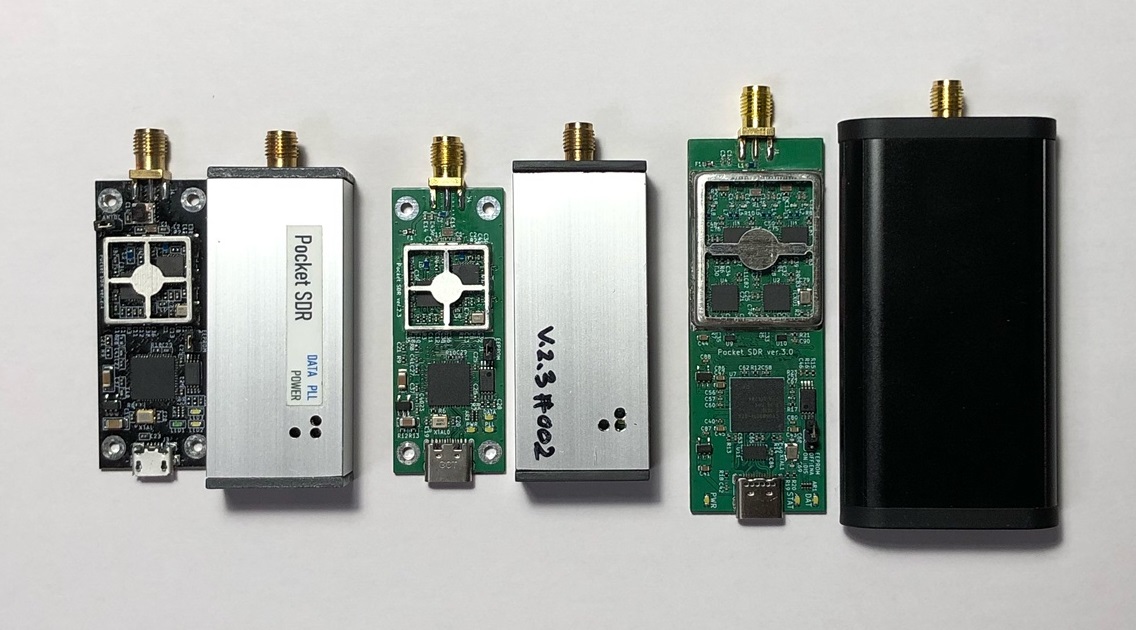 Pocket SDR FE 2CH (v.2.0 and v.2.3), FE 4CH
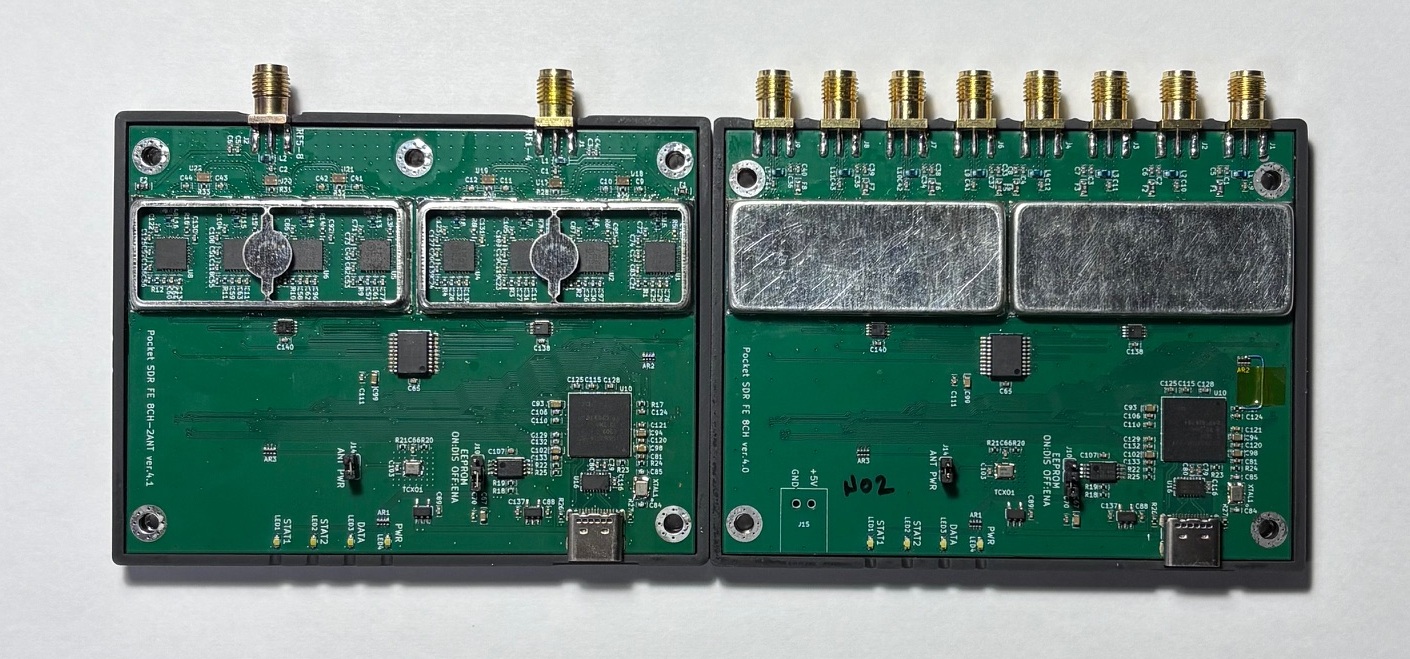 Pocket SDR FE 8CH (2-RF-inputs and 8-RF-inputs)
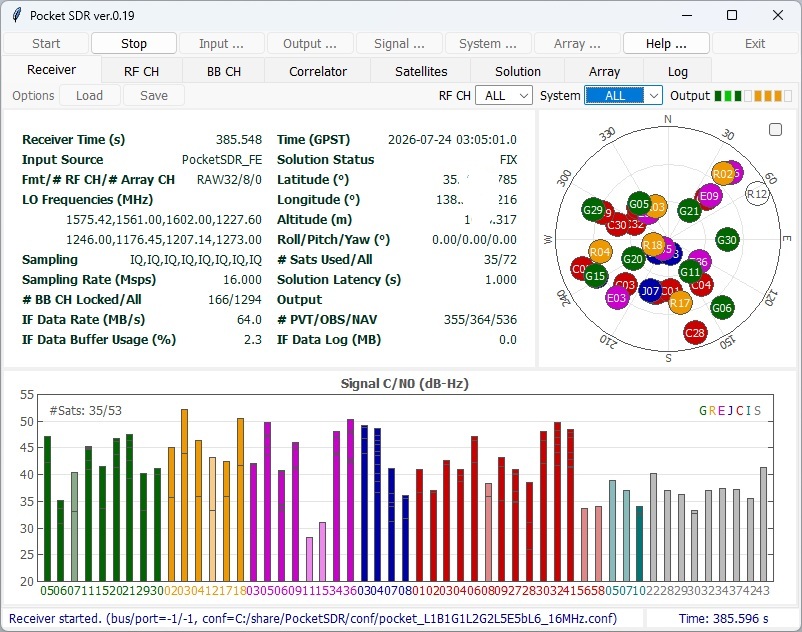 GUI-based Real-Time GNSS SDR Receiver AP