2 layers28.3 × 39.8 mm
LevelShifter
gusmanb/logicanalyzer
24 channel, 100Msps logic analyzer hardware and software
21 parts5.1kGPL-3.0
 oneleaftea/KinP9
RP2040 Pico Mod for the Kinesis Advantage/Contoured Keyboard
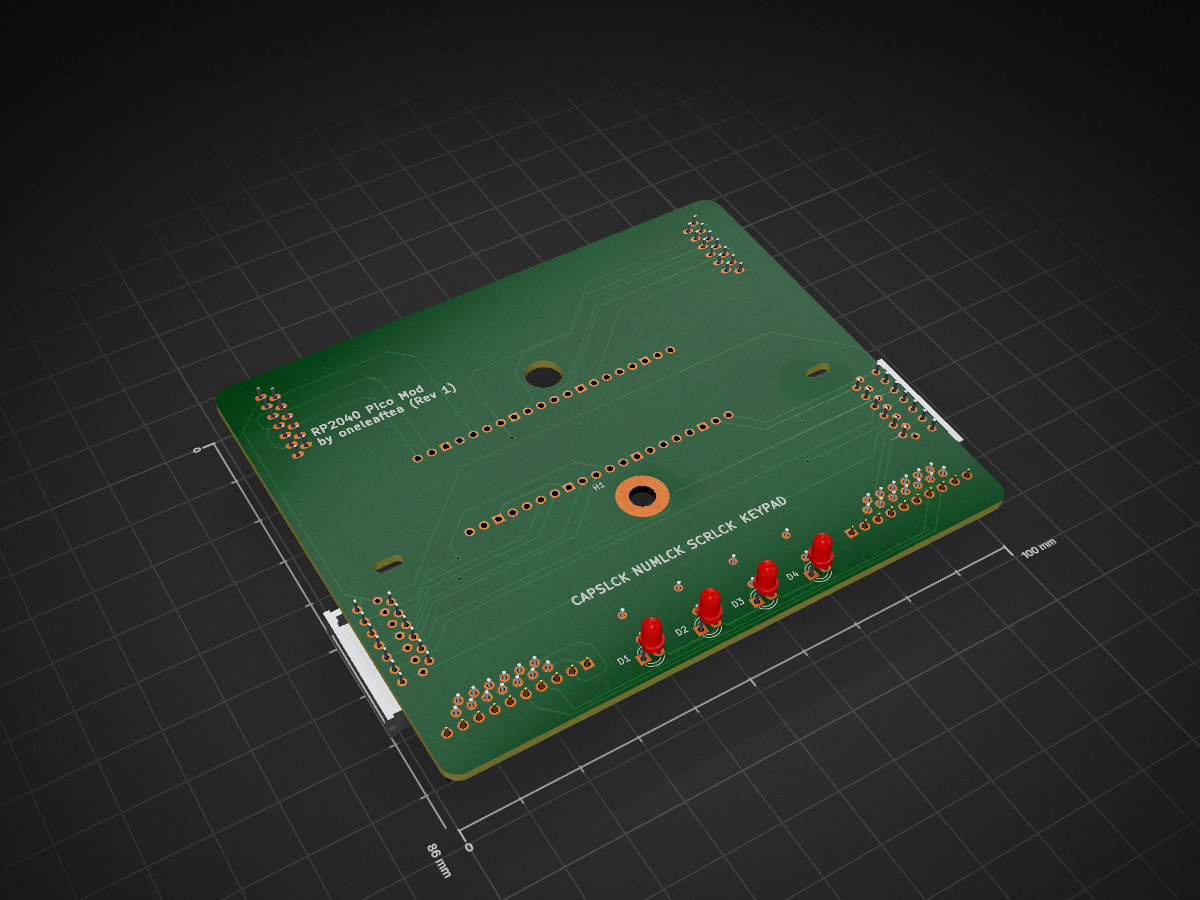
KinP is an open-source printed circuit board by oneleaftea, from the oneleaftea/KinP repository on GitHub. It is a 2-layer board of 100 × 86 mm with 21 parts on 75 nets, routed with 335 tracks and 5 vias.
Its parts include 8 connectors, 4 resistors, 4 diodes and 1 IC. It belongs with the keyboards and input boards and the RP2040 boards of this library.
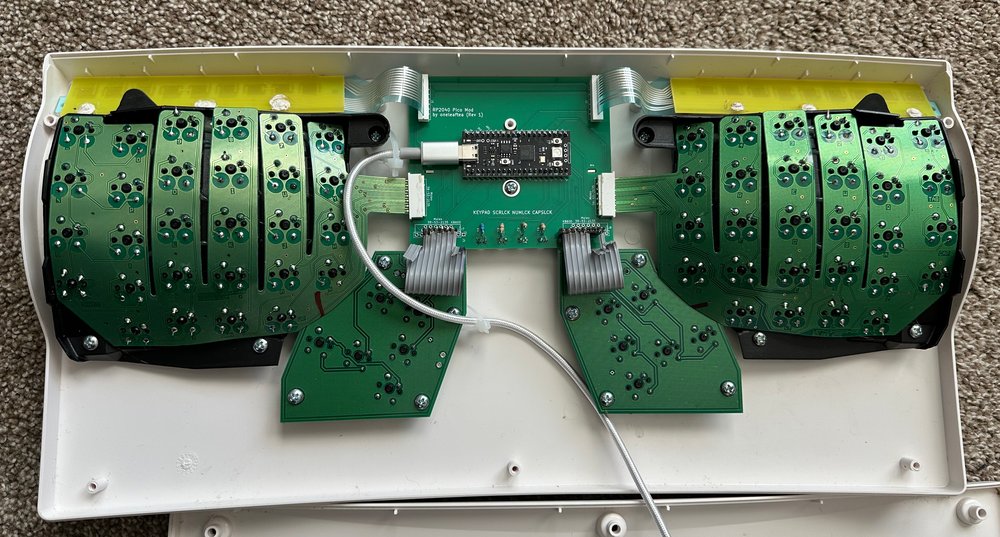
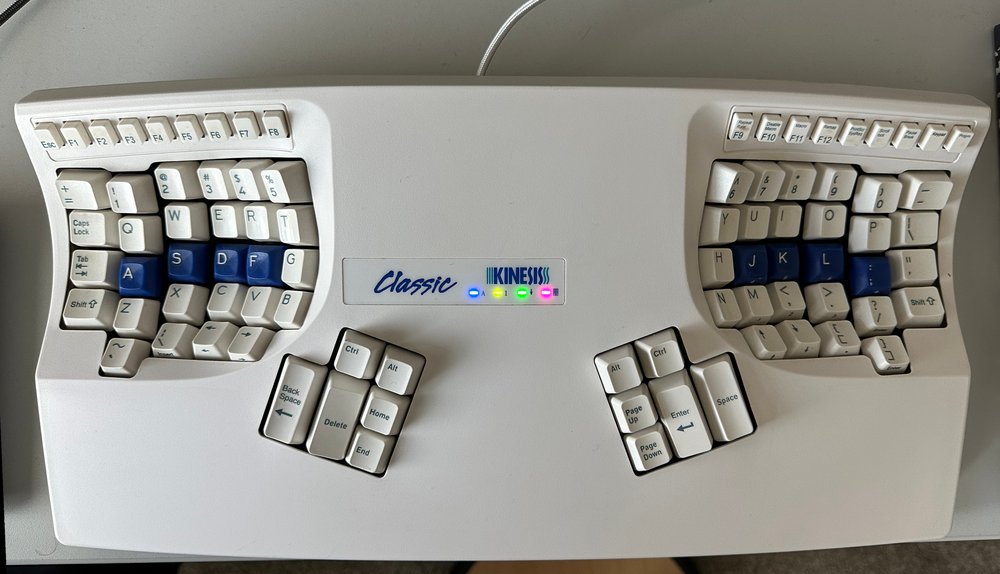
This project includes the PCB design and the QMK default files for replacing a Kinesis Advantage/Contoured keyboard with a Raspberry Pi RP2040 Pico MCU.
Credit goes to Michael Stapelberg for the original KinT PCB as well as Ming-Gih Lam for developing several key changes:
The pillzmod version was especially useful in a few key changes. I borrowed the following:
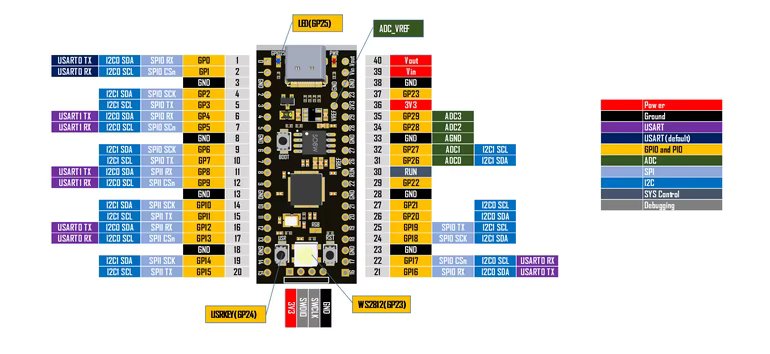
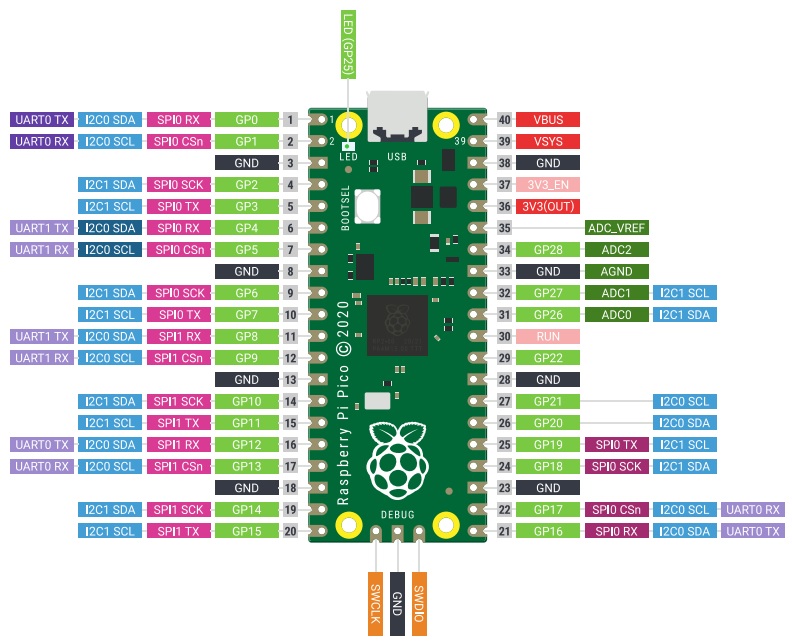
I have built several of these boards using cheaper RP2040 MCU's from Tenstar Robot on Aliexpress, mainly due to the cheaper price as well as the USB-C connector. The pinout is the same as the official Raspberry Pi Pico, but as I have never used one, I can only vouch for it working with the Aliexpress ones (which are also available on Amazon). Just to be safe, I did not use GP23 and GP29, which are the two GPIO pins that are available on the Tenstar Robot version but not available on the official Raspberry Pi Pico.
Here is the pinout of the Tenstar Robot version:
Here is the pinout of the official version:
The default QMK configuration and keymap is a standard QWERTY layout, and includes all 4 LED's. The keypad LED is linked to the keypad button on the F-row, and corresponds to the second layer. The program button only works on this second layer to avoid accidentally programming the keyboard. Once you are on the second layer, simply press the program keyboard, and you will be able to flash your uf2 file.
I have exported the PCB gerber files according to JLCPCB's recommended settings and have ordered and tested the files. The included zip file should work just fine for ordering, but feel free to check out the KiCAD files and generate your own gerber files.
| Position | Description | Qty | Notes |
|---|---|---|---|
| J1-J4 | Molex 39-53-2135 | 2 - 6 | Link |
| J3-J4 | Molex 39-53-2134 | 0 - 2 | Contoured only, Link |
| U1 | Header pins (1x20) | 2 | Should come with dev board |
| D1-D4 | 3.0mm LED | 4 | Amazon |
| R1-R4 | various resistors | 4 | Affects brightness |
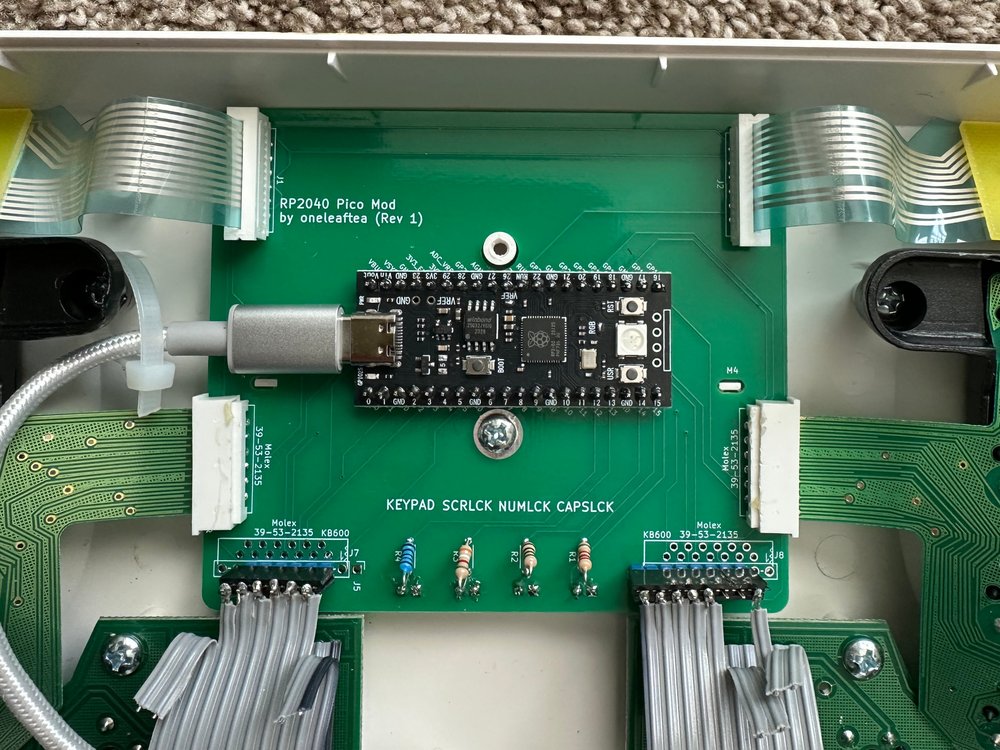
Additional notes: The pillzmod version used 1.8mm LED's, but the 3mm ones fit as well. Since I used different color LED's, I used different resistors each. After testing with a 3.3V supply, this worked for me:
Please see the KinT and pillzmod projects for more details on parts and ideas for cable management.
| Qty | Value | Footprint | References |
|---|---|---|---|
| 4 | LED_ALT | LED_THT:LED_D3.0mm | D1, D2, D3, D4 |
| 4 | R_US | Resistor_THT:R_Axial_DIN0204_L3.6mm_D1.6mm_P5.08mm_Horizontal | R1, R2, R3, R4 |
| 2 | Conn_01x10 | Pin_Headers:Pin_Header_Straight_1x10_Pitch2.54mm | J5, J6 |
| 2 | Conn_01x13 | kinesisMod_board_connectors:Molex_039532134 | J3, J4 |
| 2 | Conn_01x13 | kinesisMod_board_connectors:Molex_039532135_Squished | J7, J8 |
| 2 | Conn_01x13 | kinesisMod_board_connectors:Molex_0039532135 | J1, J2 |
| 2 | MountingHole | Kinesis_Custom:Kinesis_Notch | M3, M4 |
| 1 | MountingHole | Kinesis_Custom:Kinesis_Locating_6.5mm | M1 |
| 1 | RP2040 Pico | MCU_RP2040_Pico:RPi_Pico_TH | U1 |
| 1 | mounting pad | MountingHole:MountingHole_4.3mm_M4_Pad | H1 |
It measures 100 × 86 mm and has 2 copper layers, 1.6 mm thick.
21 parts. The full list of its parts is on this page, with links to each part's symbol and footprint where PCBKit's library has them.
From the oneleaftea/KinP repository on GitHub, at the commit this page was made from: the board is kicad/kinp.kicad_pcb and its schematic kicad/kinp.kicad_sch. PCBKit opens the board in the browser, with nothing to install.
Its repository states no licence, so its author keeps all rights: ask oneleaftea before reusing the design.
gusmanb/logicanalyzer
24 channel, 100Msps logic analyzer hardware and software

mntmn/amiga2000-gfxcard
MNT VA2000, an Open Source Amiga 2/3/4000 Graphics Card (Zorro II/III), written in Verilog


hackclub/OnBoard
💡 Join 1,000 teenagers and make your first PCB with a $100 grant!

drandyhaas/KiCadRoutingTools
A set of Python/Rust tools to aid routing in KiCad

Arrow-air/project-quiver
Project Quiver documentation, designs, and project artifacts.

