2 layers138.8 × 96.4 mm

 ollyoid/Printegrated-Circuits5
GCode post-processor for integrating PCBs into 3D prints
Print and Place PCB is an open-source printed circuit board by ollyoid, from the ollyoid/Printegrated-Circuits repository on GitHub. It is a 4-layer board of 25 × 50 mm with 49 parts on 59 nets, routed with 786 tracks and 68 vias.
It is built around the RP2040, DRV2605LDGS and W25Q128JVSIQ, with the AP2112K-3.3 among its other parts. Its parts include 18 capacitors, 12 resistors, 5 ICs, 5 connectors and 2 diodes. It belongs with the RP2040 boards of this library.


GCode post-processor for integrating PCBs into 3D prints. Read the full paper here
[!WARNING]
This is Research project code and only works with a Prusa XL and Prusa Slicer 2.8.1.
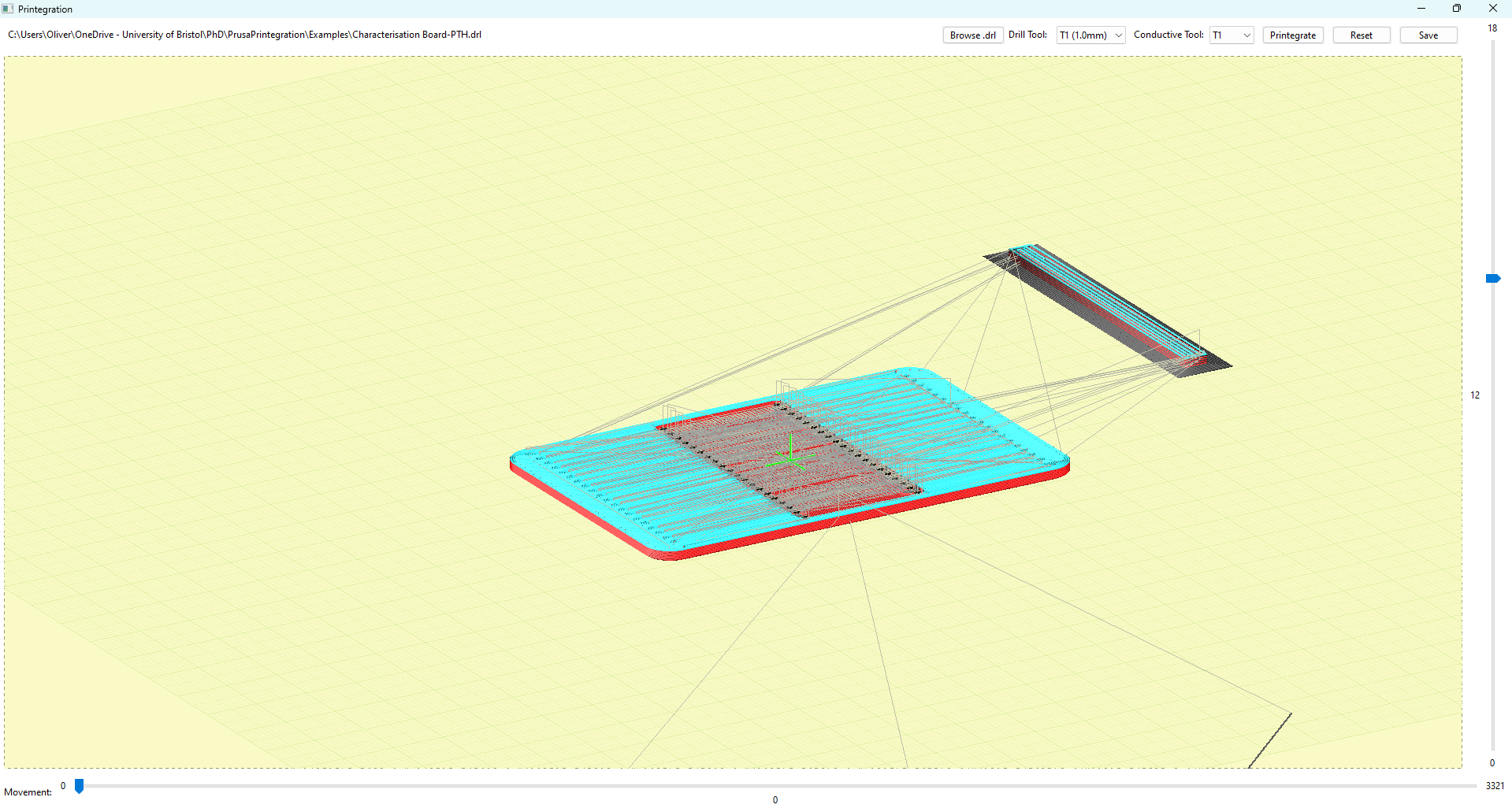
https://github.com/ollyoid/PrusaPrintegration.gitpython -m venv venv.\venv\Scripts\activatepip install -r requirements.txtFile>Import>Import Config... and browse to porject directory to select config.iniPrint Settings>Output options>Post-processing scripts to printegration.bat (Windows only for now)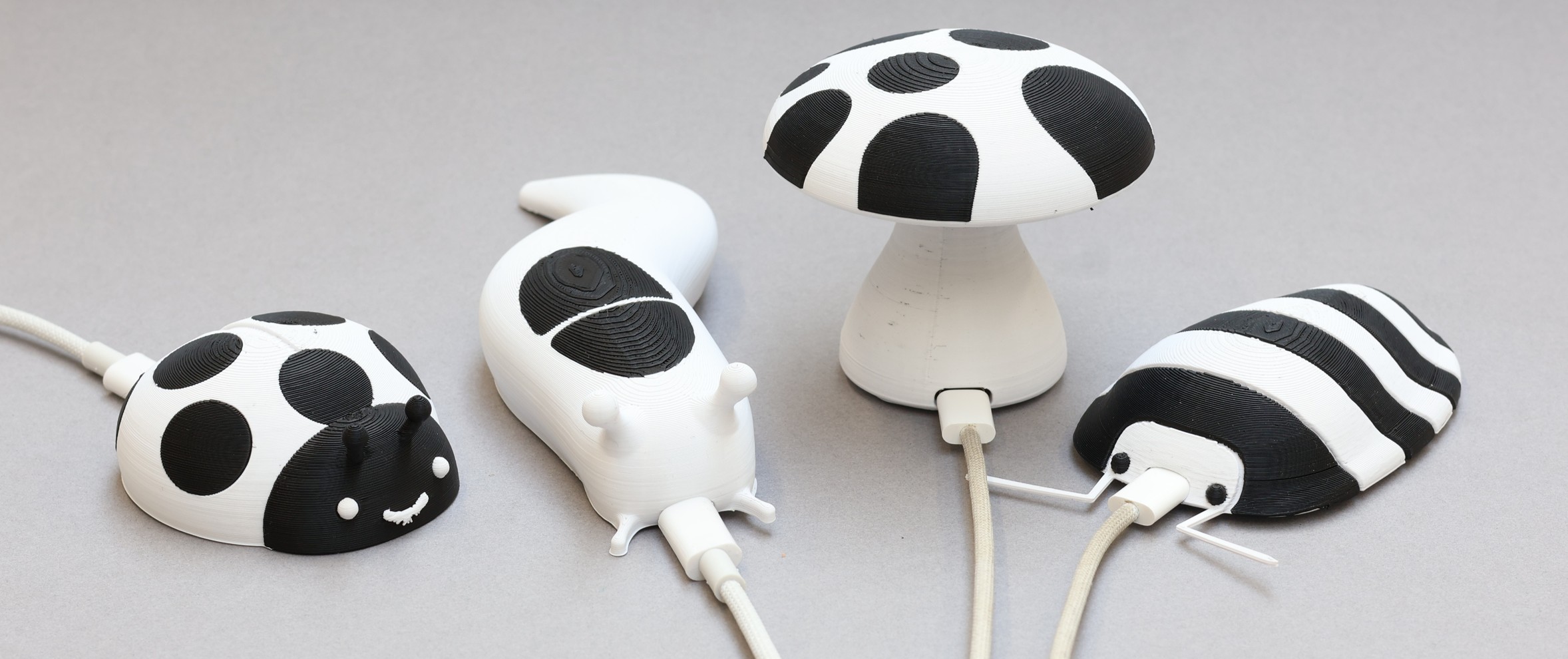 Demo 3D models and firmware for example Printegrated Circuits can be found in the demos directory.
| Qty | Value | Footprint | References |
|---|---|---|---|
| 8 | 100nF | Capacitor_SMD:C_0603_1608Metric | C3, C4, C5, C6, C7, C8, C9, C11 |
| 4 | 1K | Resistor_SMD:R_0603_1608Metric | R6, R8, R11, R12 |
| 4 | 1uF | Capacitor_SMD:C_0603_1608Metric | C10, C14, C15, C18 |
| 4 | MountingHole_Pad | MountingHole:MountingHole_2.2mm_M2_Pad_Via | H1, H2, H3, H4 |
| 2 | 100nf | Capacitor_SMD:C_0603_1608Metric | C16, C17 |
| 2 | 10K | Resistor_SMD:R_0603_1608Metric | R5, R7 |
| 2 | 10uF | Capacitor_SMD:C_0805_2012Metric | C1, C2 |
| 2 | 15pF | Capacitor_SMD:C_0603_1608Metric | C12, C13 |
| 2 | 2.2K | Resistor_SMD:R_0603_1608Metric | R9, R10 |
| 2 | 27 | Resistor_SMD:R_0603_1608Metric | R13, R14 |
| 2 | 5.1K | Resistor_SMD:R_0603_1608Metric | R1, R2 |
| 2 | Conn_01x12_Pin | Connector_PinHeader_2.54mm:PinHeader_1x12_P2.54mm_Vertical | J4, J5 |
| 2 | LED | LED_SMD:LED_0805_2012Metric | D1, D2 |
| 1 | AP2112K-3.3 | Package_TO_SOT_SMD:SOT-23-5 | U2 |
| 1 | Conn_01x02_Pin | Connector_PinHeader_2.54mm:PinHeader_1x02_P2.54mm_Vertical | J3 |
| 1 | Conn_01x03 | Connector_PinHeader_2.54mm:PinHeader_1x03_P2.54mm_Vertical | J2 |
| 1 | Crystal_GND24_Small | Crystal:Crystal_SMD_Abracon_ABM8G-4Pin_3.2x2.5mm | Y1 |
| 1 | DRV2605LDGS | Package_SO:VSSOP-10_3x3mm_P0.5mm | U4 |
| 1 | LOGO | LOGO | G*** |
| 1 | RP2040 | Package_DFN_QFN:QFN-56-1EP_7x7mm_P0.4mm_EP3.2x3.2mm | U1 |
| 1 | SW_Push | Library:XUNPU TS-1088-AR02016 | SW1 |
| 1 | USB_C_Receptacle_USB2.0_14P | Connector_USB:USB_C_Receptacle_GCT_USB4105-xx-A_16P_TopMnt_Horizontal | J6 |
| 1 | W25Q128JVS | Package_SO:SOIC-8_5.23x5.23mm_P1.27mm | U3 |
| 1 | ~ | Library:NFP_ELV1411A | U5 |


ianklug/grooveboard
A four-key mechanical keyboard for rhythm games.

ianklug/bemini
A miniature mechanical keyboard controller with a rotary encoder for staggered-key rhythm games.

yuz207/agentpad13
agentpad13 — open-source 13-key macropad for agentic work (RP2040, vial-qmk, planar joystick, Raw HID agent-status protocol)

jpconstantineau/EncoderPad_RP2040
The EncoderPad RP2040 is a Video Editing Macropad with a 60mm Encoder Wheel. This encoder is made of metal and feels like it will last forever. The EncoderPad uses 9 mechanical switches (Cherry MX type).


Isaac-Duarte/wellfed
Open firmware that runs the PETLIBRO Granary PLAF103 pet feeder on your own Wi-Fi: no cloud, no account. Early and in testing.
It measures 25 × 50 mm and has 4 copper layers, 1.6 mm thick.
49 parts, built around the RP2040, DRV2605LDGS, W25Q128JVSIQ and AP2112K-3.3. The full list of its parts is on this page, with links to each part's symbol and footprint where PCBKit's library has them.
From the ollyoid/Printegrated-Circuits repository on GitHub, at the commit this page was made from: the board is PrintegratedCircuitsPCB/Print-and-Place PCB.kicad_pcb and its schematic PrintegratedCircuitsPCB/Print-and-Place PCB.kicad_sch. PCBKit opens the board in the browser, with nothing to install.
Its repository states no licence, so its author keeps all rights: ask ollyoid before reusing the design.