Every student holds a small pad with 16 keys and two 7-segment digits. The teacher opens a session on a laptop, students type the 6-digit room code, and answers arrive on the projector within a fraction of a second.
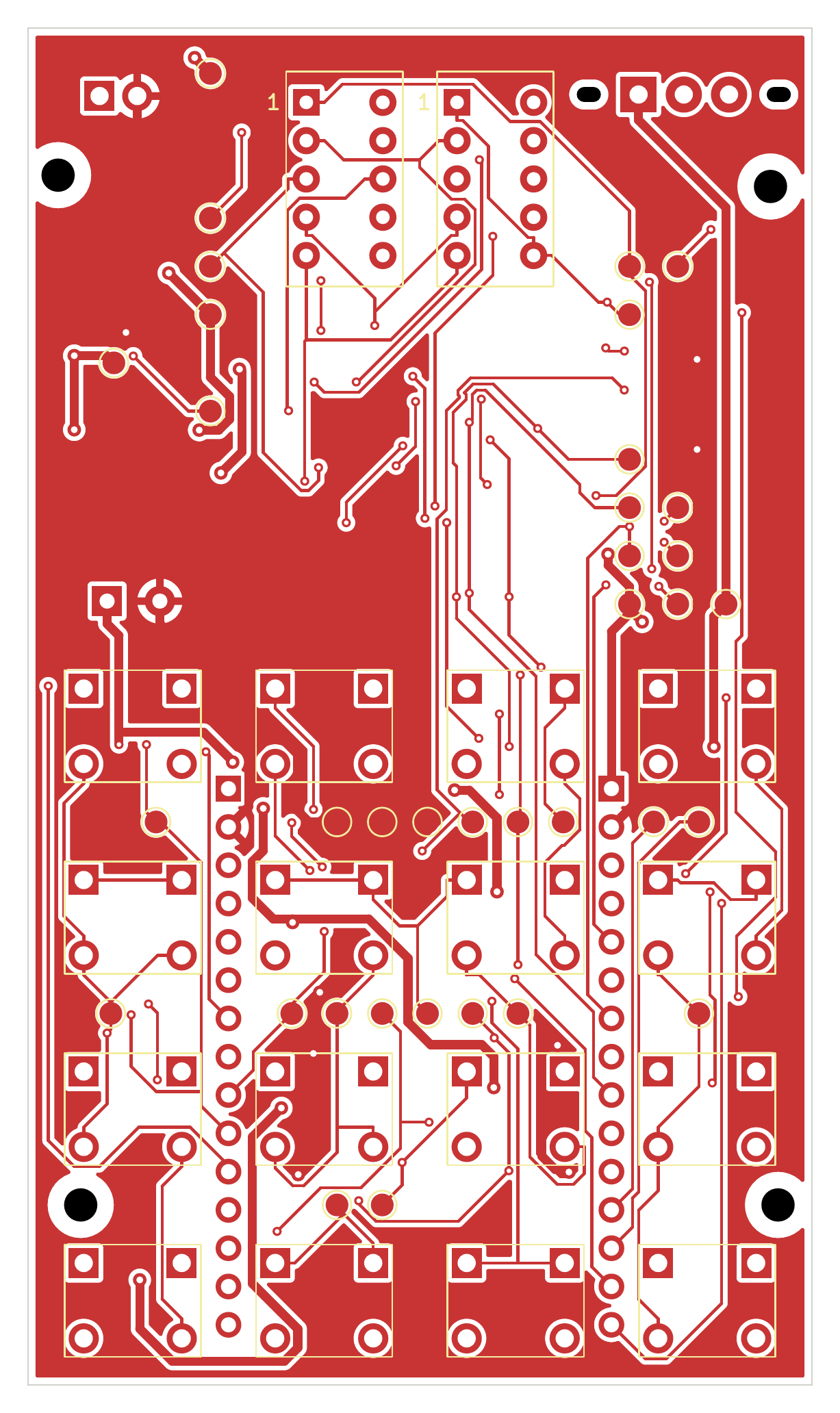
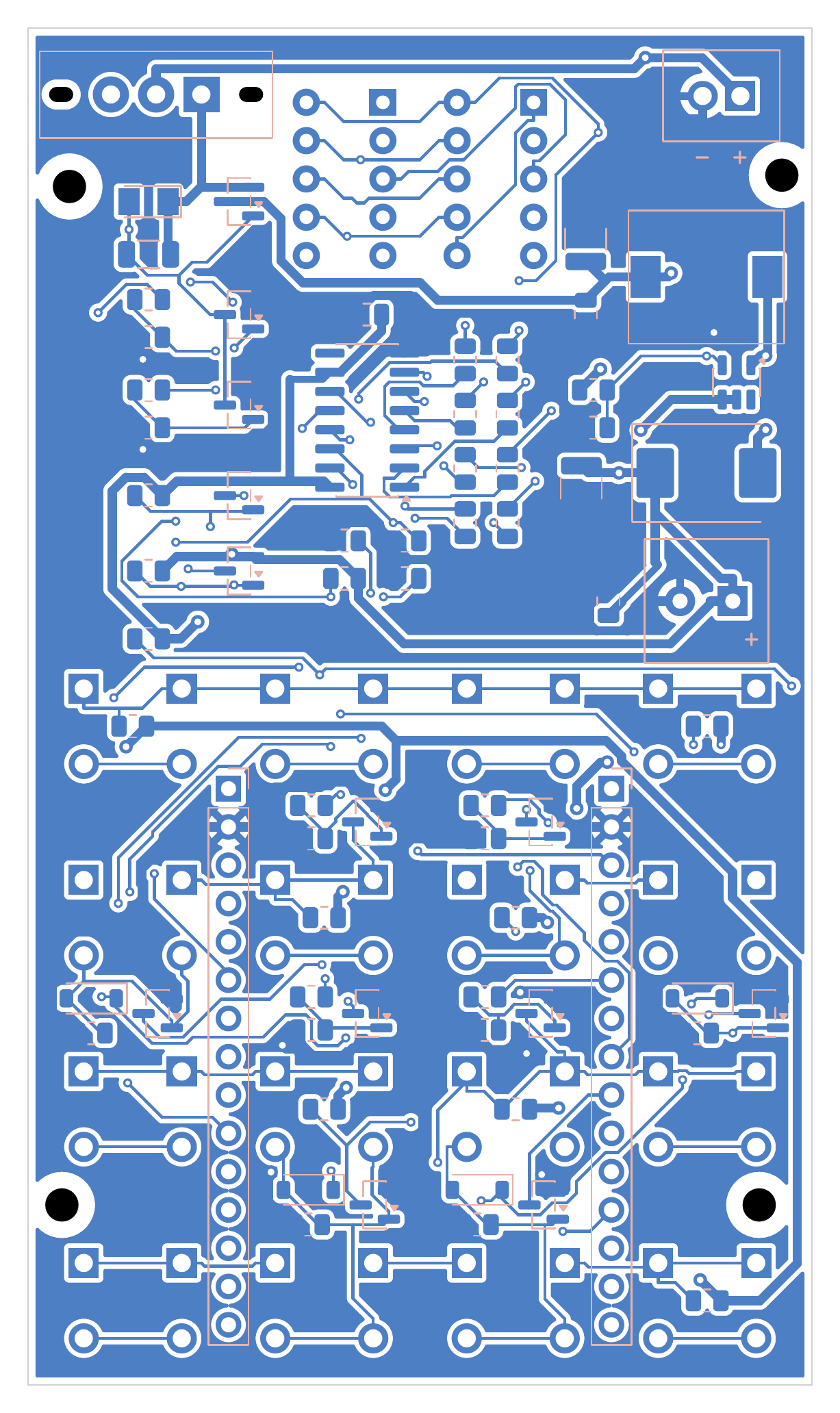
Placed unrouted is an open-source printed circuit board by nahhao74, from the nahhao74/QUIZ_Remote repository on GitHub, published under the MIT licence. It is a 2-layer board of 52 × 90 mm with 127 parts on 71 nets.
It is built around the MT3608L, 74HC595D,118 and RC0805FR-0710KL, with the 1N4148W-E3-18, LBSS138LT1G and MMBT3904,215-JSM among its other parts. Its parts include 16 switches, 2 ICs, 2 connectors and 1 inductor.
A wireless classroom quiz system: battery-powered ESP32 answer pads, an MQTT broker and a live teacher dashboard.
Overview
Every student holds a small pad with 16 keys and two 7-segment digits. The teacher opens a session on a laptop, students type the 6-digit room code, and answers arrive on the projector within a fraction of a second. The whole system runs on the classroom Wi-Fi or a phone hotspot — no Internet connection is required.
Zero standby current
A key press switches the board on; the ESP32 holds its own power and cuts it completely when done
Reliable delivery
MQTT QoS 1, an application-level ACK, retries and server-side de-duplication — no answer is lost or counted twice
Network setup without reflashing
Hold 0 for 3 s and the pad opens a captive-portal Wi-Fi setup page for any phone
Live results
Answer counts and the A–D distribution update in real time; correct answers stay hidden until the question closes
Item analysis
Difficulty, discrimination index, distractor effectiveness and KR-20 reliability after every session
Question import
Word, Excel, PDF and TXT, with optional AI help to write and review questions
The device
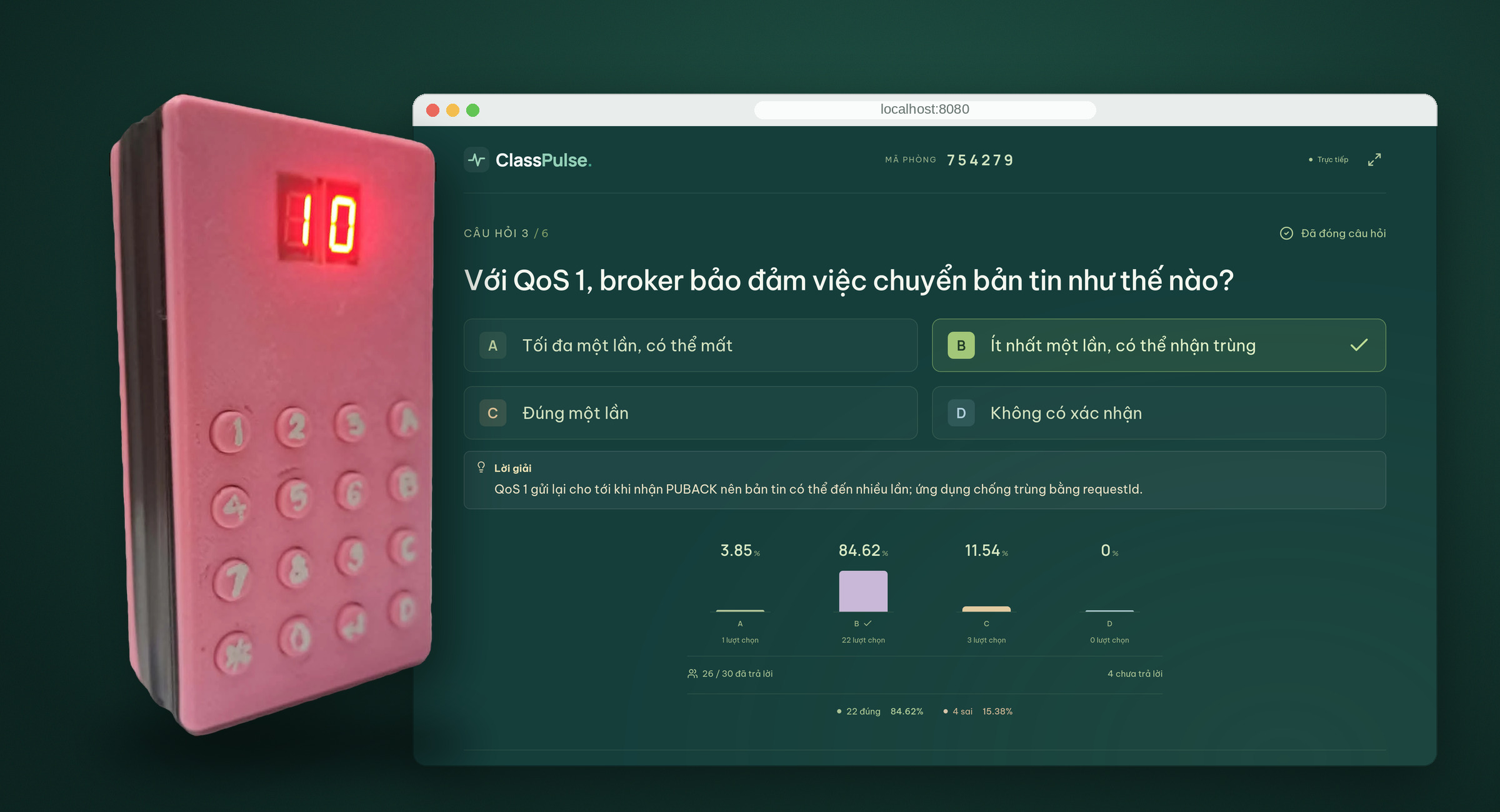
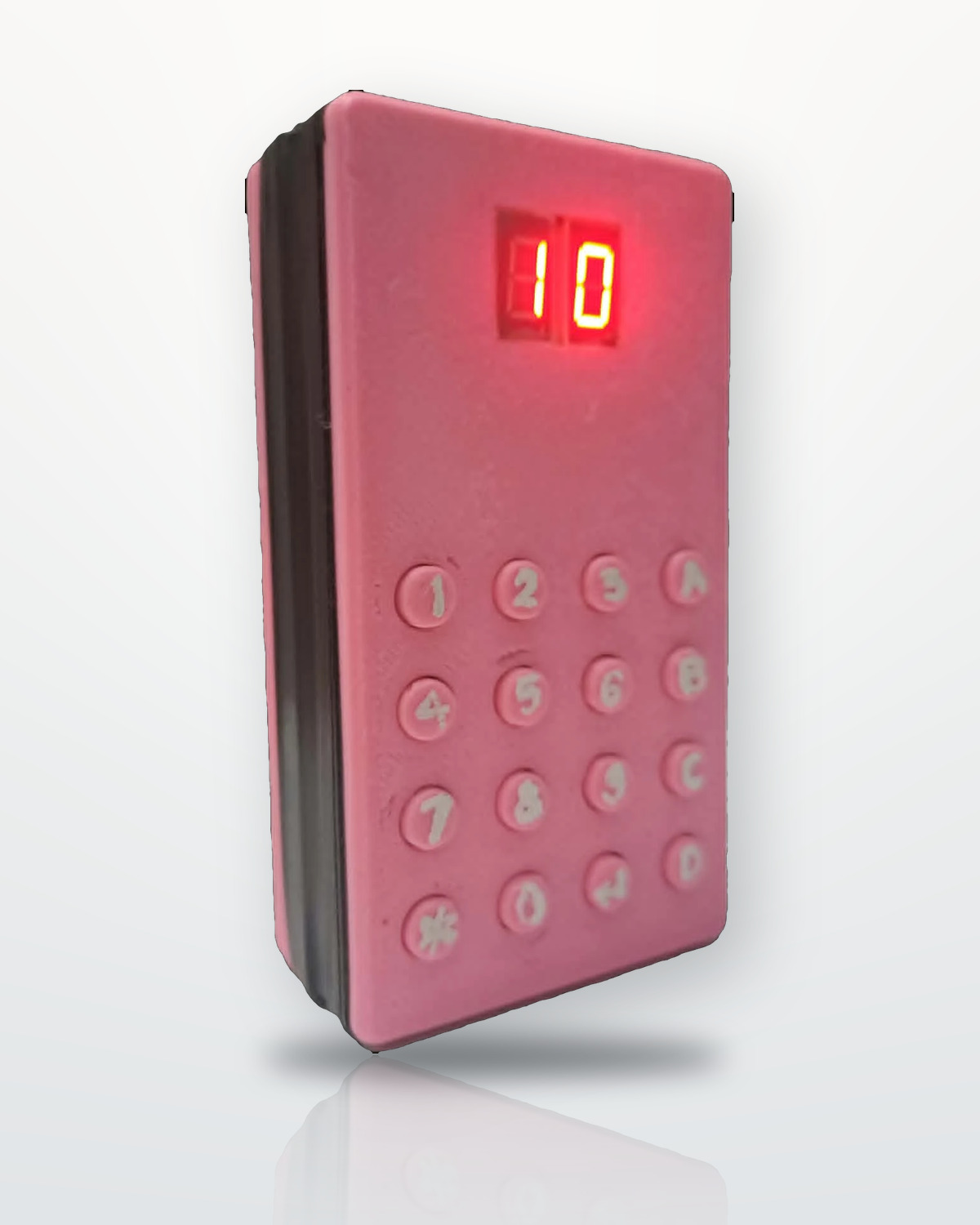
Showing a final score of 10
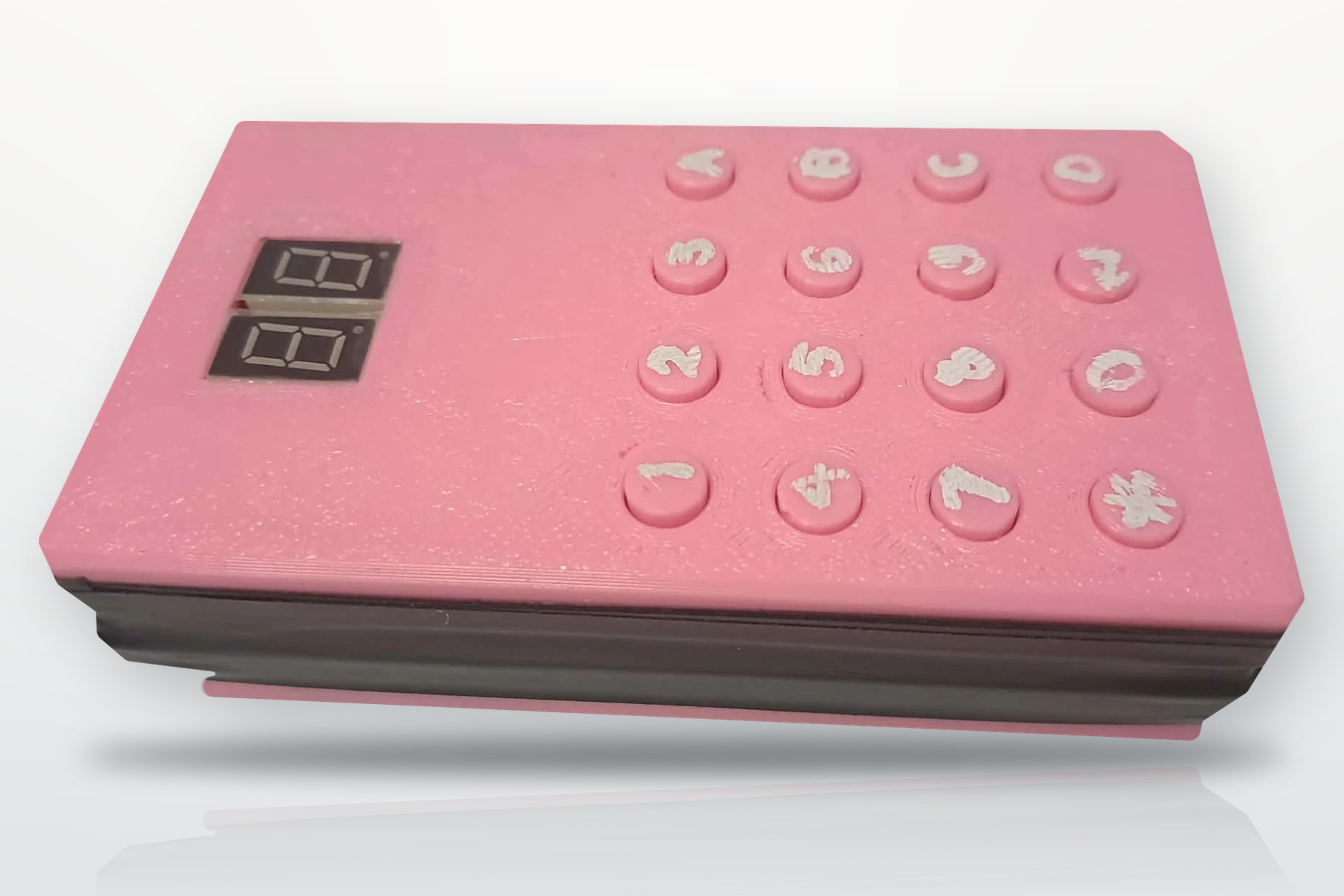
3D-printed enclosure, 16 keys, two 7-segment digits
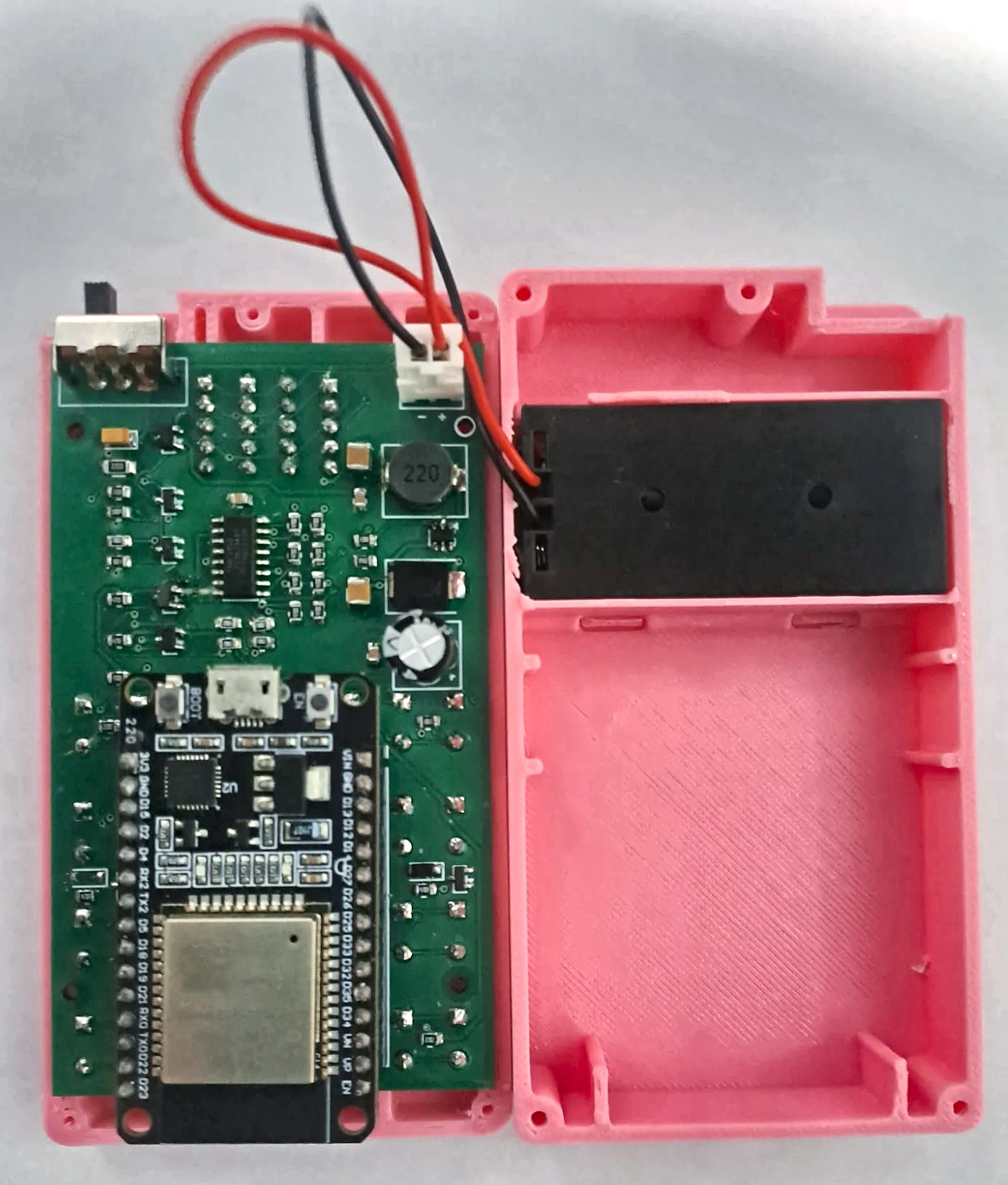
Inside: the PCB and the 2 × AAA holder
The teacher app
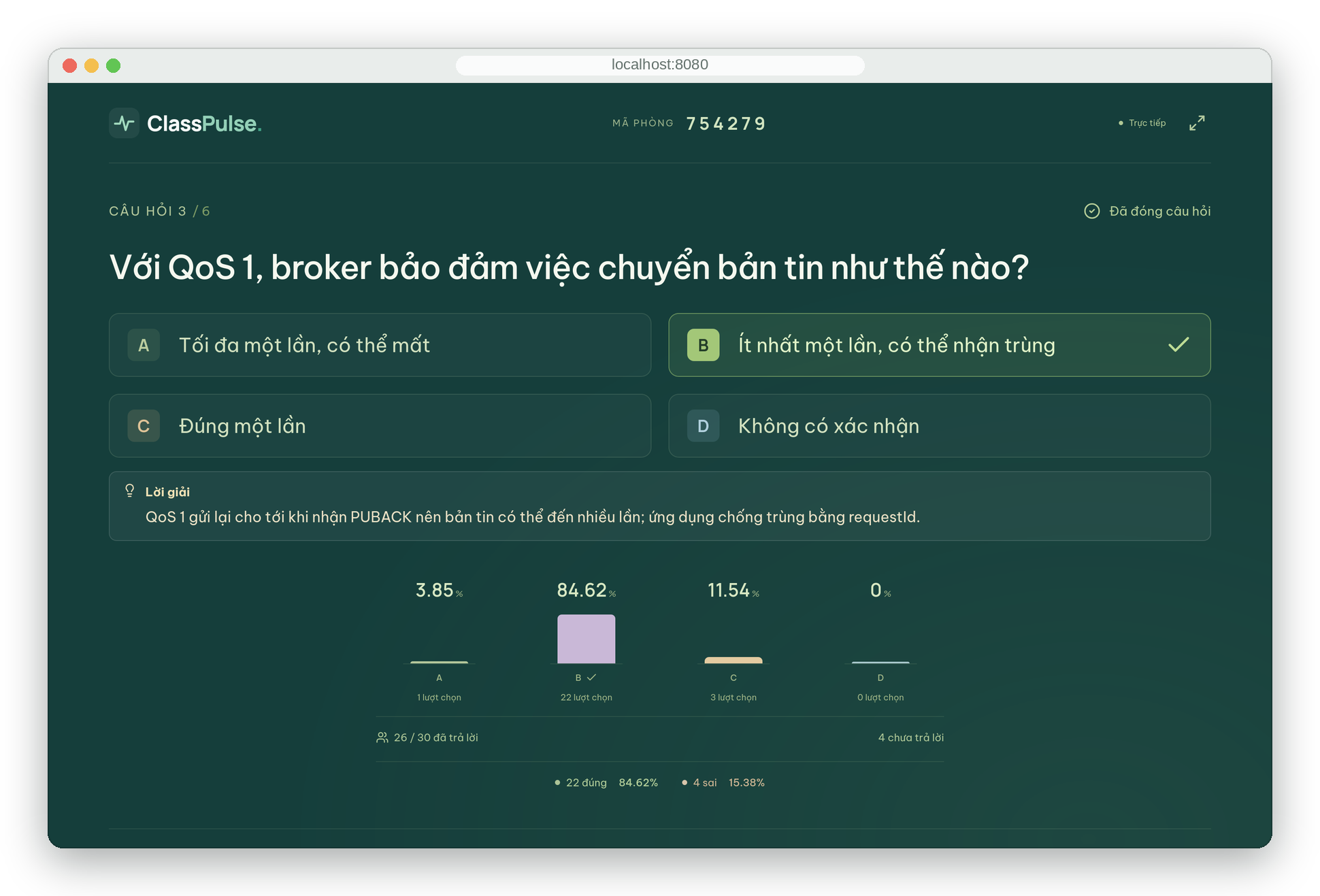
Presentation view after a question closes: correct answer, explanation and the A–D chart
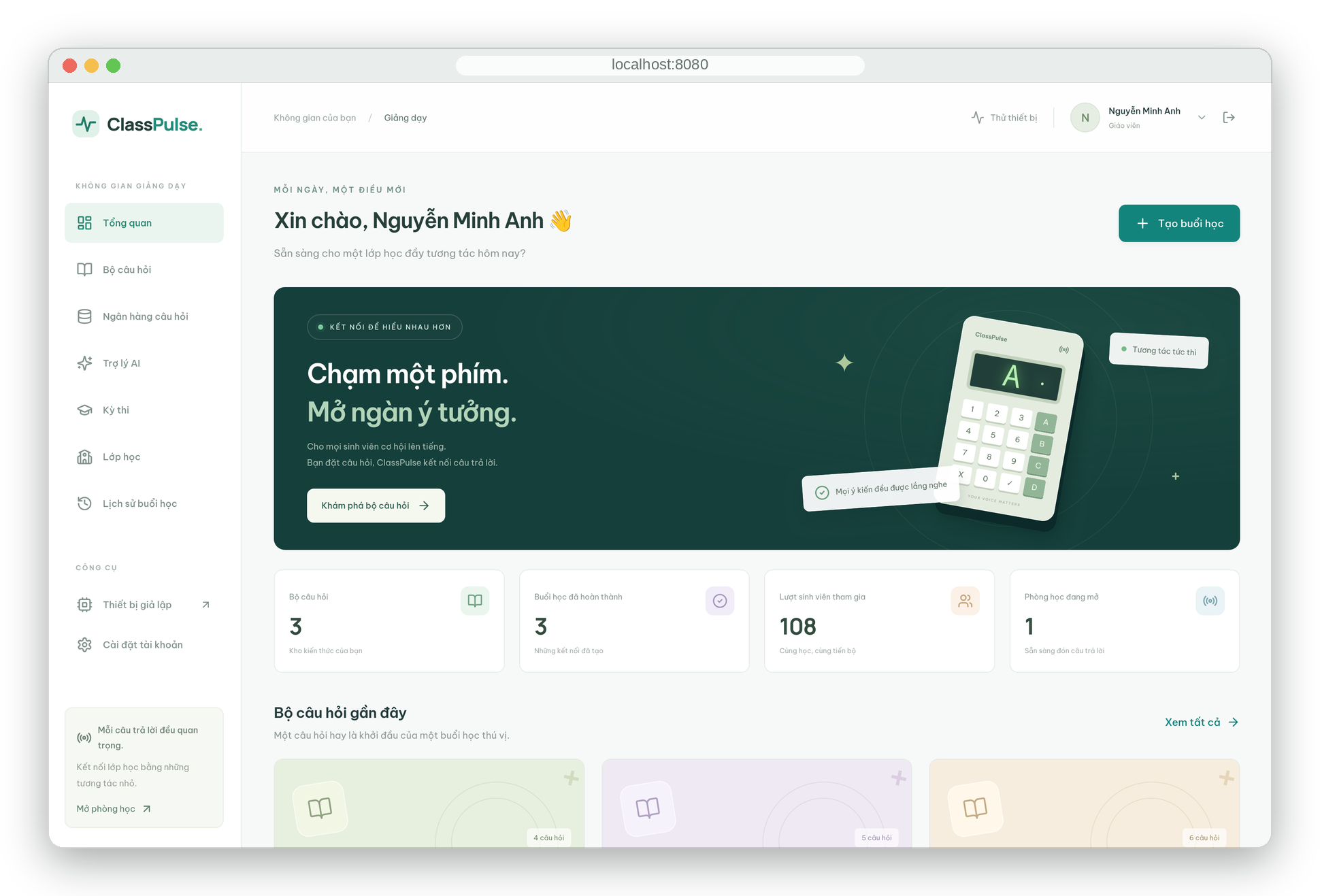
Dashboard: question sets, AI assistant, exams, classes and session history
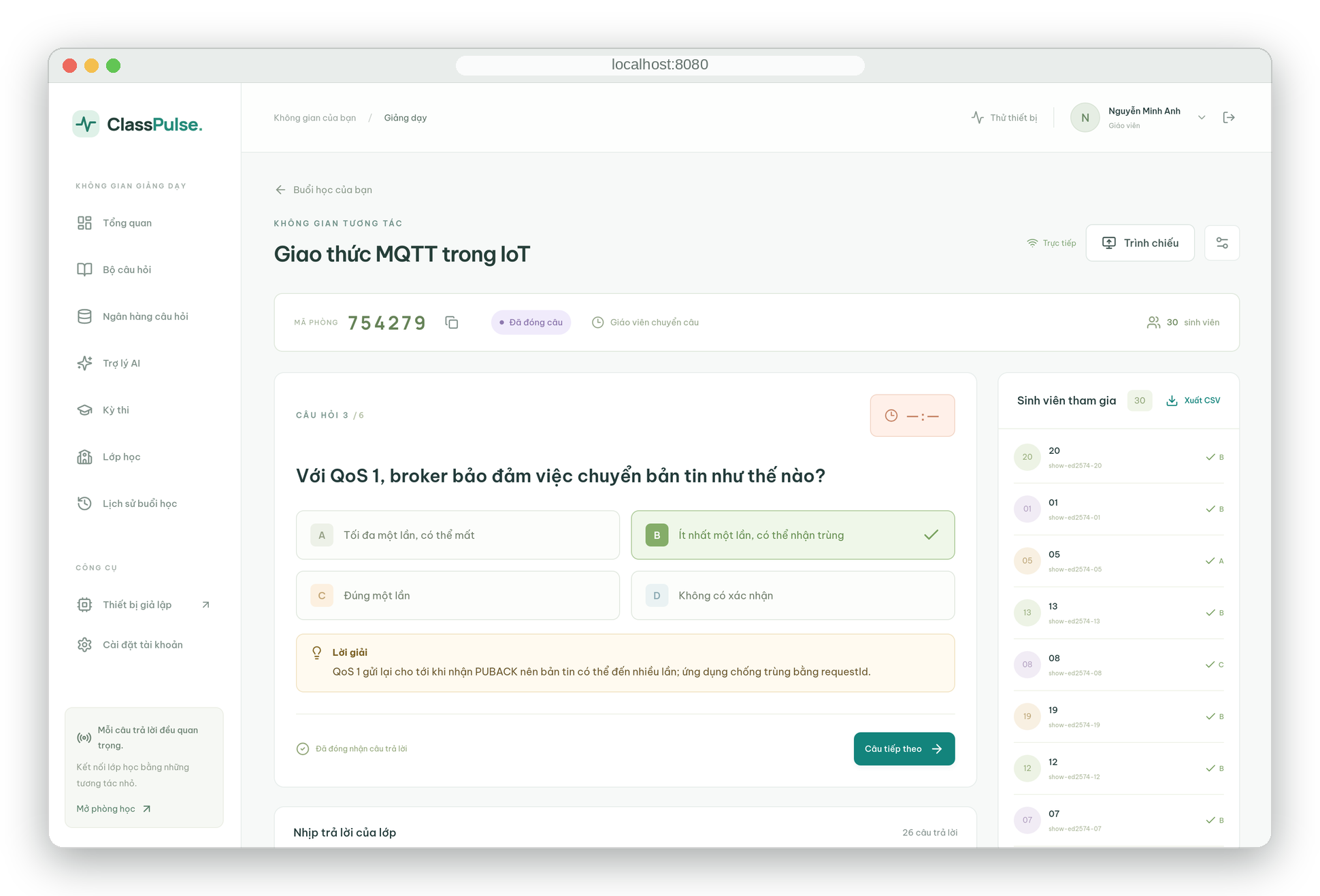
Session control: room code, question controls and every student's status in real time
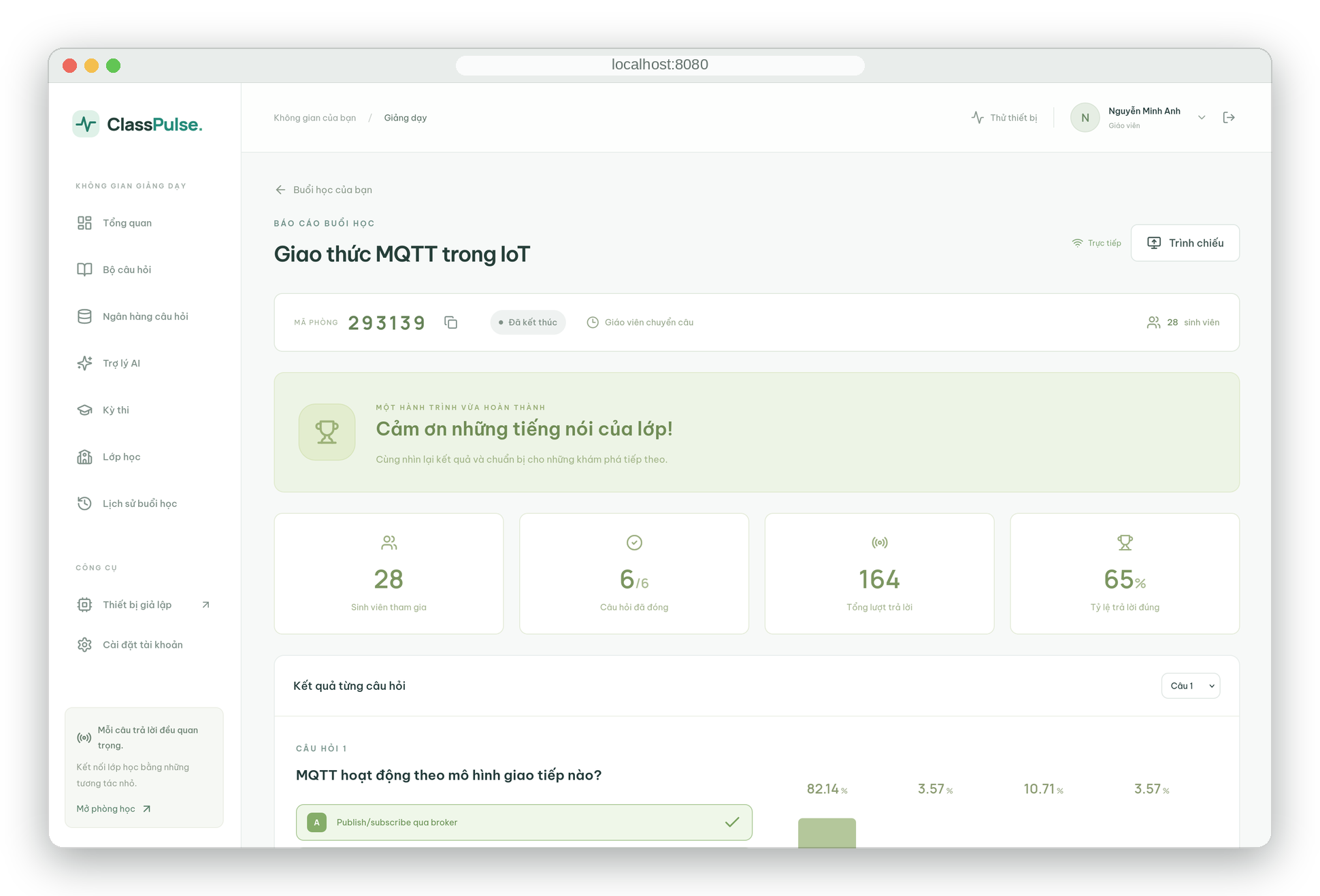
End-of-session report: participation, accuracy and per-question results, with CSV export
The interface is in Vietnamese.
How it works
mermaid
flowchart LR
  subgraph Classroom["Classroom LAN (Wi-Fi 2.4 GHz)"]
    P1[ESP32 pad]:::dev
    P2[ESP32 pad]:::dev
    P3[ESP32 pad ×N]:::dev
  end
  subgraph Laptop["Teacher laptop · Docker Compose"]
    M[(EMQX<br/>MQTT broker)]
    B[NestJS<br/>backend]
    D[(PostgreSQL)]
    W[React<br/>teacher app]
  end
  P1 & P2 & P3 -- "join / answer<br/>QoS 1" --> M
  M -- "ACK + retained room state" --> P1 & P2 & P3
  M <--> B
  B -- transaction --> D
  B -- Socket.IO --> W
  W -- REST --> B
  classDef dev fill:#fde7e4,stroke:#e7352c
One answer, end to end:
mermaid
sequenceDiagram
  autonumber
  participant S as Student pad
  participant M as EMQX
  participant B as Backend
  participant D as PostgreSQL
  participant T as Teacher screen
  S->>M: answer (requestId, questionId, B, sequence)
  M->>B: deliver (QoS 1)
  B->>D: check room, deadline and sequence, then save answer and requestId in one transaction
  B-->>M: ack ANSWER_ACCEPTED
  M-->>S: ack (same requestId)
  B-->>T: session:update (counts, chart)
  Note over S,B: No ACK within 4 s → resend the identical message (up to 3 times).<br/>A repeated requestId returns the original result instead of saving twice.
Hardware
Block
Function
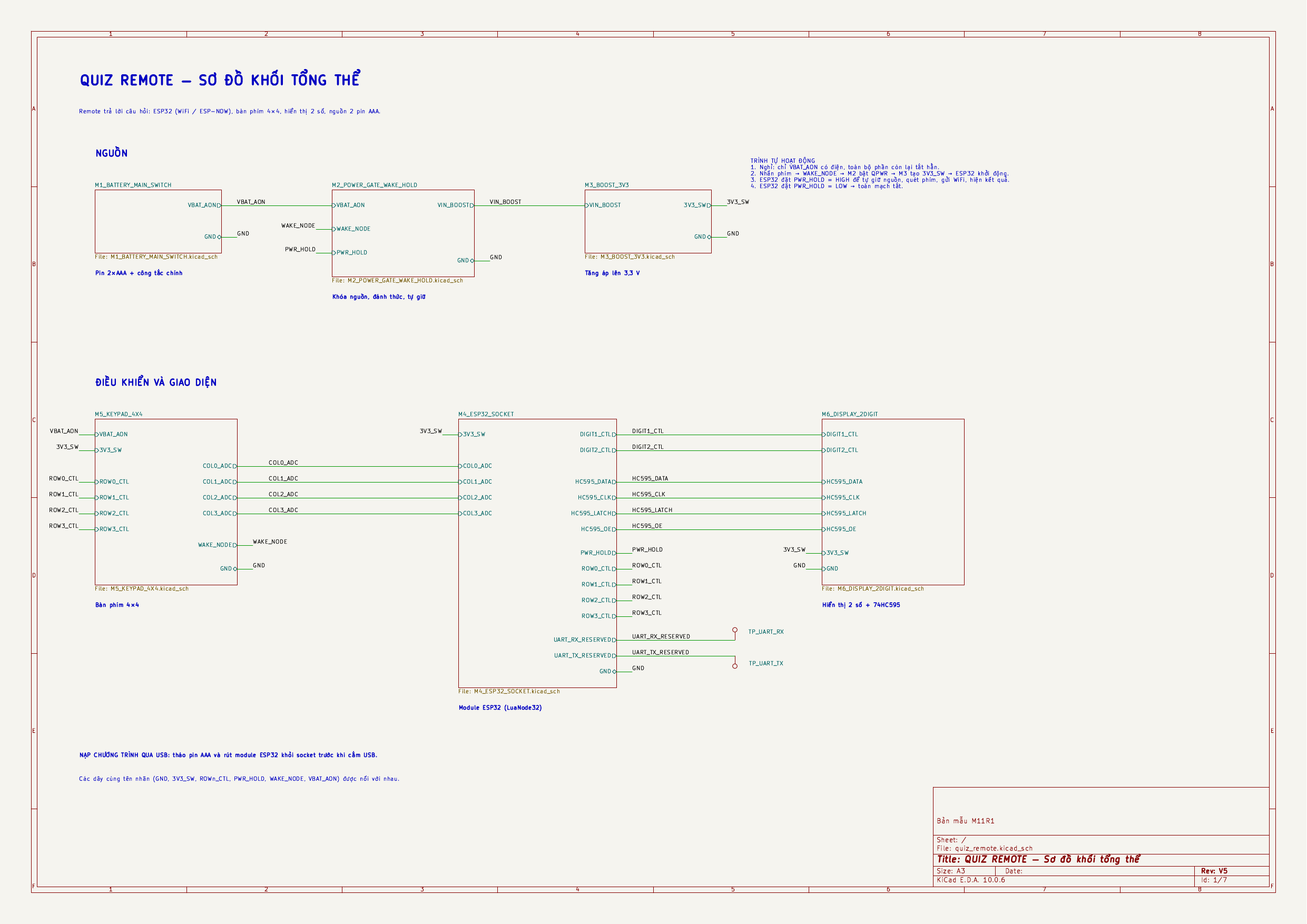
M1
2 × AAA cells, slide switch
M2
P-MOSFET power gate: key-press wake, GPIO13 self-hold
M3
MT3608 boost to 3.37 V on the 3V3 pin
M4
ESP32-WROOM-32 module in sockets
M5
4 × 4 keypad (16 keys), also wakes the board
M6
74HC595 + two 7-segment digits, multiplexed every 2 ms
The 52 × 90 mm two-layer board, front and back.
Schematic sheets, PCB, Gerber files, BOM and the full design rationale are in hardware/ and the design document.
What the digits show
LED
Meaning
LED
Meaning
88
Boot self-test
E1
No Wi-Fi
Ph
Enter the room code
E2
MQTT not connected
Id
Enter the student code
E3
Rejected by the server
On
Connected to the server
E4
Wrong number of digits
01
Question number
CF
Wi-Fi setup page open
A…d
Selected answer
OF
Powering off
Keys:1–4 choose A–D · # confirms · * deletes, or held 3 s powers off · 0 held 3 s opens Wi-Fi setup.
Results
Measured with 50 simulated devices joining and answering at the same time, through the same broker and protocol as the real pads:
Joined
Answers saved
Rejected / timed out
Duplicates saved twice
ACK latency p50
p95
max
50 / 50
50 / 50
0
0 of 100
181 ms
371 ms
405 ms
The assembled board has completed a full quiz on two AAA cells over a phone hotspot. Full test report: web/docs/testing.md.
Repository layout
text
.
├── hardware/                 KiCad 10 project, schematic PDFs/PNGs, Gerber, BOM, design document
│   ├── compact/              The current 52 × 90 mm board
│   ├── docs/                 Design document
│   └── tools/                PCB build script, ngspice wake/hold simulation, Wokwi sketch
├── firmware/                 Arduino sketches for the ESP32
│   ├── ClassPulseQuizDevice/       The quiz pad firmware (Wi-Fi, MQTT, power control, setup portal)
│   ├── ClassPulseKeypadDisplay/    Bring-up test: keypad → digits
│   └── ClassPulsePcbBreadboardTest/  Bring-up test: power latch, keys, segments, Wi-Fi
└── web/                      Server side, run with Docker Compose
    ├── apps/backend/         NestJS · Prisma · MQTT subscriber · REST · Socket.IO
    ├── apps/frontend/        React + Tailwind teacher app and presentation view
    ├── apps/device-simulator/  Browser pad simulator (MQTT over WebSocket)
    ├── packages/             Shared types and MQTT contracts (Zod)
    └── docs/                 Architecture, MQTT protocol, API, test report
Quick start
1. Server (Docker with Compose v2):
bash
cd web
cp .env.example .env # fill in the <...> values# set MQTT_TCP_BIND_ADDRESS to the laptop's Wi-Fi IP (hostname -I)
docker compose up --build -d
docker compose exec backend pnpm db:seed
2. Device (Arduino IDE, board ESP32 Dev Module): open firmware/ClassPulseQuizDevice/ClassPulseQuizDevice.ino, set WIFI_SSID, WIFI_PASSWORD and MQTT_HOST (the laptop's IP), then upload.
3. Run a quiz: start a session on the web → on the pad enter the room code #, a 2-digit student code # → answer with 1–4 and #.
[!TIP]
No spare pads? Add 30 simulated students to the same room:
It measures 52 × 90 mm and has 2 copper layers, 1.6 mm thick.
What parts does the Placed unrouted use?
127 parts, built around the MT3608L, 74HC595D,118, RC0805FR-0710KL and 1N4148W-E3-18. The full list of its parts is on this page, with links to each part's symbol and footprint where PCBKit's library has them.
Where can I download the Placed unrouted KiCad files?
From the nahhao74/QUIZ_Remote repository on GitHub, at the commit this page was made from: the board is hardware/compact/route/placed_unrouted.kicad_pcb and its schematic hardware/compact/M1_BATTERY_MAIN_SWITCH.kicad_sch. PCBKit opens the board in the browser, with nothing to install.
Can I use the Placed unrouted design in my own project?
Its repository publishes it under the MIT licence: you may reuse it on that licence's terms (keep the author's notice, and for a copyleft licence share your changes alike).
Modular ESP32-S3 geophysical data-acquisition system with custom hardware, multi-channel ADC, GNSS, IMU, removable analog sensor cards, firmware, and host tools


 nahhao74/QUIZ_Remote