4 layers65 × 56 mm

 MxMueller99/YAHA
YAHA is an open-source printed circuit board by MxMueller99, from the MxMueller99/YAHA repository on GitHub, published under the MIT licence. It is a 2-layer board of 40 × 49.8 mm with 26 parts on 46 nets, routed with 217 tracks and 40 vias.
It is built around the ESP32-S3-WROOM-1-N8, AMS1117-3.3 and USBLC6-2P6. Its parts include 10 capacitors, 3 resistors, 3 ICs, 2 connectors and 2 switches. It belongs with the ESP32 boards of this library.


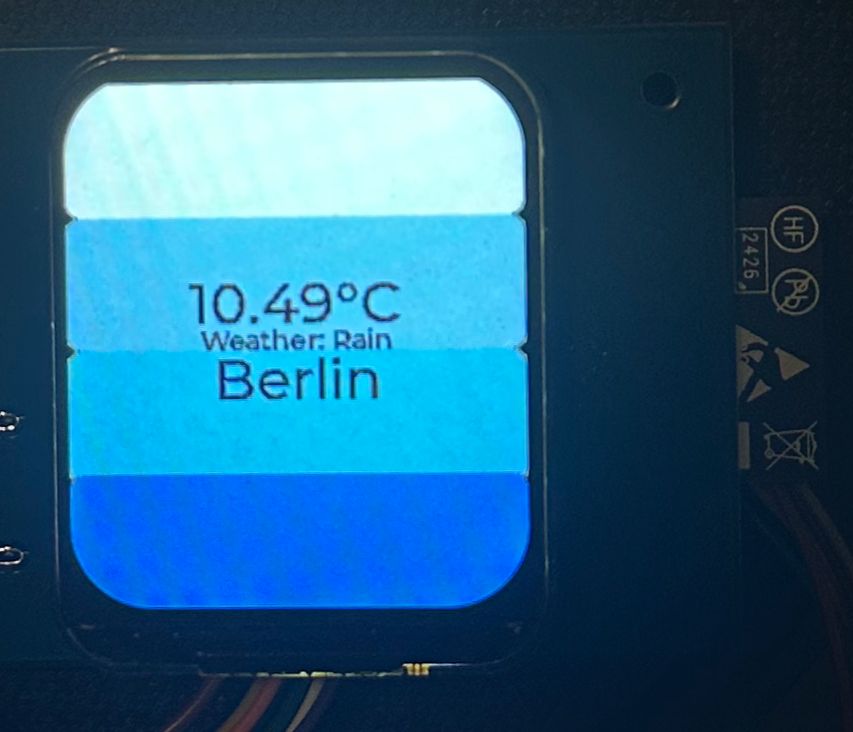
Yet Another Home Assistant is a small configurable ESP32 Application visualizing the current weather on a 1.69 Inch LCD Screen.
frameworks/esp-idf-v5.2.1/components/idf.py set-target esp32-s3
idf.py menuconfig
Partition Table -> Single factory app (large)
Component config -> LVGL configuration -> Font usage -> Enable built-in Fonts -> Enable Montserrat 14 & 30
WiFi Configuration -> WiFi SSID WiFi Configuration -> WiFi Password
API Configuration -> OpenWeatherAPI Key API Configuration -> OpenWeather City
After configuring the Environment you can start building:
idf.py build
And flashing:
idf.py flash
For debugging:
idf.py monitor
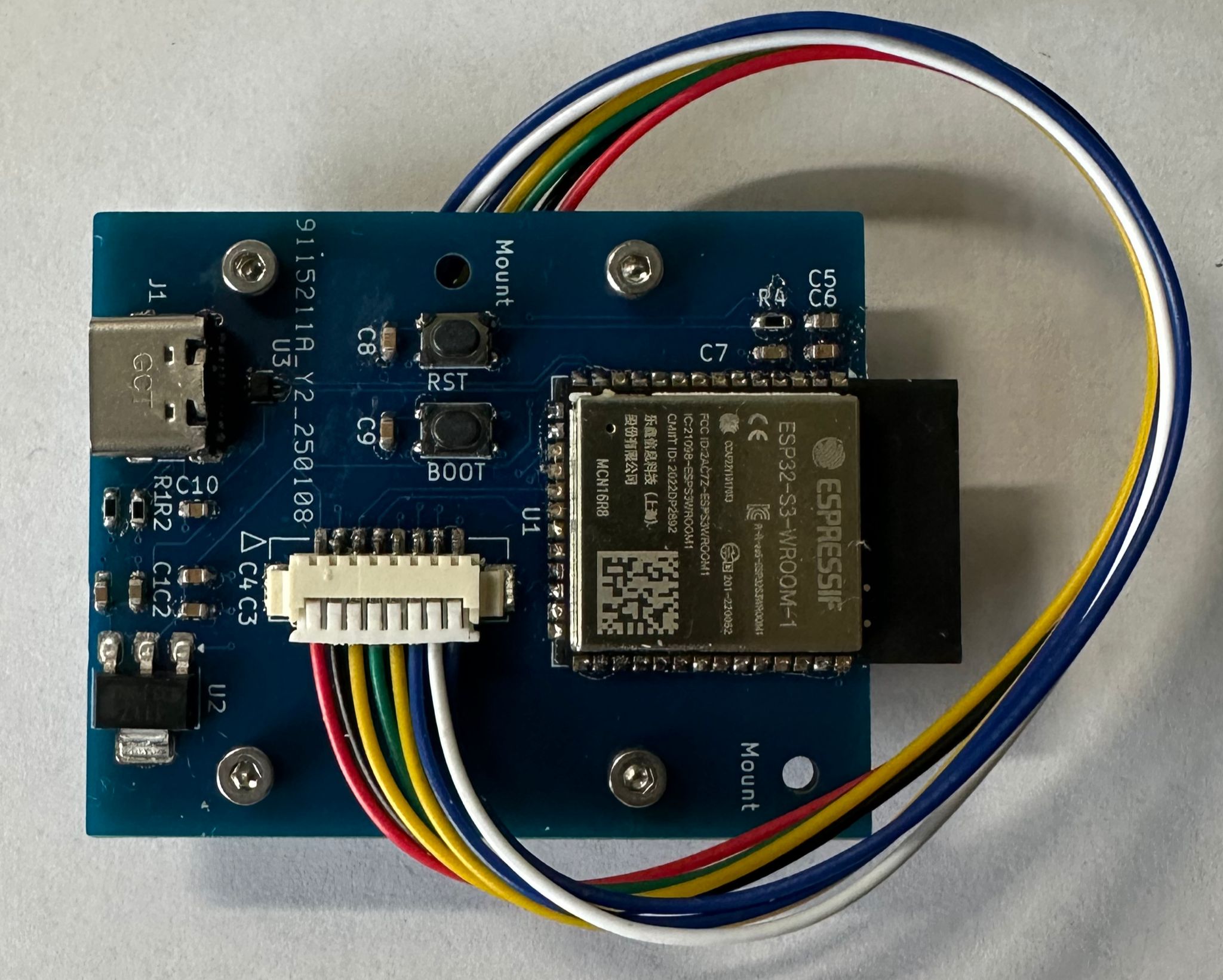
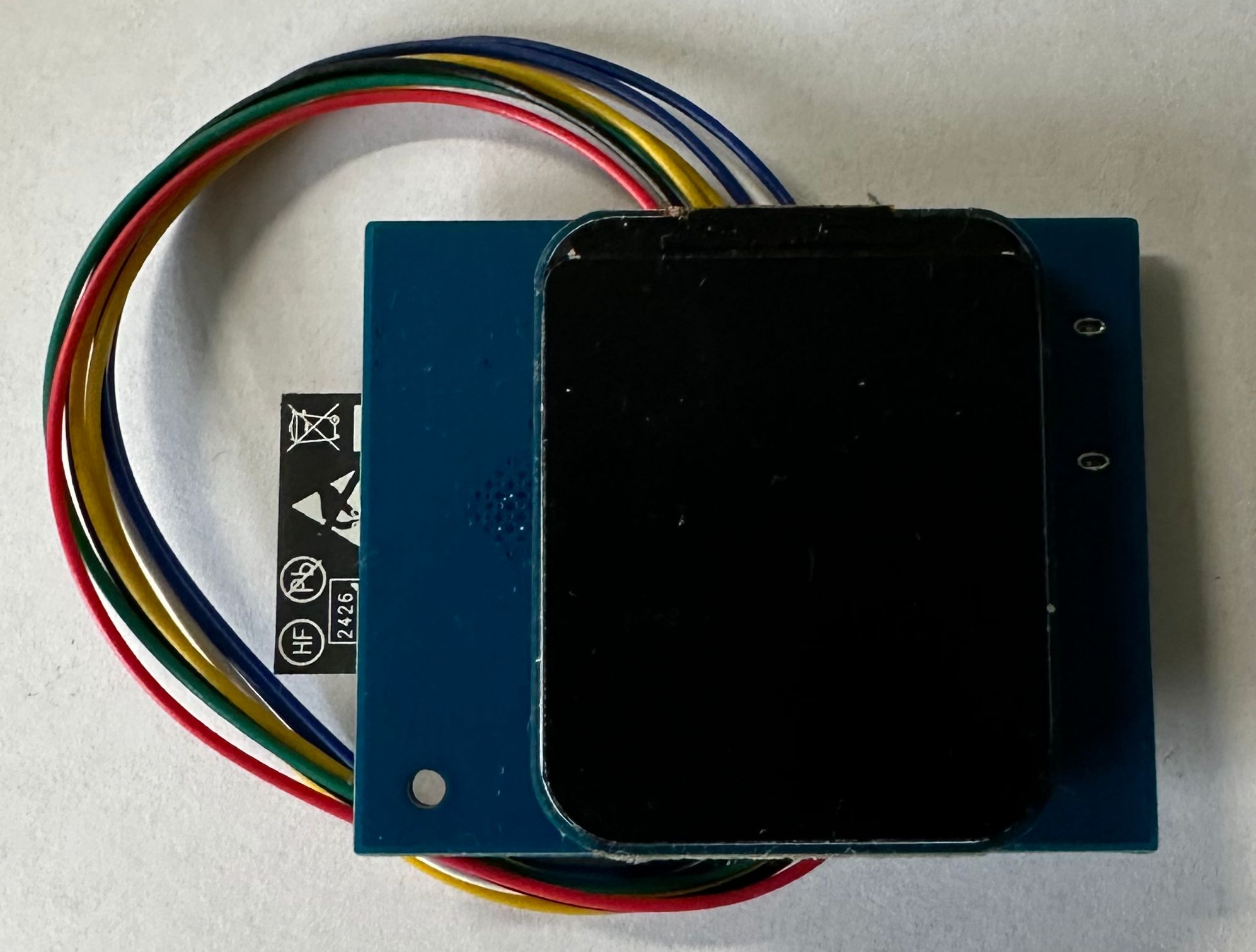
For a more slick design we also designed a custom PCB in KiCad, which integrates the LCD perfectly with the ESP32-S3. Four M2 screw holes perfectly fit with the Waveshare LCD-module for easy assembly. The files can be found under
/assets/pcb/
This project is licensed under the MIT License. See the LICENSE [blocked] file for details.
| Qty | Value | Footprint | References |
|---|---|---|---|
| 5 | 0u1F | Capacitor_SMD:C_0603_1608Metric | C2, C4, C6, C8, C9 |
| 4 | 10uF | Capacitor_SMD:C_0603_1608Metric | C1, C3, C5, C10 |
| 2 | 5k1 | Resistor_SMD:R_0603_1608Metric | R1, R2 |
| 2 | SW_Push | Button_Switch_SMD:SW_SPST_PTS810 | SW1, SW2 |
| 1 | 10k | Resistor_SMD:R_0603_1608Metric | R4 |
| 1 | 1uF | Capacitor_SMD:C_0603_1608Metric | C7 |
| 1 | AMS1117-3.3 | Package_TO_SOT_SMD:SOT-223-3_TabPin2 | U2 |
| 1 | Conn_01x08 | footprints:Molex_LCD_conn | J2 |
| 1 | ESP32-S3-WROOM-1 | RF_Module:ESP32-S3-WROOM-1 | U1 |
| 1 | USBLC6-2P6 | Package_TO_SOT_SMD:SOT-666 | U3 |
| 1 | USB_C_Receptacle_USB2.0_16P | Connector_USB:USB_C_Receptacle_GCT_USB4105-xx-A_16P_TopMnt_Horizontal | J1 |
The 20 most common of 26 parts.
It measures 40 × 49.8 mm and has 2 copper layers, 1.6 mm thick.
26 parts, built around the ESP32-S3-WROOM-1-N8, AMS1117-3.3 and USBLC6-2P6. The full list of its parts is on this page, with links to each part's symbol and footprint where PCBKit's library has them.
From the MxMueller99/YAHA repository on GitHub, at the commit this page was made from: the board is assets/pcb/Yaha.kicad_pcb and its schematic assets/pcb/Yaha.kicad_sch. PCBKit opens the board in the browser, with nothing to install.
Its repository publishes it under the MIT licence: you may reuse it on that licence's terms (keep the author's notice, and for a copyleft licence share your changes alike).

maximus64/opendiag-hardware
OpenDIAG - Open Source OBD2 Interface (Hardware)

lalithk06/Esp32_Smart_Plug
Hardware reference design for an ESP32-S3 smart plug with mains power conversion, relay switching, RTC support, USB connectivity, and protection components.

ponrajleo/AI-Hardware-ESP32S3-
This project is part of a complete open-source hardware design course on YouTube:

VikramR3/ViRa_Ai_plug
ESP32-S3 mains smart plug: HLK-5M05 isolated supply, SRD-05VDC relay, DS3231M RTC. 2-layer KiCad design.


etiennechlt/electronic-chess
Générée par tools/boardgen (module power). 100 x 60 mm, 2 couches, plan de masse en face arrière. Elle gère trois cellules plates 1S 5 Ah.