
4 layers234 × 84 mm
Main panel
google/mozc-devices
Circuit diagrams and firmware source code for Gboard DIY keyboards
234 parts3kApache-2.0
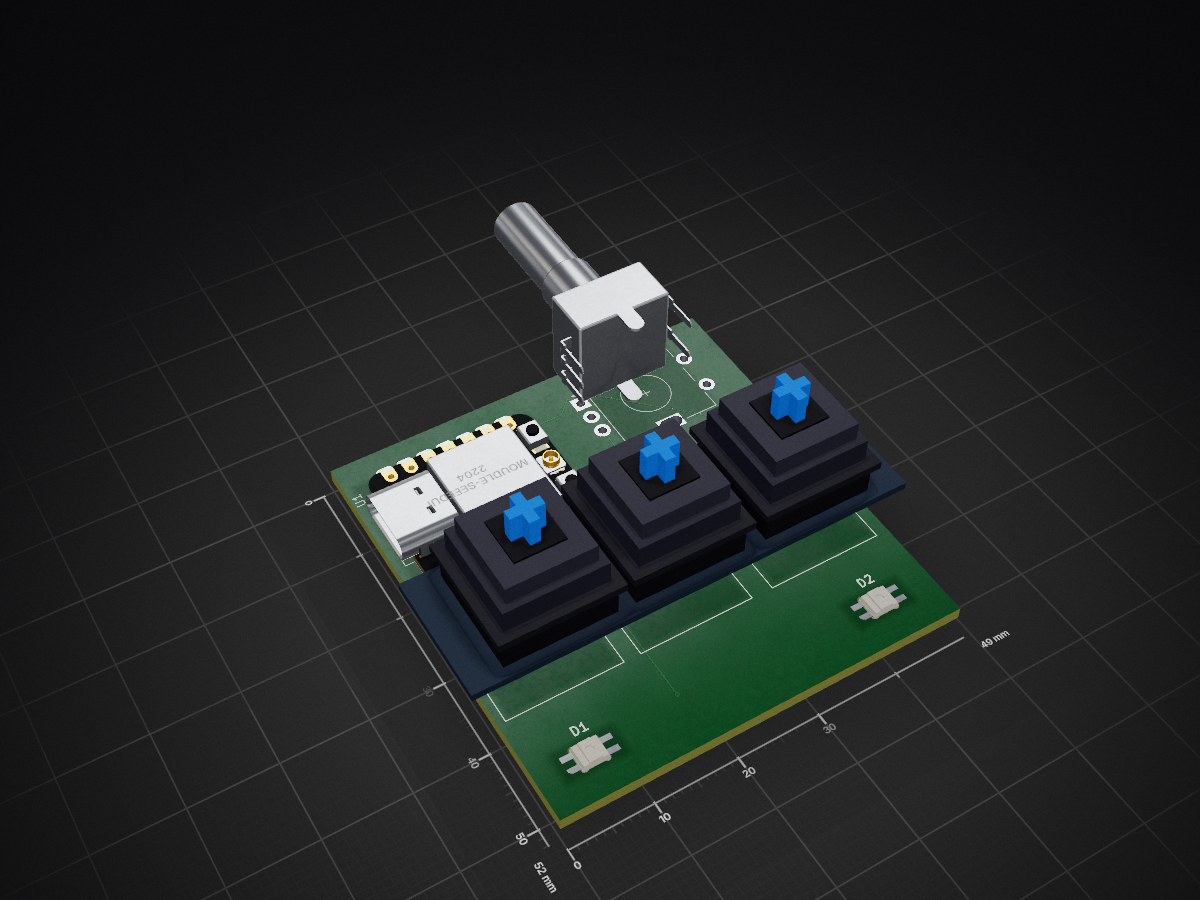
 Mo-Was-Here/HackPad1
A custom 3-key mechanical macropad layout featuring an integrated EC11 rotary encoder knob and two addressable SK6812MINI-E RGB underglow backlights, powered by a Seeed Studio XIAO RP2040 MCU and running the KMK firmware framework. (WORK IN PROGRESS: Enclosure .stl template is a placeholder and does not yet exactly match final PCB board.)
Macropad is an open-source printed circuit board by Mo-Was-Here, from the Mo-Was-Here/HackPad repository on GitHub. It is a 2-layer board of 49 × 52 mm with 7 parts on 17 nets, routed with 60 tracks and 4 vias.
It is built around the SK6812MINI-E. Its parts include 4 switches, 2 diodes and 1 IC. It belongs with the keyboards and input and lEDs and displays boards of this library.
⚠️ Development Note: The current 3D enclosure base file (
Top.STL) is an initial layout draft to fulfill the folder architecture requirements. It is not currently matched to the exact final physical dimensions of the routed PCB and will be updated with precise mechanical alignments before final hardware fabrication.
A custom 3-key mechanical macro keypad featuring an integrated rotary encoder dial and individually addressable RGB backlight LEDs. The entire hardware framework is driven by a Seeed Studio XIAO RP2040 microcontroller and runs on the Python-based KMK keyboard firmware framework.
This repository contains all source and manufacturing files required to build this project, organized according to Hack Club's shipping guidelines:
/CAD - Contains the structural 3D design file (Top.STL) for the switch plate enclosure./PCB - Contains the editable KiCad project, schematic, and board layout files./firmware - Contains the core KMK configuration script (main.py)./production - Contains the manufacturing-ready gerbers.zip bundle and configuration assets.| Component | Description | Qty | Part Source Link |
|---|---|---|---|
| MCU | Seeed Studio XIAO RP2040 Module | 1 | Seeed Studio Official |
| Switches | Cherry MX Mechanical Keyswitches | 3 | DigiKey Catalog |
| Encoder | EC11 Rotary Encoder Dial with Built-in Switch | 1 | Adafruit Supply |
| LEDs | SK6812MINI-E Individual Addressable RGB Components | 2 | JLCPCB Parts Library |
| Enclosure | 1.5mm Custom 3D-Printed Switch Plate Base Shell | 1 | Custom Manufactured STL File |
board.D10)board.D9)board.D8)board.D0) / B: Pin 2 (board.D1) / Switch: Pin 3 (board.D2)board.D6)+3V3 / Negative Return Path: GNDThis board runs CircuitPython with the KMK framework library. To deploy:
kmk firmware directory onto the root directory of the microcontroller storage volume.main.py configuration script onto the board to instantly map keybinds and lighting profiles.| Qty | Value | Footprint | References |
|---|---|---|---|
| 3 | SW_Push | Button_Switch_Keyboard:SW_Cherry_MX_1.25u_PCB | SW1, SW2, SW3 |
| 2 | SK6812MINI-E | footprints:SK6812MINI-E_fixed | D1, D2 |
| 1 | MOUDLE-SEEEDUINO-XIAO | RF_Module:MCU_Seeed_ESP32C3 | U1 |
| 1 | RotaryEncoder_Switch | Rotary_Encoder:RotaryEncoder_Alps_EC11E-Switch_Vertical_H20mm | SW4 |
It measures 49 × 52 mm and has 2 copper layers, 1.6 mm thick.
7 parts, built around the SK6812MINI-E. The full list of its parts is on this page, with links to each part's symbol and footprint where PCBKit's library has them.
From the Mo-Was-Here/HackPad repository on GitHub, at the commit this page was made from: the board is PCB/macropad.kicad_pcb and its schematic PCB/macropad.kicad_sch. PCBKit opens the board in the browser, with nothing to install.
Its repository states no licence, so its author keeps all rights: ask Mo-Was-Here before reusing the design.
google/mozc-devices
Circuit diagrams and firmware source code for Gboard DIY keyboards

Bastardkb/Dilemma
The Dilemma is a vertical stagger low-profile keyboard with mods.

Pwnsat/FlatSat
Flatsat v1.0 is a hardware based platform for aerospace cybersecurity research

adamws/kicad-kbplacer
KiCad plugin for automatic keyboard's key placement and routing

imchipwood/dumbpad
Simple 4x4 numpad with rotary encoder. Powered by QMK via ATmega32u4 Pro Micro

makerforgetech/modular-biped
An open source framework for creating a bipedal modular companion robot.

