2 layers94.5 × 100 mm
Motherboard
median-dispersion/GMT-Geiger-Counter
Geiger-Müller tube based Geiger counter.
33 partsGPL-3.0

 median-dispersion/GMT-Geiger-Counter
Geiger-Müller tube based Geiger counter.
Tube Driver is an open-source printed circuit board by median-dispersion, from the median-dispersion/GMT-Geiger-Counter repository on GitHub, published under the GPL-3.0 licence. It is a 2-layer board of 157.5 × 30.5 mm with 45 parts on 29 nets, routed with 185 tracks and 59 vias.
It is built around the NE555D, C1210V473KDRAC7800 and MMBT3904, with the 3361P-1-100GLF, AC1206FR-07100KL and 1N914BWS among its other parts. Its parts include 20 resistors, 7 capacitors, 5 diodes, 4 transistors and 1 IC.


This is a hobby project and should not be relied upon to accurately determine radiation levels, especially not if those radiation levels are potentially dangerous and or lethal!
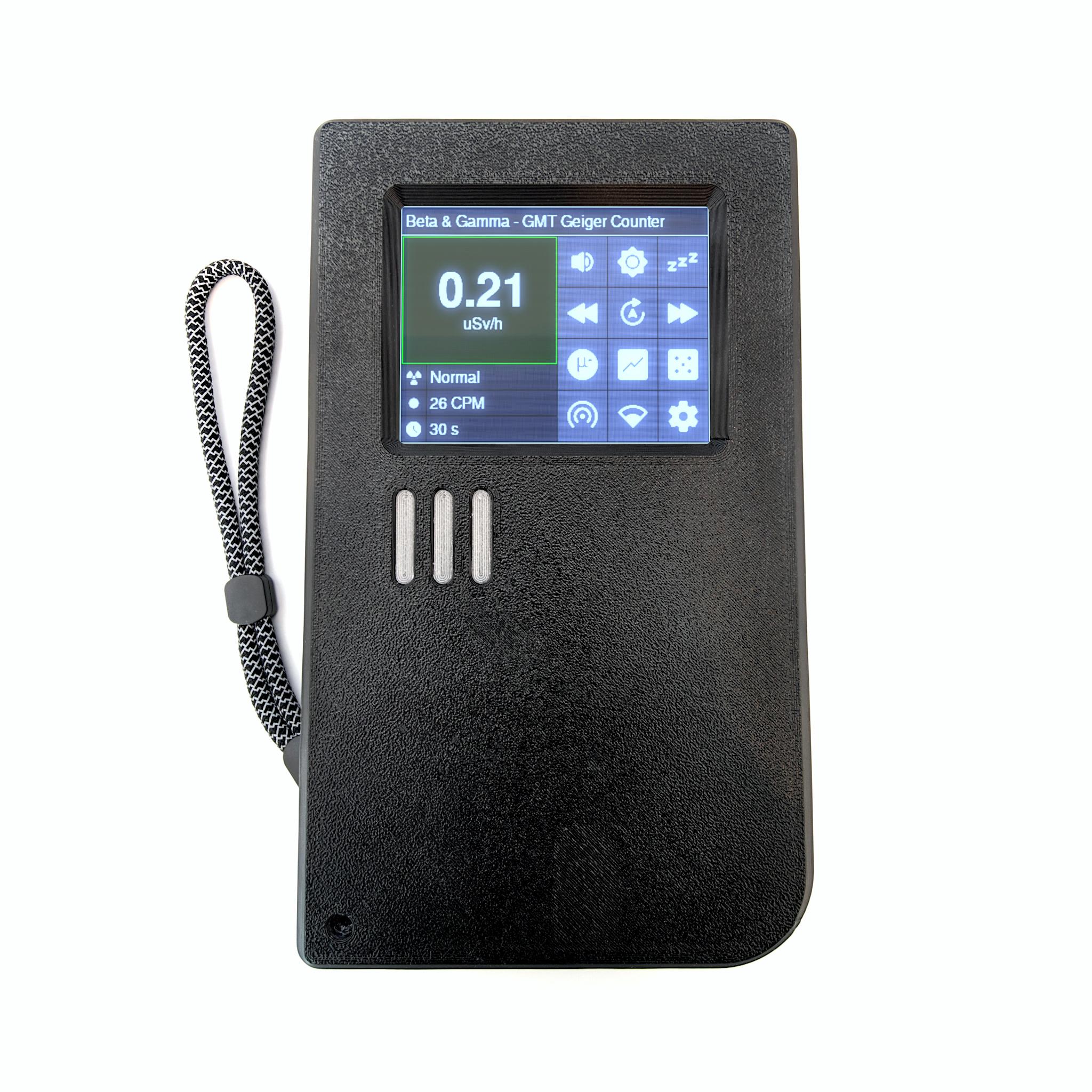
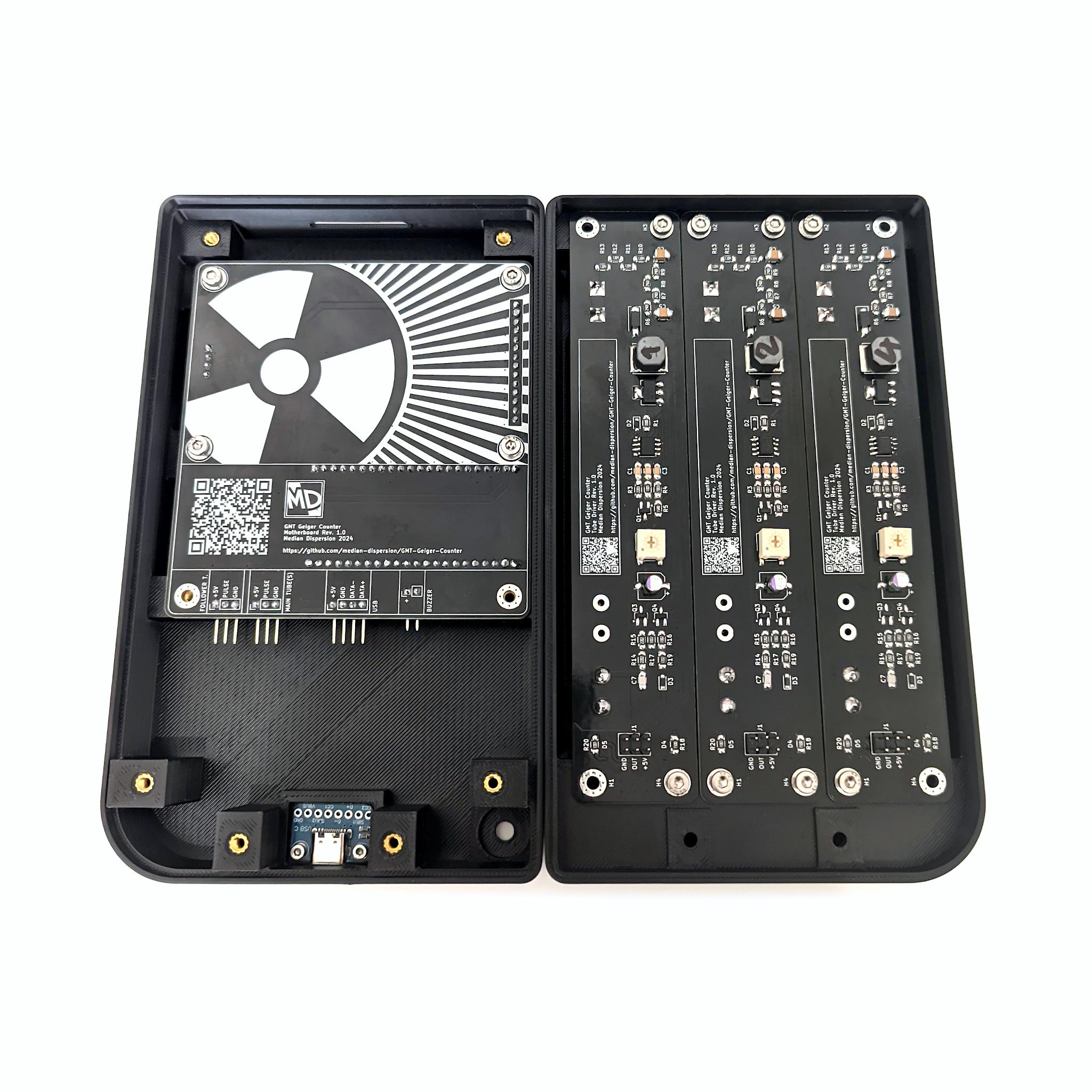
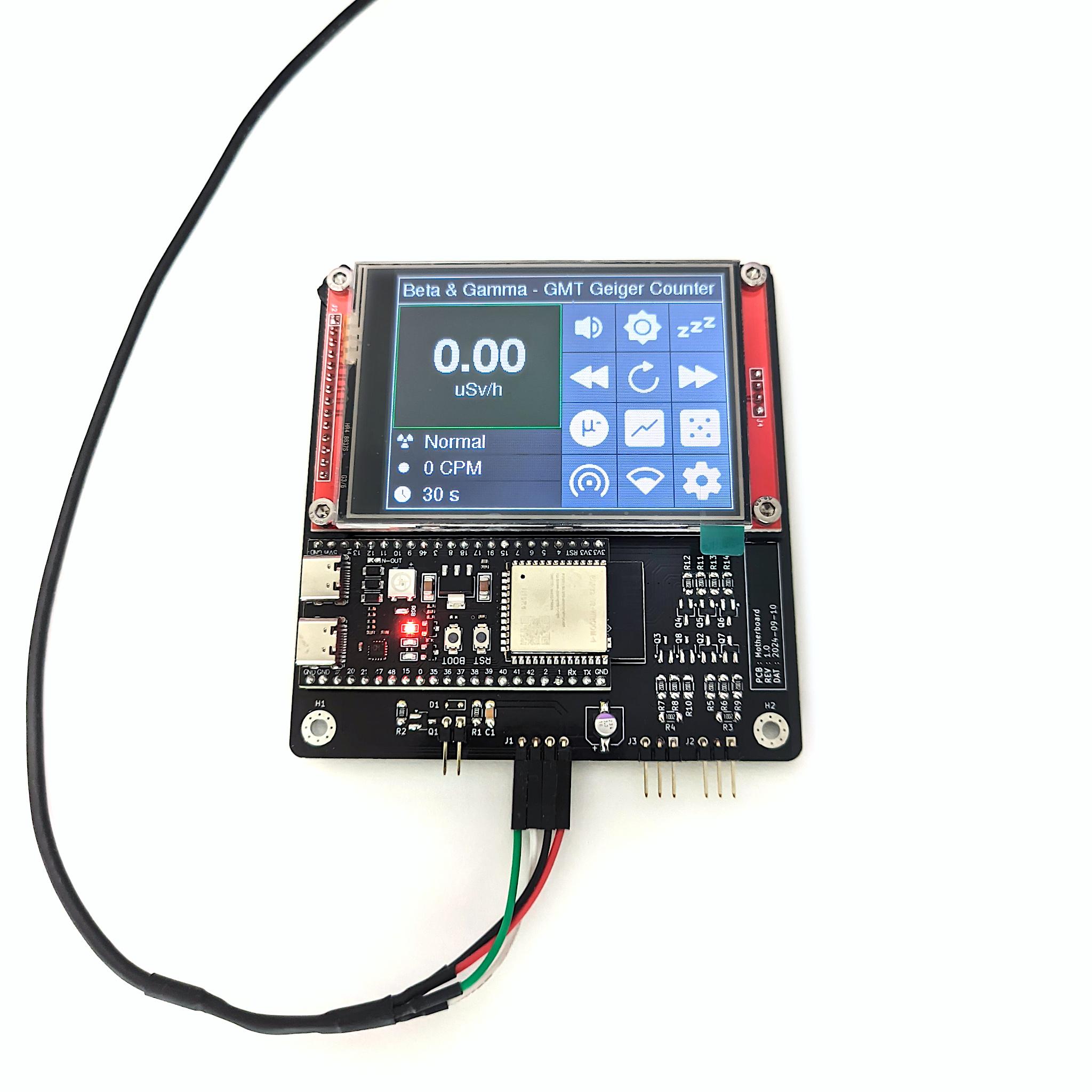
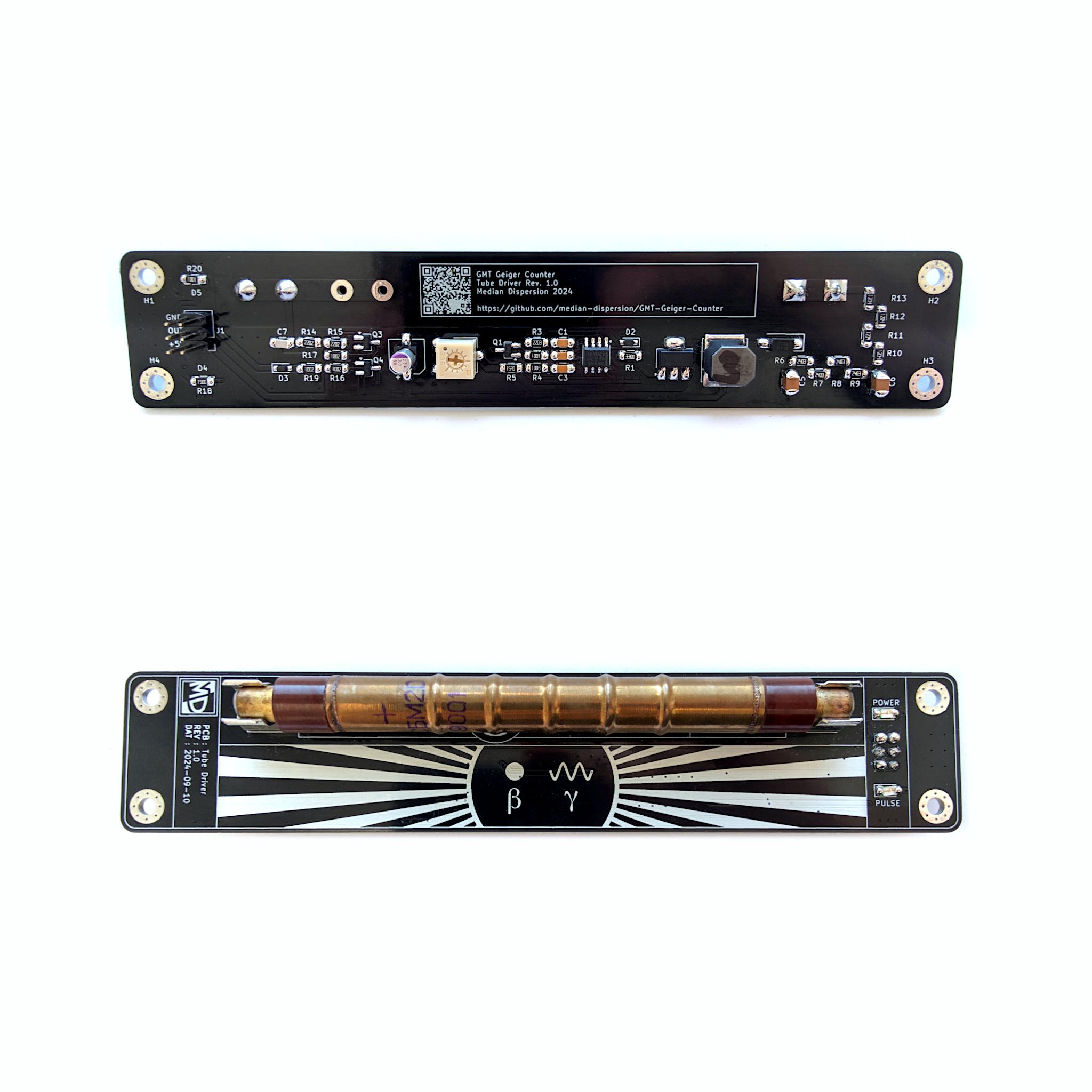
The main Geiger counter display shows the equivalent dose, a radiation intensity rating, the counts-per-minute reading, and the integration time. From this screen, you can also access and navigate to all other system functions.
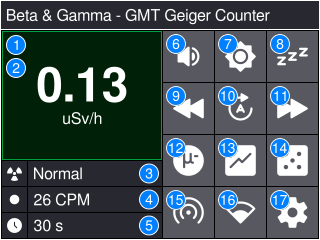
| ID | Description |
|---|---|
| 1 | Main Equivalent Dose Screen - Displays the equivalent dose in your selected unit, calculated over the current integration time. |
| 2 | Tap the equivalent dose display to open the Geiger counter information section. |
| 3 | Shows the current radiation rating. |
| 4 | Displays the counts per minute (CPM) reading for the current integration time. |
| 5 | Integration Time - The number of seconds the Geiger counter averages measurements to calculate CPM and equivalent dose. Shorter integration times provide more precise readings at high radiation levels; longer times are better for low radiation levels. The counter automatically adjusts this setting but it can also be manually increased or decreased. |
| 6 | Tap to open the audio settings. |
| 7 | Tap to open the display settings. |
| 8 | Tap to enter sleep mode, which turns off the display and mutes all buzzer sounds. |
| 9 | Tap to manually decrease the integration time. |
| 10 | Tap to reset the integration time to automatic. |
| 11 | Tap to manually increase the integration time. |
| 12 | Tap to enable and open the cosmic ray detector. |
| 13 | Tap to view radiation history in a graphical format. |
| 14 | Tap to enable and open the true random number generator. |
| 15 | Tap to open the hotspot settings. |
| 16 | Tap to open the Wi-Fi settings. |
| 17 | Tap to open the system settings. |
The Geiger counter info screen displays additional information about the recorded Geiger counter data, like the absolute number of counts or the total absorbed dose since power-on. In the settings section of this menu, you can also change Geiger counter properties like the measurement unit or if the measured value should auto-range.
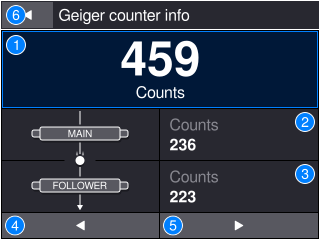
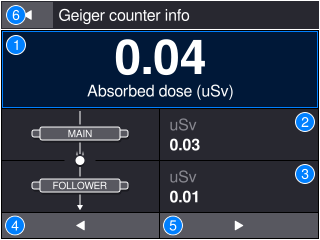
| ID | Descriptions |
|---|---|
| 1 | Total number of counts / total absorbed dose - A sum of all counts or the total absorbed dose recorded since the device was powered on. This value only increases when the Geiger counter is enabled. |
| 2 | Main Tube Detections - The total number of detections or the total absorbed dose by the main tube since power-on. |
| 3 | Follower Tube Detections - The total number of detections or the total absorbed dose by the follower tube since power-on. |
| 4 | Tap to view the previous page. |
| 5 | Tap to view the next page. |
| 6 | Tap to exit the Geiger counter info and return to the Geiger counter screen. |
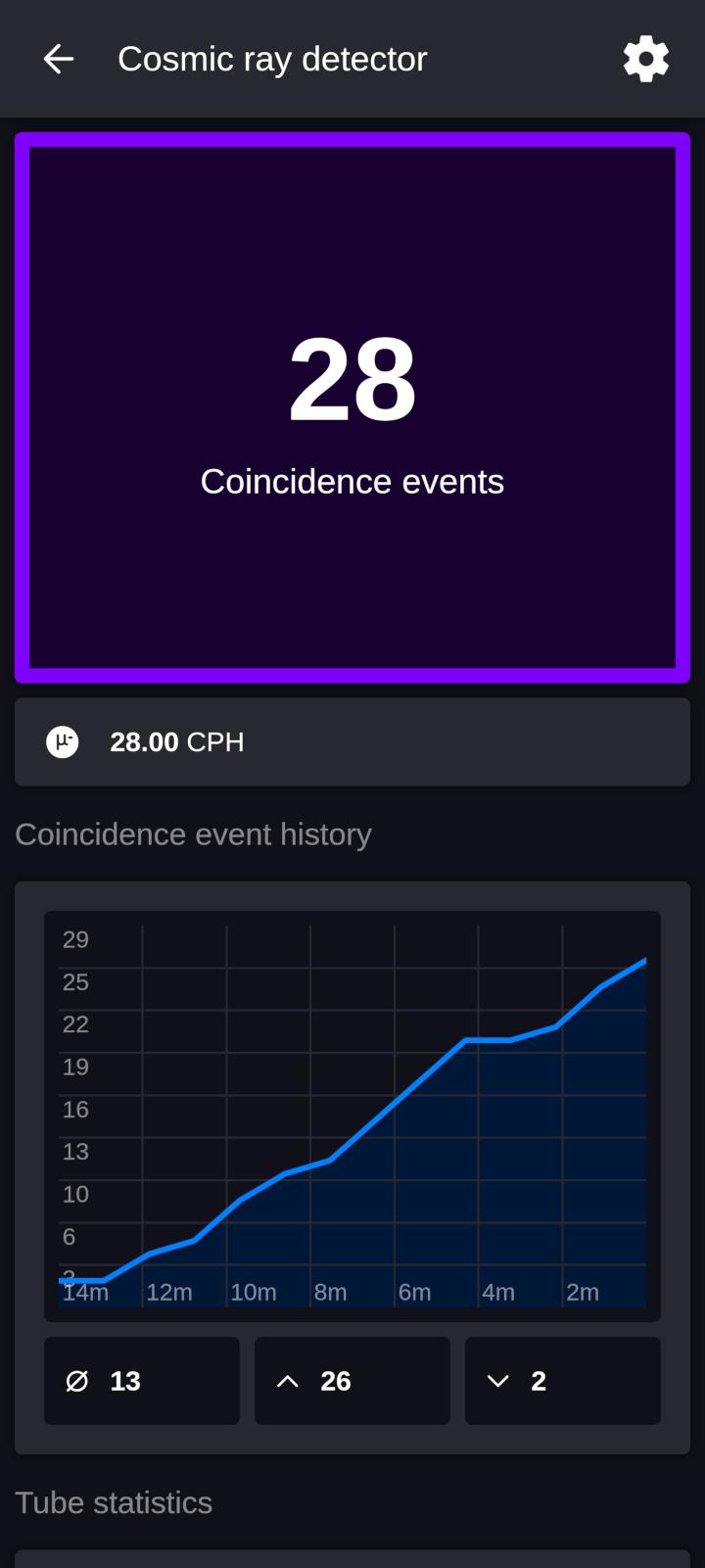
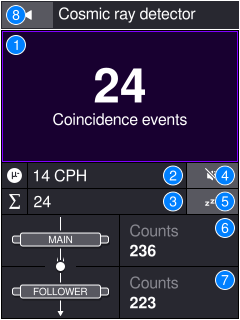
The cosmic ray detector measures cosmic ray exposure by recording coincidence events, which are shown on this screen. While the detector is enabled, its data is also available via the serial console, the wireless API interface and the log file.
| ID | Description |
|---|---|
| 1 | Main Coincidence Events Screen - Shows the total number of coincidence events recorded since the cosmic ray detector was enabled. This value resets when the cosmic ray detector is disabled. |
| 2 | Coincidence Events per Hour - Displays the hourly average since the cosmic ray detector was enabled. This value resets when the cosmic ray detector is disabled. |
| 3 | Total Coincidence Events (Since Power-On) - A sum of all coincidence events recorded since the device was powered on. This value only increases when the cosmic ray detector is enabled, but does not reset when it is disabled. |
| 4 | Tap to temporarily mute detection sounds. Tap again to re-enable them. This only mutes regular detection sounds; other alerts will still play. |
| 5 | Tap to enter sleep mode, which turns off the display and mutes all buzzer sounds. |
| 6 | Main Tube Detections - The total number of detections by the main tube since the cosmic ray detector was enabled. This value resets when the cosmic ray detector is disabled. |
| 7 | Follower Tube Detections - The total number of detections by the follower tube since the cosmic ray detector was enabled. This value resets when the cosmic ray detector is disabled. |
| 8 | Tap to exit the cosmic ray detector and return to the Geiger counter screen. A prompt will ask whether to disable the detector or keep it running in the background. |
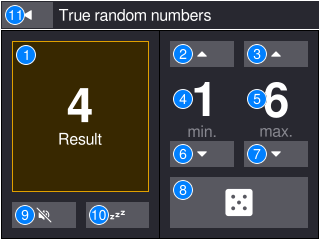
The true random number generator produces truly random numbers. You can set a custom range from 1 to 99, then roll to generate a number, which appears on the main result screen. While the generator is enabled, the Geiger counter is disabled. During this time, a continuous stream of random bits is also available via the serial console and wireless API interface.
| ID | Description |
|---|---|
| 1 | Main Result Screen - Displays a true random number once the roll is complete. |
| 2 | Tap to increase the minimum value of the result range. |
| 3 | Tap to increase the maximum value of the result range. |
| 4 | Shows the minimum value in the result range. |
| 5 | Shows the maximum value in the result range. |
| 6 | Tap to decrease the minimum value of the result range. |
| 7 | Tap to decrease the maximum value of the result range. |
| 8 | Tap to roll a random number. |
| 9 | Tap to temporarily mute detection sounds. Tap again to re-enable them. This only mutes regular detection sounds; other alerts will still play. |
| 10 | Tap to enter sleep mode, which turns off the display and mutes all buzzer sounds. |
| 11 | Tap to disable the true random number generator and return to the Geiger counter screen. |
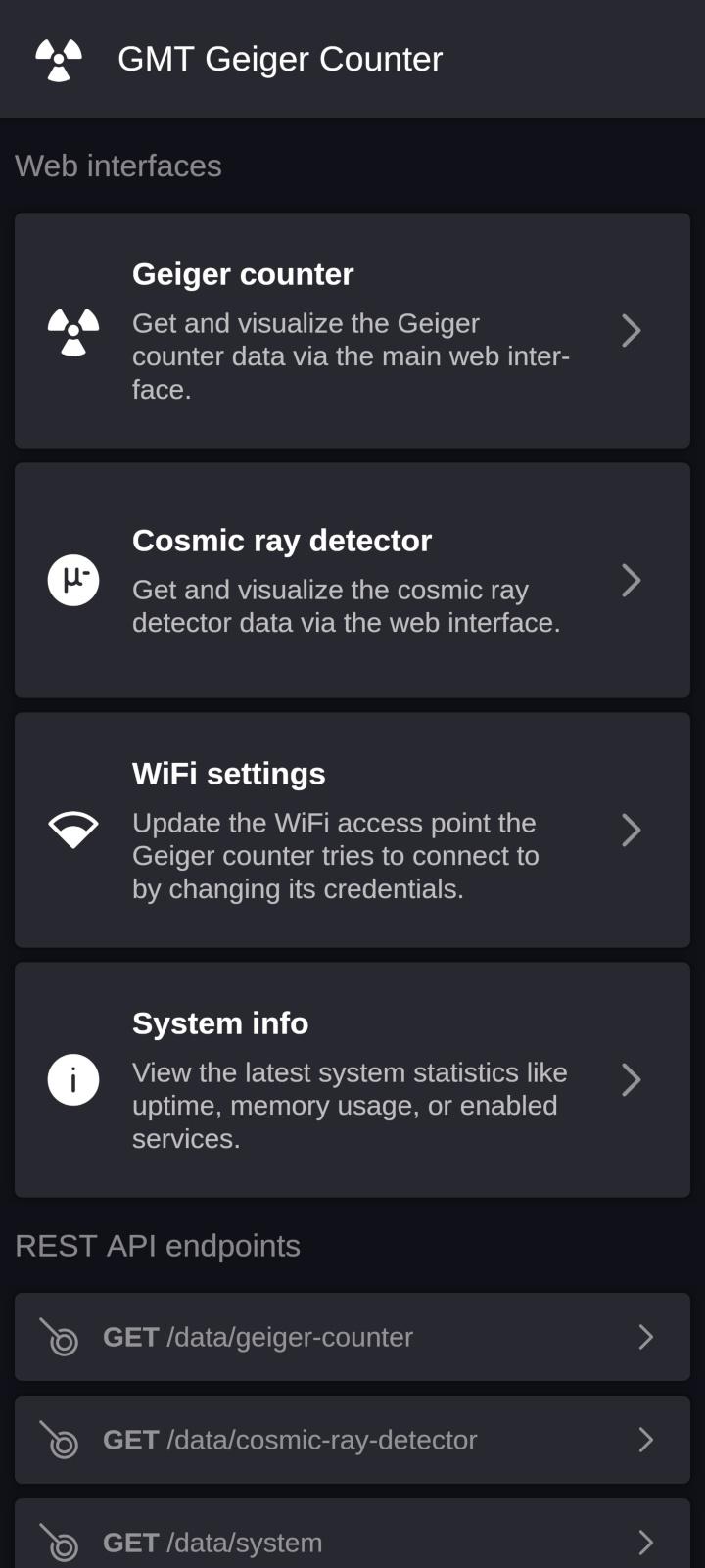
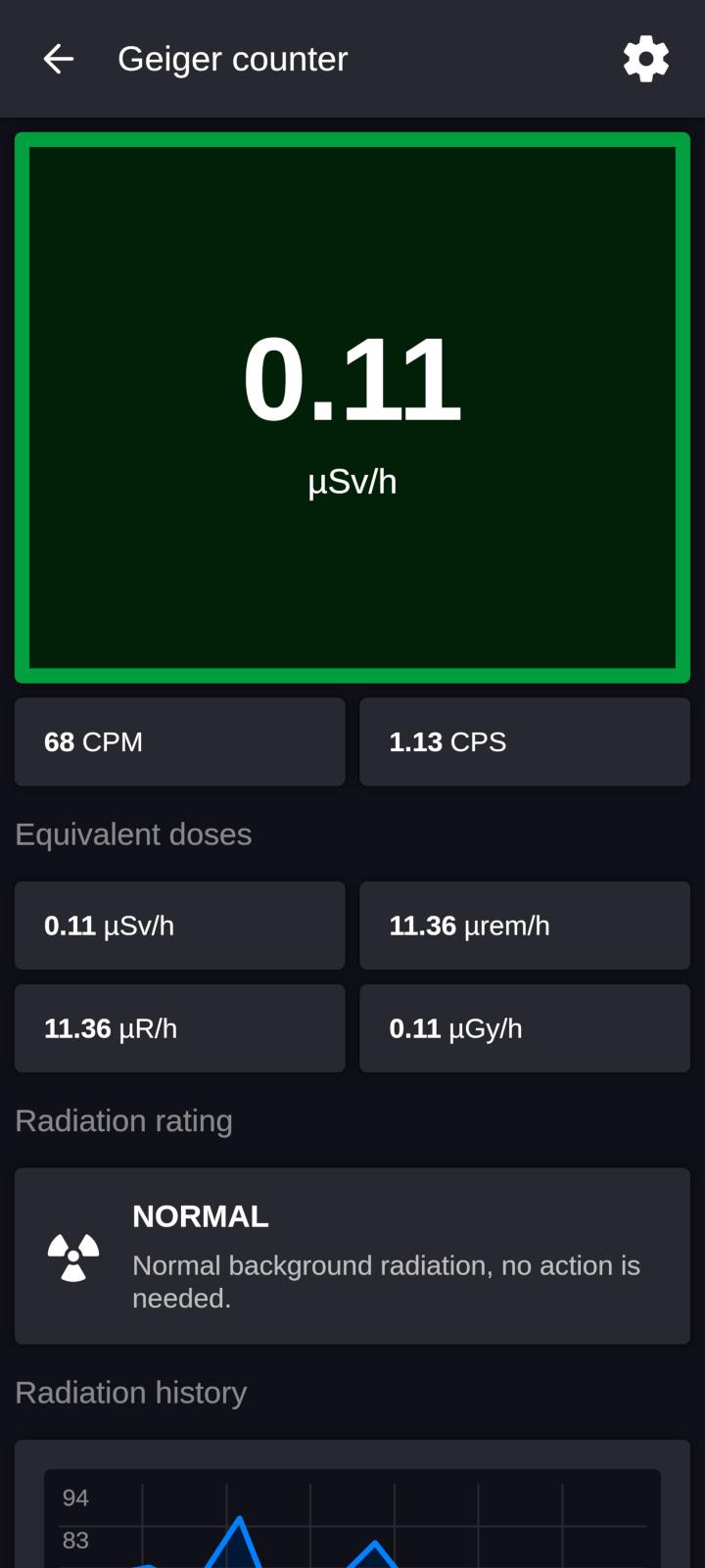
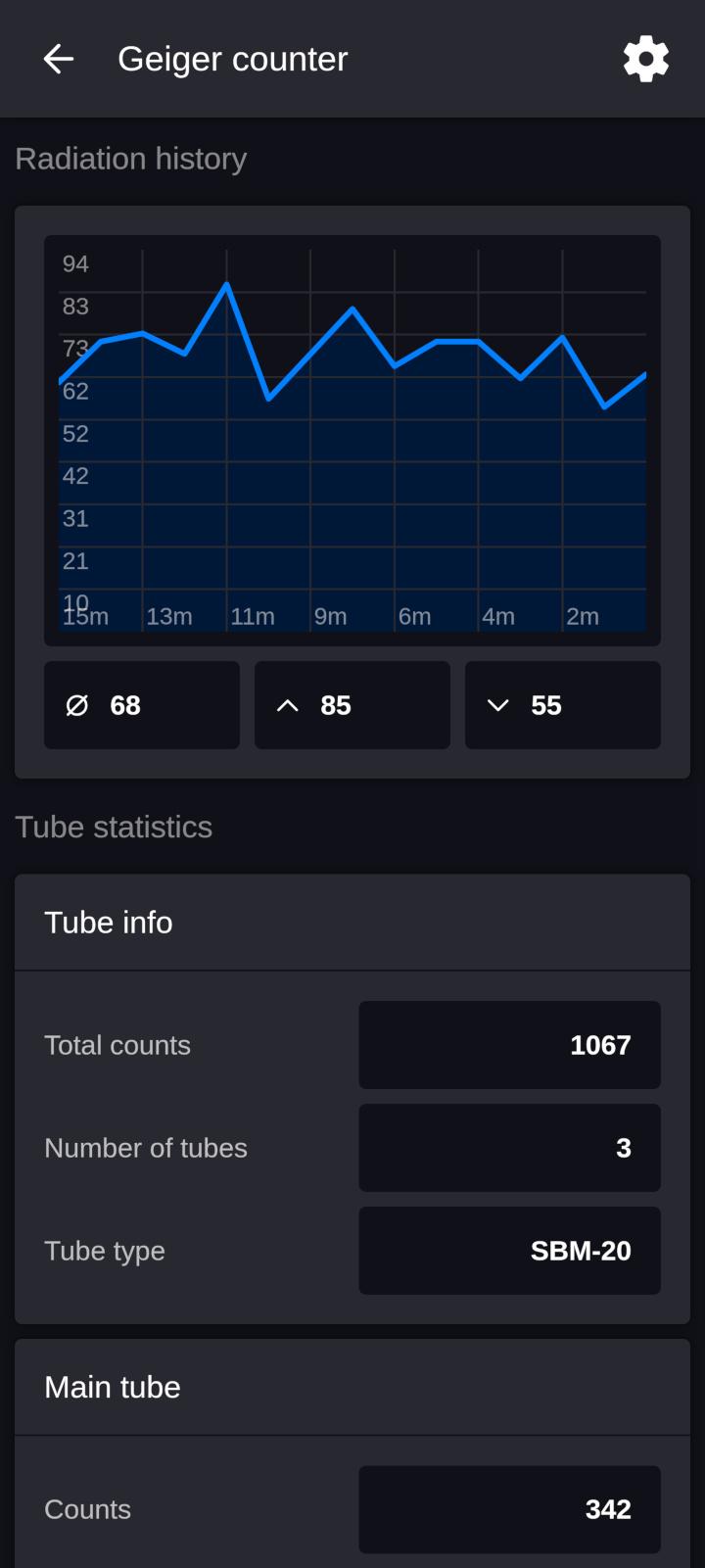
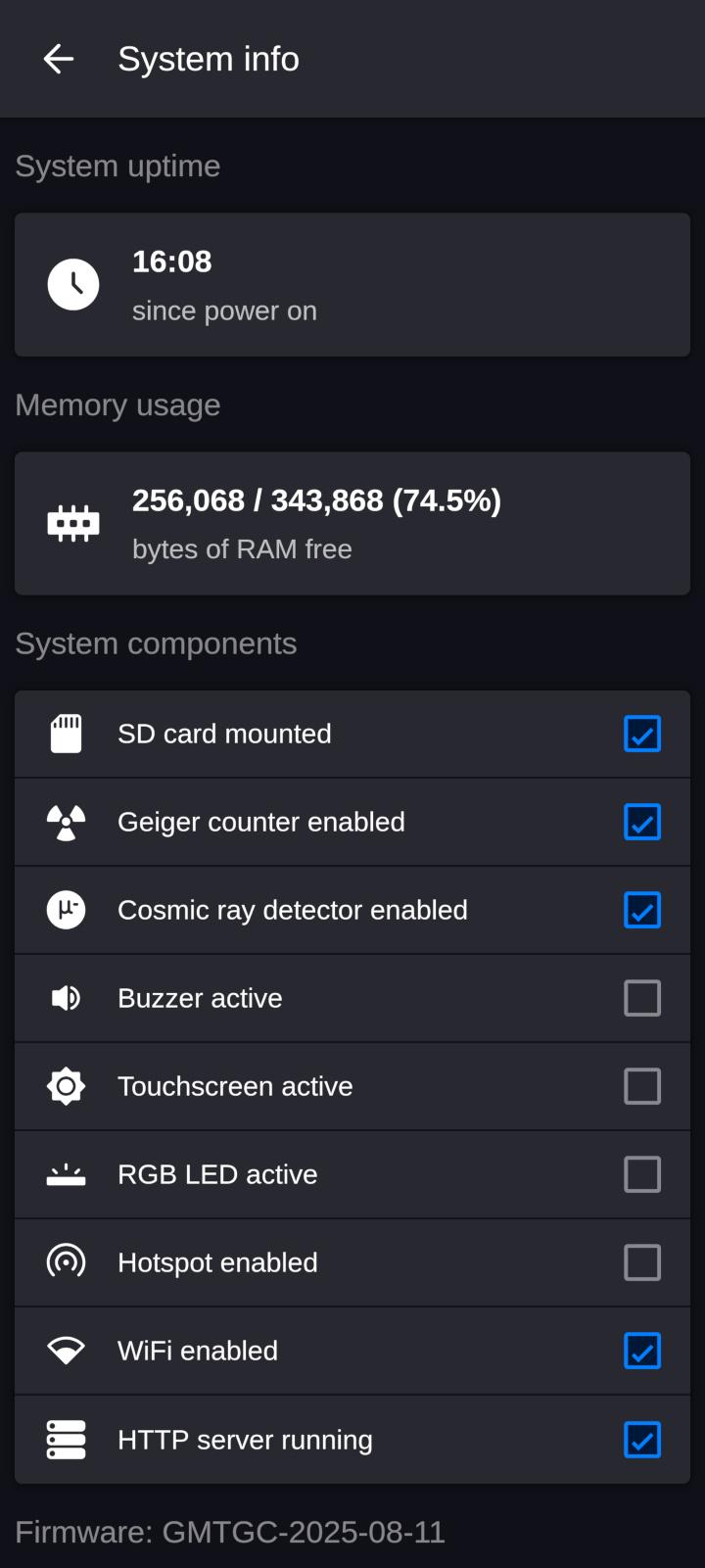
All data recorded by the Geiger counter can also be accessed through a dedicated web app, which works in any modern browser on both PCs and smartphones. The app’s interface closely mirrors the main display on the Geiger counter itself, while also providing additional features such as extended graphical history with smoothing options. It is also required for tasks like updating Wi-Fi credentials.
To use the web app, an SD card containing the necessary files from the firmware folder must be inserted. Even without the app, the wireless API remains available, allowing data to be accessed through a browser; however, without the web app, the information will not be presented in a user-friendly format.
Screenshots of the web app can be found in the screenshots section.
The tube driver PCB is compatible with a variety of Geiger-Müller tubes. Any tube that has a total length including the contacts of 110mm to 107mm or 90mm to 87mm and operates around 400V DC should be physically compatible. Here are some tubes that will be compatible with this Geiger counter:
| Tube | Compatible | Tested | Note |
|---|---|---|---|
| SBM-20 | ✅ | ✅ | The tube this Geiger counter was designed for |
| STS-5 | ✅ | ❌ | The predecessor tube to the SBM-20 |
| J305 107mm | ✅ | ❌ | A modern alternative to the SBM-20 |
| J305 90mm | ✅ | ❌ | A shorter version of the J305 107mm |
| M4011 | ✅ | ❌ | An alternative to the J305 90mm |
| Qty | Value | Footprint | References |
|---|---|---|---|
| 4 | 1.2M | Resistor_SMD:R_1206_3216Metric_Pad1.30x1.75mm_HandSolder | R10, R11, R12, R13 |
| 4 | 240k | Resistor_SMD:R_1206_3216Metric_Pad1.30x1.75mm_HandSolder | R6, R7, R8, R9 |
| 4 | M3 | MountingHole:MountingHole_3.2mm_M3_Pad_Via | H1, H2, H3, H4 |
| 3 | 10k | Resistor_SMD:R_1206_3216Metric_Pad1.30x1.75mm_HandSolder | R16, R17, R19 |
| 2 | 10nF | Capacitor_SMD:C_1206_3216Metric_Pad1.33x1.80mm_HandSolder | C2, C3 |
| 2 | 1k | Resistor_SMD:R_1206_3216Metric_Pad1.30x1.75mm_HandSolder | R2, R20 |
| 2 | 22k | Resistor_SMD:R_1206_3216Metric_Pad1.30x1.75mm_HandSolder | R14, R15 |
| 2 | 47nF | Capacitor_SMD:C_1210_3225Metric_Pad1.33x2.70mm_HandSolder | C5, C6 |
| 2 | MMBT3904 | Package_TO_SOT_SMD:SOT-23_Handsoldering | Q1, Q3 |
| 1 | 10 | Footprints:RV_3361P | RV1 |
| 1 | 100k | Resistor_SMD:R_1206_3216Metric_Pad1.30x1.75mm_HandSolder | R4 |
| 1 | 100uF | Capacitor_SMD:CP_Elec_6.3x5.4 | C4 |
| 1 | 10mH | Footprints:L_8065_HandSolder | L1 |
| 1 | 15 | Resistor_SMD:R_1206_3216Metric_Pad1.30x1.75mm_HandSolder | R5 |
| 1 | 150 | Resistor_SMD:R_1206_3216Metric_Pad1.30x1.75mm_HandSolder | R18 |
| 1 | 1N914BWS | Diode_SMD:D_SOD-323_HandSoldering | D2 |
| 1 | 1nF | Capacitor_SMD:C_1206_3216Metric_Pad1.33x1.80mm_HandSolder | C1 |
| 1 | 220k | Resistor_SMD:R_1206_3216Metric_Pad1.30x1.75mm_HandSolder | R3 |
| 1 | 330 | Resistor_SMD:R_1206_3216Metric_Pad1.30x1.75mm_HandSolder | R1 |
| 1 | 820pF | Capacitor_SMD:C_1206_3216Metric_Pad1.33x1.80mm_HandSolder | C7 |
| 1 | GREEN | LED_SMD:LED_1206_3216Metric_Pad1.42x1.75mm_HandSolder | D4 |
| 1 | Geiger-Müller Tube | Footprints:GM_Tube_Mount | GM1 |
| 1 | I/O | Connector_PinHeader_2.54mm:PinHeader_2x03_P2.54mm_Vertical | J1 |
| 1 | MMBT3906 | Package_TO_SOT_SMD:SOT-23_Handsoldering | Q4 |
| 1 | NE555D | Package_SO:SOIC-8_3.9x4.9mm_P1.27mm | U1 |
| 1 | RB751V-40 | Diode_SMD:D_SOD-323_HandSoldering | D3 |
| 1 | RED | LED_SMD:LED_1206_3216Metric_Pad1.42x1.75mm_HandSolder | D5 |
| 1 | RS1J | Footprints:D_SMA_HV_Handsoldering | D1 |
| 1 | STN2580 | Package_TO_SOT_SMD:SOT-223 | Q2 |
median-dispersion/GMT-Geiger-Counter
Geiger-Müller tube based Geiger counter.


sanketh0103/5V_SMPS-with-Timer
240V - 5V SMPS 1A Power supply, it has a relay that can be used to control mains powered devices. This PCB can also act as a timed switch.


TDLOGY/HW_AC-DC-Flyback-5W-5V1A-Reference-Design
AC DC Flyback 5W 5V1A Reference Design


VectorLabsTechnology/Pegasus-Motor-Controller
Projeto de um inversor para um motor PMSM com FOC

It measures 157.5 × 30.5 mm and has 2 copper layers, 1.6 mm thick.
45 parts, built around the NE555D, C1210V473KDRAC7800, MMBT3904 and 3361P-1-100GLF. The full list of its parts is on this page, with links to each part's symbol and footprint where PCBKit's library has them.
From the median-dispersion/GMT-Geiger-Counter repository on GitHub, at the commit this page was made from: the board is Hardware/Tube Driver/KiCad/Tube Driver.kicad_pcb and its schematic Hardware/Motherboard/KiCad/Motherboard.kicad_sch. PCBKit opens the board in the browser, with nothing to install.
Its repository publishes it under the GPL-3.0 licence: you may reuse it on that licence's terms (keep the author's notice, and for a copyleft licence share your changes alike).