2 layers134 × 76.2 mm
BreakoutBoard
MattisLind/SPACEWAR
Classic SPACE WAR game for PDP-11 transcribed from original source
26 parts31

 MattisLind/SPACEWAR31
Classic SPACE WAR game for PDP-11 transcribed from original source
Controller is an open-source printed circuit board by MattisLind, from the MattisLind/SPACEWAR repository on GitHub. It is a 2-layer board of 60 × 55.1 mm with 11 parts on 10 nets, routed with 32 tracks and 3 vias.
Its parts include 2 resistors, 2 connectors and 1 switch.
Here is the needed information to build a basic joystick.
There are quite a few options to choose from, and sometimes the specifications are difficult to find. This set up has been tested with a joystick that uses potentiometers with the range of 0 to 5kOhm and a range of 50°.
Searching JH-D202X on Aliexpress should provide you with several options to pick from.
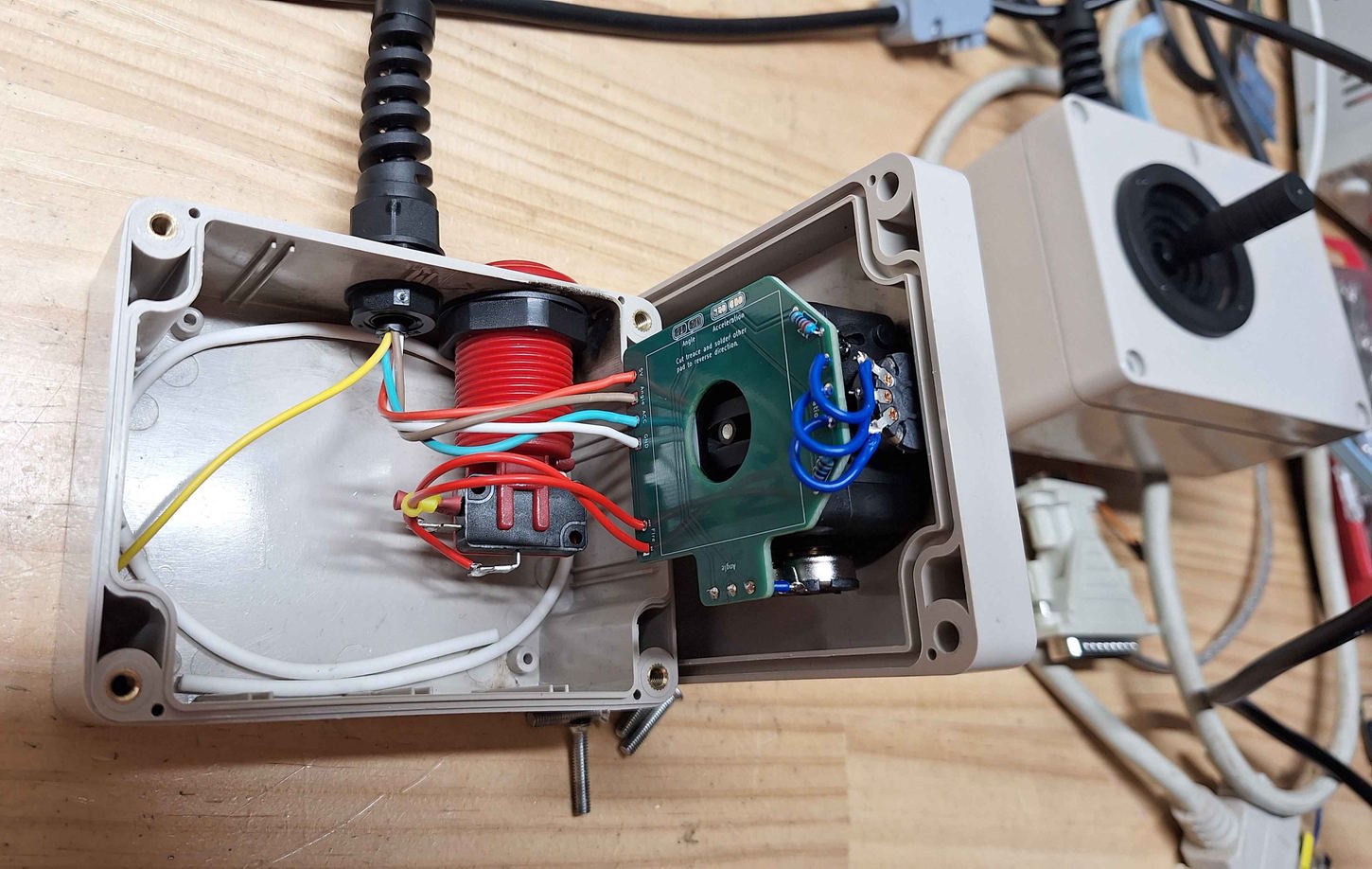
The case is a little tight, so spend some time to work out where you want to place things. Take care to allow space for the nut that holds the button. I have included some KiCad files I used to laser cut holes into the project box (see cut_template_files). You should be able to print them in paper and use them as a template or just for some dimensions. Mount the cable, strain relief and push button.
In my case I have use the following assignments:
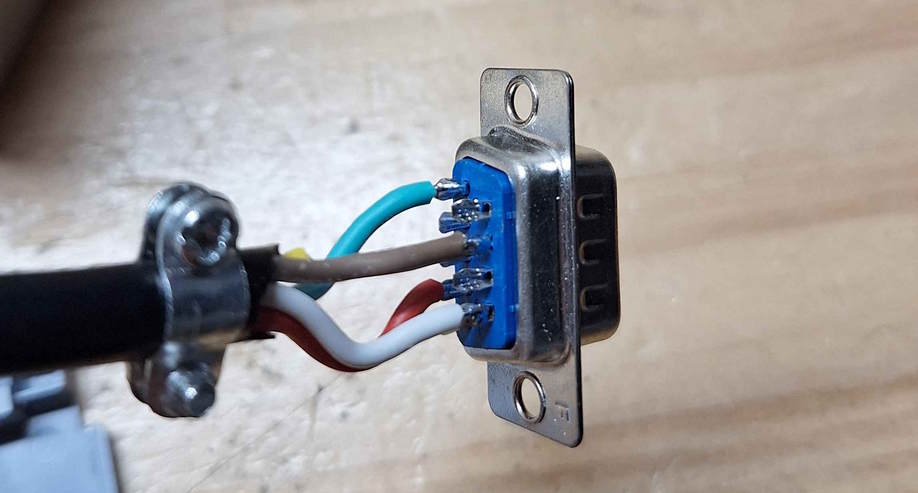
On the DB9 Connector I have used the following:
If you build the controller and find that Acceleration and Angle are swapped you CAN"T just swap the Acceleration and Angle wires. This is because the the fire button is connected to the Acceleration signal. Instead you must rotate the joystick.
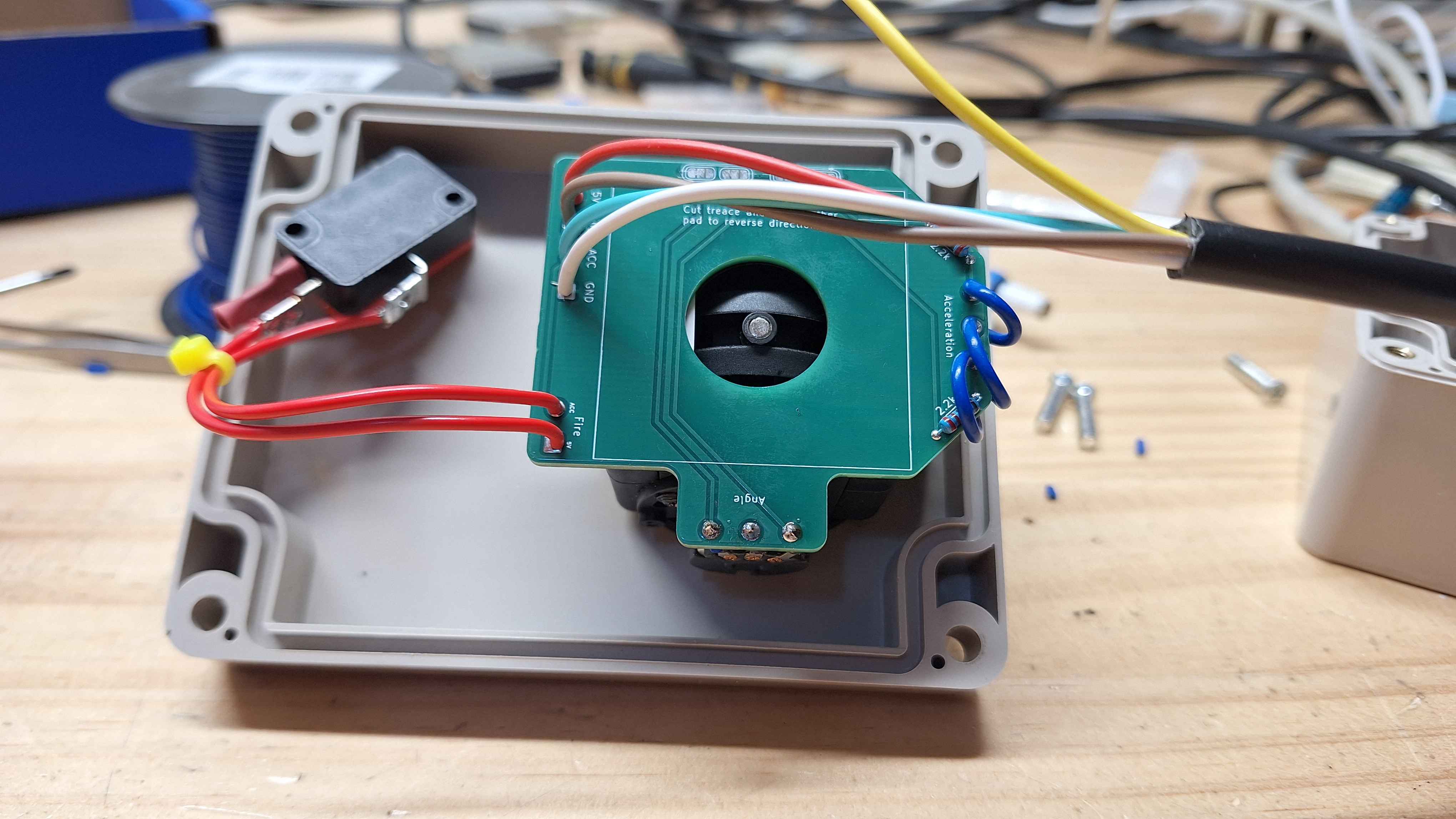
Take note of the orientation of the joystick relative to the case, otherwise you may find your controls are backwards!
Before you start make sure you joystick and button fit in the case. Also make sure you have feed cable through the project box before soldering it to the PCB.
| Qty | Value | Footprint | References |
|---|---|---|---|
| 4 | SolderJumper_3_Bridged12 | Jumper:SolderJumper-3_P1.3mm_Bridged12_RoundedPad1.0x1.5mm | JP1, JP2, JP3, JP4 |
| 2 | 2.2k | Resistor_THT:R_Axial_DIN0204_L3.6mm_D1.6mm_P7.62mm_Horizontal | R1, R2 |
| 2 | Conn_01x02_Socket | Connector_Wire:SolderWire-0.5sqmm_1x02_P4.8mm_D0.9mm_OD2.3mm | J1, J2 |
| 1 | Acceleration | Potentiometer_THT:Potentiometer_Piher_PC-16_Single_Horizontal | RV1 |
| 1 | Angle | Potentiometer_THT:Potentiometer_Piher_PC-16_Single_Horizontal | RV2 |
| 1 | Fire | Connector_Wire:SolderWire-0.5sqmm_1x02_P4.8mm_D0.9mm_OD2.3mm | SW1 |
It measures 60 × 55.1 mm and has 2 copper layers, 1.6 mm thick.
11 parts. The full list of its parts is on this page, with links to each part's symbol and footprint where PCBKit's library has them.
From the MattisLind/SPACEWAR repository on GitHub, at the commit this page was made from: the board is joystick/controller.kicad_pcb and its schematic joystick/controller.kicad_sch. PCBKit opens the board in the browser, with nothing to install.
Its repository states no licence, so its author keeps all rights: ask MattisLind before reusing the design.
MattisLind/SPACEWAR
Classic SPACE WAR game for PDP-11 transcribed from original source

google/mozc-devices
Circuit diagrams and firmware source code for Gboard DIY keyboards


FrameworkComputer/ExpansionCards
Reference designs and documentation to create Expansion Cards for the Framework Laptop

hoglet67/RGBtoHDMI
Bare-metal Raspberry Pi project that provides pixel-perfect sampling of Retro Computer RGB/YUV video and conversion to HDMI

hackclub/OnBoard
💡 Join 1,000 teenagers and make your first PCB with a $100 grant!


tardate/LittleArduinoProjects
a collection of "Little Electronic & Arduino Projects", most involving electronics or an Arduino in one way or another!

basilfx/TRADFRI-Hacking
Hacking IKEA TRÅDFRI products, such as light bulbs, window blinds and other accessories.