2 layers65.5 × 98 mm
Floppy Board v3.1
FloppyO1/Floppy_Boards
Floppy Boards are a series of breakout boards for rapid prototyping which I developed as an alternative of Arduino.
339 parts5CERN-OHL-S-2.0

 llegoff/PiFanIrHat5
Raspberry pi HAT with fan and Ir receiver
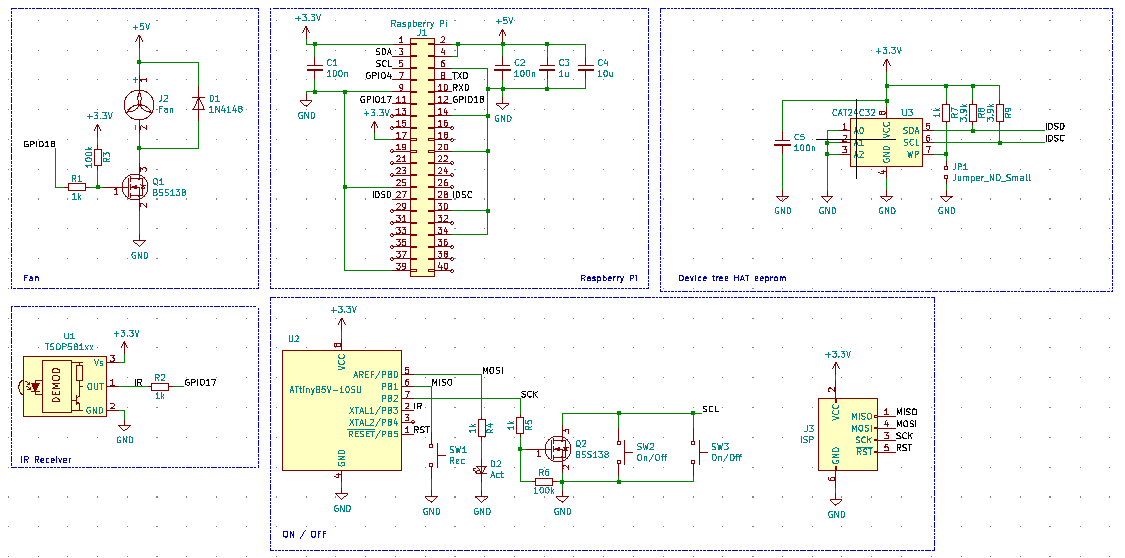
PiFanIr is an open-source printed circuit board by llegoff, from the llegoff/PiFanIrHat repository on GitHub. It is a 2-layer board of 65 × 56.5 mm with 30 parts on 42 nets, routed with 230 tracks and 18 vias.
It is built around the ATTINY85-15M, AT24C32N and BSS138. Its parts include 9 resistors, 5 capacitors, 3 ICs, 3 connectors and 3 switches. It belongs with the AVR (ATmega, ATtiny) boards of this library.


buy rev1 on ebay :package:
buy rev1 (silent fan) on ebay :package:
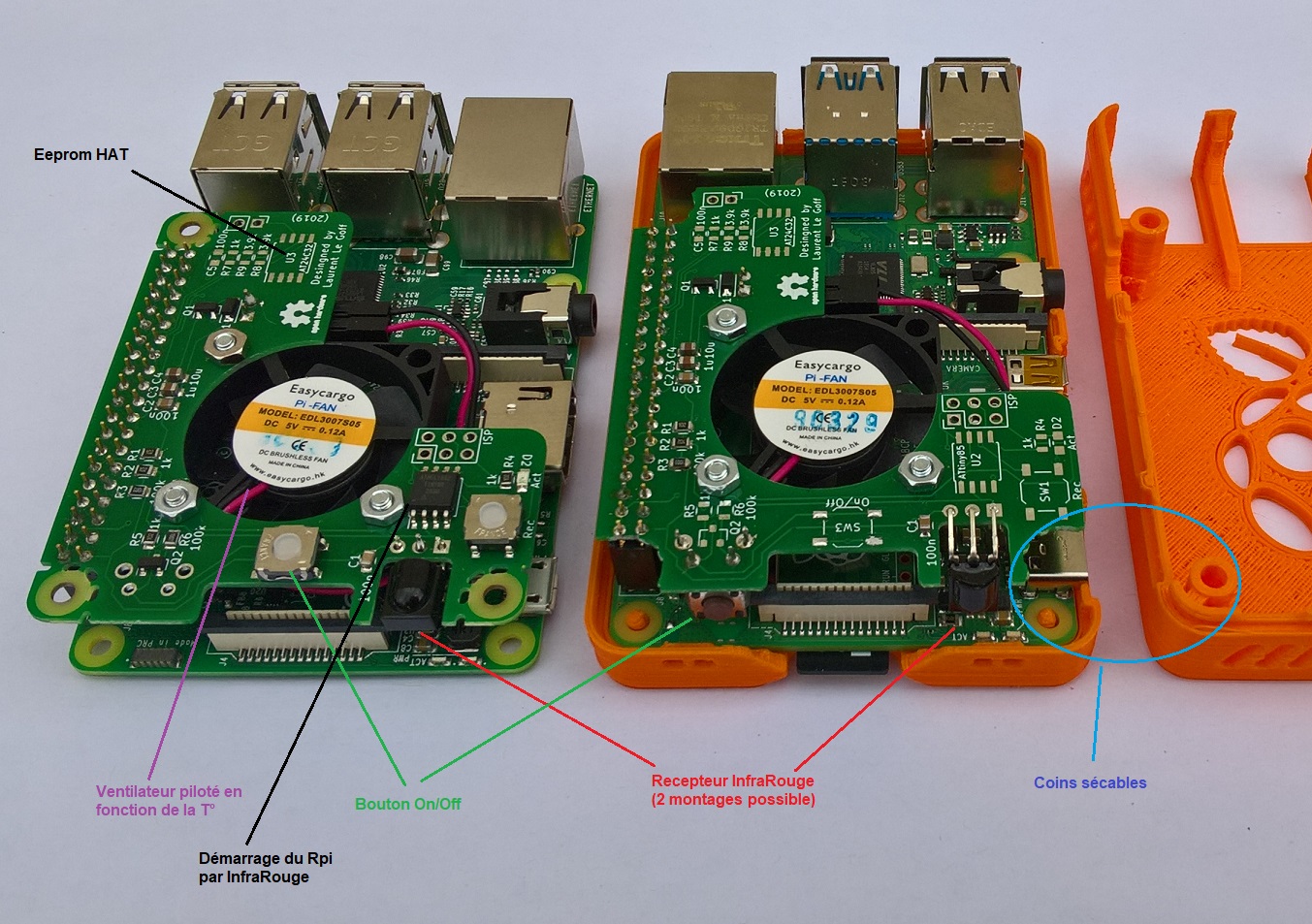
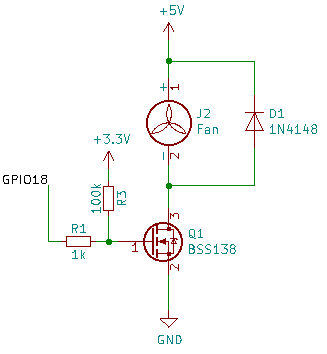
:warning: need raspbian buster, good version of gpio-fan overlay, come with kernel 4.19.
configuration: edit /boot/config.txt, add folowing line
dtoverlay=gpio-fan,gpiopin=18,temp=55000on/off button is connected to gpio3 and GND
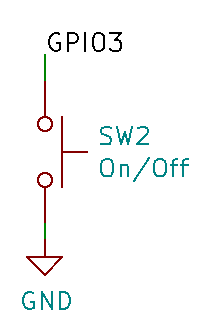
configuration: edit /boot/config.txt, add folowing line
dtoverlay=gpio-shutdown,gpio_pin=3,active_low=1,gpio_pull=up:warning: on raspberry pi 4, only shutdown work, with original bootloader. For power on, bootloader need to be update to RC3.3 last version (see https://www.raspberrypi.org/forums/viewtopic.php?f=117&t=246027)
Download the last bootloader at recovery section https://www.raspberrypi.org/downloads/
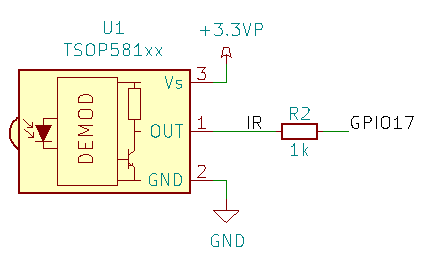
install ir-keytable
sudo apt install ir-keytableconfiguration: edit /boot/config.txt, add folowing line
dtoverlay=gpio-ir,gpio_pin=17,gpio_pull=1,rc-map-name=<keymap file for your remote>keymap files path is /lib//udev/rc_keymaps/
test remote
sudo ir-keytable -t -v -p all:warning: on raspberry pi 4, only shutdown work, with original bootloader. For power on, bootloader need to be update to RC3.3 last version (see https://www.raspberrypi.org/forums/viewtopic.php?f=117&t=246027)
Download the last bootloader at recovery section https://www.raspberrypi.org/downloads/
:grey_exclamation: For key learning, press Rec button, led stay on, press remote key, led return off.
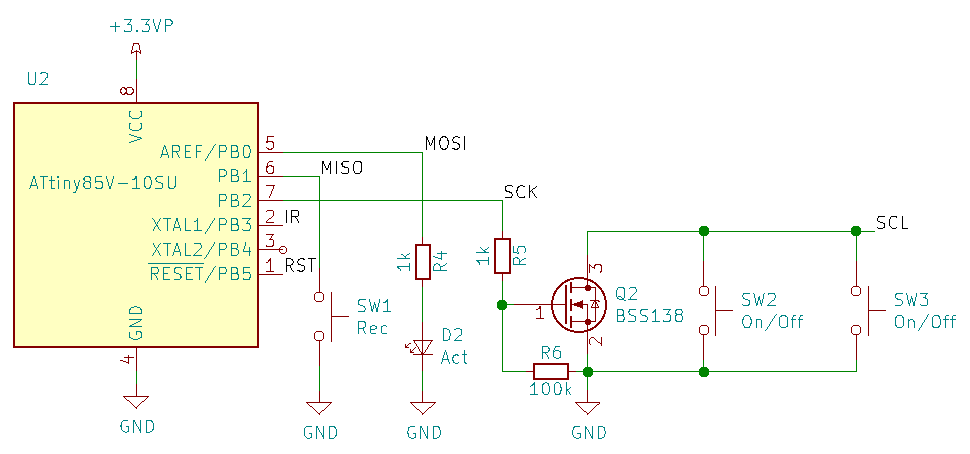
flash Attiny85 with file PiFanIr.hex
avrdude -p attiny85 -P COM5 -b 19200 -c avrisp -u -U flash:w:PiFanIr.hexflash attiny85 fuses : lfuse:E2 , efuse:FF , hfuse:DF
avrdude -p attiny85 -P COM5 -b 19200 -c avrisp -u -U lfuse:w:0xe2:m -U hfuse:w:0xdf:m -U efuse:w:0xff:m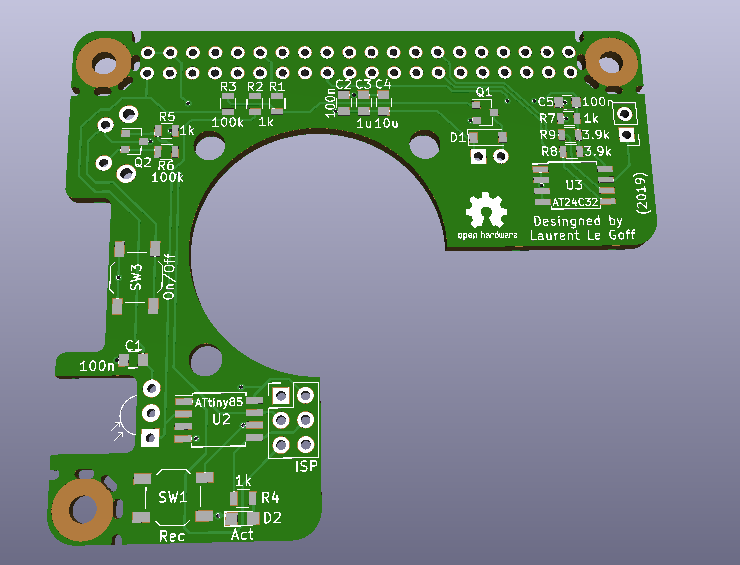
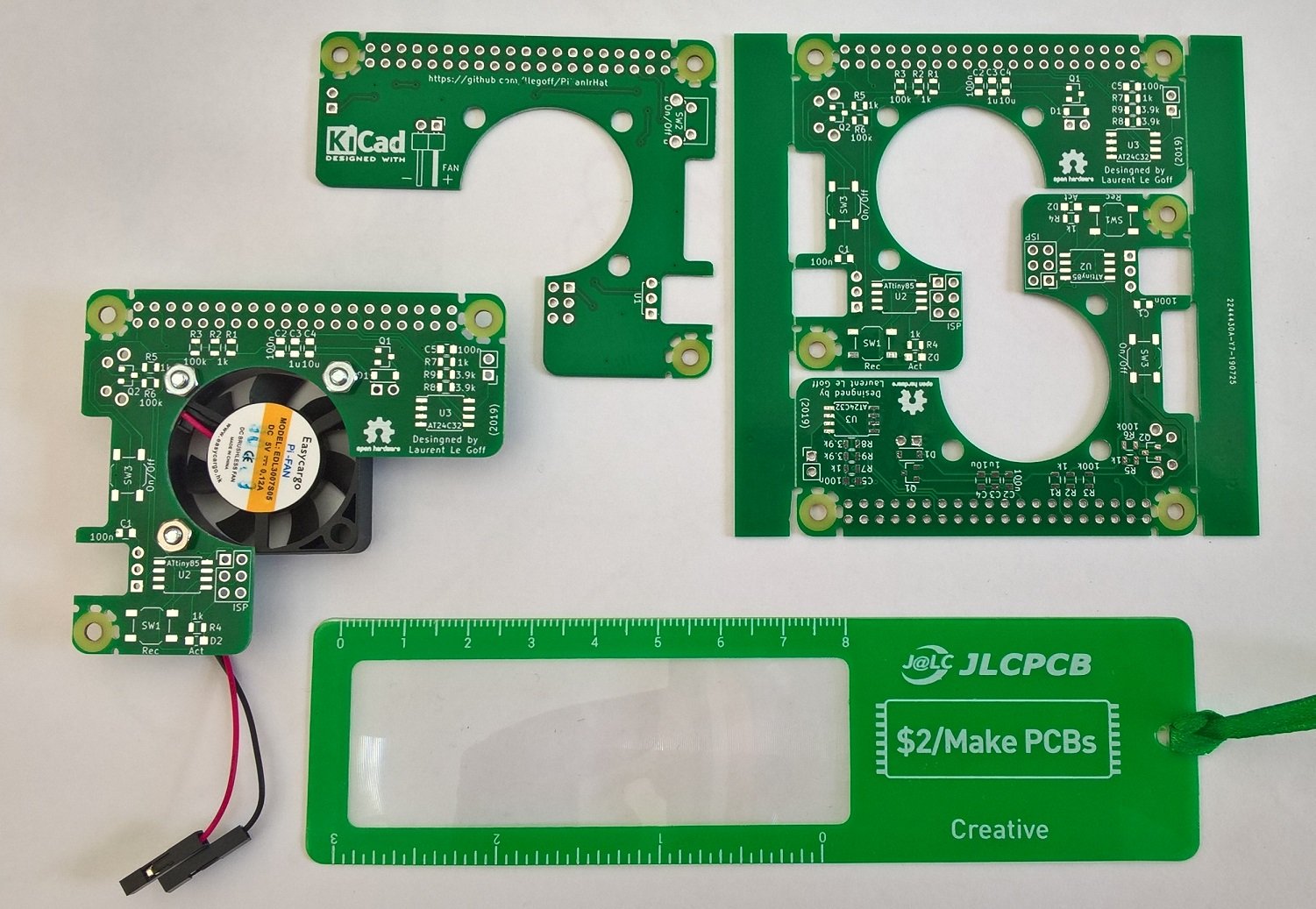
rev1
| Qty | Value | Footprint | References |
|---|---|---|---|
| 5 | 1k | Resistors_SMD:R_0805 | R1, R2, R4, R5, R7 |
| 3 | 100n | Capacitors_SMD:C_0805 | C1, C2, C5 |
| 2 | 100k | Resistors_SMD:R_0805 | R3, R6 |
| 2 | 3.9k | Resistors_SMD:R_0805 | R8, R9 |
| 2 | BSS138 | TO_SOT_Packages_SMD:SOT-23 | Q1, Q2 |
| 1 | 10u | Capacitors_SMD:C_0805 | C4 |
| 1 | 1N4148 | Diodes_SMD:D_SOD-123 | D1 |
| 1 | 1u | Capacitors_SMD:C_0805 | C3 |
| 1 | AT24C32 | Housings_SOIC:SOIJ-8_5.3x5.3mm_Pitch1.27mm | U3 |
| 1 | ATtiny85 | Housings_SOIC:SOIJ-8_5.3x5.3mm_Pitch1.27mm | U2 |
| 1 | Act | LEDs:LED_0805 | D2 |
| 1 | Fan | Pin_Headers:Pin_Header_Angled_1x02_Pitch2.54mm | J2 |
| 1 | ISP | Pin_Headers:Pin_Header_Straight_2x03_Pitch2.54mm | J3 |
| 1 | Jumper_NO_Small | Pin_Headers:Pin_Header_Straight_1x02_Pitch2.54mm | JP1 |
| 1 | On/Off | Buttons_Switches_THT:SW_Tactile_SPST_Angled_PTS645Vx31-2LFS | SW2 |
| 1 | On/Off | Buttons_Switches_SMD:SW_SPST_TL3342 | SW3 |
| 1 | Raspberry Pi | _LaurentPerso:RaspberryPiHAT | J1 |
| 1 | Rec | Buttons_Switches_SMD:SW_SPST_TL3342 | SW1 |
| 1 | TSOP581xx | Opto-Devices:IRReceiver_Vishay_MINICAST-3pin | U1 |
The 28 most common of 30 parts.
FloppyO1/Floppy_Boards
Floppy Boards are a series of breakout boards for rapid prototyping which I developed as an alternative of Arduino.


Cloverpad/cloverpad-hardware
Hardware designs for the Cloverpad, a 3-key keypad for osu!


benjohnemmett/Wingman
Hardware layout and code for a basic fixed wing flight controller.

GreHack/CTF-challs
Here are the challenges (including sources) of the GreHack CTF.

cnlohr/ethertiny
A firmware-only half-duplex 10Base-T implementation for AVRs
It measures 65 × 56.5 mm and has 2 copper layers, 1.6 mm thick.
30 parts, built around the ATTINY85-15M, AT24C32N and BSS138. The full list of its parts is on this page, with links to each part's symbol and footprint where PCBKit's library has them.
From the llegoff/PiFanIrHat repository on GitHub, at the commit this page was made from: the board is PiFanIr.kicad_pcb. PCBKit opens the board in the browser, with nothing to install.
Its repository states no licence, so its author keeps all rights: ask llegoff before reusing the design.