Skip to the content
2 layers61.4 × 65.5 mmSkyalarm, the printed circuit board in 3D

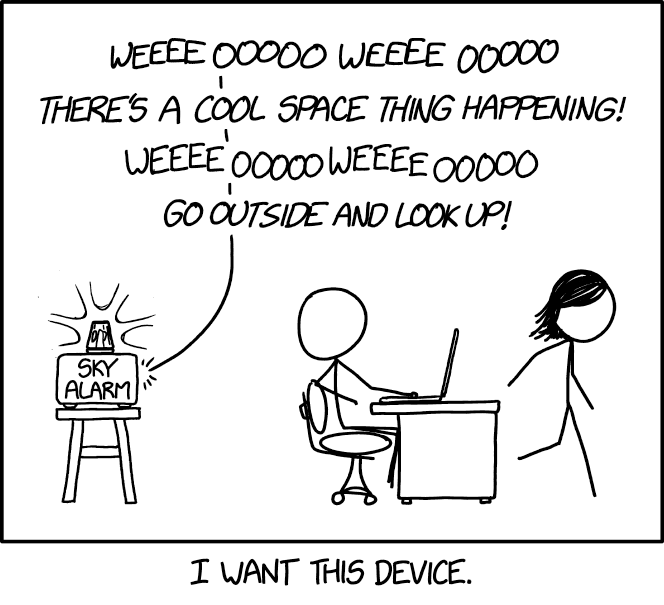
The sky alarm from xkcd #2979

Size
61.4 × 65.5 mm
Copper layers
2
Thickness
1.6 mm
Parts
18
Nets
29
Pads
56
Tracks, vias
38, 55
Pours
1
Routed
Yes
KiCad
KiCad 10.0 (file 20260206)
Created
31 Jul 2026
Updated
10 Oct 2026

Overview

Skyalarm is an open-source printed circuit board by juhapark21, from the juhapark21/skyalarm repository on GitHub, published under the MIT licence. It is a 2-layer board of 61.4 × 65.5 mm with 18 parts on 29 nets, routed with 38 tracks and 55 vias.

Its parts include 3 capacitors, 3 ICs, 3 connectors, 2 resistors and 1 transistor. It belongs with the ESP32 and RISC-V boards of this library.

README

README.md

Sky Alarm

The sky alarm from xkcd #2979! It tells you when cool space things are happening.

skyalarm_cropped SS 2026-10-10 at 1 56 14 PM

Why

Sky Alarm I also wanted this device. There are alert apps and telegram groups and RSS feeds out there, but I wanted something not tied to my phone or computer. I also thought it would be fun to make a large physical device in the style of the original comic.

Features

  • Siren turns on (sound and light) when a cool space thing is happening in your location
  • Only alerts for phenomena observable with the naked eye
  • Cool space things:
    • Lunar eclipses
    • Solar eclipses
    • Supermoons
    • ISS passes
  • Configurable notification settings

Usage

  1. Strip a cable (USB-C to USB-C or USB-A to USB-C; if using the latter, strip the USB-C end).
  2. Locate the power and ground cables.
  3. Secure the power and ground cables to their corresponding screw terminals (labeled on the PCB).
  4. Get two lengths of wire. Connect one end of each wire to the battery terminals of the siren. (You may need to disassemble or drill into the casing to access this)
  5. Connect the remaining end of each wire to the siren screw terminals (labeled on the PCB).
  6. Put in separate batteries for the siren. Make sure the switch is turned ON.
  7. Plug in any USB-C to USB-C wall charger to the XIAO ESP32C3.
  8. Plug in the external power cable.

Specifications

  • XIAO ESP32C3 microcontroller - edit firmware without any extra equipment
  • MAX98357A - cheap and widely available amplifier
  • Any toy siren ~5V with an on-off switch and batteries should work
  • 61.4 x 65.5 mm PCB - casing can be made smaller with different parts without adjusting the board
  • Runs on any wall power supply 1A-3A (suggested)
  • bom can be found as bom.csv

Upcoming features

  • Weather checks - no alerts if overcast
  • Description page for details about alerted event
  • Custom audio
  • Switching from API calls to local calculations for more predictable events
  • More cool space things!

Images

skyalarm_cropped SS 2026-10-10 at 1 56 14 PM SS 2026-10-10 at 1 57 04 PM SS 2026-10-10 at 1 57 40 PM Screenshot 2026-07-31 at 2 35 59 PM NEW zine - skyalarm

Credits

Inspiration from https://xkcd.com/2979/

Font from https://github.com/ipython/xkcd-font

Screenshot 2026-07-31 at 7 51 07 PM

Parts

18
QtyValueFootprintReferences
6LOGOLOGOG***, G***, G***, G***, G***, G***
1100uFJLCImport:KS107M025E07RR0VH2FP0C2
110kΩJLCImport:MF1_4W-10K_1_T52R2
110uFJLCImport:KTD350B106K43A0T00C3
1220uFJLCImport:ERG25V220M6X11C4
1470ΩJLCImport:MF1_2WS-470_1_T52R1
1Amp headerJLCImport:Header-Male-2_54_1x1P1
1DOP150N03EasyEDA2KiCad:TO-220-3_L10.0-W4.5-P2.54-L-1Q2
1External powerJLCImport:WJ500V-5_08-2P-14-00AP2
1Siren headerJLCImport:Header-Male-2_54_1x1P3
1Siren wiresJLCImport:DB301V-3_5-2P-GNU3
1XIAO-ESP32-C3-DIPXIAO:XIAO-ESP32C3-DIPU1
1adafruit-MAX98357ProjectSpecific:adafruit-MAX98357U4

Similar boards

  • 2 layers27.9 × 16.5 mmPowerSSO-24 breakout, the printed circuit board in 3D

    PowerSSO-24 breakout

    rusefi/rusefi

    rusefi - GPL internal combustion engine control unit

    18 parts1.2k
  • 2 layers42.7 × 13.7 mmStm32-mini12864, the printed circuit board in 3D

    Stm32-mini12864

    VoronDesign/Voron-Hardware

    Cool Hardware designed by the Voron Design group

    18 parts1.1kGPL-3.0
  • 2 layers41.2 × 46.6 mmThumb cluster left, the printed circuit board in 3D

    Thumb cluster left

    JesusFreke/lalboard

    A 3D-printed keyboard inspired by the DataHand

    18 parts993
  • 2 layers44 × 51.3 mm4272MAVcoder R4, the printed circuit board in 3D

    4272MAVcoder R4

    hackclub/OnBoard

    💡 Join 1,000 teenagers and make your first PCB with a $100 grant!

    18 parts915
  • 2 layers28.3 × 14.3 mmTap Photosensor PCB, the printed circuit board in 3D

    Tap Photosensor PCB

    VoronDesign/Voron-Tap

    Tap is a nozzle-based z-probe for the V2 and Trident printer designs. The entire toolhead moves to trigger an optical switch. Tap offers many advantages:

    18 parts716GPL-3.0
  • 2 layers20.3 × 15.2 mmL0 stepper driver, the printed circuit board in 3D

    L0 stepper driver

    Luos-io/luos_engine

    Open-source and real-time orchestrator for cyber-physical-systems, to easily design, test and deploy embedded applications and digital twins.

    18 parts546MIT
  • 2 layersMooltipass, the printed circuit board in 3D

    Mooltipass

    limpkin/mooltipass

    Github repository dedicated to the mooltipass project

    18 parts531
  • 2 layers42.5 × 28.8 mmC5VRX JACK DIY V2, the printed circuit board in 3D

    C5VRX JACK DIY V2

    Twotoz/C5VRX

    Ultra-minimal, zero-CPU 5.8 GHz analog FPV video receiver using ESP32-C5 Wi-Fi 6 PHY MODEM_DIAG, BitScrambler WBFM demodulation & resistor DAC CVBS

    18 parts515GPL-3.0

Questions

How big is the Skyalarm PCB?

It measures 61.4 × 65.5 mm and has 2 copper layers, 1.6 mm thick.

What parts does the Skyalarm use?

18 parts. The full list of its parts is on this page, with links to each part's symbol and footprint where PCBKit's library has them.

Where can I download the Skyalarm KiCad files?

From the juhapark21/skyalarm repository on GitHub, at the commit this page was made from: the board is pcb/SkyAlarm.kicad_pcb and its schematic pcb/SkyAlarm.kicad_sch. PCBKit opens the board in the browser, with nothing to install.

Can I use the Skyalarm design in my own project?

Its repository publishes it under the MIT licence: you may reuse it on that licence's terms (keep the author's notice, and for a copyleft licence share your changes alike).