2 layers75 × 55 mm
Wellfed bench
Isaac-Duarte/wellfed
Open firmware that runs the PETLIBRO Granary PLAF103 pet feeder on your own Wi-Fi: no cloud, no account. Early and in testing.
93 parts8MIT
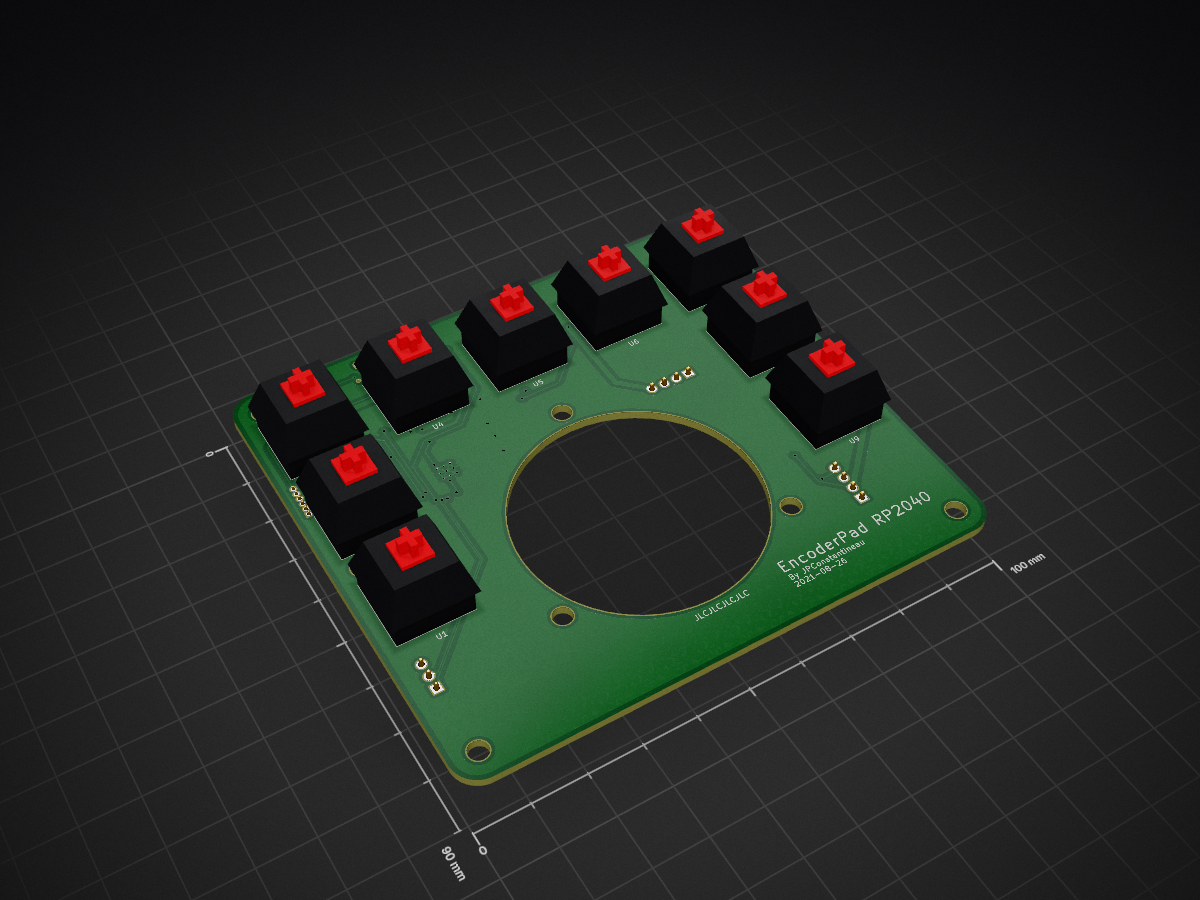
 jpconstantineau/EncoderPad_RP204029
The EncoderPad RP2040 is a Video Editing Macropad with a 60mm Encoder Wheel. This encoder is made of metal and feels like it will last forever. The EncoderPad uses 9 mechanical switches (Cherry MX type).
EncoderPad RP2040 is an open-source printed circuit board by jpconstantineau, from the jpconstantineau/EncoderPad_RP2040 repository on GitHub. It is a 2-layer board of 100 × 90 mm with 62 parts on 52 nets, routed with 844 tracks and 59 vias.
It is built around the RP2040, W25Q128JVSIQ and AP2112K-3.3, with the TYPE-C-31-M-12 among its other parts. Its parts include 22 capacitors, 13 connectors, 12 ICs, 10 resistors and 2 switches. It belongs with the keyboards and input boards and the RP2040 boards of this library.


The EncoderPad RP2040 is a Video Editing Macropad with a 60mm Encoder Wheel. This encoder is made of metal and feels like it will last forever. The EncoderPad uses 9 mechanical switches (Cherry MX type). The keys are hot-swap socketed and have an individual underglow RGB LED which can be turned on.
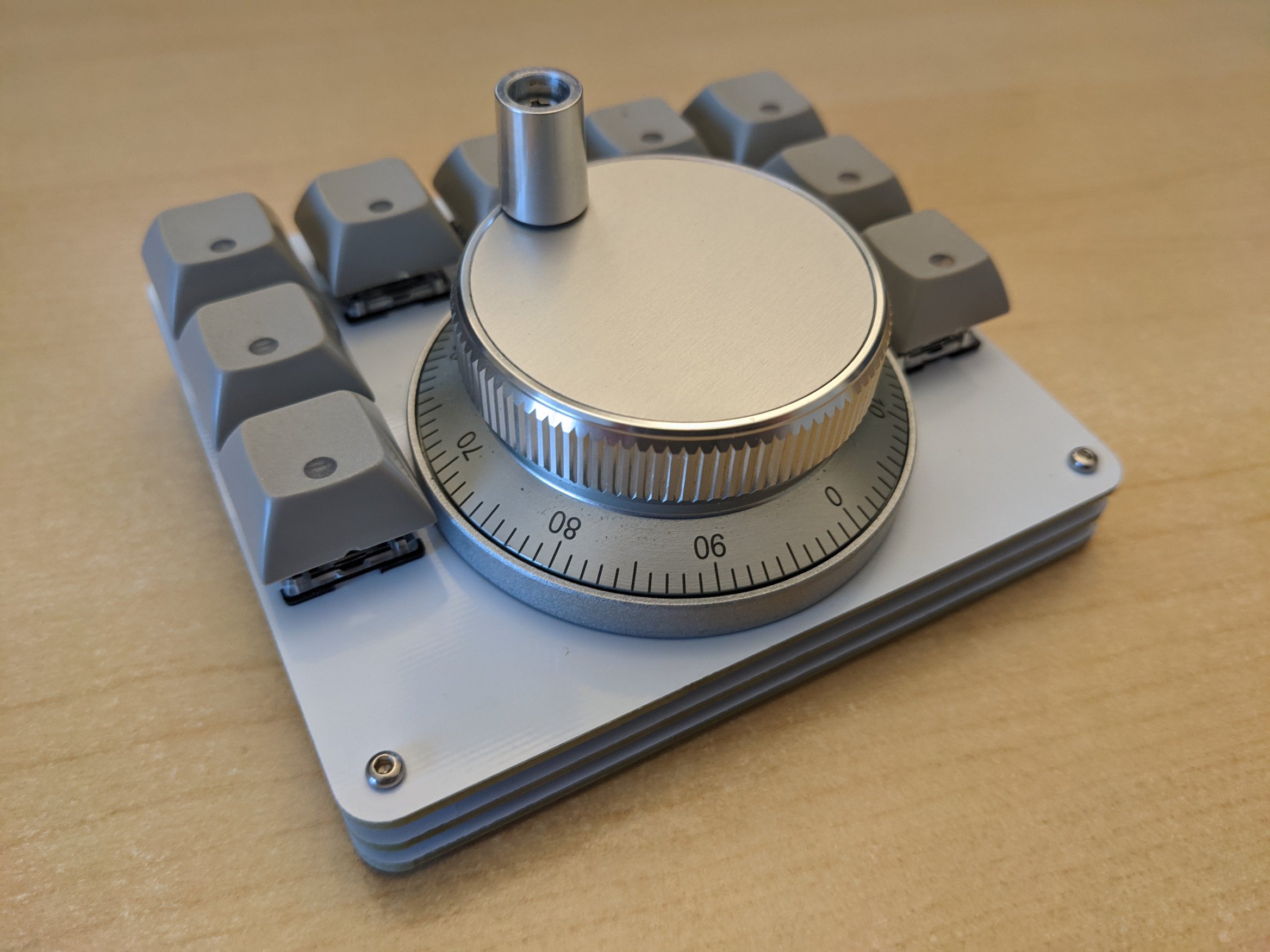
You don't need many tools to build it!
The Encoder Pad can be programmed with CircuitPython. To get started, get the latest download from the official CircuitPython.org site, put the RP2040 in booloader mode by pressing "reset" while pressing the "boot" button and drag/drop in the UF2 file you just downloaded. You are now ready to program it! No build tools required on your computer!
Notes:
Design of the EncoderPad_RP2040 is licensed under CERN Open Hardware Licence Version 2 - Weakly Reciprocal
See license.txt for more details. See this FAQ for more information on this license.
| Item | Description | Source | License |
|---|---|---|---|
| RP2040 Hardware Design Guide | RP2040 Documentation (for reference) | link | CC BY-ND |
| RP2040 Minimal Design Example | Kicad Project | link | 3-Clause BSD (considered as source code included as part of documentation) |
| kicad libraries | Core libraries from Kicad | link | CC-BY-SA 4.0 (with exception) |
| kicad libraries | switch symbols and footprints | link | MIT |
| Qty | Value | Footprint | References |
|---|---|---|---|
| 13 | 100n | Capacitor_SMD:C_0603_1608Metric | C3, C7, C8, C9, C10, C11, C12, C13, C14, C15, C18, C20, C22 |
| 9 | CherryMX_LTST-A683CEGBW | CherryMX_PCB_KailhSocket_LTST-A683CEGBW-Rotated:CherryMX_1.00u_PCB_KailhSocket_LTST-A683CEGBW-Rotated | U1, U2, U3, U4, U5, U6, U7, U8, U9 |
| 7 | Conn_01x01 | MountingHole:MountingHole_3.5mm | J2, J11, J12, J13, J14, J15, J16 |
| 5 | 10u | Capacitor_SMD:C_0603_1608Metric | C1, C2, C17, C19, C21 |
| 4 | 5.1k | Resistor_SMD:R_0603_1608Metric | R1, R4, R8, R9 |
| 3 | 1k | Resistor_SMD:R_0603_1608Metric | R5, R7, R10 |
| 2 | 15pf | Capacitor_SMD:C_0603_1608Metric | C4, C5 |
| 2 | 1u | Capacitor_SMD:C_0603_1608Metric | C6, C16 |
| 2 | 22 | Resistor_SMD:R_0603_1608Metric | R2, R3 |
| 1 | AP2112K-3.3 | Package_TO_SOT_SMD:SOT-23-5 | U10 |
| 1 | BOOT | E73:SW_TACT_ALPS_SKQGABE010 | SW1 |
| 1 | Conn_01x01 | E73:CNC_Encoder | J1 |
| 1 | Conn_01x02 | Connector_PinHeader_2.54mm:PinHeader_1x03_P2.54mm_Vertical | J5 |
| 1 | Conn_01x04 | Connector_PinHeader_2.54mm:PinHeader_1x04_P2.54mm_Vertical | J6 |
| 1 | Conn_01x04 | Connector_PinHeader_2.54mm:PinHeader_1x04_P2.54mm_Horizontal | J3 |
| 1 | Conn_01x06 | Connector_PinHeader_1.27mm:PinHeader_1x06_P1.27mm_Vertical | J7 |
| 1 | Crystal_GND24_Small | Crystal:Crystal_SMD_3225-4Pin_3.2x2.5mm | Y1 |
| 1 | DNP | Resistor_SMD:R_0603_1608Metric | R6 |
| 1 | RED | LED_SMD:LED_0603_1608Metric | D1 |
| 1 | RESET | E73:SW_TACT_ALPS_SKQGABE010 | SW10 |
| 1 | RP2040 | RP2040_minimal:RP2040-QFN-56 | U12 |
| 1 | Speaker | Keebio-Parts:AST1109MLTRQ | LS1 |
| 1 | TYPE-C-31-M-12 | Connector_USB:USB_C_Receptacle_HRO_TYPE-C-31-M-12 | J4 |
| 1 | W25Q128JVS | Package_SO:SOIC-8_5.23x5.23mm_P1.27mm | U11 |
Isaac-Duarte/wellfed
Open firmware that runs the PETLIBRO Granary PLAF103 pet feeder on your own Wi-Fi: no cloud, no account. Early and in testing.


shanteacontrols/OpenDeck
A platform for building interactive control and sensing devices using MIDI and OSC built with Zephyr RTOS.

Breadstick-Innovations/22008-RP2040-Dev-Board
A 4-layer dev-board for the RP2040 with a focus on signal integrity and JLCPCB's basic components for affordable small runs using their SMT assembly service.


cosmosalad/Gear60
Gear60 is a 60% multi-layout keyboard based on the rp2040.


math-milan/PowerbankTestCode
This is a firmware for a Powerbank testboard where i want to evealuate multiple ti chips like the tps25751
It measures 100 × 90 mm and has 2 copper layers, 1.6 mm thick.
62 parts, built around the RP2040, W25Q128JVSIQ, AP2112K-3.3 and TYPE-C-31-M-12. The full list of its parts is on this page, with links to each part's symbol and footprint where PCBKit's library has them.
From the jpconstantineau/EncoderPad_RP2040 repository on GitHub, at the commit this page was made from: the board is PCB-design/EncoderPad_RP2040.kicad_pcb. PCBKit opens the board in the browser, with nothing to install.
Its repository states no licence, so its author keeps all rights: ask jpconstantineau before reusing the design.