4 layers86 × 34 mm
Bsl drv v1
jackw01/scanlight
A better light source for scanning color negative film
157 parts397CERN-OHL-W-2.0

 jareklupinski/memcard-dumper1
Memory Card Dumper for the Raspberry Pico
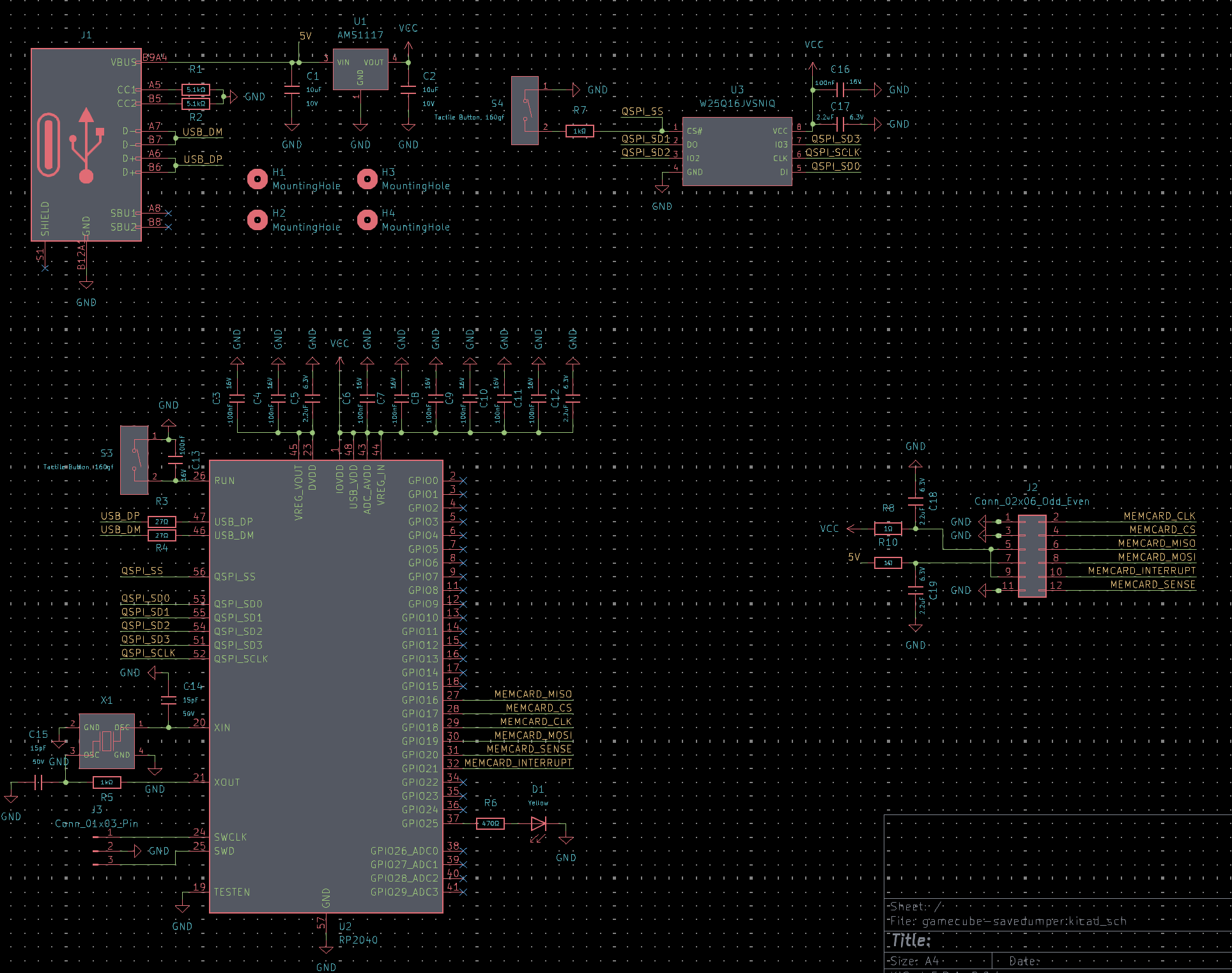
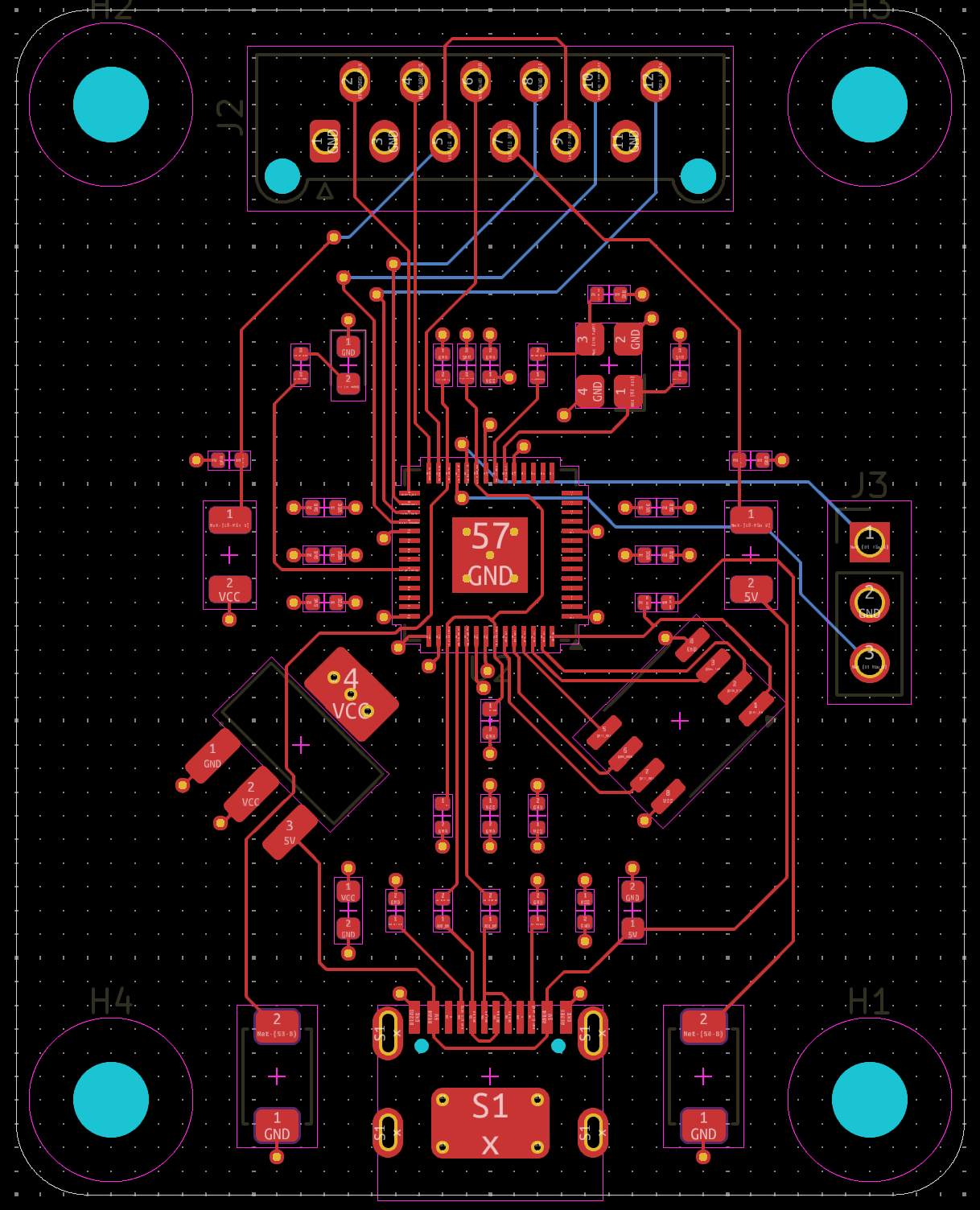
Memcard dumper is an open-source printed circuit board by jareklupinski, from the jareklupinski/memcard-dumper repository on GitHub. It is a 4-layer board of 40 × 50 mm with 42 parts on 67 nets, routed with 266 tracks and 64 vias.
It is built around the RP2040, W25Q16JVSNIQ and AMS1117, with the X322512MSB4SI among its other parts. Its parts include 19 capacitors, 9 resistors, 3 ICs, 3 connectors and 2 switches. It belongs with the RP2040 boards of this library.


My PSO saves were stuck on my memory card with no way of getting them onto my PC, since I had none of the original consoles anymore.
Building on https://jamchamb.github.io/2018/12/03/gamecube-memory-card-raspi.html 's work to dump memory card traffic via Raspberry Pi, I wanted to create a simple design that can be easily produced in case anyone else still has any other save games they needed extracted.
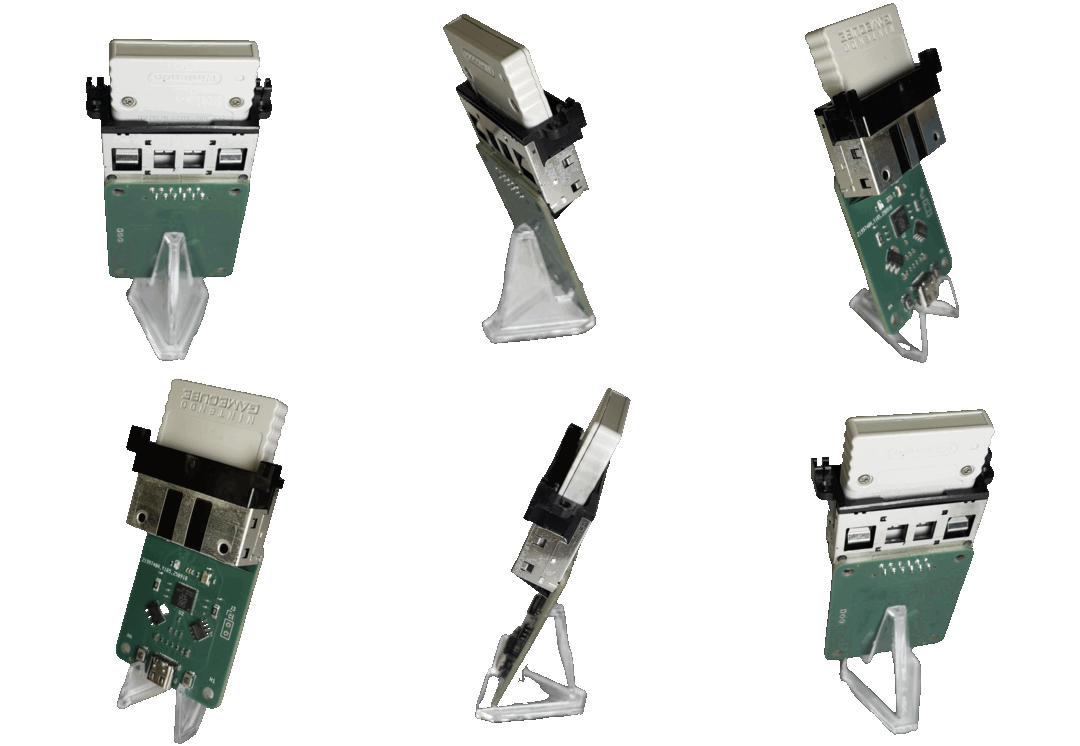
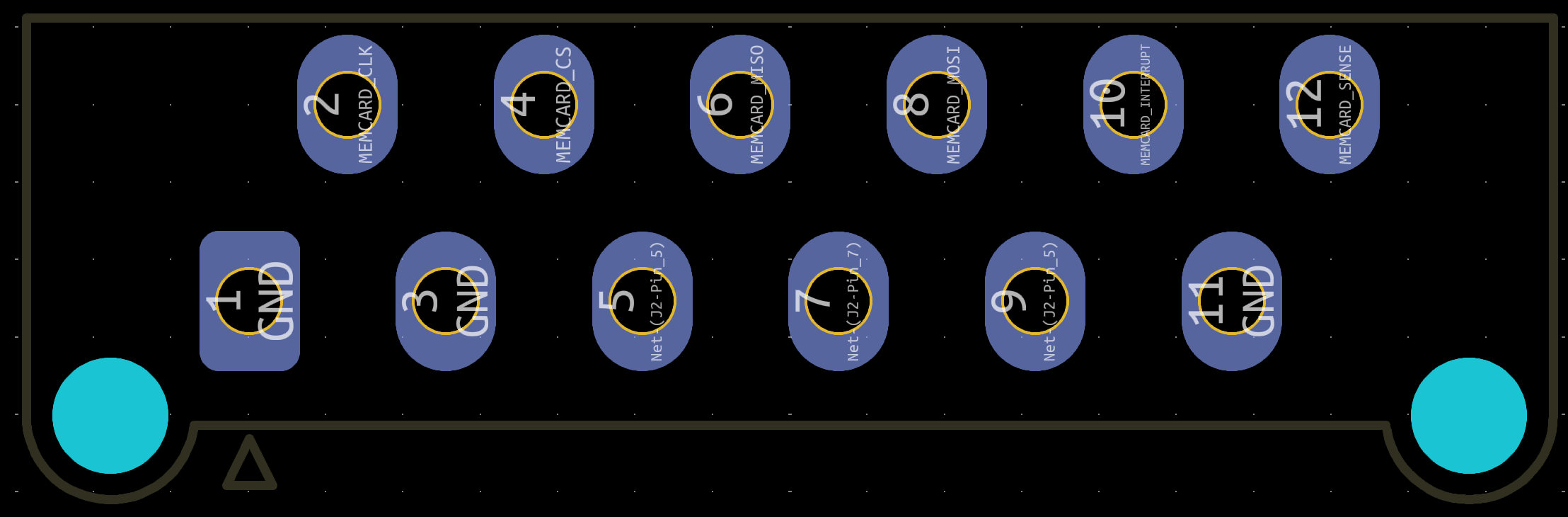
Going left to right:
| Pin | Signal | Pin | Signal |
|---|---|---|---|
| 1 | Sense1 | 7 | 5V |
| 2 | CLK | 8 | MOSI |
| 3 | GND | 9 | 3V3 |
| 4 | CS | 10 | INT |
| 5 | 3V3 | 11 | GND |
| 6 | MISO | 12 | Sense2 |
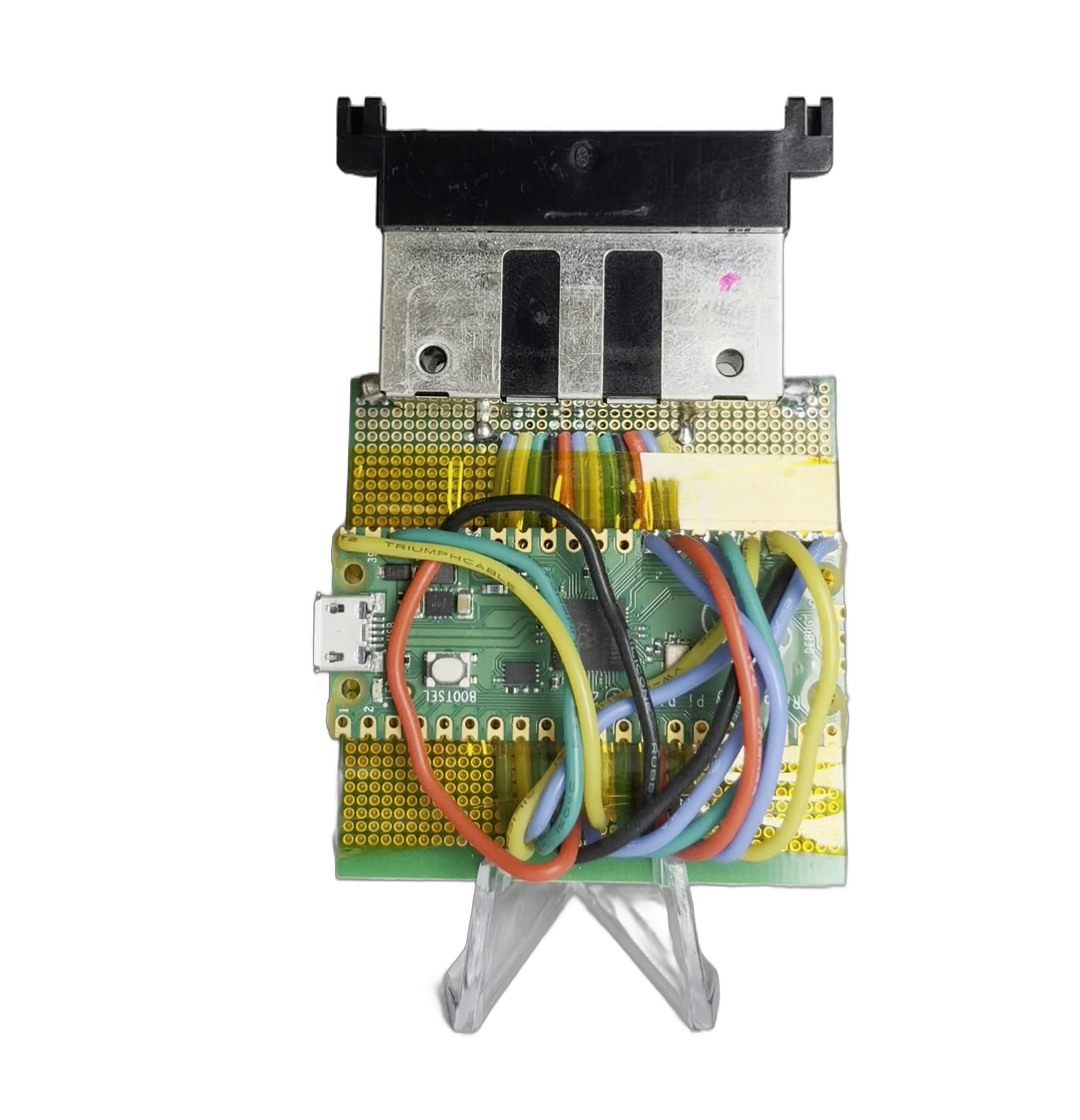
Connect your memory card to the Pico:
| MemoryCard Pin | Pico Pin | Notes |
|---|---|---|
| Sense1 | GND | Card detect1 |
| Int | GP21 | Interrupt |
| DI (MOSI) | GP19 | SPI Data In |
| 5V | VBUS | Power |
| DO (MISO) | GP16 | SPI Data Out |
| 3V3 | 3V3 | Logic power |
| CS | GP17 | Chip Select |
| GND | GND | Ground |
| Clk (SCK) | GP18 | SPI Clock |
| Sense2 | GP20 | Card detect2 |
dumper.py to your Pico using Thonny, VS Code, or your preferred methodThe script outputs the complete memory card contents as hex data:
EXI ID: 0x0004
Card ID: 123456789abc01020304
Serial: 123456789abc
Size: 16 MB
========================================
00112233445566778899aabbccddeeff00112233445566778899aabbccddeeff...
Once this hex data is a text file e.g. memcard_dump.hex, run
tr -d '\n' < memcard_dump.hex | xxd -r -p > memcard_dump.raw
to remove any newlines that may have been captured and convert the hex values into a file made of those raw bytes.
This should now be readable as a valid memory card image.
| Qty | Value | Footprint | References |
|---|---|---|---|
| 10 | 100nF | PCM_JLCPCB:C_0402 | C3, C4, C6, C7, C8, C9, C10, C11, C13, C16 |
| 5 | 2.2uF | PCM_JLCPCB:C_0402 | C5, C12, C17, C18, C19 |
| 4 | MountingHole | MountingHole:MountingHole_3.2mm_M3 | H1, H2, H3, H4 |
| 2 | 10uF | PCM_JLCPCB:C_0603 | C1, C2 |
| 2 | 15pF | PCM_JLCPCB:C_0402 | C14, C15 |
| 2 | 1kΩ | PCM_JLCPCB:R_0402 | R5, R7 |
| 2 | 1Ω | PCM_JLCPCB:R_1206 | R8, R10 |
| 2 | 27Ω | PCM_JLCPCB:R_0402 | R3, R4 |
| 2 | 5.1kΩ | PCM_JLCPCB:R_0402 | R1, R2 |
| 2 | Tactile Button, 160gf | PCM_JLCPCB:SW_TS-1088-AR02016 | S3, S4 |
| 1 | 470Ω | PCM_JLCPCB:R_0402 | R6 |
| 1 | AMS1117 | PCM_JLCPCB:SOT-223-3_L6.5-W3.4-P2.30-LS7.0-BR | U1 |
| 1 | Conn_01x03_Pin | Connector_PinHeader_2.54mm:PinHeader_1x03_P2.54mm_Vertical | J3 |
| 1 | Conn_02x06_Odd_Even | Connector_Molex:Molex_Picoflex_90325-0012_2x06_P1.27mm_Vertical | J2 |
| 1 | Connector, USB-TYPE-C-16P | PCM_JLCPCB:TYPE-C-SMD_HX-TYPE-C-16PIN | J1 |
| 1 | RP2040 | Package_DFN_QFN:QFN-56-1EP_7x7mm_P0.4mm_EP3.2x3.2mm | U2 |
| 1 | W25Q16JVSNIQ | PCM_JLCPCB:SOIC-8_3.9x4.9mm_P1.27mm | U3 |
| 1 | X322512MSB4SI | PCM_JLCPCB:CRYSTAL-SMD_4P-L3.2-W2.5-BL | X1 |
| 1 | Yellow | PCM_JLCPCB:D_0603 | D1 |
jackw01/scanlight
A better light source for scanning color negative film

Rack-Robotics/Powercore-V2.0
Open-Source wire EDM power supply by Rack Robotics, Inc.


homelith/pico-disp-ident
Custom firmware to make some RP2040 board working as DVI display tester & identifier


It measures 40 × 50 mm and has 4 copper layers, 1.6 mm thick.
42 parts, built around the RP2040, W25Q16JVSNIQ, AMS1117 and X322512MSB4SI. The full list of its parts is on this page, with links to each part's symbol and footprint where PCBKit's library has them.
From the jareklupinski/memcard-dumper repository on GitHub, at the commit this page was made from: the board is memcard-dumper.kicad_pcb and its schematic memcard-dumper.kicad_sch. PCBKit opens the board in the browser, with nothing to install.
Its repository states no licence, so its author keeps all rights: ask jareklupinski before reusing the design.