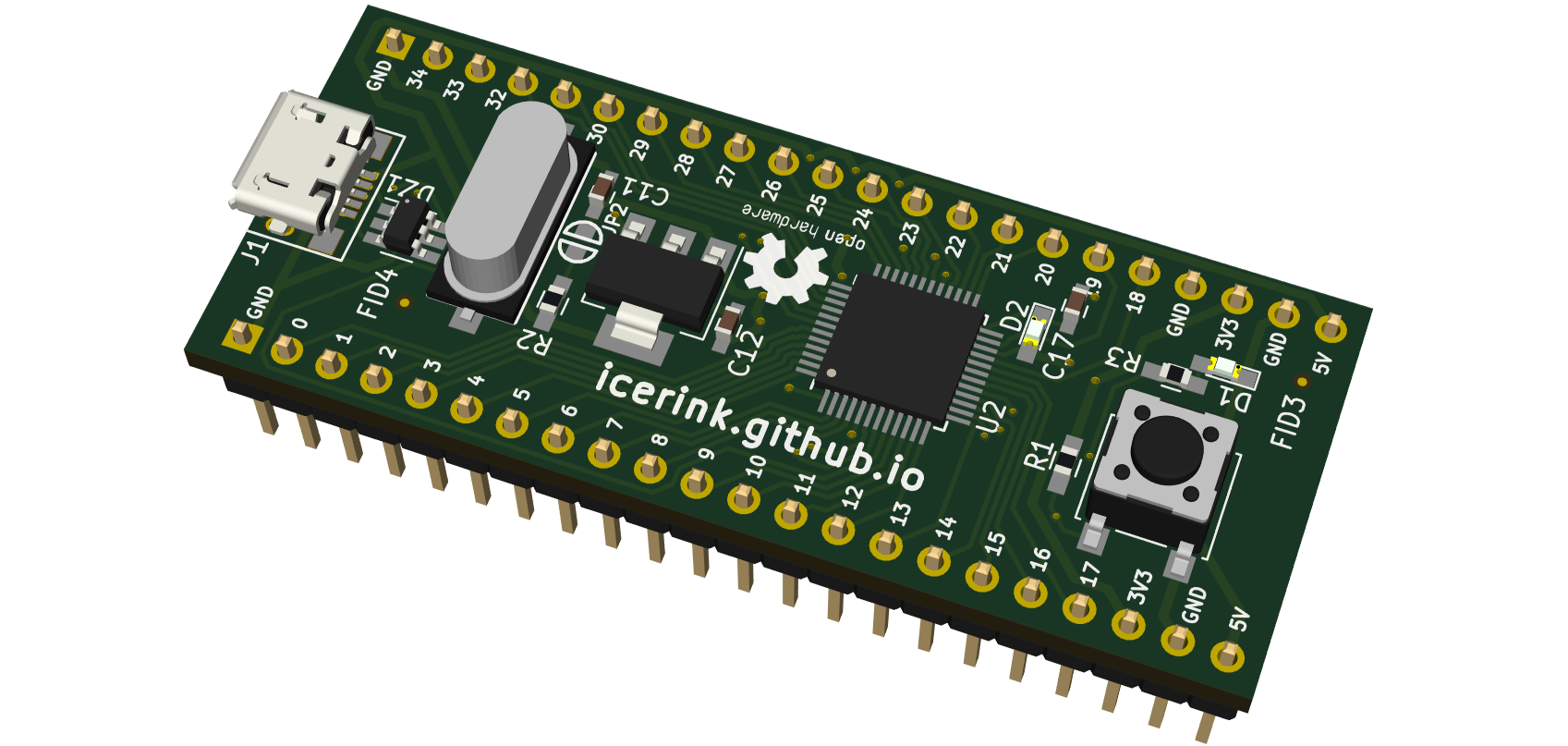
Iceskate is an open-source printed circuit board by icerink, from the icerink/iceskate repository on GitHub. It is a 2-layer board of 23.6 × 57.7 mm with 48 parts on 58 nets, routed with 816 tracks and 40 vias.
It is built around the ICE40UP5K-SG48I, STM32F070F6P6 and USBLC6-2SC6. Its parts include 19 capacitors, 8 connectors, 4 resistors, 4 ICs and 2 diodes. It belongs with the fPGA and programmable logic and microcontroller boards boards and the STM32 and FPGA and CPLD boards of this library.
A low cost FPGA development board for absolute newbies.
Why?
Getting started with FPGA design is hard. Unnecessarily hard.
How?
Everyone knows how to use a browser. Many people know (some) webdesign.
The icerink ecosystem tries to exploit this by building a complete browser centric FPGA workflow. Edit, synthesize and upload FPGA designs from within your browser.
Doing this lowers the boarding hurdle by not requiring the installation of toolchains. Just plug in the board and begin to play :).
What?
Mainly a FPGA and a USB interface. Not much more.
The main source of inspiration for this board was the upduino by Gnarly Grey. We tried to build a similarly minimal and cheap board. The main Hardware feature, our board employs additionally, is the Microcontroller that is capable of speaking a wide variety of USB-Protocols.
In the icerink ecosystem, this capability is used to access the FPGA board from within the browser.
The iceskate board features:
The ICE40UP5K FPGA (with experimential support in project icestorm, an open source fpga toolchain)
The board is optimized for hand soldering and has a BOM cost of ~10€ when you build 10. The PCB can be ordered online at most common PCB manufacturers. We Ordered our boards at jlcpcb.
Assembly instructiost can be found here.
Can I help?
Definitely.
If you want to contribute to the hardware design or help with any other thing, do not hesitate to use the issue tracker to get in touch :).
However, it would be nice if you talk to us, before you start writing code and invest your time ;).
To develop the board, clone this repository with
git clone --recursive https://github.com/icerink/iceskate.
Then you can simply use Kicad to edit the scematics and PCB.
diff
- Warning!
- This Project uses submodules! when you clone without --recursive Kicad wont find some libraries!
It measures 23.6 × 57.7 mm and has 2 copper layers, 1.6 mm thick.
What parts does the Iceskate use?
48 parts, built around the ICE40UP5K-SG48I, STM32F070F6P6 and USBLC6-2SC6. The full list of its parts is on this page, with links to each part's symbol and footprint where PCBKit's library has them.
Where can I download the Iceskate KiCad files?
From the icerink/iceskate repository on GitHub, at the commit this page was made from: the board is iceskate.kicad_pcb. PCBKit opens the board in the browser, with nothing to install.
Can I use the Iceskate design in my own project?
Its repository states no licence, so its author keeps all rights: ask icerink before reusing the design.
This repository contains all the files and documentation for our DIY remote-controlled Hot Wheels car. We designed our own custom PCB using KiCad, featuring a NRF24L01 transceiver(We only used it as a receiver for now)…