2 layers
Core board
hirakuni45/RX
Renesas RX Microcontroller, C++ framework, Library, Sample
90 parts86BSD-3-Clause

 hirakuni45/RX86
Renesas RX Microcontroller, C++ framework, Library, Sample
Rx72t 100 pga usb is an open-source printed circuit board by hirakuni45, from the hirakuni45/RX repository on GitHub, published under the BSD-3-Clause licence. It is a 2-layer board of 120 × 80 mm with 113 parts on 136 nets, routed with 2,106 tracks and 145 vias.
It is built around the MAX3485ED, SN65HVD230D and MIC2026-1BM. Its parts include 31 capacitors, 31 resistors, 29 connectors, 6 ICs and 4 diodes.


This is a program by Renesas RX microcontroller and its compiler rx-elf-gcc, g++.
I am currently using Renesas GNU-RX gcc 8.3.0 as my main development tool.
GNU-RX supports RXv3 and DFPU, and has excellent optimization.
Currently, a dedicated writing program has been implemented that has been tested on Windows, OS-X, and Linux.
Development is now possible in multiple environments.
Currently supported and tested devices:
| Series | MinV | MaxV | MHz | Core | FPU | TFU | DFPU | Operation check | rx_prog | Linker file |
|---|---|---|---|---|---|---|---|---|---|---|
| RX110 | 1.8 | 3.6 | 32 | RXv1 | - | - | - | R5F51103/4/5 | ||
| RX111 | 1.8 | 3.6 | 32 | RXv1 | - | - | - | R5F51115/6/7 | ||
| RX113 | 1.8 | 3.6 | 32 | RXv1 | - | - | - | R5F51136/8 | ||
| RX130 | 1.8 | 5.5 | 32 | RXv1 | - | - | - | R5F51305/6 | ||
| RX140 | 1.8 | 5.5 | 48 | RXv2 | Yes | - | - | 〇 | 〇 | R5F51403/5/6 |
| RX13T | 2.7 | 5.5 | 32 | RXv1 | Yes | - | - | R5F513T3/5 | ||
| RX14T | 2.7 | 5.5 | 48 | RXv2 | Yes | V1 | - | R5F514T5 | ||
| RX210 | 1.62 | 5.5 | 32 | RXv1 | - | - | - | R5F52108/B | ||
| RX220 | 1.62 | 5.5 | 32 | RXv1 | - | - | - | 〇 | 〇 | R5F52206 |
| RX231 | 1.8 | 5.5 | 54 | RXv2 | Yes | - | - | 〇 | 〇 | R5F52316/7/8 |
| RX23W | 1.8 | 5.5 | 54 | RXv2 | Yes | - | - | R5F523W7/8 | ||
| RX23T | 2.7 | 5.5 | 40 | RXv2 | Yes | - | - | R5F523T5 | ||
| RX24T | 2.7 | 5.5 | 80 | RXv2 | Yes | - | - | 〇 | 〇 | R5F524T8/A |
| RX24U | 2.7 | 5.5 | 80 | RXv2 | Yes | - | - | R5F524UB/E | ||
| RX261 | 1.6 | 5.5 | 64 | RXv3 | Yes | - | - | 〇 | 〇 | R5F52618 |
| RX26T | 2.7 | 5.5 | 120 | RXv3 | Yes | V2 | - | 〇 | 〇 | R5F526TF |
| RX621 | 2.7 | 3.6 | 100 | RXv1 | Yes | - | - | 〇 | 〇 | R5F56218 |
| RX62N | 2.7 | 3.6 | 100 | RXv1 | Yes | - | - | 〇 | 〇 | R5F562N7/8 |
| RX631 | 2.7 | 3.6 | 100 | RXv1 | Yes | - | - | 〇 | 〇 | R5F5631F |
| RX63N | 2.7 | 3.6 | 100 | RXv1 | Yes | - | - | 〇 | 〇 | R5F563NE |
| RX63T | 3.3 | 5 | 100 | RXv1 | Yes | - | - | 〇 | 〇 | R5F563T6 |
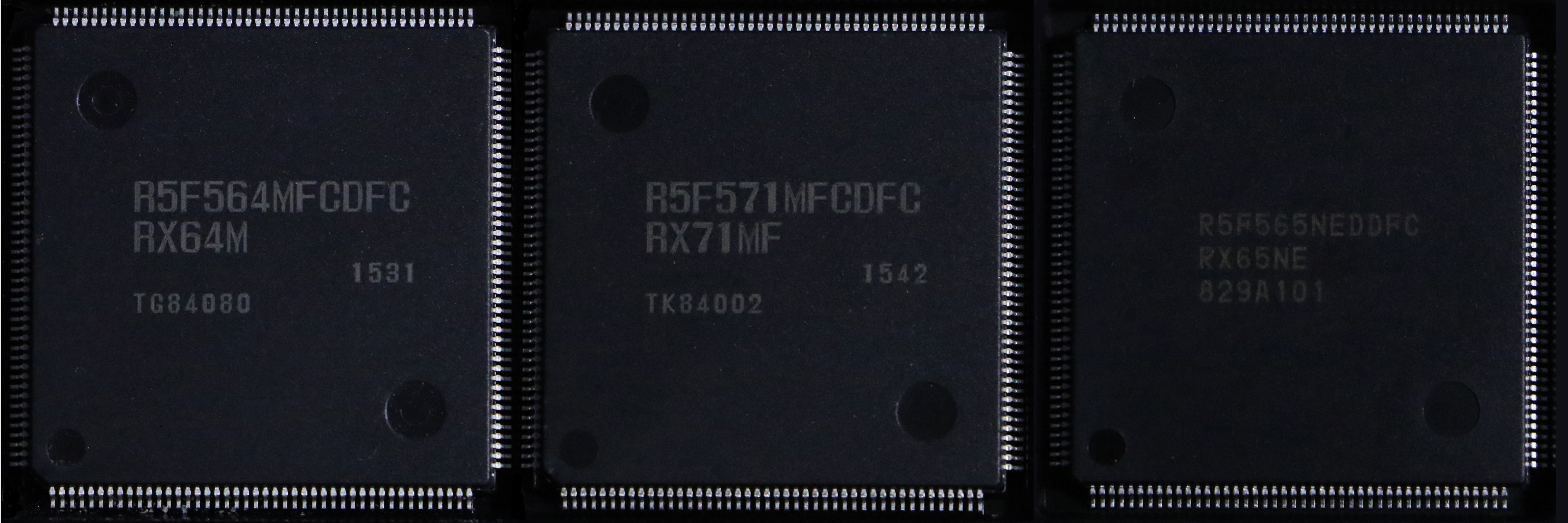
| RX64M | 2.7 | 3.6 | 120 | RXv2 | Yes | - | - | 〇 | 〇 | R5F564MF/G/J/L |
| RX71M | 2.7 | 3.6 | 240 | RXv2 | Yes | - | - | 〇 | 〇 | R5F571MF/G/J/L |
| RX651 | 2.7 | 3.6 | 120 | RXv2 | Yes | - | - | 〇 | 〇 | R5F5651E |
| RX65N | 2.7 | 3.6 | 120 | RXv2 | Yes | - | - | 〇 | 〇 | R5F565NE |
| RX66N | 2.7 | 3.6 | 120 | RXv3 | Yes | V1 | Yes | R5F566ND/N | ||
| RX660 | 2.7 | 5.5 | 120 | RXv3 | Yes | - | - | R5F56609 | ||
| RX671 | 2.7 | 5.5 | 120 | RXv3 | Yes | - | - | R5F5671C/E | ||
| RX72N | 2.7 | 3.6 | 240 | RXv3 | Yes | V1 | Yes | 〇 | △ | R5F572ND/N |
| RX72M | 2.7 | 3.6 | 240 | RXv3 | Yes | V1 | Yes | △ | △ | R5F572MD/N |
| RX66T | 2.7 | 5.5 | 160 | RXv3 | Yes | - | - | 〇 | 〇 | R5F566TA/E/F/K |
| RX72T | 2.7 | 5.5 | 200 | RXv3 | Yes | V1 | - | 〇 | 〇 | R5F572TF/K |
Please make a request if you want us to support other RX devices. (Conditions below)
If you do not know how to use the framework
If you have a problem with the framework or need a fix, please create a Github account and post a note in Discussions.
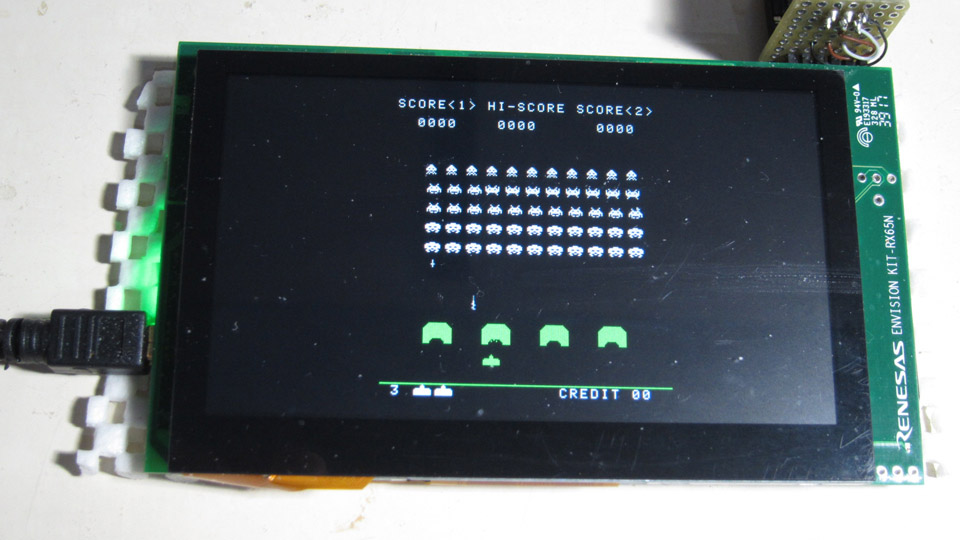
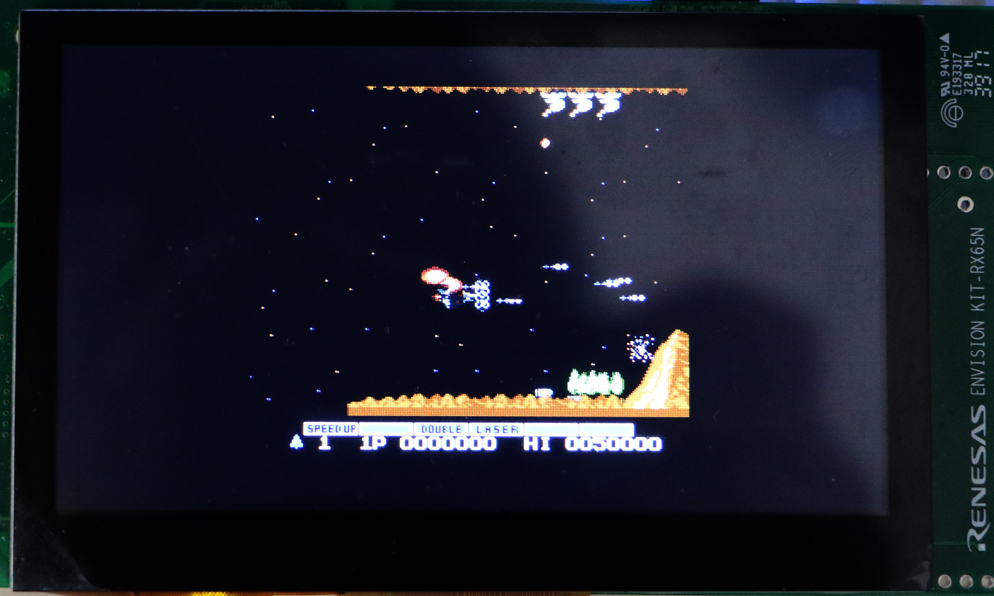
Space Invaders Emulator, NES Emulator, for RX65N/RX72N Envision kit
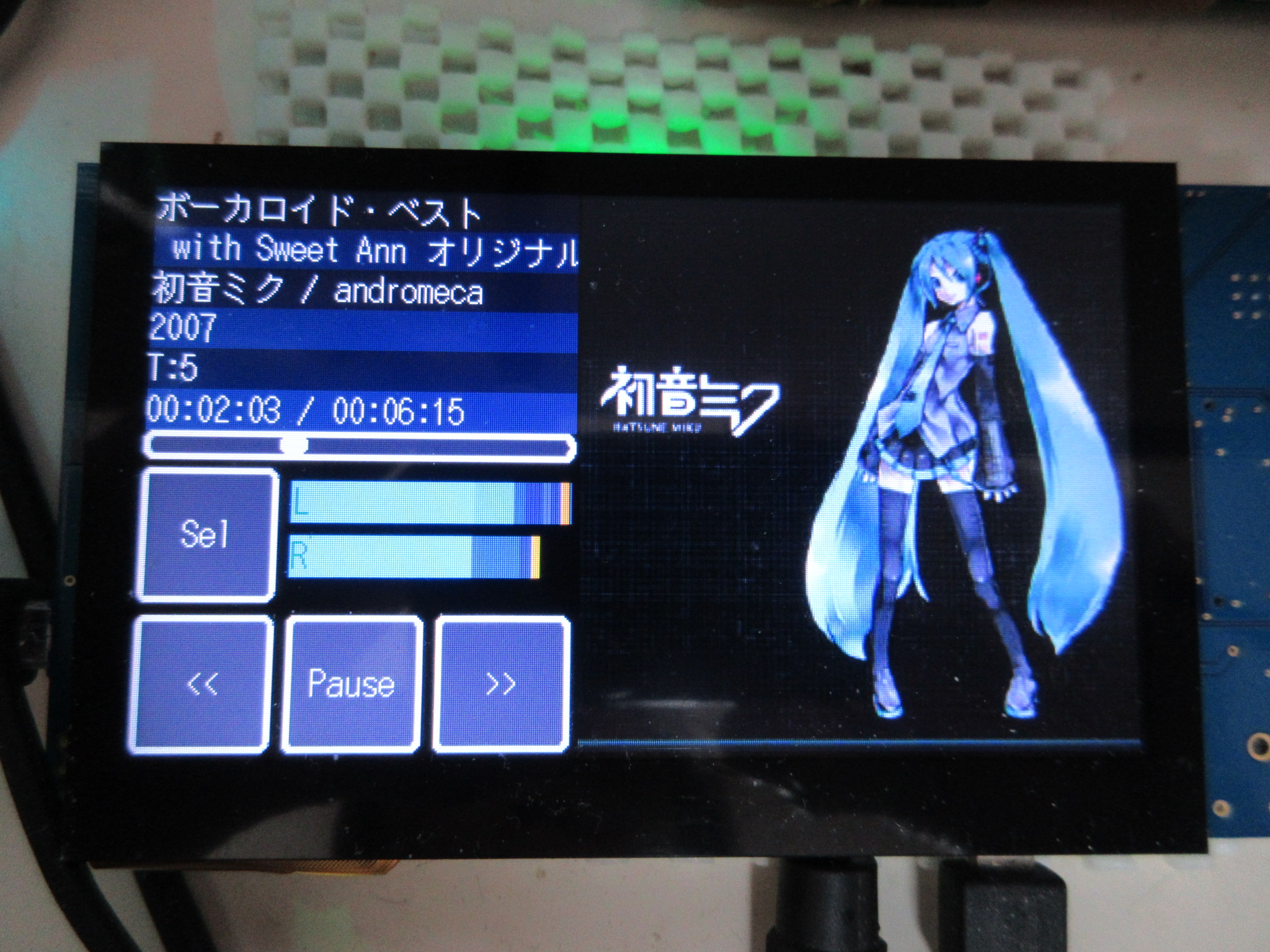
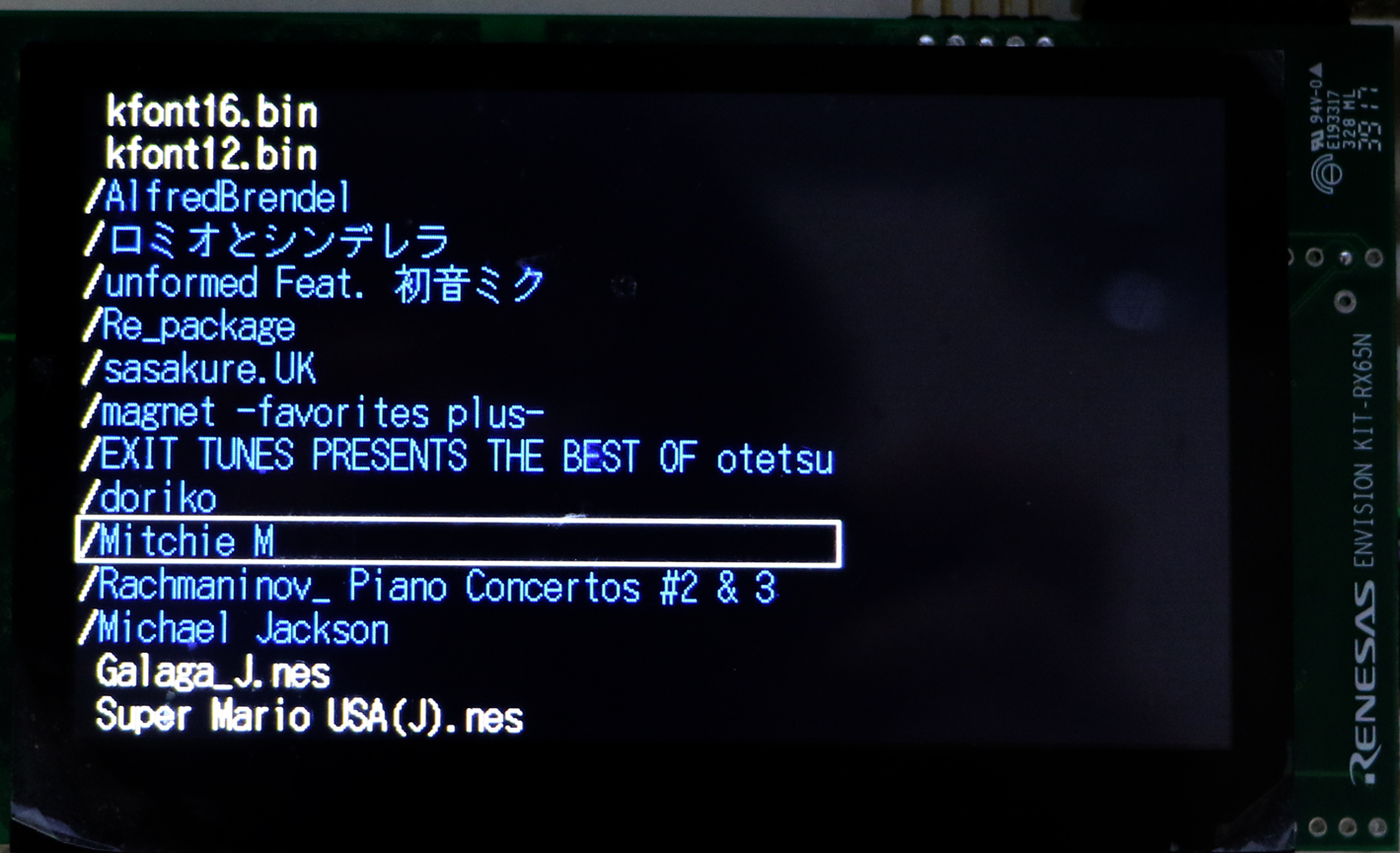
WAV/MP3 Audio Player, File selector, for RX65N/RX72N Envision kit
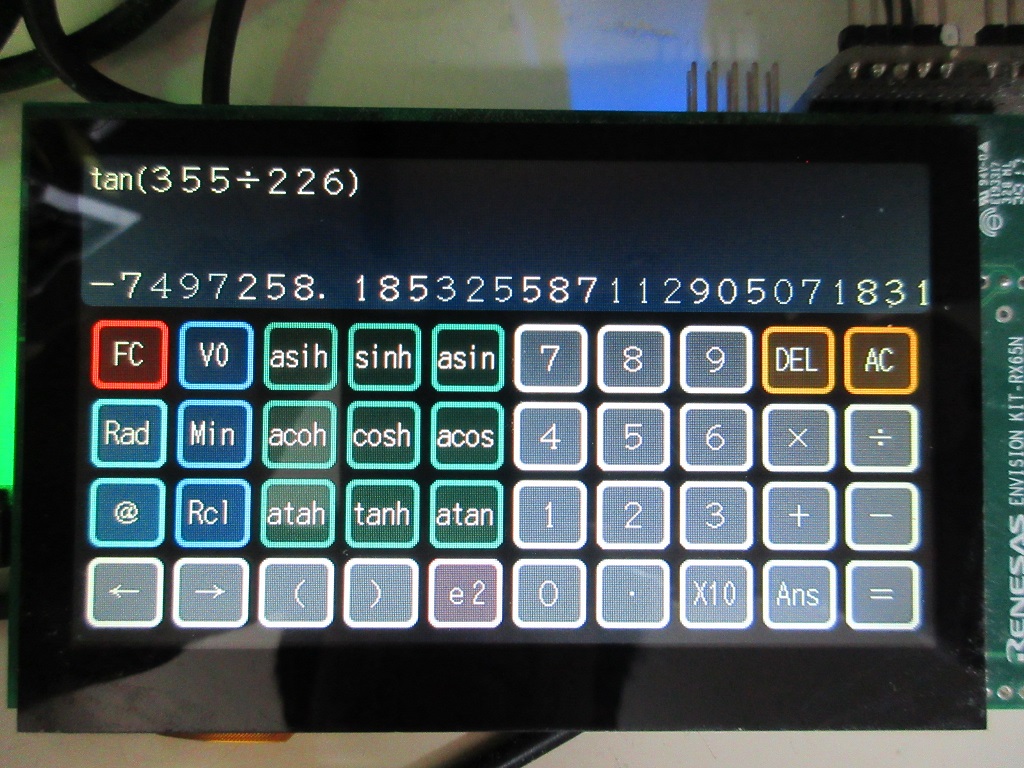
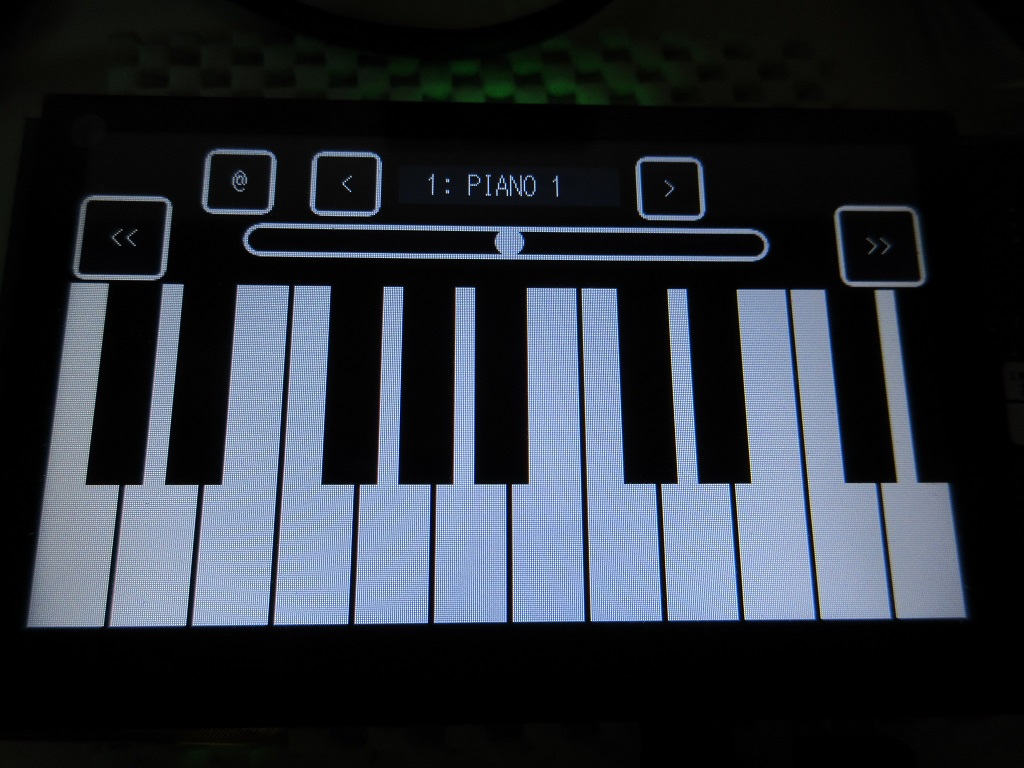
functional calculator, DX7 Emulator
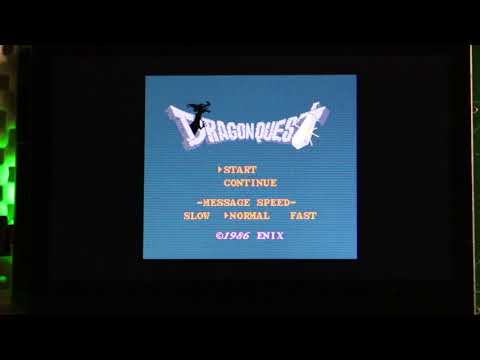
YouTube: NES Emulator for RX65N Envision kit
Device control classes with template design patterns provide flexible and concise functionality.
Due to its functionality, it does not require difficult or complicated settings or code generation by separate programs.
// LED flashing program
#include "common/renesas.hpp"

namespace {
//  typedef device::PORT<device::PORT0, device::bitpos::B7> LED;  // LED connection port, Active HIGH
    typedef device::PORT<device::PORT0, device::bitpos::B7, false> LED;  // LED connection port, Active LOW
}

int main(int argc, char** argv);

int main(int argc, char** argv)
{
    SYSTEM_IO::boost_master_clock();

    LED::OUTPUT();
    while(1) {
        utils::delay::milli_second(250);
        LED::P = 1;
        utils::delay::milli_second(250);
        LED::P = 0;
    }
}
In order to complete the process from dependency rule generation to compilation and linking, usually with a single "make" command,
I do not need it.
No need for a dedicated boot program or loader I can write and execute.
For development, we recommend using "Visual Studio Code" that can be used on multiple platforms.
| directory | contents |
|---|---|
| all_project_build.sh | build all projects (shell script) |
| /RX110 | RX110 specific device definition class, linker script |
| /RX111 | RX111 specific device definition class, linker script |
| /RX130 | RX130 specific device definition class, linker script |
| /RX13T | RX13T specific device definition class, linker script |
| /RX14T | RX14T specific device definition class, linker script |
| /RX140 | RX140 specific device definition class, linker script |
| /RX210 | RX210 specific device definition class, linker script |
| /RX220 | RX220 specific device definition class, linker script |
| /RX231 | RX231 specific device definition class, linker script |
| /RX23W | RX23W specific device definition class, linker script |
| /RX23T | RX23T specific device definition class, linker script |
| /RX24T | RX24T specific device definition class, linker script |
| /RX24U | RX24U specific device definition class, linker script |
| /RX26x | RX260/RX261 specific device definition class, linker script |
| /RX26T | RX26T specific device definition class, linker script |
| /RX62x | RX621/RX62N dedicated device definition class, linker script |
| /RX63x | RX631/RX63N specific device definition class, linker script |
| /RX63T | RX63T specific device definition class, linker script |
| /RX64M | RX64M dedicated device definition class, linker script |
| /RX65x | RX651/RX65N specific device definition class, linker script |
| /RX660 | RX660 specific device definition class, linker script |
| /RX66N | RX66N specific device definition class, linker script |
| /RX66T | RX66T dedicated device definition class, linker script |
| /RX671 | RX671 specific device definition class, linker script |
| /RX71M | RX71M dedicated device definition class, linker script |
| /RX72N | RX72N dedicated device definition class, linker script |
| /RX72M | RX72M dedicated device definition class, linker script |
| /RX72T | RX72T dedicated device definition class, linker script |
| /RX600 | RX microcontroller common device definition class |
| /common | shared classes, headers, etc. |
| /rxlib | zlib, png, mad, gmp, mpfr libraries |
| /FreeRTOS | FreeRTOS for various RX microcontrollers and simple samples |
| /ff14 | ChaN's fatfs source code and handler for RX microcontrollers |
| /chip | various device specific control driver libraries such as I2C, SPI, etc |
| /graphics | Graphics drawing related classes |
| /gui | Graphics user interface related classes (GUI Widget) |
| /sound | sound and audio related classes |
| /usb | USB handler, manage class |
| /tinyusb | TinyUSB source code |
| /rxprog | RX microcontroller, Flash program writing tool (for Windows, OS-X, Linux) |
| LICENSE | license description file |
| Directory | RX220 | RX631 | RX63T | RX62N | RX24T | RX66T | RX72T | RX64M | RX71M | RX65N | RX72N | Contents |
|---|---|---|---|---|---|---|---|---|---|---|---|---|
| /FIRST_sample | 〇 | 〇 | 〇 | 〇 | 〇 | 〇 | 〇 | 〇 | 〇 | 〇 | 〇 | LED blinking Sample Program |
| /SCI_sample | 〇 | 〇 | 〇 | 〇 | 〇 | 〇 | 〇 | 〇 | 〇 | 〇 | 〇 | serial communication Sample Program |
| /MTU_sample | - | - | - | 〇 | 〇 | 〇 | 〇 | 〇 | 〇 | 〇 | 〇 | Multi-Function Timer Pulse Unit Sample Program |
| /CAN_sample | - | 〇 | - | 〇 | - | 〇 | 〇 | 〇 | 〇 | △ | 〇 | CAN Communication Sample Program |
| /FLASH_sample | - | - | - | - | 〇 | 〇 | 〇 | 〇 | 〇 | 〇 | 〇 | Internal data flash operation sample |
| /FreeRTOS | 〇 | 〇 | - | 〇 | 〇 | 〇 | 〇 | 〇 | 〇 | 〇 | 〇 | FreeRTOS Basic operation sample |
| /GPTW_sample | - | - | - | - | △ | 〇 | 〇 | - | - | △ | 〇 | GPTW PWM Sample Program |
| /I2C_sample | 〇 | 〇 | - | 〇 | 〇 | 〇 | 〇 | 〇 | 〇 | 〇 | 〇 | I2C Device Access Sample |
| /RAYTRACER_sample | - | 〇 | - | 〇 | 〇 | 〇 | 〇 | 〇 | 〇 | 〇 | 〇 | Ray Tracing Benchmark |
| /SDCARD_sample | - | - | - | - | 〇 | 〇 | 〇 | 〇 | △ | 〇 | 〇 | SD Card Operation Sample |
| /SIDE_sample | - | - | - | - | - | - | - | - | - | 〇 | 〇 | Envision Kit, Space Invaders emulator |
| /NESEMU_sample | - | - | - | - | - | - | - | - | - | 〇 | 〇 | Envision Kit, NES emulator |
| /GUI_sample | - | - | - | - | - | - | - | - | - | 〇 | 〇 | GUI Sample、Graphics User Interface (Soft rendering, using DRW2D engine) |
| /AUDIO_sample | - | - | - | - | - | - | - | 〇 | △ | 〇 | 〇 | MP3/WAV Audio Player (FreeRTOS) |
| /SYNTH_sample | - | - | - | - | 〇 | 〇 | 〇 | 〇 | 〇 | 〇 | 〇 | FM sound synthesizer emulator |
| /CALC_sample | - | 〇 | - | 〇 | - | 〇 | 〇 | 〇 | 〇 | 〇 | 〇 | Function calculator samples (gmp, mpfr libraries) |
| /DSOS_sample | - | - | - | - | - | - | - | - | - | △ | 〇 | Digital Storage Oscilloscope Samples |
| /PSG_sample | - | 〇 | - | 〇 | - | 〇 | 〇 | 〇 | 〇 | 〇 | 〇 | Pseudo PSG Sound Source Performance Samples |
| /TUSB_HOST_sample | - | - | - | - | - | - | - | - | - | 〇 | 〇 | TinyUSB/Host Samples |
*Please consider directories and files that are not in the above list but exist when checked out as work in progress.
rxlib See also
common See also
chip See also
graphics See also
gui See also
sound See also
ff14 See also
KiCAD_lib See also
legacy See also
Open Source Tools for Renesas provides GNU tools for RX microcontrollers.
The latest (as of July 2026) GNU toolchain for RX microcontrollers—
A toolchain for RX microcontrollers based on these components is available for download.
Anyone can download these tools by registering, and there are no size limits. Additionally, it appears they provide optimization for RX microcontrollers and support for the latest CPU cores.
When installing, we recommend selecting “Available to all users”
.bash_profile# rx-elf path
# PATH=$PATH:/usr/local/rx-elf/bin
PATH=$PATH:/C/ProgramData/'GCC for Renesas RX 14.2.0.202607-GNURX-ELF'/rx-elf/rx-elf/binStarting with the gcc-14.2.0 base, the handling of the TFU has changed
TFUv1:
  -mtfu-version=v1 -mtfu=intrinsic,mathlib

TFUv2:
  -mtfu-version=v2 -mtfu=intrinsic,mathlib
These settings are configured in common/makefile
The difference between CC-RX:
In terms of compiler optimization, CC-RX seems to be superior to GNU-RX in the CoreMark benchmark.
It's hard to imagine why such a big difference would occur, but if you know the internal structure of the CPU, you might be able to achieve it...
| Compiler | RX core | CoreMark (MHz) | Rate |
|---|---|---|---|
| CC-RX (V3.02) | RX72N | 5.21 | 1.00 |
| GNU-RX (8.3.x) | RX72N | 3.59 | 0.69 |
| CC-RX (V3.02) | RX65N | 4.37 | 1.00 |
| GNU-RX (8.3.x) | RX65N | 3.22 | 0.74 |
The above values are quite exciting, but when running actual applications, we do not feel such a big difference in sensory perception.
No matter how good CC-RX is, it's not worth the cost for hobbyists, and if it doesn't support C++11, it's not practical to use.
In addition, the above benchmarks are based on CoreMark, so you need to evaluate it with actual applications to know what it really is.
   pacman -Sy pacman
pacman -Syu pacman -SuThe update is done multiple times, then follow the instructions on the console.
You need to reopen the console several times.
Install gcc, texinfo, gmp, mpfr, mpc, diffutils, automake, zlib, tar, make, unzip, git commands etc
   pacman -S gcc
   pacman -S texinfo
   pacman -S mpc-devel
   pacman -S diffutils
   pacman -S automake
   pacman -S zlib
   pacman -S tar
   pacman -S make
   pacman -S unzip
   pacman -S zlib-devel
pacman -S git sudo port -d self update sudo port install gcc5
sudo ln -sf /opt/local/bin/gcc-mp-5 /usr/local/bin/gcc
sudo ln -sf /opt/local/bin/g++-mp-5 /usr/local/bin/g++
sudo ln -sf /opt/local/bin/g++-mp-5 /usr/local/bin/c++ gcc --version gcc (MacPorts gcc5 5.4.0_0) 5.4.0
Copyright (C) 2015 Free Software Foundation, Inc.
This is free software; see the source for copying conditions. There is NO
warranty; not even for MERCHANTABILITY or FITNESS FOR A PARTICULAR PURPOSE. sudo port install texinfo
sudo port install gmp
sudo port install mpfr
sudo port install libmpc
sudo port install diffutils
sudo port install automakeThere are multiple Linux environments, so here we will write the case for the "Ubuntu 16.04 LTS" environment.
Install texinfo, gmp, mpfr, mpc, diffutils, automake command etc
   sudo apt-get install texinfo
   sudo apt-get install libgmp-dev
   sudo apt-get install libmpfr-dev
   sudo apt-get install libmpc-dev
   sudo apt-get install diffutils
   sudo apt-get install automake
sudo apt-get install zlib1g-dev binutils-2.27, gcc-4.9.4, newlib-2.2.0 ---> OK
binutils-2.27, gcc-5.5.0, newlib-2.2.0 ---> OK
binutils-2.27, gcc-5.5.0, newlib-2.4.0 ---> OK
binutils-2.27, gcc-6.4.0, newlib-2.4.0 ---> OK
binutils-2.28, gcc-6.4.0, newlib-2.4.0 ---> OK
binutils-2.30, gcc-6.4.0, newlib-2.4.0 ---> OK (old current)
binutils-2.30, gcc-6.4.0, newlib-3.0.0 ---> NG
binutils-2.34, gcc-7.5.0, newlib-2.4.0 ---> OK (new current) cd
tar xfvz binutils-2.34.tar.gz
cd binutils-2.34
mkdir rx_build
cd rx_build
../configure --target=rx-elf --prefix=/usr/local/rx-elf --disable-nls
make
make install OS-X,Linux: (sudo make install) PATH=$PATH:/usr/local/rx-elf/bin rx-elf-as --version cd
tar xfvz gcc-7.5.0.tar.gz
cd gcc-7.5.0
mkdir rx_build
cd rx_build
../configure --prefix=/usr/local/rx-elf --target=rx-elf --enable-languages=c --disable-libssp --with-newlib --disable-nls --disable-threads --disable-libgomp --disable-libmudflap --disable-libstdcxx-pch --disable-multilib --enable-lto
make
make install OS-X,Linux: (sudo make install) cd
tar xfvz newlib-2.4.0.tar.gz
cd newlib-2.4.0
mkdir rx_build
cd rx_build
../configure --target=rx-elf --prefix=/usr/local/rx-elf
make
make install OS-X: (sudo make install)#!/bin/sh
# file: rx_install.sh
PATH=${PATH}:/usr/local/rx-elf/bin
make install sudo rx_install.sh cd
cd gcc-7.5.0
cd rx_build
../configure --prefix=/usr/local/rx-elf --target=rx-elf --enable-languages=c,c++ --disable-libssp --with-newlib --disable-nls --disable-threads --disable-libgomp --disable-libmudflap --disable-libstdcxx-pch --disable-multilib --enable-lto --with-system-zlib
make
make install OS-X,Linux: (sudo make install) git clone https://github.com/hirakuni45/RX.gitcd /c/
tar xfvz /d/Download/boost_1_74_0.tar.gz sh all_project_build.sh [clean]There are several ways, but the easiest and least expensive way is to use the serial interface It is a method of writing.
In case of RX microcontroller with built-in USB interface, you can boot and connect with USB, but the driver Seems to only support the Windows version.
The most common, because not all RX microcontrollers have built-in USB interface We will show you how to write using serial interface.
Writing at the serial interface is reasonably fast but easy and secure, and easy to connect.
The hardware manual describes the connection with the serial port and switching to boot mode. Please refer to it.
Normally, setting MD terminal to L or H allows switching between program and internal ROM execution.
It is also necessary to control the state of the UB terminal.
If you use a USB serial conversion module etc., it is easy to get power.
Currently, flash writing to RX63T, RX24T, RX64M, and RX71M is confirmed.
Since the reset is not controlled, it is necessary to assert the reset signal at the time of writing.
In the current version, only erase, write and compare operations are implemented.
Code protection ID settings and operations are not implemented yet.
In the RX24T and RX63T, the erase operation is ignored because the erase is performed automatically when the connection is established.
Build rxprog in MSYS2 environment.
Copy the built executable file to "/usr/local/bin".
Pass the PATH to /usr/local/bin.
    cd rxprog
    make
make installRenesas RX Series Programmer Version 0.90b
Copyright (C) 2016,2018 Hiramatsu Kunihito (hira@rvf-rc45.net)
usage:
rx_prog [options] [mot file] ...
Options :
-P PORT, --port=PORT Specify serial port
-s SPEED, --speed=SPEED Specify serial speed
-d DEVICE, --device=DEVICE Specify device name
-e, --erase Perform a device erase to a minimum
-v, --verify Perform data verify
-w, --write Perform data write
--progress display Progress output
--device-list Display device list
--verbose Verbose output
-h, --help Display thisrx_prog.conf:
port_win   = COM12
port_osx   = /dev/tty.usbserial-DA00X2QP
port_linux = /dev/ttyUSB0
speed_win = 230400
speed_osx = 230400
speed_linux = 230400
#include "common/renesas.hpp"
#include "common/fixed_fifo.hpp"
#include "common/sci_io.hpp"
#include "common/format.hpp"

namespace {
//  Use SCI9
    typedef device::SCI9 SCI_CH;

    typedef utils::fixed_fifo<char, 512> RXB;  // RX (RECV) buffer definition at 512 bytes
    typedef utils::fixed_fifo<char, 256> TXB;  // TX (SEND) buffer definition at 256 bytes

    typedef device::sci_io<SCI_CH, RXB, TXB> SCI;
//    When selecting a second candidate for the SCI port
//    typedef device::sci_io<SCI_CH, RXB, TXB, device::port_map::option::SECOND> SCI;
    SCI     sci_;
}

extern "C" {
    // standard output, called from "syscalls.c"(stdout, stderr)
    void sci_putch(char ch) { sci_.putch(ch); }

    void sci_puts(const char* str) { sci_.puts(str); }
Translated with www.DeepL.com/Translator (free version)
Copyright (c) 2017 2019, Hiramatsu Kunihito
All rights reserved.

Redistribution and use in source and binary forms, with or without
modification, are permitted provided that the following conditions are met:
* Redistributions of source code must retain the above copyright notice,
  this list of conditions and the following disclaimer.
* Redistributions in binary form must reproduce the above copyright notice,
  this list of conditions and the following disclaimer in the documentation
  and/or other materials provided with the distribution.
* Neither the name of the <organization> nor the names of its contributors
  may be used to endorse or promote products derived from this software
  without specific prior written permission.

THIS SOFTWARE IS PROVIDED BY THE COPYRIGHT HOLDERS AND CONTRIBUTORS "AS IS" AND
ANY EXPRESS OR IMPLIED WARRANTIES, INCLUDING, BUT NOT LIMITED TO, THE IMPLIED
WARRANTIES OF MERCHANTABILITY AND FITNESS FOR A PARTICULAR PURPOSE ARE
DISCLAIMED. IN NO EVENT SHALL <COPYRIGHT HOLDER> BE LIABLE FOR ANY
DIRECT, INDIRECT, INCIDENTAL, SPECIAL, EXEMPLARY, OR CONSEQUENTIAL DAMAGES
(INCLUDING, BUT NOT LIMITED TO, PROCUREMENT OF SUBSTITUTE GOODS OR SERVICES;
LOSS OF USE, DATA, OR PROFITS; OR BUSINESS INTERRUPTION) HOWEVER CAUSED AND
ON ANY THEORY OF LIABILITY, WHETHER IN CONTRACT, STRICT LIABILITY, OR TORT
(INCLUDING NEGLIGENCE OR OTHERWISE) ARISING IN ANY WAY OUT OF THE USE OF THIS
SOFTWARE, EVEN IF ADVISED OF THE POSSIBILITY OF SUCH DAMAGE.| Qty | Value | Footprint | References |
|---|---|---|---|
| 11 | 4.7K | Resistor_SMD:R_0603_1608Metric_Pad1.05x0.95mm_HandSolder | R1, R2, R3, R4, R5, R6, R7, R9, R10, R30, R31 |
| 7 | 0.1uF | Capacitor_SMD:C_0603_1608Metric_Pad1.05x0.95mm_HandSolder | C2, C5, C11, C12, C16, C18, C19 |
| 7 | 104 | Capacitor_SMD:C_0603_1608Metric_Pad1.05x0.95mm_HandSolder | C23, C24, C25, C26, C27, C28, C29 |
| 7 | 22K | Resistor_SMD:R_0603_1608Metric_Pad1.05x0.95mm_HandSolder | R13, R14, R17, R18, R19, R20, R21 |
| 4 | 0.47uF | Capacitor_SMD:C_0603_1608Metric_Pad1.05x0.95mm_HandSolder | C3, C8, C9, C22 |
| 4 | Hole | MountingHole:MountingHole_3.2mm_M3 | H1, H2, H3, H4 |
| 3 | 1K | Resistor_SMD:R_0603_1608Metric_Pad1.05x0.95mm_HandSolder | R8, R25, R26 |
| 2 | 10uF | Capacitor_SMD:C_0805_2012Metric_Pad1.15x1.40mm_HandSolder | C10, C13 |
| 2 | 10uF | Capacitor_THT:CP_Radial_D4.0mm_P2.00mm | C4, C7 |
| 2 | 120 | Resistor_SMD:R_0603_1608Metric_Pad1.05x0.95mm_HandSolder | R12, R27 |
| 2 | 1A | Diode_SMD:D_SOD-123F | D1, D2 |
| 2 | 1uF | Capacitor_SMD:C_0805_2012Metric_Pad1.15x1.40mm_HandSolder | C14, C15 |
| 2 | 22 | Resistor_SMD:R_0603_1608Metric_Pad1.05x0.95mm_HandSolder | R15, R16 |
| 2 | 47uF | Capacitor_SMD:C_0805_2012Metric_Pad1.15x1.40mm_HandSolder | C30, C31 |
| 2 | 47uF | Capacitor_THT:CP_Radial_D4.0mm_P2.00mm | C1, C6 |
| 2 | 8pF | Capacitor_SMD:C_0603_1608Metric_Pad1.05x0.95mm_HandSolder | C20, C21 |
| 2 | FB | Resistor_SMD:R_0603_1608Metric_Pad1.05x0.95mm_HandSolder | FB1, FB2 |
| 2 | MIC2026-1BM | Package_SO:SOP-8_3.76x4.96mm_P1.27mm | U3, U4 |
| 1 | 0.5A | Capacitor_THT:C_Disc_D4.3mm_W1.9mm_P5.00mm | F1 |
| 1 | 1.5K | Resistor_SMD:R_0603_1608Metric_Pad1.05x0.95mm_HandSolder | R28 |
| 1 | 100 | Resistor_SMD:R_0603_1608Metric_Pad1.05x0.95mm_HandSolder | R24 |
| 1 | 100uF | Capacitor_THT:CP_Radial_D5.0mm_P2.00mm | C17 |
| 1 | 12V_POW | Connector_PinHeader_2.54mm:PinHeader_1x02_P2.54mm_Vertical | J13 |
| 1 | 15K | Resistor_SMD:R_0603_1608Metric_Pad1.05x0.95mm_HandSolder | R22 |
| 1 | 16MHz | Crystal:Crystal_SMD_HC49-SD | X1 |
| 1 | 30K | Resistor_SMD:R_0603_1608Metric_Pad1.05x0.95mm_HandSolder | R23 |
| 1 | 330 | Resistor_SMD:R_0603_1608Metric_Pad1.05x0.95mm_HandSolder | R29 |
| 1 | 47K | Resistor_SMD:R_0603_1608Metric_Pad1.05x0.95mm_HandSolder | R11 |
| 1 | 5VIN | Connector_JST:JST_EH_B2B-EH-A_1x02_P2.50mm_Vertical | J29 |
| 1 | 5V_POW | Connector_PinHeader_2.54mm:PinHeader_1x02_P2.54mm_Vertical | J12 |
| 1 | BLUE | LED_SMD:LED_1206_3216Metric_Pad1.42x1.75mm_HandSolder | D4 |
| 1 | BP5293-5 | KiCAD_lib:BP5293 | M1 |
| 1 | CAN | Connector_JST:JST_EH_B4B-EH-A_1x04_P2.50mm_Vertical | J14 |
| 1 | CAN-POW | Connector_PinHeader_2.54mm:PinHeader_1x03_P2.54mm_Vertical | S2 |
| 1 | DA_OUT | Connector_JST:JST_EH_B4B-EH-A_1x04_P2.50mm_Vertical | J1 |
| 1 | E1_E2_Lite | Connector_IDC:IDC-Header_2x07_P2.54mm_Vertical | J9 |
| 1 | EMU_MODE | Connector_PinHeader_2.54mm:PinHeader_1x03_P2.54mm_Vertical | J10 |
| 1 | EXT_AN | Connector_PinHeader_2.54mm:PinHeader_2x10_P2.54mm_Vertical | J5 |
| 1 | EXT_DG0 | Connector_PinHeader_2.54mm:PinHeader_2x07_P2.54mm_Vertical | J4 |
| 1 | EXT_DG1 | Connector_PinHeader_2.54mm:PinHeader_2x10_P2.54mm_Vertical | J8 |
| 1 | GPTW_012 | Connector_PinHeader_2.54mm:PinHeader_2x08_P2.54mm_Vertical | J2 |
| 1 | GPTW_456 | Connector_PinHeader_2.54mm:PinHeader_2x08_P2.54mm_Vertical | J3 |
| 1 | I2C_A | Connector_JST:JST_EH_B4B-EH-A_1x04_P2.50mm_Vertical | J19 |
| 1 | I2C_B | Connector_PinHeader_2.54mm:PinHeader_2x04_P2.54mm_Vertical | J18 |
| 1 | MASTER | KiCAD_lib:USB-4AF103BS | J17 |
| 1 | MAX3485 | Package_SO:SOP-8_3.76x4.96mm_P1.27mm | U5 |
| 1 | MD | Connector_PinHeader_2.54mm:PinHeader_1x03_P2.54mm_Vertical | J27 |
| 1 | MSD_Hirose_DM3AT | Connector_Card:microSD_HC_Hirose_DM3AT-SF-PEJM5 | J15 |
| 1 | NJU7223DL1-33 | Package_TO_SOT_SMD:TO-252-2 | U1 |
| 1 | RED | LED_SMD:LED_1206_3216Metric_Pad1.42x1.75mm_HandSolder | D3 |
| 1 | RESET | Button_Switch_THT:SW_PUSH_6mm_H4.3mm | SW2 |
| 1 | RS-485 | Connector_JST:JST_EH_B3B-EH-A_1x03_P2.50mm_Vertical | J26 |
| 1 | RS-485 TERM | Connector_PinHeader_2.54mm:PinHeader_1x02_P2.54mm_Vertical | J25 |
| 1 | RSPI | Connector_PinHeader_2.54mm:PinHeader_1x08_P2.54mm_Vertical | J20 |
| 1 | RX72T_100_PGA_USB | Package_QFP:LQFP-100_14x14mm_P0.5mm | U6 |
| 1 | SCI1 | Connector_IDC:IDC-Header_2x03_P2.54mm_Vertical | J11 |
| 1 | SCI11 | Connector_IDC:IDC-Header_2x03_P2.54mm_Vertical | J22 |
| 1 | SCI1_POW | Connector_PinHeader_2.54mm:PinHeader_1x02_P2.54mm_Vertical | J6 |
| 1 | SCI8 | Connector_IDC:IDC-Header_2x03_P2.54mm_Vertical | J21 |
| 1 | SER/RS-485 | Connector_PinHeader_2.54mm:PinHeader_1x03_P2.54mm_Vertical | J28 |
| 1 | SLAVE | KiCAD_lib:HIROSE_MicroB_SMD | J16 |
| 1 | SN65HVD230 | Package_SO:SOP-8_3.76x4.96mm_P1.27mm | U2 |
| 1 | SPI11 | Connector_PinHeader_2.54mm:PinHeader_1x07_P2.54mm_Vertical | J24 |
| 1 | SPI8 | Connector_PinHeader_2.54mm:PinHeader_1x07_P2.54mm_Vertical | J23 |
| 1 | T-POW | Connector_PinHeader_2.54mm:PinHeader_1x03_P2.54mm_Vertical | S1 |
| 1 | UB | Connector_PinHeader_2.54mm:PinHeader_1x03_P2.54mm_Vertical | J7 |
hirakuni45/RX
Renesas RX Microcontroller, C++ framework, Library, Sample

hirakuni45/RX
Renesas RX Microcontroller, C++ framework, Library, Sample

hirakuni45/RX
Renesas RX Microcontroller, C++ framework, Library, Sample

hirakuni45/RX
Renesas RX Microcontroller, C++ framework, Library, Sample

hirakuni45/RX
Renesas RX Microcontroller, C++ framework, Library, Sample

hirakuni45/RX
Renesas RX Microcontroller, C++ framework, Library, Sample


reivax-boucoi/PCB_Kicad
Repo for all my home projects involving PCBs developped with Kicad

emertcakir/OpenAirScope
Open-source air quality and environmental monitoring node with STM32H743 + ESP32-C3, LoRaWAN, RS485, USB-C, Li-ion charging, and multi-sensor support.


7903555032/AERIS-H743-PCB
A 6-layer STM32H743-based embedded development and flight-control/data-logging PCB designed as a practical hardware-design and PCB-layout project.

NGOQUOC98/ESP32_MODBUS_PCB_MASTER
This project was in development phase - we will remove this remark after release
It measures 120 × 80 mm and has 2 copper layers, 1.6 mm thick.
113 parts, built around the MAX3485ED, SN65HVD230D and MIC2026-1BM. The full list of its parts is on this page, with links to each part's symbol and footprint where PCBKit's library has them.
From the hirakuni45/RX repository on GitHub, at the commit this page was made from: the board is RX72T/RX72T_100_PGA_USB/rx72t_100_pga_usb.kicad_pcb. PCBKit opens the board in the browser, with nothing to install.
Its repository publishes it under the BSD-3-Clause licence: you may reuse it on that licence's terms (keep the author's notice, and for a copyleft licence share your changes alike).