2 layers20.5 × 24.8 mm
 hapiel/workshop_bot13
This is a small version of the Acrobot, a simple but expressive robot acrobat with 4 joints. It is easy to animate by using Bottango.
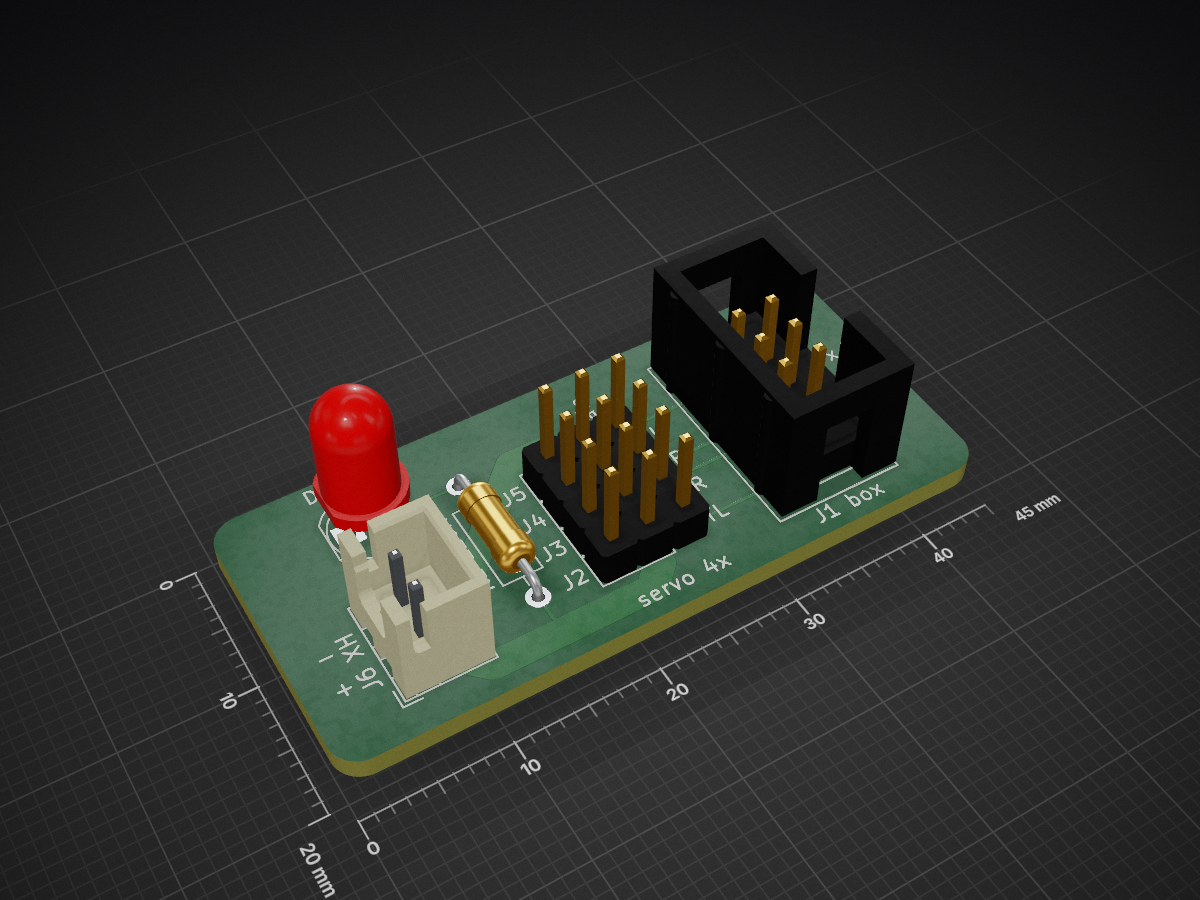
Servo board is an open-source printed circuit board by hapiel, from the hapiel/workshop_bot repository on GitHub, published under the CC-BY-4.0 licence. It is a 2-layer board of 45 × 20 mm with 8 parts on 8 nets, routed with 24 tracks and 0 vias.
Its parts include 6 connectors, 1 resistor and 1 diode. It belongs with the robots and motor control boards of this library.
Welcome to the Acrobot Workshop bot
This is a small version of the Acrobot, a simple but expressive robot acrobat with 4 joints. It is easy to animate by using Bottango.
The project was developed by Daniel Simu, with funding and support from Creative Coding Utrecht. Additional materials were sponsored by DFRobot, Fillamentum and Tinytronics
https://github.com/user-attachments/assets/d1673c57-b2f6-4ec9-994d-3f826fc23f9e
For a workshop you need 3 things:
Typically 2 - 3 participants can use 1 robot kit.
Make sure to update the child code with the mac address of the parent, and in Bottango enter the mac address of the child and the COM port in the hardware settings.
3d model files, schematics and pcb gerber files are in the repo.
This project is shared under the Creative Commons Attribution 4.0 International license.
We're open to consider other licenses that are better suited for open hardware design.
| Qty | Value | Footprint | References |
|---|---|---|---|
| 4 | Conn_01x03 | Connector_PinHeader_2.54mm:PinHeader_1x03_P2.54mm_Vertical | J2, J3, J4, J5 |
| 1 | 220R | Resistor_THT:R_Axial_DIN0207_L6.3mm_D2.5mm_P10.16mm_Horizontal | R1 220R |
| 1 | Conn_01x02 | Connector_JST:JST_XH_B2B-XH-A_1x02_P2.50mm_Vertical | J6 XH |
| 1 | Conn_02x03_Odd_Even | Connector_IDC:IDC-Header_2x03_P2.54mm_Vertical | J1 box |
| 1 | LED | LED_THT:LED_D5.0mm | D1 led |
It measures 45 × 20 mm and has 2 copper layers, 1.6 mm thick.
8 parts. The full list of its parts is on this page, with links to each part's symbol and footprint where PCBKit's library has them.
From the hapiel/workshop_bot repository on GitHub, at the commit this page was made from: the board is electronics/servo_board.kicad_pcb and its schematic electronics/servo_board.kicad_sch. PCBKit opens the board in the browser, with nothing to install.
Its repository publishes it under the CC-BY-4.0 licence: you may reuse it on that licence's terms (keep the author's notice, and for a copyleft licence share your changes alike).

joeycastillo/Sensor-Watch
A board replacement for the classic Casio F-91W wristwatch

rusefi/rusefi
rusefi - GPL internal combustion engine control unit

hoglet67/RGBtoHDMI
Bare-metal Raspberry Pi project that provides pixel-perfect sampling of Retro Computer RGB/YUV video and conversion to HDMI

shanteacontrols/OpenDeck
A platform for building interactive control and sensing devices using MIDI and OSC built with Zephyr RTOS.

hackclub/OnBoard
💡 Join 1,000 teenagers and make your first PCB with a $100 grant!

dangiu/PicoMemcard
Emulating PSX Memory Card (or controller) using a Raspberry Pi Pico

OLIMEX/DIY-LAPTOP
Do It Yourself Open Source Hardware and Software Modular Hacker's Friendly Laptop