2 layers28.3 × 39.8 mm
LevelShifter
gusmanb/logicanalyzer
24 channel, 100Msps logic analyzer hardware and software
21 parts5.1kGPL-3.0

 Gphoebus/peson
Peson avec jauge de contrainte et logger
Peson numerique is an open-source printed circuit board by Gphoebus, from the Gphoebus/peson repository on GitHub. It is a 2-layer board of 45.5 × 144.3 mm with 21 parts on 39 nets, routed with 123 tracks and 2 vias.
Its parts include 3 resistors, 2 capacitors, 2 ICs, 2 connectors and 2 switches. It belongs with the AVR (ATmega, ATtiny) boards of this library.
mesure_effort/
├── arduino/
│   └── mesure_effort.ino       ← Sketch Arduino (à flasher sur le Nano)
├── python/
│   └── visualiseur_effort.py   ← Application PyQt5
├── requirements.txt
└── README.md| Composant | Connexion |
|---|---|
| Arduino Nano | USB PC |
| HX711 (jauge de contrainte) | DOUT=9, SCK=8 |
| Écran OLED SSD1306 128×64 I2C | SDA=A4, SCL=A5 |
| Encodeur rotatif | CLK=2, DT=3, SW=4 |
pip install pyqt5 pyqtgraph pyserialOu avec le fichier requirements :
pip install -r requirements.txtmesure_effort.ino dans l'IDE ArduinoHX711_ADC, Adafruit_SSD1306, Adafruit_GFX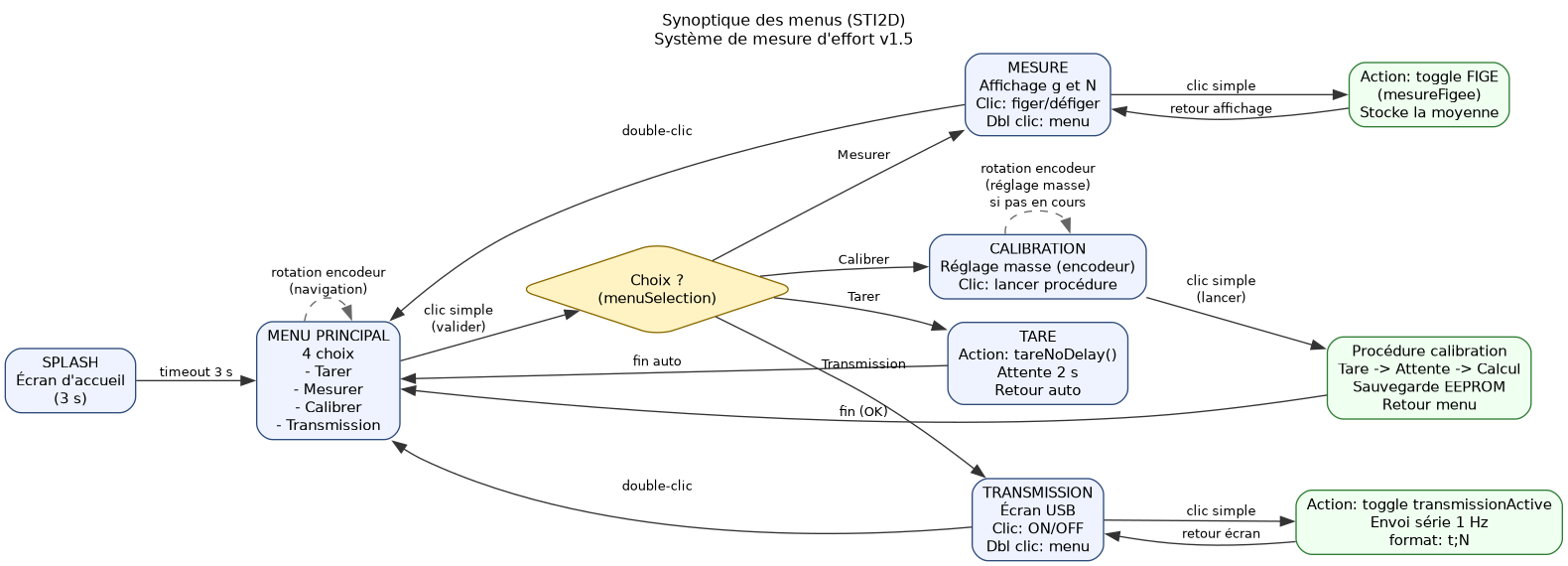
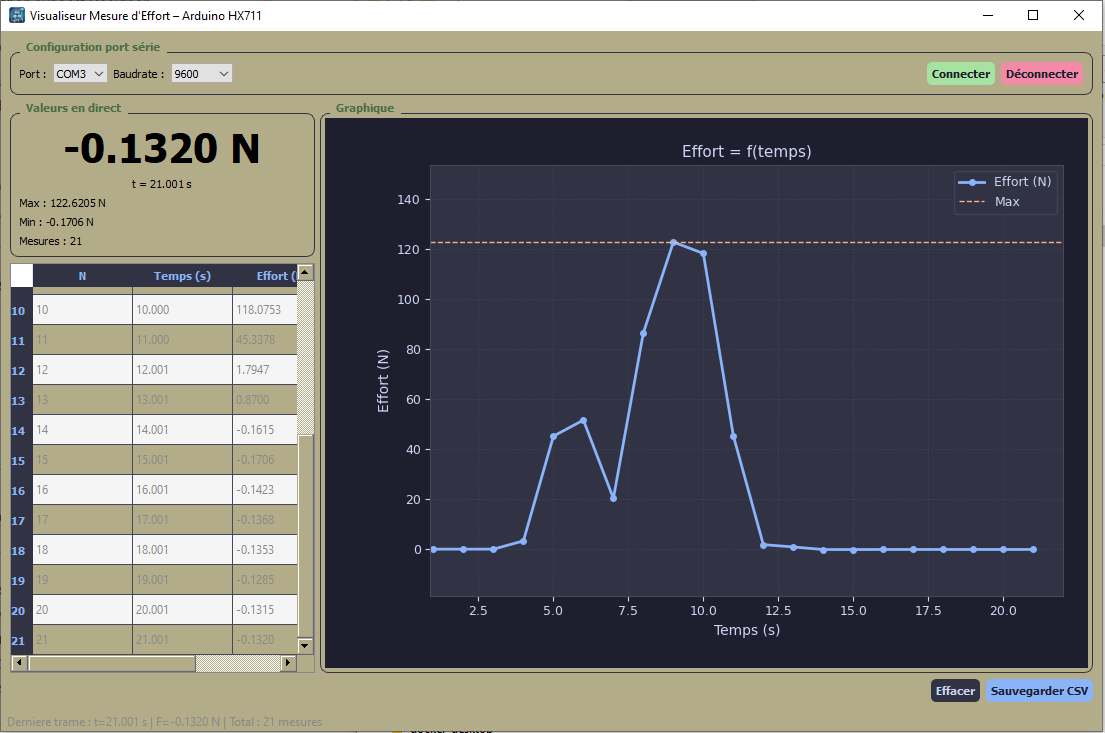
python visualiseur_effort.pySélectionner le port COM (Windows) ou /dev/ttyUSB0 (Linux/Mac), choisir le baudrate 9600, puis cliquer Connecter.
secondes;newtons\nExemple :
12.345;3.1416
25.000;0.0000
secondes : temps écoulé depuis l'activation de la transmission (3 décimales)newtons : force mesurée (4 décimales), conversion : grammes × 9.80665 / 1000Le fichier CSV généré utilise le point-virgule comme séparateur (compatible Excel français) :
N°;Temps (s);Effort (N)
1;1.000;0.4903
2;2.000;0.4905
...| Entrée menu | Action |
|---|---|
| Tarer | Mise à zéro de la balance |
| Mesurer | Affichage en grammes et Newtons |
| Calibrer | Procédure de calibration (EEPROM) |
| Transmission | Démarre/arrête l'envoi USB (1 trame/s) |
L'indicateur [TX] apparaît sur l'écran OLED tant que la transmission est active.
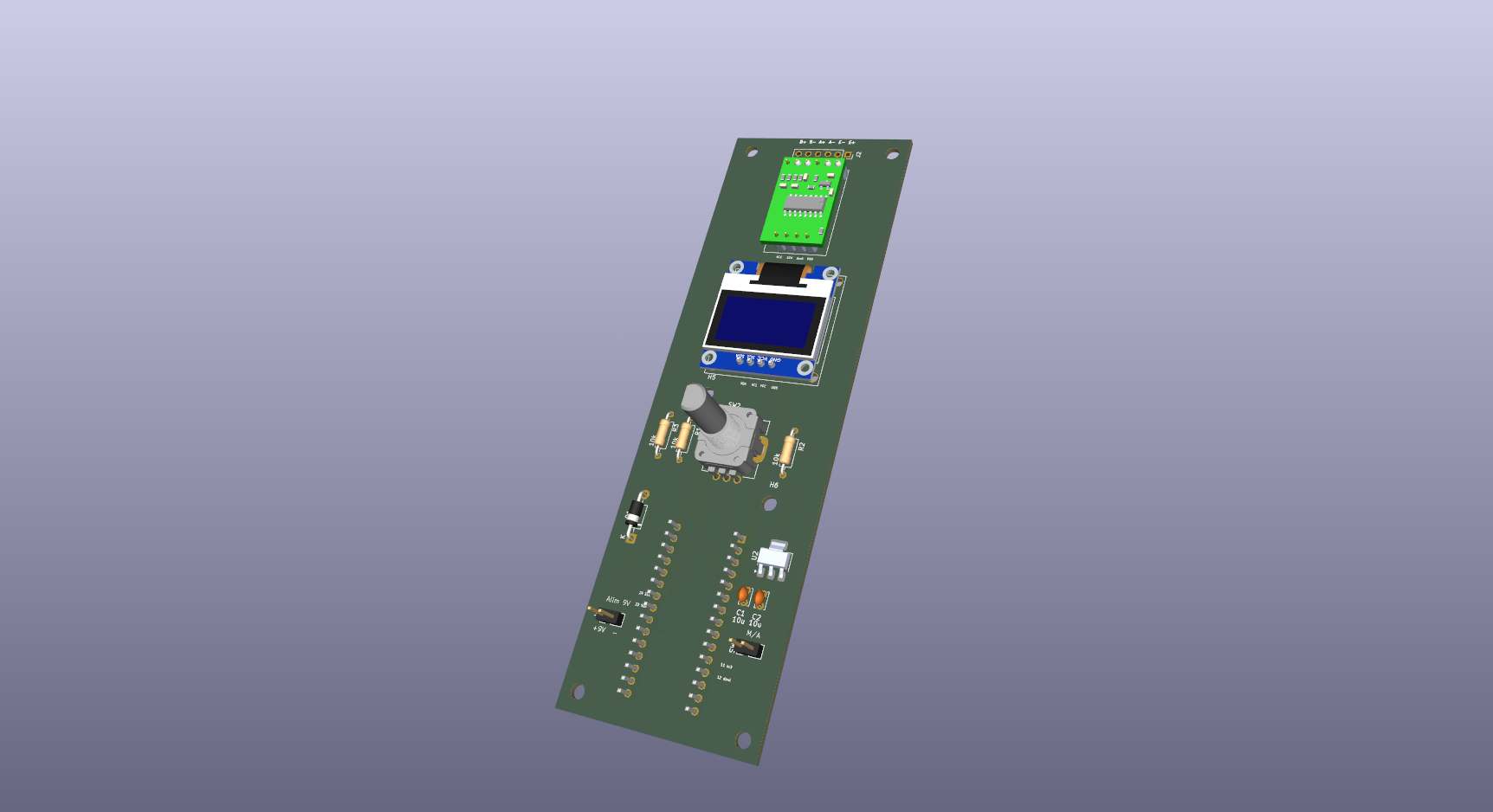
La carte électronique est conçue avec Kicad.
Vue Avant.
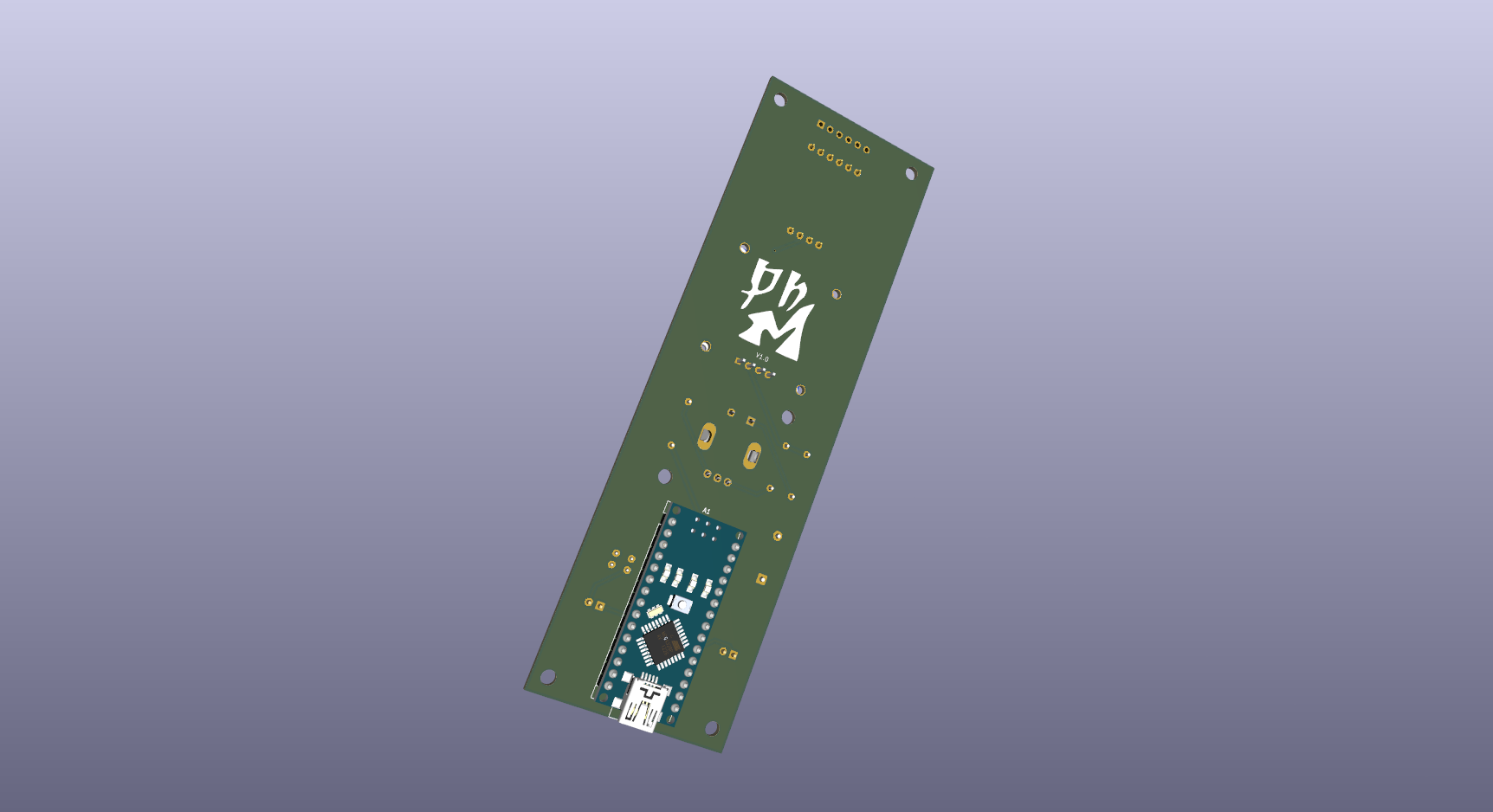
vue arrière avec un arduino NANO.
| Qty | Value | Footprint | References |
|---|---|---|---|
| 6 | MountingHole | MountingHole:MountingHole_3.2mm_M3 | H1, H2, H3, H4, H5, H6 |
| 3 | 10k | Resistor_THT:R_Axial_DIN0207_L6.3mm_D2.5mm_P10.16mm_Horizontal | R1, R2, R3 |
| 2 | 10u | Capacitor_THT:C_Disc_D3.4mm_W2.1mm_P2.50mm | C1, C2 |
| 1 | 1N4007 | Diode_THT:D_DO-41_SOD81_P10.16mm_Horizontal | D1 |
| 1 | Arduino_Nano_v3.x | Module:Arduino_Nano | A1 |
| 1 | Conn_01x02_Pin | Connector_PinHeader_2.54mm:PinHeader_1x02_P2.54mm_Vertical | J1 |
| 1 | Conn_01x06_Pin | Connector_PinSocket_2.54mm:PinSocket_1x06_P2.54mm_Vertical | J2 |
| 1 | LD1117S12TR_SOT223 | Package_TO_SOT_SMD:SOT-223-3_TabPin2 | U2 |
| 1 | LOGO | logo:logo_phm | G*** |
| 1 | RotaryEncoder_Switch | pec11r:XDCR_PEC11R-4020F-S0024 | SW2 |
| 1 | SEN-13879 | hx711:HX711 | U1 |
| 1 | SSD1306 | Display:Adafruit_SSD1306 | Brd1 |
| 1 | SW_DIP_x01 | Connector_PinHeader_2.54mm:PinHeader_1x02_P2.54mm_Vertical | SW1 |
It measures 45.5 × 144.3 mm and has 2 copper layers, 1.6 mm thick.
21 parts. The full list of its parts is on this page, with links to each part's symbol and footprint where PCBKit's library has them.
From the Gphoebus/peson repository on GitHub, at the commit this page was made from: the board is kicad_files/peson_numerique.kicad_pcb and its schematic kicad_files/peson_numerique.kicad_sch. PCBKit opens the board in the browser, with nothing to install.
Its repository states no licence, so its author keeps all rights: ask Gphoebus before reusing the design.
gusmanb/logicanalyzer
24 channel, 100Msps logic analyzer hardware and software

mntmn/amiga2000-gfxcard
MNT VA2000, an Open Source Amiga 2/3/4000 Graphics Card (Zorro II/III), written in Verilog


hackclub/OnBoard
💡 Join 1,000 teenagers and make your first PCB with a $100 grant!

drandyhaas/KiCadRoutingTools
A set of Python/Rust tools to aid routing in KiCad

Arrow-air/project-quiver
Project Quiver documentation, designs, and project artifacts.

