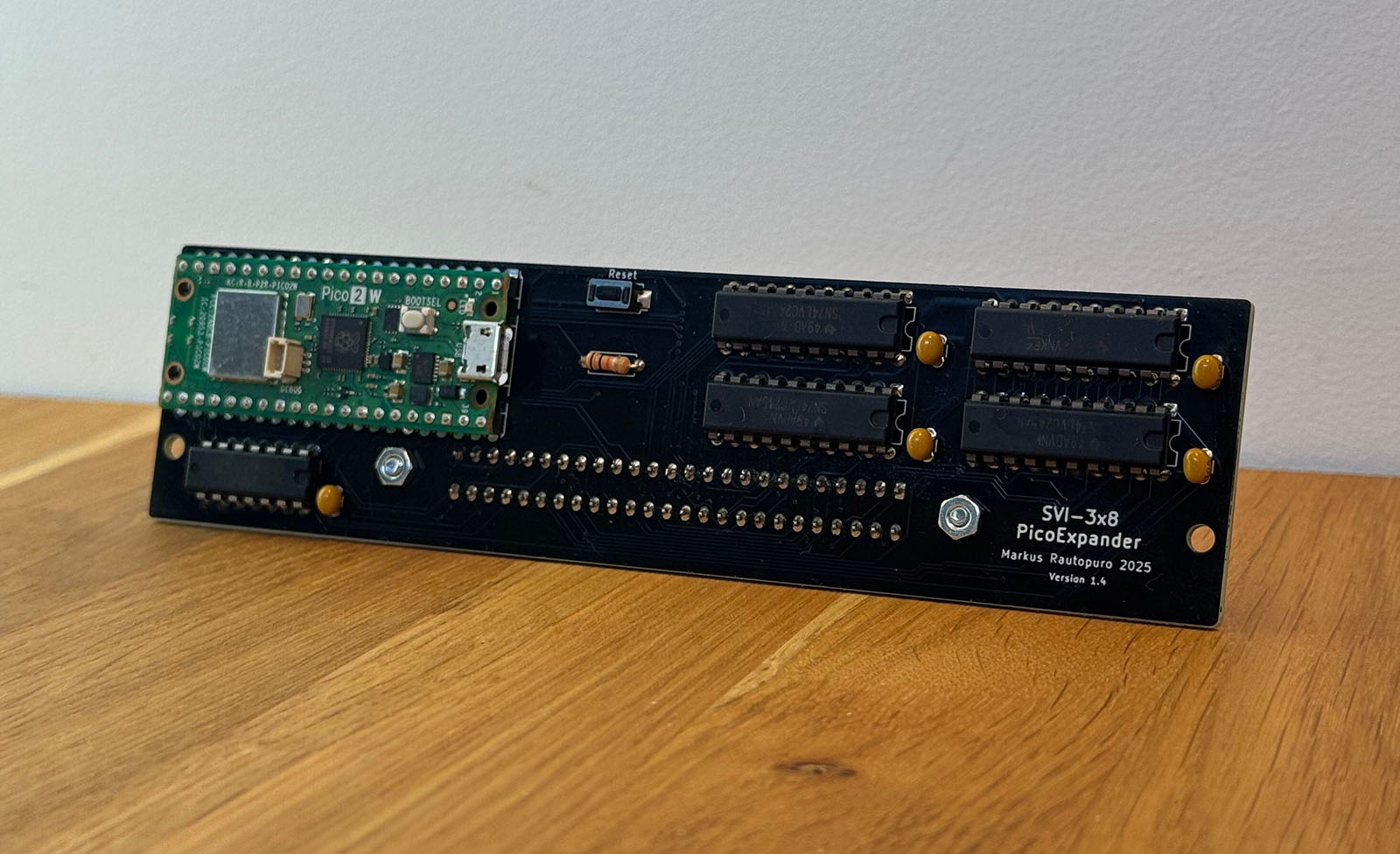
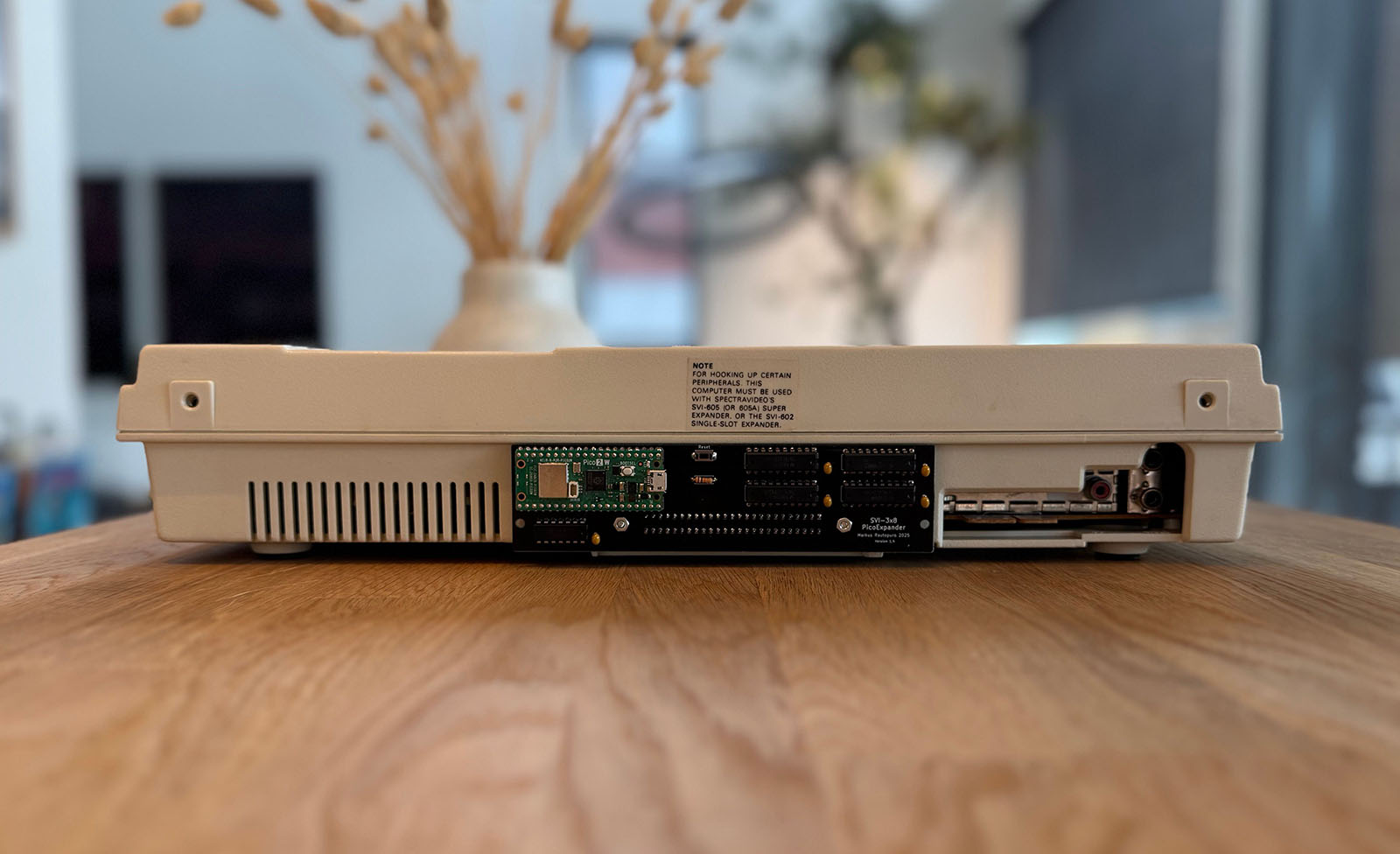
SVI-3x8 PicoExpander project is a memory, disk and tape expansion emulator for Spectravideo 318 and 328 which uses a Raspberry Pico 2 W microcontroller board to emulate devices in the expansion bus.
SVI-3x8-PicoExpander is an open-source printed circuit board by fitch, from the fitch/SVI-3x8-PicoExpander repository on GitHub. It is a 2-layer board of 150 × 38 mm with 14 parts on 83 nets, routed with 1,085 tracks and 93 vias.
It is built around the 74LVC245AD and 74HC14. Its parts include 5 capacitors, 5 ICs, 1 resistor, 1 connector and 1 switch. It belongs with the RP2040 boards of this library.
The SVI-3x8 PicoExpander is a Raspberry Pico 2 W based expansion device for Spectravideo 318 and 328 computers.
The device emulates (when plugged into the SVI-3x8 expansion port):
96 kB of additional RAM (BK22, BK31, BK32) to SVI-328, to be used for example with BASIC SWITCH command or CP/M
144 kB more RAM to SVI-318, converting it to a SVI-328 and allowing games designed for SVI-328 to be run on a 318
Disk emulation (.dsk) so you can load and save disk images via Wi-Fi
Cassette drive emulation (.cas) with auto-running, allowing you to finally send and run .CAS images via Wi-Fi
Support for 64 kB ROM game cartridges, without using the game cartridge slot and finally fixing the 64 kB ROM support in SVI-328 MKII devices
Save states to save computer state and load it at later time, making it possible to save your progress in a game and continue later
Remote launch allowing you to pick up a game image from PC/Mac and launch it from the SVI via Wi-Fi
Hard disk emulation with server-based network backing, allowing CP/M hard disk images to be served over Wi-Fi
Limitations
Limitations of the current software (1.4.4):
Supports only one disk drive, two-disk drive support coming up
The project
This repository will later include the full software and the hardware design later as open source. Now you can access the 1.4 PCB version in pcb directory.
If you can't build one yourself, you can order an assembled version from here. Current shipping estimate in 1-4 weeks depending on the order volumes.
Important note:
This is ”bleeding edge” hardware, so it might not last 40 years as the SVI did. The Pico pins are used with level shifters and within the limits of the voltage thresholds, but the actual Pico CPU is running overclocked at 300 MHz (normally 150 MHz). This might cause the Pico to wear out sooner than Raspberry has designed it to. However, the Pico can be replaced on the board if needed.
Also, note that device is a prototype and therefore has very limited warranty: you can test it when it arrives and if you're not satisfied, we'll figure out if we ship a new one or you get your money back or something else. But everything else is at your own risk. If the device stops working after 3-12 months, you'll need to fix it yourself or get a new one.
Quick Start
1. Flash the Firmware
When you've built the PCB you can flash the .UF2 file provided in the release directory. For the assembled devices, the Pico has already been flashed with the latest firmware.
Disconnect PicoExpander from SVI
Hold the BOOTSEL button on the Pico W while connecting it to your computer via USB
The Pico will appear as a USB mass storage device
Copy the .uf2 firmware file from the release/ directory to the Pico USB drive. Wait until Pico disconnects (displays Disk Not Ejected Properly in macOS) and the green LED light turns on to signal that the firmware booted correctly.
Finally, remove the USB cable.
2. Install Node.js
The file server requires Node.js to run. This project includes an .nvmrc file specifying Node.js v22.20.0.
SVI-3x8 PicoExpander project is a memory, disk and tape expansion emulator for Spectravideo 318 and 328 which uses a Raspberry Pico 2 W microcontroller board to emulate devices in the expansion bus.
A M68k Multi-Board Computer design. The design basics is as follows: 1) A backplane PCB contains the majority of the bus, such as the address and data lines. 2) Cards slot into the backplane.
Cores ===== RTF's Cores Use at your own risk. Welcome to my galaxy of cores. Contained in the directories are IP cores, source code for digital circuits.
RPi Pico based POST (Power-On Self Test) Diagnostic Card
136 parts58
Questions
How big is the SVI-3x8-PicoExpander PCB?
It measures 150 × 38 mm and has 2 copper layers, 1.6 mm thick.
What parts does the SVI-3x8-PicoExpander use?
14 parts, built around the 74LVC245AD and 74HC14. The full list of its parts is on this page, with links to each part's symbol and footprint where PCBKit's library has them.
Where can I download the SVI-3x8-PicoExpander KiCad files?
From the fitch/SVI-3x8-PicoExpander repository on GitHub, at the commit this page was made from: the board is pcb/1.4.1/SVI-3x8-PicoExpander.kicad_pcb and its schematic pcb/1.4.1/SVI-3x8-PicoExpander.kicad_sch. PCBKit opens the board in the browser, with nothing to install.
Can I use the SVI-3x8-PicoExpander design in my own project?
Its repository states no licence, so its author keeps all rights: ask fitch before reusing the design.