2 layers60 × 30 mm
Controller
google/mozc-devices
Circuit diagrams and firmware source code for Gboard DIY keyboards
11 parts3kApache-2.0

 faludi/wind-lantern1
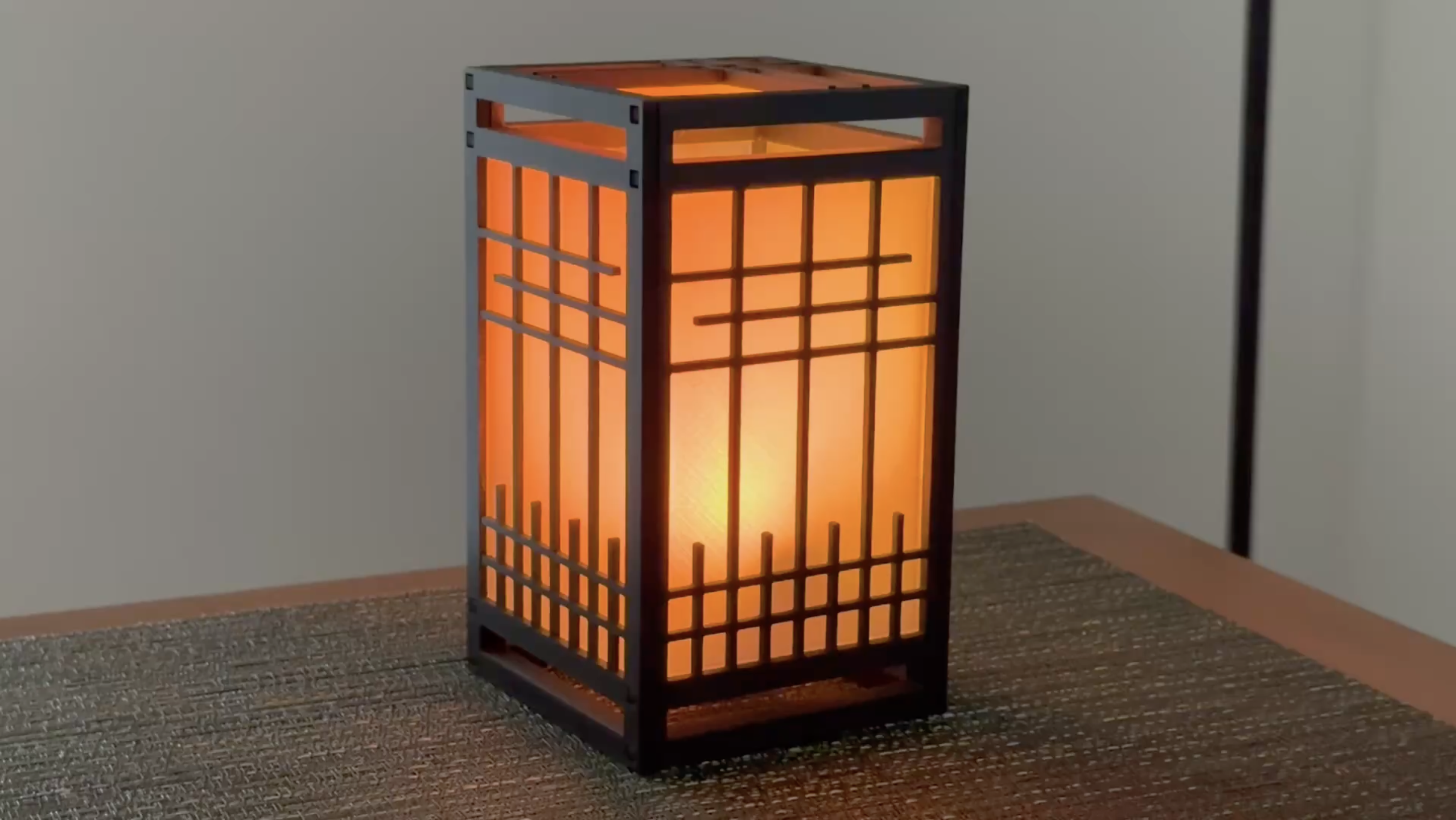
A Wi-Fi-connected lantern whose LED flicker responds to local wind conditions. The firmware runs on a Raspberry Pi Pico W using MicroPython. This project is part of Natural Electronics.
Lantern lights is an open-source printed circuit board by faludi, from the faludi/wind-lantern repository on GitHub, published under the MIT licence. It is a 2-layer board of 52.1 × 20.3 mm with 11 parts on 39 nets, routed with 180 tracks and 17 vias.
Its parts include 6 resistors and 2 diodes. It belongs with the RP2040 boards of this library.
A Wi-Fi-connected lantern whose LED flicker responds to local wind conditions. The firmware runs on a Raspberry Pi Pico W using MicroPython. This project is part of Natural Electronics.
main.py starts the firmware, reads local settings, connects to Wi-Fi, and runs the weather/settings update loop alongside the candle-light thread.nature_api.py provides Wi-Fi setup, location lookup, time synchronization, and weather requests. Wind speed and gust data come from Open-Meteo.weather_service.py fetches current wind readings and normalizes timestamps and speed units for the firmware.clock_service.py coordinates NTP synchronization and the cached lantern-local timezone offset used by night mode.runtime_schedule.py tracks settings, periodic-work, and time-sync deadlines using MicroPython tick semantics.wind_manager.py contains the wind/gust simulation shared by firmware and the hardware simulator.lantern_hardware.py owns the LED pin mapping, PWM setup, and Wi-Fi setup-button input.lantern_config.py defines firmware defaults and normalizes settings from local configuration and the server.settings_store.py loads and saves normalized settings in config.json.settings_state.py owns the normalized runtime settings and applies partial updates.html/ contains the PHP dashboard and MySQL schema. The dashboard manages lantern accounts and settings.html/settings_schema.php defines dashboard metadata and the typed settings payload returned to firmware.html/settings_actions.php validates settings submissions and persists them after the dashboard checks login and CSRF.html/admin_actions.php handles administrator account, lantern registration, user update, and firmware-queue actions.html/wind_data.php fetches geocoding and current weather data for the dashboard's wind/map view.html/lantern_checkin.php identifies an active lantern by its Wi-Fi MAC address and returns its current settings and any queued firmware-update request.The settings flow is:
lantern_config.py.config.json.config.json when they change.If the server cannot be reached, the device continues using its local settings. The firmware also refreshes weather data periodically and uses the configured address to resolve its location and timezone.
main.py is the startup module.secrets-example.py to secrets.py and set WIFI_SSID and WIFI_PASSWORD. Keep the completed secrets.py out of source control.secrets.py, hold the setup button low on GP16 while the device starts. Join the WindLantern-Setup-<last-four-MAC> access point and submit the network credentials. The setup portal is open and times out after ten minutes.The host test suite requires Python 3 and PHP CLI for cross-layer settings checks:
python3 -m unittest discover -s testing -v
php testing/test_settings_actions.php
php testing/test_admin_actions.php
The hardware simulator in testing/lantern_test.py requires a MicroPython environment and the lantern hardware connected. The host test suite does not require a Pico.
| Qty | Value | Footprint | References |
|---|---|---|---|
| 6 | 100 | Resistor_SMD:R_0805_2012Metric_Pad1.20x1.40mm_HandSolder | R1, R2, R3, R4, R5, R6 |
| 2 | HEADER-1X20_70MIL | 1X20_ROUND_70MIL | JP1, JP2 |
| 2 | LED_RAGB | LED_THT:LED_D5.0mm-4_RGB | D2, D3 |
| 1 | PICOWBELL_THM | PICOWBELL | CB1 |
It measures 52.1 × 20.3 mm and has 2 copper layers, 1.6 mm thick.
11 parts. The full list of its parts is on this page, with links to each part's symbol and footprint where PCBKit's library has them.
From the faludi/wind-lantern repository on GitHub, at the commit this page was made from: the board is hardware/lantern-lights.kicad_pcb and its schematic hardware/lantern-lights.kicad_sch. PCBKit opens the board in the browser, with nothing to install.
Its repository publishes it under the MIT licence: you may reuse it on that licence's terms (keep the author's notice, and for a copyleft licence share your changes alike).
google/mozc-devices
Circuit diagrams and firmware source code for Gboard DIY keyboards


FrameworkComputer/ExpansionCards
Reference designs and documentation to create Expansion Cards for the Framework Laptop

hoglet67/RGBtoHDMI
Bare-metal Raspberry Pi project that provides pixel-perfect sampling of Retro Computer RGB/YUV video and conversion to HDMI

hackclub/OnBoard
💡 Join 1,000 teenagers and make your first PCB with a $100 grant!


tardate/LittleArduinoProjects
a collection of "Little Electronic & Arduino Projects", most involving electronics or an Arduino in one way or another!

basilfx/TRADFRI-Hacking
Hacking IKEA TRÅDFRI products, such as light bulbs, window blinds and other accessories.