2 layers60 × 45 mm
Blinker-555
epim/circsim
Post-routed PCB+Schematic circuit simulator. Because I have trust issues.
7 partsMIT
 epim/circsim
Post-routed PCB+Schematic circuit simulator. Because I have trust issues.
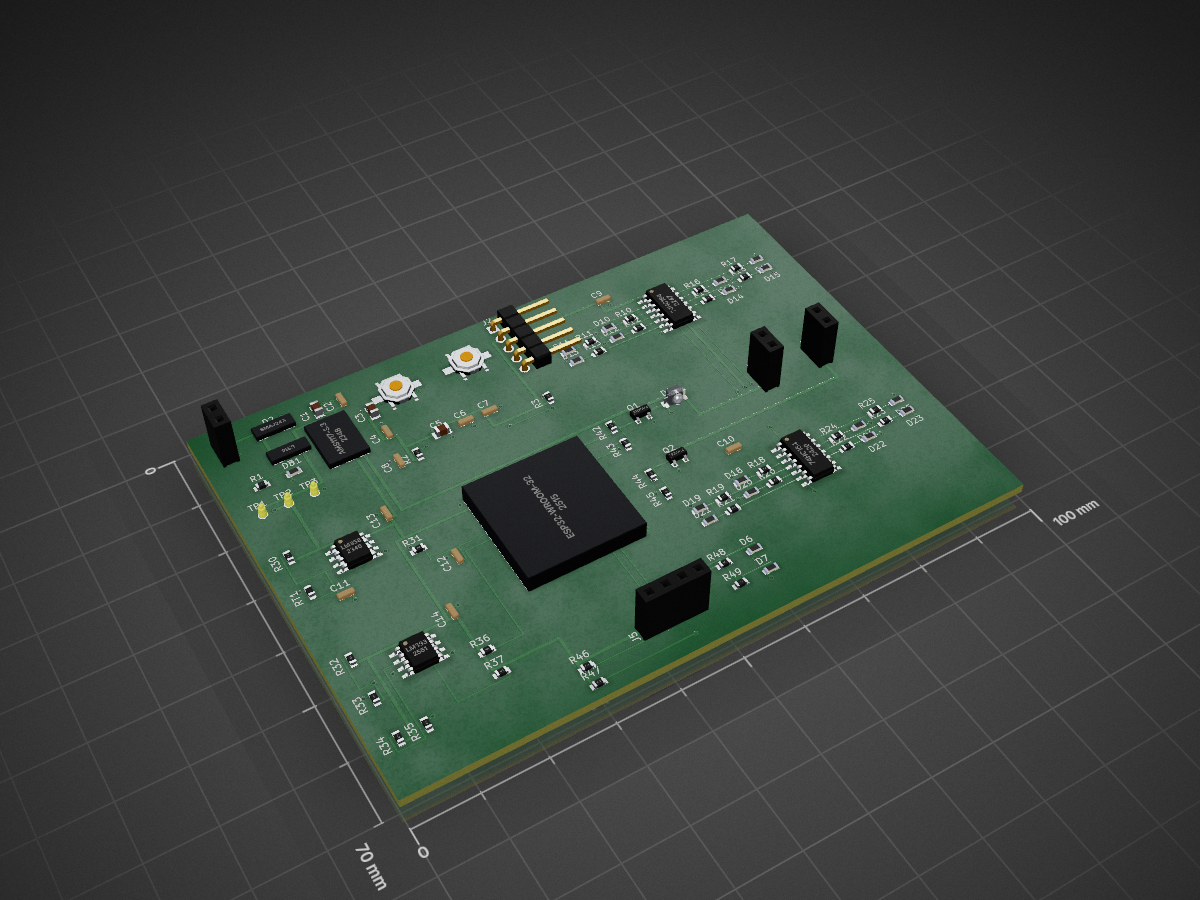
Sensor node is an open-source printed circuit board by epim, from the epim/circsim repository on GitHub, published under the MIT licence. It is a 2-layer board of 100 × 70 mm with 94 parts on 63 nets, routed with 1,110 tracks and 102 vias.
It is built around the ESP32-WROOM-32, LM358 and 74HC164, with the AMS1117-3.3, LM393 and 1N4148W among its other parts. Its parts include 36 resistors, 22 diodes, 18 capacitors, 6 ICs and 5 connectors. It belongs with the home automation and IoT and sensors and measurement boards and the ESP32 boards of this library.


Simulate and audit any routed KiCad board. circsim is a desktop app (Windows / macOS / Linux) that opens a routed KiCad board (.kicad_pcb), rebuilds the circuit from the copper, renders it in 3D, and runs an interactive SPICE bench on it: apply power, turn a knob, probe nets on the physical board. A read-only Board Critic audits the layout for fabrication risks. You get both before you pay for fabrication.
Open the board and press Energize. You do not assign Sim.* fields first, and the bundled model library matches parts by part number, value, and footprint, flagging the ones it cannot match instead of guessing. circsim is fully offline, MIT-licensed, and never modifies your design files.
Documentation: epim.github.io/circsim. It has the install guide, the First Light tutorial, task how-tos, and the full reference.
Download: latest release (Windows .exe, macOS .dmg x2, Linux .AppImage / .deb).
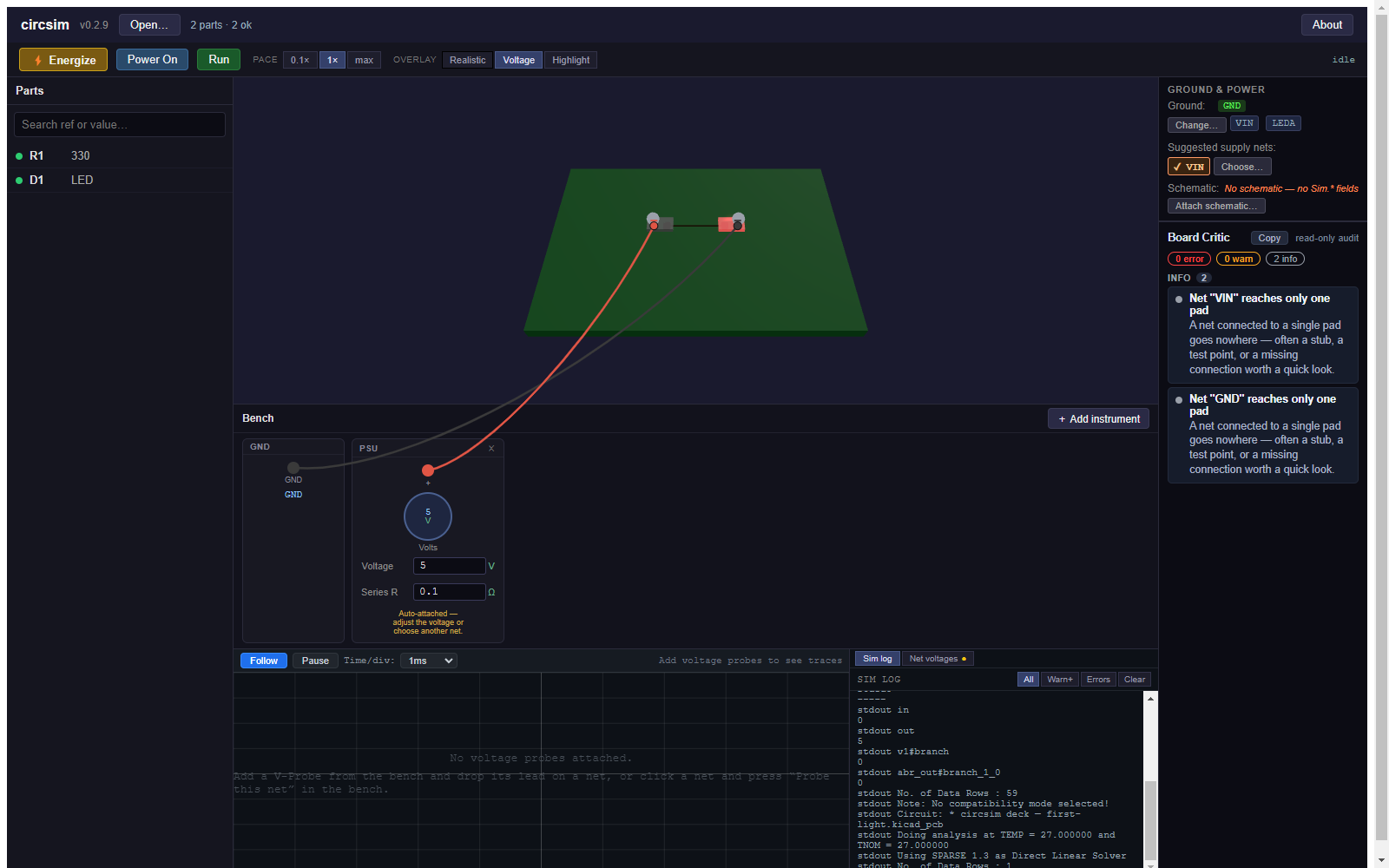
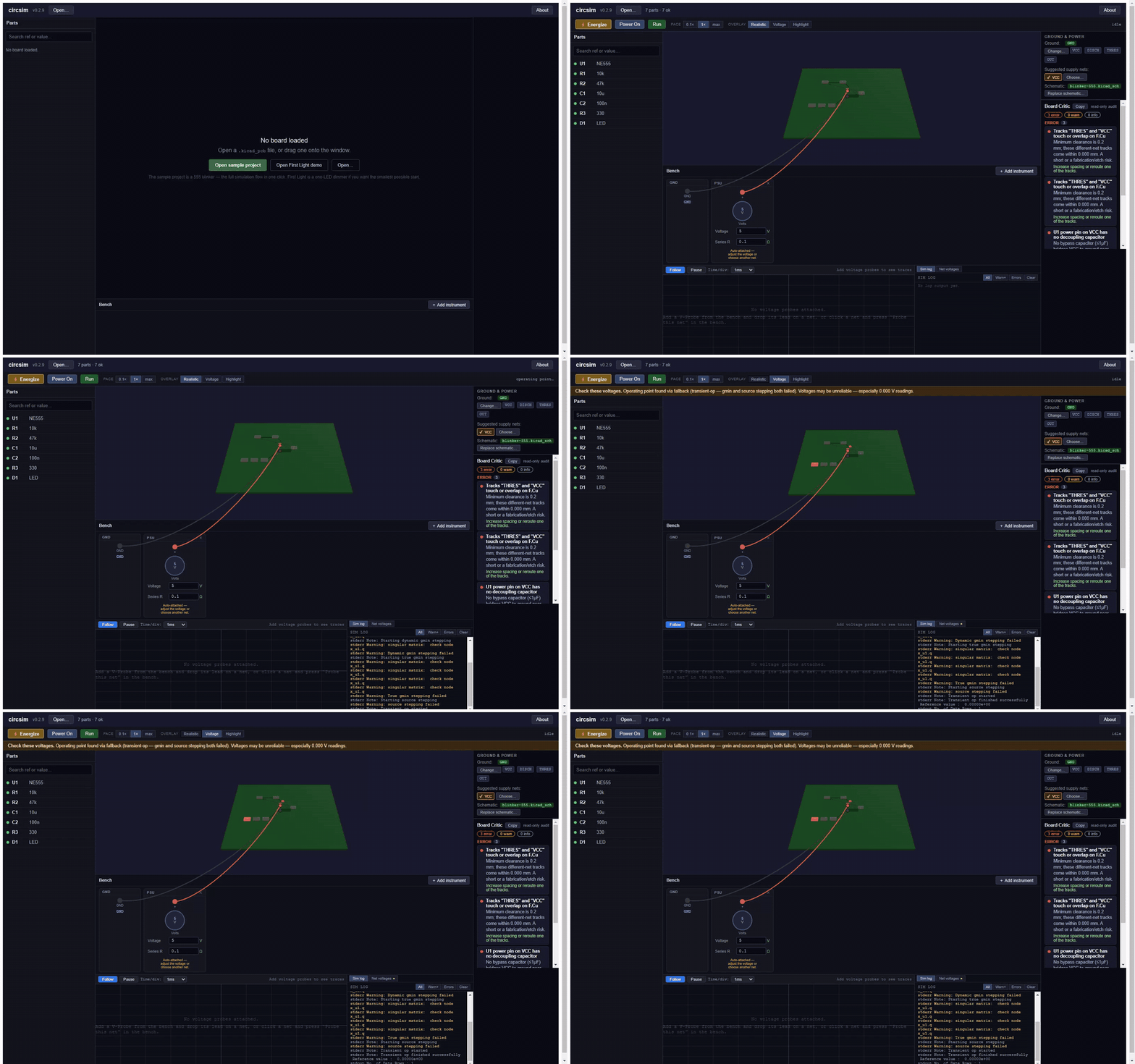
More screenshots, and what circsim reads out of sixteen KiCad-written boards from KiCad 6 through 10, are in the gallery.
.kicad_pcb, KiCad 6 to 10. The board can come from your own KiCad project, a contractor, or an autorouter such as Quilter that returns a KiCad board; circsim has no Quilter-specific code. The supported files page lists the KiCad-written boards behind the version range, including the one it rejects..kicad_sch next to the board with the same name and circsim attaches it on open. Its Sim.* fields are the first model source and its pin names settle diode and LED polarity. Only the root sheet is read, so parts on hierarchical sub-sheets get neither. A BOM CSV pins down exact parts.Powered by ngspice 46, bundled per platform and run crash-isolated in a separate process. Nothing to install; no network calls, ever, and the app enforces it by cancelling any request that is not a local file.
npm install
npm run fetch:ngspice   # download the bundled SPICE engine for your platform
npm run dev             # run the app in dev mode
npm test                # vitest unit + integration suite
npm run typecheck       # tsconfig.node.json + tsconfig.web.json (what CI runs)
npm run test:e2e        # Playwright E2E (requires npm run build first)
npm run build           # build the app
npm run package         # produce installers for the current platform
Architecture: Electron + TypeScript + React (panels) + imperative Three.js/WebGL2 (3D viewport) + zustand (state). The framework-free src/core/ layer (KiCad parsing, netlist extraction, model resolution, SPICE-deck generation, the Board Critic) is fully unit-tested without Electron. See the architecture reference.
The docs site is a VitePress project under website/, deployed to GitHub Pages by .github/workflows/docs.yml on every push touching website/. To work on it:
cd website && npm install && npm run docs:devThe page the app opens from its About dialog and fidelity banner is rendered from website/docs/concepts/fidelity.md. After editing that page, run npm run docs:fidelity and commit the regenerated docs/what-circsim-can-tell-you.html; a unit test fails when the two drift.
MIT. circsim bundles ngspice (BSD-style) and an in-house SPICE model library written from datasheet parameters; it never bundles vendor SPICE models or KiCad's share-alike 3D assets. See docs/licensing.md and the in-app About dialog for full provenance.
| Qty | Value | Footprint | References |
|---|---|---|---|
| 19 | LED | LED_SMD:LED_0603_1608Metric | D10, D11, D12, D13, D14, D15, D16, D17, D18, D19, D20, D21, D22, D23, D24, D25 +3 |
| 17 | 330 | Resistor_SMD:R_0603_1608Metric | R1, R10, R11, R12, R13, R14, R15, R16, R17, R18, R19, R20, R21, R22, R23, R24 +1 |
| 13 | 100n | Capacitor_SMD:C_0603_1608Metric | C2, C4, C6, C7, C9, C10, C11, C13, C14, C15, C16, C17, C18 |
| 8 | 10k | Resistor_SMD:R_0603_1608Metric | R2, R3, R30, R32, R33, R36, R45, RT1 |
| 4 | 1k | Resistor_SMD:R_0603_1608Metric | R31, R44, R48, R49 |
| 3 | Conn_01x02 | Connector_PinHeader_2.54mm:PinHeader_1x02_P2.54mm_Vertical | J1, J3, J4 |
| 3 | TestPoint | TestPoint:TestPoint_Pad_D1.5mm | TP1, TP2, TP3 |
| 2 | 10u | Capacitor_SMD:C_0805_2012Metric | C1, C5 |
| 2 | 4.7k | Resistor_SMD:R_0603_1608Metric | R46, R47 |
| 2 | 47k | Resistor_SMD:R_0603_1608Metric | R34, R35 |
| 2 | 74HC164 | Package_SO:SOIC-14_3.9x8.7mm_P1.27mm | U5, U6 |
| 2 | SW_Push | Button_Switch_SMD:SW_SPST_PTS645 | SW1, SW2 |
| 1 | 100k | Resistor_SMD:R_0603_1608Metric | R43 |
| 1 | 10n | Capacitor_SMD:C_0603_1608Metric | C12 |
| 1 | 1M | Resistor_SMD:R_0603_1608Metric | R37 |
| 1 | 1N4148W | Diode_SMD:D_SOD-123 | D4 |
| 1 | 1u | Capacitor_SMD:C_0603_1608Metric | C8 |
| 1 | 220 | Resistor_SMD:R_0603_1608Metric | R42 |
| 1 | 22u | Capacitor_SMD:C_0805_2012Metric | C3 |
| 1 | 2N3904 | Package_TO_SOT_SMD:SOT-23 | Q2 |
| 1 | 2N7002 | Package_TO_SOT_SMD:SOT-23 | Q1 |
| 1 | AMS1117-3.3 | Package_TO_SOT_SMD:SOT-223 | U1 |
| 1 | Conn_01x04 | Connector_PinHeader_2.54mm:PinHeader_1x04_P2.54mm_Vertical | J5 |
| 1 | Conn_01x05 | Connector_PinHeader_2.54mm:PinHeader_1x05_P2.54mm_Vertical | J2 |
| 1 | ESP32-WROOM-32 | RF_Module:ESP32-WROOM-32 | U2 |
| 1 | LM358 | Package_SO:SOIC-8_3.9x4.9mm_P1.27mm | U3 |
| 1 | LM393 | Package_SO:SOIC-8_3.9x4.9mm_P1.27mm | U4 |
| 1 | SMAJ24A | Diode_SMD:D_SMA | D2 |
| 1 | SS14 | Diode_SMD:D_SMA | D1 |
It measures 100 × 70 mm and has 2 copper layers, 1.6 mm thick.
94 parts, built around the ESP32-WROOM-32, LM358, 74HC164 and AMS1117-3.3. The full list of its parts is on this page, with links to each part's symbol and footprint where PCBKit's library has them.
From the epim/circsim repository on GitHub, at the commit this page was made from: the board is resources/sample/sensor-node.kicad_pcb and its schematic fixtures/fixture-555.kicad_sch. PCBKit opens the board in the browser, with nothing to install.
Its repository publishes it under the MIT licence: you may reuse it on that licence's terms (keep the author's notice, and for a copyleft licence share your changes alike).
epim/circsim
Post-routed PCB+Schematic circuit simulator. Because I have trust issues.

epim/circsim
Post-routed PCB+Schematic circuit simulator. Because I have trust issues.


Tomicmm/RELE-WIFI
Relé WiFi controlado mediante un ESP32-WROOM-32, capaz de encender y apagar una carga de forma remota a través de una conexión WiFi y un servidor MQTT (Mosquitto).

DylanLockyer/Black_Body
Electrical system for black body MKID tester

SimonDaniel605/Development-of-a-Resistojet-Thruster
This project involves the development of a resistojet thruster for nanosatellite station-keeping.

xmyoot/esp32-media-carrier
ESP32 multimedia carrier board with 7–24 V DC buck regulator, 3.2 W Class-D I2S audio amp, WS2812 LED ring driver, and SPI TFT display header

