
4 layers24 × 16.5 mm
FlashKa main
DomPka/LuxLibre
Pick a light · Compare · Web apps · Firmware · Design your own · Build a FlashKa · Repository map · Help
64 partsGPL-3.0

 DomPka/LuxLibre
Pick a light · Compare · Web apps · Firmware · Design your own · Build a FlashKa · Repository map · Help
FlashKa panel is an open-source printed circuit board by DomPka, from the DomPka/LuxLibre repository on GitHub, published under the GPL-3.0 licence. It is a 4-layer board of 45 × 32.5 mm with 143 parts on 58 nets, routed with 996 tracks and 110 vias.
It is built around the ESP32-C3-MINI-1-N4, DW01A and RT9080-33GJ5, with the TP4057, P70-1010045R and 2N7002W among its other parts. Its parts include 33 resistors, 18 capacitors, 11 connectors, 6 ICs and 5 transistors. It belongs with the ESP32 and RISC-V boards of this library.




Pick a light · Compare · Web apps · Firmware · Design your own · Build a FlashKa · Repository map · Help
Open-source flashlights, from the first requirement to the finished light. LuxLibre is one firmware for many lights, a set of design rules, a guide to choosing parts and testing them, and seven reference designs: the FlashKa keychain light and the EDCO family of sealed everyday-carry lights. Every design comes with CAD, dimensioned drawings, renders, a firmware board header and simulated light output. Anyone may build, change and sell lights made with it, companies included (LICENSING.md).

All seven at true scale (render). The web site has the same lineup: pick a light there to see its details.
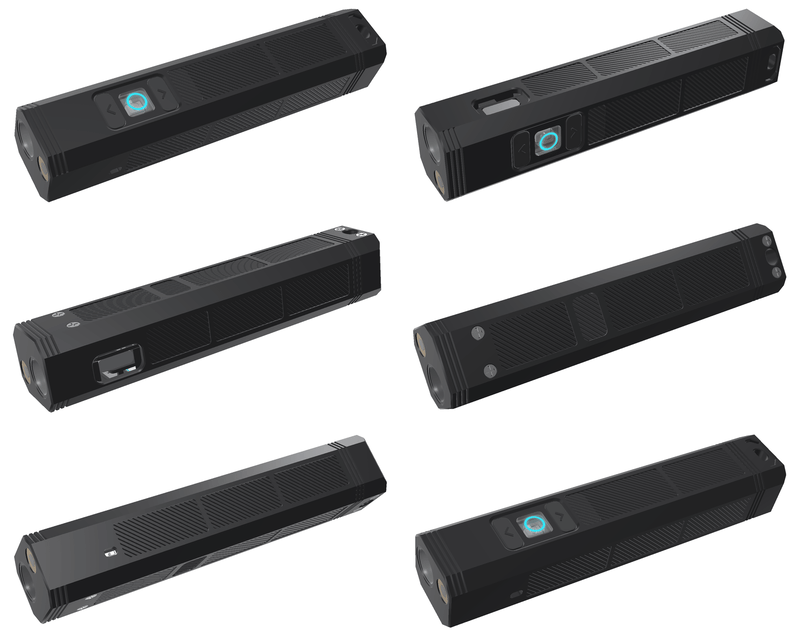
FlashKa v0.7Keychain light with a laser and a Bluetooth presenter mode.99.2 × 20 × 18 mm · one 14500 about 1,045 lm · 162 m throw · 2 h 17 min from turbo build guide · drawings · web app |
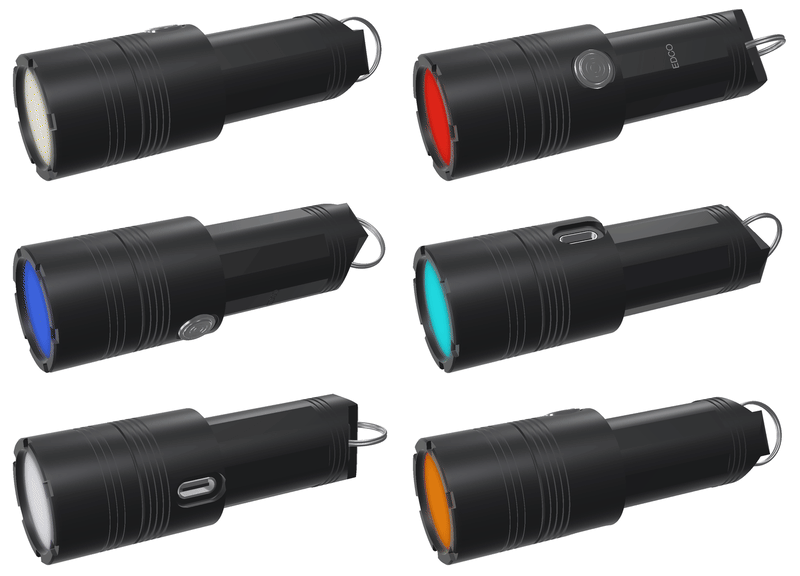
EDCO PrismA beam that is white or any colour.Ø28 × 83 mm · one 18350 about 1,250 lm turbo · red, green, blue and any mix drawing · CAD · settings page |
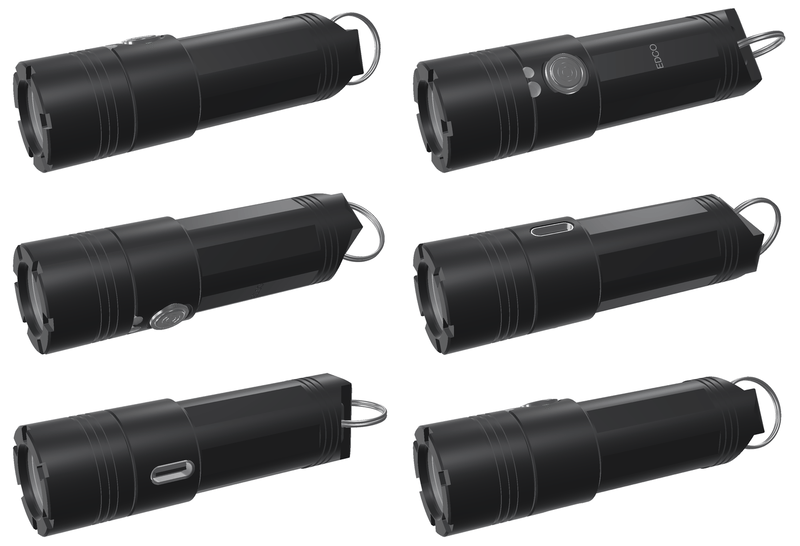
EDCO MiniSealed keychain light with red and UV side lights.Ø22 × 73.5 mm (16340) or Ø19 × 69.4 mm about 950 lm · keyring tab · magnet version drawings · CAD · firmware |
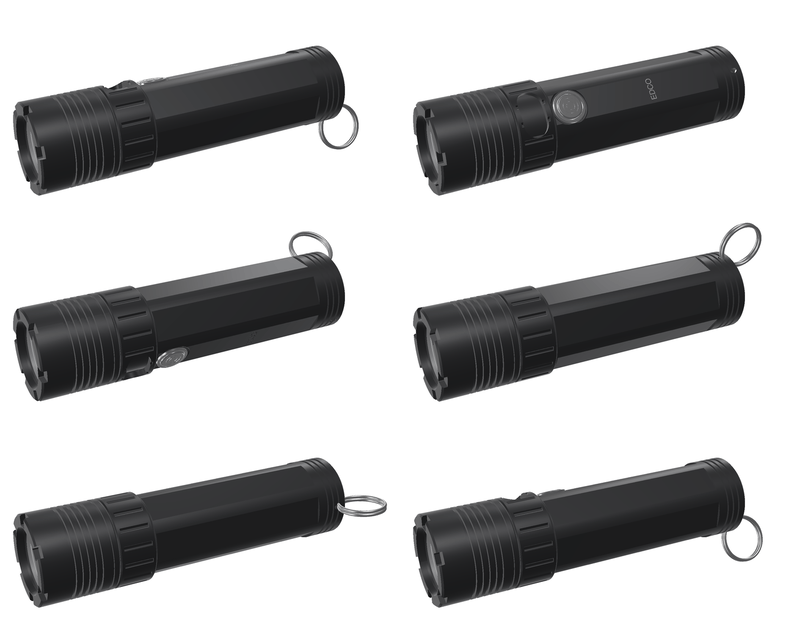
EDCO v0.2The bright one: an SST-40 at up to 5.7 A.Ø26 × 97.8 mm (18500) or Ø22 × 95.6 mm (14500) about 1,760 lm · USB-C under a twist collar drawings · CAD · firmware |
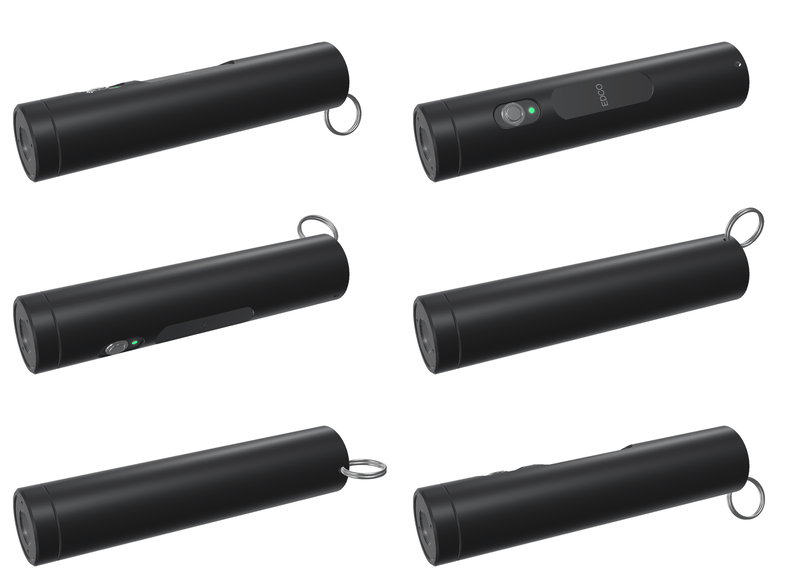
EDCO v0.1A plain sealed tube with USB-C in the tail.Ø20 × 93.5 mm · one 14500 about 966 lm · 2 h 21 min from turbo drawing · CAD · firmware |
 Compare themEvery design against 14 popular lights, from the RovyVon A3 Pro to the Fenix PD36R Pro: light, throw, runtime, size and price, with sources. |
Every picture is a render made from the design files. None of these lights has been built yet: every light figure is simulated with the LuxLibre simulator (out of the front, LED at 85 °C) or estimated, and every page says which.
| I want to | Go to |
|---|---|
| see how the designs compare with lights I can buy | docs/comparison.md |
| look at a design in detail: specifications, renders, how it is built, cost, open points | the design pages above, or all the lights |
| get drawings and CAD to make parts | each design's cad/ folder: STEP files and A3 drawings (DXF, PDF, PNG), e.g. EDCO Prism, FlashKa v0.7 |
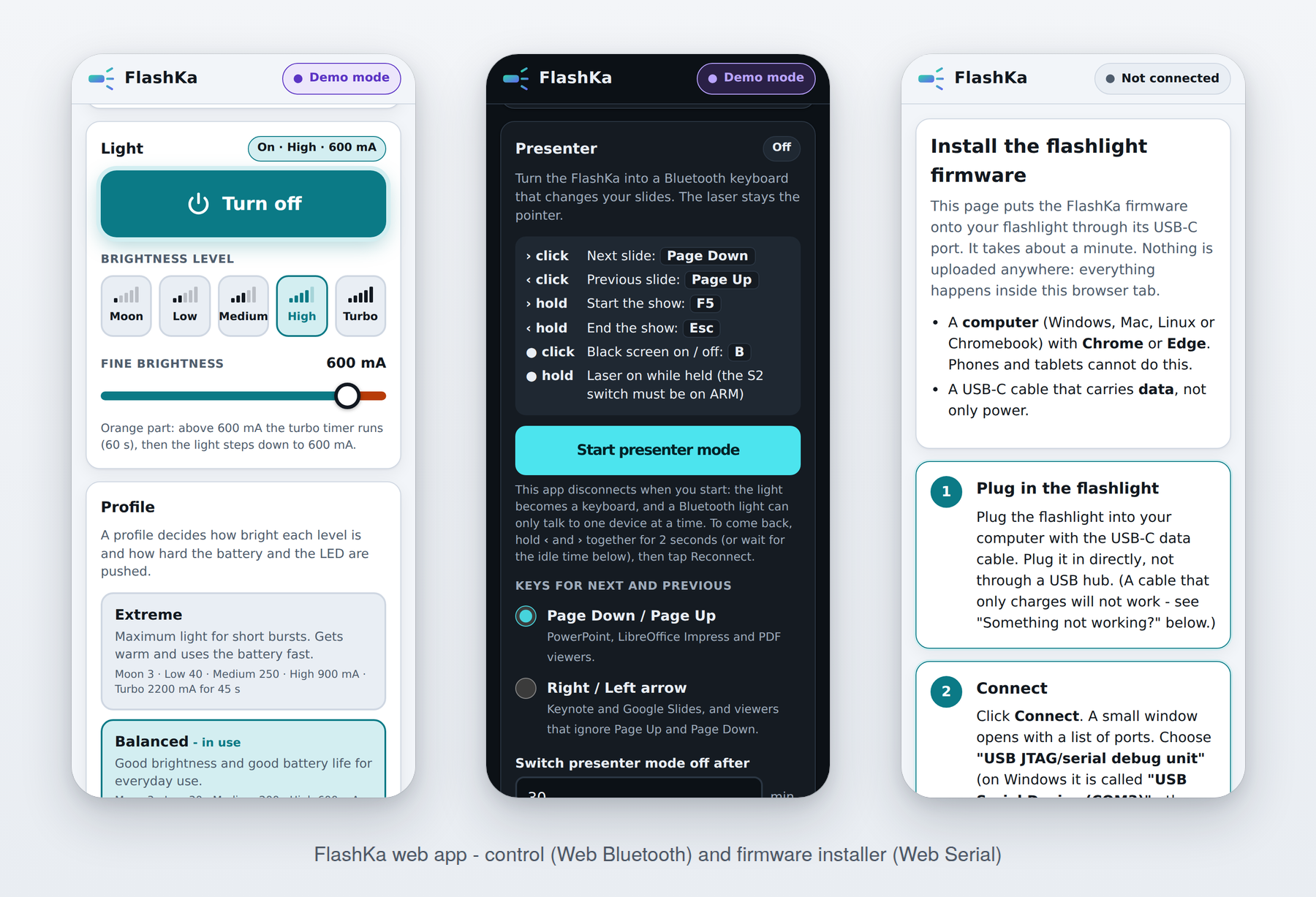
| try the FlashKa control app without a light | the FlashKa web app, Try demo mode |
| change the settings of a LuxLibre light from the browser | the LuxLibre settings page (Web Serial over USB-C; demo mode without a light) |
| run the firmware without hardware | Quick start and docs/firmware/simulator.md |
| design my own light | docs/README.md: requirement sheet, choosing parts, design rules, testing |
| put LuxLibre on my board | docs/firmware/porting.md |
| build a FlashKa | the build guide and order files |
| report a build, measurements or a problem | CONTRIBUTING.md and the build report form |
| Light | Size (mm) | Cell | Light at 30 s | After 10 min | Throw | From turbo to the end point | What sets it apart |
|---|---|---|---|---|---|---|---|
| FlashKa v0.7 | 99.2 × 20 × 18 | 14500, 1,500 mAh | 966 lm | about 280 lm | 6,605 cd, 162 m | 2 h 17 min | Class 2 laser, Bluetooth presenter mode, glowing key ring |
| EDCO Prism | Ø28 × 83.0 | 18350, 1,200 mAh | 1,248 lm | about 280-350 lm | about 3,000 cd (est.) | 1 h 29 min | colour beam, RGB-lit button, settings page over USB-C |
| EDCO Mini-16 | Ø22 × 73.5 | 16340, 650 mAh | 944 lm | about 230 lm | about 11,000 cd (est.) | 1 h 07 min | red and UV side lights, keyring tab, magnets in the M version |
| EDCO Mini-14 | Ø19 × 69.4 | 14350 made to order, about 400 mAh | 978 lm | about 195 lm | about 5,600 cd (est.) | 51 min | the smallest; needs a cell made to order |
| EDCO-18 | Ø26 × 97.8 | 18500, 1,500 mAh | 1,759 lm | about 330-390 lm | about 18,000 cd (est.) | 1 h 39 min | the brightest; USB-C under a twist collar |
| EDCO-14 | Ø22 × 95.6 | 14500, 1,000 mAh | 1,561 lm | about 260-320 lm | about 11,000 cd (est.) | 1 h 18 min | the same in a slimmer body |
| EDCO v0.1 | Ø20 × 93.5 | 14500, 1,500 mAh | 966 lm | about 290 lm | 6,605 cd, 162 m | 2 h 21 min | sealed USB-C socket in the tail |
All figures are simulated, out of the front, with the LED at 85 °C in 25 °C still air. "est." marks an estimate from the optic's beam angle. The end point is ANSI FL1: 10 % of the 30 s output.
Every number, its source and what was left out: docs/comparison.md. The other lights were measured by independent reviewers; the LuxLibre lights are simulated, and their measured numbers will replace these once they are built.
| Page | What it does | Needs |
|---|---|---|
| LuxLibre settings page | reads and changes every parameter of a LuxLibre light over USB-C (Web Serial), and for the EDCO Prism the beam's colour and the custom colour; a demo mode with the EDCO Prism's settings | Chrome or Edge on a computer and a USB-C data cable |
| FlashKa control app | battery, temperature and runtime; light on and off, levels and exact current; profiles with an editor; presenter settings and paired computers; a demo mode with a simulated light | Chrome or Edge on Android, Windows, macOS or ChromeOS; Bluefy on iPhone and iPad |
| FlashKa firmware installer | writes the firmware through the light's USB-C port and checks what it wrote; the firmware image is inside the page | Chrome or Edge on a computer and a USB-C data cable |
All three run entirely in the browser: nothing is uploaded and there is no account. The start page links them all. They are published from site/ and hardware/flashka-keychain-v06/app/ with GitHub Pages.
| Folder | What is in it | Start with |
|---|---|---|
| hardware/ | the lights: design pages, CAD and drawings, renders, circuit boards, order files | the lights |
| flashka-keychain-v07/ | FlashKa v0.7, the keychain light with a laser and a presenter mode | build guide, drawings |
| edco-prism/ | EDCO Prism, white or any-colour beam | drawing, pictures |
| edco-mini/ | EDCO Mini-16 and Mini-14, sealed keychain lights | drawings, pictures |
| edco-v02/ | EDCO-18 and EDCO-14, about 1,760 lm | drawings, pictures |
| edco-v01/ | EDCO v0.1, the first EDCO | drawing, pictures |
| flashka-keychain-v06/, v05/ | older FlashKa designs; v0.6 also holds the FlashKa firmware and web pages | |
| tools/ | scripts for the drawings, animations, lineup and banner | |
| firmware/ | the LuxLibre firmware source: core, ports, board headers, tests, simulator | firmware guide, board headers |
| docs/ | design rules, choosing parts, flashlight types, testing, the comparison, the firmware guide | reading paths |
| tools/ | lux_calc.py (runtime, throw, heat, trace width, NTC...) and the comparison charts | |
| templates/ | requirement sheet, design log, decision matrix, BOM, review checklist, test report | requirement sheet |
| site/ | the web site: start page and LuxLibre settings page | live site |
At the top level: CHANGELOG, CONTRIBUTING, SAFETY, SECURITY, LICENSING (what the licences mean), TRADEMARKS and the licence texts. Every page has a path at the top (LuxLibre › Lights › EDCO Prism) to find your way back.
Try the web pages without a light: open the settings page or the FlashKa control app and choose the demo mode.
Try the LuxLibre firmware without hardware (Linux, macOS, or Windows with WSL):
cd firmware
make test                                    # unit and behaviour tests
make sim BOARD=edco-prism                    # the simulator with the EDCO Prism's board header
build/luxsim-edco-prism --preset board "2C W600000"            # double click for turbo, then 10 minutes
build/luxsim-edco-prism --preset board "5C W2000 2C W2000"     # colour beam on, then the next colour
make sim BOARD=edco-mini-16                  # the same for any board in firmware/boards/
build/luxsim-edco-mini-16 --preset board --set TURBO_S=0 "2C W600000"
The LuxLibre firmware in its simulator: turbo, then smooth thermal regulation at 50 °C for a keychain light and an 18650 light (how this was made).
Design a light: start with the requirement sheet (templates/requirements.md), then follow docs/choosing-parts.md and check the result against docs/design-rules.md. docs/README.md suggests a reading order.
Put LuxLibre on your board: docs/firmware/porting.md.
Build a FlashKa: read the build guide once from start to end, then use the files in order_files/.
LuxLibre 0.5.0. What has been tested so far:
| Part | State |
|---|---|
| LuxLibre firmware core | 13 unit tests with 529 checks, and 47 behaviour tests with 263 checks in the simulator on three test boards; all run by CI |
| ATtiny1616 and CH32V003 ports | build and link in CI; not yet run on hardware |
| ESP32-C3 port | built with ESP-IDF 5.3.1 in CI for every FlashKa and EDCO board header; not yet run on hardware |
| LuxLibre settings page | checked in a browser in demo mode and against a simulated serial port; not yet used with a real light |
| FlashKa v0.7 | designed and checked by software: netlist across both boards, KiCad DRC with 0 errors, both boards' 3D models inside the housing, key travel, drawings against the CAD, both casting moulds, cost; light output and runtime simulated; not yet built |
| FlashKa firmware and web pages (0.7.0 for v0.7, 0.6.0 for v0.6) | 166 unit and 9 thermal simulation tests (v0.7 build), 153 host tests (v0.6 build); control app, installer and start page checked in a browser against simulated hardware; not yet run on a real light |
| EDCO Prism, Mini, v0.2 and v0.1 | concepts. Each housing is modelled in CadQuery and checked for fits, walls and interference. The body drawings are checked against the solids. Each has a firmware board header, and its light output, temperatures and runtime are simulated. The circuit boards are not drawn yet, and nothing has been built |
| Design rules, guides, tools | complete; numbers from standards and datasheets carry sources |
The first hardware results will be added as test reports. Measurements from your builds are the most valuable contribution: the build report issue form asks for exactly what is needed. See CONTRIBUTING.md.
Lithium cells, bright LEDs, hot surfaces and lasers can hurt people. Read SAFETY.md before building or testing. Security problems (for example in Bluetooth pairing or the web pages) are reported privately as described in SECURITY.md.
Like ArduPilot, LuxLibre may be used, changed, built and sold by anyone, companies included, as long as the shared parts stay open:
What that means in practice, including for products you sell: LICENSING.md. How to use the names LuxLibre and FlashKa: TRADEMARKS.md.
LuxLibre stands on the shoulders of the enthusiast flashlight community:
LuxLibre adds what a design team needs around the firmware: rules, a part-selection method, tests, a simulator and complete reference designs. Its parameter system and its licensing follow ArduPilot.
The name: Latin lux, light, and libre, free as in freedom.
| Qty | Value | Footprint | References |
|---|---|---|---|
| 52 | NPTH | NPTH | KiKit_MB_1_1, KiKit_MB_1_2, KiKit_MB_1_3, KiKit_MB_1_4, KiKit_MB_1_5, KiKit_MB_1_6, KiKit_MB_2_1, KiKit_MB_2_2, KiKit_MB_2_3, KiKit_MB_2_4, KiKit_MB_2_5, KiKit_MB_2_6, KiKit_MB_3_1, KiKit_MB_3_2, KiKit_MB_3_3, KiKit_MB_3_4 +36 |
| 7 | 100k | Resistor_SMD:R_0402_1005Metric | R7, R11, R15, R17, R20, R26, R29 |
| 6 | 10k | Resistor_SMD:R_0402_1005Metric | R8, R9, R13, R18, R21, R22 |
| 6 | Fiducial | Fiducial | KiKit_FID_B_1, KiKit_FID_B_2, KiKit_FID_B_3, KiKit_FID_T_1, KiKit_FID_T_2, KiKit_FID_T_3 |
| 6 | P70-1010045R | FlashKa:Pogo_Harwin_P70-1010045R | P1, P2, P3, P4, P5, P6 |
| 5 | 100nF | Capacitor_SMD:C_0402_1005Metric | C10, C16, C19, C20, C24 |
| 5 | 100Ω | Resistor_SMD:R_0402_1005Metric | R24, R25, R33, R34, R35 |
| 4 | 1uF | Capacitor_SMD:C_0402_1005Metric | C12, C14, C17, C18 |
| 3 | 10uF | Capacitor_SMD:C_0603_1608Metric | C2, C13, C15 |
| 3 | 1k | Resistor_SMD:R_0402_1005Metric | R19, R30, R36 |
| 3 | 2.2k | Resistor_SMD:R_0402_1005Metric | R14, R16, R31 |
| 3 | 22uF | Capacitor_SMD:C_0603_1608Metric | C5, C8, C22 |
| 3 | 2N7002W | Package_TO_SOT_SMD:SOT-323_SC-70 | Q2, Q4, Q5 |
| 3 | SKRKAEE020 | Button_Switch_SMD:SW_Push_SPST_NO_Alps_SKRK | SW1, SW2, SW3 |
| 2 | 10nF | Capacitor_SMD:C_0402_1005Metric | C11, C23 |
| 2 | 1M | Resistor_SMD:R_0402_1005Metric | R27, R28 |
| 2 | 330Ω | Resistor_SMD:R_0402_1005Metric | R23, R32 |
| 2 | 5.1k | Resistor_SMD:R_0402_1005Metric | R1, R2 |
| 2 | M1.6 | FlashKa:MountingHole_1.8mm_M1.6 | H1, H2 |
| 2 | NH-B1010RGBT-HF | FlashKa:LED_RGB_1010_NH-B1010RGBT | LED3, LED4 |
| 1 | 100k B4250 | Resistor_SMD:R_0402_1005Metric | RT1 |
| 1 | 10uF | Capacitor_SMD:C_0805_2012Metric | C1 |
| 1 | 1uH | Inductor_SMD:L_Changjiang_FNR4020S | L1 |
| 1 | 200k | Resistor_SMD:R_0402_1005Metric | R10 |
| 1 | 20mΩ | Resistor_SMD:R_0805_2012Metric | RS1 |
| 1 | 2k | Resistor_SMD:R_0402_1005Metric | R3 |
| 1 | 47k | Resistor_SMD:R_0402_1005Metric | R12 |
| 1 | AO3401A | Package_TO_SOT_SMD:SOT-23 | Q1 |
| 1 | CELL | FlashKa:WirePad_SMD_2_P3.0mm_24AWG | J2 |
| 1 | DW01A | Package_TO_SOT_SMD:SOT-23-6 | U6 |
| 1 | ESD5Z5.0T1G | Diode_SMD:D_SOD-523 | D1 |
| 1 | ESP32-C3-MINI-1-N4 | FlashKa:ESP32-C3-MINI-1 | U4 |
| 1 | KB contacts | FlashKa:PogoTarget_6_D1.6_FlashKa | J6 |
| 1 | LASER | FlashKa:WirePad_SMD_2_P3.0mm_N | J5 |
| 1 | LED | FlashKa:WirePad_LED_Split_24AWG | J3 |
| 1 | MSK12C02 | Button_Switch_SMD:SW_SPDT_PCM12 | S2 |
| 1 | RT9080-33GJ5 | Package_TO_SOT_SMD:TSOT-23-5 | U5 |
| 1 | SE8830A | Package_TO_SOT_SMD:SOT-23-6 | Q3 |
| 1 | TLV333IDCKR | Package_TO_SOT_SMD:SOT-353_SC-70-5 | U3 |
| 1 | TP4057 | Package_TO_SOT_SMD:SOT-23-6 | U1 |
| 1 | TPS62095RGTR | FlashKa:VQFN-16-1EP_3x3mm_P0.5mm_EP1.68x1.68mm_TV2 | U2 |
| 1 | TYPE-C-31-M-12 | Connector_USB:USB_C_Receptacle_HRO_TYPE-C-31-M-12 | J1 |
It measures 45 × 32.5 mm and has 4 copper layers, 0.8 mm thick.
143 parts, built around the ESP32-C3-MINI-1-N4, DW01A, RT9080-33GJ5 and TP4057. The full list of its parts is on this page, with links to each part's symbol and footprint where PCBKit's library has them.
From the DomPka/LuxLibre repository on GitHub, at the commit this page was made from: the board is hardware/flashka-keychain-v07/kicad/FlashKa_panel/FlashKa_panel.kicad_pcb and its schematic hardware/flashka-keychain-v05/kicad/Aurora_main/Aurora_main.kicad_sch. PCBKit opens the board in the browser, with nothing to install.
Its repository publishes it under the GPL-3.0 licence: you may reuse it on that licence's terms (keep the author's notice, and for a copyleft licence share your changes alike).
DomPka/LuxLibre
Pick a light · Compare · Web apps · Firmware · Design your own · Build a FlashKa · Repository map · Help

DomPka/LuxLibre
Pick a light · Compare · Web apps · Firmware · Design your own · Build a FlashKa · Repository map · Help

DomPka/LuxLibre
Pick a light · Compare · Web apps · Firmware · Design your own · Build a FlashKa · Repository map · Help


makehackvoid/ESP8266Lib
I decided to make a PCB for my ESP32 things. I have many installed, each made differently. It is time to standardise them, hence this KiCAD (6) project. ======


ulyssecrn/PCBGolf
comma.ai PCBGolf entry: 4-port CAN-FD dev board on a 35 × 43 mm, 4-layer PCBA. KiCad 10.


louismomo66/field-eyes_pcb
Open fieldeyesv2.kicadpro in KiCad 9. The whole circuit is one flat schematic (fieldeyesv2.kicadsch): all 168 parts are on a single page, in four framed sections.

electronet-au/Smart-DoorWindow-sensor
Open source Smart door/window sensor. ESP32-C3 based with a custom power latch to obtain a deep sleep mode current of (30-60nA).