8 layers45 × 70 mm

 Decktrix-Lab/decktrix64
Modular Linux Handheld Cyberdeck
LCD Adapter is an open-source printed circuit board by Decktrix-Lab, from the Decktrix-Lab/decktrix repository on GitHub. It is a 4-layer board of 47 × 75 mm with 56 parts on 45 nets, routed with 740 tracks and 198 vias.
It is built around the TLV75801PDBV and 1N5819WS. Its parts include 16 capacitors, 16 resistors, 5 connectors, 3 ICs and 1 diode. It belongs with the lEDs and displays and interfaces and adapters boards of this library.


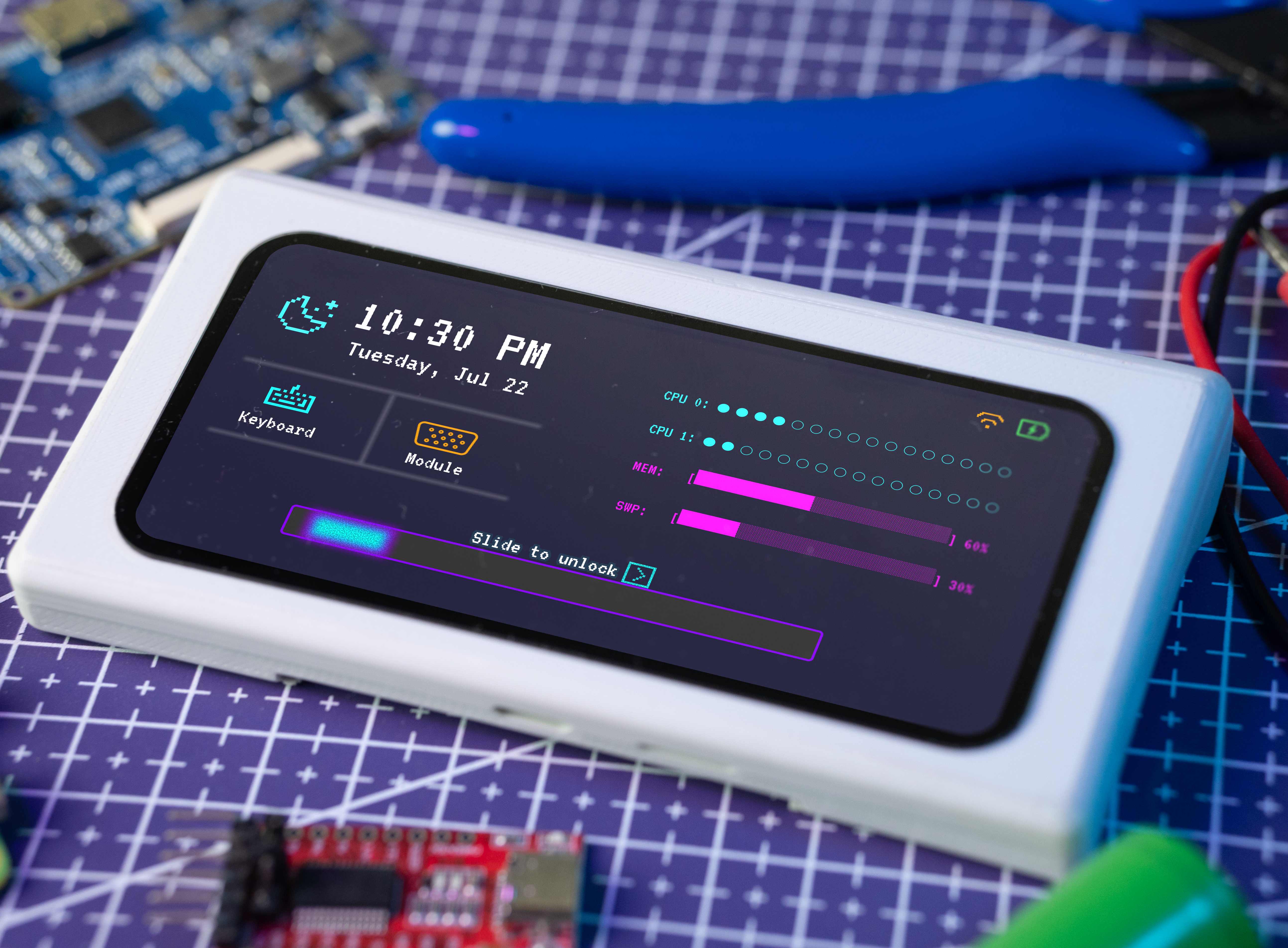
Decktrix is a compact, modular handheld cyberdeck designed to fit in your pocket. It features a universal connector that allows you to attach modules and extend its functionality.
The project is in an early development phase, so significant changes to the design and features are expected.
git submodule update --init --recursive --depth 1sudo ./build-image.sh --prefetch-debootstrapsudo ./build-image.sh --use-prefetch-debootstrapsudo dd if=deploy/sdcard.img of=<sd-card-dev> bs=8M conv=fdatasync status=progressConnect to WiFi - instructions
sudo ip addr add 192.168.0.2/24 dev eth0
sudo ip link set dev eth0 upsudo growpart /dev/mmcblk0 4
sudo resize2fs /dev/mmcblk0p4
df -hsudo apt install bluez bluez-tools
bluetoothctl
power on # in case the bluez controller power is off
agent on
scan on # wait for your device's address to show up here
scan off
trust MAC_ADDRESS
pair MAC_ADDRRESS
connect MAC_ADDRESSsudo apt install g++-arm-linux-gnueabihf
sudo apt install gcc-arm-linux-gnueabihfexport SWAYSOCK=/home/debian/sway-ipc.$(id -u).$(pgrep -x sway).sock
# horizontal orientation
swaymsg output DSI-1 transform 90
# vertical orientation
swaymsg output DSI-1 transform 0export SWAYSOCK=/home/debian/sway-ipc.$(id -u).$(pgrep -x sway).sock
swaymsg "exec /usr/bin/launcher -l -E /dev/input/by-path/platform-gpio-keys-event -A /etc/apps.toml"export SWAYSOCK=/home/debian/sway-ipc.$(id -u).$(pgrep -x sway).sock
swaymsg bar mode toggleLoad usb gadget driver on target
sudo modprobe g_ether
sudo ip link set usb0 up
On host network GUI change new usb interface IPv4 method to "Share to other computers" it will assign ip addr automatically
Setup ip address on target based on host's ip:
sudo ip addr add 10.42.0.10/24 dev usb0Add routing host ip to routing table
sudo ip route add default via 10.42.0.1 dev usb0Enable packet forwarding
sudo sysctl -w net.ipv4.ip_forward=1On target test internet connection
ping google.comsudo apt-get install gstreamer1.0-tools gstreamer1.0-plugins-base \
gstreamer1.0-plugins-good gstreamer1.0-plugins-bad \
gstreamer1.0-plugins-ugly gstreamer1.0-libav[1] https://forum.digikey.com/t/debian-getting-started-with-the-stm32mp157/12459
[2] https://github.com/cvetaevvitaliy/stm32mp1-ubuntu
[3] https://linux-sunxi.org/Debootstrap
| Qty | Value | Footprint | References |
|---|---|---|---|
| 14 | TestPoint | TestPoint:TestPoint_Pad_D1.0mm | TP1, TP2, TP3, TP4, TP5, TP6, TP7, TP8, TP9, TP10, TP11, TP12, TP13, TP14 |
| 8 | 100nF | Capacitor_SMD:C_0402_1005Metric | C9, C10, C11, C12, C13, C14, C15, C16 |
| 6 | 10k | Resistor_SMD:R_0603_1608Metric | R6, R7, R8, R9, R10, R11 |
| 5 | 0 | Resistor_SMD:R_0603_1608Metric | R1, R2, R3, R4, R5 |
| 4 | 0.47uF | Capacitor_SMD:C_0603_1608Metric | C1, C3, C4, C5 |
| 3 | 4.7uF | Capacitor_SMD:C_0603_1608Metric | C2, C6, C8 |
| 2 | FH12-30S-0.5SH_55_ | lib:HIROSE_FH12-30S-0.5SH_55_ | J2, J5 |
| 2 | TLV75801PDBV | Package_TO_SOT_SMD:SOT-23-5 | U1, U2 |
| 1 | 1-1734248-5 | lib:TE_1-1734248-5 | J4 |
| 1 | 100k | Resistor_SMD:R_0603_1608Metric | R15 |
| 1 | 160k | Resistor_SMD:R_0603_1608Metric | R13 |
| 1 | 1N5819WS | Diode_SMD:D_SOD-323 | D1 |
| 1 | 1uF | Capacitor_SMD:C_0603_1608Metric | C7 |
| 1 | 2-1734248-0 | lib:2-1734248-0 | J6 |
| 1 | 230k | Resistor_SMD:R_0603_1608Metric | R14 |
| 1 | 39k | Resistor_SMD:R_0603_1608Metric | R12 |
| 1 | 6.8 | Resistor_SMD:R_0603_1608Metric | R16 |
| 1 | Conn_01x10 | Connector_PinHeader_2.54mm:PinHeader_1x10_P2.54mm_Vertical | J1 |
| 1 | L | Inductor_SMD:L_1210_3225Metric | L1 |
| 1 | TPS61042DRBR | lib:DRB8_1P75X1P5 | U3 |
It measures 47 × 75 mm and has 4 copper layers, 1.6 mm thick.
56 parts, built around the TLV75801PDBV and 1N5819WS. The full list of its parts is on this page, with links to each part's symbol and footprint where PCBKit's library has them.
From the Decktrix-Lab/decktrix repository on GitHub, at the commit this page was made from: the board is hardware/LCD_Adapter/LCD_Adapter/LCD_Adapter.kicad_pcb and its schematic hardware/LCD_Adapter/LCD_Adapter/LCD_Adapter.kicad_sch. PCBKit opens the board in the browser, with nothing to install.
Its repository states no licence, so its author keeps all rights: ask Decktrix-Lab before reusing the design.


dev-campusfab/FabRice
Documentation et code source de FabRice, le robot Autonome.

esl-epfl/CHEEP-boards
This chewing gum board is designed to be an extended-range voltage supply + current measurement circuit, intended for connection to the main board through the male pin headers to both sides.

HayataSama/stm32f072-breakout-board
This is a breakout (development) board based on STM32F072CBT6

nthclrd/picflash
Programmeur PIC open source en Rust : remplace MPLAB IPE/XC8 pour les PIC16, pilote les PICkit 4/5/Basic ou une carte RP2040 maison (KiCad)


BroGamesJaj/jtag-ft
A simple FT2232HP board to program and debug fpgas and other jtag capable hardware.