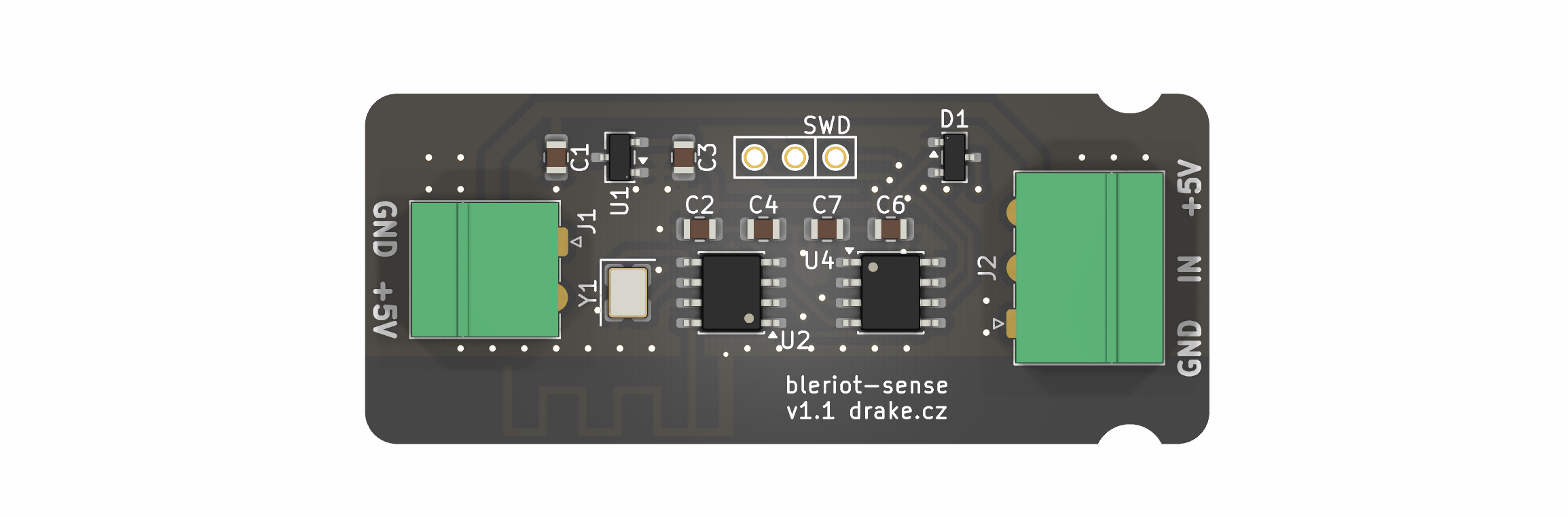
BleRiot Sense is a compact single-sensor BleRiot node built around a PY32F003L16S6TU microcontroller and a PAN2110 long-range 2.4 GHz radio. Its sensor input is configured at assembly time for one of four uses:
Bleriot sense is an open-source printed circuit board by burgrp, from the burgrp/bleriot-sense repository on GitHub. It is a 2-layer board of 55 × 22 mm with 19 parts on 13 nets, routed with 114 tracks and 68 vias.
It is built around the PAN2110P0AA, XC6206P332MR and BAT54S. Its parts include 4 capacitors, 3 ICs, 2 connectors, 2 crystals and 1 diode.
BleRiot Sense is a compact single-sensor BleRiot node built around a
PY32F003L16S6TU microcontroller and a PAN2110 long-range 2.4 GHz radio. Its
sensor input is configured at assembly time for one of four uses:
A 10 kΩ B3950 NTC thermistor.
A pulse-output flow sensor such as the YF-B10.
A pressure sensor with a driven 0.5-5 V analog output.
An externally powered DS18B20 digital thermometer.
The assembly population and the firmware mode must agree. The hardware does not
switch sensor modes electronically at runtime.
Shared KiCad symbols and footprints, included as a Git submodule
Sensor modes
Mode
Node measurement
Registry value
NTC
Averaged 12-bit ADC code
Temperature in °C
Flow
Rising-edge pulse count
Flow in L/min with host calibration, otherwise frequency in Hz; cumulative pulse count
Pressure
Averaged 12-bit ADC code
Pressure in Pa with host calibration; otherwise sensor-output voltage in V
DS18B20
Up to 20 signed Q12.4 scratchpad values
Temperature registers in °C
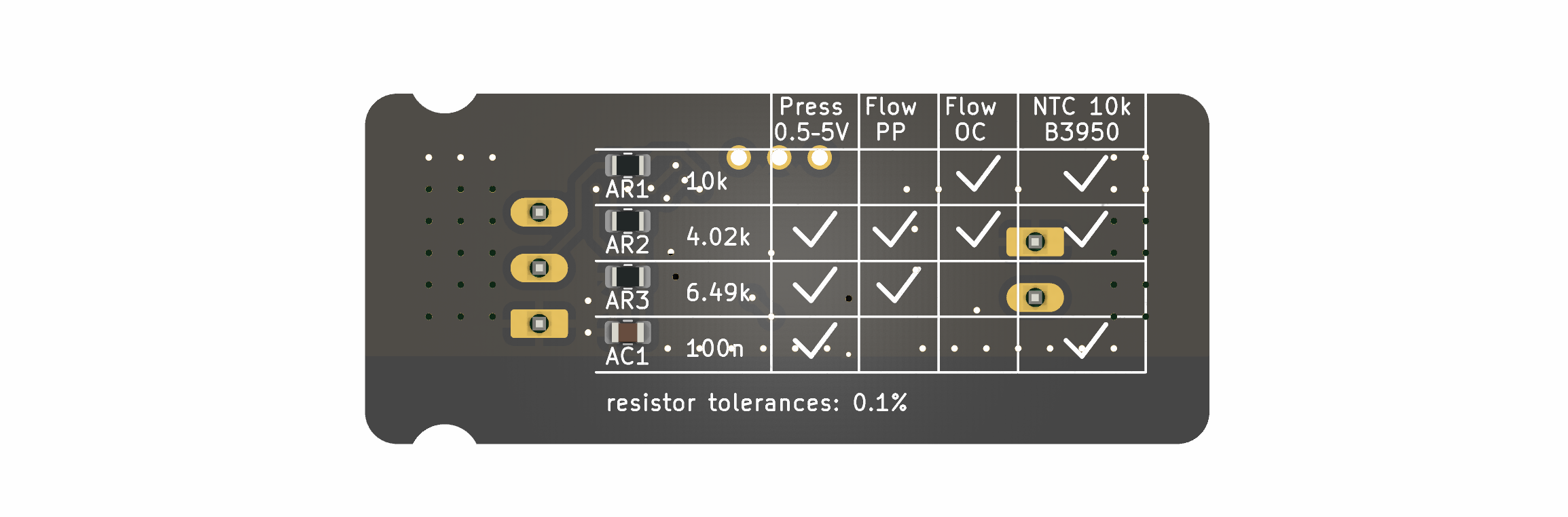
See ANALOG-INPUT.md before assembling a board. It defines
the required values for AR1, AR2, AR3, and AC1, including the two
alternative flow-sensor output circuits.
Pressure and flow transfer functions depend on the exact sensor. Without
host-only calibration, the hub exposes pressure input voltage or flow frequency.
The local inventory selects flow mode for the connected ZJ-B10, publishing
sense.flow in L/min and sense.pulses as a raw cumulative pulse count.
It provisionally retains the earlier YF-B10 formula F = 6Q - 8; calibration
against the ZJ-B10 is deferred. No pulses means zero flow. The external AR1
pull-up has been verified with an oscilloscope to produce clean 3.3 V pulses.
See the
firmware configuration for the calibration fields.
Firmware status
fw targets the PY32F003L16S6TU and uses PA0 for
the universal sensor input. The NTC path has been verified end to end on
hardware through the ADC, PAN2110 radio, MCP2210 hub dongle, BleRiot hub,
conversion layer, and Registry. The single-sensor DS18B20 path has also been
verified end to end through its 1-Wire bus and the same radio/Registry path;
multidrop behavior still requires hardware validation. Flow and pressure support build and have
host-side conversion coverage but still require mode-specific hardware tests.
DS18B20 firmware prints discovered ROM IDs over RTT at boot. A single sensor
needs no configured ID; multidrop inventories map each temperature register to
an explicit ID. See the firmware README for configuration and timing details.
The upstream TinyGo py32f003x6 target provides the required 1 KiB system
stack. The firmware runs without a task scheduler. See the firmware README for
pin assignments, first-boot option-byte handling, configuration, and memory
constraints.
Getting started
Initialize the shared KiCad library after cloning:
sh
git submodule update --init --recursive
Open the hardware project in KiCad:
sh
kicad board/bleriot-sense.kicad_pro
Configure sensorMode in
fw/cmd/dev/main.go, then test and build the firmware:
sh
go -C fw test ./...
go -C fw run ./cmd/dev node build --name sense
Flash with a supported SWD probe:
sh
go -C fw run ./cmd/dev node build --name sense --flash --rtt
With a Registry server running, start the hub in a separate terminal:
sh
go -C fw run ./cmd/dev hub --registry http://localhost:8080 --diagnostics rf
For an NTC-configured node, read live temperatures:
bash
export REGISTRY=http://localhost:8080
reg get sense.temperature --stay
Toolchain
KiCad 10 for the hardware projects.
Go 1.25.2 or newer for the firmware inventory, generator, tests, and hub.
TinyGo with the Puya py32f003x6 target.
pyOCD with the Puya CMSIS pack and a supported SWD probe.
An MCP2210/PAN2110 BleRiot hub dongle for RF operation.
BleRiot is a compact request/response protocol for reading and writing named integer registers on low-power RF nodes. A Linux hub polls the nodes and bridges their registers to an external Registry service.
CPG is a mains-powered BleRiot node for controlling a circulation pump and a motorized 3-way or 4-way valve in floor-heating and radiator-heating circuits.
REG6 is a six-channel solid-state-relay controller built around a PY32F030 and PAN2110. This repository contains the KiCad hardware and a standalone TinyGo/BleRiot module under fw/ that exposes one integer percentage…
It measures 55 × 22 mm and has 2 copper layers, 1.6 mm thick.
What parts does the Bleriot sense use?
19 parts, built around the PAN2110P0AA, XC6206P332MR and BAT54S. The full list of its parts is on this page, with links to each part's symbol and footprint where PCBKit's library has them.
Where can I download the Bleriot sense KiCad files?
From the burgrp/bleriot-sense repository on GitHub, at the commit this page was made from: the board is board/bleriot-sense.kicad_pcb and its schematic board/bleriot-sense.kicad_sch. PCBKit opens the board in the browser, with nothing to install.
Can I use the Bleriot sense design in my own project?
Its repository states no licence, so its author keeps all rights: ask burgrp before reusing the design.