2 layers47.6 × 27.3 mm
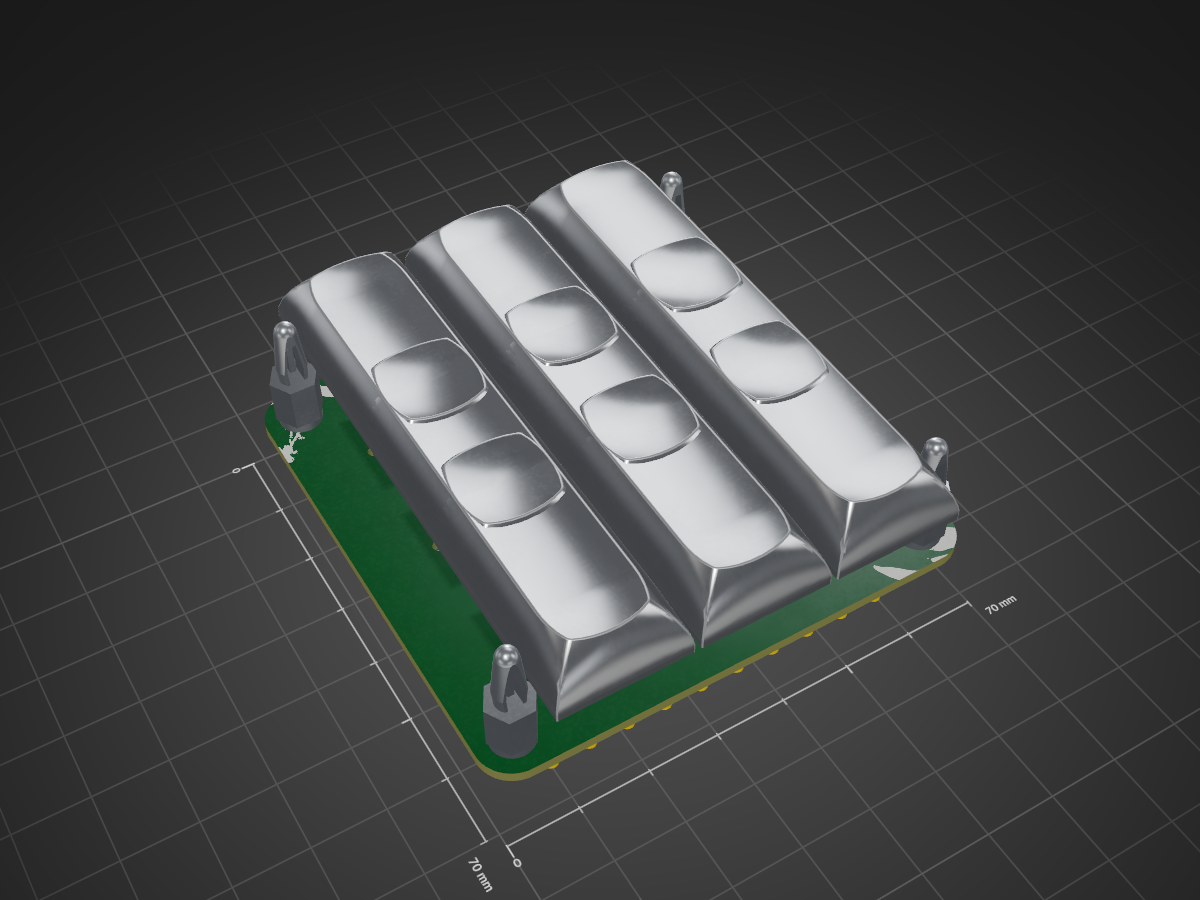
 BergerAPI/macropad
Macropad Build files as presented in an associated video
Macropad breakout is an open-source printed circuit board by BergerAPI, from the BergerAPI/macropad repository on GitHub, published under the GPL-3.0 licence. It is a 2-layer board of 70 × 70 mm with 27 parts on 10 nets, routed with 61 tracks and 4 vias.
It belongs with the keyboards and input and interfaces and adapters boards of this library.
This project demonstrates how to build a simple macropad powered by a microcontroller using the same chip as the Raspberry Pi Pico (RP2040). You can use the files here to 3D print, assemble, and program your own version!
The video of the project was recorded using a custom microcontroller, which is not yet publicly available. However, you can safely use a Raspberry Pi Pico instead — it uses the same RP2040 chip, so all firmware and pinouts should work with minimal or no changes.
The included 3D model files are provided as-is. Before printing, you must adjust them to include proper tolerances (fit clearance) for your printer and switches — otherwise, parts may fit too tightly or loosely.
Optional:
⚠️ Note: The Raspberry Pi Pico does not have built-in EEPROM, so this functionality will be unavailable unless you add one externally.
Feel free to play with the provided files and change them to your liking - I even encourage it.
| Qty | Value | Footprint | References |
|---|---|---|---|
| 10 | Conn_01x01_Pin | TestPoint:TestPoint_Pad_4.0x4.0mm | J1, J2, J3, J4, J5, J6, J7, J8, J9, J10 |
| 9 | MX_SW_solder | PCM_marbastlib-mx:SW_MX_1u | MX1, MX2, MX3, MX4, MX5, MX6, MX7, MX8, MX9 |
| 4 | MountingHole | MountingHole:MountingHole_3mm | H1, H2, H3, H4 |
| 1 | LOGO | Graphics:test | G*** |
The 24 most common of 27 parts.
It measures 70 × 70 mm and has 2 copper layers, 1.6 mm thick.
27 parts. The full list of its parts is on this page, with links to each part's symbol and footprint where PCBKit's library has them.
From the BergerAPI/macropad repository on GitHub, at the commit this page was made from: the board is macropad_breakout.kicad_pcb and its schematic macropad_breakout.kicad_sch. PCBKit opens the board in the browser, with nothing to install.
Its repository publishes it under the GPL-3.0 licence: you may reuse it on that licence's terms (keep the author's notice, and for a copyleft licence share your changes alike).

hackclub/OnBoard
💡 Join 1,000 teenagers and make your first PCB with a $100 grant!


CRImier/MyKiCad
My KiCad boards. Can't be bothered uploading individually anymore, so here you go.

pjgpetecodes/pico-streamdeck
This project is an OBS Controller using a Raspberry Pi Pico and CircuitPython.

freeDSP/freeDSP-aurora
freeDSP ADAU1452 with 8 analog input, 8 analog outputs, S/P-DIF I/O, ADAT I/O, USB Audio Class2, WiFi, Bluetooth

ugcs/ddc
Drone Show Software is software designed for drone shows, allowing flight path planning as well as control of dozens of drones simultaneously in a synchronized manner.