4 layers100 × 100 mm
SDR board
BillyWoods/Narrowband-SDR
A four-channel narrowband SDR receiver based around the Mirics MSi001, MAX11131 and FX2LP.
467 parts16

 ataradov/usb-sniffer1.3k
Low-cost LS/FS/HS USB sniffer with Wireshark interface
Usb sniffer is an open-source printed circuit board by ataradov, from the ataradov/usb-sniffer repository on GitHub, published under the BSD-3-Clause licence. It is a 2-layer board of 58.2 × 38.1 mm with 87 parts on 124 nets, routed with 601 tracks and 220 vias.
It is built around the CY7C68013A-56PVXC, LCMXO2-2000HC-5TG100C and USB3343-CP, with the MAX9032AKA+T, 24LC128-I/P and DSC6101CI2A-024.0000 among its other parts. Its parts include 31 capacitors, 19 resistors, 10 ICs, 7 diodes and 5 connectors. It belongs with the FPGA and CPLD boards of this library.


This sniffer can be used standalone from a command line or as a plugin for Wireshark with direct control from the UI.
Either way, the capture is saved in a standard PcapNG format.
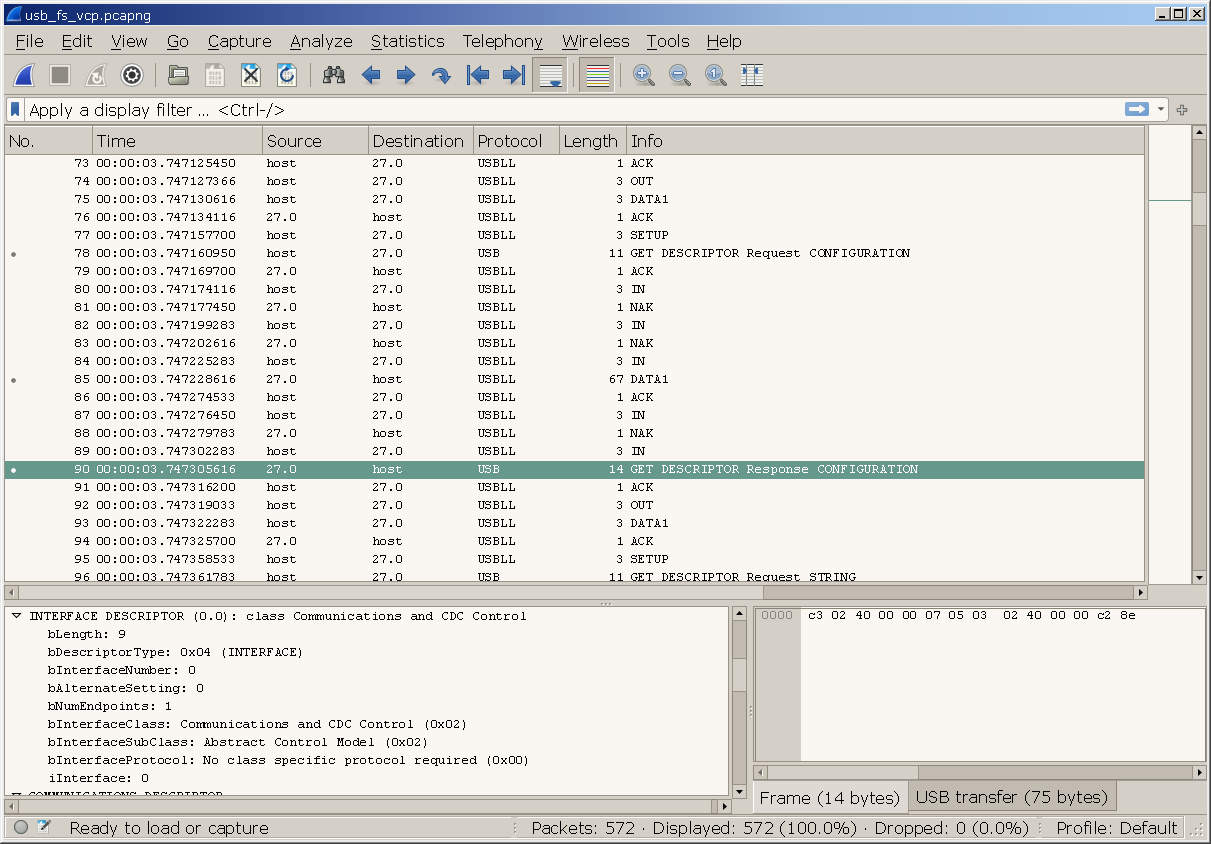
Here are some example capture files:
Note: You will need a recent version of Wireshark (v4.x.x). Older versions may not be able to decode USB payload, but should still show the raw data.
The sniffer is based around Cypress CY7C68013A MCU, Lattice LCMXO2 FPGA, and Microchip USB3343 USB PHY.
Prices and availability of ICs vary, but the total BOM should be less than $50.
LCMXO2-2000HC speed grades 5 and 6 were tested and the provided JED file was built for the speed grade 5, so it should work for both. Speed grade 4 is too slow and does not meet timing requirements.
Caution: Do not buy CY7C68013A from eBay or AliExpress, they all are either fake or sketchy in some way. This IC can be quite expensive from regular suppliers, but LCSC is a legitimate supplier and they often have it at much cheaper prices.
PCBs can be ordered from OSH Park or any other PCB manufacturer, gerber files are provided.
There are also STL files for the case.
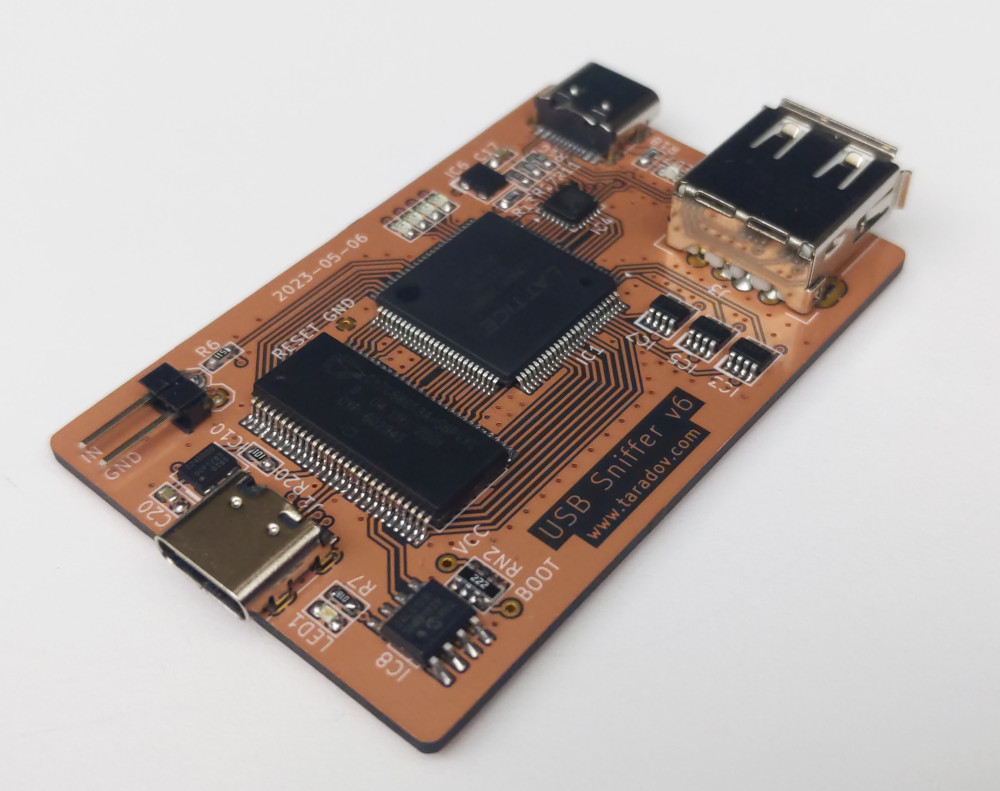
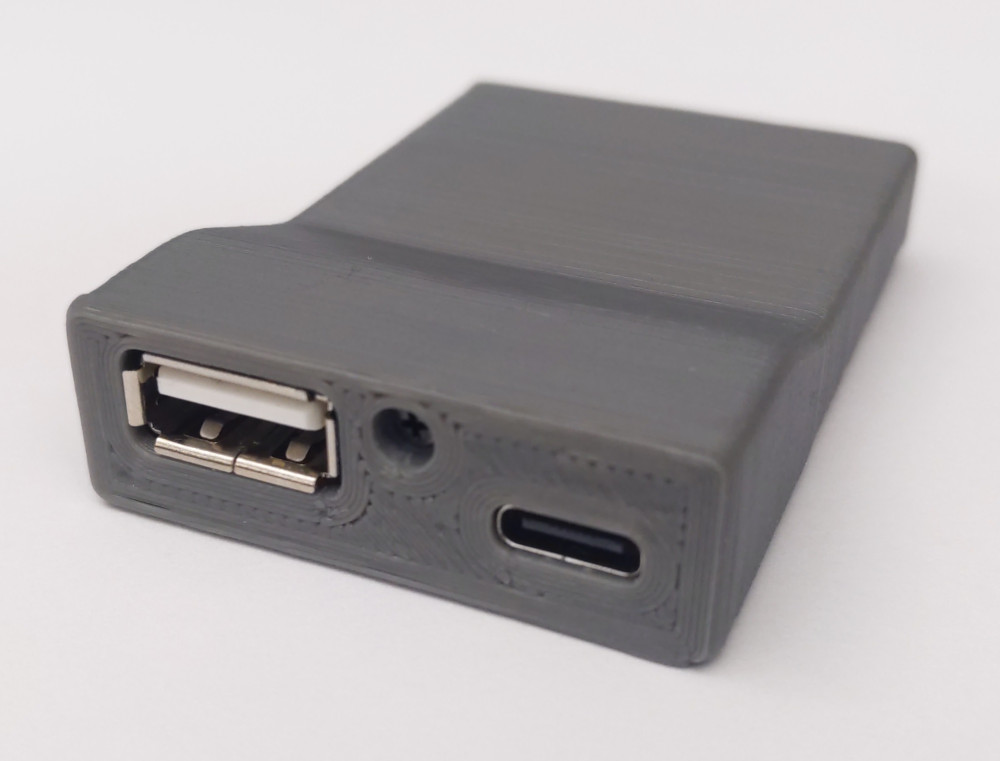
This hardware does not require external programmers, both MCU and FPGA are programmed using a USB interface.
When a board with a blank EEPROM is connected, it would enumerate as an unconfigured FX2LP device.
Note: on Windows blank FX2LP will enumerate as an unknown USB device. Use supplied dummy INF file as a driver. It will associate blank FX2LP device with a generic WinUSB driver, so it would be recognized by the tools. Once the firmware runs, it would supply necessary descripptors automatically.
Note: on Linux copy 90-usb-sniffer.rules to /etc/udev/rules.d to set the permissions to access the device under a regular user.
The first step is to load the firmware into the MCU SRAM:
./usb_sniffer --mcu-sram usb_sniffer.binThe device would reset and enumerate as a USB Sniffer with a dummy serial number. After that, program the EEPROM:
./usb_sniffer --mcu-eeprom usb_sniffer.binAfter resetting or power cycling, the device would enumerate as a USB Sniffer with a real serial number. The serial number is derived from the FPGA unique identifier, so if this step succeeds, it means that FPGA is also functional.
After that program the FPGA flash:
./usb_sniffer --fpga-flash usb_sniffer_impl.jedMCU EEPROM can be reprogrammed at any time as long as it is running valid firmware.
In case the firmware gets corrupted, it is possible to run the MCU in the unconfigured mode by shorting BOOT and VCC test points (located near the EEPROM IC on the board) and resetting the device. You would need to repeat both steps for programming the MCU firmware to recover it to the working state.
The functionality and performance of the MCU and FPGA connection can be tested using the following command:
./usb_sniffer --testYou should be getting 40-50 MB/s. If the speed is significantly slower, connect the sniffer directly into the root USB port without intermediate hubs.
It is a good idea to run this test after significant changes to the hardware setup.
Pre-built binaries are provided for Linux and Windows.
To use with Wireshark, copy the file into the extcap plugin directory. Typical
locations are ~/.local/lib/wireshark/extcap on Linux, and
C:/Users/<user>/AppData/Roaming/Wireshark/extcap/ on Windows. The exact location is
provided in the Help -> About Wireshark -> Folders -> Personal Extcap path.
For Linux, make sure that the binary file has an executable attribute set.
After installation, refresh the list of interfaces in Wireshark and you should see "USB Sniffer" as one of the interfaces:
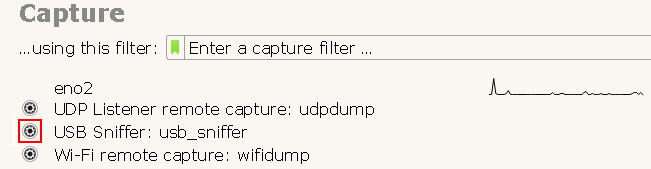
The settings icon next to the interface name (highlighted in red) will bring up the settings dialog:
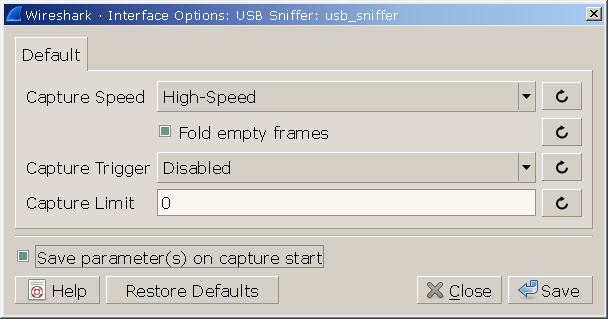
Here you can configure the capture speed, empty frame folding, trigger type and limit the number of the captured packets (0 for unlimited).
After interface is configured, start and stop the capture as with any other interface.
| Qty | Value | Footprint | References |
|---|---|---|---|
| 24 | 100nF | ataradov_smd:0603 | C1, C2, C11, C12, C13, C16, C17, C18, C19, C20, C22, C23, C24, C25, C26, C27 +8 |
| 8 | ataradov_misc:TestPoint-1.27mm-Small | TP1, TP2, TP3, TP4, TP5, TP6, TP7, TP8 | |
| 7 | 10K | ataradov_smd:0603 | R3, R7, R12, R13, R18, R19, R21 |
| 4 | 2.2uF | ataradov_smd:0603 | C14, C15, C30, C31 |
| 4 | 5.1K | ataradov_smd:0603 | R1, R2, R4, R5 |
| 4 | Orange | ataradov_smd:0603 | LED2, LED3, LED4, LED5 |
| 3 | MAX9032AKA+T | ataradov_ic:SOT-23-8 | IC3, IC5, IC7 |
| 2 | 100 | ataradov_smd:0603 | R17, R20 |
| 2 | 1uF | ataradov_smd:0603 | C9, C10 |
| 2 | 2.2K | ataradov_smd:0603x4 | RN1, RN2 |
| 2 | 4.7K | ataradov_smd:0603 | R15, R16 |
| 2 | USB-C | ataradov_conn:USB-C | J1, J2 |
| 1 | 10uF | ataradov_smd:0603 | C21 |
| 1 | 20K | ataradov_smd:0603 | R10 |
| 1 | 24LC128 | ataradov_ic:SO-8 | IC8 |
| 1 | 33K | ataradov_smd:0603 | R14 |
| 1 | 510 | ataradov_smd:0603 | R6 |
| 1 | 8.06K | ataradov_smd:0603 | R11 |
| 1 | BAT54S | ataradov_ic:SOT-23 | D1 |
| 1 | BOOT | ataradov_misc:TestPoint-1.27mm | TP10 |
| 1 | CY7C68013A-56PVXC | ataradov_ic:SSOP-56-0.635mm | IC9 |
| 1 | DSC6101CI2A-024.0000 | ataradov_ic:CDFN-4-3.2x2.5mm | IC10 |
| 1 | DSC6101CI2A-026.0000 | ataradov_ic:CDFN-4-3.2x2.5mm | IC6 |
| 1 | GND | ataradov_misc:TestPoint-1.27mm | TP12 |
| 1 | GND | ataradov_conn:Pin-2.54mm | J5 |
| 1 | Green | ataradov_smd:0603 | LED1 |
| 1 | IN | ataradov_conn:Pin-2.54mm | J4 |
| 1 | LCMXO2-2000HC-5TG100 | ataradov_ic:TQFP-100-0.5mm | IC1 |
| 1 | Logo | ataradov_misc:Logo-Small | Logo1 |
| 1 | MIC5504-3.3v | ataradov_ic:SOT-23-5 | IC2 |
| 1 | RESET | ataradov_misc:TestPoint-1.27mm | TP11 |
| 1 | USB-A | ataradov_conn:USB-A-Slots | J3 |
| 1 | USB3343 | ataradov_ic:QFN-24-0.5mm | IC4 |
| 1 | VCC | ataradov_misc:TestPoint-1.27mm | TP9 |
| 1 | Yellow | ataradov_smd:0603 | LED7 |
BillyWoods/Narrowband-SDR
A four-channel narrowband SDR receiver based around the Mirics MSi001, MAX11131 and FX2LP.

randomplum/autoliv_nv3_uvc
Adapter for the Autoliv NV3 sensor providing USB video device class output


OutBlade/s6la8
Open-source 8-channel logic analyzer: FX2LP + Spartan-6, with a sigrok driver. Design in progress, not yet built or tested.

RGVID-EU/RoboRG-EDA
Camera motion control automation for RG: Schematics & PCB

StoneRose35/cortexguitarfx
guitar effects processor implemented on various arm cortex platforms


It measures 58.2 × 38.1 mm and has 2 copper layers, 1.6 mm thick.
87 parts, built around the CY7C68013A-56PVXC, LCMXO2-2000HC-5TG100C, USB3343-CP and MAX9032AKA+T. The full list of its parts is on this page, with links to each part's symbol and footprint where PCBKit's library has them.
From the ataradov/usb-sniffer repository on GitHub, at the commit this page was made from: the board is hardware/usb-sniffer.kicad_pcb and its schematic hardware/host-usb.kicad_sch. PCBKit opens the board in the browser, with nothing to install.
Its repository publishes it under the BSD-3-Clause licence: you may reuse it on that licence's terms (keep the author's notice, and for a copyleft licence share your changes alike).