
2 layers32 × 61.5 mm

 asterics/FLipMouse44
The repository for FLipMouse (Finger and LipMouse)
Sensorboard DPS310 is an open-source printed circuit board by asterics, from the asterics/FLipMouse repository on GitHub. It is a 2-layer board of 15 × 16.5 mm with 12 parts on 7 nets, routed with 63 tracks and 18 vias.
It is built around the DPS310. Its parts include 5 connectors, 3 capacitors, 2 resistors and 1 IC. It belongs with the keyboards and input boards of this library.
The FLipMouse (a.k.a. Finger- and Lipmouse) is a replacement for a normal PC mouse / keyboard / joystick. Instead of moving the mouse device with your hand and clicking with your fingers, the FlipMouse can be controlled by applying very low forces to the mouthpiece (joystick) with your lips, fingers or other body parts. The clicking functionality can be accomplished by sip- and puff-activities into the mouthpiece or via external switches. All settings and functions of the FlipMouse can be tailored to specific user capabilities or needs. Multiple settings can be stored into the device and changed via desired user actions. Additional features like built-in environmental control via infrared, optional bluetooth-add-on module for controlling smartphones/tablets or complete software-based control of all functions via serial command interface make the FlipMouse one of the most flexible alternative input devices available today.
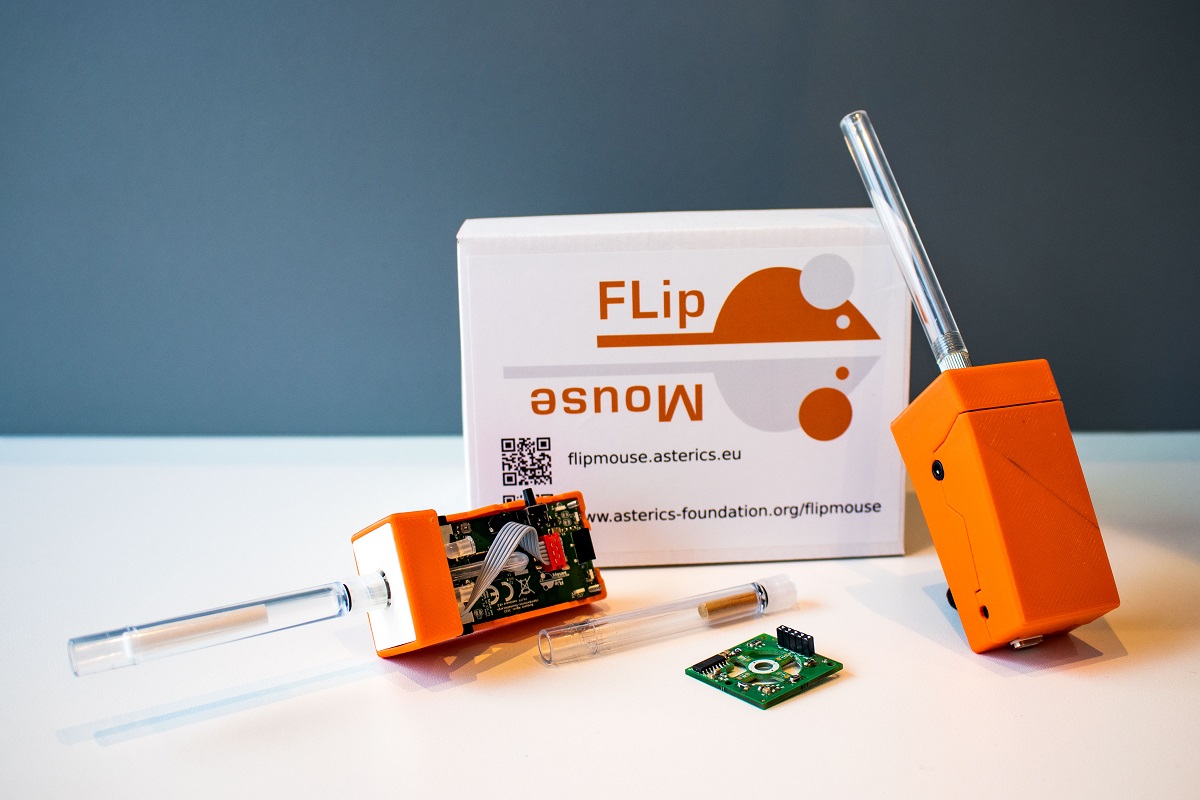
The FlipMouse might be used as a full replacement of standard computer input devices and can also be used for accessing smartphones or tablets (via the standard HID support or accessibility features). It can be useful for people with motor disablities, computer gamers, musicians or people who want a hands-free computer access for other purposes.
Our goal is to provide an affordable DIY-solution for everybody who wants to use a PC or smartphone with non-standard interaction methods.
Please note: There are different versions of the FLipmouse hardware and software! This Github repository refers to the current Version 3. If you are looking for Version 2, use this repository: FLipmouse V2.
The official FlipMouse DIY kit is available for purchase via https://asterics-foundation.org. We provide a Construction Manual which shows how to assemble the kit. In case you want to buy the components from other sources, a full part list is available in folder Hardware. The design files for the enclosure can be found in folder Hardware/case-design. The PCB designs (schematic and layout) have been made with KiCad and are available in folder Hardware/PCB-design
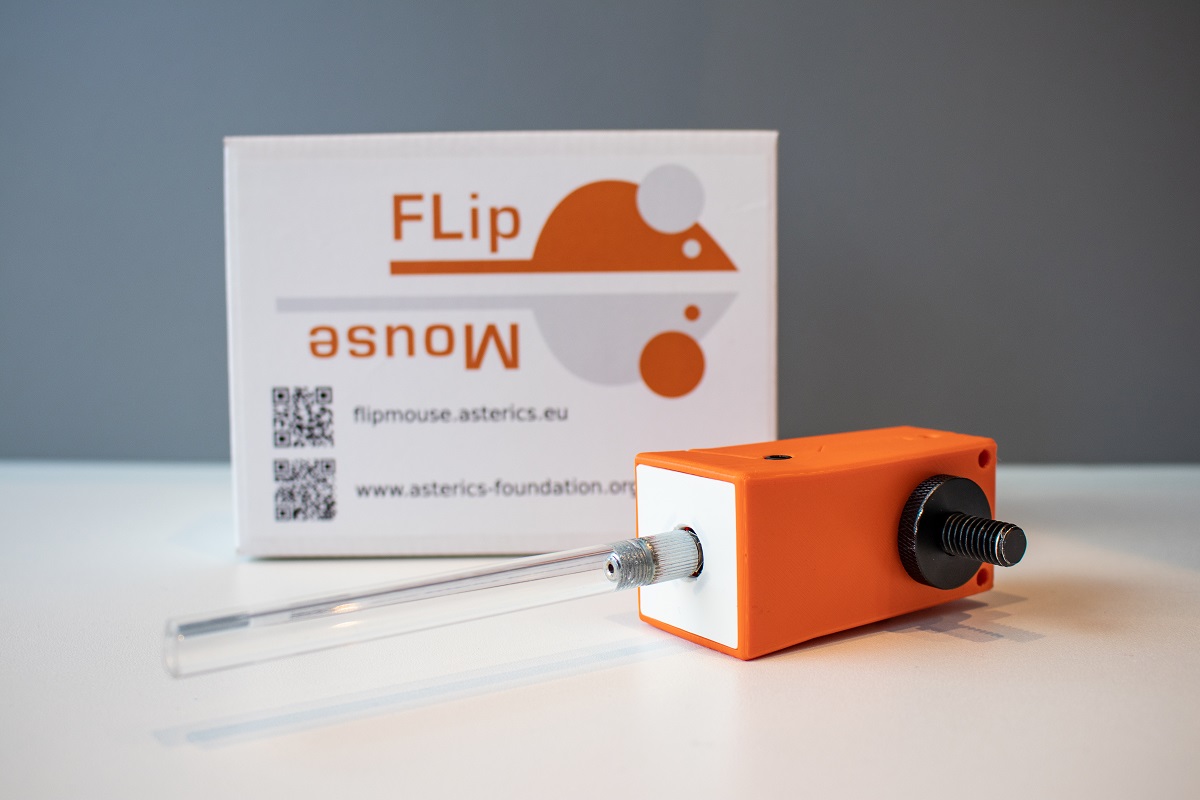
The FLipMouse uses an Arduino Nano RP2040 Connect microcontroller (ARM CortexM0+ architecture) as main module. Movements of the mouthpiece are measured via Strain Gauges (DMS), which detect small forces applied to the mouthpiece / joystick. The sip/puff actions are detected by a pressure sensor. Via two 3.5mm jack plugs, external momentary switches can be connected. From all these user inputs, desired actions can be assigned via the FlipMouse WebGUI, for example mouse/keyboard or joystick actions via USB HID. Via bluetooth, BT-enabled devices can be paired and mouse/keyboard functions can be used wirelessly. Furthermore, an IR-receiver module and a IR-LED allow recording and replay of arbitrary infrared remote control commands.
The FLipMouse firmware is based on the Arduino framework. The firmware implements a composite USB HID device (mouse, keyboard, joystick and a serial port in one device). The mouse and keyboard device classes are used to transmit different keys or mouse actions to the host device. The serial port is used configure the FLipMouse (or even use it as a mouse simulator via AT commands). Multiple configuration settings can be saved (stored in an EEPROM module) and changed via desired user actions. Since Version v3.7, the firmware development for the FlipMouse (and our other alternative input devices) happens in a dedicated repository, see FabiWare. All firmware versions until v3.6.2 can be found in this repository by browsing the release section or by using the desired tags. For information about (modifying) the older FLipMouse V2 firmware (for the TeensyLC microcontroller), see https://github.com/asterics/FLipMouse/wiki/dev-firmware Please note the COM-Port installation instructions for older Windows systems (Win7/8) here.
All settings of the FLipMouse can be changed via the FlipMouse Configuration manager
Using the configuration manager in the Chrome/Edge web browser, you can assign different actions to all hardware inputs of the FLipMouse (mouthpiece, sip and puff, external buttons,...).
The Configuration manager can also be used to update the firmware of the FlipMouse and the optional Bluetooth module.
More Information can be found in the user manual: user manual (english version), user manual (german version).
IMPORTANT: If the mouthpiece is exposed to saliva, please clean/replace the mouthpiece (or its filter) on a regular basis, see Safety Instructions
Most of this work has been accomplished at the UAS Technikum Wien in course of the R&D-projects ToRaDes (MA23 project 18-04), WBT (MA23 project 26-02) and InDiKo (MA23 project 38-09), which have been supported by the City of Vienna.
Have a look at the AsTeRICS Foundation homepage for applications and our other Open Source projects:
Please support the development of Open Source Assistive Technology projects by donating to the AsTeRICS Foundation:


| Qty | Value | Footprint | References |
|---|---|---|---|
| 5 | Conn_01x01 | pad:edge_pin | J1, J2, J3, J4, J5 |
| 2 | 100n | Capacitor_SMD:C_0603_1608Metric | C2, C3 |
| 1 | 10k | Resistor_SMD:R_0603_1608Metric_Pad0.98x0.95mm_HandSolder | R1 |
| 1 | 10k | Resistor_SMD:R_0603_1608Metric_Pad0.98x0.95mm_HandSolder | R2 |
| 1 | 1u | Capacitor_SMD:C_0603_1608Metric | C1 |
| 1 | DPS310 | Package_LGA:Bosch_LGA-8_2x2.5mm_P0.65mm_ClockwisePinNumbering | U2 |
| 1 | TestPoint | TestPoint:TestPoint_Pad_D1.0mm | TP1 |
It measures 15 × 16.5 mm and has 2 copper layers, 1.6 mm thick.
12 parts, built around the DPS310. The full list of its parts is on this page, with links to each part's symbol and footprint where PCBKit's library has them.
From the asterics/FLipMouse repository on GitHub, at the commit this page was made from: the board is Hardware/PCB-design/sensorboard_DPS310/sensorboard_DPS310.kicad_pcb and its schematic Hardware/PCB-design/mainboard/FM3_mainboard.kicad_sch. PCBKit opens the board in the browser, with nothing to install.
Its repository states no licence, so its author keeps all rights: ask asterics before reusing the design.


QuickLogic-Corp/quick-feather-dev-board
100% open source dev kit for EOS S3 MCU+eFPGA SoC supported by fully open source SDK and FPGA Toolchain

BryanSouza91/WingFC
WingFC is an open-source embedded flight controller for sub-250g fixed-wing aircraft, built with TinyGo. It provides stabilization, mixing, and safety features for elevon-equipped models, with a focus on reliability and…


nasheed-x/aether
Aether is a versatile flight computer for testing flight hardware and software, focusing on sensor fusion to monitor rocket states and interface with on-board systems.

MarcFinns/AirSensor-for-HomeAssistant
AirSensor for HomeAssistant (hardware and software)

antmicro/quickfeather-dev-board
This project contains open hardware design files for the QuickFeather development board based on the QuickLogic EOS S3 Sensor Processing Platform.

opendata-nuernberg/open-sensor-platform
Hardware Designs and Firmware of the Open Sensor Platform
