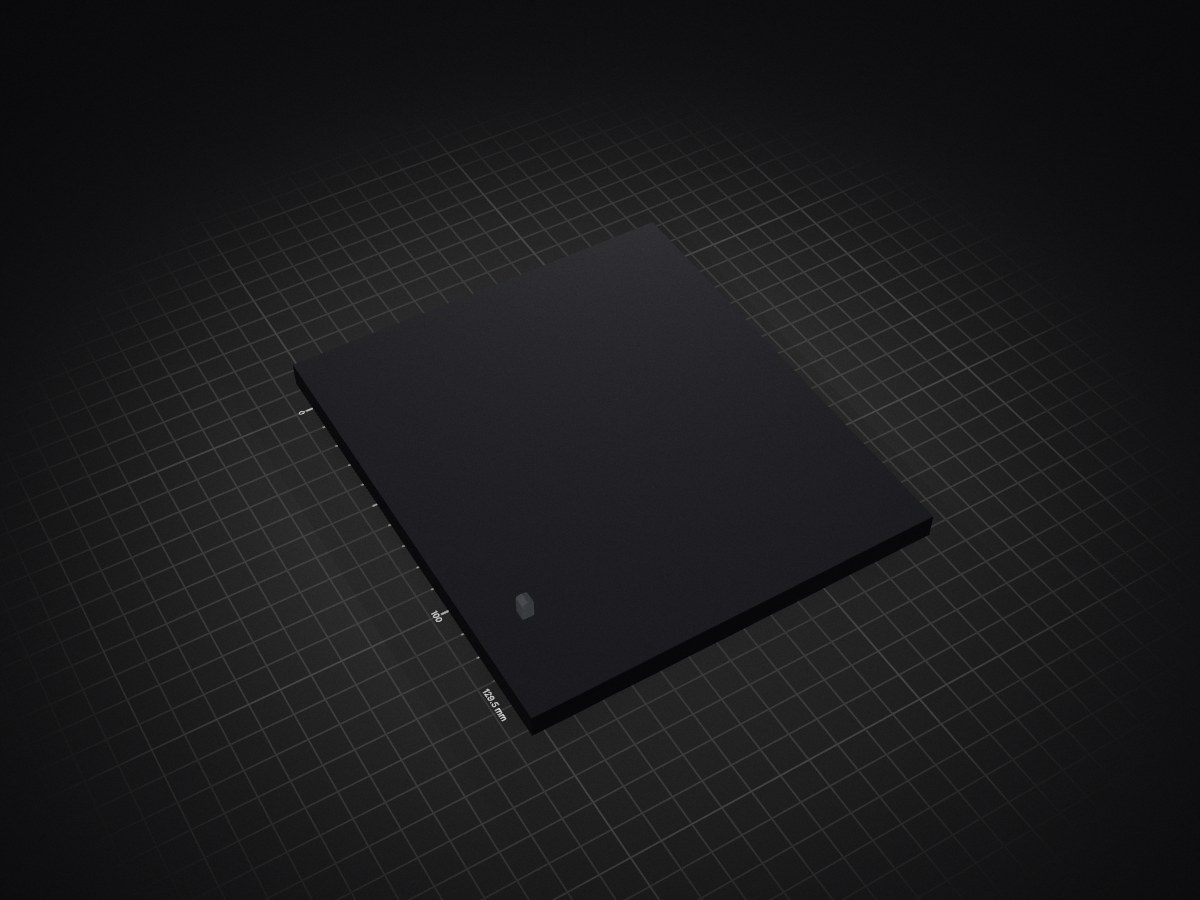
2 layers115 × 94 mm
ECE445L Lab7
andyMath7745/JustDance-TinyML-Embedded
Inspired by the game Just Dance, a DIY Embedded System to classify user gestures and simulate 2-player gameplay
18 parts
 andyMath7745/JustDance-TinyML-Embedded
Inspired by the game Just Dance, a DIY Embedded System to classify user gestures and simulate 2-player gameplay
ECE445L RSLK V2 is an open-source printed circuit board by andyMath7745, from the andyMath7745/JustDance-TinyML-Embedded repository on GitHub. It is a 2-layer board of 128.3 × 129.5 mm with 71 parts on 68 nets, routed with 421 tracks and 54 vias.
It is built around the GP2Y0A41SK0F and 500SSP1S2M2QEA. Its parts include 14 connectors, 9 capacitors, 8 resistors, 4 ICs and 1 diode.
I built this project as a real-time embedded gesture-recognition system with a custom PCB using TM4C123 microcontrollers, LSM6DSOX IMUs, ESP8266 wireless communication, and fixed-point TinyML inference.
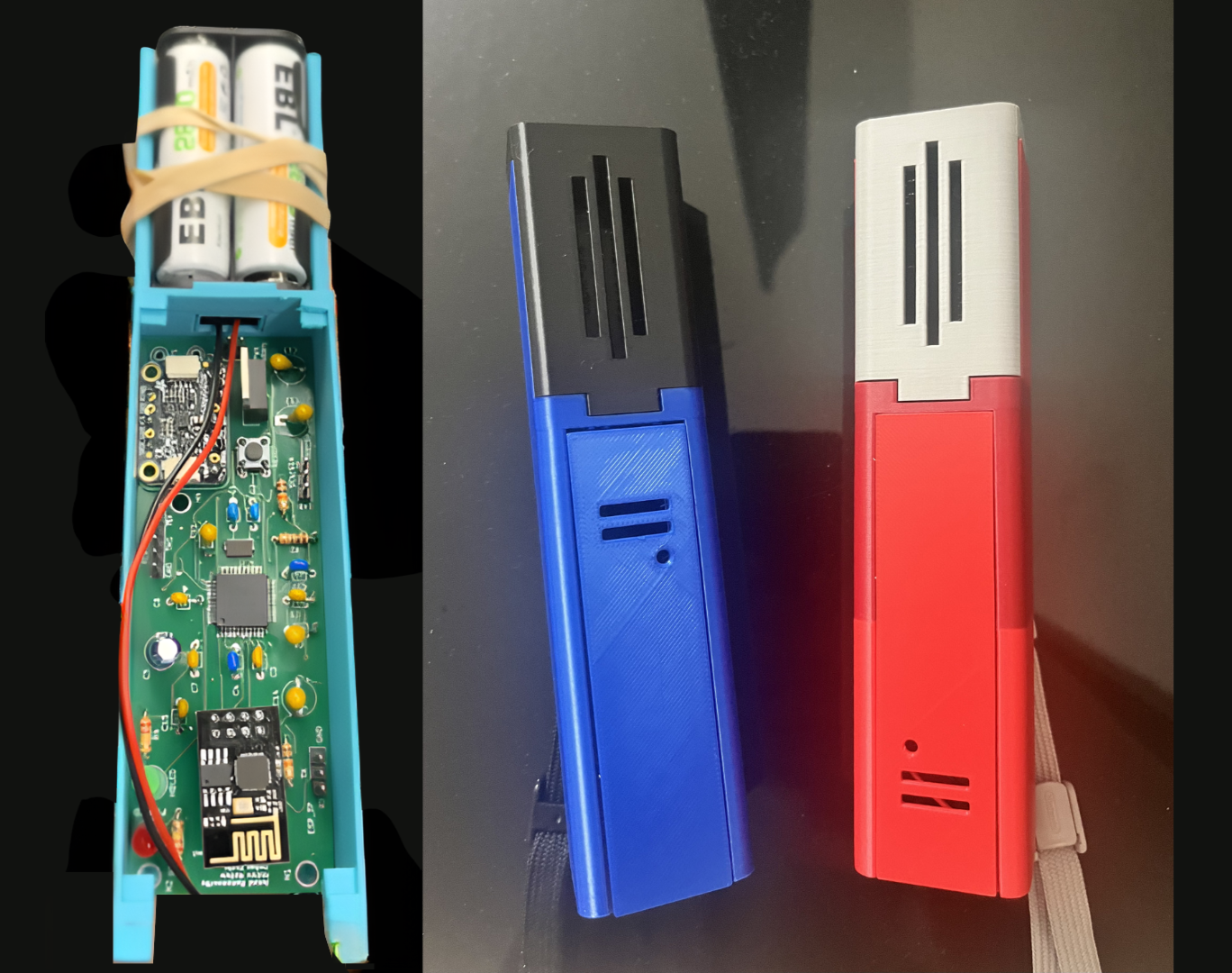
Custom PCB and handheld controller modules used in the embedded gesture classification system
The system captures motion from handheld controller modules, segments raw IMU data into meaningful gesture windows, extracts engineered features, runs lightweight classifiers directly on-device, and streams results to a central hub and host display. The full pipeline runs on embedded hardware rather than relying on a PC for inference.
My goal with this project was to design a complete embedded system capable of classifying human motion under tight hardware constraints.
Each controller:
A central hub coordinates timing, aggregates controller outputs over ESP8266, and forwards results to a PC over UART for visualization.
SEG and DETECT)Controller Modules (TM4C + IMU)
↓
Sensor processing + segmentation
↓
Feature extraction (32 features)
↓
TinyML / rule-based classification
↓
ESP8266 wireless messages
↓
Central Hub (TM4C)
↓
UART output
↓
Host PC (Python visualization/logging)A key design decision I made was to keep all classification on the embedded controllers. The PC is only used for visualization and logging, not inference.
sw/
  sw_Player1_Controller/   → Controller firmware
  sw_Player2_Controller/   → Second controller firmware
  sw_Audio/                → Central hub firmware
  sw_Display/              → Python host interface

hw/                        → KiCad hardware design files
Resources/ → Datasheets and referencessw_Player1_Controller/src/Lab1.csw_Player2_Controller/sw/src/Lab1.csw_Audio/sw/src_latest/Lab5.cEach controller runs a full embedded ML pipeline:
IMU read
→ axis remap
→ filtering
→ calibration
→ segmentation
→ feature extraction
→ classification
→ outputI read accelerometer and gyroscope data over I2C and remap axes into a consistent real-world coordinate system:
IRL X = sensor Y
IRL Y = sensor Z
IRL Z = sensor X At startup, I run a strict 5000 ms calibration phase using timer-based scheduling. This avoids drift and ensures stable baseline values for bias and gravity compensation.
I use Timer0A as a free-running hardware timer and schedule all sampling relative to time instead of loop delays. This keeps behavior deterministic even with UART output or I2C latency.
I designed a segmentation engine that detects meaningful motion using:
Each gesture can override segmentation parameters, which makes the system flexible across very different motion types.
For each segment, I compute 32 engineered features describing motion shape and intensity.
Examples include:
Instead of feeding raw time-series data into a large model, I compress each gesture into a compact feature vector to stay within embedded constraints.
I implemented small neural networks directly in firmware using fixed-point math.
Typical structure:
16 inputs → 3 hidden (ReLU) → 1 outputAll weights, biases, and normalization parameters are stored as scaled integers. This avoids floating-point overhead and keeps inference fast and deterministic.
Some gestures use ML models, while others use rule-based scoring depending on how well they can be defined analytically.
The system outputs structured UART messages:
SEG,<MOVE>,<32 values>DETECT,<MOVE>,<score>I use SEG for debugging/training and DETECT as the final classification output.
Instead of classifying every segment independently, I accumulate scores across a gesture window and only output a final detection after enough evidence is collected.
This significantly reduces noise and false positives.
The hub is another TM4C system that:
I wrote a Python interface using:
pyserial for communicationtkinter for UIopencv / Pillow for visualizationThis layer is purely for monitoring—the embedded system performs all classification.
This system is built on:
All hardware files are included in the hw/ directory.
This project combines:
The most important aspect is that the entire ML pipeline runs on-device, making it a true embedded TinyML system rather than a PC-based demo.
This is a working embedded system prototype with real-time gesture classification, multi-device coordination, and on-device ML inference. The core pipeline is fully implemented and functional on embedded hardware.
| Qty | Value | Footprint | References |
|---|---|---|---|
| 21 | ~ | RSLK2:MountingHole_4_40 | H1, H2, H3, H4, H10, H11, H12, H13, H14, H15, H16, H17, H18, H19, H20, H21 +5 |
| 8 | 10uF | RSLK2:CAPPM3528X210N | C1, C2, C3, C4, C5, C6, C7, C8 |
| 4 | 10k | RSLK2:R_0603_1608Metric | R1, R2, R3, R4 |
| 3 | GP2Y0A41SK0F | RSLK2:SHDR3W50P0X200_1X3_650X240X440P | J11, J12, J13 |
| 2 | 0.1 | RSLK2:R_1206_3216Metric | R5, R6 |
| 2 | LaunchPad | RSLK2:LaunchPad | J2_J4, J3_J1 |
| 1 | +3.3V | RSLK2:Testpoint_1x02_P2.54mm | TP4 |
| 1 | +5V | RSLK2:Testpoint_1x1 | TP12 |
| 1 | +5V | RSLK2:Testpoint_1x02_P2.54mm | TP1 |
| 1 | +7.2V | RSLK2:Testpoint_1x02_P2.54mm | TP2 |
| 1 | 0.1uF | RSLK2:C_0603_1608Metric | C9 |
| 1 | 1.5k | RSLK2:R_0603_1608Metric | R8 |
| 1 | 3.3V | RSLK2:APT1608CGCK | LED1 |
| 1 | 500SSP1S2M2QEA | RSLK2:500SSP1S2M2QEA | J6 |
| 1 | 750 | RSLK2:R_0603_1608Metric | R7 |
| 1 | BAT4.8V | RSLK2:Testpoint_1x1 | TP6 |
| 1 | BAT7.2V | RSLK2:Testpoint_1x1 | TP5 |
| 1 | Bump0 | RSLK2:D2F-01L30-D3_5pin | J1 |
| 1 | Bump1 | RSLK2:D2F-01L30-D3_5pin | J2 |
| 1 | Bump2 | RSLK2:D2F-01L30-D3_5pin | J3 |
| 1 | Bump3 | RSLK2:D2F-01L30-D3_5pin | J4 |
| 1 | DRV8847PWPR | RSLK2:SOP65P640X120-17N | U1 |
| 1 | GND | RSLK2:Testpoint_1x02_P2.54mm | TP3 |
| 1 | GND | RSLK2:Testpoint_1x1 | TP13 |
| 1 | LM2937IMP-3.3_NOPB | RSLK2:SOT230P700X180-4N | U3 |
| 1 | LM2937IMP-5.0_NOPB | RSLK2:SOT230P700X180-4N | U2 |
| 1 | LOGO | LOGO | G*** |
| 1 | LP3.3 | RSLK2:PinHeader_1x02_P2.54mm_Vertical | J8 |
| 1 | ML+ | RSLK2:Testpoint_1x1 | TP10 |
| 1 | ML- | RSLK2:Testpoint_1x1 | TP9 |
| 1 | MR+ | RSLK2:Testpoint_1x1 | TP7 |
| 1 | MR- | RSLK2:Testpoint_1x1 | TP8 |
| 1 | NFault | RSLK2:Testpoint_1x1 | TP11 |
| 1 | RSLK2 | RSLK2:RSLK_Chassis | J5 |
| 1 | SSD1306 | RSLK2:SSD1306 | U4 |
| 1 | TF-Luna | RSLK2:JST-GH_1x06_1.25mm | J9 |
| 1 | XDS_VCC TP10 | RSLK2:PinHeader_1x02_P2.54mm_Vertical | J7 |
andyMath7745/JustDance-TinyML-Embedded
Inspired by the game Just Dance, a DIY Embedded System to classify user gestures and simulate 2-player gameplay

ACSLaboratory/pheeno_robot_electronic_schematics
Electronic schematics for the Pheeno robot!


tanai-prathapam/lab4_445L_personal
The hw folder should contain your schematic and board files for your PCB or circuits. In labs 3-10, you will be creating schematics for your circuit in KiCad.

dannyandreev/32x32-Matrix
Setup from clean Windows: Install Git: https://gitforwindows.org/ Install VSCode: https://code.visualstudio.com/Download Install Python: https://www.python.org/downloads/release/python-3121/ Debug PIP…

danielwilczak101/EasyDrift
ERAU and EPPL collaberation to create an autonomous drift cart that drives around campus.

Dixit-Golakiya/Master-Thesis-Project
Custom 2-layer PCB (192 mm × 166 mm) built around a NUCLEO-G474RE evaluation board, providing all sensing and excitation circuitry for the supercapacitor health monitoring system.


momoenomoto/robot-hand-teleoperative-system
Wireless glove controlled robotic hand using BLE 5 and STM32F7 MCU with Cortex-M7
It measures 128.3 × 129.5 mm and has 2 copper layers, 1.6 mm thick.
71 parts, built around the GP2Y0A41SK0F and 500SSP1S2M2QEA. The full list of its parts is on this page, with links to each part's symbol and footprint where PCBKit's library has them.
From the andyMath7745/JustDance-TinyML-Embedded repository on GitHub, at the commit this page was made from: the board is hw/ECE445L_RSLK_V2/ECE445L_RSLK_V2.kicad_pcb and its schematic hw/ECE319K_Starter/ECE319K_Starter.kicad_sch. PCBKit opens the board in the browser, with nothing to install.
Its repository states no licence, so its author keeps all rights: ask andyMath7745 before reusing the design.