4 layers63 × 56 mm
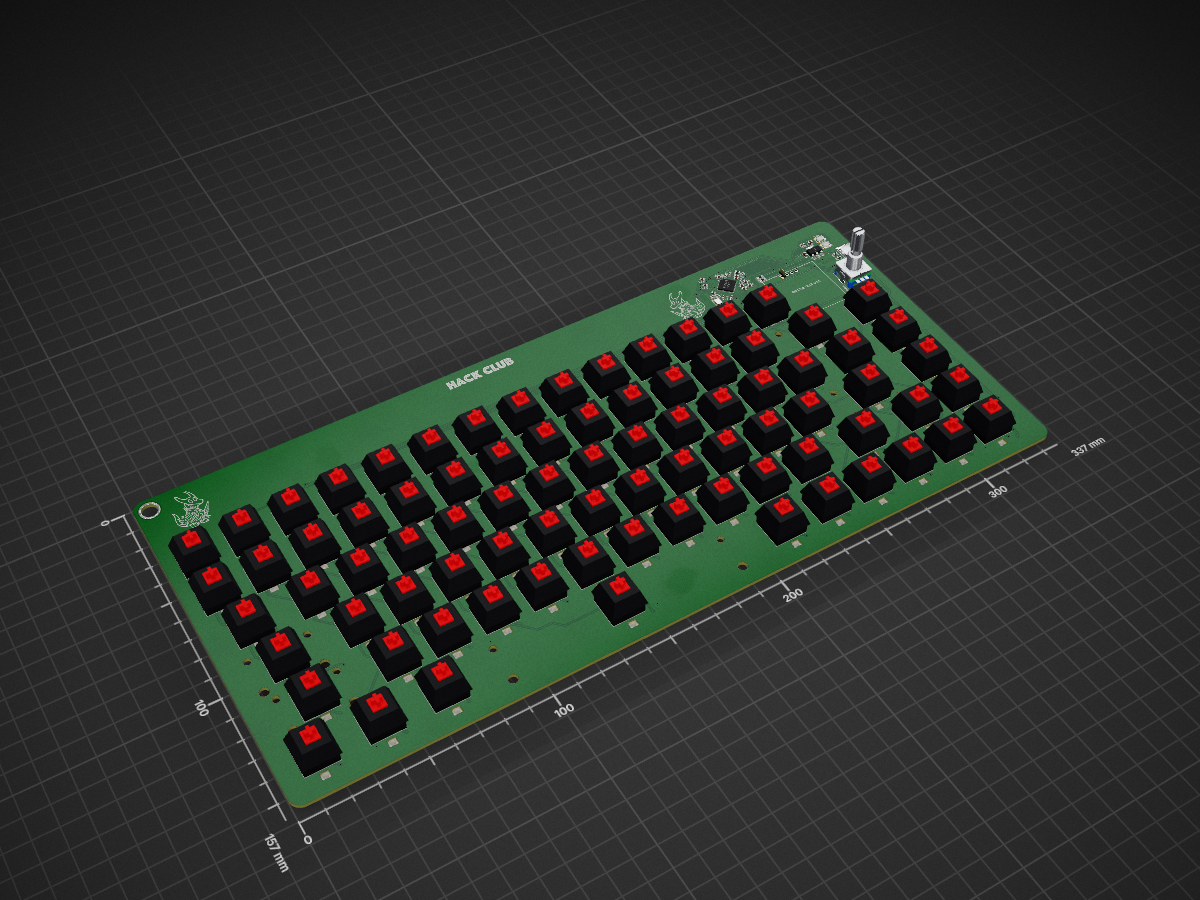
 Acidicts/Keyboard
No elaborate name this time just a keyboard :(
Keyboard is an open-source printed circuit board by Acidicts, from the Acidicts/Keyboard repository on GitHub. It is a 2-layer board of 337 × 157 mm with 307 parts on 223 nets, routed with 2,176 tracks and 288 vias.
It is built around the RP2354A, MBR0530 and ABM8-272-T3, with the SK6812MINI-E, RC0603FR-071KL and FRC0603F5101TS among its other parts. Its parts include 86 ICs, 85 switches, 82 diodes, 43 capacitors and 8 resistors. It belongs with the keyboards and input and lEDs and displays boards and the RP2350 boards of this library.


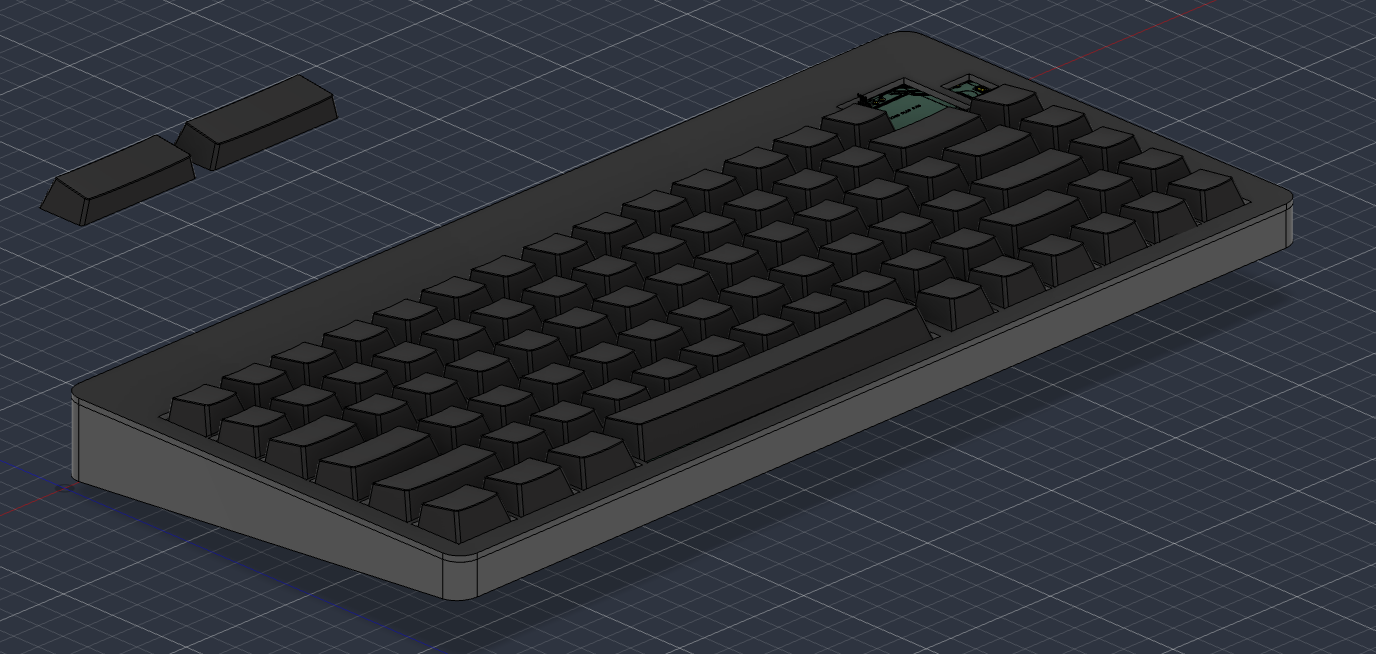
Sooo, this is a keyboard with a fun little oled display (via i2c) and rotary encoder with some rgb leds, following a modified ansi layout: " and @ are swapped
@ and " back if you prefer it that way just edit the main.pySW1 and plug it into your computer. The board should show up as a USB drive called RPI-RP2 or something similar.RPI-RP2 drive. The board will reboot and show up as a USB drive called CIRCUITPY.firmware folder onto the CIRCUITPY drive.| Qty | Value | Footprint | References |
|---|---|---|---|
| 83 | MBR0530_C5204746 | easyeda2kicad:SOD-123_L2.7-W1.6-LS3.7-RD-1 | U10, U11, U12, U13, U14, U15, U16, U17, U19, U20, U21, U22, U23, U24, U25, U26 +67 |
| 82 | SK6812MINI-E | LED_SMD:LED_SK6812MINI-E_3.2x2.8mm_P1.5mm_ReverseMount | D1, D2, D10, D11, D12, D13, D14, D15, D16, D17, D18, D19, D20, D21, D22, D23 +66 |
| 71 | SW_Push | Button_Switch_Keyboard:SW_Cherry_MX_1.00u_PCB | SW10, SW11, SW12, SW13, SW14, SW15, SW17, SW18, SW19, SW20, SW21, SW22, SW23, SW24, SW25, SW26 +55 |
| 26 | 10u | Capacitor_SMD:C_0805_2012Metric | C19, C20, C21, C22, C23, C24, C25, C26, C27, C28, C29, C30, C31, C32, C33, C34 +10 |
| 12 | 100n | Capacitor_SMD:C_0603_1608Metric | C8, C9, C10, C11, C12, C13, C14, C15, C16, C17, C18, C43 |
| 3 | 4.7u | Capacitor_SMD:C_0603_1608Metric | C3, C4, C5 |
| 3 | RC0603FR-071KL | Resistor_SMD:R_0603_1608Metric | R4, R7, R8 |
| 3 | SW_Push | Button_Switch_Keyboard:SW_Cherry_MX_2.00u_PCB | SW31, SW48, SW60 |
| 2 | 0805W8F270JT5E | easyeda2kicad:R0805 | R3, R5 |
| 2 | 15pF | Capacitor_SMD:C_0603_1608Metric | C1, C2 |
| 2 | FRC0603F5101TS | easyeda2kicad:R0603 | R1, R2 |
| 2 | HX 3X4X2.5-PA-4N PUSH BUTTON SWITCH | easyeda2kicad:SW-SMD_4P-L4.2-W3.4-P2.15-LS5.2 | SW1, SW2 |
| 2 | SW_Push | Button_Switch_Keyboard:SW_Cherry_MX_1.50u_PCB | SW33, SW46 |
| 2 | SW_Push | Button_Switch_Keyboard:SW_Cherry_MX_1.25u_Plate | SW79, SW80 |
| 1 | ABM8-272-T3_C20625731 | easyeda2kicad:CRYSTAL-SMD_4P-L3.2-W2.5-BL | U2 |
| 1 | AOTA-B201610S3R3-101-T | easyeda2kicad:IND-SMD_L2.0-W1.6_AOTA-B201610S3R3-101-T | L1 |
| 1 | Conn_01x04_Pin | Display:SSD1306_OLED_0.96 | J1 |
| 1 | FRC0603F33R0TS | easyeda2kicad:R0603 | R9 |
| 1 | NCP1117-3.3_SOT223 | Package_TO_SOT_SMD:SOT-223-3_TabPin2 | U3 |
| 1 | RP2354A | Package_DFN_QFN:QFN-60-1EP_7x7mm_P0.4mm_EP3.4x3.4mm | U1 |
| 1 | RotaryEncoder_Switch | Rotary_Encoder:RotaryEncoder_Alps_EC11E-Switch_Vertical_H20mm | SW16 |
| 1 | SW_Push | Button_Switch_Keyboard:SW_Cherry_MX_1.75u_PCB | SW74 |
| 1 | SW_Push | Button_Switch_Keyboard:SW_Cherry_MX_1.25u_PCB | SW78 |
| 1 | SW_Push | Button_Switch_Keyboard:SW_Cherry_MX_2.25u_PCB | SW63 |
| 1 | SW_Push | Button_Switch_Keyboard:SW_Cherry_MX_6.25u_PCB | SW81 |
| 1 | TYPE-C 16PIN 2MD | easyeda2kicad:USB-C-SMD_TYPE-C-16PIN-2MD-073 | USB1 |


SK-Electronics-Consulting/electronics-widgets
Small, Custom Tools for Electronics

CopycatMusic/ComposerMIDICV
4 HP Eurorack USB/TRS MIDI-to-CV module: RP2354A firmware, KiCad hardware and v1.0 manufacturing files.

Corteil/rp2350-hdmi-hexpansion
RP2350 HDMI hexpansion for the EMF Tildagon badge -- mirrors the badge's display to a monitor over HSTX/DVI

ciborg971/KISSE-1
A homebuilt aicraft made with the same philosophy as the linux kernel ... and electric

adamhrnciar/hyperion-controller
Open-source controller for 150 g antweight combat robots: RP2354A, 2x DRV8231A, 2-4S, ELRS/CRSF/SBUS/iBUS/PPM input, IMU. KiCad 10, CERN-OHL-S-2.0.

It measures 337 × 157 mm and has 2 copper layers, 1.6 mm thick.
307 parts, built around the RP2354A, MBR0530, ABM8-272-T3 and SK6812MINI-E. The full list of its parts is on this page, with links to each part's symbol and footprint where PCBKit's library has them.
From the Acidicts/Keyboard repository on GitHub, at the commit this page was made from: the board is kicad/Keyboard.kicad_pcb and its schematic kicad/Keyboard.kicad_sch. PCBKit opens the board in the browser, with nothing to install.
Its repository states no licence, so its author keeps all rights: ask Acidicts before reusing the design.