4 layers46 × 80 mm
RFly One
YeetTheAnson/RFly-One
Offline general aviation proximity awareness system with support for ADS-B, FLARM AIR V7, OGNTP and FANET+
188 parts

 YeetTheAnson/MerlynCAM1
An action camera that records at 1080p@90, 1440p@60 and 4k@20 (With I2S microphone and gyro logging @ 150Hz)
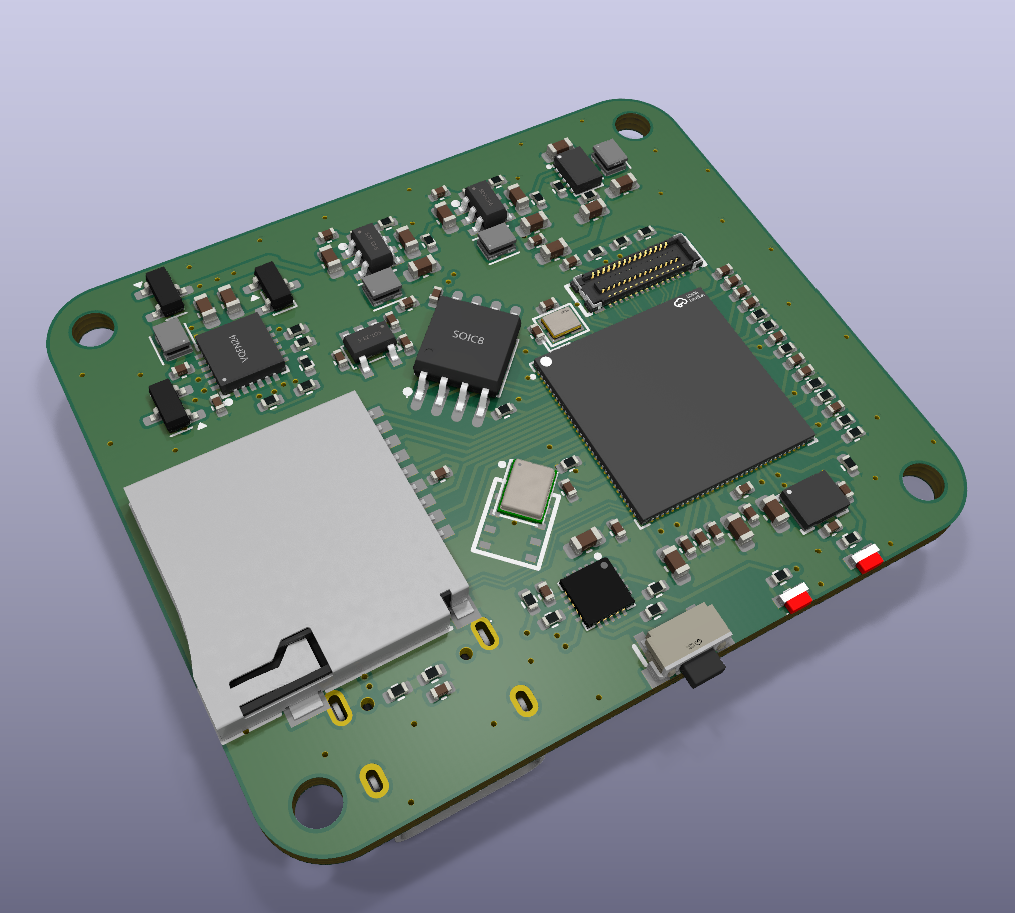
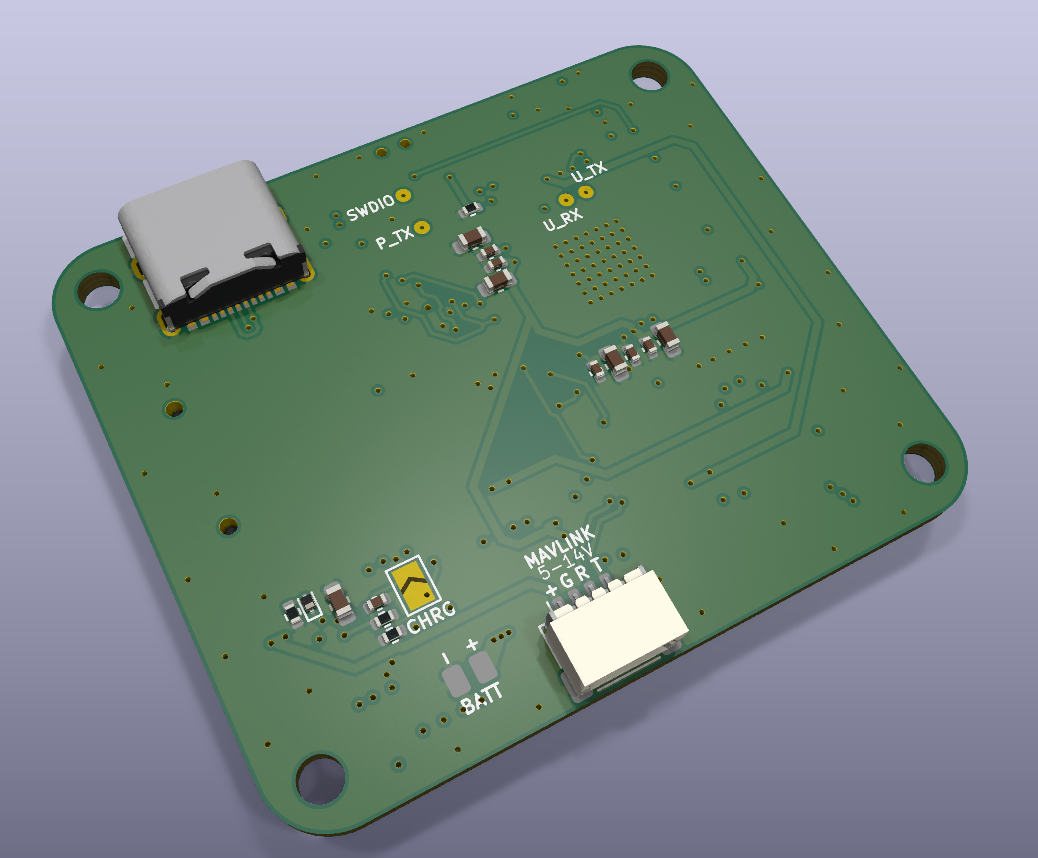
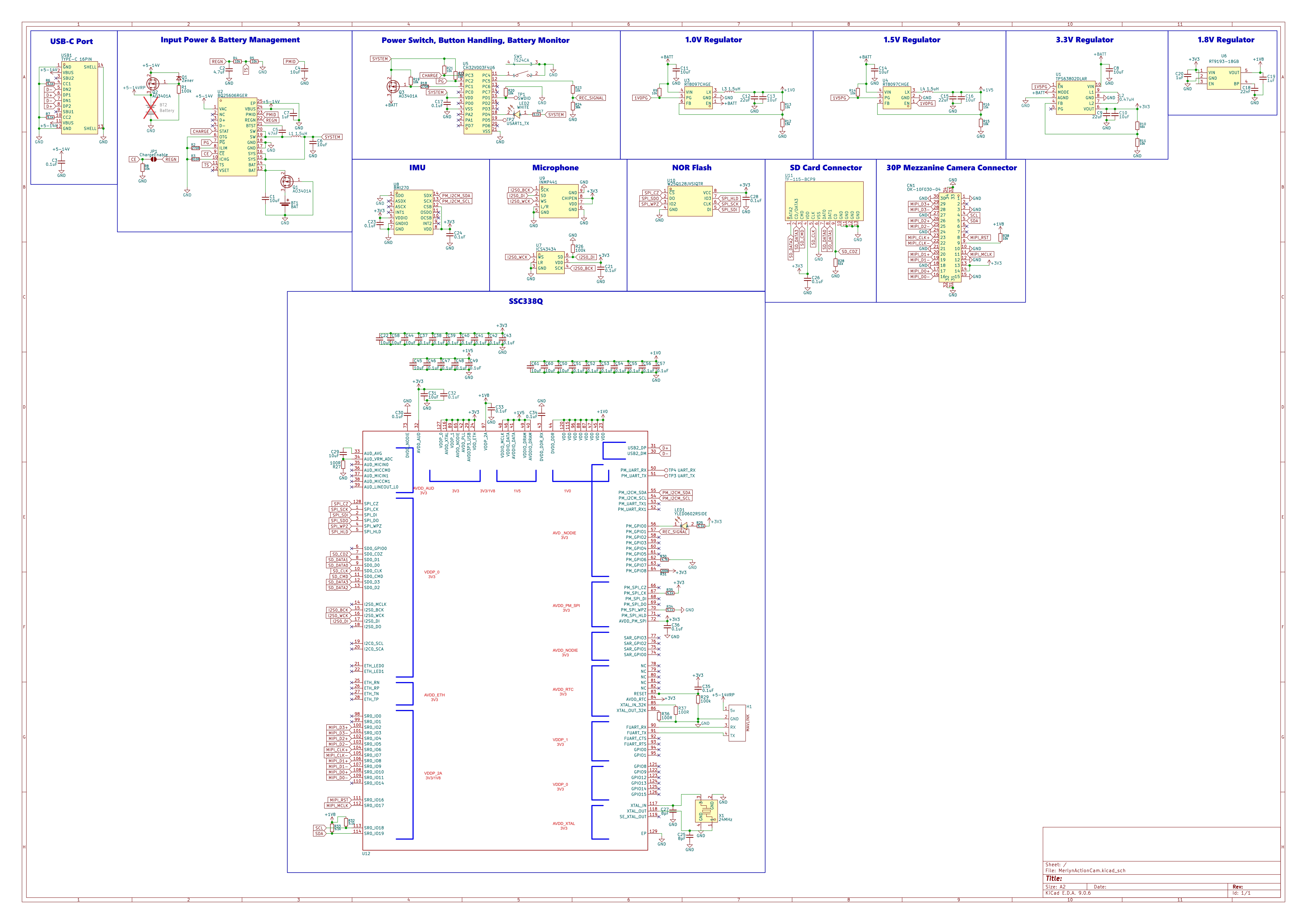
MerlynCAM is an open-source printed circuit board by YeetTheAnson, from the YeetTheAnson/MerlynCAM repository on GitHub. It is a 4-layer board of 45 × 38 mm with 150 parts on 173 nets, routed with 1,204 tracks and 274 vias.
It is built around the CH32V003F4U6, RT8097CHGE and TF-115-BCP9, with the TPS63802DLAR, W25Q128JVSIQ and BMI270 among its other parts. Its parts include 60 capacitors, 40 resistors, 12 ICs, 4 inductors and 3 diodes. It belongs with the audio and music boards and the RISC-V boards of this library.


https://github.com/user-attachments/assets/a9457055-48cb-43b0-b4a9-4c273cf0078e
https://github.com/user-attachments/assets/13ca98ed-bc15-4bd0-ae74-1581ccfe5670
This project was made possible thanks the reverse engineering efforts done by the OpenIPC team! You can check out their supported hardware here: https://openipc.org/supported-hardware/featured and the reference project here: https://oshwlab.com/oshwhub.com/openipc-vtx-ssc338q-30kq
This is my custom action camera, the MerlynCAM! This project was made to record HD footage on my FPV drones. It records video at 1080p@90, 1440p@60 and 4k@20. It also includes a BMI270 gyro to log motion data at 150Hz for Gyroflow video stabilization, and an ICS-43434 I2S microphone to capture propeller noise for the viewer's immersion.
The MerlynCAM is powered by the Sigmastar SSC338Q SOC. It is easy to use and includes a low power microcontroller onboard to manage the LED indicators, buttons, and power saving modes. There is only one button used for powering the camera on and off and starting and stopping recordings. The microcontroller handles the rest of the quality of life features in the background, such as battery level monitoring and auto power on when external voltage is detected in FPV mode. It also has an internal 1S battery with a BQ25606 charging circuit, so it can be used like a normal action cam or with the batteries removed to save weight on a drone.
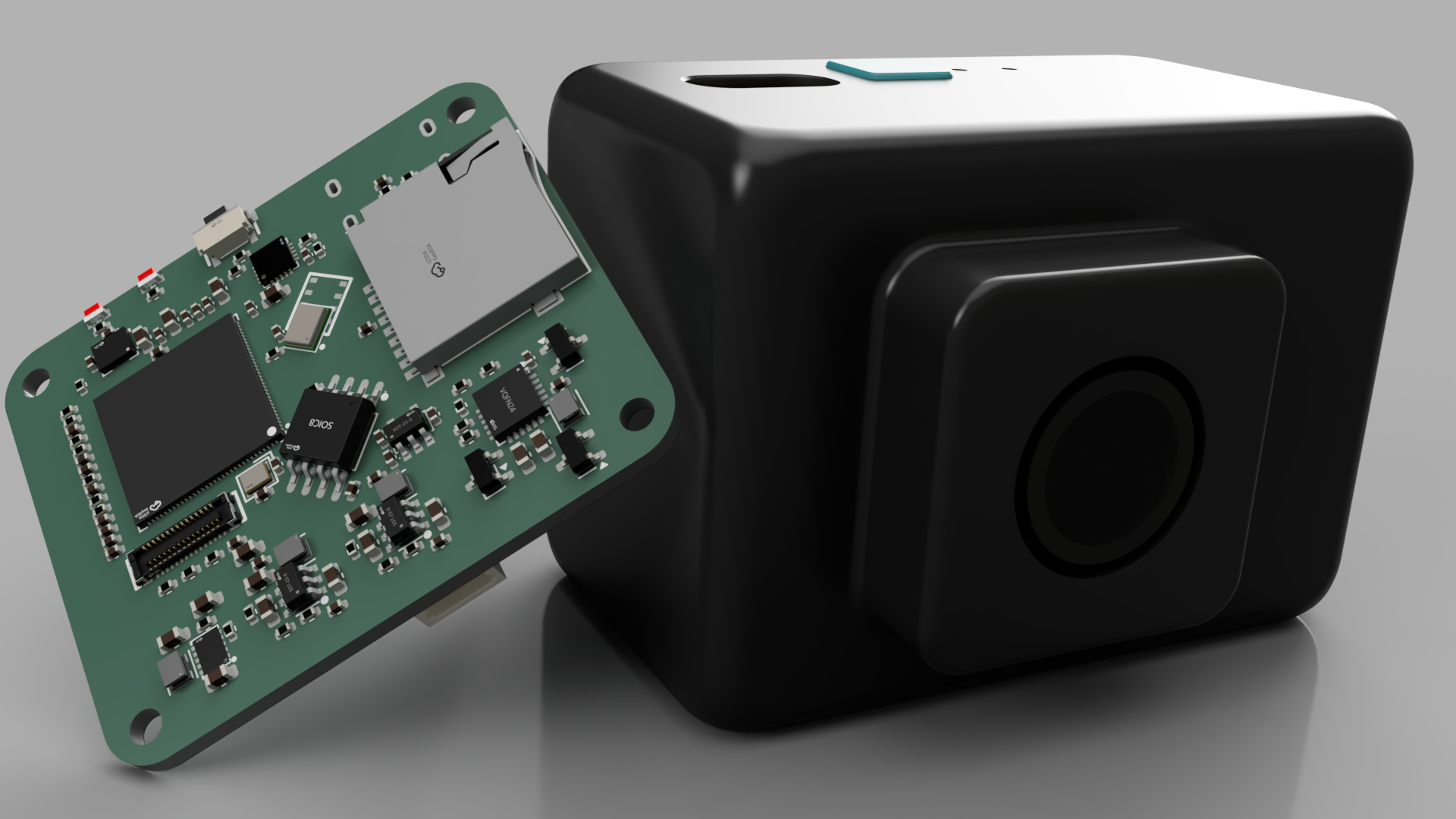
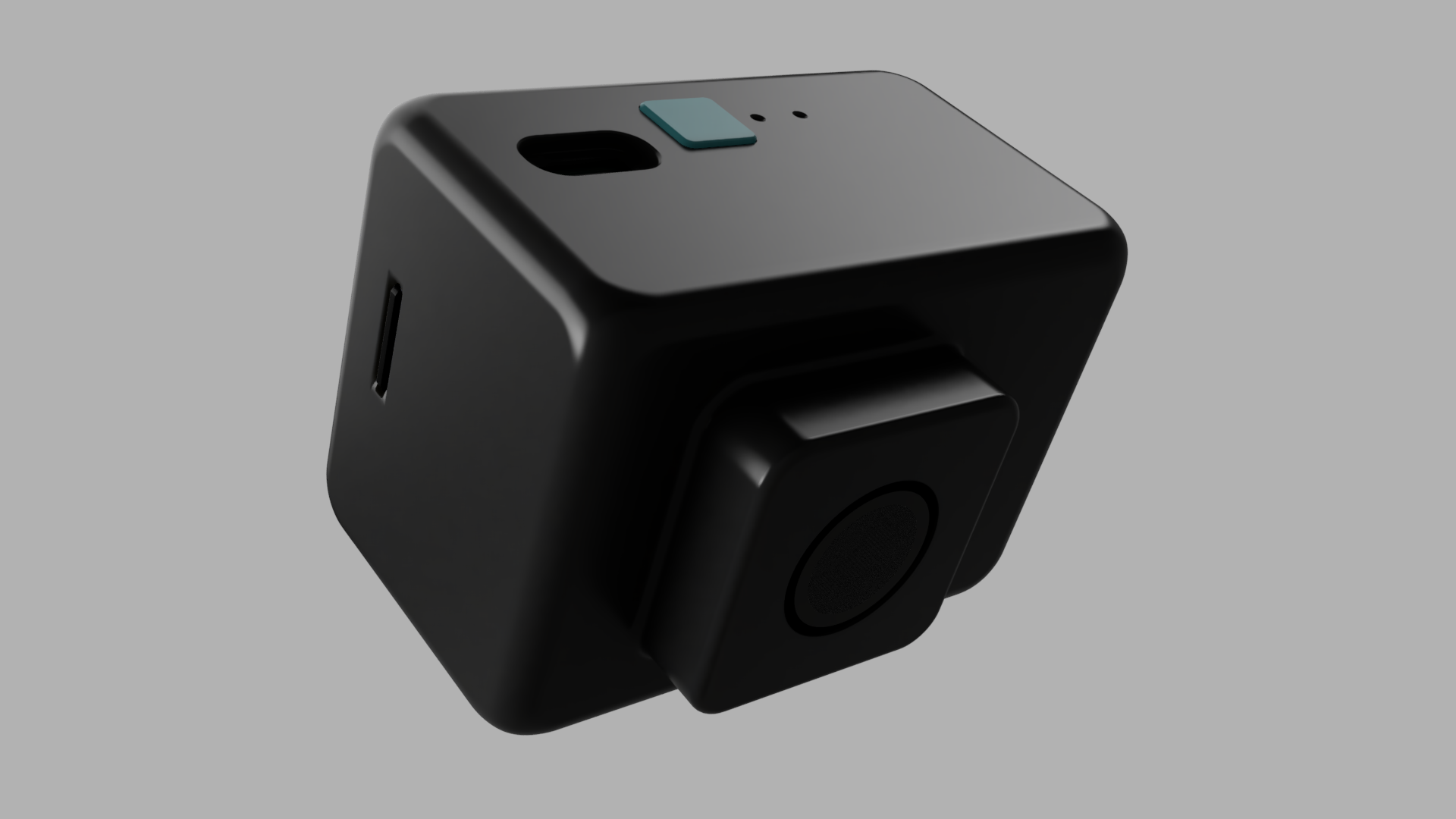
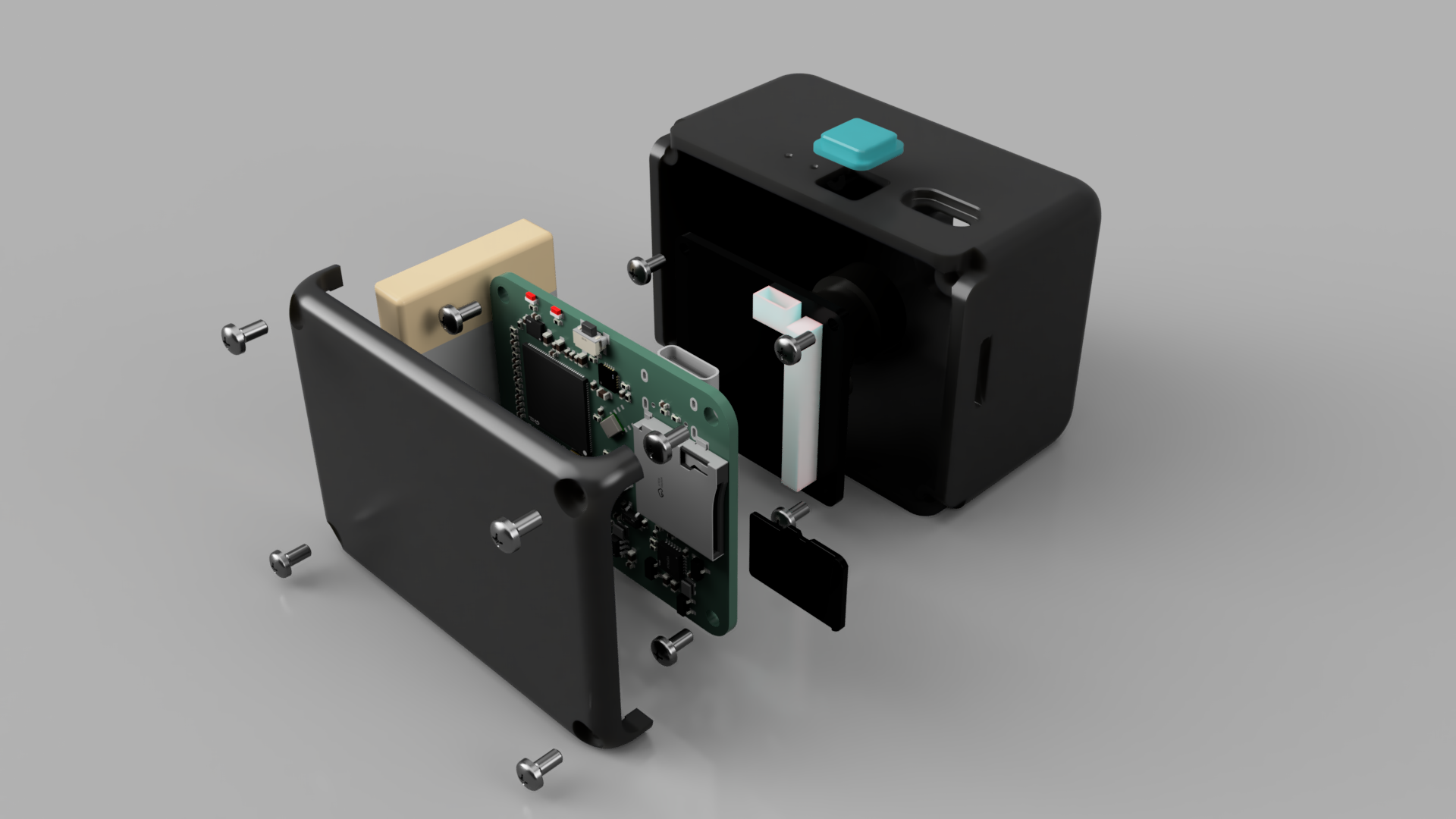
The MerlynCAM is operated using a single button and it shows charge status and battery levels using a White LED
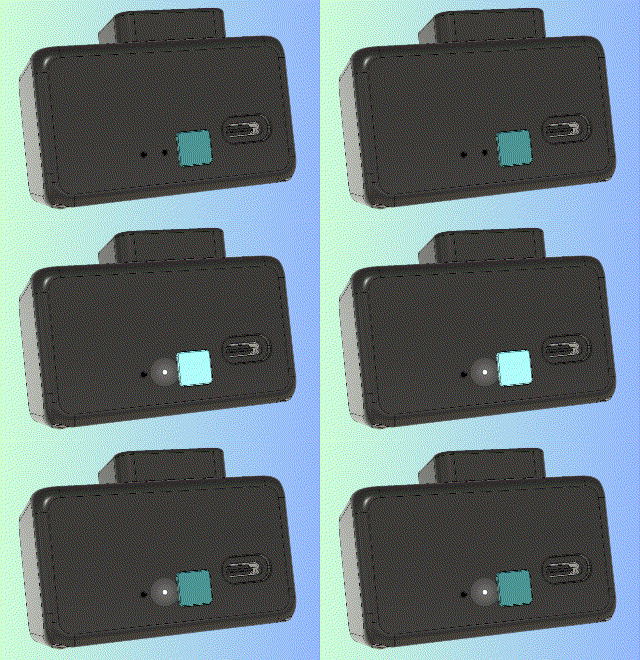
[!TIP] The camera will refuse to power on if the battery is below 5%
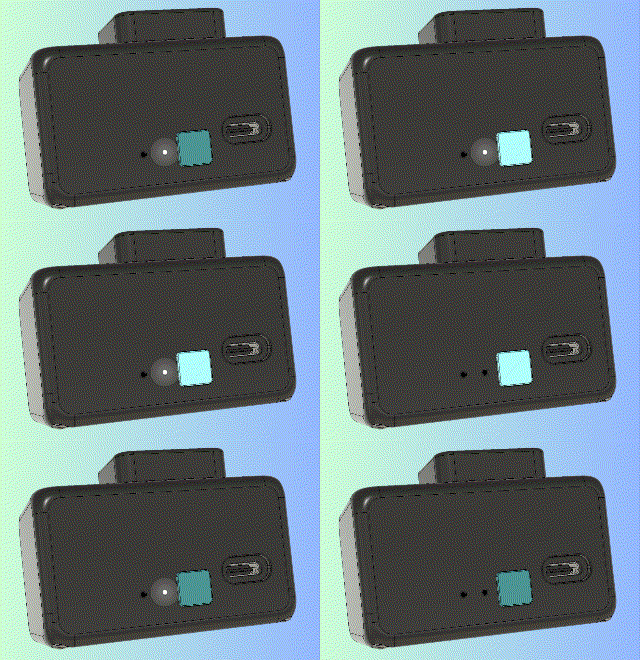
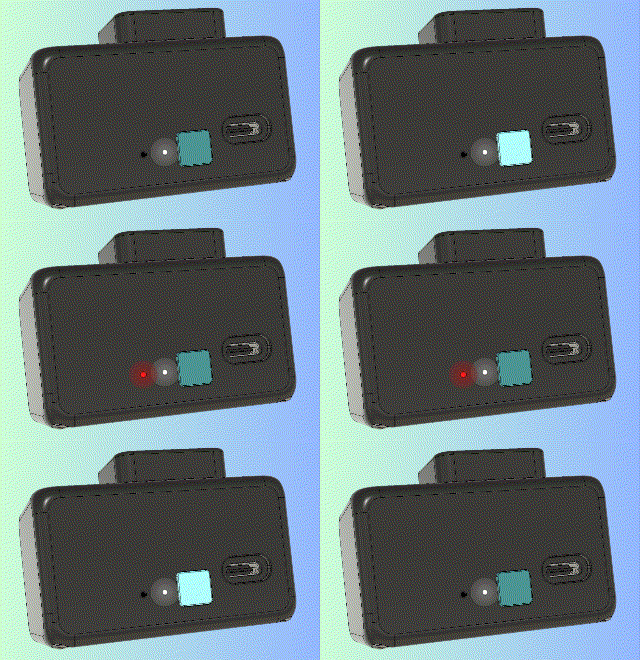
While powered off, press the button once. The White LED will blink to indicate the current charge level:
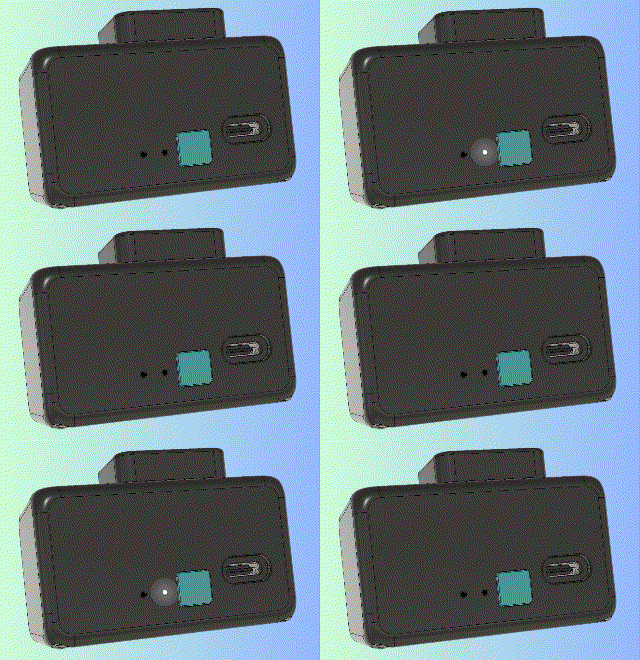
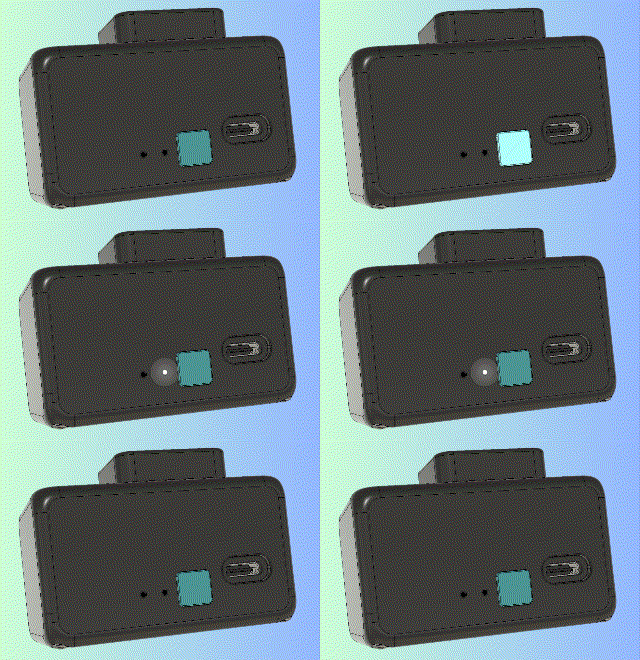
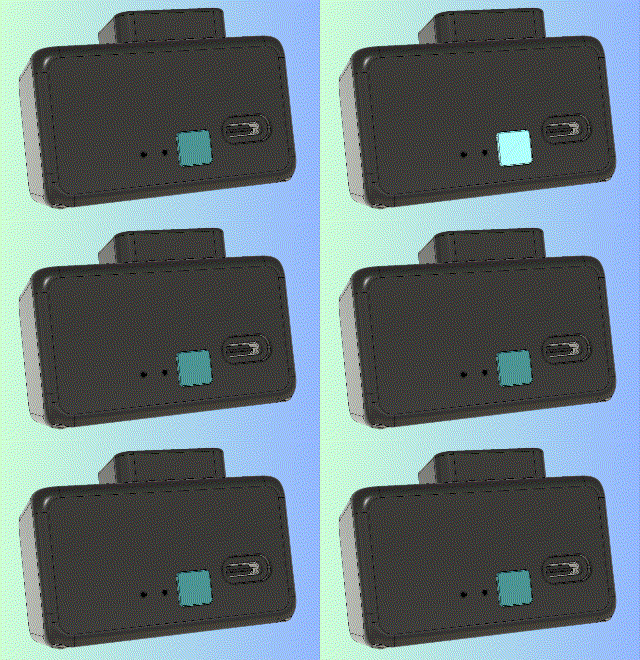
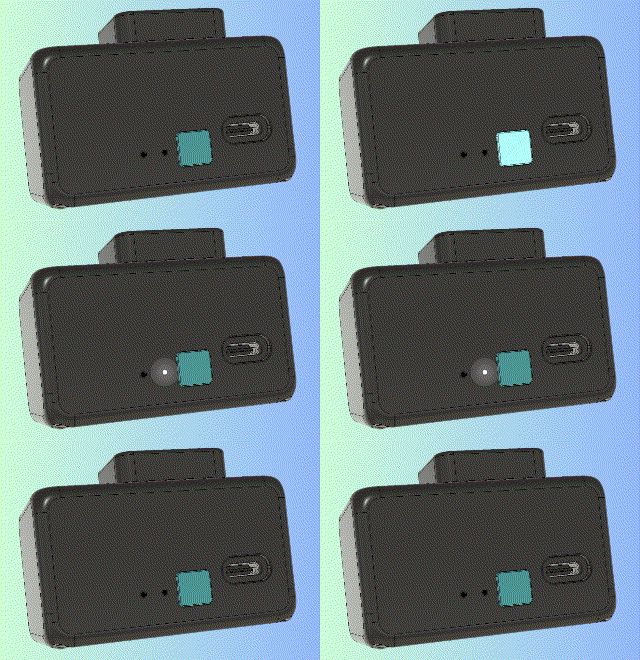
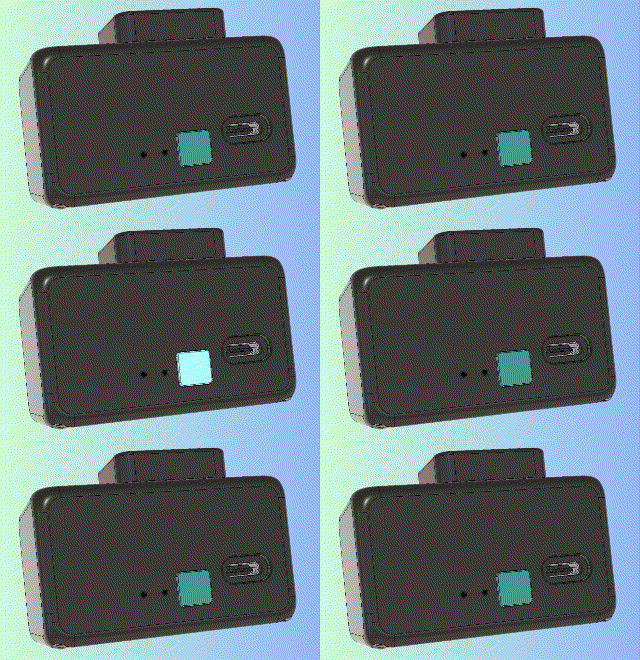
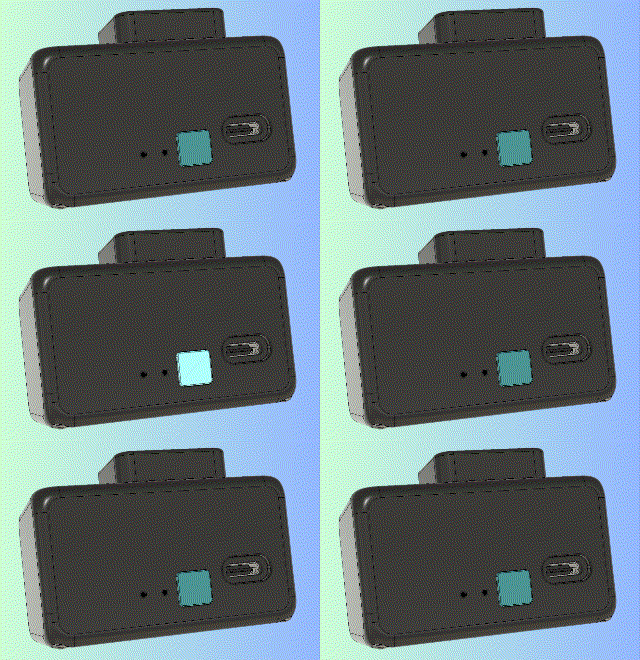
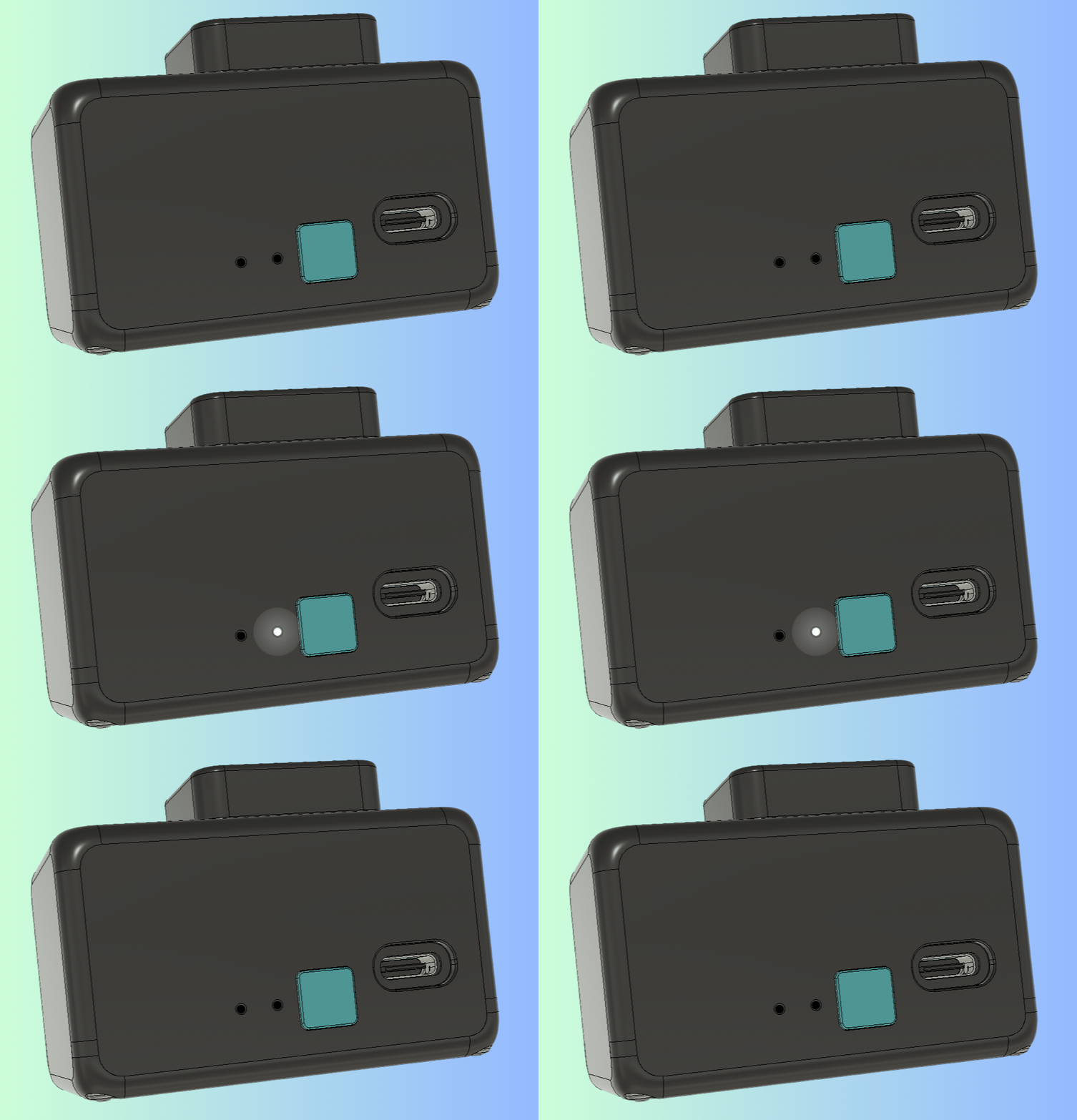
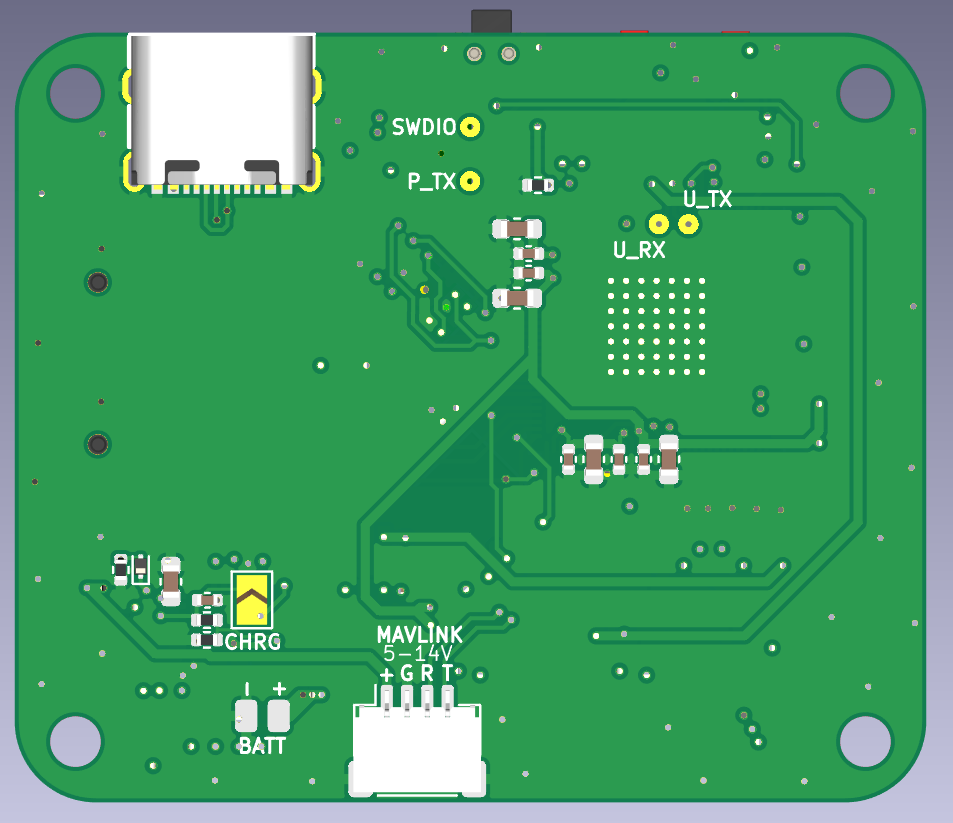
[!IMPORTANT] Bridge the CHRG pad on the PCB if no battery is connected. This is necessary for the battery management IC to output a stable voltage on external power.
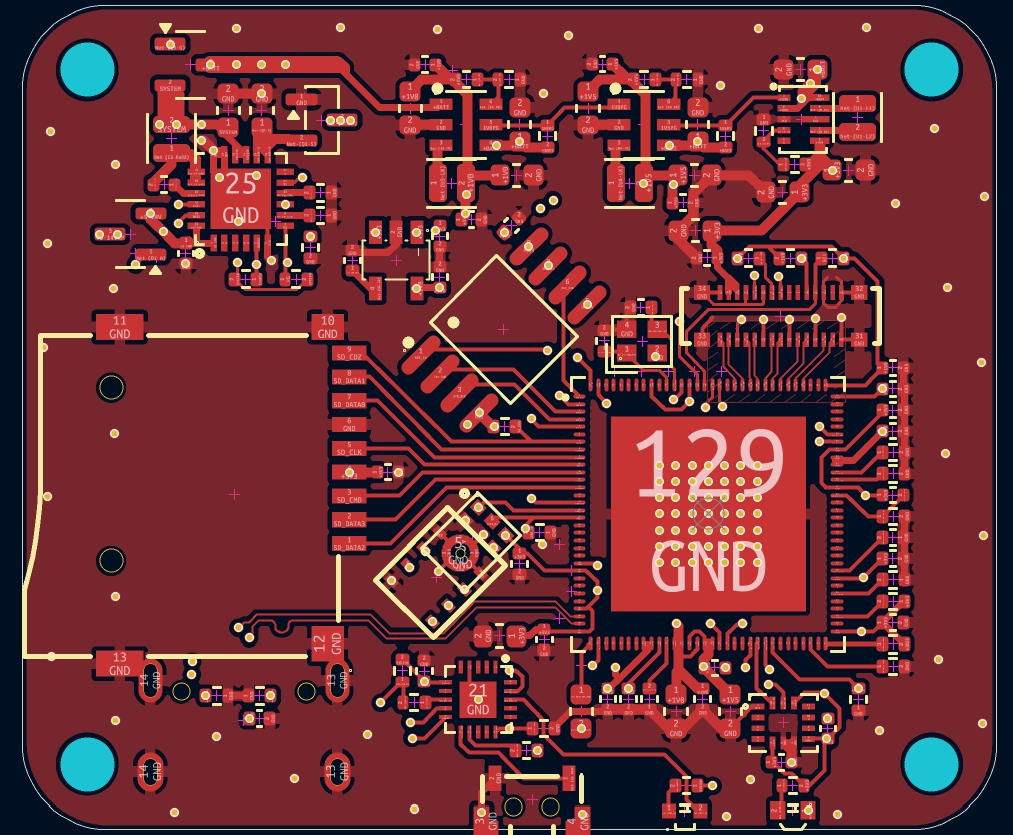
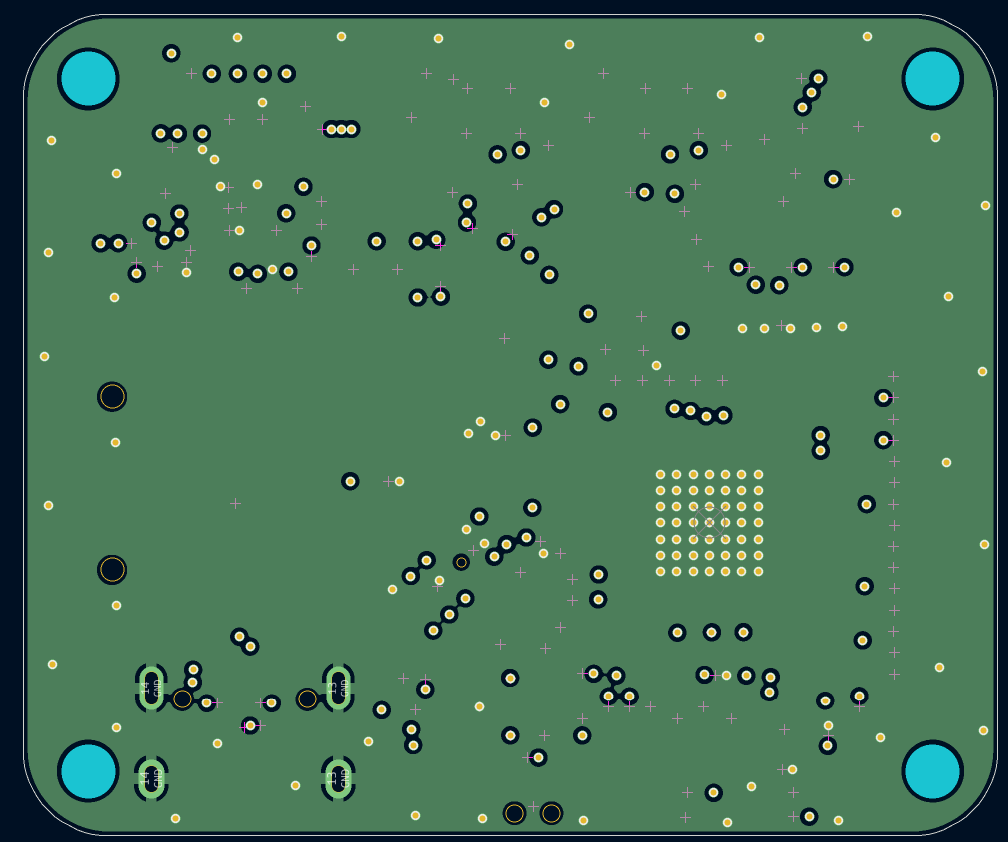
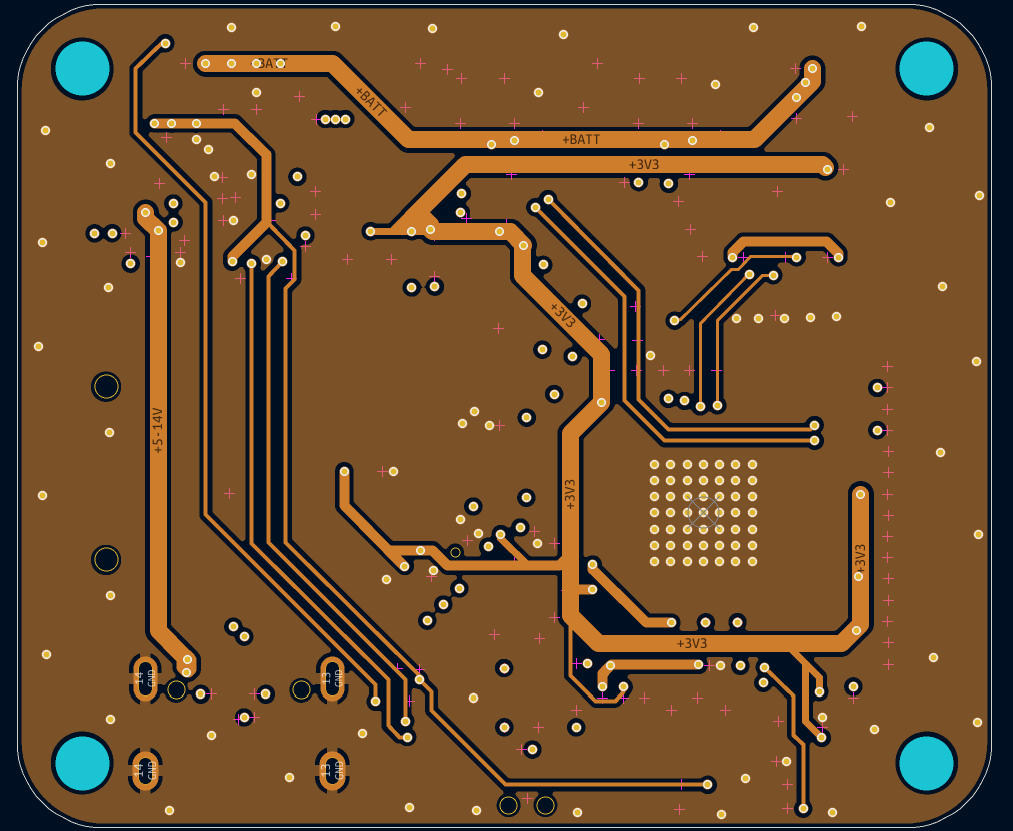
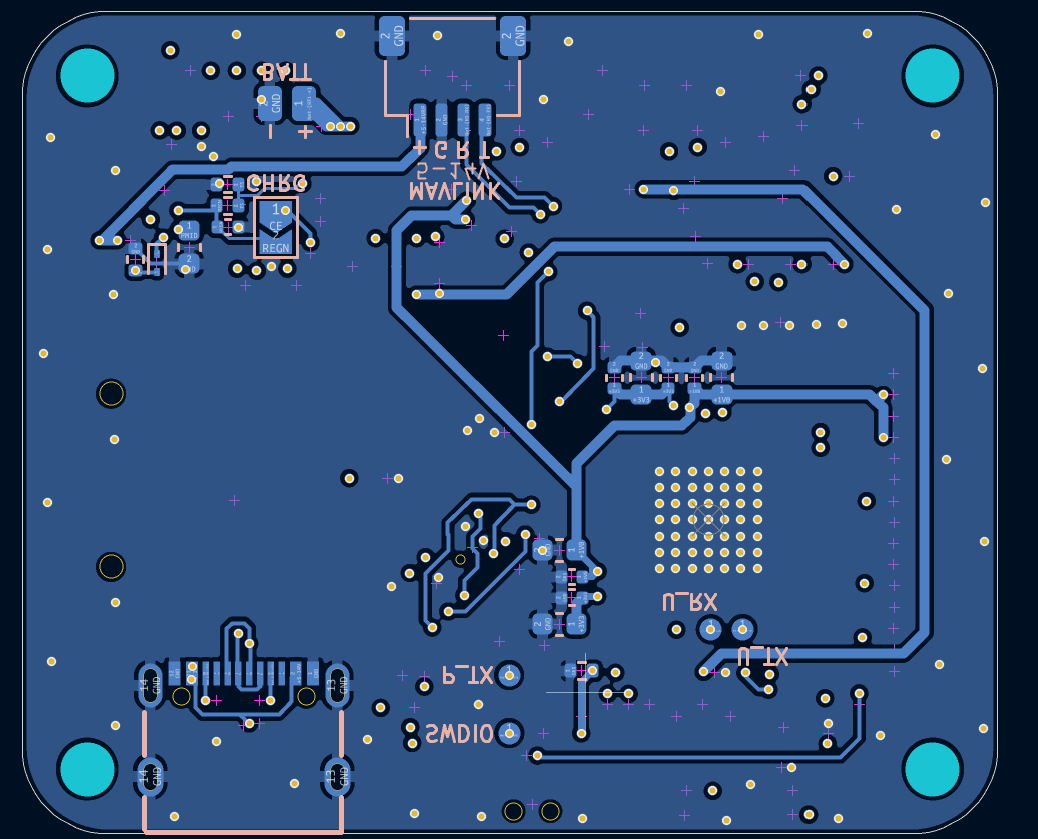
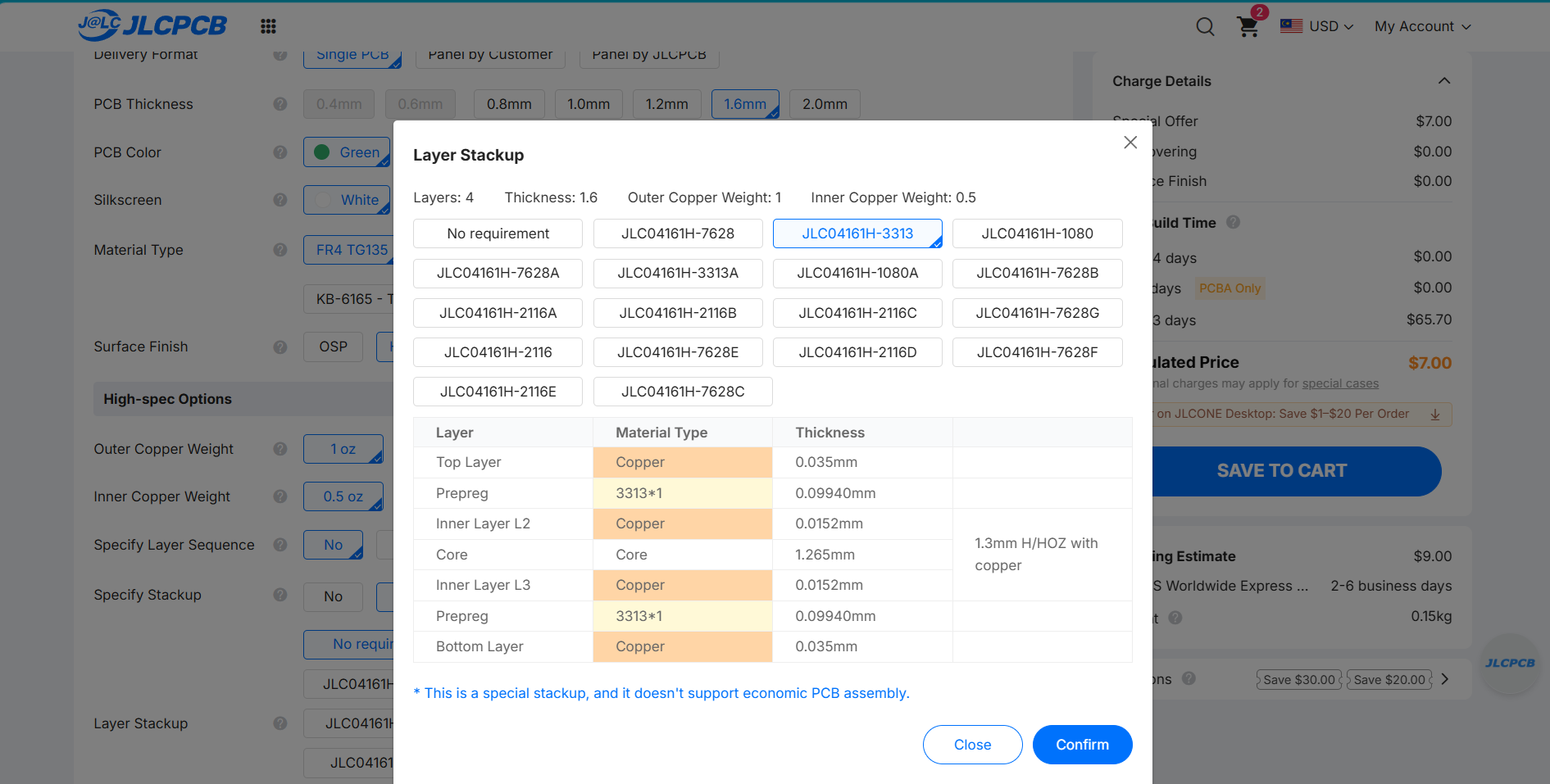
[!WARNING] When ordering from JLCPCB, make sure to enable impedance control and use the JLC04161H-3313 Stackup
Because the SSC338Q is a proprietary chip, it must run the OpenIPC linux environment. Building the firmware requires a linux filesystem (Windows isn't supported)
[!WARNING] At least 20GB of free space is required to build OpenIPC
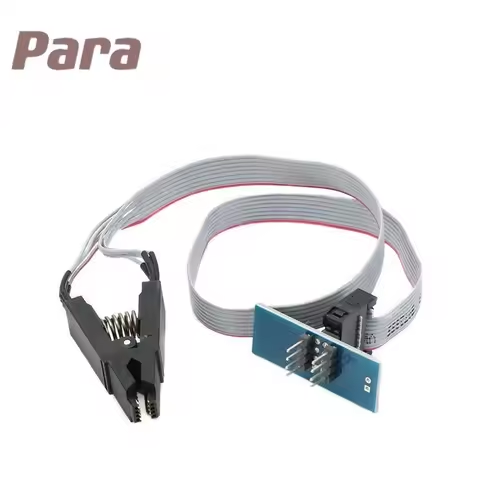
make and select the infinity6e architecture on the TUI.output/build/linux-custom/arch/arm/boot/dts/ and replace infinity6e-ssc012b-s01a.dts with infinity6e-ssc012b-s01a.dts.make linux-rebuild to update the custom DTS changes into the kernel.output/build/images and extract openipc.ssc338q-nand-ultimate.tgz by entering tar -xzf openipc.ssc338q-nand-ultimate.tgzdd if=uImage.ssc338q of=openipc-ssc338q-nor-ultimate-16mb.bin bs=1K seek=384 conv=notrunc and the binary file should appearcd MerlynCAM/firmware/source/powerManagement/powerManagement.ino file in ArduinoIDEhttps://alexandermandera.github.io/arduino-wch32v003/package_ch32v003_index.json into File > Preferences > Additional boards manager URLsWCH Boards by Alexander ManderaThe W25Q128 16MB flash chip comes blank from the factory and the openIPC bootloader must be flashed before the operating system is able to boot.
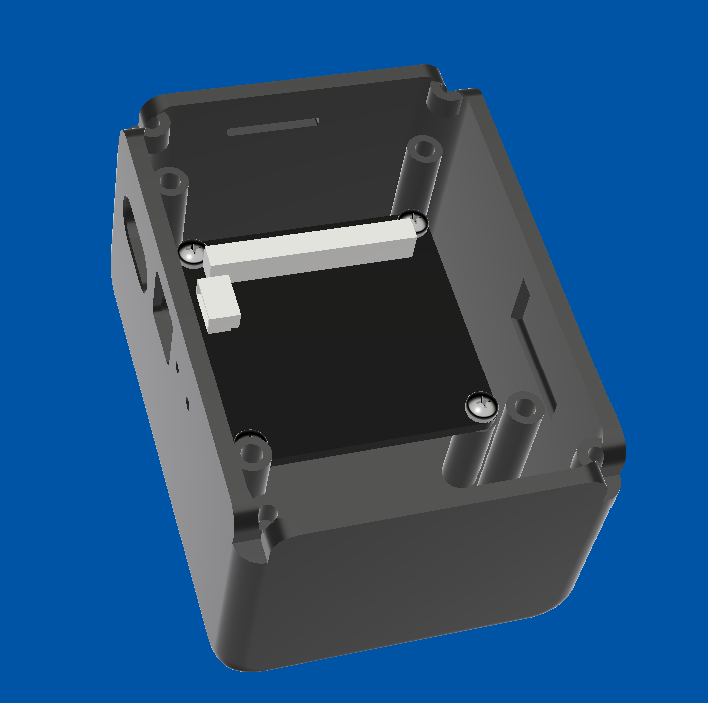
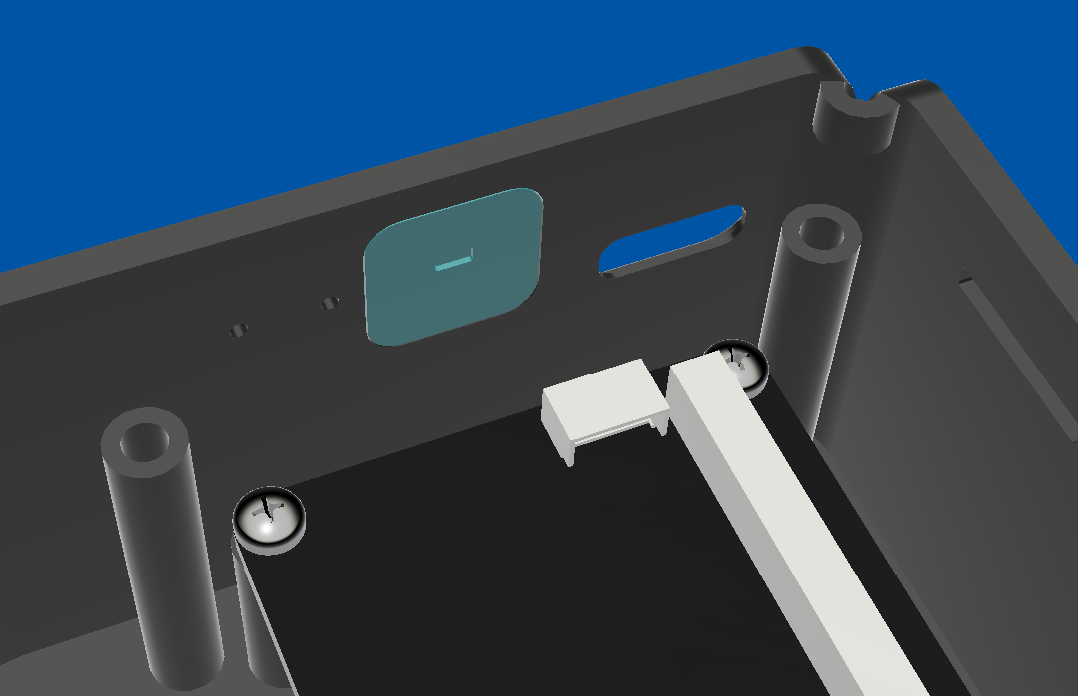
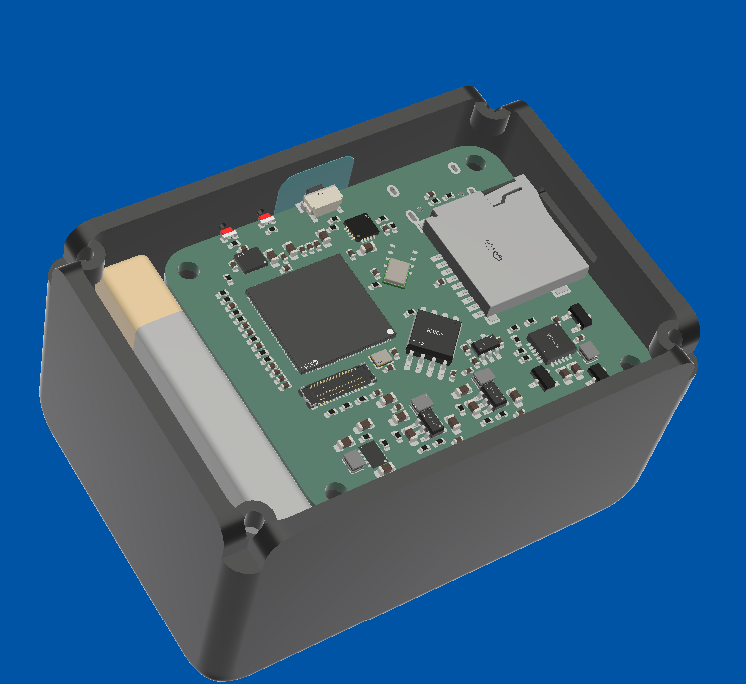
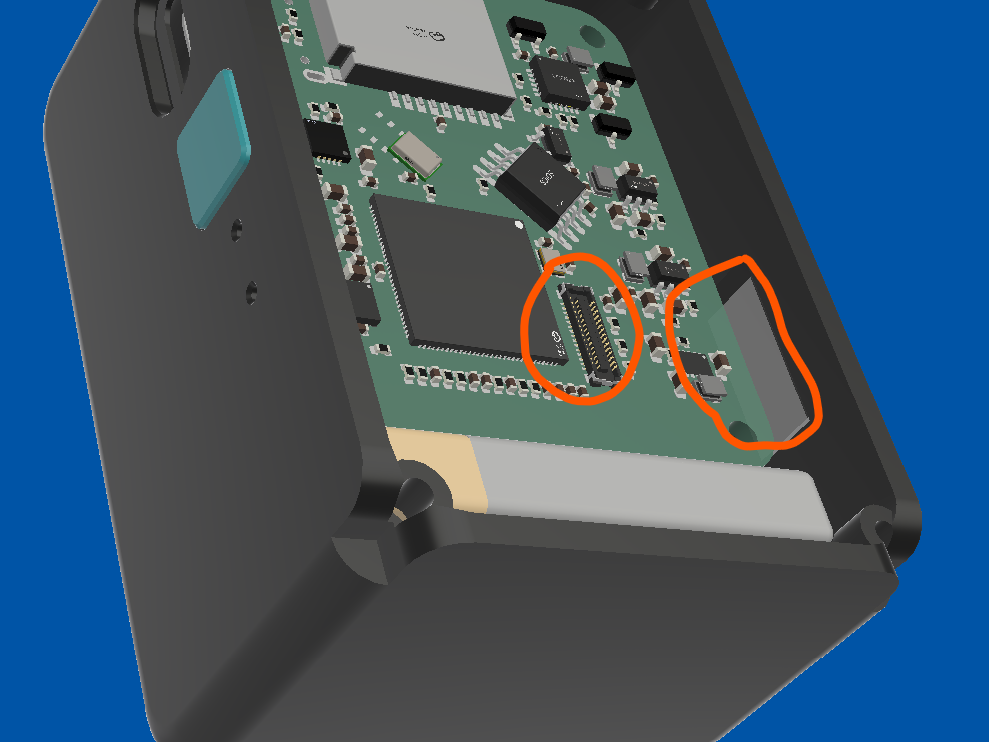
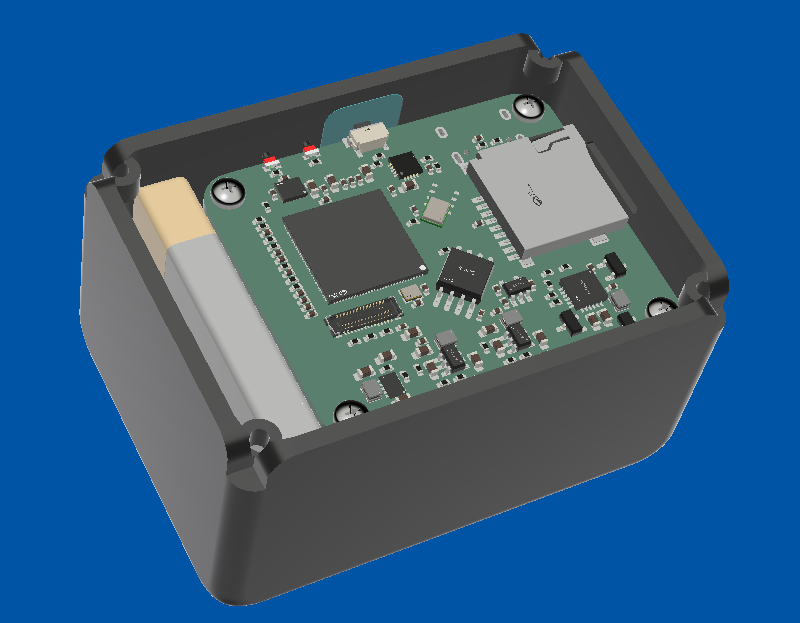
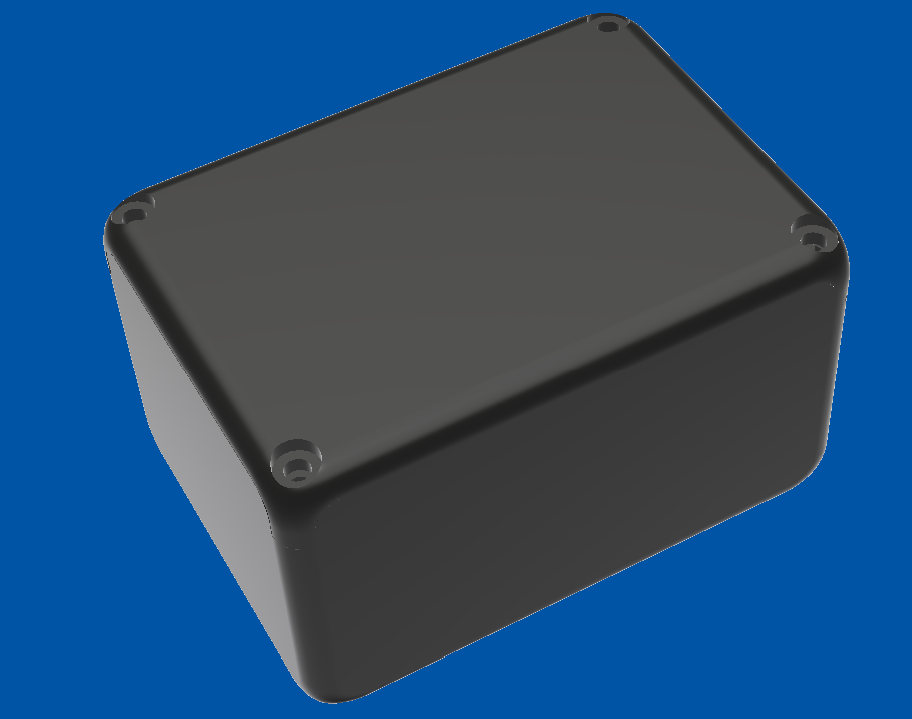
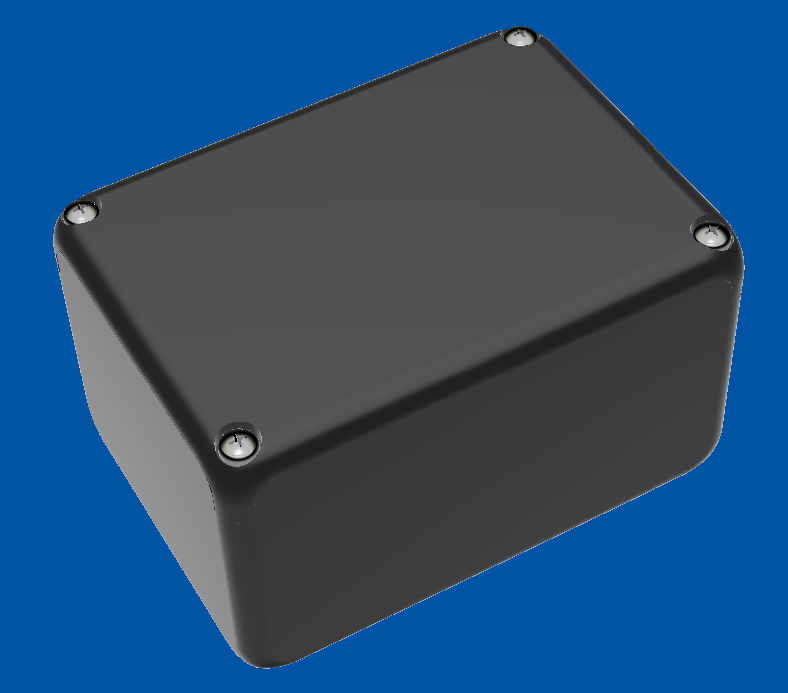
Note: The prices in USD are converted as of 1 September 2026 and may fluctuate. The costs of separate components are cheaper than JLCPCB assembly.
| Category | Item Name | Description | Link | Vendor | Quantity | Total Price (USD) |
|---|---|---|---|---|---|---|
| PCB Components | CL10A106MA8NRNC | 10uF 0603 capacitor | link | LCSC | 20 | 1.30 |
| PCB Components | CL05A475MP5NRNC | 4.7uF 0402 capacitor | link | LCSC | 50 | 1.17 |
| PCB Components | CL05B104KB54PNC | 0.1uF 0402 capacitor | link | LCSC | 100 | 0.89 |
| PCB Components | CC0402KRX7R9BB473 | 47nF 0402 capacitor | link | LCSC | 100 | 0.41 |
| PCB Components | CL05A105KA5NQNC | 1uF 0402 capacitor | link | LCSC | 50 | 0.61 |
| PCB Components | CL10A226MQ8NRNC | 22uF 0603 capacitor | link | LCSC | 20 | 0.63 |
| PCB Components | 0402B223K500NT | 22nF 0402 capacitor | link | LCSC | 50 | 0.58 |
| PCB Components | 0402CG8R0C500NT | 8pF 0402 capacitor | link | LCSC | 100 | 0.36 |
| PCB Components | CDZVT2R5.1B | 5.1V Clamp SOD923 zener | link | LCSC | 20 | 0.64 |
| PCB Components | HC-1.0-4PWT | 4P JST-SH connector | link | LCSC | 5 | 0.47 |
| PCB Components | FTC201610S1R5MBCA | 1.5uH 0806 inductor | link | LCSC | 10 | 0.98 |
| PCB Components | FTC201610SR47MBCA | 0.47 uH 0806 inductor | link | LCSC | 10 | 0.98 |
| PCB Components | YLED0602RSIDE | Red 0602 right angle LED | link | LCSC | 20 | 0.49 |
| PCB Components | YLED0602WSIDE | White 0602 right angle LED | link | LCSC | 50 | 0.99 |
| PCB Components | AO3401A | P channel MOSFET | link | LCSC | 5 | 0.49 |
| PCB Components | 0402WGF1003TCE | 100k 0402 resistor | link | LCSC | 100 | 0.28 |
| PCB Components | FRC0402F2700TS | 270R 0402 resistor | link | LCSC | 100 | 0.25 |
| PCB Components | FRC0402F9100TS | 910R 0402 resistor | link | LCSC | 100 | 0.18 |
| PCB Components | 0402WGF1002TCE | 10k 0402 resistor | link | LCSC | 100 | 0.31 |
| PCB Components | 0402WGF5101TCE | 5.1k 0402 resistor | link | LCSC | 100 | 0.26 |
| PCB Components | 0402WGF5602TCE | 56k 0402 resistor | link | LCSC | 100 | 0.68 |
| PCB Components | 0402WGF1502TCE | 15k 0402 resistor | link | LCSC | 100 | 0.58 |
| PCB Components | FRC0402F3602TS | 36k 0402 resistor | link | LCSC | 100 | 0.19 |
| PCB Components | 0402WGF1000TCE | 100R 0402 resistor | link | LCSC | 100 | 0.77 |
| PCB Components | 0402WGF5102TCE | 51k 0402 resistor | link | LCSC | 100 | 0.19 |
| PCB Components | 0402WGF4701TCE | 4.7k 0402 resistor | link | LCSC | 100 | 0.29 |
| PCB Components | 0402WGF2003TCE | 200k 0402 resistor | link | LCSC | 100 | 0.32 |
| PCB Components | TS24CA | Right angle button | link | LCSC | 20 | 0.51 |
| PCB Components | TPS63802DLAR | Buck boost converter | link | LCSC | 2 | 2.05 |
| PCB Components | BQ25606RGER | Battery charge and management | link | LCSC | 1 | 1.63 |
| PCB Components | RT8097CHGE | Buck converter | link | LCSC | 5 | 0.80 |
| PCB Components | CH32V003F4U6 | CH32 for interface and power management | link | LCSC | 5 | 1.58 |
| PCB Components | RT9193-18GB | 1.8V Linear LDO regulator | link | LCSC | 5 | 0.83 |
| PCB Components | ICS-43434 | I2S MEMS microphone | link | LCSC | 1 | 4.13 |
| PCB Components | BMI270 | IMU | link | LCSC | 1 | 3.25 |
| PCB Components | W25Q128JVSIQ | 16 MB NOR flash | link | LCSC | 1 | 2.62 |
| PCB Components | TF-115-BCP9 | SD card connector | link | LCSC | 5 | 0.49 |
| PCB Components | TYPE-C 16PIN 2MD(073) | TYPE C Connector | link | LCSC | 20 | 1.49 |
| PCB Components | T201624MBBCE2X | 24MHz 2016 crystal resonator | link | LCSC | 10 | 0.71 |
| PCB Components | LCSC Shipping | 4PX | - | 4PX | 1 | 5.48 |
| PCB | PCB | Bare PCB | - | JLCPCB | 1 | 2.00 |
| PCB | Stencil | Stencil | - | JLCPCB | 1 | 6.36 |
| PCB | JLCPCB Shipping | Shipping | - | E-POST | 1 | 6.68 |
| Parts | OK-10F030-04 | 30P 0.4mm Mezzanine connector | link | AliExpress | 1 | 2.09 |
| Parts | SSC338Q | Main recording SOC | link | AliExpress | 1 | 16.99 |
| Parts | IMX415 camera module | IMX415 camera module 140 FOV | link | AliExpress | 1 | 32.69 |
| Parts | AliExpress Shipping | Shipping | - | AliExpress | 1 | 9.74 |
| Qty | Value | Footprint | References |
|---|---|---|---|
| 31 | 0.1uF | Capacitor_SMD:C_0402_1005Metric | C3, C17, C21, C23, C24, C26, C28, C30, C32, C33, C34, C35, C36, C37, C38, C39 +15 |
| 18 | 10uF | Capacitor_SMD:C_0603_1608Metric | C1, C4, C6, C10, C11, C13, C14, C16, C22, C29, C31, C44, C45, C50, C58, C60 +2 |
| 14 | 10k | Resistor_SMD:R_0402_1005Metric | R4, R5, R8, R9, R11, R13, R14, R15, R19, R20, R21, R22, R23, R38 |
| 10 | 5.1k | Resistor_SMD:R_0402_1005Metric | R6, R7, R17, R25, R32, R33, R34, R35, R39, R40 |
| 3 | 1.5uH | easyeda2kicad:L_Changjiang_FTC201610S | L1, L3, L4 |
| 3 | 100R | Resistor_SMD:R_0402_1005Metric | R27, R36, R37 |
| 3 | 100k | Resistor_SMD:R_0402_1005Metric | R1, R26, R29 |
| 3 | 1uF | Capacitor_SMD:C_0402_1005Metric | C7, C19, C20 |
| 3 | 22uF | Capacitor_SMD:C_0603_1608Metric | C9, C12, C15 |
| 3 | AO3401A | Package_TO_SOT_SMD:SOT-23 | Q1, Q2, Q3 |
| 2 | 15k | Resistor_SMD:R_0402_1005Metric | R12, R16 |
| 2 | 270R | Resistor_SMD:R_0402_1005Metric | R2, R18 |
| 2 | 8pF | Capacitor_SMD:C_0402_1005Metric | C25, C27 |
| 2 | RT8097CHGE | easyeda2kicad:SOT-23-6_L2.9-W1.6-P0.95-LS2.8-BL | U3, U4 |
| 1 | +5-14V | easyeda2kicad:TestPoint | TP7 |
| 1 | 0.47uH | easyeda2kicad:L_Changjiang_FTC201610S | L2 |
| 1 | 1V0 | easyeda2kicad:TestPoint | TP8 |
| 1 | 1V5 | easyeda2kicad:TestPoint | TP9 |
| 1 | 1V8 | easyeda2kicad:TestPoint | TP11 |
| 1 | 200k | Resistor_SMD:R_0402_1005Metric | R31 |
| 1 | 22nF | Capacitor_SMD:C_0402_1005Metric | C18 |
| 1 | 24MHz | easyeda2kicad:CRYSTAL-SMD_4P-L2.0-W1.6-BL | X1 |
| 1 | 36k | Resistor_SMD:R_0402_1005Metric | R24 |
| 1 | 3V3 | easyeda2kicad:TestPoint | TP10 |
| 1 | 4.7k | Resistor_SMD:R_0402_1005Metric | R30 |
| 1 | 4.7uF | Capacitor_SMD:C_0402_1005Metric | C2 |
| 1 | 47nF | Capacitor_SMD:C_0402_1005Metric | C5 |
| 1 | 51k | Resistor_SMD:R_0402_1005Metric | R28 |
| 1 | 56k | Resistor_SMD:R_0402_1005Metric | R10 |
| 1 | 910R | Resistor_SMD:R_0402_1005Metric | R3 |
| 1 | BAT | easyeda2kicad:Battery | BT1 |
| 1 | BMI270 | easyeda2kicad:LGA-14_L3.0-W2.5-P0.50-BR | U8 |
| 1 | BQ25606RGER | easyeda2kicad:VQFN-24_L4.0-W4.0-P0.50-TL-EP2.8 | U2 |
| 1 | Bypass | easyeda2kicad:SolderJumper-2_P1.3mm_Open_TrianglePad1.0x1.5mm | JP2 |
| 1 | CH32V003F4U6 | easyeda2kicad:QFN-20_L3.0-W3.0-P0.40-TL-EP1.7 | U5 |
| 1 | ChargeEnable | easyeda2kicad:SolderJumper-2_P1.3mm_Open_TrianglePad1.0x1.5mm | JP1 |
| 1 | ETH_RN | easyeda2kicad:TestPoint | TP13 |
| 1 | ETH_RP | easyeda2kicad:TestPoint | TP14 |
| 1 | ETH_TN | easyeda2kicad:TestPoint | TP15 |
| 1 | ETH_TP | easyeda2kicad:TestPoint | TP16 |
| 1 | GND | easyeda2kicad:TestPoint | TP12 |
| 1 | ICS43434 | easyeda2kicad:MIC-SMD_6P-L3.5-W2.7-P0.90-BL | U7 |
| 1 | INMP441 | easyeda2kicad:MIC-SMD_INMP441 | U9 |
| 1 | OK-10F030-04 | easyeda2kicad:CONN-SMD_30P-P0.40_OK-10F030-04-A | CN1 |
| 1 | RT9193-18GB | easyeda2kicad:SOT-23-5_L3.0-W1.7-P0.95-LS2.8-BR | U6 |
| 1 | SWDIO | easyeda2kicad:TestPoint | TP1 |
| 1 | TF-115-BCP9 | easyeda2kicad:TF-SMD_TF-115-BCP9 | U11 |
| 1 | TPS63802DLAR | easyeda2kicad:VSON-10_L3.0-W2.0-P0.50-TL | U1 |
| 1 | TS24CA | easyeda2kicad:SW-SMD_2P-TS24CA | SW1 |
| 1 | TYPE-C 16PIN | easyeda2kicad:USB-C-SMD_TYPE-C-6PIN-2MD-073 | USB1 |
| 1 | UART_RX | easyeda2kicad:TestPoint | TP4 |
| 1 | UART_TX | easyeda2kicad:TestPoint | TP3 |
| 1 | USART1_TX | easyeda2kicad:TestPoint | TP2 |
| 1 | USBD+ | easyeda2kicad:TestPoint | TP5 |
| 1 | USBD- | easyeda2kicad:TestPoint | TP6 |
| 1 | W25Q128JVSIQTR | easyeda2kicad:SOIC-8_L5.3-W5.3-P1.27-LS8.0-BL | U10 |
| 1 | WHITE | easyeda2kicad:LED-SMD_L1.6-W1.1-R-RD_WHITE | LED2 |
| 1 | YLED0602RSIDE | easyeda2kicad:LED-SMD_L1.6-W1.1-RD | LED1 |
| 1 | Zener | Diode_SMD:D_SOD-923 | D1 |
| 1 | ~ | easyeda2kicad:QFN128_12.3_12.3 | U12 |
| 1 | ~ | easyeda2kicad:JST_SH_SM04B-SRSS-TB_1x04-1MP_P1.00mm_Horizontal | H1 |
The 146 most common of 150 parts.
YeetTheAnson/RFly-One
Offline general aviation proximity awareness system with support for ADS-B, FLARM AIR V7, OGNTP and FANET+

ulyssecrn/PCBGolf
comma.ai PCBGolf entry: 4-port CAN-FD dev board on a 35 × 43 mm, 4-layer PCBA. KiCad 10.

Jamane92/ESP32_C5_DRONE_VTX
Custom 4-layer FPV camera transmitter featuring an ESP32-C5 microcontroller, OV5640 camera sensor via PARLIO DVP, SD card logging, and 5.8 GHz Wi-Fi video streaming. Designed in KiCad.

duanestorey/hifi-amp
A high-fidelity four-channel amplifier with active-crossovers and room correction


calebhabesh/doorlink
Self-hosted ESP32-S3 smart doorbell with a custom PCB, Raspberry Pi gateway, and web dashboard


byrantech/laptop
anyon_e, a highly integrated, high end, open source laptop. Attempt the impossible.
It measures 45 × 38 mm and has 4 copper layers, 1.6 mm thick.
150 parts, built around the CH32V003F4U6, RT8097CHGE, TF-115-BCP9 and TPS63802DLAR. The full list of its parts is on this page, with links to each part's symbol and footprint where PCBKit's library has them.
From the YeetTheAnson/MerlynCAM repository on GitHub, at the commit this page was made from: the board is PCB/MerlynCAM.kicad_pcb and its schematic PCB/MerlynCAM.kicad_sch. PCBKit opens the board in the browser, with nothing to install.
Its repository states no licence, so its author keeps all rights: ask YeetTheAnson before reusing the design.