2 layers
Circuit smart soja
virgile-tchidehou/smart-soja
An autonomous IoT-based mobile system for soybean pre-processing, integrating embedded systems, industrial automation, solar energy and cloud connectivity.
81 parts1MIT

 VJPatz/wifi_clock
WiFi-synced clock using ESP32 + custom PCB. Drives 7-segment display via shift registers. No RTC needed.
Wifi clock is an open-source printed circuit board by VJPatz, from the VJPatz/wifi_clock repository on GitHub, published under the MIT licence. It is a 2-layer board of 80 × 100 mm with 19 parts on 45 nets, routed with 54 tracks and 0 vias.
It is built around the ESP32-DEVKITC-32E, L7805 and BC547. Its parts include 9 resistors, 3 capacitors, 3 transistors, 2 ICs and 2 connectors. It belongs with the radio and wireless and lEDs and displays boards and the ESP32 boards of this library.


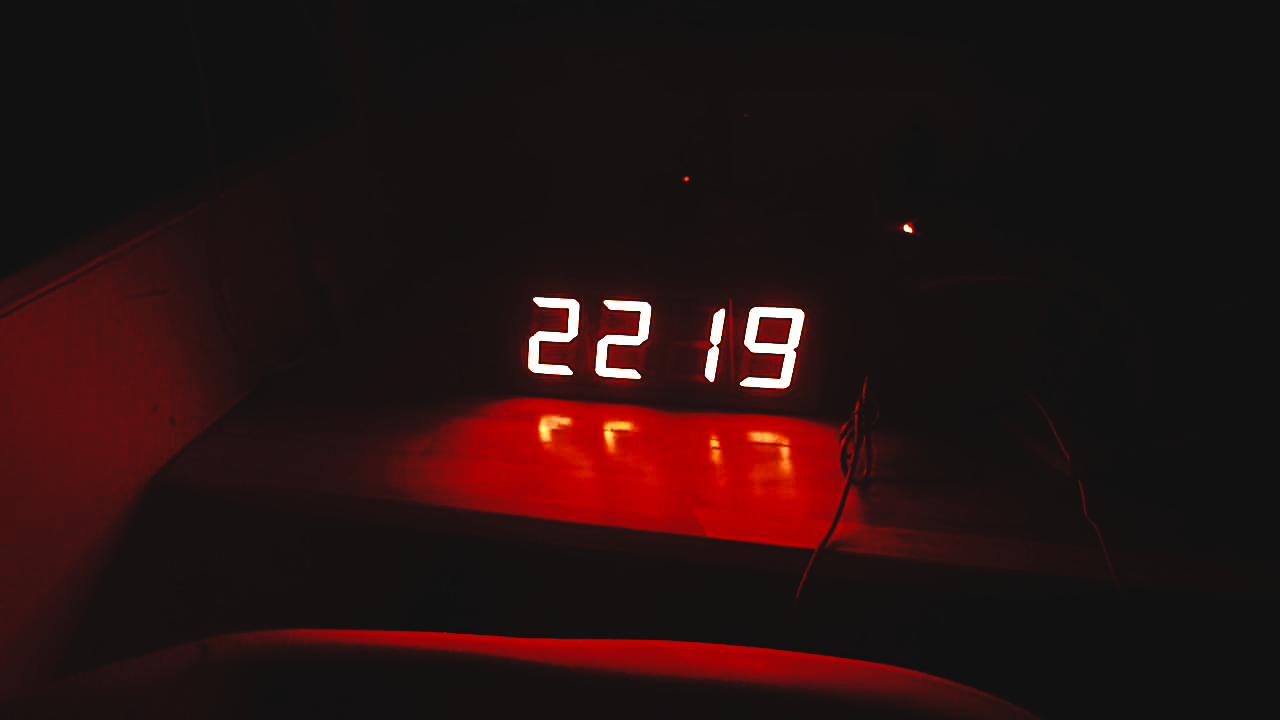
A WiFi-synced clock that runs on any 7-segment display driven by shift registers. No RTC needed — it pulls time from NTP on boot and stays accurate.
If you have a 4-digit 7-segment display with shift registers (like HEF4094 or 74HC595), this firmware turns your ESP32 into a wall clock in minutes.
| Component | Details |
|---|---|
| MCU | ESP32 (any dev board) |
| Display | 4-digit 7-segment, Common Anode |
| Shift Registers | HEF4094BT × 4 (daisy-chained) |
| Logic Level | 12V display, 3.3V ESP32 — BC547 transistor stage handles the shift |
PCB design files (KiCad schematic + gerbers) are in the /hardware folder.
1. Clone and open in PlatformIO
git clone https://github.com/VJPatz/wifi_clock.git
cd wifi_clock
2. Set your WiFi credentials in include/config.h
#define WIFI_SSID     "your_ssid"
#define WIFI_PASSWORD "your_password"
3. Flash to ESP32
pio run --target uploadThat's it. The clock syncs on boot and displays time immediately.
If your display has a different segment wiring order, edit src/display.cpp — the segment-to-bit mapping is clearly defined there for each digit position.
wifi_clock/
├── src/
│   ├── main.cpp          # Main loop
│   ├── display.cpp       # Shift register + segment logic
│   ├── wifi_service.cpp  # WiFi connection
│   └── time_service.cpp  # NTP sync
├── include/
│   └── config.h          # WiFi, GPIO, NTP config
├── hardware/             # KiCad schematic + PCB + gerbers
└── platformio.iniMIT
| Qty | Value | Footprint | References |
|---|---|---|---|
| 6 | 10k | Resistor_THT:R_Axial_DIN0207_L6.3mm_D2.5mm_P7.62mm_Horizontal | R4, R5, R6, R7, R8, R9 |
| 3 | 1k | Resistor_THT:R_Axial_DIN0207_L6.3mm_D2.5mm_P7.62mm_Horizontal | R1, R2, R3 |
| 3 | BC547 | Package_TO_SOT_THT:TO-92_Inline | Q1, Q2, Q3 |
| 2 | 100nF | Capacitor_THT:C_Disc_D5.0mm_W2.5mm_P5.00mm | C1, C2 |
| 1 | 10uF | Capacitor_THT:CP_Radial_D5.0mm_P2.00mm | C3 |
| 1 | Barrel Jack | Connector_BarrelJack:BarrelJack_Horizontal | J2 |
| 1 | Display Connector | Connector_PinHeader_2.54mm:PinHeader_1x05_P2.54mm_Vertical | J1 |
| 1 | ESP32-DEVKITC-32E | ESP32-DEVKITC-32E:MODULE_ESP32-DEVKITC-32E | U1 |
| 1 | L7805 | Package_TO_SOT_THT:TO-220-3_Vertical | U2 |
virgile-tchidehou/smart-soja
An autonomous IoT-based mobile system for soybean pre-processing, integrating embedded systems, industrial automation, solar energy and cloud connectivity.

Aryan-swag/VentSense
VentSense: 2-of-3 gas/temperature/voltage early warning and per-cell isolation for small Li-ion packs. Vishwakarma Awards 2026-27 Stage 2 (VK26-IITH-SE-0279)

zeyad-hisham-cyper/Solar-IoT-Smart-Irrigation-System
A distributed, low-power irrigation platform that closes the loop between soil sensors in the field and a phone in your hand. It is built from three cooperating subsystems:

AnotherBuildCorner/Pickup_Winder
A DIY pickup winder with CNC capability, from mostly off the shelf parts

CasuariusSYC/3-Phase-Electricity-Monitoring
This project is a module to monitor the status of a 3-phase electricity supply and record any power outages. The data can be accessed wirelessly. Currently, the features are limited to detecting the power state only.

AnotherBuildCorner/Relay_Switcher
DIY Relay bypass switcher for audio applications

peterheinrich/InternetOverSpaghetti
Transmitting IP packages over a pair of spaghetti thus demonstrating how media independent IP really is.

telec16/modular-synth
Little side project, don't expect much updates.
It measures 80 × 100 mm and has 2 copper layers, 1.6 mm thick.
19 parts, built around the ESP32-DEVKITC-32E, L7805 and BC547. The full list of its parts is on this page, with links to each part's symbol and footprint where PCBKit's library has them.
From the VJPatz/wifi_clock repository on GitHub, at the commit this page was made from: the board is hardware/wifi_clock.kicad_pcb and its schematic hardware/wifi_clock.kicad_sch. PCBKit opens the board in the browser, with nothing to install.
Its repository publishes it under the MIT licence: you may reuse it on that licence's terms (keep the author's notice, and for a copyleft licence share your changes alike).