
4 layers234 × 84 mm
Main panel
google/mozc-devices
Circuit diagrams and firmware source code for Gboard DIY keyboards
234 parts3kApache-2.0

 Sumqz/Sumqzs_Multipad
My own custom Macropad. It's simple but includes a variety of features. It's supposed to make life with a 60% Keyboard better. To get the space benefit of the small Keyboard but they possibility to add extra buttons and features when needed. This project was made possible by blueprint.hackclub
Macro pad is an open-source printed circuit board by Sumqz, from the Sumqz/Sumqzs_Multipad repository on GitHub. It is a 2-layer board of 61 × 78 mm with 17 parts on 22 nets, routed with 227 tracks and 19 vias.
It is built around the SK6812MINI-E. Its parts include 8 diodes, 7 switches, 1 IC and 1 connector. It belongs with the keyboards and input boards and the RP2040 boards of this library.
First up sorry for any typos or grammar mistakes. English isn't my primary language but I've tried my best.
My own custom macropad. It's simple but includes a variety of features. It's supposed to make life with a 60% keyboard better. You get the space benefit of a small keyboard but still have extra buttons and features when needed. This project was made possible by blueprint.hackclub.
I made this product following the tutorial on blueprint.hackclub and added my own ideas. I've had a lot of fun and will probably be making another project soon.
If anyone wants to build something similar feel free to ask me about the process!
Here are all of the products used (example parts):
| Part | Quantity | Description | Part Number | Link |
|---|---|---|---|---|
| Microcontroller | 1 | Seeed Studio XIAO RP2040 | XIAO-RP2040 | https://www.amazon.com/Microcontroller-Dual-Core-MicroPython-CircuitPython-Interfaces/dp/B09NNVNW7M |
| OLED Display | 1 | 0.91" I2C OLED 128x32 (SSD1306) | SSD1306 0.91" | https://www.ziotester.it/elettronica/display/ssd1306-display-oled-0-91-pollici-128-32-pixel.html |
| Mechanical Switch | 6 | PCB mount mechanical switch | Cherry MX compatible | https://www.cherry.de/en-gb/products/switches/mx-standard |
| Rotary Encoder | 1 | ALPS EC11 with push button | EC11E15244G1 | https://tech.alpsalpine.com/e/products/detail/EC11E15244G1/ |
| RGB LED | 2 | SK6812 Mini-E RGB LED | SK6812MINI-E | https://www.adafruit.com/product/4960 |
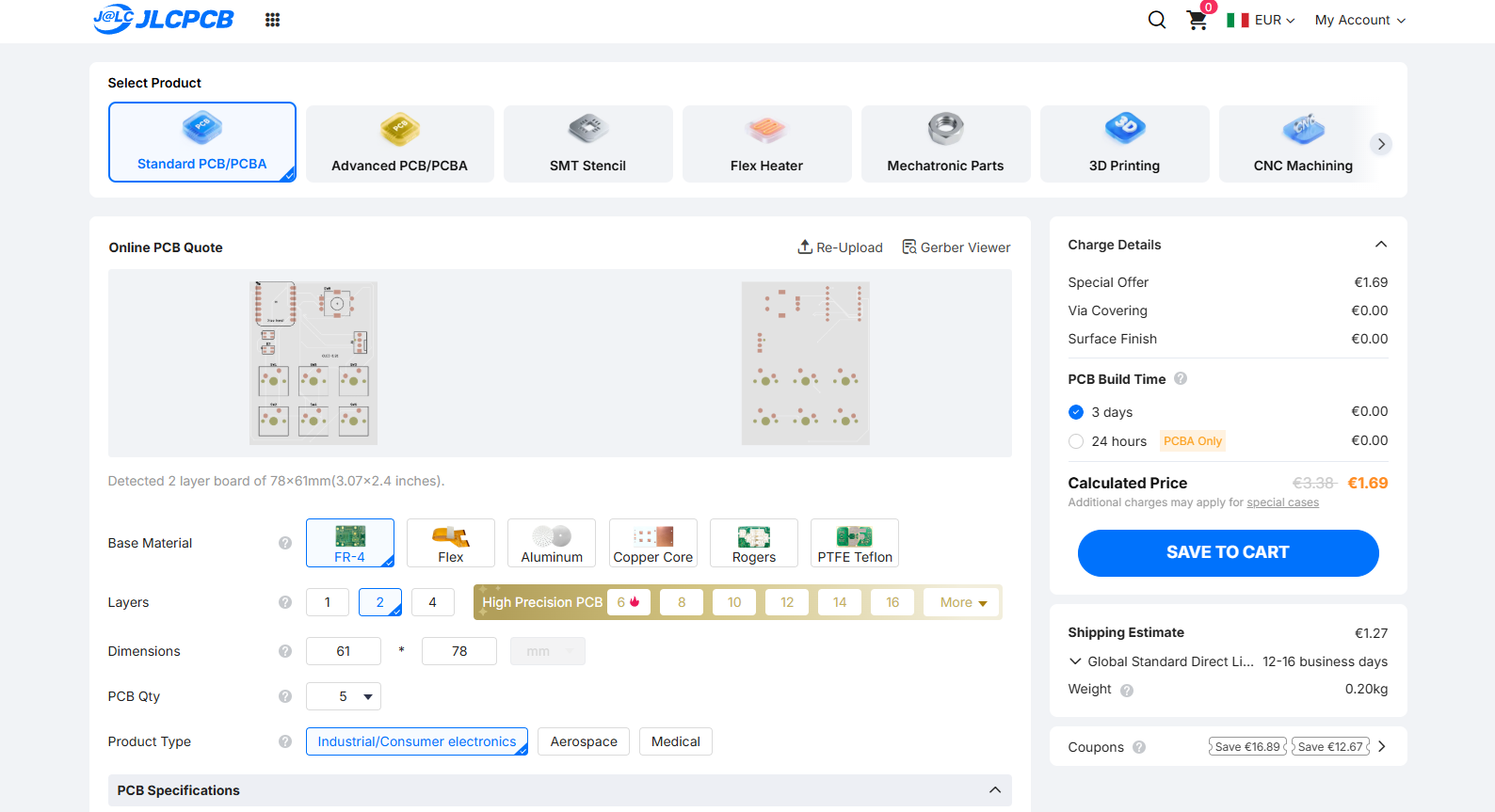
| PCB | 1 | Custom PCB | – | https://jlcpcb.com |
| Case (3D Print) | 1 | 3D printed enclosure | – | – |
Note: The linked parts are example references. Please double-check compatibility before ordering parts for your own build.
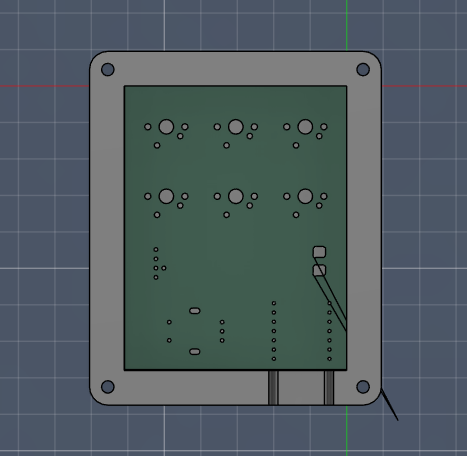
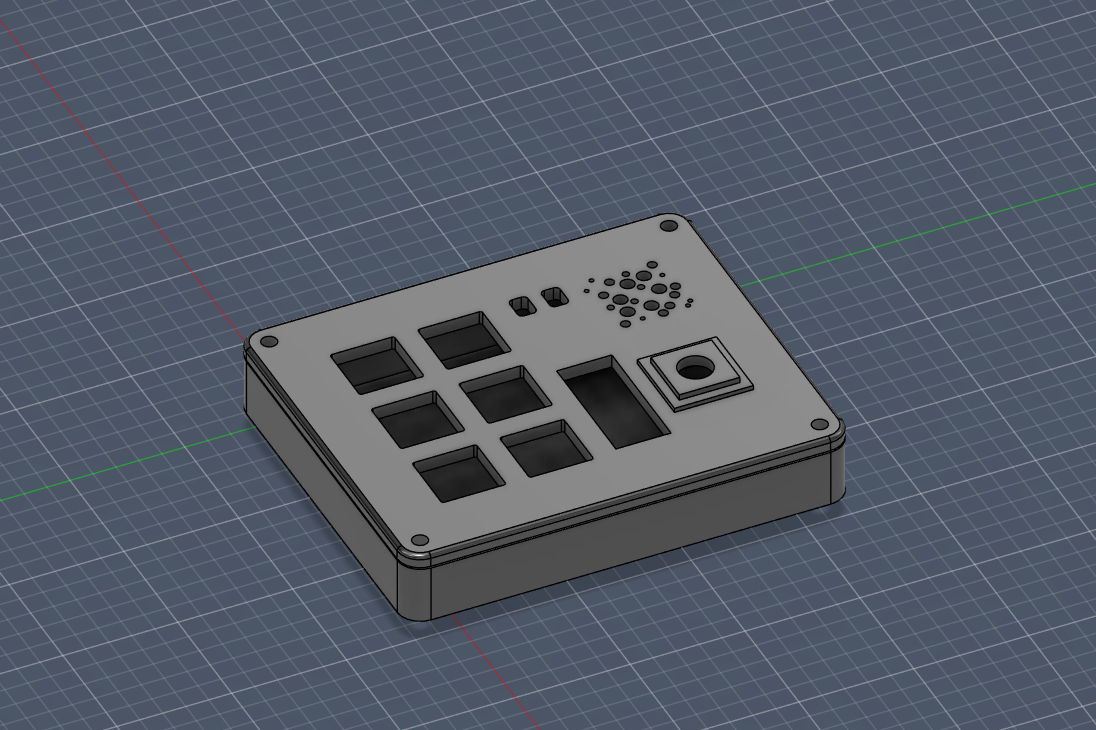
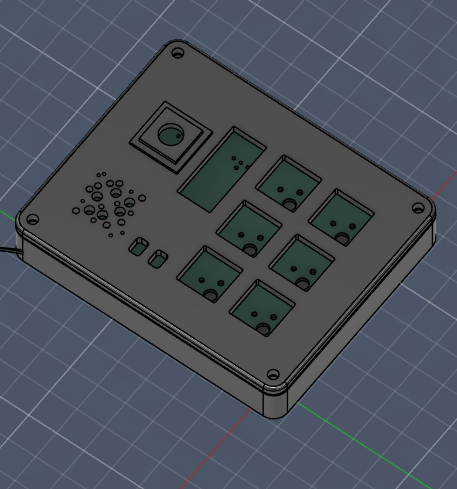
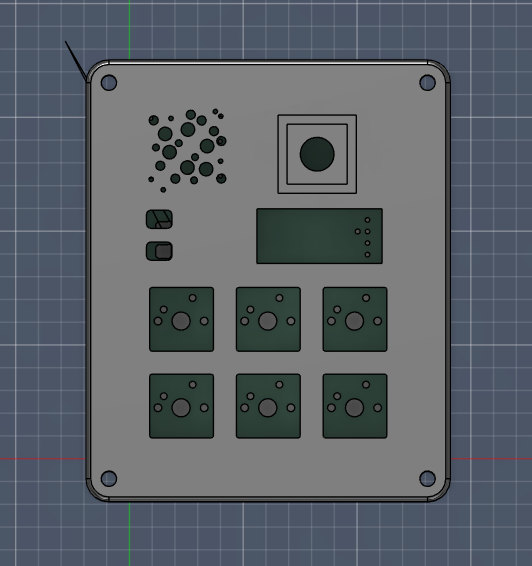
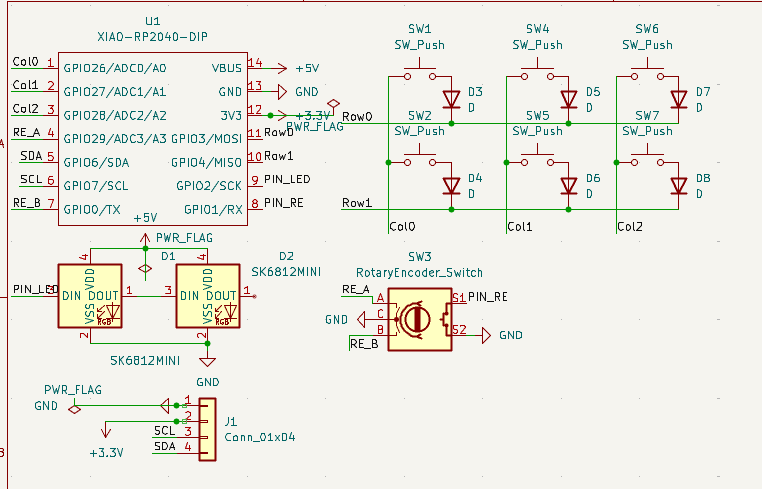
Changed it to a matrix to make room for all the switches!
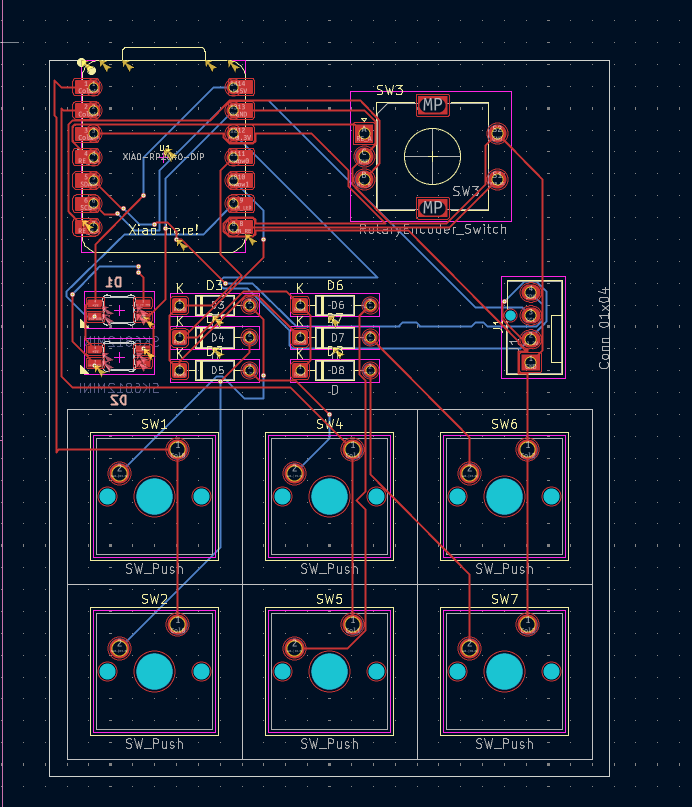
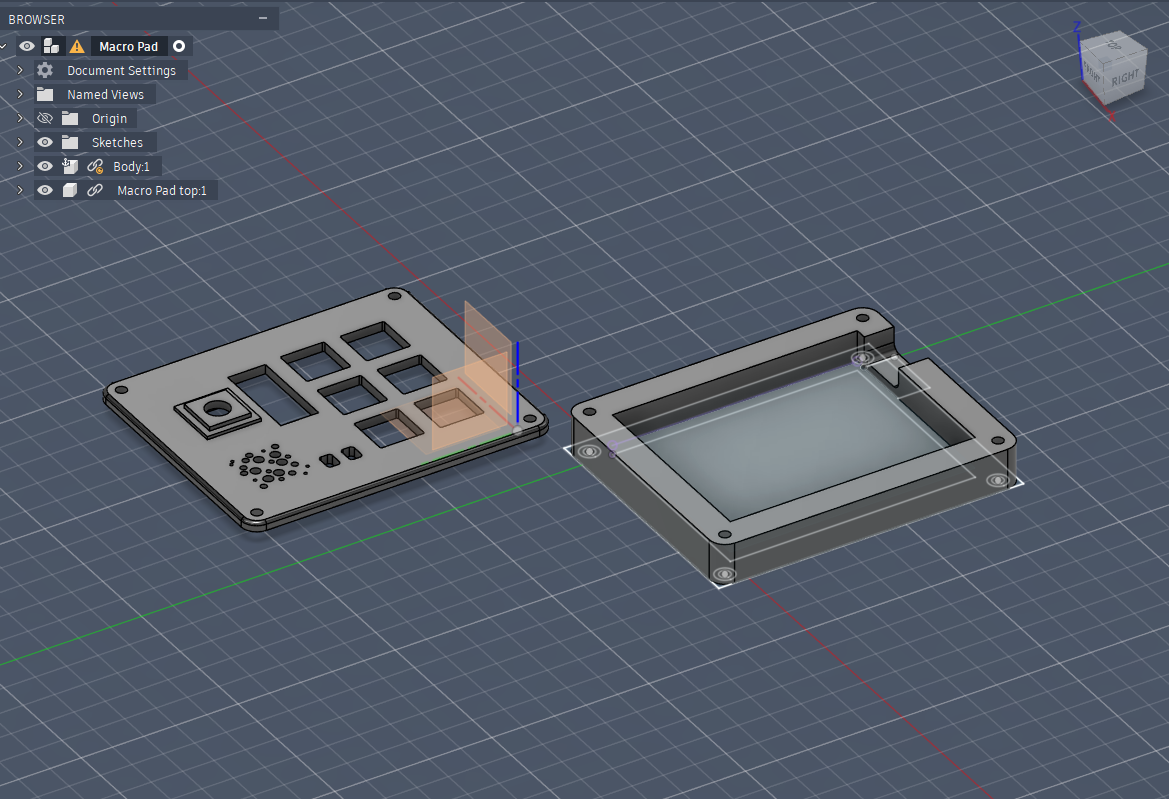
All needed files are included in the repository. Other files are sorted in folders.
The firmware is still not finished and will be updated once the parts are assembled.
| Qty | Value | Footprint | References |
|---|---|---|---|
| 6 | D | Diode_THT:D_DO-35_SOD27_P7.62mm_Horizontal | D3, D4, D5, D6, D7, D8 |
| 6 | SW_Push | Button_Switch_Keyboard:SW_Cherry_MX_1.00u_PCB | SW1, SW2, SW4, SW5, SW6, SW7 |
| 2 | SK6812MINI | Footprint:SK6812MINI-E_fixed | D1, D2 |
| 1 | Conn_01x04 | Connector:FanPinHeader_1x04_P2.54mm_Vertical | J1 |
| 1 | RotaryEncoder_Switch | Rotary_Encoder:RotaryEncoder_Alps_EC11E-Switch_Vertical_H20mm | SW3 |
| 1 | XIAO-RP2040-DIP | Footprint Macro Lib:XIAO-RP2040-DIP | U1 |
google/mozc-devices
Circuit diagrams and firmware source code for Gboard DIY keyboards

Bastardkb/Dilemma
The Dilemma is a vertical stagger low-profile keyboard with mods.

Pwnsat/FlatSat
Flatsat v1.0 is a hardware based platform for aerospace cybersecurity research

adamws/kicad-kbplacer
KiCad plugin for automatic keyboard's key placement and routing

imchipwood/dumbpad
Simple 4x4 numpad with rotary encoder. Powered by QMK via ATmega32u4 Pro Micro

makerforgetech/modular-biped
An open source framework for creating a bipedal modular companion robot.


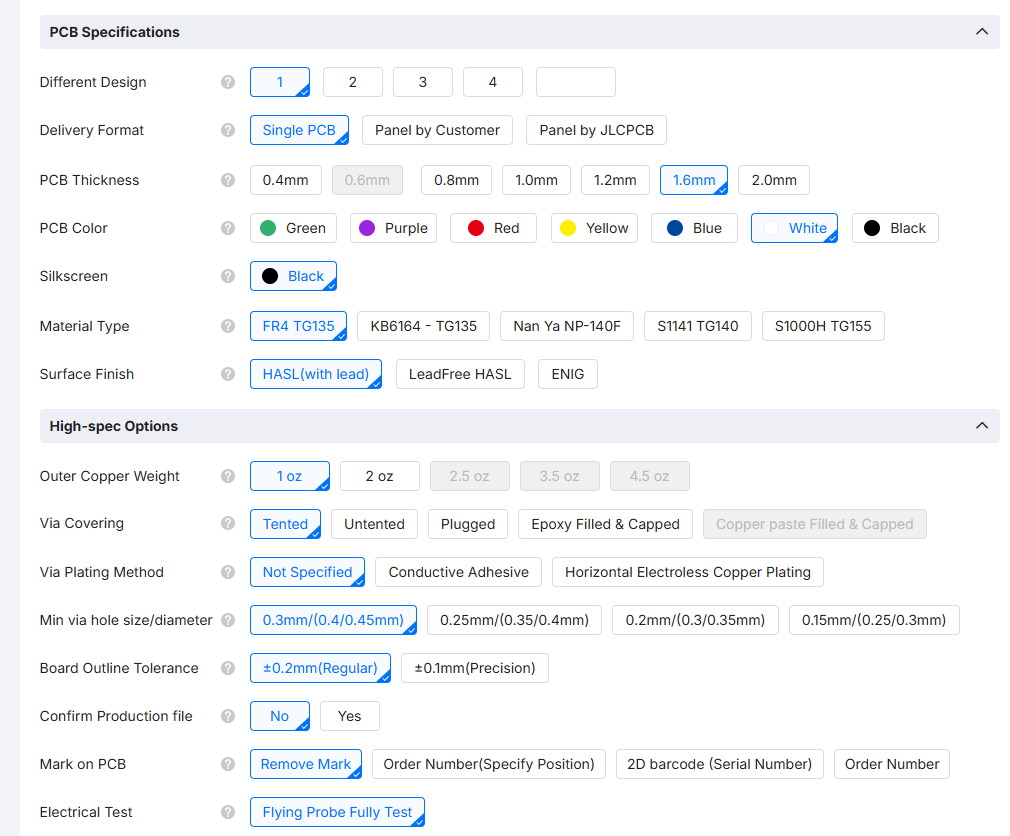
It measures 61 × 78 mm and has 2 copper layers, 1.6 mm thick.
17 parts, built around the SK6812MINI-E. The full list of its parts is on this page, with links to each part's symbol and footprint where PCBKit's library has them.
From the Sumqz/Sumqzs_Multipad repository on GitHub, at the commit this page was made from: the board is PCB/Macro pad.kicad_pcb and its schematic PCB/Macro pad.kicad_sch. PCBKit opens the board in the browser, with nothing to install.
Its repository states no licence, so its author keeps all rights: ask Sumqz before reusing the design.