2 layers20 × 20 mm

 SensorsINI/argo16
Code for Autonomous sail boat
Argo v9-stable rev4 is an open-source printed circuit board by SensorsINI, from the SensorsINI/argo repository on GitHub. It is a 2-layer board of 94.8 × 67.2 mm with 139 parts on 79 nets, routed with 2,986 tracks and 394 vias.
It is built around the RA-01, TSR 1-2450 and MAX11612EUA+, with the TXS0102YZP, CH221K and MP2672GD-0000-Z among its other parts. Its parts include 17 resistors, 9 ICs, 5 connectors, 3 capacitors and 3 diodes.


An autonomous sailboat system based on Dragonforce 65 hull, running on Orange Pi Zero 2W with ROS2. The system includes comprehensive sensor integration, autonomous navigation, and safety monitoring.
power_control/argo_power_control.py and launch/argo_lifecycle_manager.py) along with robust lifecycle management and battery/power control.Pick Argo (boat) or Host (PC) below. ROS 2 must match your Ubuntu LTS: 22.04 (Jammy) → Humble; 24.04 (Noble) → Jazzy. Use the official ROS 2 Ubuntu (deb) install page that corresponds to your ROS release.
On the robot, the stack targets Ubuntu 22.04–based Armbian and ROS 2 Humble. Bring up I²C/UART/PWM overlays, the radio/servo kernel module, Python dependencies, systemd services, and power control as described in the launch tree.
cd ~/argo   # or your clone path
sudo apt update && sudo apt upgrade -y
# Install ROS 2 Humble (.deb), then in each shell you use for builds:
#   source /opt/ros/humble/setup.bash

make install-all          # Python deps + optional hardware (see Makefile / messages)
make install-argo-cli
source ~/.bashrc
make -C launch install # install systemd units; enable per docs1. Flash Orange Pi OS using Orange Pi Imager or equivalent.
2. Initial system setup
sudo apt update && sudo apt upgrade -y
sudo apt install python3-pip python3-dev build-essential
sudo apt install i2c-tools device-tree-compiler git
sudo apt install ros-humble-desktop
3. Clone repository
cd /home/orangepi
git clone https://github.com/SensorsINI/argo.git
cd argo
4. Python and ROS helpers
make install-python-deps   # requirements.txt on the boat
# If needed:
sudo apt install python3-rclpy python3-std-msgs python3-geometry-msgs
5. Hardware configuration
Edit /boot/orangepiEnv.txt and add overlays:
overlays=pi-i2c0 disable-uart0 ph-uart5 pi-pwm2 pi-pwm4
user_overlays=argo_radio_servo_overlay
Build and load the PWM capture module:
cd ~/argo/nodes/pwm_capture_module
make all
sudo modprobe argo_radio_servo_module   # or reboot
Add your user to hardware groups:
sudo usermod -a -G i2c,dialout $USER
# log out and back in
6. Verify
sudo i2cdetect -y 0
lsmod | grep argo
ls -la /sys/kernel/argo_radio_servo/
sudo cat /dev/ttyS5
7. CLI and services
make install-argo-cli && source ~/.bashrc
make -C launch install
sudo systemctl daemon-reload
sudo systemctl enable argo_launch.serviceUse this on a laptop or workstation for local simulation (asim), Foxglove Studio (same Wi‑Fi, VPN, or SSH tunnel), log playback, and shore-side scripts. The boat still runs ROS 2 on the Orange Pi; your host subscribes/records like any ROS 2 client. LoRa is a boat link—the monitoring machine uses normal network ROS 2 or recorded bags unless you run a separate LoRa gateway stack.
Prerequisites: Ubuntu 22.04 or 24.04 (see mapping to Humble/Jazzy above), git, make, sudo, and network access for apt.
One-shot bootstrap (Ubuntu 22.04 or 24.04):
cd /path/to/argo
make host-setup
source ~/.bashrc                     # reload Argo dotfiles in this terminal (or open a new tab)
# Dotfiles auto-source the first ROS found under /opt/ros (jazzy, iron, humble, rolling) when ROS_DISTRO is unset.

source .venv/bin/activate            # optional; pip tooling (argcomplete, pyglet, …)
asim
If a command in this terminal cannot find rclpy or ros2 right after host-setup, the ROS underlay is not loaded yet: run source ~/.bashrc (as above), or explicitly source /opt/ros/humble/setup.bash / source /opt/ros/jazzy/setup.bash matching your install.
make host-setup refuses to run on Orange Pi (use make install-all on the boat). It:
/etc/apt/sources.list.d/ros2-latest.list only if no file already references packages.ros.org/ros2/ubuntu (avoids a second Signed-By if you installed ROS 2 from the official doc first)ros-<distro>-ros-base when /opt/ros/<distro> is absent (Jammy → humble, Noble → jazzy, or override with ROS_DISTRO=)make install-deps (single apt-get update, then Argo’s ROS .deb set, Foxglove bridge, MCAP storage)make setup-venv (creates .venv with uv if available, otherwise python3 -m venv, and installs requirements-host.txt) then make install-python-deps (same host requirements file again into .venv—idempotent on a PC)make install-argo-cli and make submodule-init (install-argo-cli appends source <repo>/dotfiles/bashrc to ~/.bashrc; that file auto-sources /opt/ros/<distro>/setup.bash when ROS_DISTRO is not already set)Tab completion (optional): Global argcomplete is not installed automatically on every shell (keeps login fast). After host-setup, run once: activate-global-python-argcomplete3 --user or activate-global-python-argcomplete --user, or see dotfiles/README.md — Tab Completion Setup.
Force a distro explicitly, e.g. on non-LTS or mixed images:
make host-setup ROS_DISTRO=jazzyIf apt-get update reports conflicting Signed-By for packages.ros.org/ros2/ubuntu, you have two ROS 2 source files—keep one. For example, if you already used the official installer, remove Argo’s duplicate and refresh: sudo rm -f /etc/apt/sources.list.d/ros2-latest.list && sudo apt-get update.
install-ros2-apt-repo checks for an existing ROS 2 source with sudo grep because some sources.list.d entries are root-only; without that, Make could miss your working repo and add a second file.
Foxglove: with ROS sourced on the machine that runs the bridge, start ros2 run foxglove_bridge foxglove_bridge and connect from Foxglove Studio to ws://<that-host-ip>:8765.
make host-setup — host-only full bootstrap (see above)make install-deps — ROS packages for the current ROS_DISTRO (Foxglove, MCAP, …)make install-python-deps — robot uses requirements.txt; host uses requirements-host.txt (prefers .venv if present)make install-hardware — PWM module (boat)make install-all — boat-oriented dependency + hardware pathmake -C launch … — lifecycle systemd helpersAfter make install-argo-cli, common aliases include al / aq / ars (services), as / asq (status), asim (local sim), ar / ac (recording), alog, ah. Run make help and see dotfiles/.
The Argo system consists of multiple ROS2 nodes that work together to provide autonomous sailing capabilities:
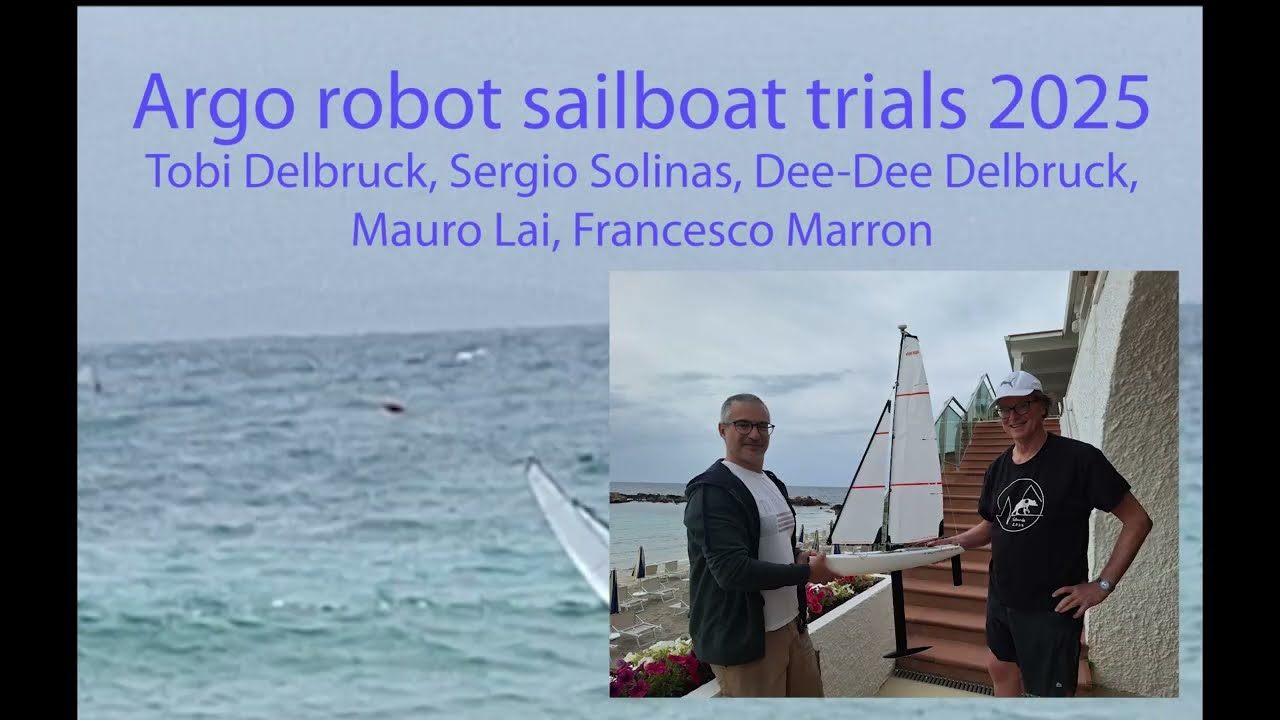
See the Argo autonomous sailboat in action at the 2024 CCNW (before current waterproofing and PCB developements): Argo Sailboat Demo
The main PCB design for Argo is available in the pcb/ folder. The latest board version is rev4, which contains the current sailboat control and sensor interface design.
pcb/WindSensor/WindSensor-rev1/ directory for full hardware schematics, layout, and BOM.The Argo system is designed to handle frequent SBC hardware replacements (due to damage) while maintaining network identity. The WiFi MAC address is frozen to a consistent value (c8:26:e2:6c:58:ba) stored in network/ARGO_MAC_ID.txt and committed to git. This ensures:
make freeze-mac-address after hardware replacement to restore network identitySee Network Improvements Documentation for details.
The Argo system uses a shared control circuit design that allows both radio control and autonomous software control of servos through a fail-safe high impedance switching mechanism:
Sail Winch Servo: Joysway #880545
Rudder Servo: Joysway #881504
The hardware implements a fail-safe shared control circuit where:
This design ensures radio control always works when software is not running, providing maximum safety for autonomous sailboat operation.
flowchart TB
  subgraph OUTPUTS[Output Nodes]
    RSR[rudder_sail_radio primary actuation output]
    LORA[lora long range communications]
  end

  CTRL[controller primary decision and control logic]

  subgraph SAFETY[Critical Safety Services]
    BW[battery_water critical]
    LA[launch critical]
  end

  subgraph SENSORS[Sensor Input Layer]
    GPS[gps]
    IMU[imu BNO085]
    ANEM[anem]
  end

  VR[Visualization and Recording]

  GPS --> CTRL
  IMU --> CTRL
ANEM --> CTRLThe Argo system follows a modular ROS2 architecture with clear separation of concerns:
Directory Structure:
nodes/ - Individual ROS2 nodes (Python-based sensor interfaces)launch/ - Lifecycle management, systemd services, and launch configurationspower_control/ - Power management system (separate ROS2 package)foxglove/ - Visualization layouts for Foxglove Studiosimulator/ - Sailboat simulation submodule (sailboat-playground)argo_bno085 serviceargo_thermal_monitor)Argo includes comprehensive simulation support for development and testing:
Local Simulation:
Remote Simulation:
Quick Start:
# Local simulation
python3 launch/argo_lifecycle_manager.py simulate_local

# Remote simulation (requires setup)
python3 launch/argo_lifecycle_manager.py simulate_remote

# Or use helper scripts (equivalent flow):
./scripts/remote_simulator_tunnel.sh &
python3 scripts/remote_simulator_launch.py &
./scripts/launch_simulator_remote.shlaunch/ - System Management & ServicesCentral control hub for the entire Argo system:
argo_lifecycle_manager.py - Core lifecycle management with intelligent monitoringargo_*.sh - Shell scripts for start/stop/restart/status operationsargo-launch.service - Systemd service configurationargo_gui.py - GTK-based status monitoring GUIargo_storage_monitor.py - Storage space monitoring and notificationsMakefile - Service installation and management automationnodes/ - ROS2 Node ImplementationsHardware interface and control nodes:
gps.py, bno085.py, anem.py, argo_battery_water.py, temp_monitor.pyrudder_sail_radio.py, controller.py, record.pypwm_capture_module/ - Custom kernel module for radio control and servo interfacesargo.yaml, calibration data, and support utilitiespower_control/ - Hardware Power ManagementStandalone ROS2 package for power button and LED control:
argo_power_control.py - Main power control node with GPIO managementMakefile - Independent installation and service managementpcb/ - Hardware Design FilesCustom PCB development for production-ready integration:
argo-v9-stable/ - Current stable PCB design (KiCad project files)datasheets/ - Component specifications and reference materialsorange-pi/ - Orange Pi Zero 2W integration documentation and pin definitionsfoxglove/ - Real-time VisualizationFoxglove Studio integration for live system monitoring:
argo_ros2.json - Pre-configured dashboard layout for Argo sailboatcustom-argo-panel/ - TypeScript custom panel for specialized boat visualizationsetup_foxglove.sh - Automated Foxglove Bridge configuration and startupsystem-monitoring/ - Optional System Monitoring ServicesOptional system-level monitoring services for debugging and development:
Makefile - Installation and management of system monitoring servicesservices/ - Systemd service files for system monitoringscripts/ - Monitoring scripts for boot history, memory, processes, etc.make install-system-monitoring to installCore ROS2 Nodes:
gps.py - GPS receiver interface (UART5, u-blox NEO-M9N)bno085.py - 9-DOF Orientation IMU with sensor fusion (I2C, Adafruit BNO085)anem.py - Wind sensor array (3x SDP3x pressure sensors)argo_battery_water.py - Power monitoring and safety systemsrudder_sail_radio.py - Radio control input and servo output interfacecontroller.py - Autonomous navigation and sail control algorithmsrecord.py - Data recording management (ROS2 bag files)temp_monitor.py - System temperature monitoringargo_unified_simulator_bridge.py - Unified simulator bridge for local and remote simulationThe Argo system uses a sophisticated lifecycle management approach centered around argo_lifecycle_manager.py:
Key Features:
Lifecycle Management Modes:
python3 launch/argo_lifecycle_manager.py run             # Launch all nodes
python3 launch/argo_lifecycle_manager.py stop            # Graceful shutdown
python3 launch/argo_lifecycle_manager.py restart         # Restart all nodes
python3 launch/argo_lifecycle_manager.py status          # Show system status
python3 launch/argo_lifecycle_manager.py monitor         # Continuous monitoring
python3 launch/argo_lifecycle_manager.py simulate_local  # Local simulation mode
python3 launch/argo_lifecycle_manager.py simulate_remote # Remote simulation mode
Critical Node Management:
rudder_sail_radio.py, controller.py (essential for boat operation)Startup Monitoring Pattern:
Systemd Integration:
argo-launch.service runs lifecycle manager in continuous modecd ~/argo
source /opt/ros/humble/setup.bash
python3 launch/argo_lifecycle_manager.py run# Test individual sensors with debug output
python3 nodes/gps.py --debug
python3 nodes/bno085.py bridge # IMU bridge mode
python3 nodes/bno085.py status # Check IMU health
python3 nodes/anem.py --debug
python3 nodes/argo_battery_water.py --debug
python3 nodes/rudder_sail_radio.py
python3 nodes/controller.py# Monitor ROS2 topics
ros2 topic list
ros2 topic echo /battery_voltage
ros2 topic echo /anem_speed_angle_temp
ros2 topic echo /rudder_sail_radiogps.py: GPS interface via UART5, publishes /gps_databno085.py: Adafruit BNO085 IMU with sensor fusion, publishes /compass, /pose, /accel, /gyro, /imu_healthanem.py: Wind speed/direction from 3 pressure sensors, publishes /anem_speed_angle_tempargo_battery_water.py: Power and safety monitoring, publishes battery/water alertsrudder_sail_radio.py: Radio control interface and servo outputcontroller.py: Autonomous navigation controllerargo_unified_simulator_bridge.py: Unified simulator bridge for local and remote simulationlora.py: Long range radio node for LORA moduleargo.yaml: Main control parameters (mode, gains, etc.)argo.env: ROS2 environment variables for systemd servicesRTIMULib.ini: IMU calibration and sensor fusion settingsTo plot recorded bag file data, see argo-plots-2025.py (or argo-plots-2023.py).
i2c groupdialout group# Check system health
ah # show aliases
adevcheck # check for argo devices present and communicating
alog # follow argo logs - see help options
sudo i2cdetect -y 0 # check i2c bus
ros2 topic list
ros2 node list # check nodes
systemctl status argo-launch.serviceExciting developments are underway for 2025:
For detailed technical documentation, see the Google Doc README
BSD License - See package.xml for details
| Qty | Value | Footprint | References |
|---|---|---|---|
| 32 | TestPoint_Probe_autonamed | Argo footprint Library:TestPoint_scope_small_autonamed | TP12, TP13, TP14, TP15, TP16, TP17, TP18, TP19, TP20, TP21, TP22, TP23, TP24, TP27, TP28, TP29 +16 |
| 12 | 10k | Resistor_SMD:R_0603_1608Metric_Pad0.98x0.95mm_HandSolder | R_{221K}2, R2, R8, R10, R13, R15, R16, R17, R18, R21, R33, R34 |
| 11 | TestPoint_Probe_autonamed | Argo footprint Library:TestPoint_scope_probe_autonamed | TP1, TP2, TP3, TP4, TP5, TP7, TP10, TP11, TP25, TP26, TP34 |
| 10 | 5.1k | Resistor_SMD:R_0603_1608Metric_Pad0.98x0.95mm_HandSolder | R_{CC1}1, R_{CC2}1, R4, R14, R19, R20, R24, R28, R29, R35 |
| 5 | 0R | Resistor_SMD:R_0603_1608Metric_Pad0.98x0.95mm_HandSolder | R26, R27, R30, R31, R32 |
| 5 | 100n | Capacitor_SMD:C_0603_1608Metric_Pad1.08x0.95mm_HandSolder | C_{BST}1, C3, C4, C5, C7 |
| 5 | 22u 16V | Capacitor_SMD:C_1210_3225Metric_Pad1.33x2.70mm_HandSolder | C_{5V}1, C_{BAT}1, C_{IN}1, C_{SYS}1, C_{SYS}2 |
| 2 | 1R | Resistor_SMD:R_0603_1608Metric_Pad0.98x0.95mm_HandSolder | R7A1, R7A2 |
| 2 | BSD840N | Argo footprint Library:SOT-363_SC-70-6-handsolder | Q1, Q2 |
| 2 | Conn_I2C_Molex_705450003 | Argo footprint Library:I2C_header | J4, J5 |
| 2 | LOGO | Argo footprint Library:argo-sailboat-icon | G***, G*** |
| 2 | RUDDER | Connector_PinHeader_2.54mm:PinHeader_1x03_P2.54mm_Vertical | RADIO_RUDDER1, SERVO_RUDDER1 |
| 2 | SAIL | Connector_PinHeader_2.54mm:PinHeader_1x03_P2.54mm_Vertical | RADIO_SAIL1, SERVO_SAIL1 |
| 2 | TS4148_RCG | Argo footprint Library:DIO_TS4148_RCG | D2, D3 |
| 2 | TXS0102 | Package_SO:SSOP-8_2.95x2.8mm_P0.65mm | U4, U7 |
| 1 | 100 | Resistor_SMD:R_0603_1608Metric_Pad0.98x0.95mm_HandSolder | R7 |
| 1 | 1000uF | Argo footprint Library:PCAP_10x10-ELECT_NCA | C8 |
| 1 | 10uF | Capacitor_SMD:C_0603_1608Metric_Pad1.08x0.95mm_HandSolder | C1 |
| 1 | 150k | Resistor_SMD:R_0603_1608Metric_Pad0.98x0.95mm_HandSolder | R1 |
| 1 | 15k | Resistor_SMD:R_0603_1608Metric_Pad0.98x0.95mm_HandSolder | R25 |
| 1 | 18k | Resistor_SMD:R_0603_1608Metric_Pad0.98x0.95mm_HandSolder | R6 |
| 1 | 1k | Resistor_SMD:R_0603_1608Metric_Pad0.98x0.95mm_HandSolder | R_{221K}1 |
| 1 | 1u | Capacitor_SMD:C_0603_1608Metric_Pad1.08x0.95mm_HandSolder | C_{VCC}1 |
| 1 | 1u 25V | Capacitor_SMD:C_0603_1608Metric_Pad1.08x0.95mm_HandSolder | C6 |
| 1 | 2.2k | Resistor_SMD:R_0603_1608Metric_Pad0.98x0.95mm_HandSolder | R23 |
| 1 | 2.5u | Argo footprint Library:L_Aliexpress_2.5uH | L1 |
| 1 | 2.7k | Resistor_SMD:R_0603_1608Metric_Pad0.98x0.95mm_HandSolder | R3 |
| 1 | 27k | Resistor_SMD:R_0603_1608Metric_Pad0.98x0.95mm_HandSolder | R5 |
| 1 | 33k | Resistor_SMD:R_0603_1608Metric_Pad0.98x0.95mm_HandSolder | R12 |
| 1 | 3V3 | LED_SMD:LED_0603_1608Metric_Pad1.05x0.95mm_HandSolder | 3v3v1 |
| 1 | 5.08 terminal block | TerminalBlock_Phoenix:TerminalBlock_Phoenix_MKDS-1,5-2-5.08_1x02_P5.08mm_Horizontal | BATTERY1 |
| 1 | 5V | LED_SMD:LED_0603_1608Metric_Pad1.05x0.95mm_HandSolder | 5V1 |
| 1 | 6.8k | Resistor_SMD:R_0603_1608Metric_Pad0.98x0.95mm_HandSolder | R11 |
| 1 | 8.2k | Resistor_SMD:R_0603_1608Metric_Pad0.98x0.95mm_HandSolder | R9 |
| 1 | CH221K | Package_TO_SOT_SMD:TSOT-23-6_HandSoldering | U3 |
| 1 | CHG | LED_SMD:LED_0603_1608Metric_Pad1.05x0.95mm_HandSolder | CHG1 |
| 1 | CMI-9653S-SMT | Argo footprint Library:CUI_CMI-9653S-SMT | LS1 |
| 1 | CZRU52C3V3 | Argo footprint Library:D_0603_1608Metric_hand_solder | D1 |
| 1 | Conn_01x01_Pin | Connector_Pin:Pin_D1.0mm_L10.0mm_LooseFit | GND1 |
| 1 | Fuse | Argo footprint Library:Fuse_Smd- Nano SMF AliExp | F2 |
| 1 | HB | LED_SMD:LED_0603_1608Metric_Pad1.05x0.95mm_HandSolder | HB1 |
| 1 | JST_XH2 | Connector_JST:JST_XH_S3B-XH-A-1_1x03_P2.50mm_Horizontal | BAT_BAL1 |
| 1 | JST_XH2 | Connector_JST:JST_XH_S2B-XH-A_1x02_P2.50mm_Horizontal | SALTWATER1 |
| 1 | LED_power_button_RGB_LED | Argo footprint Library:JST_XH_S6B-XH-A_1x06_P2.50mm_Horizontal | J3 |
| 1 | MAIN | LED_SMD:LED_0603_1608Metric_Pad1.05x0.95mm_HandSolder | BAT1 |
| 1 | MAX11612 | Package_SO:MSOP-8_3x3mm_P0.65mm | U2 |
| 1 | MP2672GD-0000 | Argo footprint Library:QFN40P200X300X100-18N-D-handsolder | IC2 |
| 1 | OFF | Button_Switch_SMD:SW_Tactile_SPST_NO_Straight_CK_PTS636Sx25SMTRLFS | SW2 |
| 1 | ON | Button_Switch_SMD:SW_Tactile_SPST_NO_Straight_CK_PTS636Sx25SMTRLFS | SW1 |
| 1 | PB | LED_SMD:LED_0603_1608Metric_Pad1.05x0.95mm_HandSolder | PB1 |
| 1 | PRL3-5V-DC-1A | Argo footprint Library:RELAY_PRL3-5V-DC-1A | K1 |
| 1 | RA-01 | Argo footprint Library:RA-01 SX1278 LORA | U6 |
| 1 | SHT45 | Argo footprint Library:Sensirion_DFN-4_1.5x1.5mm_P0.8mm_SHT4x_NoCentralPad-handsolder | U5 |
| 1 | Sparkfun_NEO-N9M-SMA | Argo footprint Library:Sparkfun_NEO-M9N-SMA | J1 |
| 1 | TSR_1-2450 | Argo footprint Library:Converter_DCDC_TRACO_TSR1-xxxxE_THT | U8 |
| 1 | USB4125-GF-A | Connector_USB:USB_C_Receptacle_GCT_USB4125-xx-x-0190_6P_TopMnt_Horizontal | J2 |
| 1 | VBUS | LED_SMD:LED_0603_1608Metric_Pad1.05x0.95mm_HandSolder | VBUS1 |
| 1 | orange_pi_zero_2w_2GB | Argo footprint Library:orange_pi_zero_2w_butted | U1 |


holoindustry/AxxSolder_modded
Interested in purchasing an AxxSolder 3.2? On my website 5Dimensions you can purchase assembled and tested AxxSolder 3.2 boards with connectors and hardware.


dojoe/Twonkie
A USB-PD sniffer/injector/sink based on Google's Twinkie, re-designed to be manufactured by mere mortals.

sh123/esp32_loradv
ESP32 based Codec2/OPUS DV hobby UHF 3d printed handheld transceiver aka walkie-talkie
It measures 94.8 × 67.2 mm and has 2 copper layers, 1.6 mm thick.
139 parts, built around the RA-01, TSR 1-2450, MAX11612EUA+ and TXS0102YZP. The full list of its parts is on this page, with links to each part's symbol and footprint where PCBKit's library has them.
From the SensorsINI/argo repository on GitHub, at the commit this page was made from: the board is pcb/argo-v9-stable/argo-v9-stable-rev4/argo-v9-stable-rev4.kicad_pcb and its schematic pcb/WindSensor/WindSensor-rev1c/WindSensor-rev1c.kicad_sch. PCBKit opens the board in the browser, with nothing to install.
Its repository states no licence, so its author keeps all rights: ask SensorsINI before reusing the design.