2 layers120 × 80 mm
Spikeling v3.1
OpenSourceNeuro/Spikeling
A hardware implementation of spiking neurons for neuroscience teaching and outreach
122 parts21GPL-3.0
 OpenSourceNeuro/Spikeling21
A hardware implementation of spiking neurons for neuroscience teaching and outreach
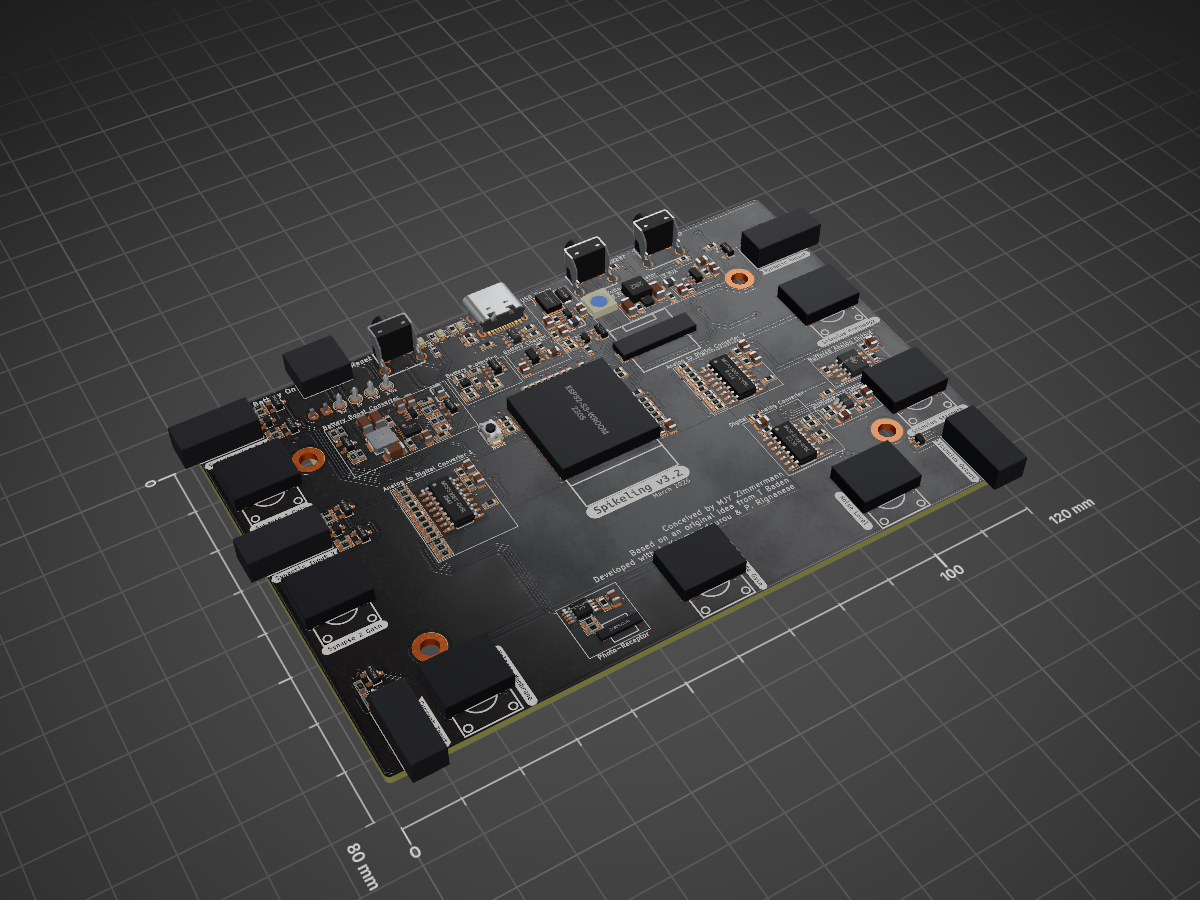
Spikeling v3.2 is an open-source printed circuit board by OpenSourceNeuro, from the OpenSourceNeuro/Spikeling repository on GitHub, published under the GPL-3.0 licence. It is a 2-layer board of 120 × 80 mm with 233 parts on 151 nets, routed with 2,055 tracks and 168 vias.
It is built around the ESP32-S3-WROOM-1-N4, MCP4922-E/SL and MCP6002T-I/SN(MS), with the OPA380AIDGKR, TLV9001IDBVR-MS and TPS62162DSGR among its other parts. Its parts include 82 resistors, 64 capacitors, 18 diodes, 14 ICs and 7 connectors. It belongs with the ESP32 boards of this library.


A hands-on “artificial spiking neuron” running the Izhikevich model on an ESP32, with a desktop GUI for visualization, interaction, and data export.



developed by M.J.Y. Zimmermann
maintained by P. Rignanese & A. Koumoundourou
based on an original idea by T. Baden
This project is licensed under the GNU General Public License v3.0
The hardware is licensed under the CERN-OHL-S-2.0
Spikeling is an open-source neuroscience education platform designed to make core neurophysiology concepts teachable through hands-on experimentation, even in settings where traditional wet-lab electrophysiology is impractical.
In many degree programs, students learn about action potentials and synaptic signalling largely through lectures or static datasets because living preparations, microscopes, amplifiers, and specialist supervision do not scale well to large cohorts. Spikeling addresses this gap with a low-cost “in silico neuron” implemented in hardware.
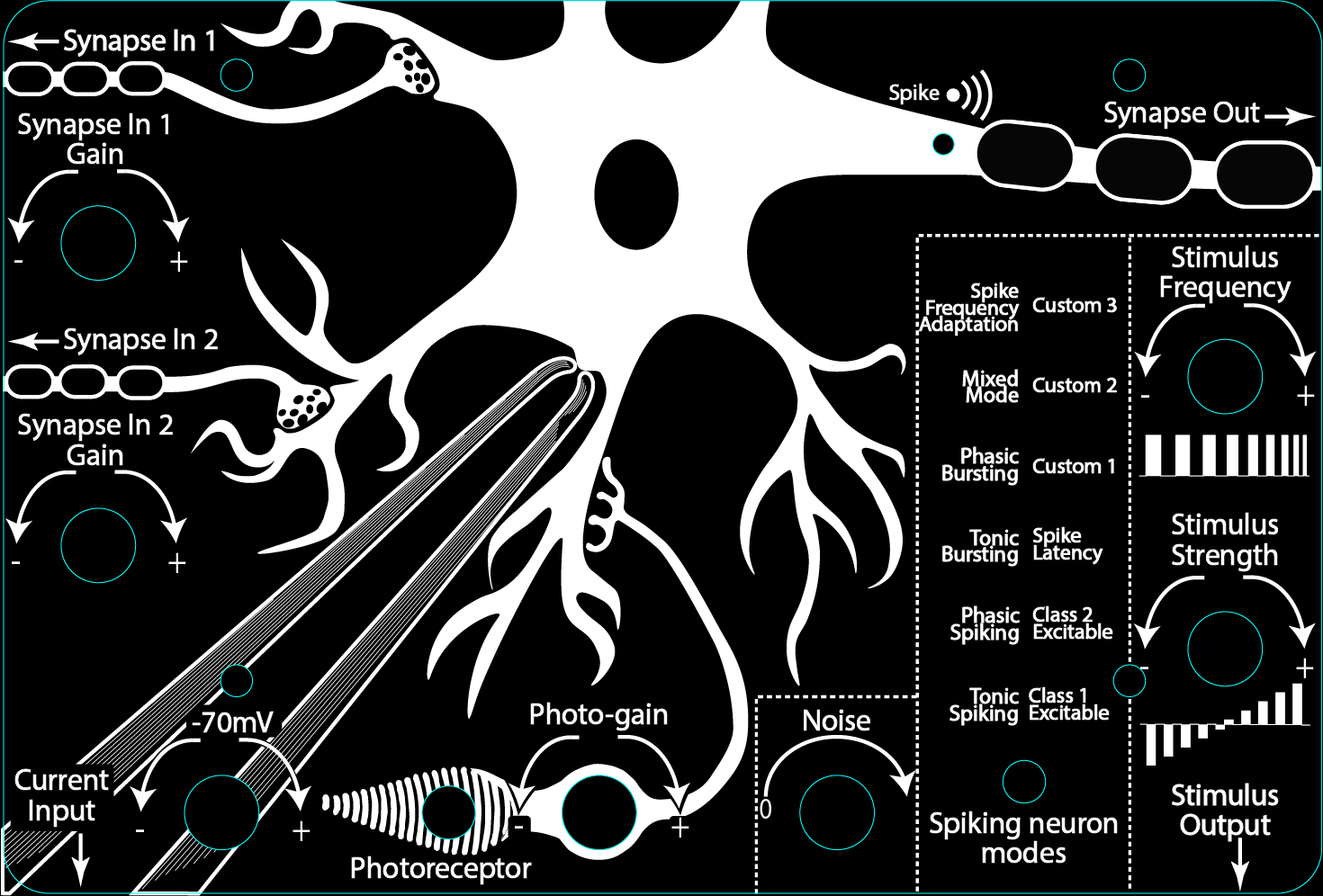
The device runs the computationally efficient and versatile Izhikevich spiking neuron model in real time on an ESP32-based microcontroller, providing electrophysiology-style interaction: controlled stimulation, measurable membrane-voltage dynamics, spike output, and parameter manipulation to explore firing regimes, adaptation, and input integration.
A dedicated cross-platform desktop GUI supports real-time plotting, experiment control, and recording/export to standard formats—enabling teaching modules that extend beyond neurophysiology into protocol design, data collection, analysis pipelines, and model-based reasoning.
The spikeling project emerged from local needs to teach neuroscience class modules for direct interaction with neuron physiology, data analysis, fluorescence imaging, protocol design, etc.
The aim was to provide hands-on experience on how neurons encode information and how diverse variables modulates their activities, while engaging students with crucial aspects of data collection, experimental limitations, methodology and statistical analysis.
Spikeling is currently used in university teaching, computational neuroscience training, and outreach events. It is intentionally open (hardware + firmware + software) so educators can customize activities for their courses and contribute back to a shared pool of teaching material.
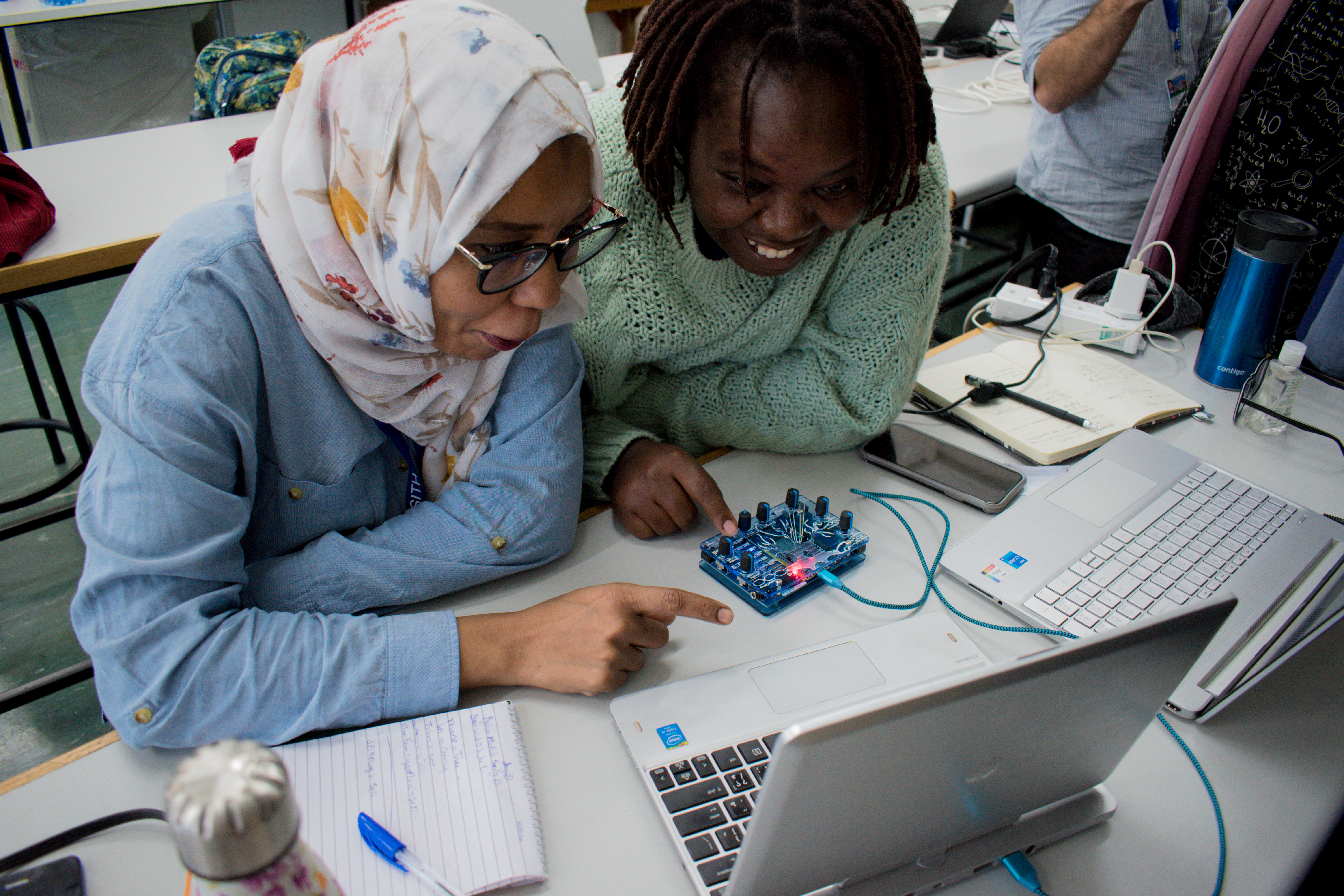
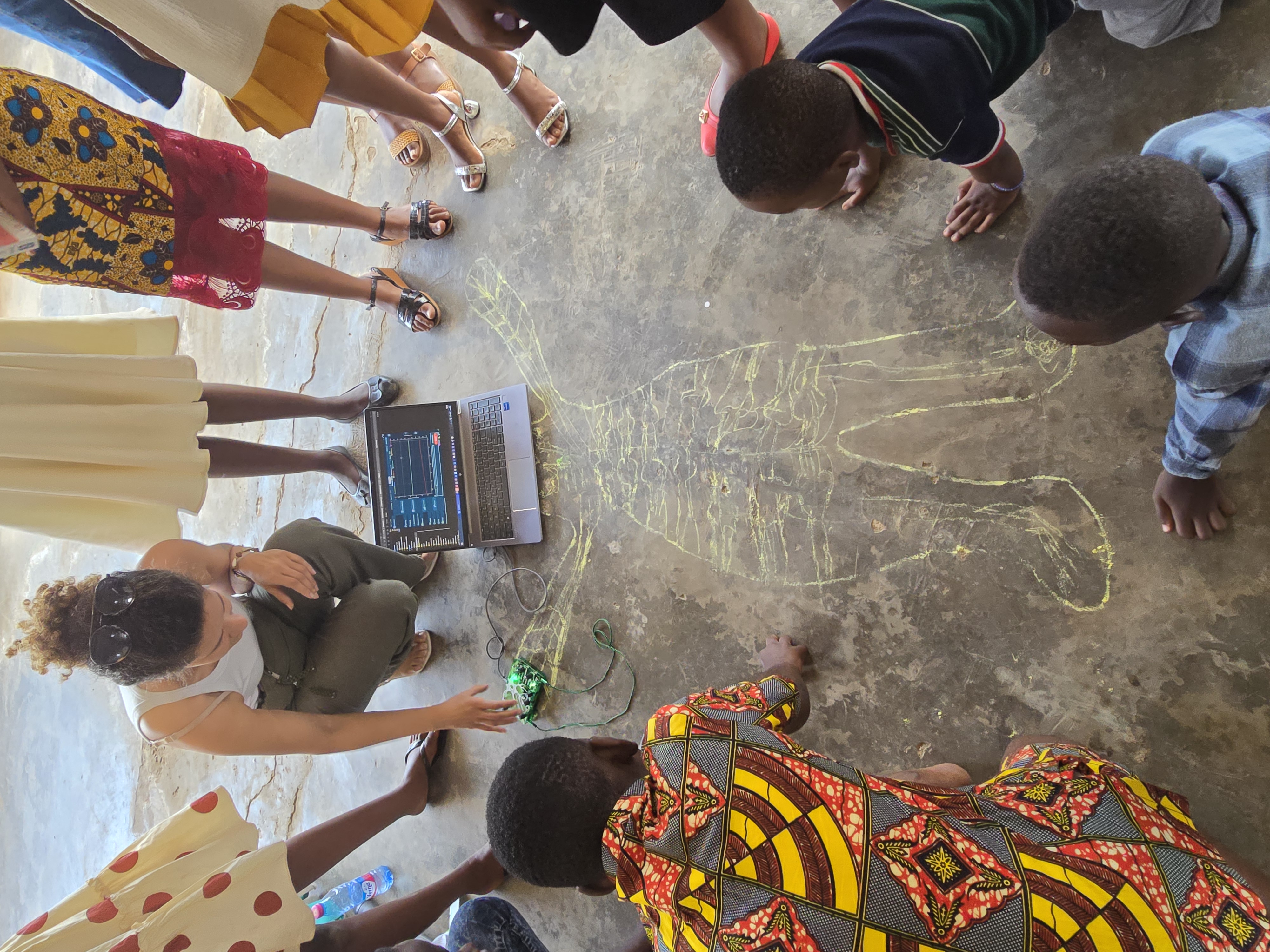 Outreach demonstration of neuron activities to primary school student in Ghana (2025) |
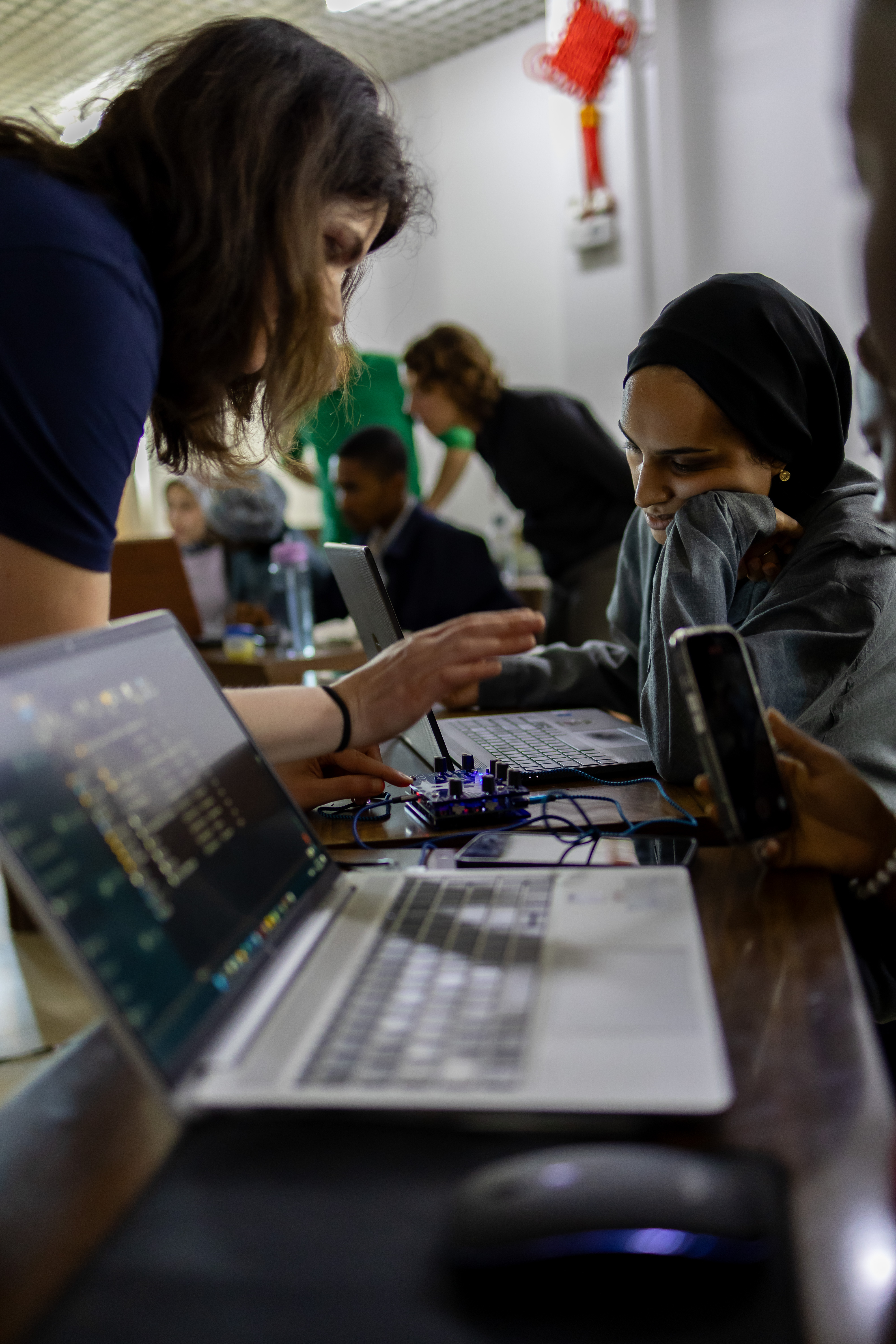 Hands-on electrophysiology-style experiments in Zambia (2025) |
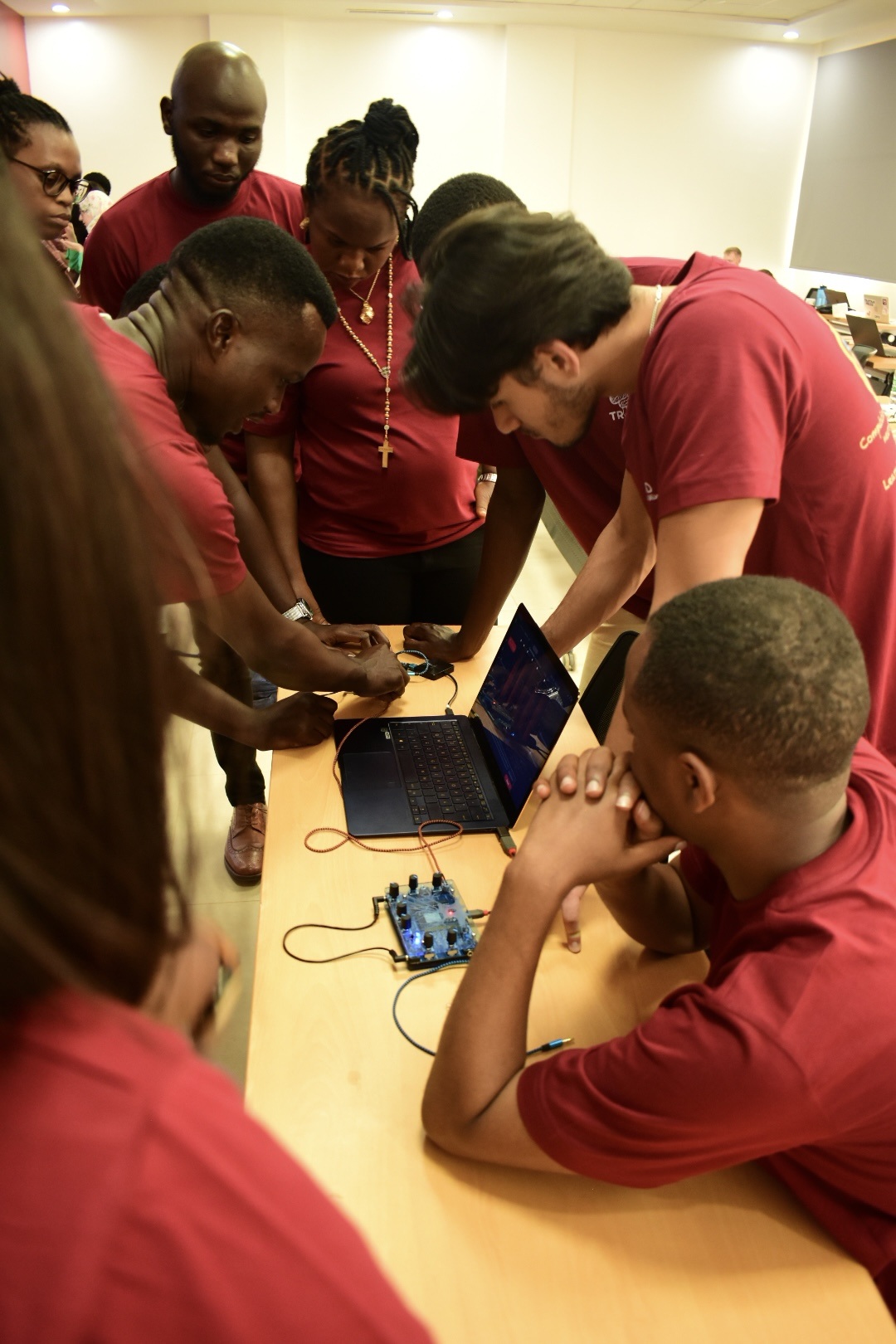 Small-group protocol design & parameter exploration in Rwanda (2024) |
Spikeling implements the Izhikevich model, which “reproduces spiking and bursting behaviour of known type of cortical neurons. The model combines the biologically plausibility of Hodgkin-Huxley-type dynamics and the computational efficiency of integrate-and-fire neurons” E. M. Izhikevich, "Simple model of spiking neurons, 2003". This makes it well-suited for teaching as learners can move quickly between hypothesis → stimulation → observation → interpretation.
Neurophysiology concepts are taught through electrophysiology-style interaction: students apply controlled inputs and directly observe membrane-voltage dynamics, thresholding, spike generation, and adaptation. This supports practical teaching objectives such as protocol design, parameter sensitivity, and reproducible experimentation.
Together, these features let students reproduce classic teaching experiments: step-current response curves, threshold measurements, adaptation quantification, sensory-driven spiking, and basic synaptic/network computations—using the same device and workflow.
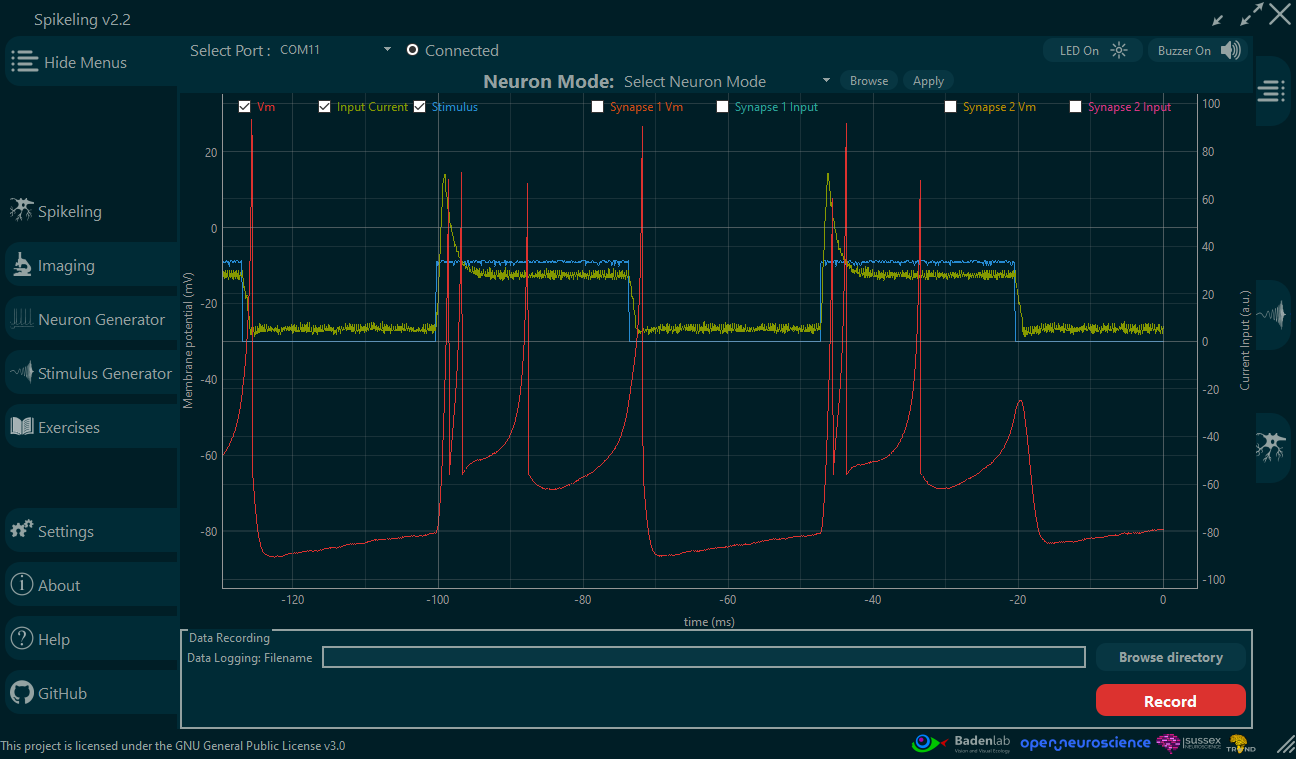
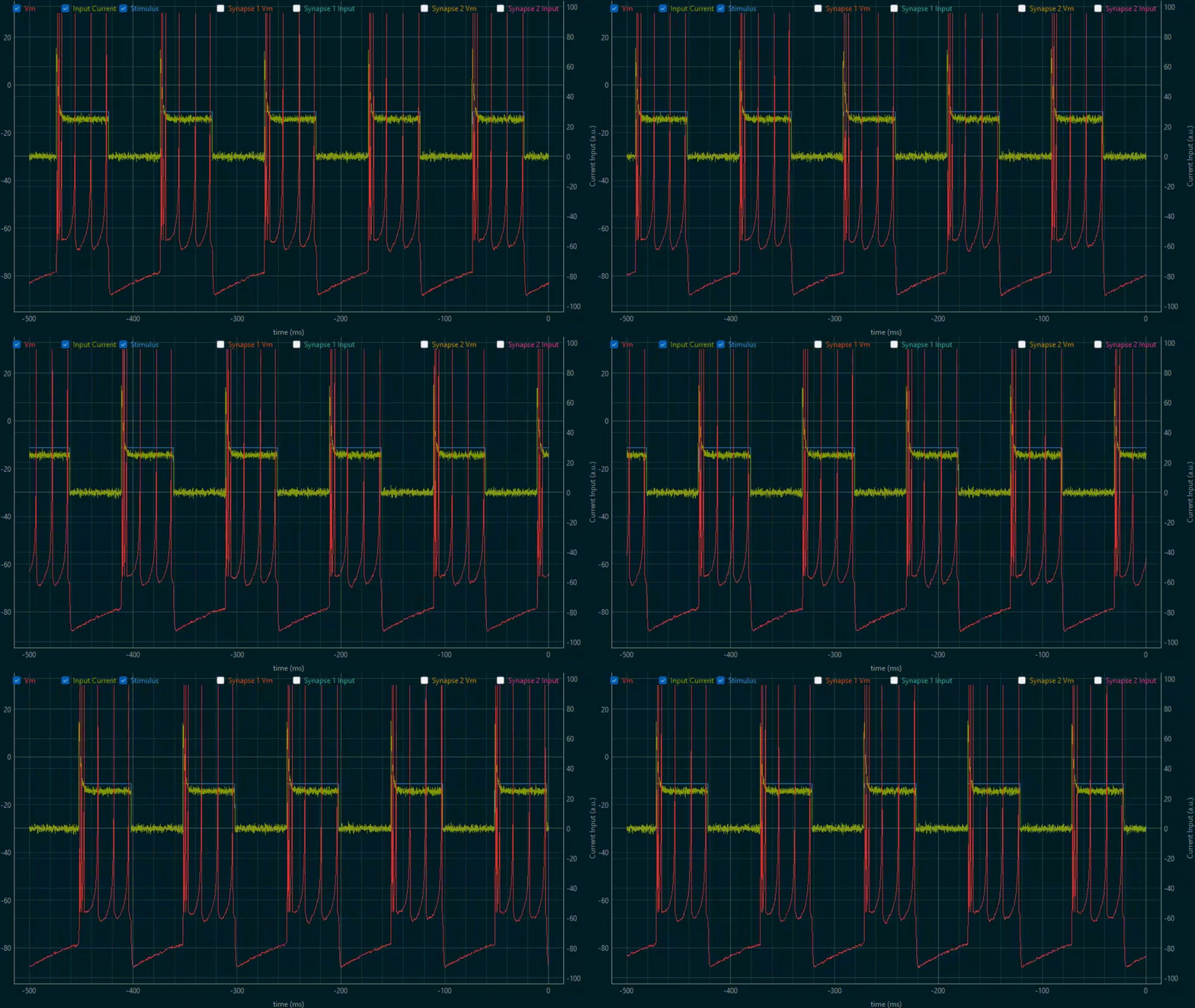
Right: Spikeling GUI displaying the unit membrane voltage (red trace) while being light-stimulated by a controlled LED (blue trace) which generates input current (green trace).
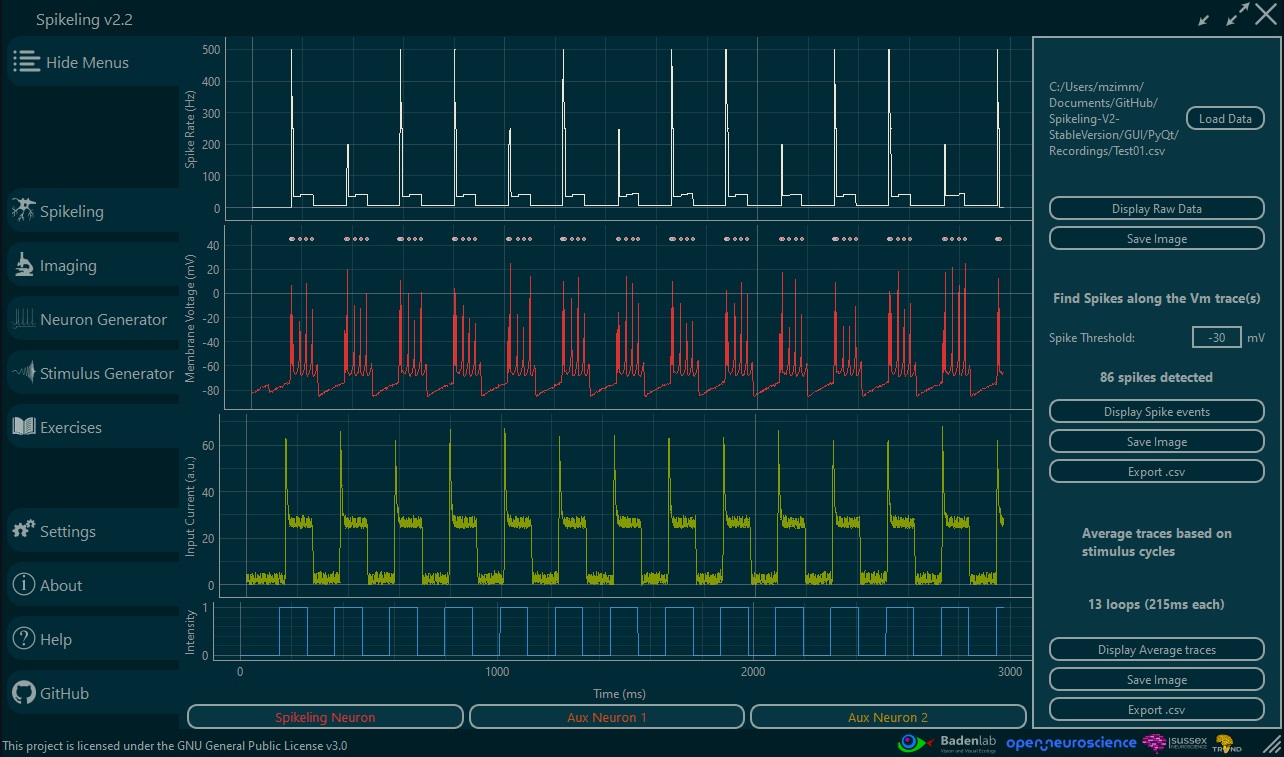
Spikeling is designed to extend practical teaching beyond “watching spikes” into the full experimental workflow: recording, quality control, basic quantification, and export for reproducible analysis. This is particularly valuable in neuroscience curricula where students may have limited exposure to programming and data pipelines, yet are expected to interpret real experimental data.
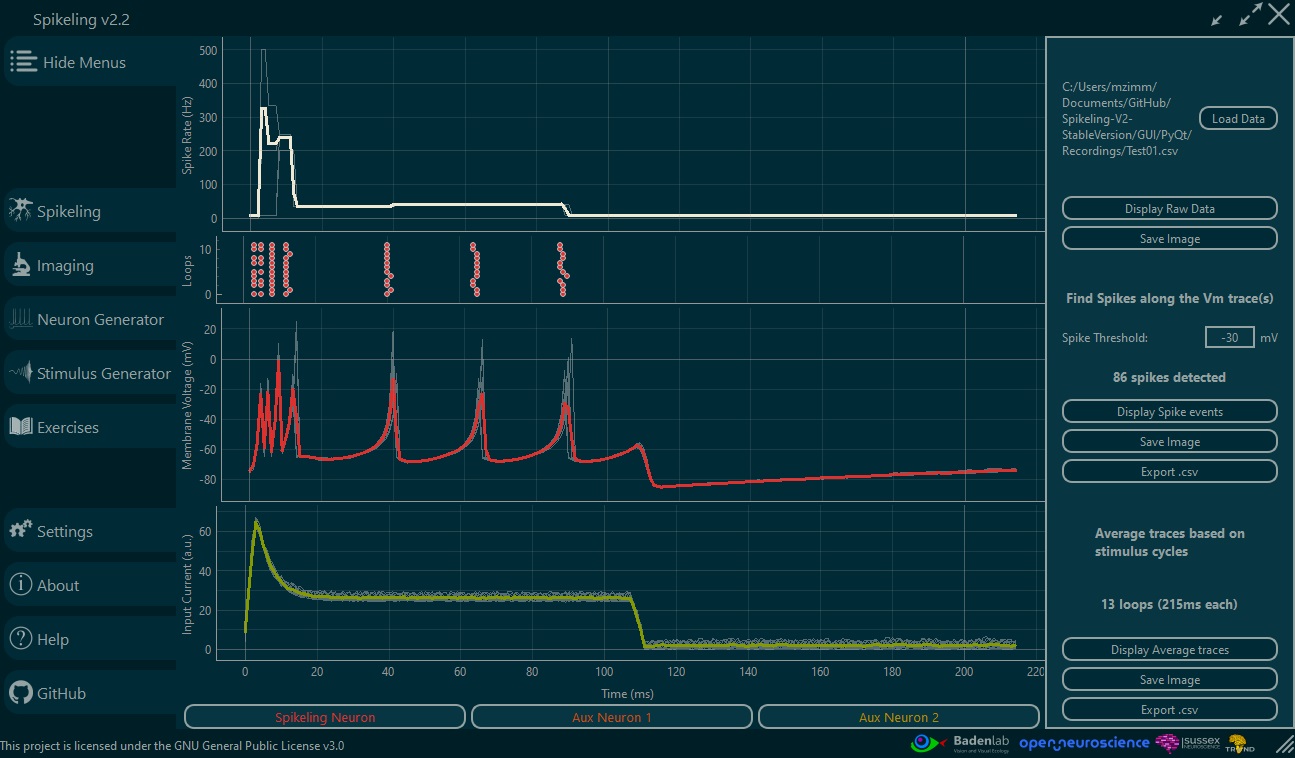
Any data generated by Spikeling can be saved and exported for downstream analysis. The GUI also provides a lightweight, built-in analysis layer that helps students validate recordings and immediately compute core measures such as spike detection and trial-averaged responses. This supports in-class demonstrations, rapid iteration during labs, and structured home assignments.
For advanced data analysis and basic statistics, python notebooks are provided to serve as template for the teaching staff. We are engage with the Spikeling community where users could share courses, exercises and data analysis scripts to be widely used in neuroscience and coding courses.
In short, Spikeling supports a gradual learning curve: students can begin with GUI-based inspection and built-in metrics, then transition to reproducible, script-based analysis using the exact same datasets—mirroring modern research practice.
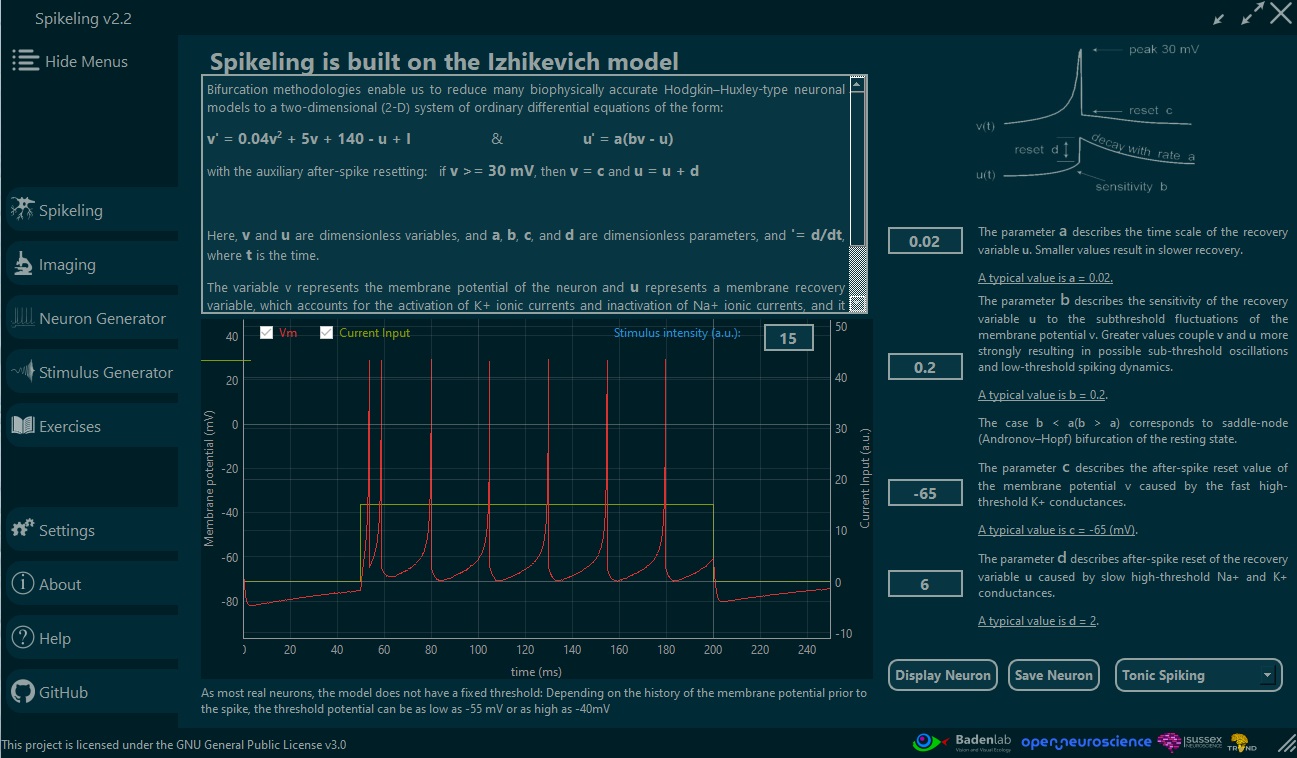
The Neuron Generator is an interactive space for exploring the Izhikevich model beyond “playing with a few knobs”. It is designed to help students connect model parameters to observable firing behaviours (e.g., tonic spiking, bursting, adaptation, rebound, irregular firing), and to build intuition for how different neurons can emerge from the same compact set of equations.
In practice, the Neuron Generator lets learners rapidly prototype neuron “types” by adjusting Izhikevich parameters and immediately observing how the neuron responds to standardized stimuli. This encourages a scientific workflow: formulate a hypothesis (e.g., “increasing adaptation should reduce firing rate over time”), test it with controlled stimulation, then iterate.
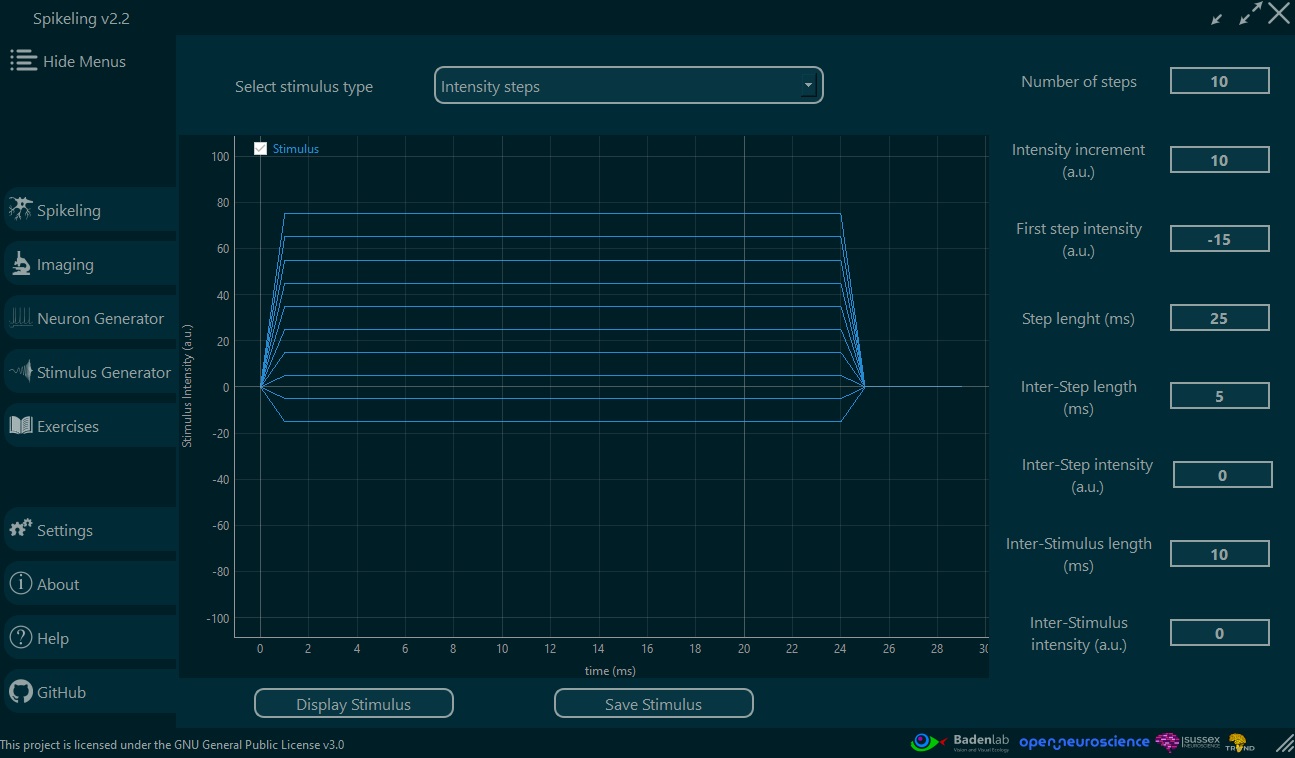
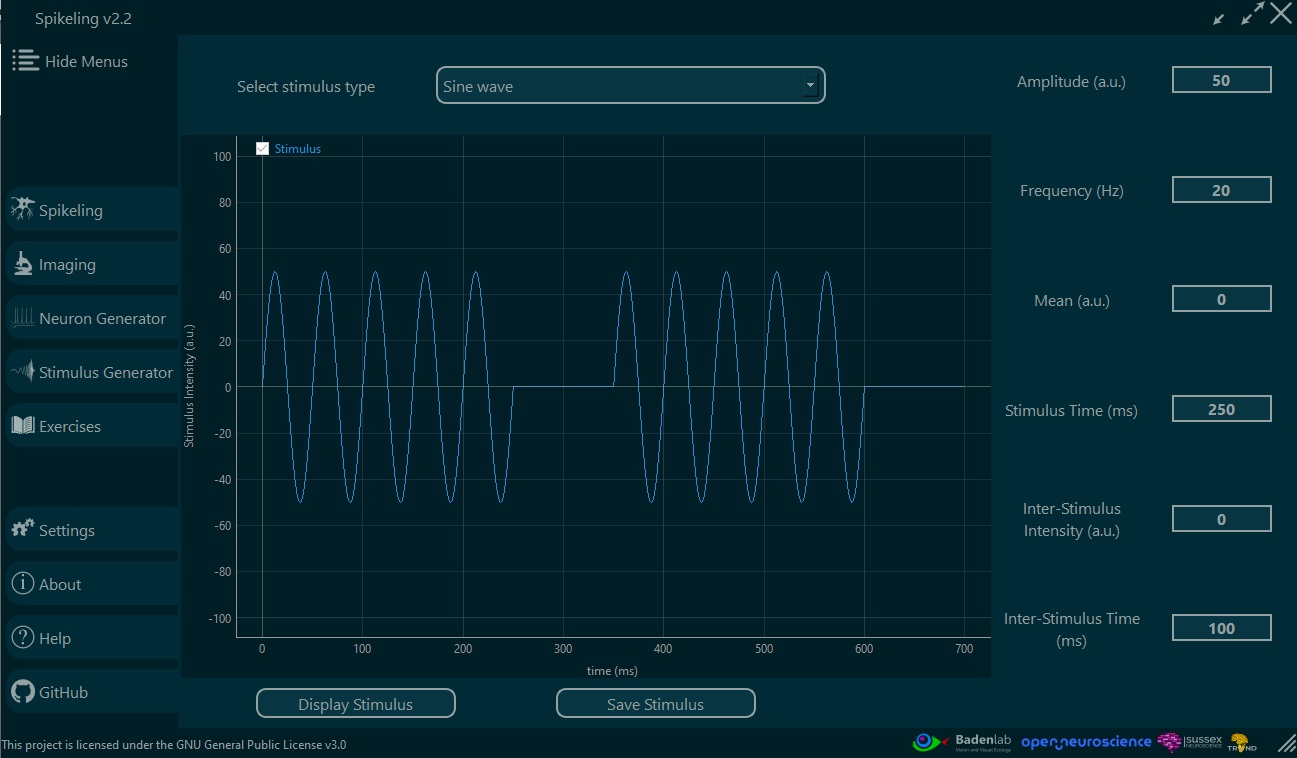
Spikeling includes a dedicated Stimulus Generator to teach one of the most important (and often under-taught) parts of experimental neuroscience: protocol design. While Spikeling board only has a simple repeated square-wave stimulus (useful for classic current-step experiments and LED/light stimulation), the Stimulus Generator encourages students to move beyond “turning knobs” and instead design inputs that directly test experimental hypotheses.
Users can create and iterate custom stimuli—such as step families, sinusoids, chirps, pulse trains, and binary/noise-like sequences— then apply them to current injection or light stimulation. A built-in stimulus preview allows learners to verify waveform timing, amplitude, and repetition structure before running an experiment, reinforcing good practice around sanity checks and reproducibility.
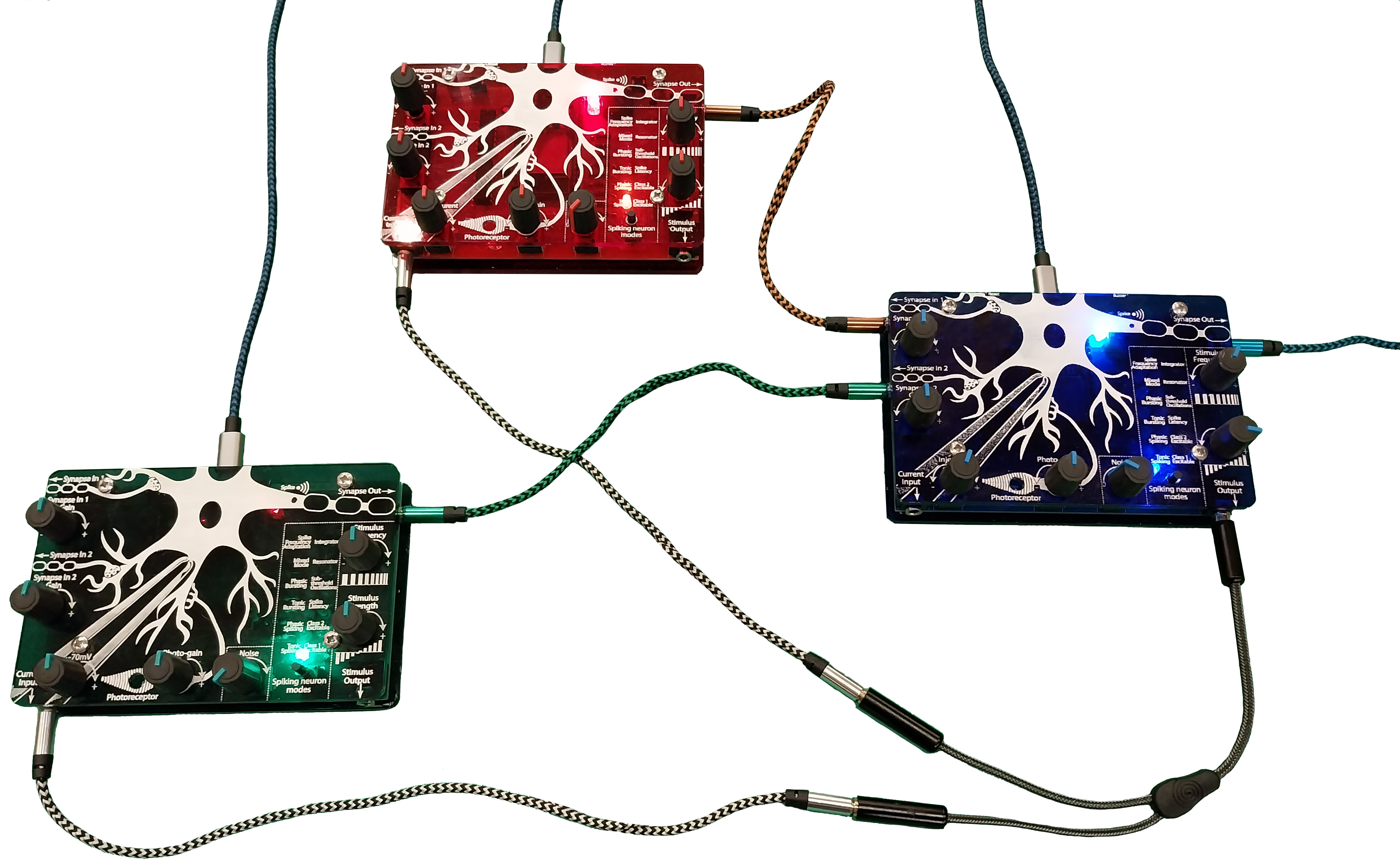
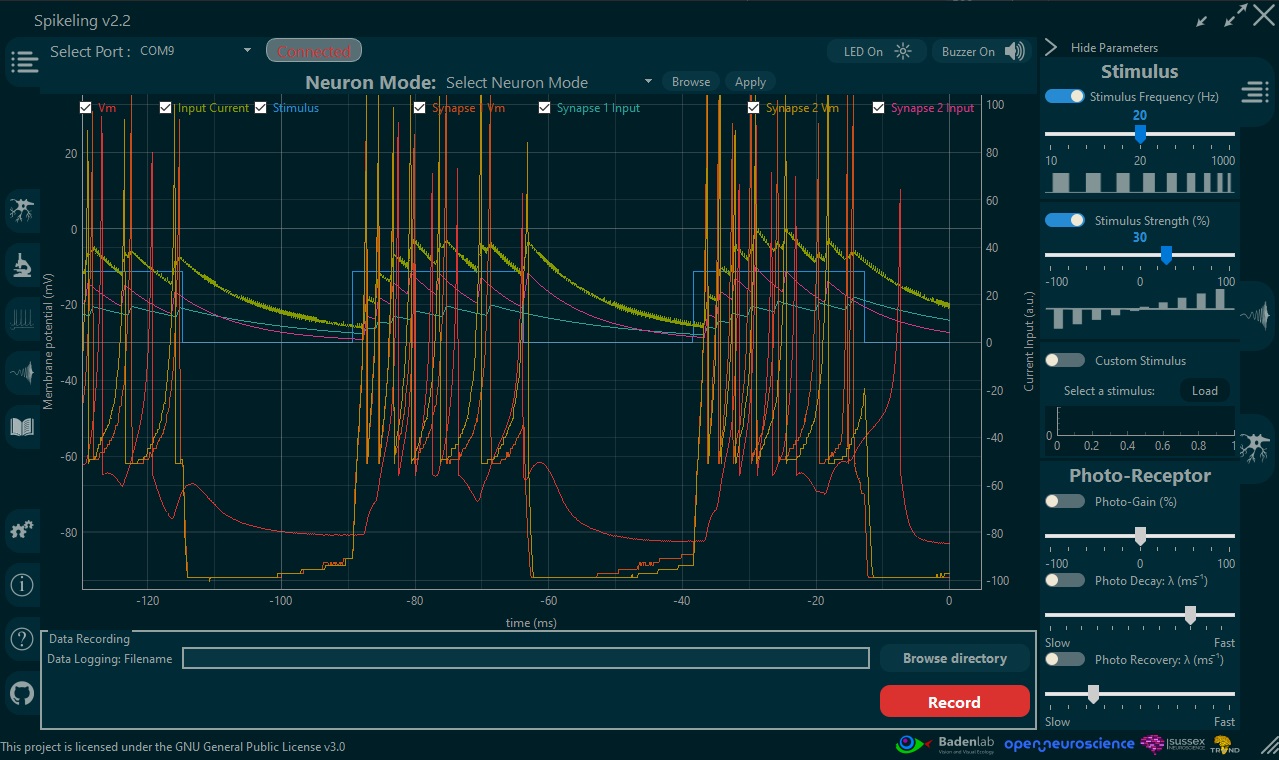
A key strength of Spikeling is that it can be scaled from a single “neuron” demo to small, interpretable networks. Each unit provides an axonal spike output and two dendritic (synaptic) inputs, enabling multiple Spikelings to be physically connected and studied as a functional circuit. This makes it possible to teach network-level computation using the same workflow as single-cell experiments: controlled stimulation, direct observation, and quantitative comparison.
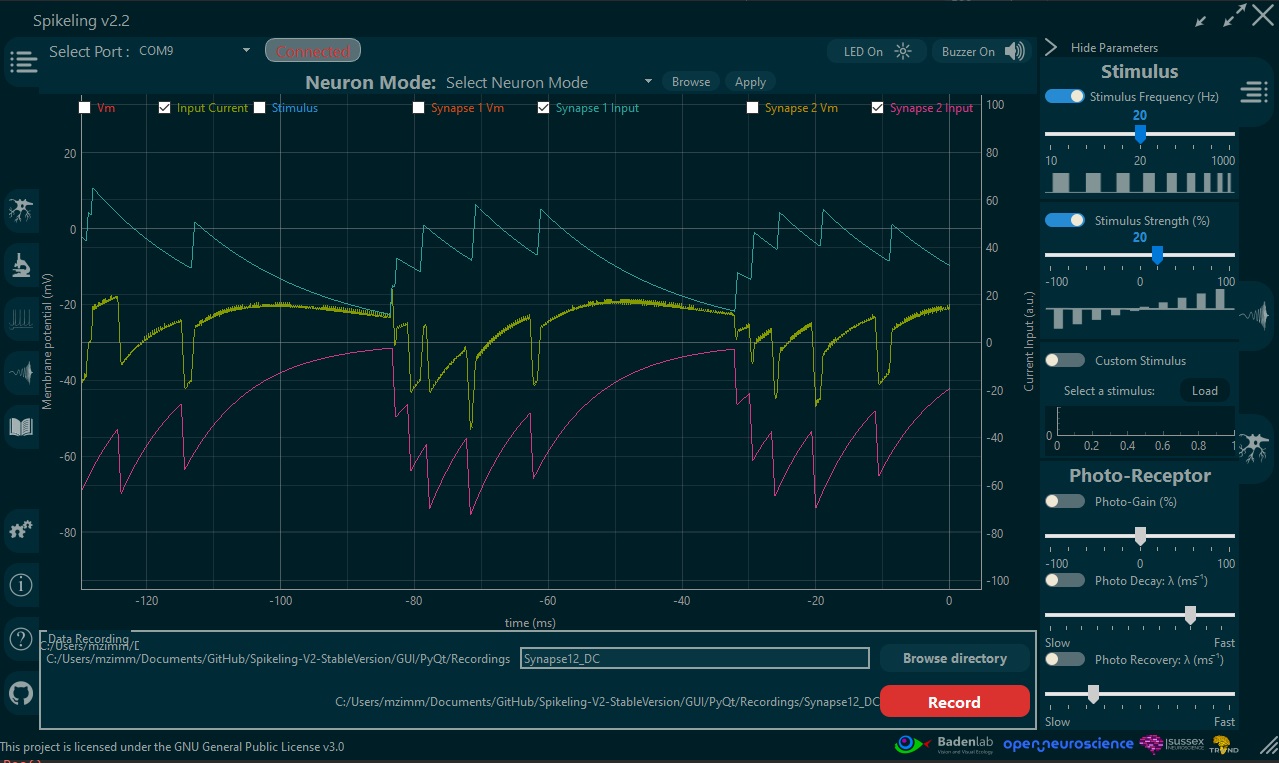
Importantly, each synaptic input can be configured as excitatory or inhibitory (via the synaptic gain control), allowing learners to explore how the sign and strength of coupling shapes membrane dynamics and spiking output. The GUI supports multi-recording by plotting and saving, in the same session, the activity of the main unit alongside the incoming synaptic streams (and, when available, the associated presynaptic signals), which is essential for teaching causality, timing, and interaction effects.
Because Spikeling produces real-time membrane-voltage traces (and therefore a known spike train), it provides an ideal “ground truth” signal to introduce students to calcium imaging and the relationship between spikes, intracellular calcium dynamics, and measured fluorescence. The GUI can transform spiking activity into a simulated calcium concentration transient, and then into a simulated fluorescence signal, allowing learners to explore how imaging readouts relate to the underlying electrophysiology.
Students can manipulate variables that mirror real experimental constraints—both on the acquisition side (e.g., frame rate, detector gain, noise level) and on the biophysical/indicator side (e.g., baseline calcium, decay time constant, spike-triggered calcium increment, indicator affinity / dissociation constant, brightness, and photobleaching-like effects). This helps learners understand why calcium traces are not a direct copy of spikes, and why interpretation depends on both biology and measurement.
For increased realism, the simulation can be switched from a linear fluorescence model to a non-linear saturating model, illustrating common limitations such as dynamic range, saturation at high activity, and the consequences for comparing firing rates across conditions.
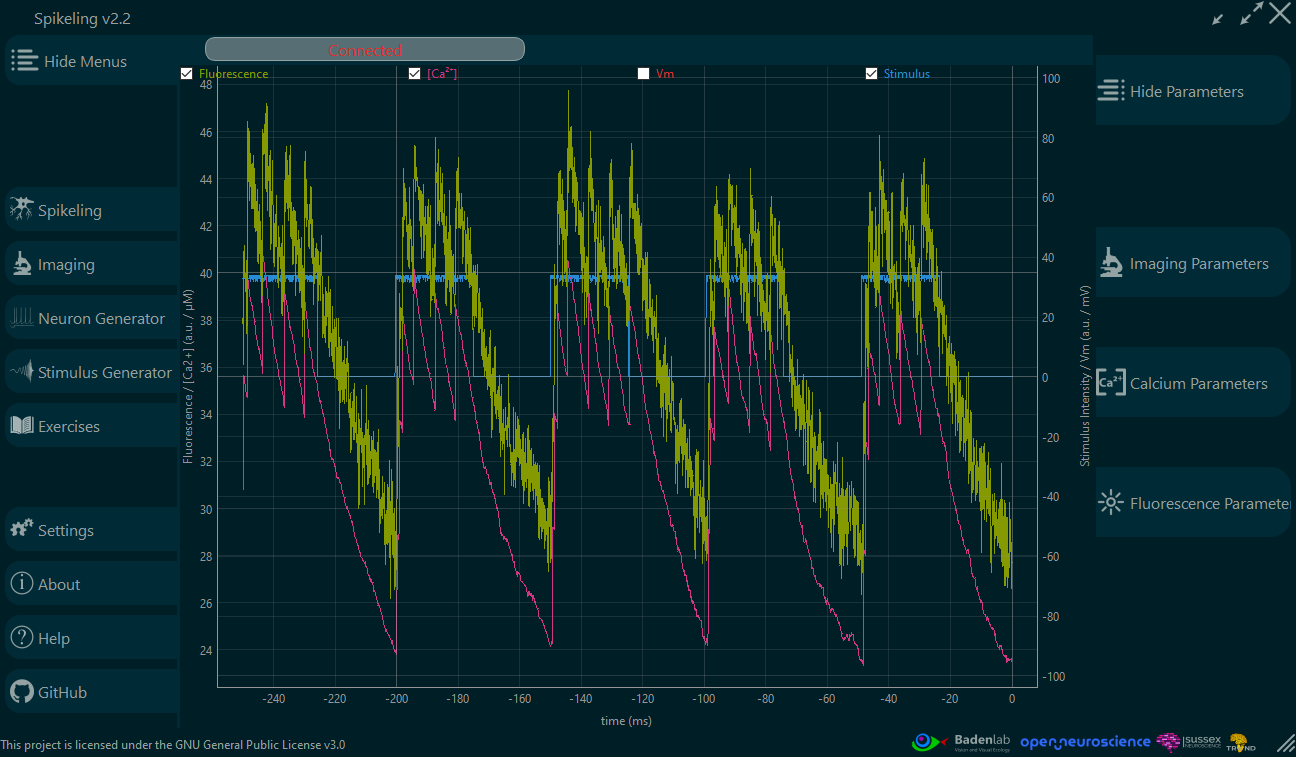
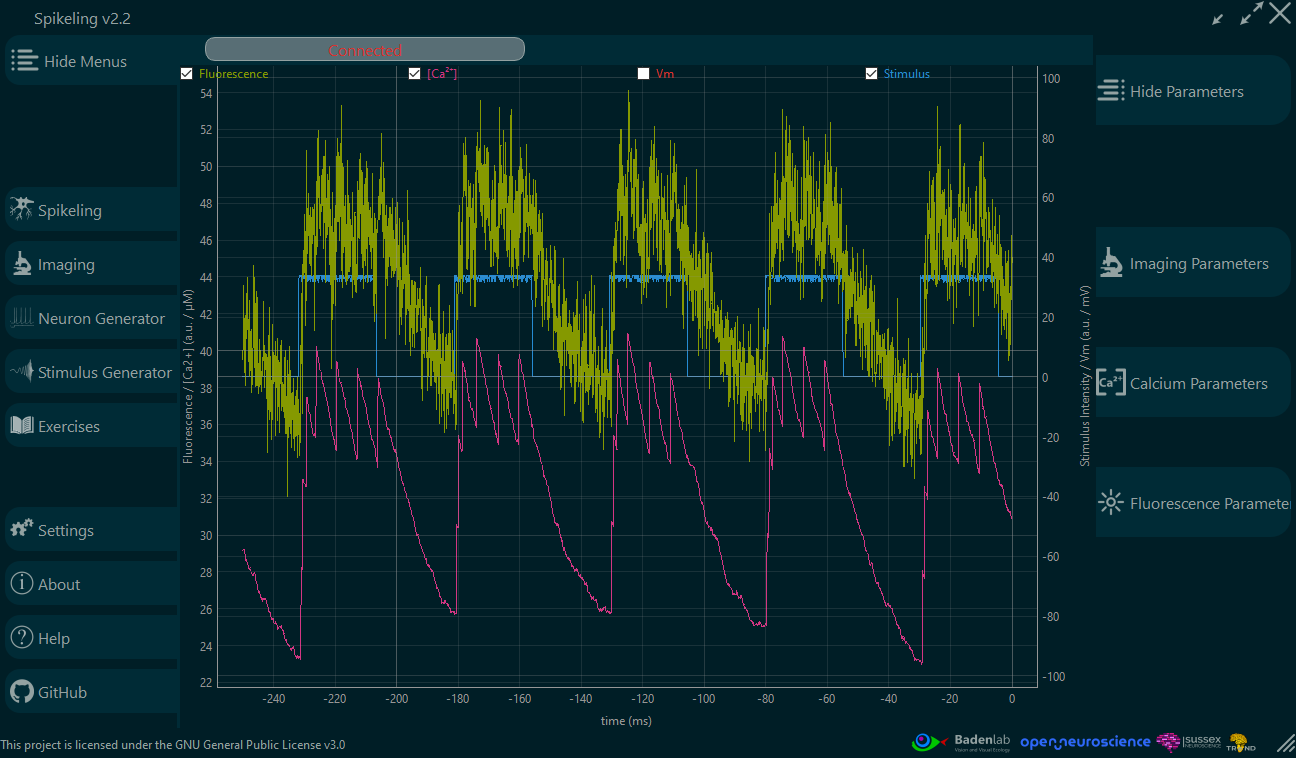
The objective is to familiarise students with the type of data they will encounter in modern systems and circuit neuroscience: signals that are indirect, noisy, and shaped by both the underlying biology and the measurement apparatus. This creates a natural pathway to discussing experimental limitations (sampling, noise, saturation, bleaching) and good analysis practice.
In advanced modules, students can analyse the simulated imaging data and implement spike inference methods, then directly compare inferred spikes to the known “ground truth” spike train that generated the fluorescence trace—turning a common challenge in imaging into a controlled, teachable problem.
Spikeling is accompanied by a set of suggested exercises designed to help teaching staff run structured practicals with minimal setup. The exercises are intended to create a concrete bridge between core neurophysiology concepts taught in lectures and a responsive, real-time in silico neuron model that students can stimulate, measure, and analyse.
Beyond technical skills, the exercises are also a vehicle for introducing scientific reasoning and epistemology: how a concept becomes knowledge, what it means to test a hypothesis, and how results can support, constrain, or falsify an interpretation. In advanced modules, students can be asked to design their own experiment as an assignment—emphasising good practice in methodology and protocol design (controls, parameter choices, repeatability, and appropriate analysis), rather than treating “methods” as a checklist.
We encourage educators to adapt and extend these exercises to match their curricula. Our goal is to grow a shared pool of teaching material where users can contribute new exercises, datasets, and analysis notebooks—making Spikeling progressively more useful across institutions and course formats.
It covers:
Docs website: https://opensourceneuro.github.io/Spikeling/
Firmware documentation: https://opensourceneuro.github.io/Spikeling/Firmware/Spikeling_V3
Releases (pre-built GUI): https://github.com/OpenSourceNeuro/Spikeling/releases
Spikeling is an open hardware + open software teaching platform. Contributions are welcome across hardware, firmware, GUI/software, documentation, and teaching materials.
Spikeling is used in teaching and outreach worldwide. If you adapt it for a course, workshop, or public event, please consider contributing back:
All contributors will be acknowledged via GitHub history, and substantial contributions can be credited in documentation and release notes.
Spikeling is released under open-source / open-hardware licenses:
Software & firmware: GNU General Public License v3.0 (GPL-3.0)
See LICENSE.txt (and individual file headers where applicable).
Hardware: CERN Open Hardware Licence – Strongly Reciprocal v2.0 (CERN-OHL-S-2.0)
See the LICENSES/ folder for the full text and attribution of hardware design files.
If you reuse Spikeling in a course, workshop, publication, or derivative project, please keep the appropriate license notices and cite the project where relevant.
| Qty | Value | Footprint | References |
|---|---|---|---|
| 30 | 100nF | JLCPCB:C_0603 | C3, C10, C12, C13, C18, C21, C23, C27, C28, C30, C32, C33, C35, C37, C39, C42 +14 |
| 18 | 100kΩ | JLCPCB:R_0603 | R15, R17, R19, R20, R21, R31, R32, R33, R34, R48, R49, R53, R54, R59, R67, R77 +2 |
| 15 | 1kΩ | JLCPCB:R_0603 | R47, R50, R51, R52, R55, R56, R57, R58, R60, R62, R63, R64, R65, R76, R82 |
| 12 | 100Ω | JLCPCB:R_0603 | R9, R11, R23, R26, R27, R45, R69, R70, R71, R72, R73, R74 |
| 10 | 1uF | JLCPCB:C_0805 | C2, C4, C11, C14, C24, C25, C26, C36, C40, C61 |
| 10 | 4.7uF | JLCPCB:C_0805 | C5, C15, C16, C17, C29, C31, C34, C38, C52, C59 |
| 9 | 10kΩ | JLCPCB:R_0603 | R25, R30, R35, R44, R46, R66, R75, R78, R79 |
| 7 | 10kΩ | Maxime:RES-TH_RK09D1130C2P | VR1, VR2, VR3, VR4, VR5, VR6, VR7 |
| 6 | 47Ω | JLCPCB:R_0603 | R38, R39, R40, R41, R42, R43 |
| 6 | BAT54S | JLCPCB:SOT-23-3_L2.9-W1.3-P1.90-LS2.4-BR | D6, D7, D9, D10, D12, D19 |
| 6 | TPD2E2U06DCKR | Maxime:SC-70-3_L2.0-W1.3-P0.65-LS2.1-BL | D5, D8, D11, D14, D17, D18 |
| 5 | 1MΩ | JLCPCB:R_0603 | R1, R16, R18, R24, R61 |
| 5 | 5.1kΩ | JLCPCB:R_0603 | R2, R3, R4, R5, R22 |
| 4 | 10nF | JLCPCB:C_0603 | C46, C48, C50, C63 |
| 4 | MountingHole_Pad | MountingHole:MountingHole_3.2mm_M3_DIN965_Pad | H1, H2, H3, H4 |
| 4 | TestPoint | TestPoint:TestPoint_Pad_D2.0mm | TP1, TP2, TP3, TP4 |
| 3 | 22uF | JLCPCB:C_1206 | C9, C19, C20 |
| 3 | 2N7002 | JLCPCB:Q_SOT-23 | Q2, Q3, Q4 |
| 3 | SKHHLVA010 | Maxime:KEY-TH_4P-L7.5-W6.8-P4.50-LS7.2 | SW3, SW4, SW5 |
| 2 | 10uF | JLCPCB:C_1206 | C7, C22 |
| 2 | 1nF | JLCPCB:C_0603 | C1, C55 |
| 2 | 220Ω | JLCPCB:R_0603 | R28, R29 |
| 2 | 22Ω | JLCPCB:R_0603 | R36, R37 |
| 2 | 5.1MΩ | JLCPCB:R_0603 | R8, R10 |
| 2 | BLM21PG221SN1D | Maxime:L0805 | L1, L5 |
| 2 | LM66100DCKR | Maxime:SC-70-6_L2.0-W1.3-P0.65-LS2.1-BL | U2, U8 |
| 2 | MCP3208T-CI/SL | Maxime:SOIC-16_L9.9-W3.9-P1.27-LS6.0-BL | U10, U11 |
| 2 | Red | JLCPCB:D_0603 | D2, D3 |
| 1 | 0Ω | JLCPCB:R_0603 | R6 |
| 1 | 10pF | JLCPCB:C_0603 | C54 |
| 1 | 10uF | JLCPCB:C_0805 | C41 |
| 1 | 150Ω | JLCPCB:R_0603 | R68 |
| 1 | 2.2kΩ | JLCPCB:R_0603 | R12 |
| 1 | 2.2uH | Maxime:IND-SMD_L3.0-W3.0_XFL3012 | L2 |
| 1 | 2.2uH | Maxime:IND-SMD_L4.4-W4.0_PHC0420 | L4 |
| 1 | 330Ω | JLCPCB:R_0603 | R13 |
| 1 | 4.7kΩ | JLCPCB:R_0603 | R7 |
| 1 | 4.7nF | JLCPCB:C_0603 | C43 |
| 1 | 4kHz | Maxime:BUZ-TH_L12.0-W12.0 | B1 |
| 1 | 910kΩ | JLCPCB:R_0603 | R14 |
| 1 | BPW34S-Z | Maxime:SENSOR-TH_BPW34S-Z | D13 |
| 1 | BQ29700DSER | Maxime:WSON-6_L1.5-W1.5-P0.50-TL | U6 |
| 1 | Battery_Cell | Connector_JST:JST_XH_B2B-XH-A_1x02_P2.50mm_Vertical | BT1 |
| 1 | Connector, USB-TYPE-C-16P | JLCPCB:TYPE-C-SMD_HX-TYPE-C-16PIN | J1 |
| 1 | ESP32-S3-WROOM-1-N4 | Maxime:WIFIM-SMD_ESP32-S3-WROOM-1-N8 | U12 |
| 1 | FS8205A | Maxime:SOT-23-6_L2.9-W1.6-P0.95-LS2.8-BR | Q1 |
| 1 | G*** | kibuzzard-699ADB4A | kibuzzard-699ADB4A |
| 1 | G*** | kibuzzard-699ADBCD | kibuzzard-699ADBCD |
| 1 | G*** | kibuzzard-699ADBA0 | kibuzzard-699ADBA0 |
| 1 | G*** | kibuzzard-699ADC07 | kibuzzard-699ADC07 |
| 1 | G*** | kibuzzard-699ADAEF | kibuzzard-699ADAEF |
| 1 | G*** | kibuzzard-699ADB2E | kibuzzard-699ADB2E |
| 1 | G*** | kibuzzard-699ADC8D | kibuzzard-699ADC8D |
| 1 | G*** | kibuzzard-699AE09E | kibuzzard-699AE09E |
| 1 | G*** | kibuzzard-699ADBE4 | kibuzzard-699ADBE4 |
| 1 | G*** | kibuzzard-699ADACE | kibuzzard-699ADACE |
| 1 | G*** | kibuzzard-699ADA5F | kibuzzard-699ADA5F |
| 1 | G*** | kibuzzard-699ADA80 | kibuzzard-699ADA80 |
| 1 | G*** | kibuzzard-699ADAA1 | kibuzzard-699ADAA1 |
| 1 | Input Current | Maxime:AUDIO-SMD_HX-PJ-320A-3P-DIP | J4 |
| 1 | K3-1260D-L1 | Maxime:SW-TH_K3-1260D-L1 | SW1 |
| 1 | LED_BGKR | LED_SMD:LED_Kingbright_APFA3010_3x1.5mm_Horizontal | D15 |
| 1 | LOGO | LOGO | G*** |
| 1 | MCP4922-E/SL | Maxime:SOIC-14_L8.7-W3.9-P1.27-LS6.0-BL | U9 |
| 1 | MCP6002T-I/SN | JLCPCB:SOIC-8_L4.9-W3.9-P1.27-LS6.0-BL | U15 |
| 1 | MCP73812T-420I/OT | Maxime:SOT-23-5_L3.0-W1.7-P0.95-LS2.8-BR | U5 |
| 1 | MF-MSMF050-2 | Maxime:F1812 | U1 |
| 1 | MHPC3528CRGBCT | Maxime:LED-SMD_4P-L3.2-W2.8-BL | D16 |
| 1 | MPZ2012S601 | JLCPCB:L_0805 | L3 |
| 1 | OPA380AIDGKR | Maxime:VSSOP-8_L3.0-W3.0-P0.65-LS4.9-BL | U13 |
| 1 | Oscilloscope Output | Maxime:AUDIO-SMD_PJ-320B | J7 |
| 1 | SMF6.0A | JLCPCB:D_SOD-123FL | D1 |
| 1 | SRV05-4-P-T7 | JLCPCB:SOT-23-6_L2.9-W1.6-P0.95-LS2.8-BR | TV1 |
| 1 | Stimulus Out | Maxime:AUDIO-SMD_HX-PJ-320A-3P-DIP | J5 |
| 1 | Synapse Out | Maxime:AUDIO-SMD_HX-PJ-320A-3P-DIP | J6 |
| 1 | Synapse1 In | Maxime:AUDIO-SMD_HX-PJ-320A-3P-DIP | J2 |
| 1 | Synapse2 In | Maxime:AUDIO-SMD_HX-PJ-320A-3P-DIP | J3 |
| 1 | TLV9001IDBVR | JLCPCB:SOT-23-5_L3.0-W1.7-P0.95-LS2.8-BR | U14 |
| 1 | TPS61200DRCR | Maxime:VSON-10_L3.0-W3.0-P0.50-TL-EP_TPS62410DRCR | U7 |
| 1 | TPS62162DSGR | Maxime:WSON-8_L2.0-W2.0-P0.50-TL-EP | U3 |
The 230 most common of 233 parts.
OpenSourceNeuro/Spikeling
A hardware implementation of spiking neurons for neuroscience teaching and outreach

OpenSourceNeuro/Spikeling
A hardware implementation of spiking neurons for neuroscience teaching and outreach


adeboni/eurorack
This repository stores various eurorack module designs I've made


bhaveshkys/wiredToBleKeyBoardPCB
pcb made for a device that converts a wired keyboard into a wireless one

hackclub/OnBoard
💡 Join 1,000 teenagers and make your first PCB with a $100 grant!

fukukawa89/PoseDollLab_Design
Manny / Quinn 传感器可动人偶的独立设计仓库。原来位于 DollSimulation UE 工程中的硬件、固件与硬件诊断工具已经迁入本目录;UE 插件、角色资产与完整 Python 模拟器留在原项目。

sbarisic/MagMouse
Open source hall-effect based mouse - no mechanical contacts - no failure points
It measures 120 × 80 mm and has 2 copper layers, 1.6 mm thick.
233 parts, built around the ESP32-S3-WROOM-1-N4, MCP4922-E/SL, MCP6002T-I/SN(MS) and OPA380AIDGKR. The full list of its parts is on this page, with links to each part's symbol and footprint where PCBKit's library has them.
From the OpenSourceNeuro/Spikeling repository on GitHub, at the commit this page was made from: the board is Hardware/PCB/Spikeling 3.2/Spikeling_v3.2.kicad_pcb and its schematic Documentation/Archives/Spikeling v2.4/PCB/Spikeling 2.4/Spikeling_V2.2c.kicad_sch. PCBKit opens the board in the browser, with nothing to install.
Its repository publishes it under the GPL-3.0 licence: you may reuse it on that licence's terms (keep the author's notice, and for a copyleft licence share your changes alike).