
4 layers234 × 84 mm
Main panel
google/mozc-devices
Circuit diagrams and firmware source code for Gboard DIY keyboards
234 parts3kApache-2.0

 LordZura/zuras-hackpad
a hackpad with shortcuts that are fitted for me, like opening terminals, making new folders, locking Fn, copying/pasting, volume control, display to show more details.
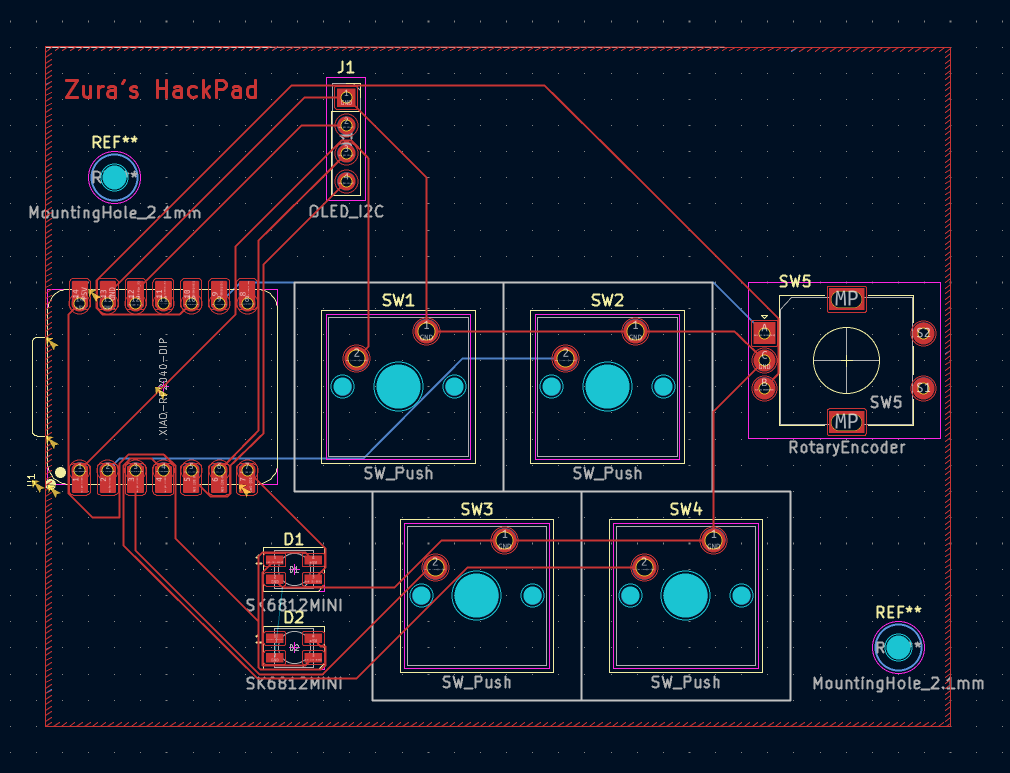
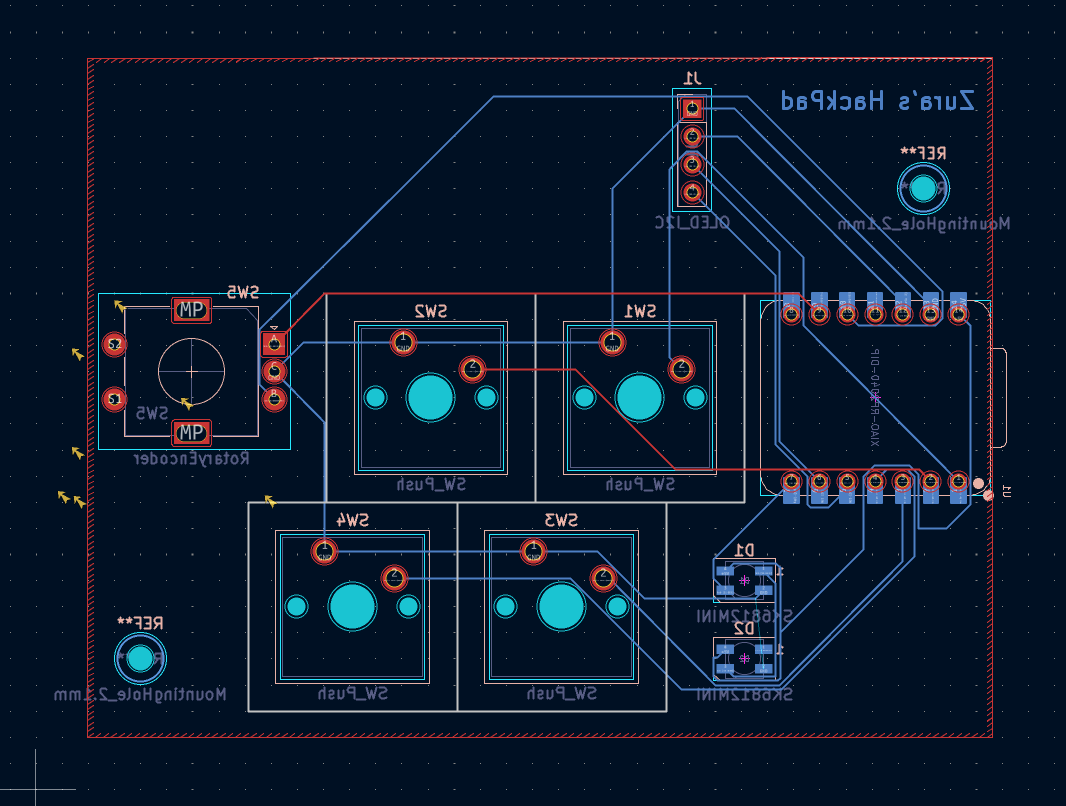
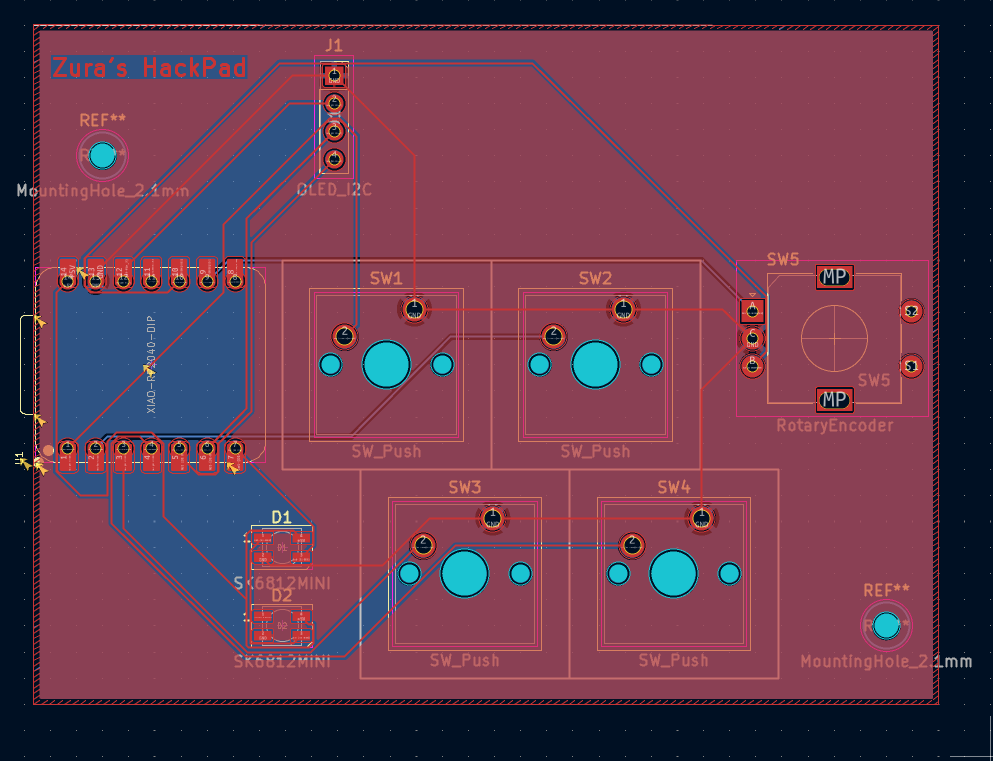
HackPad is an open-source printed circuit board by LordZura, from the LordZura/zuras-hackpad repository on GitHub. It is a 2-layer board of 82.5 × 61.9 mm with 11 parts on 16 nets, routed with 94 tracks and 0 vias.
It is built around the SK6812MINI-E. Its parts include 5 switches, 2 diodes, 1 IC and 1 connector. It belongs with the RP2040 boards of this library.
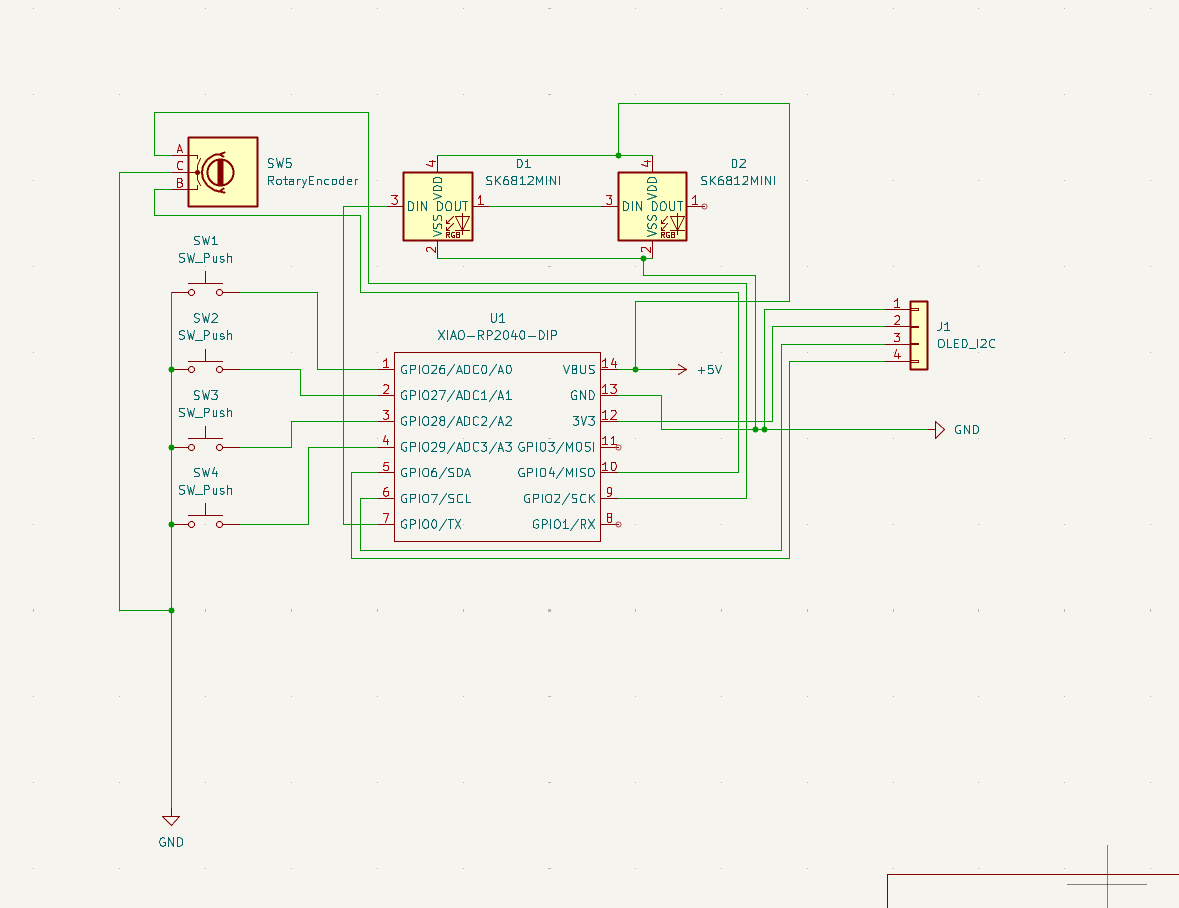
A fully custom Linux-focused macropad featuring 4 programmable hotkeys, a rotary encoder with push switch, RGB underglow, and a 0.91” I²C OLED display all powered by a Seeed XIAO RP2040.
Designed, modeled, and routed entirely for the Hack Club Blueprint program.
These are implemented in main.py now.
Ctrl + C |Ctrl + Shift + N |Ctrl + Alt + T |F14|Bill of Materials (BOM)
Seeed XIAO RP2040 – 1 piece
The main controller board.
MX-style switches – 4 pieces
Any standard Cherry MX compatible switches.
EC11 rotary encoder (with built-in button) – 1 piece
Has A/B pins and a push switch.
SK6812 Mini LEDs – 2 pieces
Addressable RGB LEDs, chained together.
0.91" I2C OLED screen – 1 piece
Uses GND, VCC, SCL, and SDA.
4-pin female header – 1 piece
For plugging in the OLED.
MX keycaps – 4 pieces
Any MX-compatible keycaps.
M3 screws + heat-set inserts – 4 sets
Used to assemble the case.
Custom PCB (2-layer) – 1 piece
Smaller than 100×100 mm.
(Directly from KiCad nets)
zuras-hackpad/
├── CAD/
│   ├── HackPad_Bottom.step
│   ├── HackPad_Top.step
│   └── HackPad_Assembly.step
├── PCB/
│   ├── HackPad.kicad_pro
│   ├── HackPad.kicad_sch
│   └── HackPad.kicad_pcb
├── Firmware/
│   └── main.py
├── Images/
│   ├── Bottom.png
│   ├── Debug.png
│   ├── Full.png
│   ├── PDC-Back.png
│   ├── PDC-Finish.png
│   ├── PDC-Front.png
│   ├── Schematic.png
│   └── Top.png
└── README.md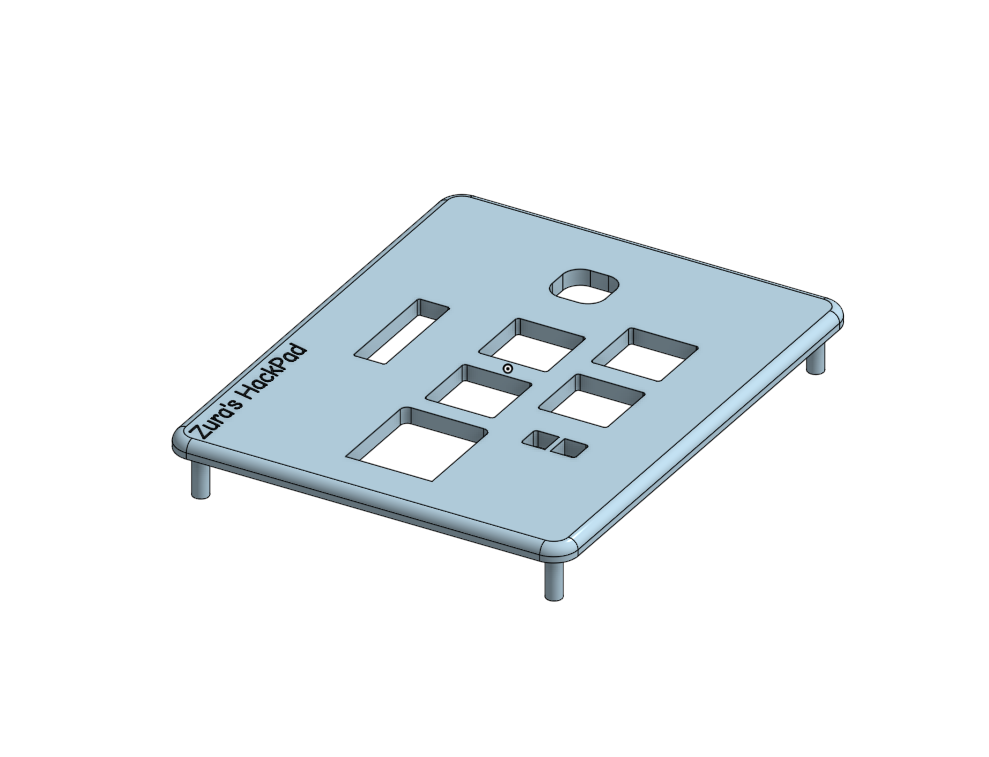
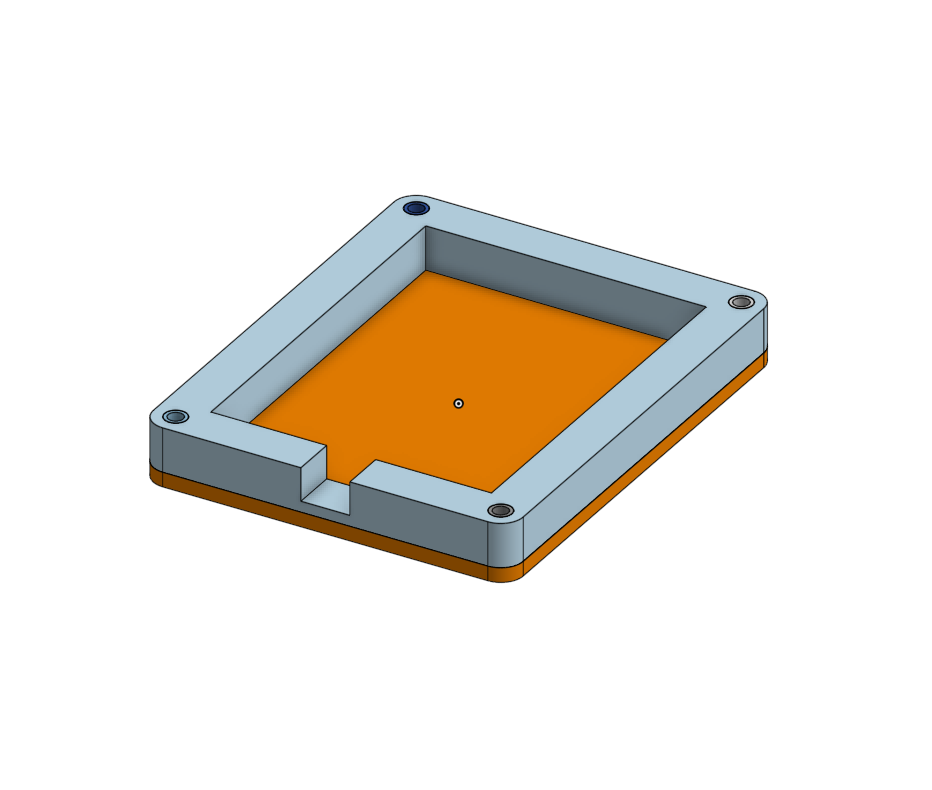
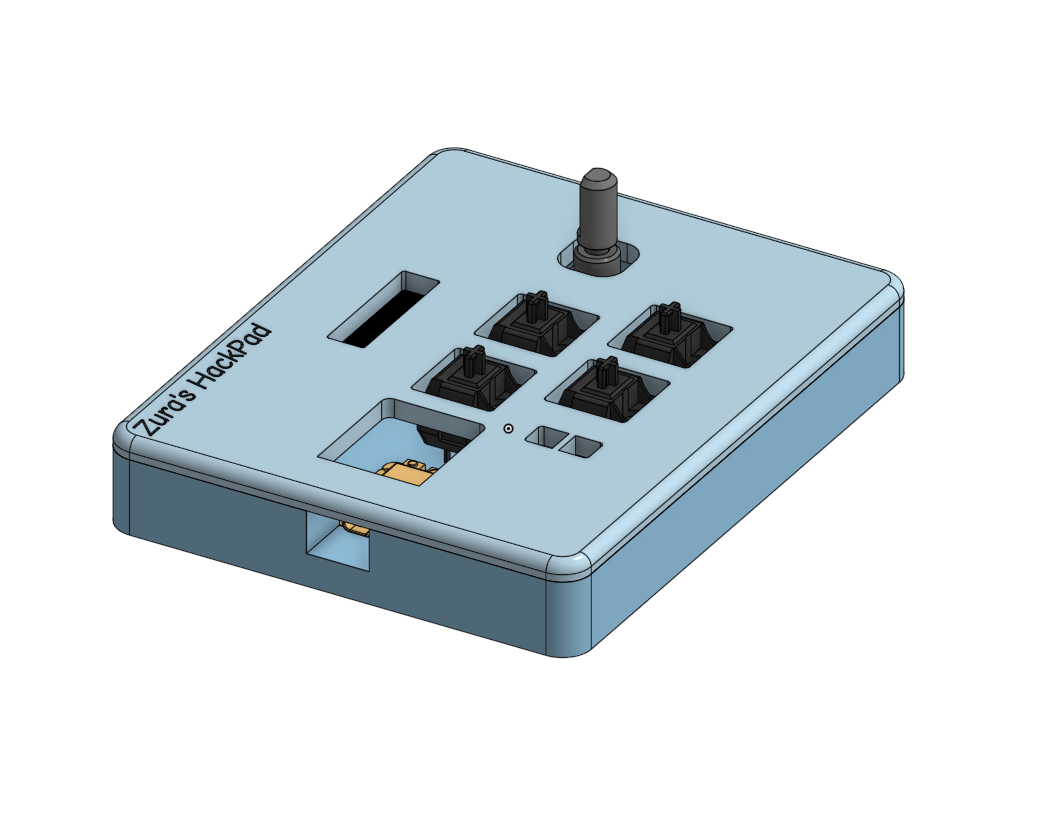
| Qty | Value | Footprint | References |
|---|---|---|---|
| 4 | SW_Push | Button_Switch_Keyboard:SW_Cherry_MX_1.00u_PCB | SW1, SW2, SW3, SW4 |
| 2 | SK6812MINI | LED_SMD:LED_SK6812MINI_PLCC4_3.5x3.5mm_P1.75mm | D1, D2 |
| 1 | OLED_I2C | Connector_PinSocket_2.54mm:PinSocket_1x04_P2.54mm_Vertical | J1 |
| 1 | RotaryEncoder | RotaryCus:RotaryEncoder_Alps_EC11E-Switch_Vertical_H20mm | SW5 |
| 1 | XIAO-RP2040-DIP | OPL:XIAO-RP2040-DIP | U1 |
The 9 most common of 11 parts.
google/mozc-devices
Circuit diagrams and firmware source code for Gboard DIY keyboards

Bastardkb/Dilemma
The Dilemma is a vertical stagger low-profile keyboard with mods.

Pwnsat/FlatSat
Flatsat v1.0 is a hardware based platform for aerospace cybersecurity research

adamws/kicad-kbplacer
KiCad plugin for automatic keyboard's key placement and routing

imchipwood/dumbpad
Simple 4x4 numpad with rotary encoder. Powered by QMK via ATmega32u4 Pro Micro

makerforgetech/modular-biped
An open source framework for creating a bipedal modular companion robot.


It measures 82.5 × 61.9 mm and has 2 copper layers, 1.6 mm thick.
11 parts, built around the SK6812MINI-E. The full list of its parts is on this page, with links to each part's symbol and footprint where PCBKit's library has them.
From the LordZura/zuras-hackpad repository on GitHub, at the commit this page was made from: the board is PCB/HackPad.kicad_pcb and its schematic PCB/HackPad.kicad_sch. PCBKit opens the board in the browser, with nothing to install.
Its repository states no licence, so its author keeps all rights: ask LordZura before reusing the design.