
2 layers27.9 × 16.5 mm

 HABBOUBY/NEXUS-TN2
Where a robotic arm meets its transport partner — picking up products and placing them on the back of SAMIR-KAHWEJI
KICAD DESIGN is an open-source printed circuit board by HABBOUBY, from the HABBOUBY/NEXUS-TN repository on GitHub, published under the MIT licence. It is a 2-layer board of 77.7 × 60.4 mm with 18 parts on 59 nets, routed with 109 tracks and 0 vias.
Its parts include 5 connectors, 2 capacitors, 2 resistors, 2 diodes and 1 IC. It belongs with the ESP32 boards of this library.
Where a robotic arm meets its transport partner — picking up products and placing them on the back of SAMIR-KAHWEJI.
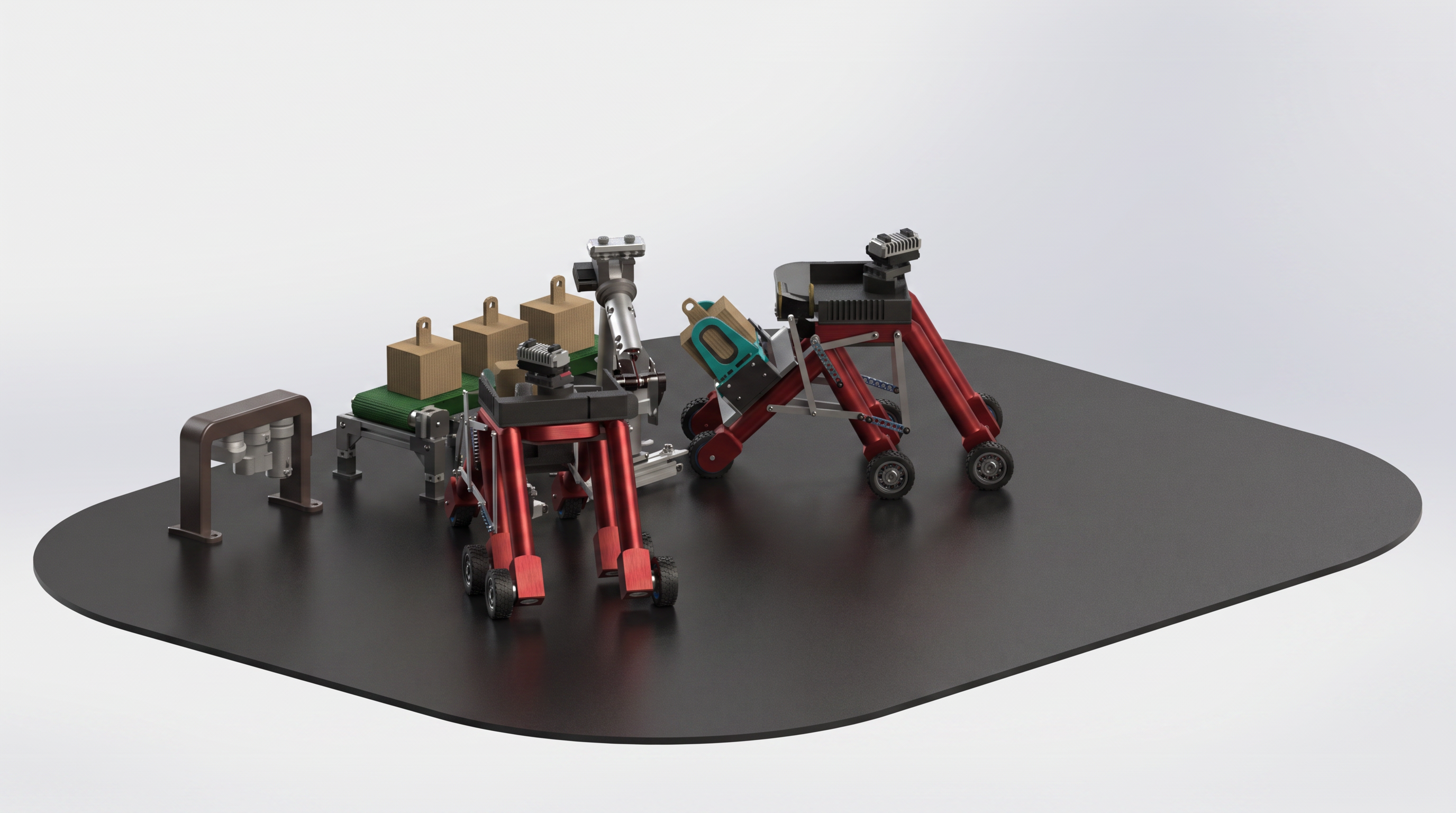
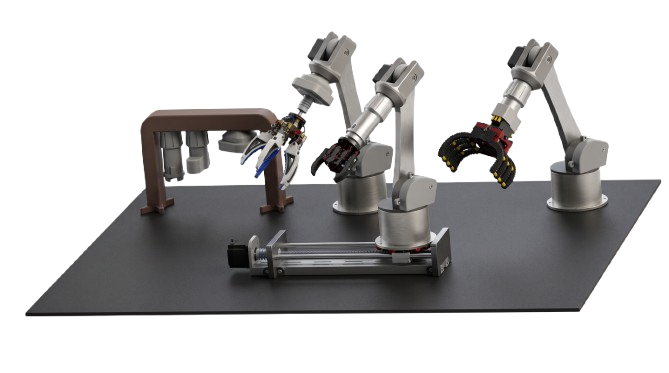
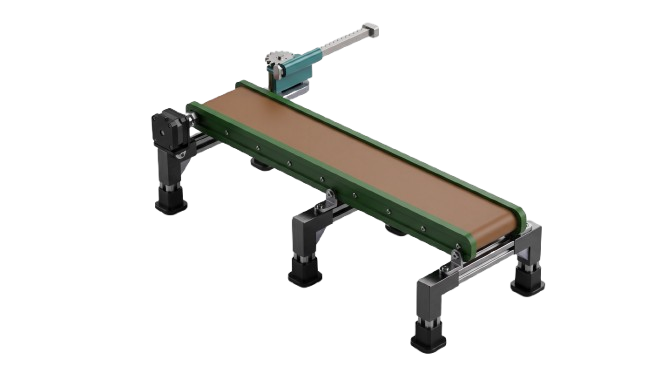
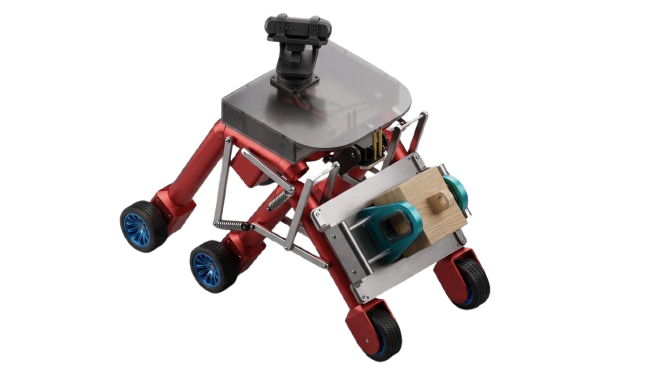





Built by HABBOUBY EDEM
NEXUS-TN is a small industrial cell that picks up a product, inspects it, sorts it, and hands it off to a mobile transport robot — a mini factory line, fully open and 3D-printable.
Designed from scratch in SolidWorks and KiCad.
Mechanical CAD + custom KiCad PCB for the arm/conveyor subsystem, plus the full mechanical design of SAMIR-KAHWEJI. Firmware is not included yet — control architecture is documented in 03_DOCS/wiring/.
I don't yet have access to a 3D printer, a RealSense camera, or a Raspberry Pi — import taxes make them very expensive in Tunisia, and local paid makerspaces are scarce. So NEXUS-TN ships as a complete, print-ready CAD + PCB package (STEP, STL, native source) rather than a photographed build. The renders and simulations show the mechanisms in motion instead.
NEXUS-TN started as a single robotic arm. While building it, I asked myself: does this have a real purpose — could it teach something, could it fit an actual industrial process? That question turned the arm into a full chain: arm → conveyor → transport robot.
I also noticed most robotics kits only ever expose one gripper type, forcing anyone curious about a different mechanism to buy a whole new kit. So the arm here supports 3 interchangeable gripper types plus an open connector standard — to teach more, and cost less.
| # | Subsystem | Role |
|---|---|---|
| 1 | Robotic Arm (3 gripper types) | Picks and identifies the product, places it on the conveyor / on SAMIR-KAHWEJI |
| 2 | Sorting Conveyor | Inspects the product, rejects damaged items |
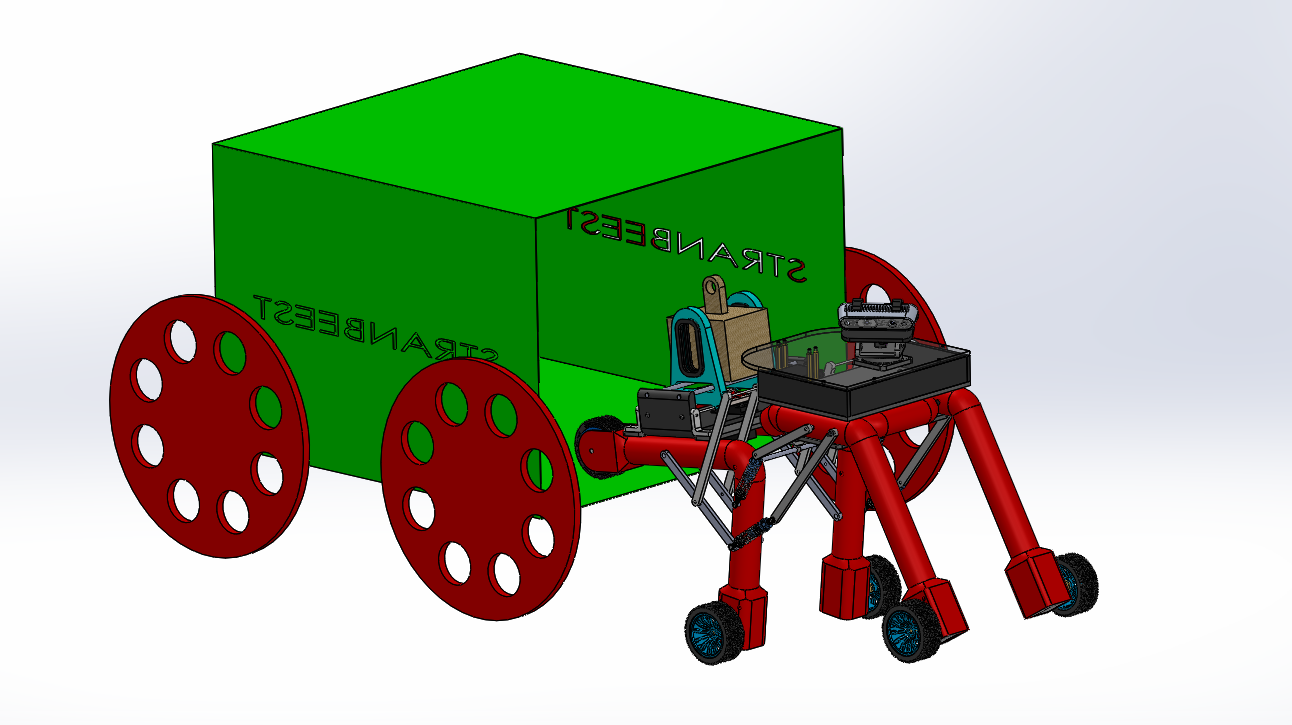
| 3 | SAMIR-KAHWEJI | Carries the product to its destination, line-following |
The arm and conveyor share one ESP32. SAMIR-KAHWEJI runs its own ESP32, fed by a Raspberry Pi 5.
The arm travels on an XX' leadscrew axis. An Intel RealSense camera feeds a PC (Thonny + OpenCV), which sends decisions to the ESP32, driving the arm's servos, the leadscrew stepper, and the conveyor. The PCB rides on the arm itself, routed to stay clear of its full range of motion.
Modular gripper system: Link 2 (arm → gripper) is split in two — a tapped piece that always stays on the arm, and a threaded piece specific to each gripper. Swap only the threaded piece to change grippers, or design your own.
|
Type 1 — "Bird's Beak" 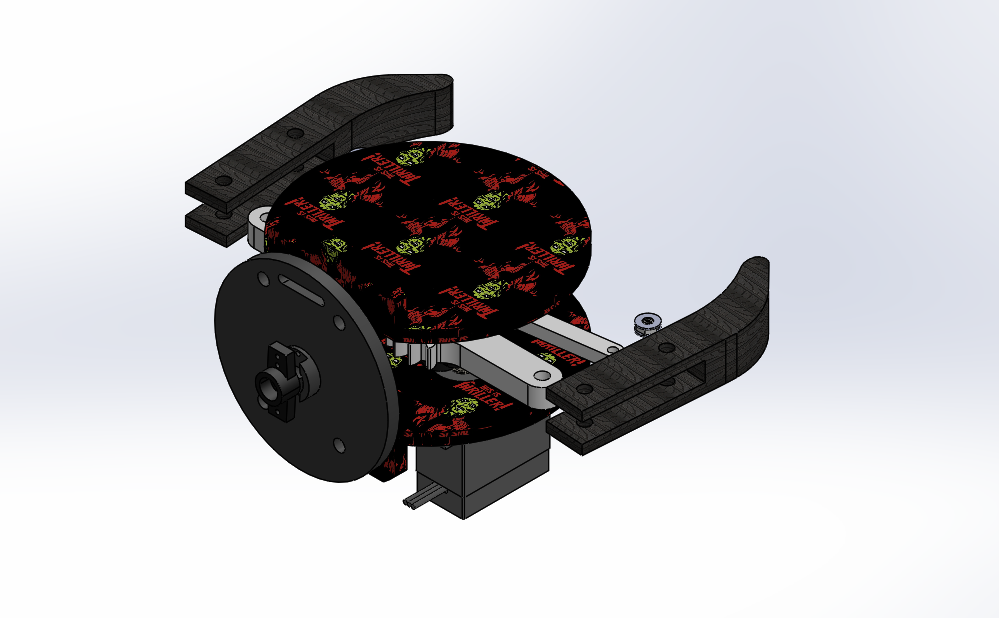
Jaws translate in a straight line instead of pivoting. Closed |
Type 2 — 5-Finger "Octopus" 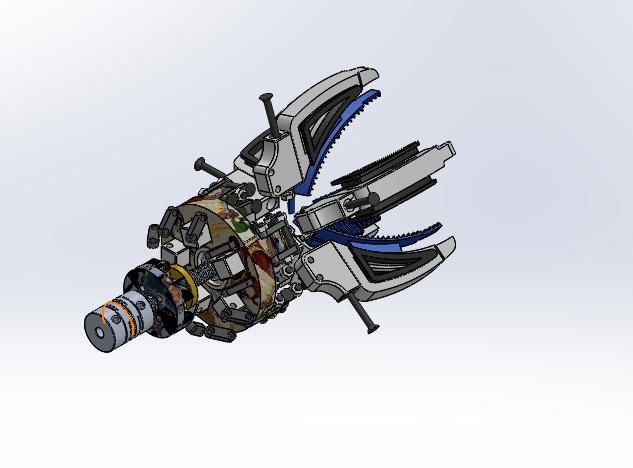
Five independent fingers close around the product for better conformity on irregular shapes. |
Type 3 — Classic Parallel 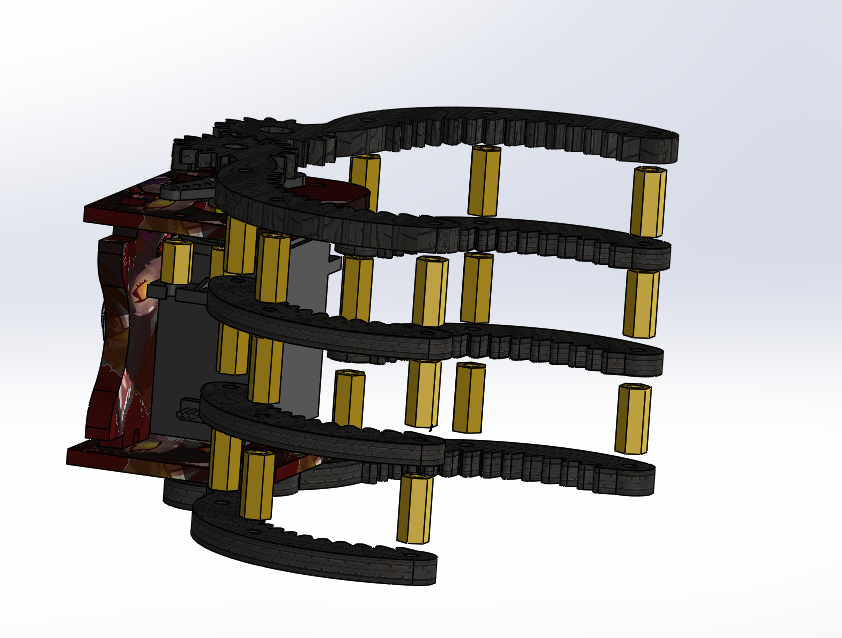
10-finger gripper driven by two pinions. |
Each type has its own SolidWorks, STEP, and STL set — printable independently.
| Width | Length | Height |
|---|---|---|
| 90 mm | 500 mm | 65 mm |
Belt driven by a stepper motor, controlled by the arm's ESP32. A rack-and-pinion pusher at the conveyor's entrance ejects broken/torn products straight into a recycling bin before they travel further.
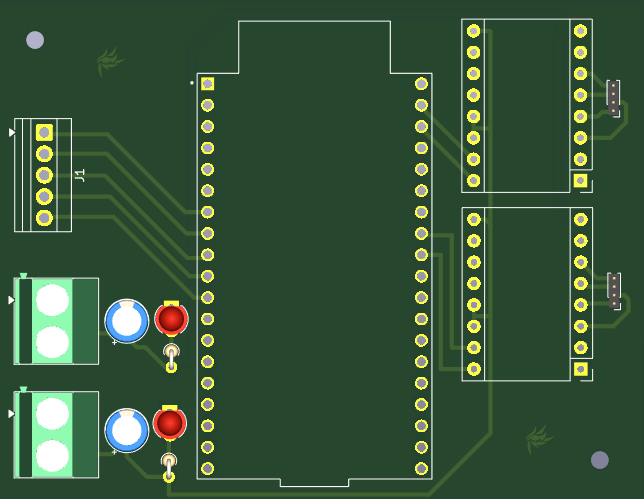
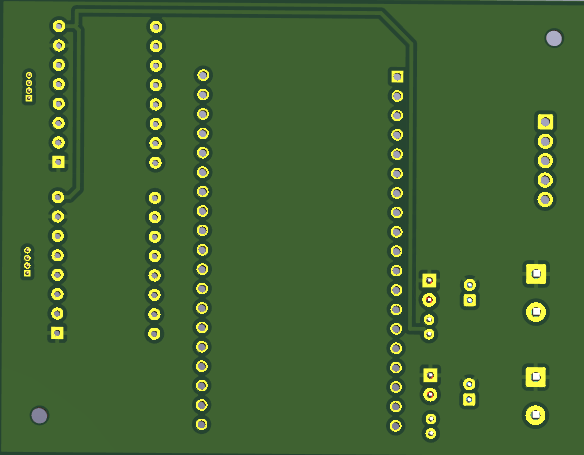
Custom KiCad PCB around an ESP32-WROOM-32, with 4 separate LiPo rails (common ground):
SAMIR-KAHWEJI needs no dedicated PCB — ESP32 + 4 IBT drivers + PWM servo board + an isolated Raspberry Pi 5 power bank, wired directly (see wiring-transport-robot-samir-kahweji.txt).
Full BOM: 03_DOCS/list of electronics.xlsx.
ABS for structural/high-stress parts, PLA for covers and lightweight parts.
| Setting | Value |
|---|---|
| Layer Height | 0.20 mm |
| Nozzle | 0.4 mm |
| Infill | 20% |
| Walls | 3 |
| Supports | Only where needed |
| Screw | Length | Quantity |
|---|---|---|
| M3 | 15 mm | 40 |
| M3 | 20 mm | 20 |
| M5 | 40 mm | 10 |
Total: 70 screws.
NEXUS-TN/
│
├── 01_3D/
│   ├── SOLIDWORKS PARTS/
│   │   ├── ROBOTIC_ARM(3 TYPES)/
│   │   │   ├── SOLIDWORKS PARTS/
│   │   │   │   ├── ROBOTICS_ARM TYPE 1/   # Arm Type 1
│   │   │   │   ├── ROBOTIC_ARM TYPE 2/    # Arm Type 2 + 5-finger gripper
│   │   │   │   └── ROBOTIC_ARM TYPE 3/    # Arm Type 3 + classic gripper
│   │   │   └── STEP FILES/
│   │   ├── CONVEYOR/
│   │   ├── TRANSPORT_ROBOT (SAMIR-KAHWEJI)/
│   │   └── main assembly conveyor_roboticarm_transportrobot.STEP
│   │
│   └── STL/
│       ├── ROBOTIC_ARM(3 TYPES)/
│       │   ├── STL ROBOTIC ARM 1/         # Arm Type 1
│       │   ├── STL ROBOTIC ARM 2/         # Arm Type 2
│       │   └── dossier tanthif 2/         # Arm Type 3
│       ├── CONVOYER/
│       └── TRANSPORT_ROBOT (SAMIR-KAHWEJI)/
│
├── 02_PCB_DESIGN/
│ ├── KICAD DESIGN.kicad_sch / .kicad_pcb / .kicad_pro / .kicad_prlFolder names under ROBOTIC_ARM(3 TYPES) grew organically per gripper type (dossier tanthif 2, etc.) — each "TYPE" folder is self-contained and printable on its own. main assembly conveyor_roboticarm_transportrobot.STEP combines the whole ecosystem into one file.
Per subsystem: native SolidWorks source, STEP (any CAD tool), and STL (slicer-ready) — under 01_3D/.
|
XX' axis travel |
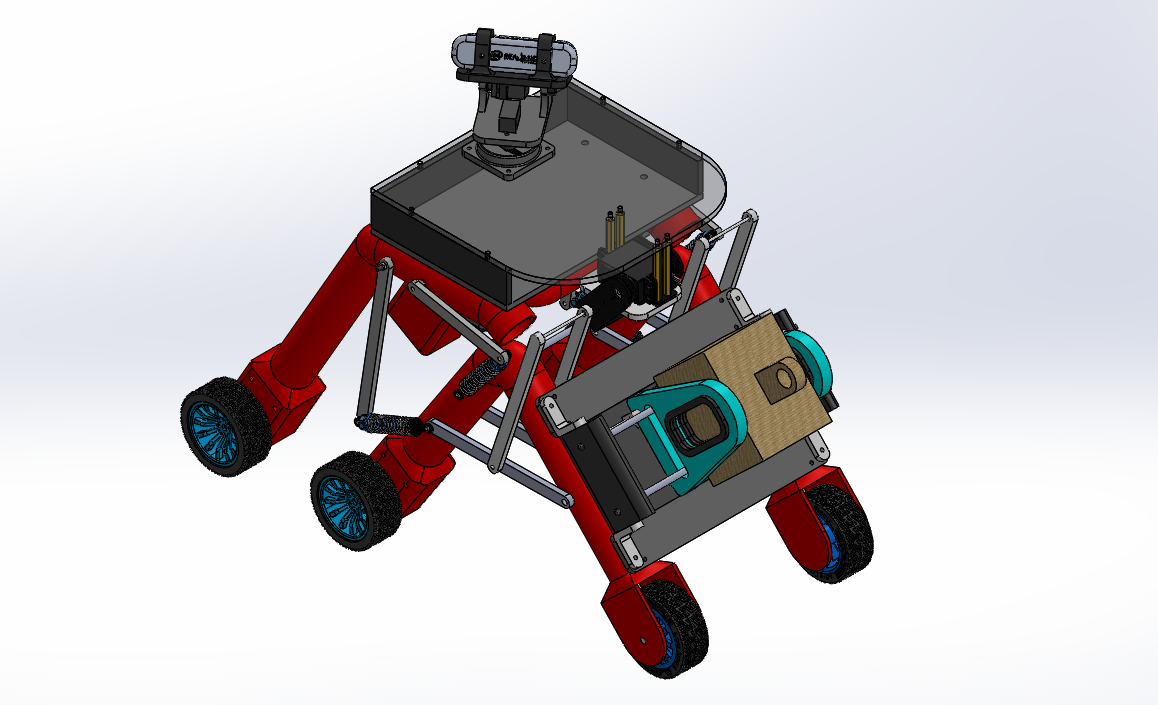
6-to-4 wheel transform The gap created in the drive wheels during the transformation is absorbed by the 4 shock absorbers. |
SAMIR-KAHWEJI's onboard gripper |
MIT License.
| Qty | Value | Footprint | References |
|---|---|---|---|
| 2 | C_Polarized | Capacitor_THT:CP_Radial_D5.0mm_P2.00mm | C2, C3 |
| 2 | Conn_01x04 | Connector_PinHeader_1.00mm:PinHeader_1x04_P1.00mm_Vertical | J4, J5 |
| 2 | LED | LED_THT:LED_D3.0mm | D1, D2 |
| 2 | LOGO | preety.mod:logo | G***, G*** |
| 2 | Pololu_Breakout_DRV8825 | Module:Pololu_Breakout-16_15.2x20.3mm | A1, A2 |
| 2 | R | Resistor_THT:R_Axial_DIN0204_L3.6mm_D1.6mm_P1.90mm_Vertical | R1, R2 |
| 2 | Screw_Terminal_01x02 | TerminalBlock_Phoenix:TerminalBlock_Phoenix_MKDS-1,5-2_1x02_P5.00mm_Horizontal | J2, J3 |
| 1 | Conn_01x05 | TerminalBlock:TerminalBlock_Xinya_XY308-2.54-5P_1x05_P2.54mm_Horizontal | J1 |
| 1 | DEVKIT_V1_ESP32-WROOM-32 | DEVKIT_V1_ESP32-WROOM-32:MODULE_DEVKIT_V1_ESP32-WROOM-32 | U1 |
The 16 most common of 18 parts.

VoronDesign/Voron-Hardware
Cool Hardware designed by the Voron Design group


hackclub/OnBoard
💡 Join 1,000 teenagers and make your first PCB with a $100 grant!

VoronDesign/Voron-Tap
Tap is a nozzle-based z-probe for the V2 and Trident printer designs. The entire toolhead moves to trigger an optical switch. Tap offers many advantages:

Luos-io/luos_engine
Open-source and real-time orchestrator for cyber-physical-systems, to easily design, test and deploy embedded applications and digital twins.


Twotoz/C5VRX
Ultra-minimal, zero-CPU 5.8 GHz analog FPV video receiver using ESP32-C5 Wi-Fi 6 PHY MODEM_DIAG, BitScrambler WBFM demodulation & resistor DAC CVBS
It measures 77.7 × 60.4 mm and has 2 copper layers, 1.6 mm thick.
18 parts. The full list of its parts is on this page, with links to each part's symbol and footprint where PCBKit's library has them.
From the HABBOUBY/NEXUS-TN repository on GitHub, at the commit this page was made from: the board is 02_PCB_DESIGN/KICAD DESIGN.kicad_pcb and its schematic 02_PCB_DESIGN/KICAD DESIGN.kicad_sch. PCBKit opens the board in the browser, with nothing to install.
Its repository publishes it under the MIT licence: you may reuse it on that licence's terms (keep the author's notice, and for a copyleft licence share your changes alike).