
2 layers22.3 × 17.8 mm
 DustinWatts/esp32-touchdown352
ESP32 TouchDown
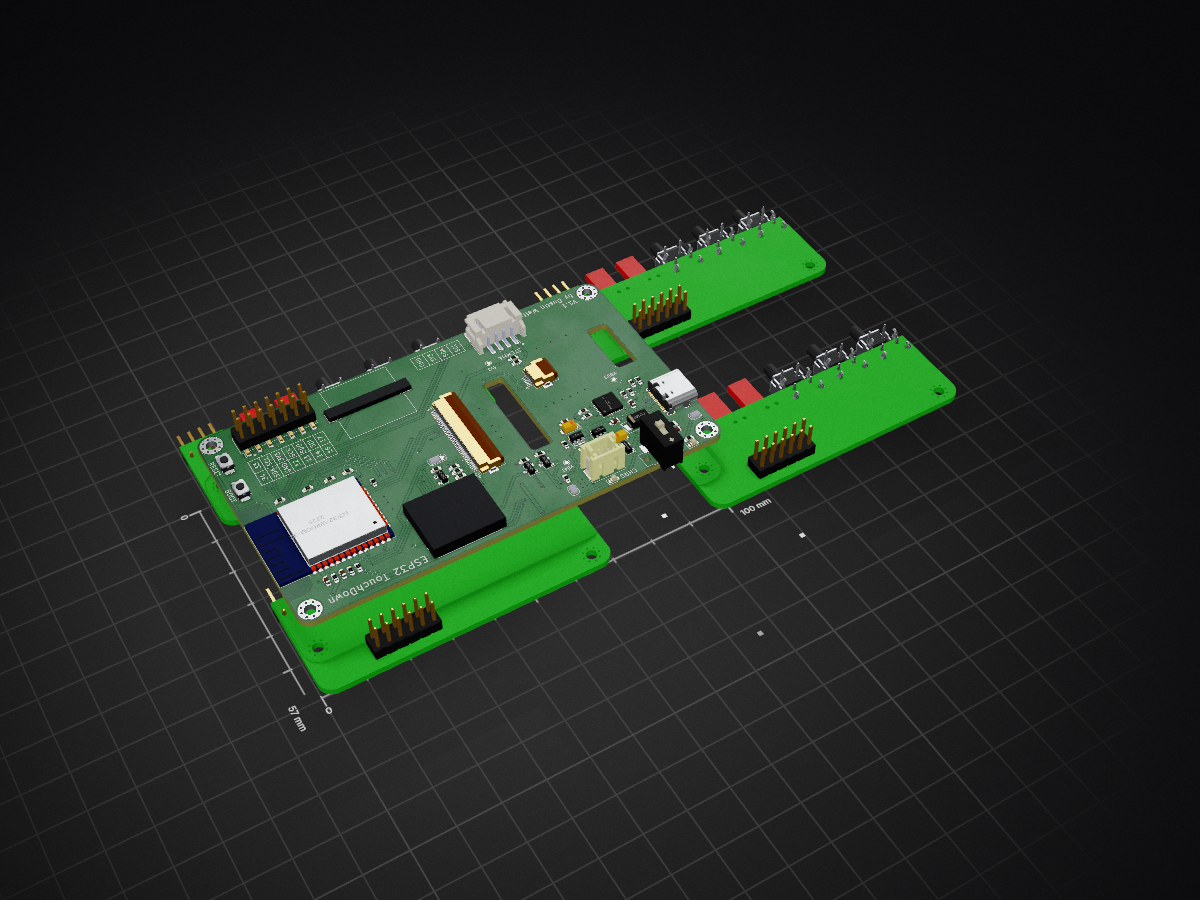
ESP32 TouchDown Rev1.1 is an open-source printed circuit board by DustinWatts, from the DustinWatts/esp32-touchdown repository on GitHub, published under the MIT licence. It is a 2-layer board of 100 × 57 mm with 68 parts on 95 nets, routed with 802 tracks and 157 vias.
It is built around the CP2102N-A01-GQFN28R, ESP32-WROOM-32D and AP2112K-3.3, with the S8050, TS-1088R-02526 and B2B-PH-SM4-TB(LF)(SN) among its other parts. Its parts include 25 resistors, 9 capacitors, 4 ICs, 4 transistors and 4 connectors. It belongs with the radio and wireless boards and the ESP32 boards of this library.


Available from:
Tindie: -> https://www.tindie.com/products/dustinwattsnl/esp32-touchdown/ (Ships from The Netherlands)
Lectronz -> https://lectronz.com/products/esp32-touchdown (Ships from The Netherlands)
Eplop Electornics -> https://store.eplop.co.uk/product/esp32touchdown/ (Ships from the UK)
PCBWay -> https://www.pcbway.com/project/gifts_detail/ESP32_TouchDown.html (Ships from China)
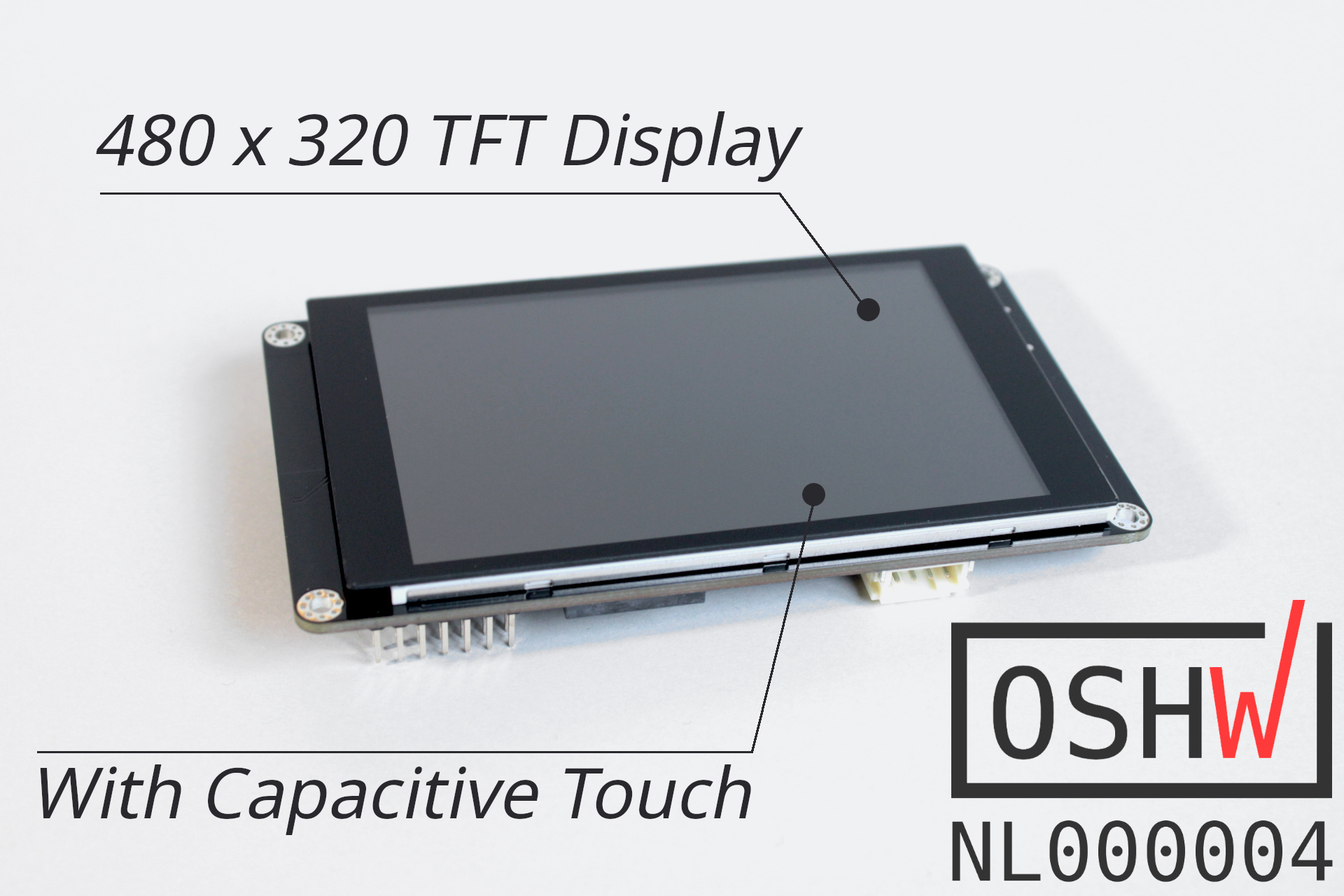

While working on FreeTouchDeck, I really wanted to use capacitive touch. Unfortunately, most modules I could find were resistive touch and capacitive touch has a much nicer user experience. While I was designing, it made sense to put the ESP32 on the board itself, removing the need for an ESP32 Dev board. I wanted to take full advantage of the ESP32 wireless capabilities (Wifi, BLE) so I included a battery management circuit. ESP32 TouchDown can run off of a LiPo battery and also charge it. Here is a full list of the features:
ESP32 TouchDown works out of the box (as ESP32 Dev Module) with the Arduino IDE, providing you have installed the ESP32 Arduino Core. If you have not, this is where you can find it: https://github.com/espressif/arduino-esp32.
Documentation can be found in the Wiki.
ESP32 TouchDown uses an 480x320 screen with an ILI9488 (datasheet) driver. There are numerous drivers out there, but I found TFT_eSPI by Bodmer the most versatile. https://github.com/Bodmer/TFT_eSPI.
Pins used by the TFT screen are:
The TFT backlight anode (positive supply) is selectable via a jumper on the back. You can either power it directly from 3.3V or use GPIO32. By default, the positive source is GPIO32. You can this pin and use PWM to control the backlight brightness.
Note: On V1.1 of the board the jumpers used are with bridged pads. So by default have no solder blob. See changelog.txt

The touch controller is a FocalTech FT62x6 (datasheet). The first batch uses an FT6236 and the second batch of boards has the FT6206. Both have the same I2C address of 0X38. I made an Arduino IDE library available here: https://github.com/DustinWatts/FT6236. This library also supports the FT6202.
Pins used by the FT62x6 are:
The following GPIO's are broken out on the header:
The following pins are used by the SD card holder:
CD (card detect) DAT1 and DAT2 are not connected.
For FreeTouchDeck installation instructions see: https://github.com/DustinWatts/FreeTouchDeck/wiki/1.-Installation
For other code: The ESP32 TouchDown uses the same configuration as an ESP32 Dev Module. So you can use those board definitions to upload your own code to the ESP32 TouchDown:

Everything about the ESP32 TouchDown is open source. This means I provide you will all the designs I make. In this repository, you will find the KiCad project, including schematic, and board layout. Also, the complete BOM is available to you. I have included the datasheets of all the hardware used.


If you like what I am doing, there are a number of ways you can support me.
| Platform | Link |
|---|---|
 | You can follow me on Twitter: @dustinwattsnl |
 | You can subscribe to my channel on Youtube: /dustinWatts |
 | You can support me by becoming a patron on Patreon: https://www.patreon.com/dustinwatts |
 | You can make a one time donation using PayPal.me: https://www.paypal.me/dustinwattsnl |
For quick access to help you can join my Discord server where I have a dedicated #esp32-touchdown channel. https://discord.gg/RE3XevS
| Qty | Value | Footprint | References |
|---|---|---|---|
| 9 | 10K | Resistor_SMD:R_0603_1608Metric | R5, R6, R7, R8, R10, R11, R12, R18, R23 |
| 5 | 0.1uF | Capacitor_SMD:C_0603_1608Metric | C1, C2, C6, C8, C10 |
| 4 | 100K | Resistor_SMD:R_0603_1608Metric | R2, R9, R14, R15 |
| 4 | MountingHole | MountingHole:MountingHole_2.5mm_Pad_Via | H1, H2, H3, H4 |
| 3 | 10 | Resistor_SMD:R_0603_1608Metric | R19, R20, R21 |
| 3 | 1K | Resistor_SMD:R_0603_1608Metric | R3, R4, R22 |
| 3 | S8050 | Package_TO_SOT_SMD:SOT-23 | Q1, Q2, Q4 |
| 3 | TestPoint | TestPoint:TestPoint_Pad_D1.0mm | TP1, TP2, TP3 |
| 2 | 10K DNP | Resistor_SMD:R_0603_1608Metric | R16, R17 |
| 2 | 10uF | Capacitor_Tantalum_SMD:CP_EIA-3216-18_Kemet-A | C4, C5 |
| 2 | 5K1 | Resistor_SMD:R_0603_1608Metric | R24, R25 |
| 2 | Jumper_NO_Small | Jumper:SolderJumper-2_P1.3mm_Bridged_RoundedPad1.0x1.5mm | JP2, JP3 |
| 2 | TS-1088R-02526 | ESP32_TouchDown_lib:TS-1088R-02526 | SW1, SW2 |
| 1 | B2B-PH-SM4-TB(LF)(SN) | Connector_JST:JST_PH_B2B-PH-SM4-TB_1x02-1MP_P2.00mm_Vertical | J3 |
| 1 | 1.3K | Resistor_SMD:R_0603_1608Metric | R13 |
| 1 | 10uF | Capacitor_SMD:C_0603_1608Metric | C9 |
| 1 | 1uF | Capacitor_SMD:C_0603_1608Metric | C7 |
| 1 | 3.3K | Resistor_SMD:R_0603_1608Metric | Rprog1 |
| 1 | 3V3/GPIO | Jumper:SolderJumper-3_P1.3mm_Bridged12_RoundedPad1.0x1.5mm_NumberLabels | JP1 |
| 1 | 4.7K | Resistor_SMD:R_0603_1608Metric | R1 |
| 1 | AP2112K-3.3 | Package_TO_SOT_SMD:SOT-23-5 | U3 |
| 1 | CHG | LED_SMD:LED_0603_1608Metric | D2 |
| 1 | CP2102N-A01-GQFN28 | Package_DFN_QFN:QFN-28-1EP_5x5mm_P0.5mm_EP3.35x3.35mm | U1 |
| 1 | Conn_01x06 | Connector_FFC-FPC:Hirose_FH12-6S-0.5SH_1x06-1MP_P0.50mm_Horizontal | FPC2 |
| 1 | Conn_02x07_Odd_Even | Connector_PinHeader_2.54mm:PinHeader_2x07_P2.54mm_Vertical_SMD | J2 |
| 1 | DMG3415U-7 | Package_TO_SOT_SMD:SOT-23 | Q3 |
| 1 | ESP32-WROOM-32D | RF_Module:ESP32-WROOM-32 | U4 |
| 1 | FPC_40P_0.5mm | ESP32_TouchDown_lib:Hirose_FH12-40S-0.5SH_1x40-1MP_P0.50mm_Horizontal_flipped | FPC1 |
| 1 | MCP73831-2-OT | Package_TO_SOT_SMD:SOT-23-5 | U5 |
| 1 | ON | LED_SMD:LED_0603_1608Metric | D3 |
| 1 | Polyfuse | Fuse:Fuse_0805_2012Metric | F1 |
| 1 | SK-3296S-01-L3 | Button_Switch_SMD:SW_SPDT_CK-JS102011SAQN | SW3 |
| 1 | SS14D | Diode_SMD:D_SMA | D1 |
| 1 | Speaker_PIEZO | ESP32_TouchDown_lib:INGHAi GSC1625YB-3V4000 | LS1 |
| 1 | Stemma | Connector_JST:JST_PH_S4B-PH-SM4-TB_1x04-1MP_P2.00mm_Horizontal | J4 |
| 1 | USB_C_Receptacle_USB2.0 | Connector_USB:USB_C_Receptacle_XKB_U262-16XN-4BVC11 | J5 |
| 1 | microSD_TF-01A | ESP32_TouchDown_lib:microSD_TF-01A-C91145 | SD1 |

Circuit-Digest/MLX90640-Thermal-Camera
An Open Source Thermal Imaging IR camera that you can build yourserlf


Abhey-05/Thermal-Camera
Thermal Camera A compact, low-cost thermal imaging solution built for diagnostic, repair, and monitoring applications in electronics, industrial safety, and embedded systems.


TDA-2030/E-ink-screen
An assistant to help you view text and picture calendars

It measures 100 × 57 mm and has 2 copper layers, 1.6 mm thick.
68 parts, built around the CP2102N-A01-GQFN28R, ESP32-WROOM-32D, AP2112K-3.3 and S8050. The full list of its parts is on this page, with links to each part's symbol and footprint where PCBKit's library has them.
From the DustinWatts/esp32-touchdown repository on GitHub, at the commit this page was made from: the board is Hardware/ESP32_TouchDown_Rev1.1/ESP32_TouchDown_Rev1.1.kicad_pcb. PCBKit opens the board in the browser, with nothing to install.
Its repository publishes it under the MIT licence: you may reuse it on that licence's terms (keep the author's notice, and for a copyleft licence share your changes alike).