Skip to the content
2 layers130 × 110 mmCustom MacroPad Pro, the printed circuit board in 3D

Custom MacroPad Pro

BobDaBanana27/supreme-PCB

For Hack Club Half Life

Size
130 × 110 mm
Copper layers
2
Thickness
1.6 mm
Parts
15
Nets
34
Pads
117
Tracks, vias
229, 23
Pours
1
Routed
Yes
KiCad
KiCad 6 (file 20211014)
Created
11 Oct 2026
Updated
25 Oct 2026

Overview

Custom MacroPad Pro is an open-source printed circuit board by BobDaBanana27, from the BobDaBanana27/supreme-PCB repository on GitHub. It is a 2-layer board of 130 × 110 mm with 15 parts on 34 nets, routed with 229 tracks and 23 vias.

It is built around the HS96L03W2C03, RP2040-ZERO and TC1262-3.3VDB, with the KMR221GLFS, PEC11R-4215F-S0024 and USB4120-03-C among its other parts. Its parts include 8 switches, 3 ICs, 2 resistors and 1 capacitor. It belongs with the keyboards and input boards and the RP2040 boards of this library.

Main components

6

README

README.md

supreme-PCB

For Hack Club Half-Life

PCBs – devlog

WeekTierHours loggedEntries
Week 1Tier 17h1

Contents

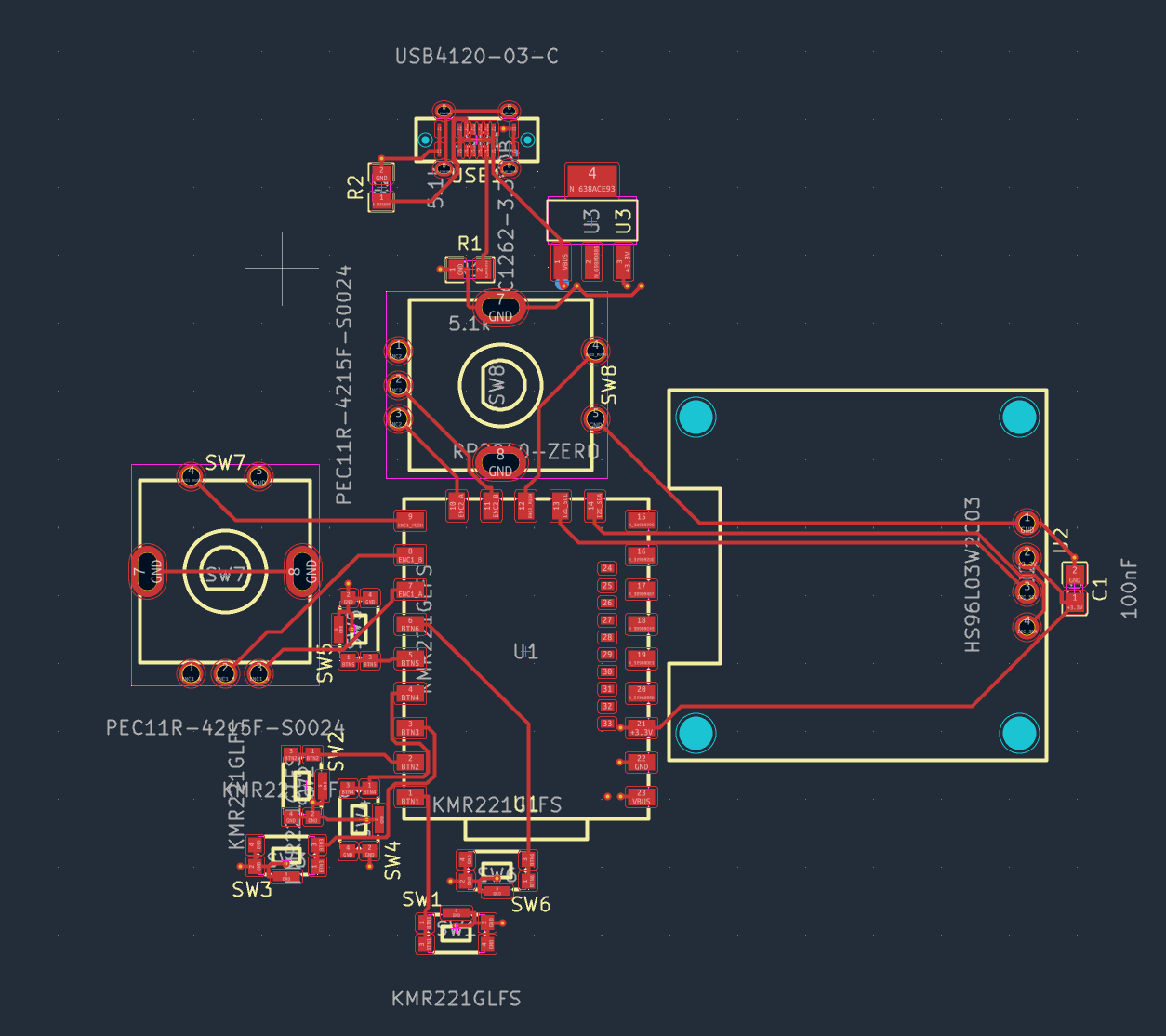
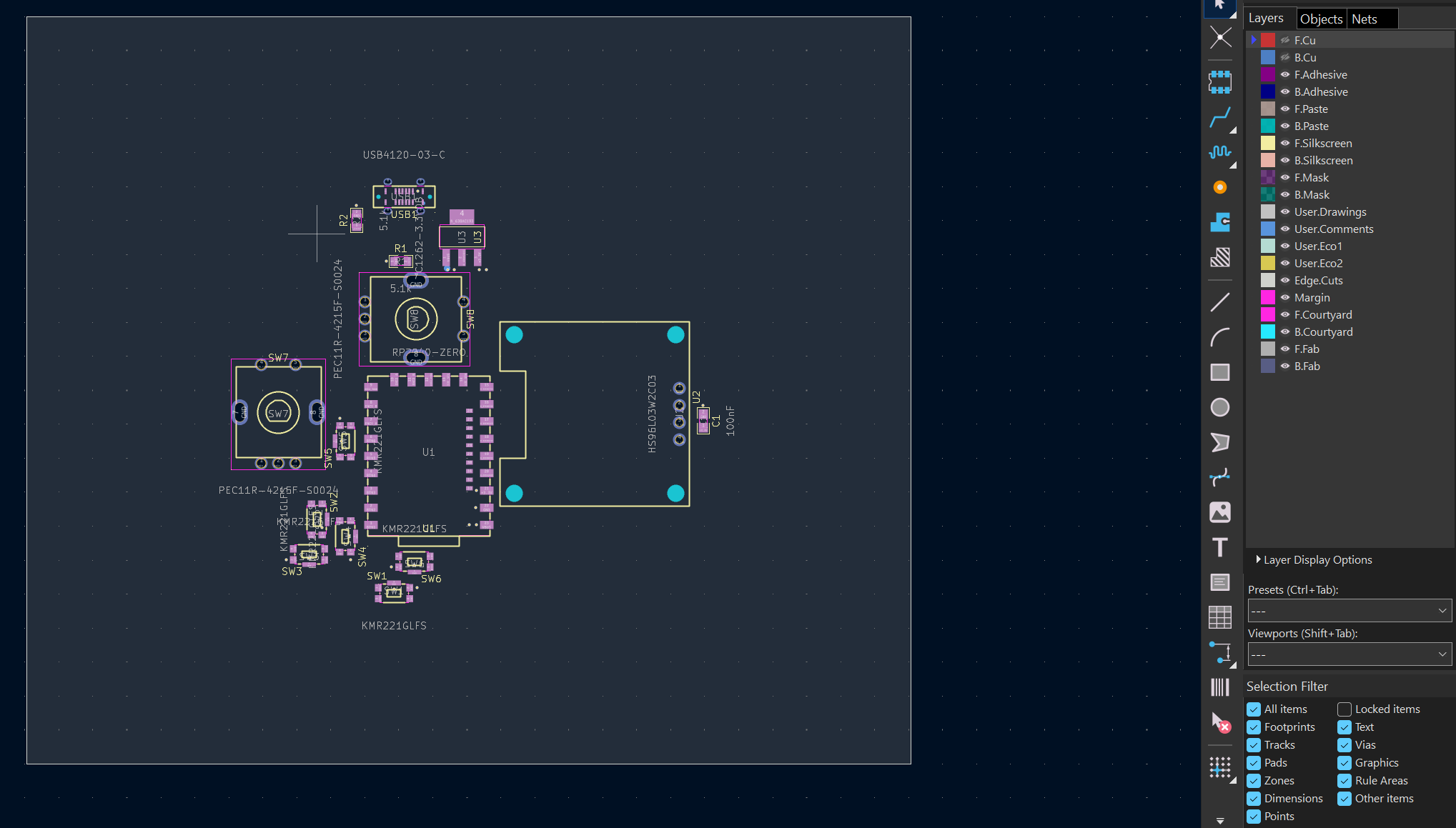
The first hour consisted of nothing much but research into parts and fitting within the budget. I ended up settling on these parts, as seen in the image below. Hours 2-5 all consisted of working inside KiCad to build and test the PCB. For the PCB layout file, I built out a standard 1.6 mm thick board on an A4 sheet using KiCad. On the board, I used a USB-C connector for power and data, the RP2040-Zero as the computer, a couple of rotary encoders for dial controls, six tactile switches for the macro buttons, and an OLED display for visuals. To wrap up the power side, I added a 3.3V regulator along with its supporting components.
image

image

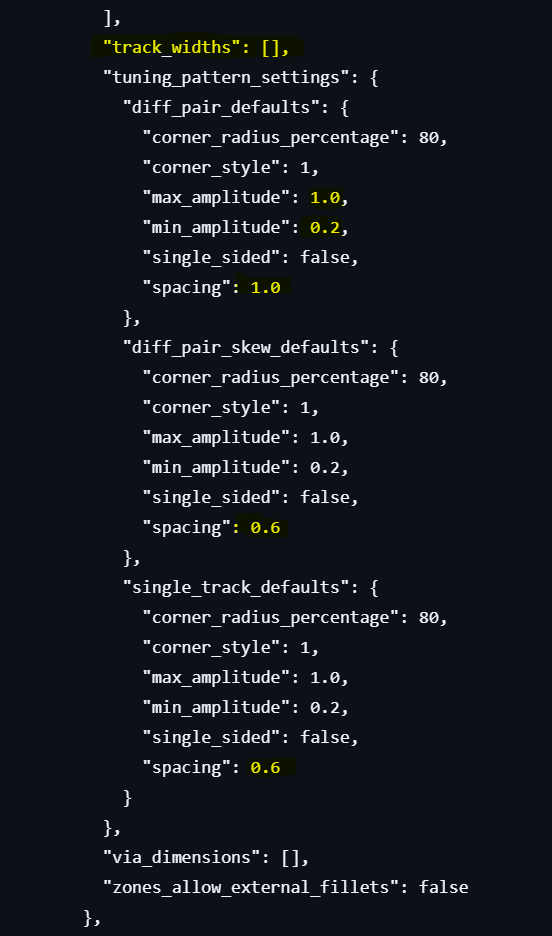
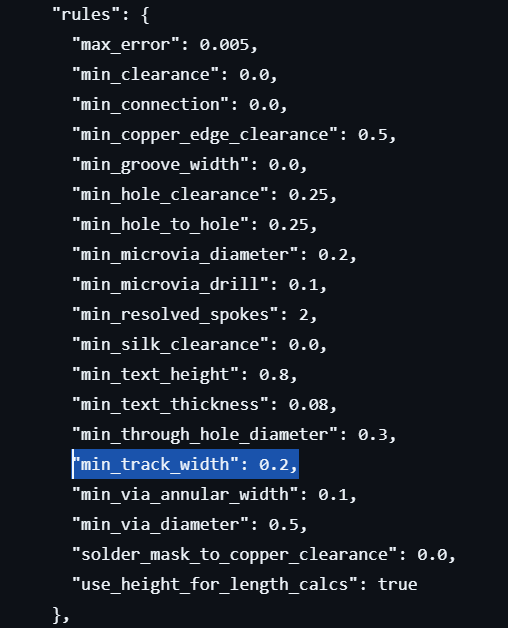
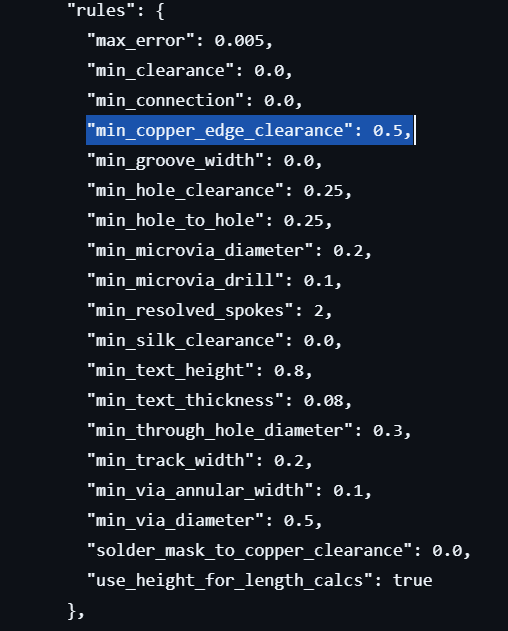
I set standard DRC rules in the project config file. Tracking a minimum of 0.2 mm, zero clearance, and 0.5 mm spacing from the board edge, while the default net class runs 0.2 mm tracks, 0.2 mm clearance, and uses 0.3 mm drill / 0.6 mm outer diameter vias to tie everything smoothly over to the main schematic file.
Screenshot 2026-10-11 160624

Screenshot 2026-10-11 160720

Screenshot 2026-10-11 160901

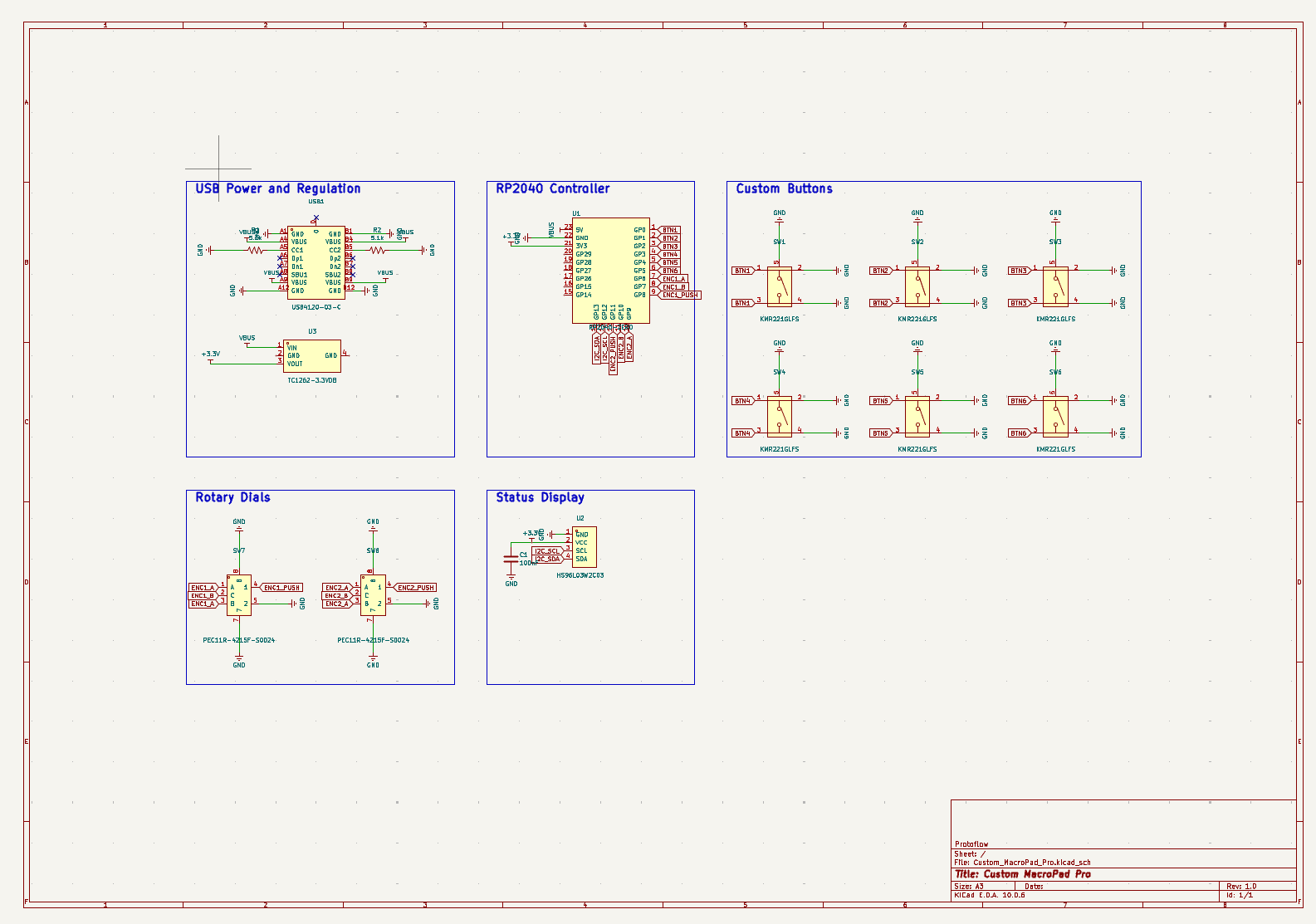
For the schematic, I split the layout into neat, manageable blocks covering USB power and regulation, the RP2040 controller, custom buttons, rotary dials, and a status display. Finally, I wired up all the key nets, including VBUS, +3V3, GND, the button lines, the encoder pins, ENC1_PUSH, and the I2C bus lines.
image

BOM.md:

PCBs – bill of materials

[!NOTE] This parts list is mirrored from Half Life. Editing it here will not change the platform's copy, and the next sync overwrites this file.

WeekTierParts funding
Week 1Tier 1$30.00
PartWhat it's forQtyUnitTotalVendor
USB4120-03-C USB ConnectorUSB Connector1$1.33$1.33Digikey
RP2040-ZERO MicroController BoardThe Brain/Computer1$3.00$3.00Amazon
PEC11R-4215F-S0024Rotary Encoders (Dial Controls)2$1.50$3.00Digikey
KMR221GLFSTactile buttons6$0.80$4.80Digikey
HS96L03W2C03 OLED DisplayOLED Display1$2.00$2.00JLCPCB
TC1262-3.3VDB Voltage RegulatorRegulates the voltage.1$1.00$1.00Digikey
CFM14JT5K105.1k Resistors2$0.16$0.32Digikey
100nF CapacitorCapacitor.1$2.50$2.50Amazon
Parts subtotal———$17.95—
Tax & shipping———$12.04—
Total———$29.99—

$0.01 left of the tier's funding.

EDIT: The image at the top is the final PCB.

Parts

15
QtyValueFootprintReferences
6KMR221GLFSfasteda:KEY-SMD_KMR2XXGXXXSW1, SW2, SW3, SW4, SW5, SW6
25.1kfasteda:R0805R1, R2
2PEC11R-4215F-S0024fasteda:SW-TH_5P-L12.5-W13.4-P2.50-LS14.5SW7, SW8
1100nFfasteda:C0805C1
1HS96L03W2C03fasteda:OLED-TH_L27.8-W27.2-P2.54_C9900033791U2
1RP2040-ZEROfasteda:COMM-SMD_RP2040-ZEROU1
1TC1262-3.3VDBfasteda:SOT-223-3_L6.5-W3.5-P3.05-LS7.0U3
1USB4120-03-Cfasteda:TYPE-C-SMD_USB4120-03-CUSB1

Similar boards

  • 4 layers140 × 140 mmPCU, the printed circuit board in 3D

    PCU

    Andresse2020/NovaDrone-Hardware

    Complete electronic system design for a high-performance quadcopter drone, developed entirely from scratch. Includes power distribution, motor control, flight stabilization, sensor integration, and communication…

    760 parts3
  • 4 layers195.5 × 114.3 mmOpenNAS, the printed circuit board in 3D

    OpenNAS

    mquerostudio/OpenNAS

    107 parts
  • 2 layers42 × 13 mmDaughterboard, the printed circuit board in 3D

    Daughterboard

    0xCB-dev/SL-060-PCB

    Synth Labs 060 PCB Hardware Files

    17 parts9
  • 2 layers60 × 90 mmCinder, the printed circuit board in 3D

    Cinder

    CircuitGuy943/CinderV2-Filament-Dryer

    (🚧) A filament dryer to precede my old one made inside a wooden box that never worked properly and didn't heat anything. Features to be estabilished

    40 parts4GPL-3.0
  • 2 layers156.6 × 125.2 mmAutoFeeder, the printed circuit board in 3D

    AutoFeeder

    ErichStyger/McuOpenPnP_Machine

    Repository for the McuOnEclipse OpenPnP machine

    58 parts69
  • 4 layers292.1 × 88.3 mmSnark barker mca, the printed circuit board in 3D

    Snark barker mca

    schlae/snark-barker-mca

    A Sound Blaster compatible sound card for Micro Channel bus computers

    177 parts69
  • 2 layers53.3 × 47.2 mmRAMPS WiFi Adapter, the printed circuit board in 3D

    RAMPS WiFi Adapter

    ODDepot/RAMPS-WiFi-Adapter

    The RAMPS WiFi Adapter provides wireless networking for RepRap's RAMPS (Arduino Mega Pololu Shield) controller.

    21 parts10

Questions

How big is the Custom MacroPad Pro PCB?

It measures 130 × 110 mm and has 2 copper layers, 1.6 mm thick.

What parts does the Custom MacroPad Pro use?

15 parts, built around the HS96L03W2C03, RP2040-ZERO, TC1262-3.3VDB and KMR221GLFS. The full list of its parts is on this page, with links to each part's symbol and footprint where PCBKit's library has them.

Where can I download the Custom MacroPad Pro KiCad files?

From the BobDaBanana27/supreme-PCB repository on GitHub, at the commit this page was made from: the board is Custom_MacroPad_Pro.kicad_pcb and its schematic Custom_MacroPad_Pro.kicad_sch. PCBKit opens the board in the browser, with nothing to install.

Can I use the Custom MacroPad Pro design in my own project?

Its repository states no licence, so its author keeps all rights: ask BobDaBanana27 before reusing the design.