2 layers43.2 × 58.4 mm
NivelesDeNivelesSensor
notaroomba/nivelesdeniveles
An early warning application made with React Native.
6 parts2

 AlexIII/gsmGuard23
All-in-one Arduino GSM alarm system.
GsmGuard is an open-source printed circuit board by AlexIII, from the AlexIII/gsmGuard repository on GitHub, published under the MIT licence. It is a 2-layer board of 70.9 × 45.6 mm with 37 parts on 51 nets, routed with 422 tracks and 6 vias.
It is built around the SIM800C, MBR0520L-TP and 1N4148W, with the IRLML6401 among its other parts. Its parts include 14 resistors, 6 capacitors, 5 ICs, 5 diodes and 3 connectors. It belongs with the AVR (ATmega, ATtiny) boards of this library.


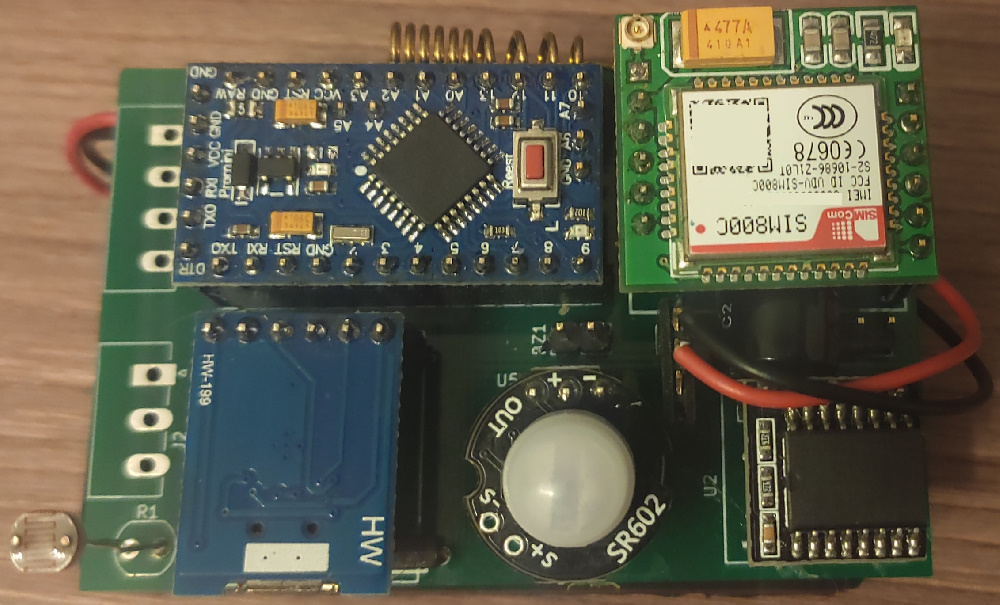 A compact multi-purpose all-in-one open source GSM alarm system.
Build on the base of Arduino Pro Mini and Arduino-compatible modules.
The device sends an SMS on any alarm event and optionally a status report once a day. Why SMS and not internet service? SMS stays most reliable means of mobile communication in cases of poor signal quality, requires less energy and works directly without relying on central server (which needs to be maintained by someone and may present a security problem).
Example of an alarm SMS:
04.11.19 22:37
Movement detected
Example of a daily report SMS:
door: Closed [04.11.19 09:14] <-- date and time of last door open event
move: None [04.11.19 09:12] <-- date and time of last movement detection event
temp.: 28*C [min. 21*C, max. 28*C, mean 27*C] <-- current temperature and temperature statistics for the current day
light: 99% <-- current illumination level (0 to 100%)
bat.: 4.6v <-- current battery voltage
ext.1: 0 <-- current state of external sensor 1
ext.2: 0 <-- current state of external sensor 2
For every alarm event you can also enable a call to your phone or/and sound alarm.
Three AA batteries. Expected lifetime: 3 to 6 months.
The device can be connected to a PC via USB for configuration. Configuration program lets you set target phone number, time of daily SMS report, choose events that will be reported, a way of notification (SMS, call, sound alarm) and set time periods during which those events are being monitored. I.e. if you know that the room is being used during some hours in certain days of the week, you can disable the alarm for that period. It also shows the last 70 events with date and time and a temperature plot for the last 31 days (one measurement every 2 hours).
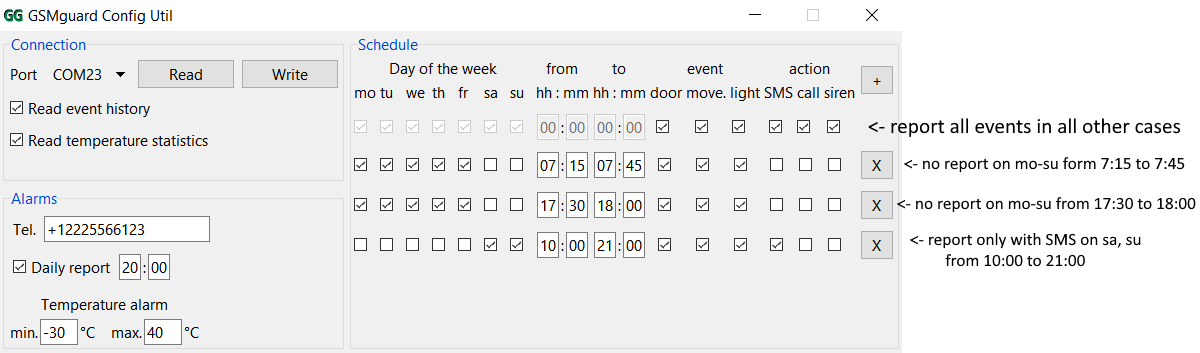
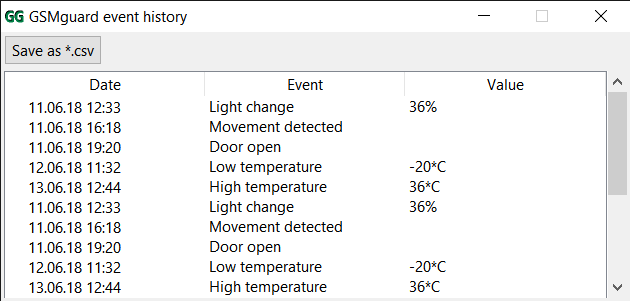
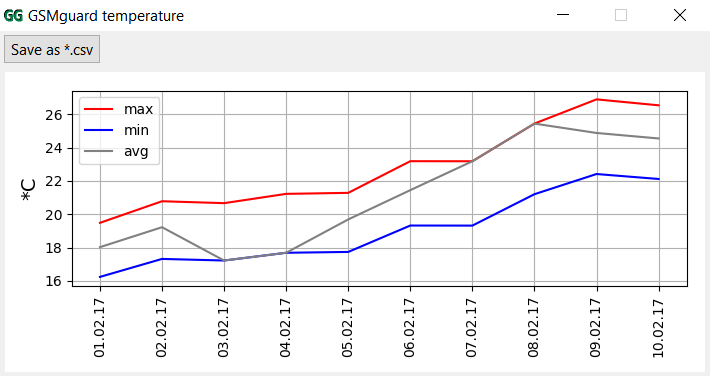
Currently supported languages (SMS and configuration program for PC): English, Russian.
Date format: dd/mm/yy
Temperature units: degrees Celsius
List of Arduino modules you will need:
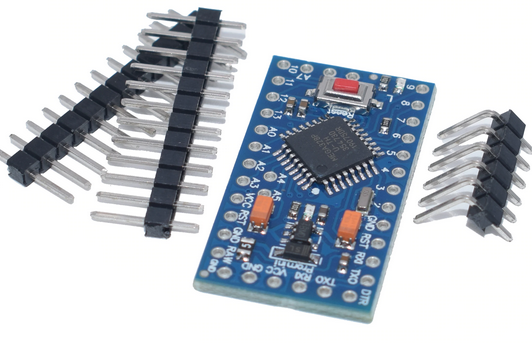
Arduino Pro Mini 3.3v 8MHz (5v 16MHz is also acceptable, but requires different firmware)
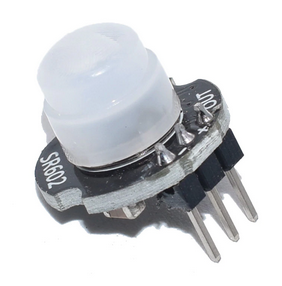
MH-SR602 MINI Motion Sensor
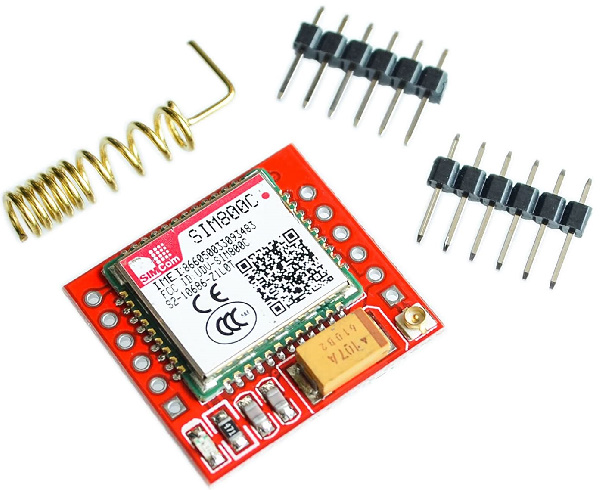
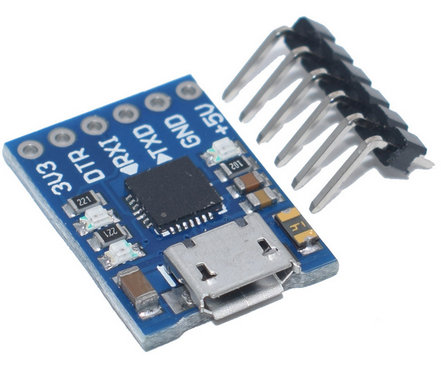
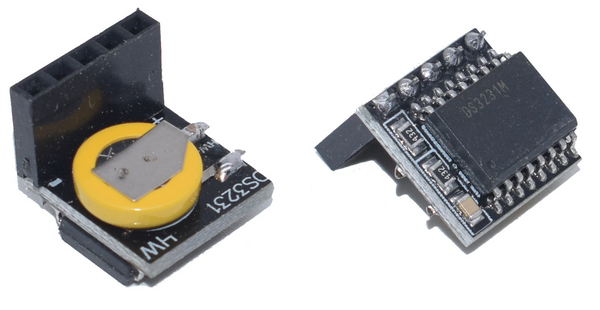
Other components
any >0.5A logic-level P-channel MOSFET in SOT-23
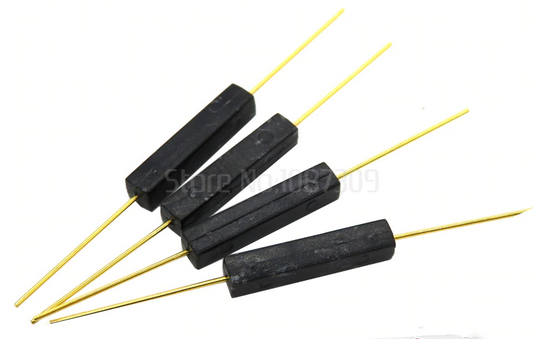
reed switch
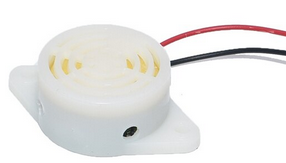
buzzer 3 to 5v
electret microphone
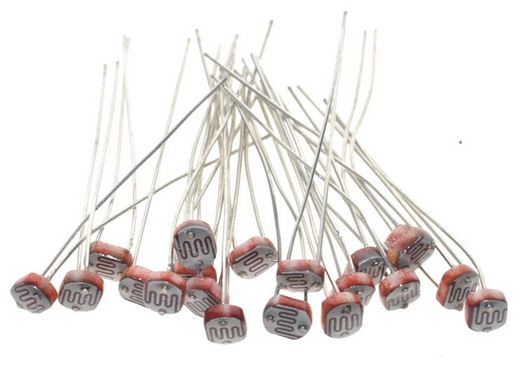
photoresistor
resistors, capacitors
The schematics:
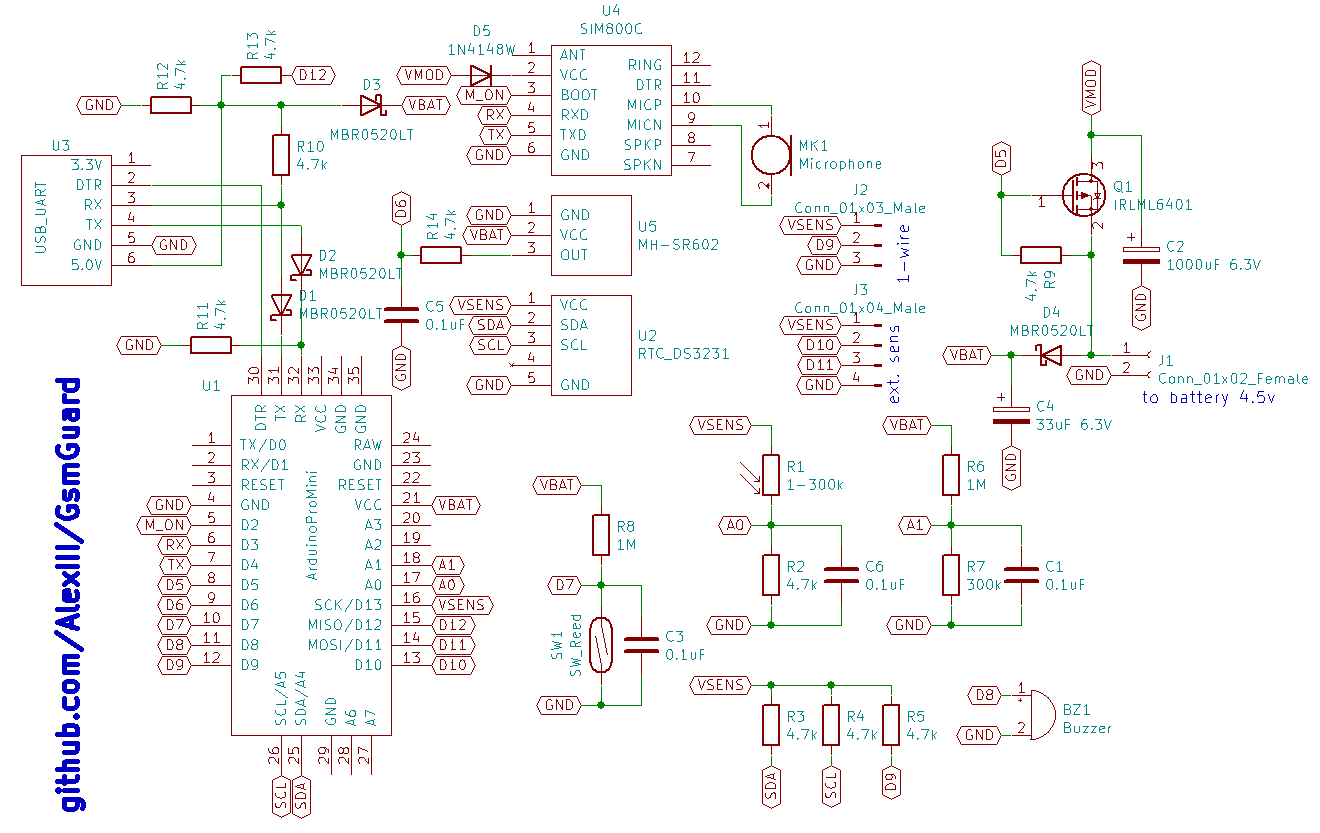
Remove power LED or the resistor that goes in series with it from the Arduino board. Otherwise it will drain the batteries in a matter of few days. It is better to remove voltage regulator IC from the Arduino too, as it's not being used but still draws a little bit of current.
I have 9 leftover PCBs of the first iteration that I can send via mail (for free). It's a first version, so it has some errors which you will need to fix with a cutter and a few jump wires. If you interested write me to 
You can upload precompiled *.hex firmware to Arduino via xLoader. There's four firmware files available:
| hex file | description |
|---|---|
| gsmGuard-firmware-EN-8MHz.hex | 8MHz arduino, english SMS |
| gsmGuard-firmware-EN-16MHz.hex | 16MHz arduino, english SMS |
| gsmGuard-firmware-RU-8MHz.hex | 8MHz arduino, russian SMS |
| gsmGuard-firmware-RU-16MHz.hex | 16MHz arduino, russian SMS |
Windows
Run gsmGuardConf_v1.0.exe. It requires no installation, but the unpacking process is rather slow, it may take 10-20 seconds to run.
Linux
~$ python2.7 gsmGuardConf.py
It looks like PIR sensors perform badly in cold temperature. Mine starts losing stability (frequent false tripping) when ambient temperature drops below +5 Celsius. I'm sure it havely depends on the particular model, though.
MIT License © github.com/AlexIII
| Qty | Value | Footprint | References |
|---|---|---|---|
| 8 | 4.7k | Resistors_SMD:R_1206 | R2, R3, R4, R5, R9, R12, R13, R14 |
| 4 | 0.1uF | Capacitors_SMD:C_1206 | C1, C3, C5, C6 |
| 4 | MBR0520LT | Diodes_SMD:D_SOD-123F | D1, D2, D3, D4 |
| 2 | 1M | Resistors_SMD:R_1206 | R6, R8 |
| 2 | 1k | Resistors_SMD:R_1206 | R10, R11 |
| 1 | 1-300k | Opto-Devices:Resistor_LDR_4.9x4.2_RM2.54 | R1 |
| 1 | 1000uF 6.3V | Capacitors_THT:CP_Radial_D8.0mm_P3.50mm | C2 |
| 1 | 1N4148W | Diodes_SMD:D_SOD-123F | D5 |
| 1 | 300k | Resistors_SMD:R_1206 | R7 |
| 1 | 33uF 6.3V | Capacitors_Tantalum_SMD:CP_Tantalum_Case-C_EIA-6032-28_Reflow | C4 |
| 1 | ArduinoProMini | cad:pro_mini | U1 |
| 1 | Buzzer | Pin_Headers:Pin_Header_Straight_1x02_Pitch2.54mm | BZ1 |
| 1 | Conn_01x02_Female | Pin_Headers:Pin_Header_Straight_1x02_Pitch2.54mm | J1 |
| 1 | Conn_01x03_Male | Connectors_Phoenix:PhoenixContact_MC-G_03x3.81mm_Angled | J2 |
| 1 | Conn_01x04_Male | Connectors_Phoenix:PhoenixContact_MC-G_04x3.81mm_Angled | J3 |
| 1 | IRLML6401 | TO_SOT_Packages_SMD:SOT-23 | Q1 |
| 1 | MH-SR602 | Pin_Headers:Pin_Header_Straight_1x03_Pitch2.54mm | U5 |
| 1 | Microphone | Pin_Headers:Pin_Header_Straight_1x02_Pitch2.54mm | MK1 |
| 1 | RTC_DS3231 | Pin_Headers:Pin_Header_Straight_1x05_Pitch2.54mm | U2 |
| 1 | SIM800C | cad:SIM800C | U4 |
| 1 | SW_Reed | cad:reed-1 | SW1 |
| 1 | USB_UART | Pin_Headers:Pin_Header_Straight_1x06_Pitch2.54mm | U3 |
notaroomba/nivelesdeniveles
An early warning application made with React Native.


dimipapr/TalkyPump
The legacy v1 firmware is preserved under archive/ as a behavioral reference.


er7-njit/GPSTracker430
Eliyahu Richter and Ravyn John's ECET 430 Project


It measures 70.9 × 45.6 mm and has 2 copper layers, 1.6 mm thick.
37 parts, built around the SIM800C, MBR0520L-TP, 1N4148W and IRLML6401. The full list of its parts is on this page, with links to each part's symbol and footprint where PCBKit's library has them.
From the AlexIII/gsmGuard repository on GitHub, at the commit this page was made from: the board is kicad-project/gsmGuard.kicad_pcb. PCBKit opens the board in the browser, with nothing to install.
Its repository publishes it under the MIT licence: you may reuse it on that licence's terms (keep the author's notice, and for a copyleft licence share your changes alike).