2 layers49.6 × 37.2 mm

 Aiano/LocateMagnet64
磁定位系统
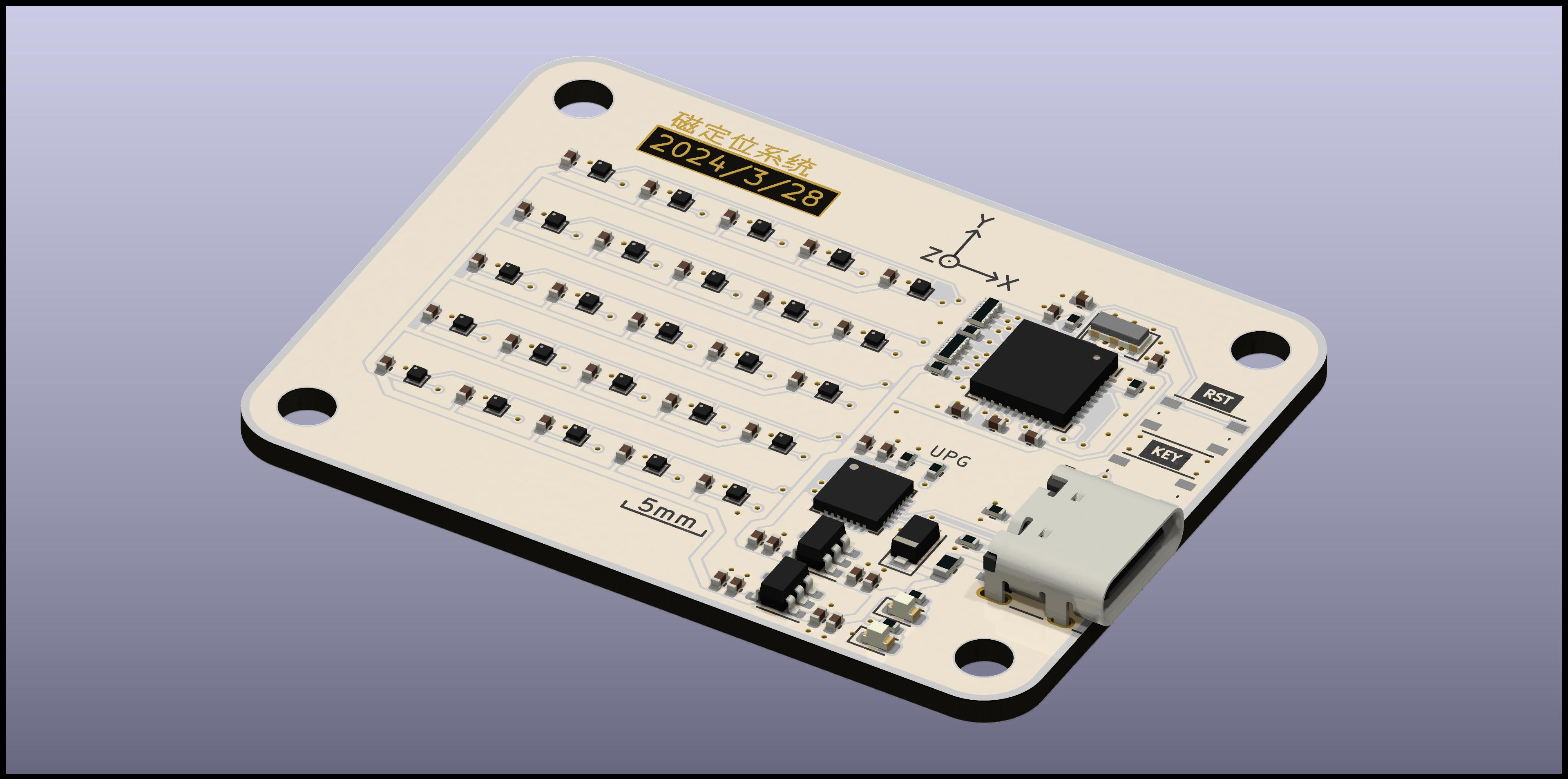
LocateMagnet is an open-source printed circuit board by Aiano, from the Aiano/LocateMagnet repository on GitHub. It is a 2-layer board of 49.6 × 37.2 mm with 94 parts on 64 nets, routed with 533 tracks and 148 vias.
It is built around the CH549F and MMC5603NJ. Its parts include 41 capacitors, 29 ICs, 9 resistors, 3 diodes and 2 switches. It belongs with the STM32 and 8051 (CH55x, STC, AT89) boards of this library.


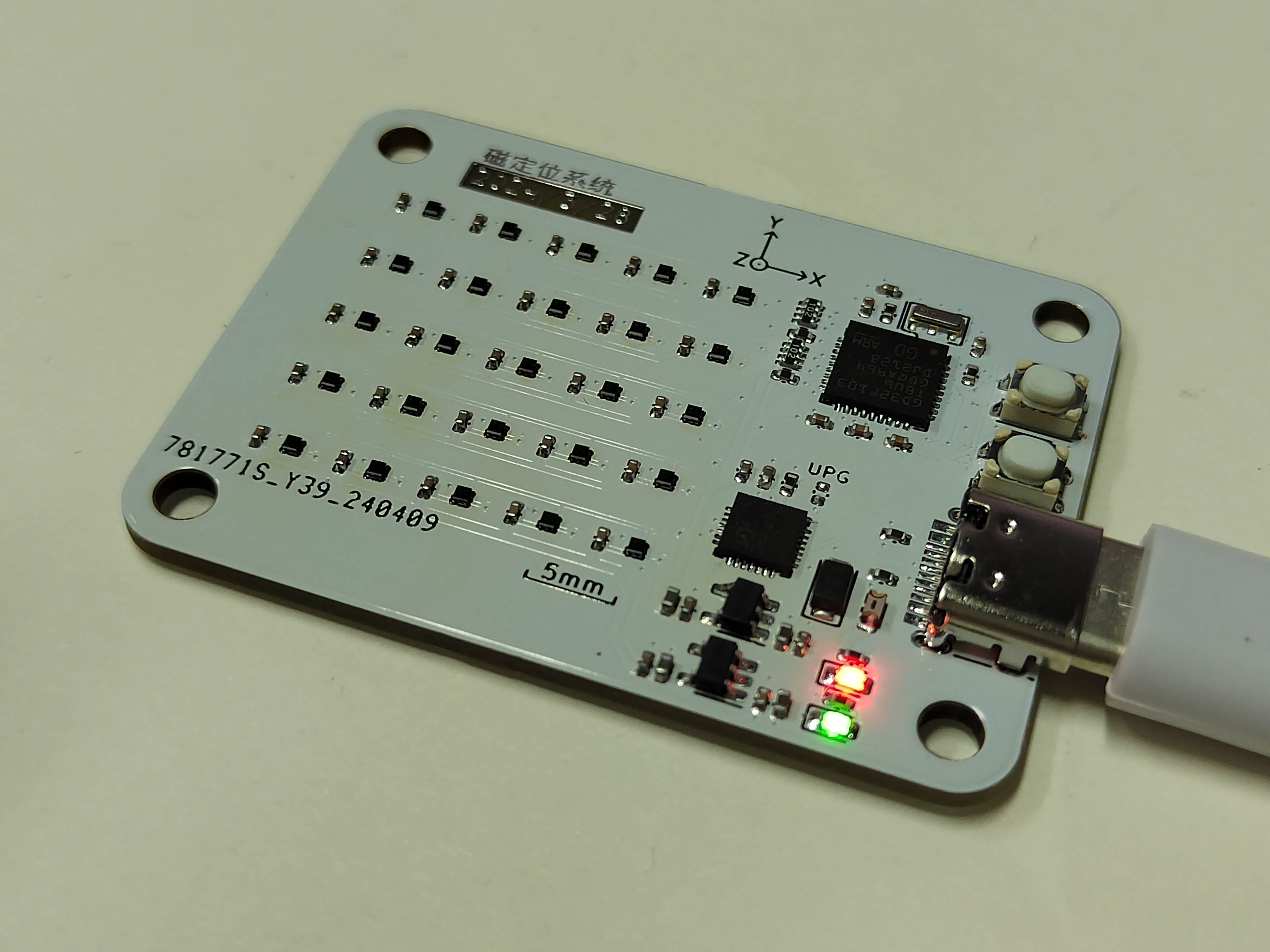
这个项目来源于一个课设,要求使用AMR磁传感器对小磁铁进行三维空间定位,定位范围1cm x 1cm x 1cm,定位精度要求达到0.1mm。
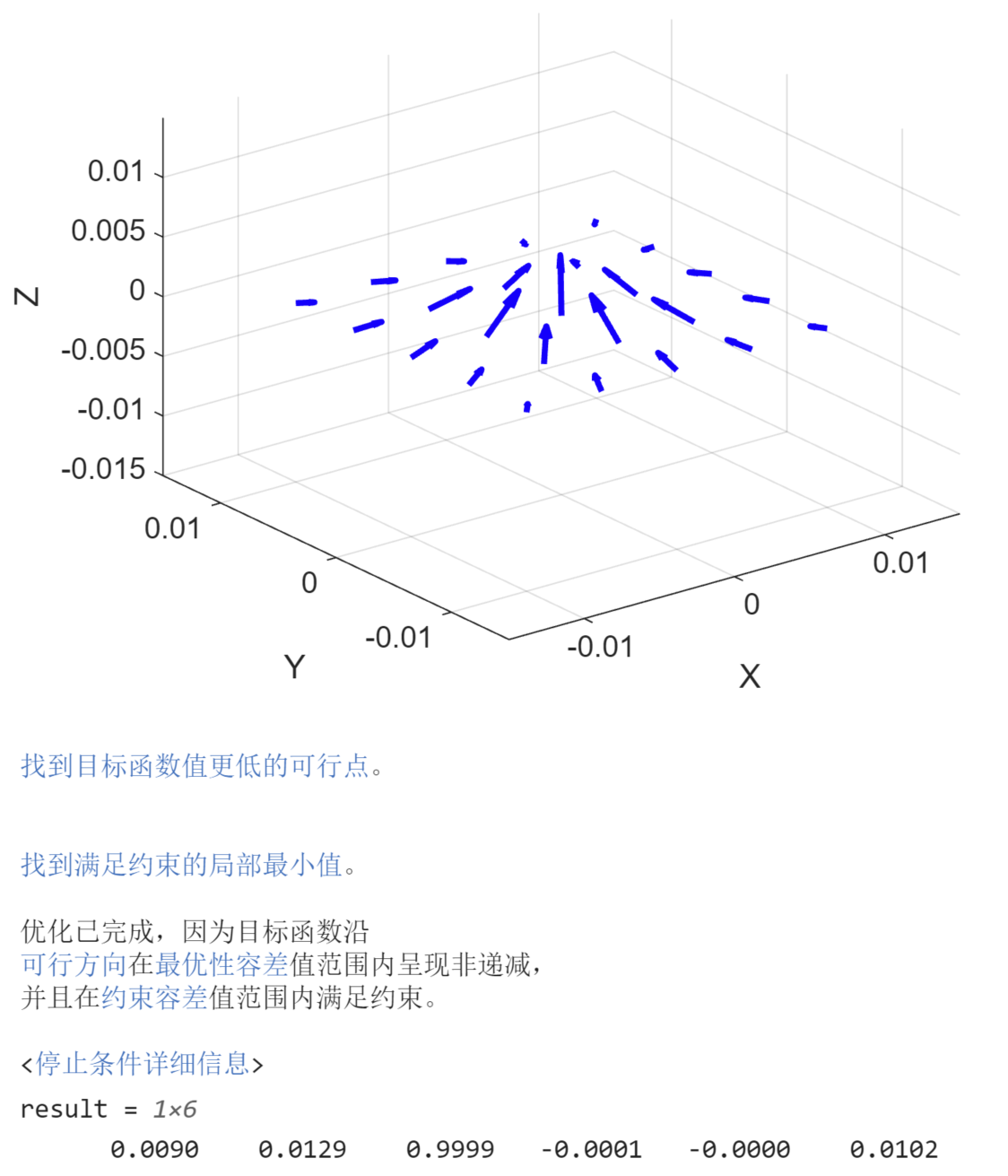
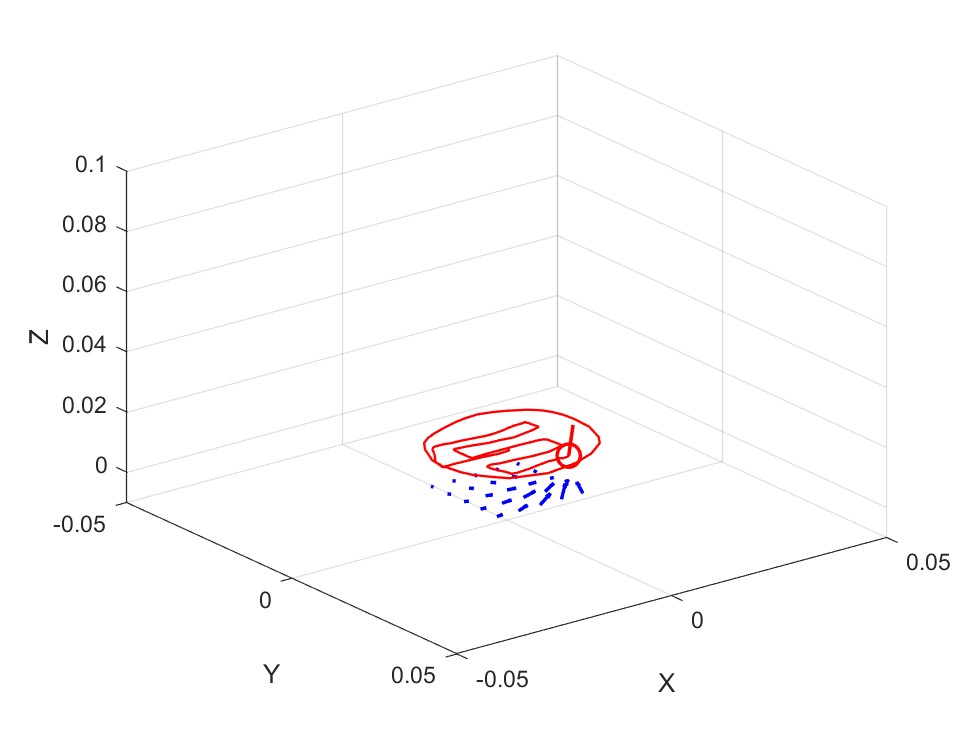
本项目采用了5x5 AMR磁传感器阵列,在远超课设要求的范围下,同时满足精度要求,此外还能实时检测,画出移动轨迹。
PCB投板:可以直接拿gerber压缩包去投板
购买元件:bom文件夹里有元件清单
焊接:建议使用回流焊,没有的可以用热风枪代替,建议先焊接除传感器外的其他元件,测试可用后,再焊接传感器。该芯片是WLP晶圆级封装,很小,可以先在焊盘上涂助焊剂,放上芯片,热风枪吹焊,同时在显微镜下观察,当芯片轻微移动归位时,用镊子轻轻推动,如果芯片被推后能够归位,说明焊接成功。
WCHLINK固件烧录:PCB板载一个WCHLINK,方便调试,先短接PCB上的UPG焊盘,连接PC,检测到设备后,使用WCHISPTool下载WCHLINK_V02.03.bin,然后把UPG焊盘断开,再次连接PC,初次烧录固件,WCHLINK处于RISC-V模式,打开WCH-LinkUtility,点Get获取当前Mode,切换成WCH-LinkDAP-WINUSB,点Set,配置好后WCHLINK会变成ARM模式,如果使用Keil能检测到stm32芯片就算成功
stm32固件烧录:正常使用Keil下载代码,调试器选择DAPLINK
Optional:如果板载芯片是GD32,请安装Tools/GigaDevice.GD32F10x_DFP.2.0.3.pack,然后选择..._GD32_Compatible的Keil工程下载
串口调试助手:使用DAPLINK自带的串口输出数据,如果传感器都正常,应该能读到U ··· V ··· W ···系列数据,不会有No Ack提示
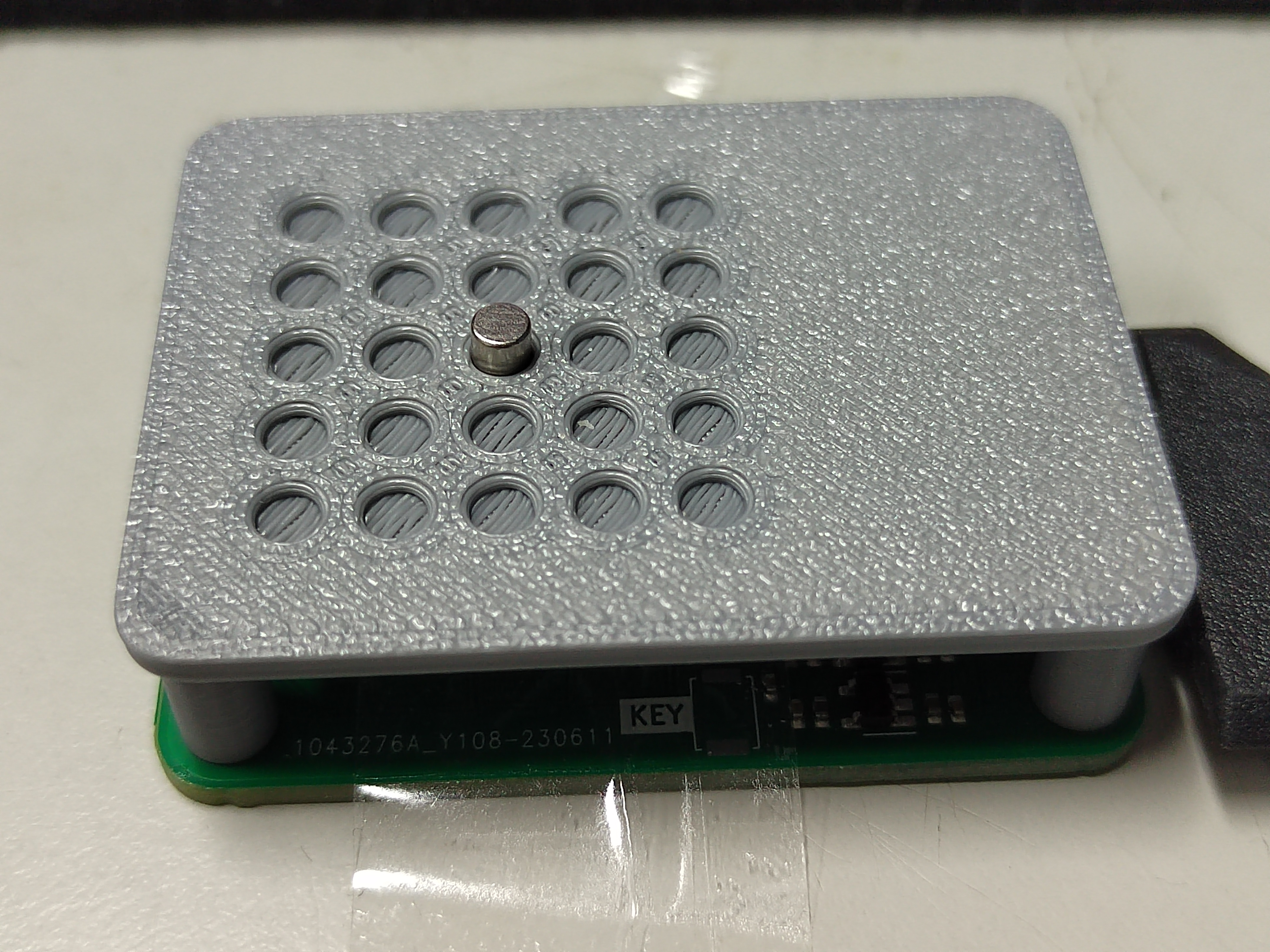
打印测试架: 注意测试架只能放入直径3mm的小磁铁
打开compute_NT.mlx:串口号要改成自己的串口,逐块运行代码,先移开磁体,获得校准矩阵,然后放上磁体,填入磁铁真实位置,如果读到的是空矩阵,再运行两遍尝试,最后计算出N_T这个和磁铁磁化强度相关的常数
打开real_time.m:注意MATLAB必须先定位到real_time文件夹,填入N_T常数,先移开磁体,运行,然后再放上磁铁,最开始会有点卡,连续运行就会变流畅
| Qty | Value | Footprint | References |
|---|---|---|---|
| 37 | 0.1u | Capacitor_SMD:C_0402_1005Metric | C1, C2, C10, C11, C12, C13, C14, C15, C16, C17, C18, C19, C20, C21, C22, C23 +21 |
| 25 | MMC5603NJ | Package_BGA:WLP-4_0.83x0.83mm_P0.4mm | U1, U2, U10, U11, U12, U13, U14, U15, U16, U17, U18, U19, U20, U21, U22, U23 +9 |
| 5 | 10K | Resistor_SMD:R_0402_1005Metric | R1, R2, R3, R4, R5 |
| 4 | 10u | Capacitor_SMD:C_0402_1005Metric | C27, C29, C30, C33 |
| 4 | MountingHole | MountingHole:MountingHole_3.2mm_M3 | H1, H2, H3, H4 |
| 2 | 10k | Resistor_SMD:R_0402_1005Metric | R8, R9 |
| 2 | 4*10k | Resistor_SMD:R_Array_Concave_4x0402 | RN1, RN2 |
| 2 | 5.1k | Resistor_SMD:R_0402_1005Metric | R6, R7 |
| 2 | RT9013-Lite | Package_TO_SOT_SMD:SOT-23-5 | U28, U29 |
| 1 | 3215-8MHz | Crystal:Resonator_SMD_Murata_CSTxExxV-3Pin_3.0x1.1mm | Y1 |
| 1 | 6V1A | Fuse:Fuse_0603_1608Metric | F1 |
| 1 | CH549F | hgf_lib:QFN-28-1EP_4x4mm_P0.4mm_EP2.8x2.8mm | U26 |
| 1 | KEY | Button_Switch_SMD:SW_Push_1P1T_NO_Vertical_Wuerth_434133025816 | SW2 |
| 1 | LED-GREEN | LED_SMD:LED_0603_1608Metric | D2 |
| 1 | LED-RED | LED_SMD:LED_0603_1608Metric | D3 |
| 1 | RST | Button_Switch_SMD:SW_Push_1P1T_NO_Vertical_Wuerth_434133025816 | SW1 |
| 1 | STM32F103TBUx | Package_DFN_QFN:QFN-36-1EP_6x6mm_P0.5mm_EP4.1x4.1mm | U27 |
| 1 | TVS 6V | Diode_SMD:D_SOD-123F | D1 |
| 1 | TestPoint_2Pole | Resistor_SMD:R_0402_1005Metric | TP1 |
| 1 | USB_C_Receptacle_USB2.0 | Connector_USB:USB_C_Receptacle_HRO_TYPE-C-31-M-12 | J2 |

starduststorm/motionhexa
PCB designs and code for a motion-reactive, battery-powered hexagonal glowy object.


McMaster-Rocketry-Team/VLF4r2
PCB schematics and layout for Void Lake Fusion 4 Avionics


ayuusweetfish/Malletwand
A pendulum as a hands-on musical interface for all · NIME 2024 Short Paper

CoreElectronics/CE-PiicoDev-Magnetometer-MMC5603
This is the repo for the Core Electronics PiicoDev Magnetometer MMC5603.


ayuusweetfish/Luminography
(🚧 ETA 2024.09) « Jeu de luminographie » — An electronic toy encouraging outdoor exploration
It measures 49.6 × 37.2 mm and has 2 copper layers, 1.6 mm thick.
94 parts, built around the CH549F and MMC5603NJ. The full list of its parts is on this page, with links to each part's symbol and footprint where PCBKit's library has them.
From the Aiano/LocateMagnet repository on GitHub, at the commit this page was made from: the board is Hardware/LocateMagnet/LocateMagnet.kicad_pcb and its schematic Hardware/114514/114514.kicad_sch. PCBKit opens the board in the browser, with nothing to install.
Its repository states no licence, so its author keeps all rights: ask Aiano before reusing the design.