Skip to the content
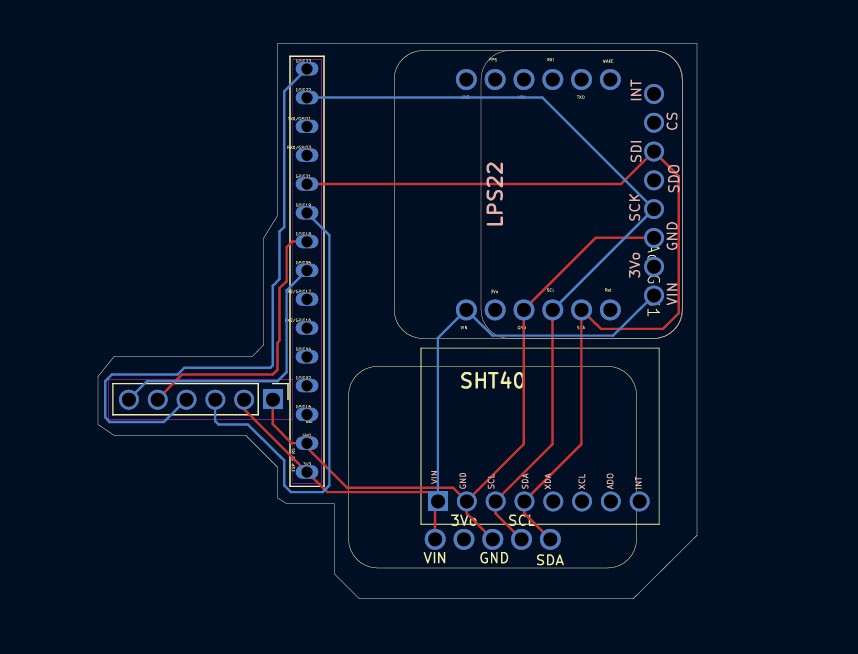
2 layers25.4 × 17.8 mmLPS22, the printed circuit board in 3D

Custom ESP32 BLE HID controller + matching PCB design.

Size
25.4 × 17.8 mm
Copper layers
2
Thickness
1.6 mm
Parts
3
Nets
8
Pads
10
Tracks, vias
7, 0
Routed
Yes
KiCad
KiCad 9.0 (file 20241229)
Created
14 Jun 2025
Updated
16 Feb 2026

Overview

LPS22 is an open-source printed circuit board by ZBZFirst, from the ZBZFirst/KiCad-Projects repository on GitHub. It is a 2-layer board of 25.4 × 17.8 mm with 3 parts on 8 nets, routed with 7 tracks and 0 vias.

README

README.md

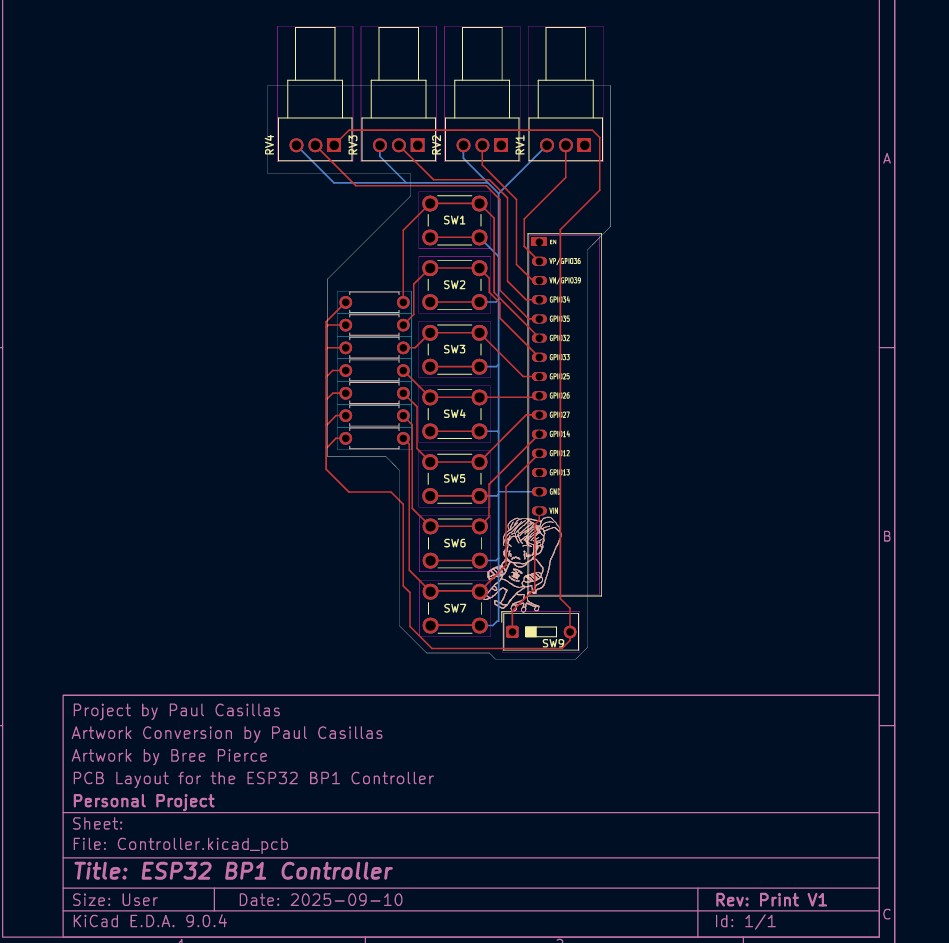
ESP32 Controller


Reference Images

PCB Layout

Attachment

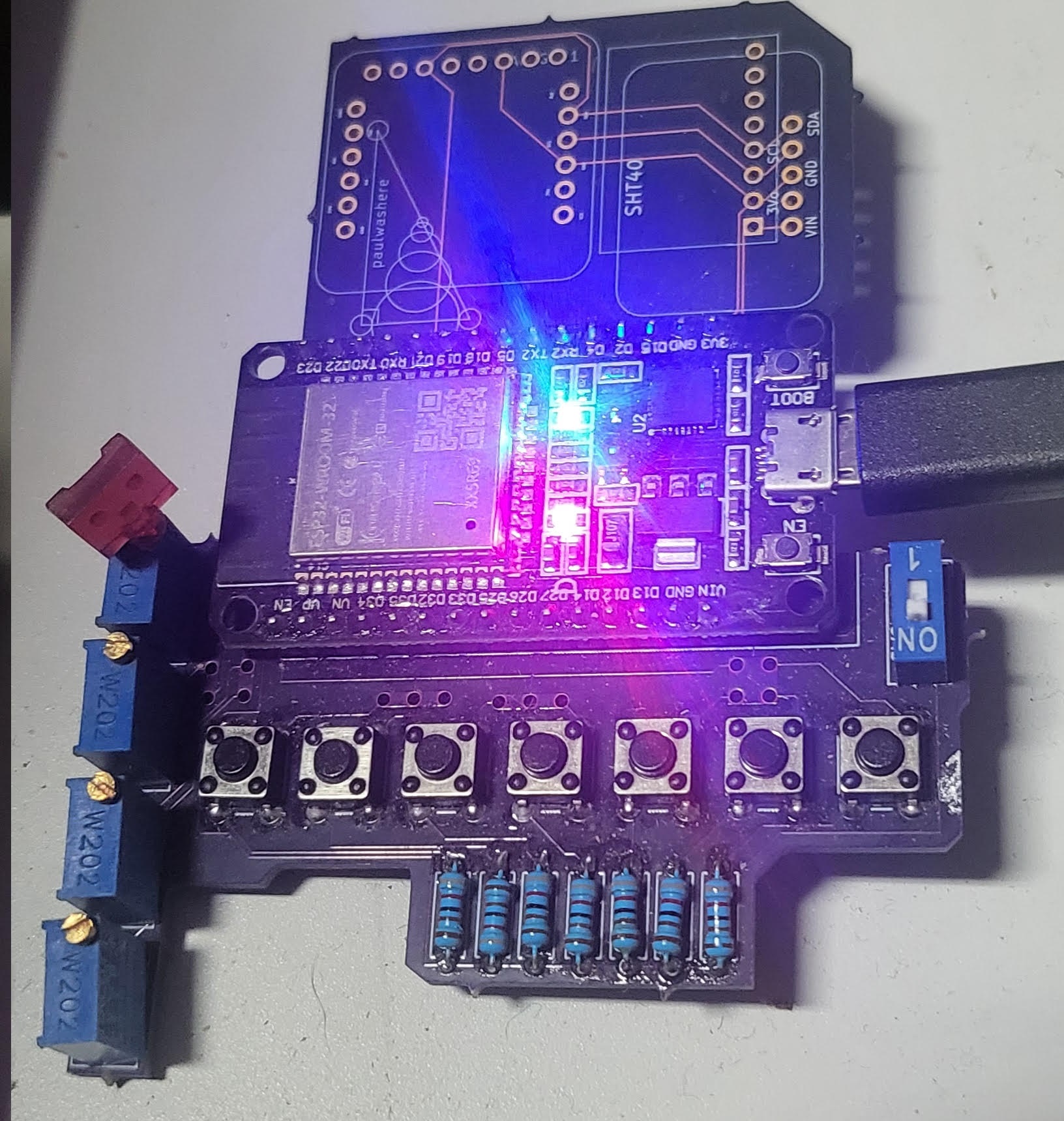
Finished Build


Custom ESP32 BLE HID controller + matching PCB design.

This project combines:

  • ESP32 firmware (BLE composite keyboard + mouse)
  • KiCad PCB layout for a dedicated 7-button controller
  • Multi-mode input system for productivity + automation

Designed as a personal hardware controller that behaves like a wireless keyboard/mouse macro pad.


Features

  • BLE composite HID device (keyboard + mouse)
  • 7 physical buttons
  • Mode switching system
  • Auto-click / auto-key spam mode
  • Windows quick-launch macros
  • Non-blocking firmware architecture
  • Visual LED status patterns
  • Custom PCB layout (KiCad)

Hardware

Board

ESP32-based custom PCB with:

  • 7 tactile switches
  • Onboard LED status indicator
  • ESP32 dev module header
  • Dedicated GPIO routing per button

KiCad layout included in repository.

File:

text
hardware/Controller.kicad_pcb

This board is designed specifically to run the included firmware.


Firmware Behavior

The controller has 3 operating groups.

Button 6 cycles groups.
Button 7 forces disconnect (reboot).


Group 1 — Default Productivity

ButtonAction
B1Ctrl + C
B2Ctrl + V
B3Ctrl + X
B4Ctrl + Z
B58-second mouse movement run

LED: solid ON when connected


Group 2 — Work Launch Macros

ButtonAction
B1Windows search → cmd → ssh CB37
B2Launch Edge
B3Launch Super
B4Launch Arduino
B5Launch Bluetooth

LED: 2 blink pattern


Group 3 — Auto Mode

Toggle behaviors:

ButtonMode
B1Auto left click
B2Auto right click
B3Auto middle click
B4Spam key “E”
B5Spam key “F”

Press the same button again to stop.

LED: 3 blink pattern


LED Status

  • Off → not connected
  • Solid → group 1
  • 2 blinks → group 2
  • 3 blinks → group 3

Blink sequence repeats every 2 seconds.


Installation

Requirements

  • Arduino IDE
  • ESP32 board package
  • NimBLE / BLE HID libraries

Open:

text
firmware/PaulsESP32.ino

Compile and upload to the board.


Usage

  1. Power the controller
  2. Pair over Bluetooth
  3. Use button 6 to select mode
  4. Use buttons 1–5 for actions

Designed primarily for Windows but functions as a generic BLE HID device.


Project Structure

text
firmware/
  PaulsESP32.ino

hardware/
  Controller.kicad_pcb
  schematics/

Credits

PCB + firmware design: Paul Casillas
Artwork: Bree Pierce

Personal project.


License

MIT — free to modify and build.

file is in

AutoClicker/AutoClickerbyController.ino

Parts

3
QtyValueFootprintReferences
2MOUNTINGHOLE2.5MOUNTINGHOLE_2.5_PLATEDU$1, U$17
11X08_ROUNDJP3

More from ZBZFirst/KiCad-Projects

5
  • 2 layers45.3 × 75.9 mmController, the printed circuit board in 3D

    Controller

    ZBZFirst/KiCad-Projects

    Custom ESP32 BLE HID controller + matching PCB design.

    14 parts1
  • 2 layers52.8 × 49 mmAttachment2, the printed circuit board in 3D

    Attachment2

    ZBZFirst/KiCad-Projects

    Custom ESP32 BLE HID controller + matching PCB design.

    6 parts1
  • 2 layers25.4 × 17.8 mmSHT40, the printed circuit board in 3D

    SHT40

    ZBZFirst/KiCad-Projects

    Custom ESP32 BLE HID controller + matching PCB design.

    5 parts1
  • 2 layersReceiver, the printed circuit board in 3D

    Receiver

    ZBZFirst/KiCad-Projects

    Custom ESP32 BLE HID controller + matching PCB design.

    3 parts1
  • 2 layersGlove, the printed circuit board in 3D

    Glove

    ZBZFirst/KiCad-Projects

    Custom ESP32 BLE HID controller + matching PCB design.

    2 parts1

Similar boards

  • 2 layers40 × 30 mmBlinky, the printed circuit board in 3D

    Blinky

    earthtojake/text-to-cad

    Design physical products with AI

    3 parts26kMIT
  • 2 layers51.9 × 16 mmPassive2-rpi non standard adapter, the printed circuit board in 3D

    Passive2-rpi non standard adapter

    hzeller/rpi-rgb-led-matrix

    Controlling up to three chains of 64x64, 32x32, 16x32 or similar RGB LED displays using Raspberry Pi GPIO

    3 parts4.4kGPL-2.0
  • 2 layers16.3 × 16.3 mmSensor, the printed circuit board in 3D

    Sensor

    scottbez1/splitflap

    DIY split-flap display

    3 parts4.2k
  • 2 layersSub, the printed circuit board in 3D

    Sub

    atopile/atopile

    Design circuit boards with code! ✨ Get software-like design reuse 🚀, validation, version control and collaboration in hardware; starting with electronics ⚡️

    3 parts4kMIT
  • 2 layers85 × 30 mmDual stomp, the printed circuit board in 3D

    Dual stomp

    torvalds/GuitarPedal

    Linus learns analog circuits

    3 parts2.5kGPL-2.0
  • 2 layers124.5 × 33.7 mm172319-1 connector, the printed circuit board in 3D

    172319-1 connector

    rusefi/rusefi

    rusefi - GPL internal combustion engine control unit

    3 parts1.2k
  • 2 layers10.5 × 83 mmProgrammingAdapter, the printed circuit board in 3D

    ProgrammingAdapter

    stuartpittaway/diyBMSv4

    Version 4 of the diyBMS

    3 parts1.1k
  • 2 layers21.2 × 51.3 mmPico reset, the printed circuit board in 3D

    Pico reset

    hackclub/sprig

    🍃 Learn to code by making games in a JavaScript web-based game editor.

    3 parts1.1kMIT

Questions

How big is the LPS22 PCB?

It measures 25.4 × 17.8 mm and has 2 copper layers, 1.6 mm thick.

What parts does the LPS22 use?

3 parts. The full list of its parts is on this page, with links to each part's symbol and footprint where PCBKit's library has them.

Where can I download the LPS22 KiCad files?

From the ZBZFirst/KiCad-Projects repository on GitHub, at the commit this page was made from: the board is LPS22/LPS22/LPS22.kicad_pcb and its schematic Attachment2/Attachment2.kicad_sch. PCBKit opens the board in the browser, with nothing to install.

Can I use the LPS22 design in my own project?

Its repository states no licence, so its author keeps all rights: ask ZBZFirst before reusing the design.