

2 layers158.8 × 120.6 mm

 trinibos1/Trkey_macro3
A macropad for TRkey
V13macropad is an open-source printed circuit board by trinibos1, from the trinibos1/Trkey_macro repository on GitHub, published under the MIT licence. It is a 2-layer board of 57.3 × 84.9 mm with 24 parts on 29 nets, routed with 153 tracks and 13 vias.
It is built around the MX1A-11NN. It belongs with the keyboards and input boards and the RP2040 boards of this library.
This is a compact 3×3 macropad built with Raspberry Pi Pico / RP2040, running CircuitPython/Arduino. It connects via USB using the Adafruit HID library, allowing you to assign keyboard shortcuts, media keys, and macros. An OLED display shows layer and status information for easy feedback.
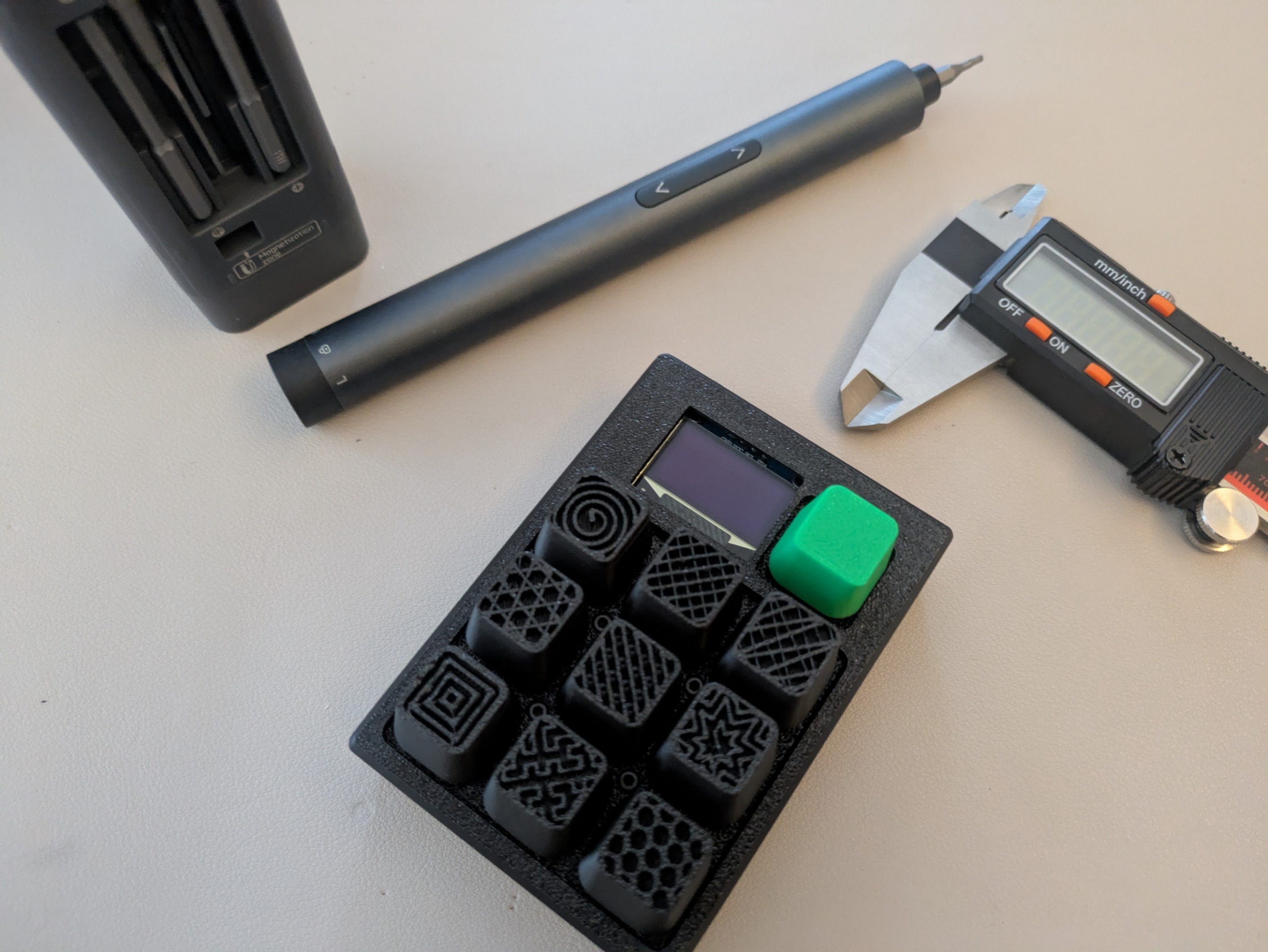
arduino/Trkey_macro.ino) with 3x3 box reveal, TRKEY splash, and version text.WEBSERIAL_CONNECTION.md)."1".."0") plus legacy aliases ("ONE".."ZERO").layers.json handling when LittleFS is unavailable.| Component | Details |
|---|---|
| Microcontroller | Raspberry Pi Pico / RP2040 |
| Switches | 9x Cherry MX Brown Hyperglide 45g tactile |
| Display | OLED I2C 128x32 (link) |
| PCB | Custom 3×3 macropad (link) |
| Power | USB only |
PCB
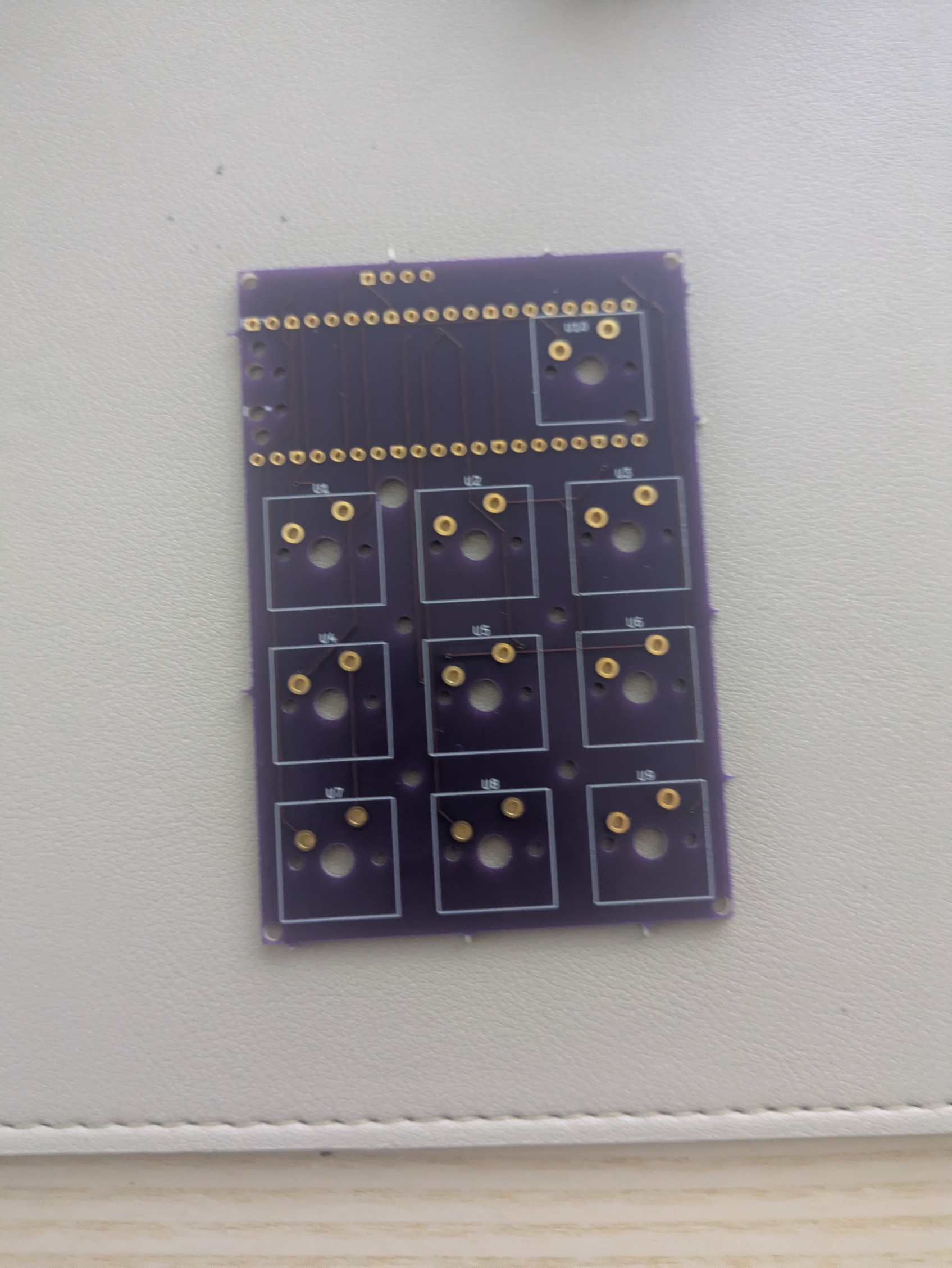
UF2 Firmware:
macropad.uf2 — stable, all-in-one with CircuitPython, libraries, and codedev_firmware.uf2 — development version for testing new featuresKey Features: Tap/Hold, Layers, Media keys
If you want to move from CircuitPython to Arduino IDE, use arduino/Trkey_macro.ino.
Startup animation is now included in the main sketch (arduino/Trkey_macro.ino).
For beta experiments, you can still use arduino/Trkey_macro_Beta.ino (also provided as arduino/Trkey_macro Beta.ino).
This sketch keeps the same behavior as code.py:
MO(x), TO(x), TT(x), DF(x)MACRO_n)A-Z, a-z, 0-9, space, newline)LIST, GET, PUT, DEL, RELOADRequired Arduino libraries:
Adafruit_TinyUSB_Arduino)Recommended board core: Raspberry Pi Pico/RP2040 (Earle Philhower core).
RP2040 TinyUSB note (important):
tusb_init() in your sketch (the RP2040 Arduino core already initializes TinyUSB).Adafruit_TinyUSB_Arduino).Documents/Arduino/libraries/Adafruit_TinyUSB_Library, remove it to avoid library conflicts.Documentation:
WEBSERIAL_CONNECTION.md — USB CDC/WebSerial command flow, upload handshake, persistence behavior, and troubleshooting.layers.json in repo root — example keymap/profile format used by firmware and mapper.Flash the UF2 (macropad.uf2 or dev_firmware.uf2) onto your Pico — everything is included, no additional setup needed.
Plug in the macropad — ready to use.
Use your macropad:
This beta feature is implemented in Arduino firmware (arduino/Trkey_macro.ino) and an optional PC CLI app (pc_companion/trkey_music_companion.py).
MODE music.Quick start:
arduino/Trkey_macro_Beta.ino).arduino/Trkey_macro.ino).python pc_companion/trkey_music_companion.py --port <PORT>.music to load the music layer by name.np Song|Artist|45|180|Spotify to update metadata.Supported companion key tokens (in layers.json):
APP_PLAY_PAUSEAPP_NEXTAPP_PREVAPP_MUTEAPP_VOL_UPAPP_VOL_DOWNAPP_SEEK_FWD_10APP_SEEK_BACK_10APP_* keys emit APP_EVENT <token> on serial and media actions also fallback to HID media controls.
Customize your macropad's key bindings using the web-based key mapper:
Access the key mapper here: trinibos1/micropad_web
Contributions are welcome to improve the key library, including:
Email: Trinibos1@proton.me
| Qty | Value | Footprint | References |
|---|---|---|---|
| 10 | , , , , , , , , , | ||
| 10 | MX1A-11NN | PCM_Switch_Keyboard_Cherry_MX:SW_Cherry_MX_PCB_1.00u | U1, U2, U3, U4, U5, U6, U7, U8, U9, U10 |
| 1 | DM-OLED096-636 | DM-OLED096-636:MODULE_DM-OLED096-636 | U11 |
| 1 | RaspberryPi_Pico | Module_RaspberryPi_Pico:RaspberryPi_Pico_Common | A1 |
The 22 most common of 24 parts.
It measures 57.3 × 84.9 mm and has 2 copper layers, 1.6 mm thick.
24 parts, built around the MX1A-11NN. The full list of its parts is on this page, with links to each part's symbol and footprint where PCBKit's library has them.
From the trinibos1/Trkey_macro repository on GitHub, at the commit this page was made from: the board is PCB/v13macropad.kicad_pcb and its schematic PCB/v13macropad.kicad_sch. PCBKit opens the board in the browser, with nothing to install.
Its repository publishes it under the MIT licence: you may reuse it on that licence's terms (keep the author's notice, and for a copyleft licence share your changes alike).

axooexe/Macropad-s-PCB
This repository contains the schematics and PCB layout files for a custom 8switches and an encoder macropad.


