


4 layers54 × 85.7 mm

 tongtongwang86/Revolute5
NRF52833 Based ScrollWheel Key
Wireless is an open-source printed circuit board by tongtongwang86, from the tongtongwang86/Revolute repository on GitHub. It is a 4-layer board of 54 × 85.7 mm with 271 parts on 288 nets, routed with 1,273 tracks and 257 vias.
It is built around the TPS54202DDC, A3144E and AP2112K-3.3. Its parts include 78 capacitors, 59 resistors, 32 diodes, 14 ICs and 10 inductors.
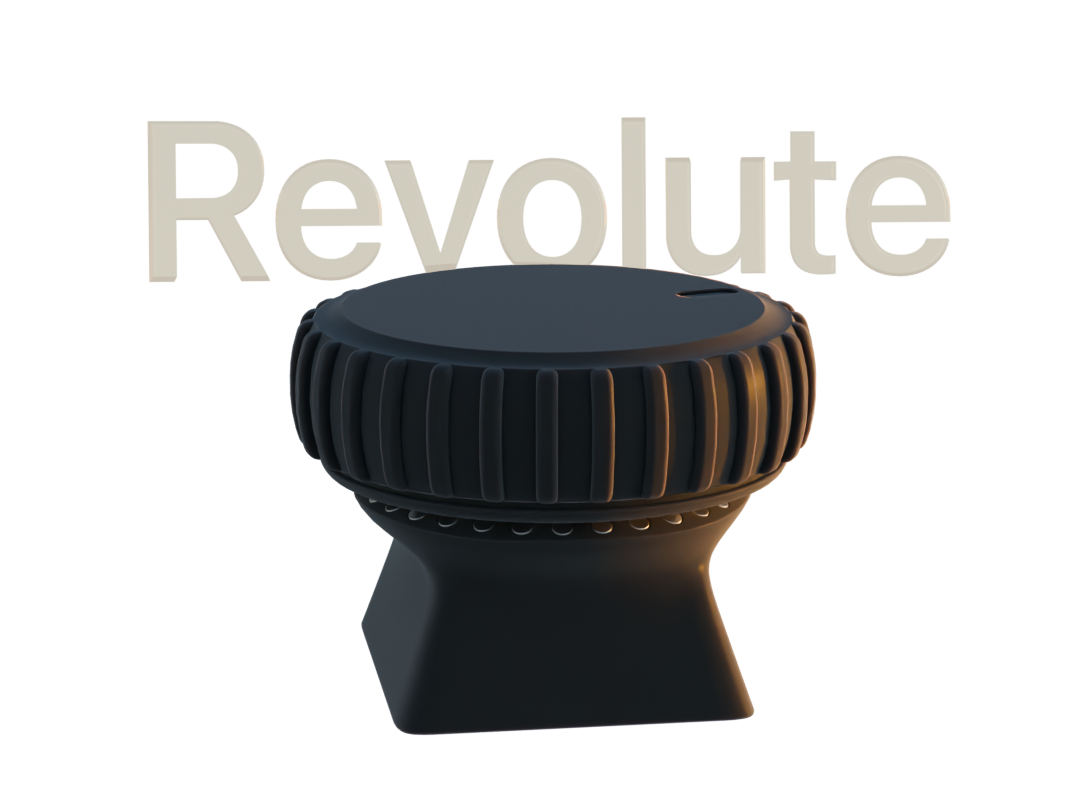
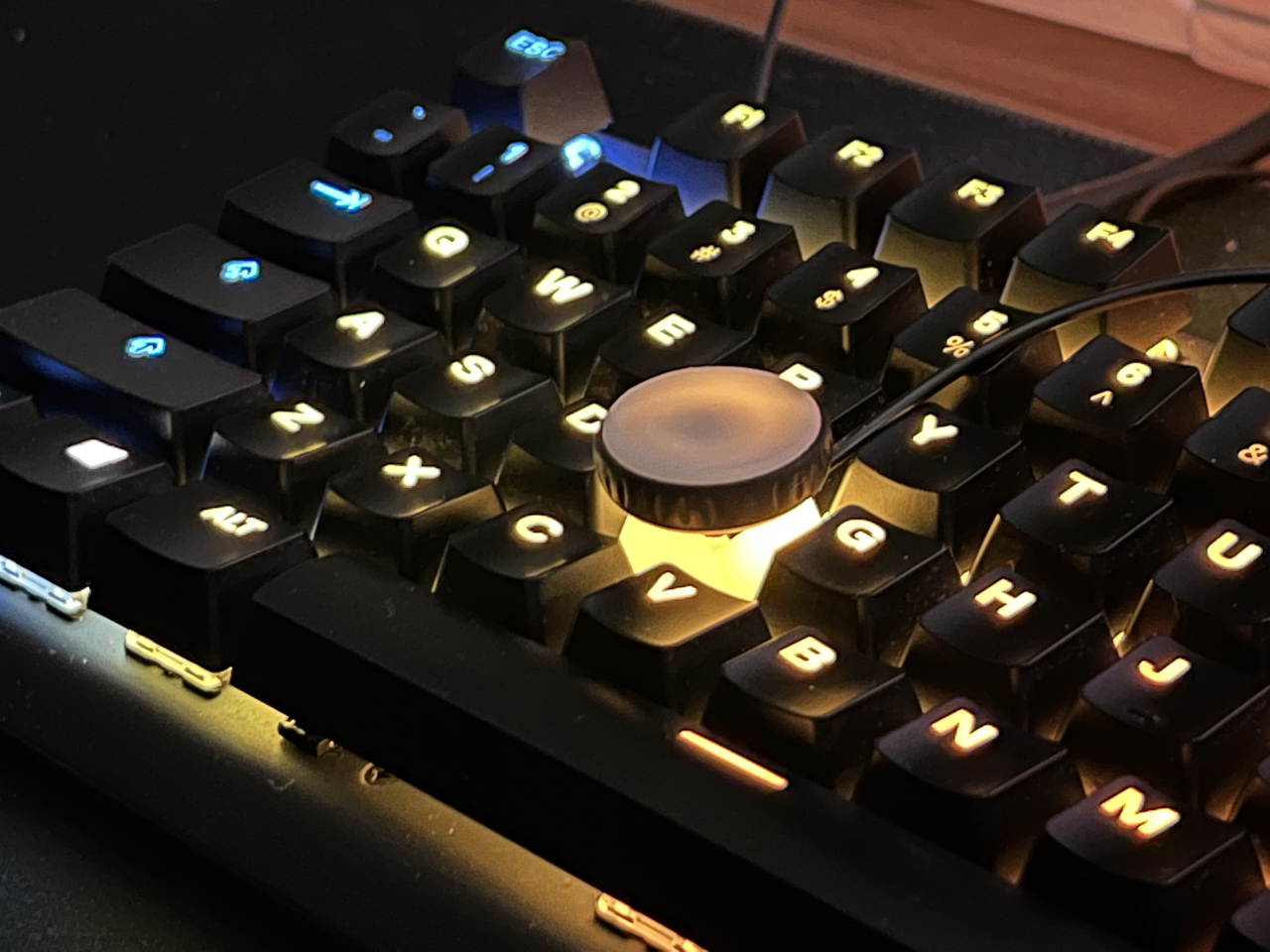
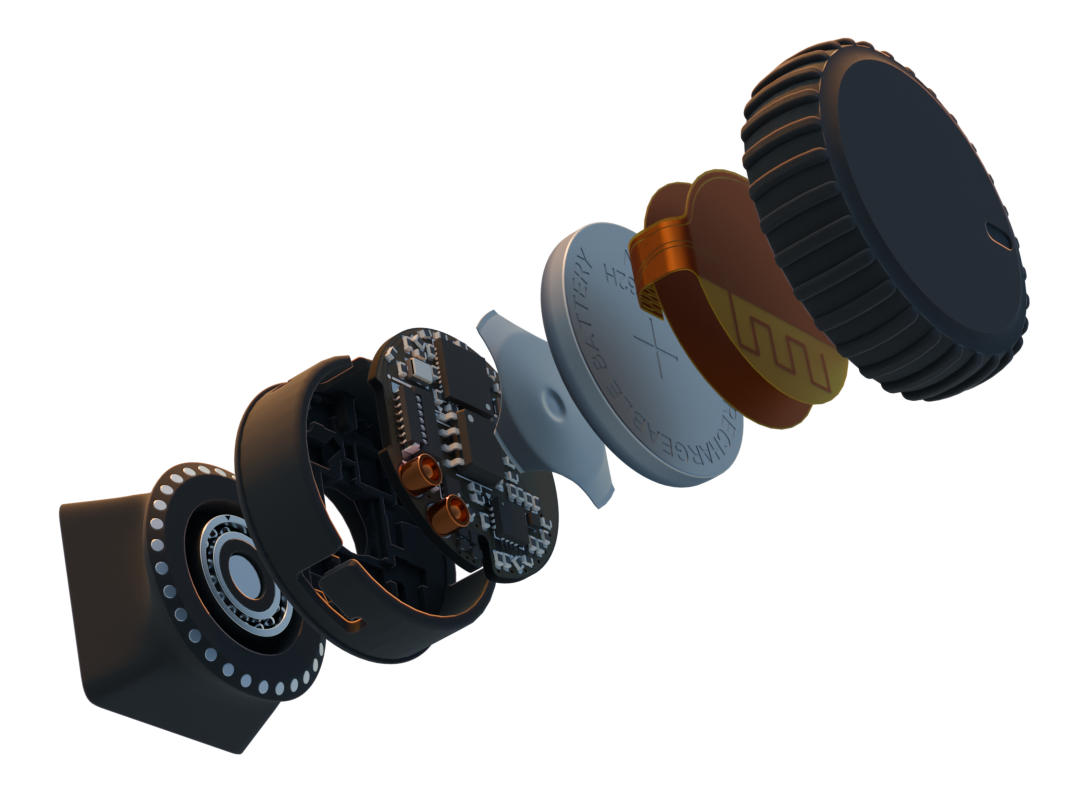
Visit the product page website (Faster loading time, Interactive 3D Models, Demo Videos)
Revolute currently simulate keyboard inputs, consumer controlls, mouse inputs.
the actions and sensitivity of the wheel can be configured through the revolute configurator app that will be available for iOS, Macos and Windows devices that have bluetooth support.
Configuratios done on revolute is persistently stored on device, which means that revolute can work on any device with Bluetooth and HID support.
Revolute has a number of use cases and is not limited to: scrubbing through a timeline in a video editing app, changing the brush size in 3D/2D painting, smooth scrolling, volume controll, brightness control, media playback control, quickly pressing keys in short successions within games. if you get two you can bind each revolute axis to x and y of the cursor, making a etch a sketch
Gamepad emulation is currently in development, which will allow you to use revolute within a wide range of mobile and console games.
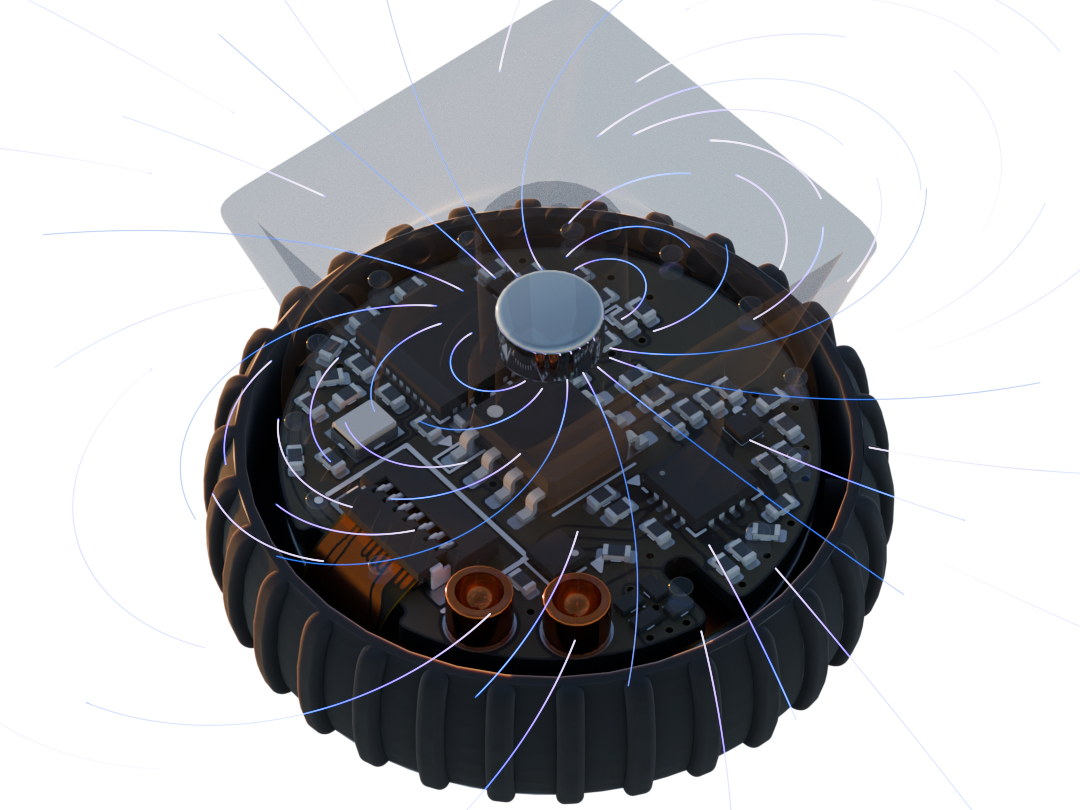
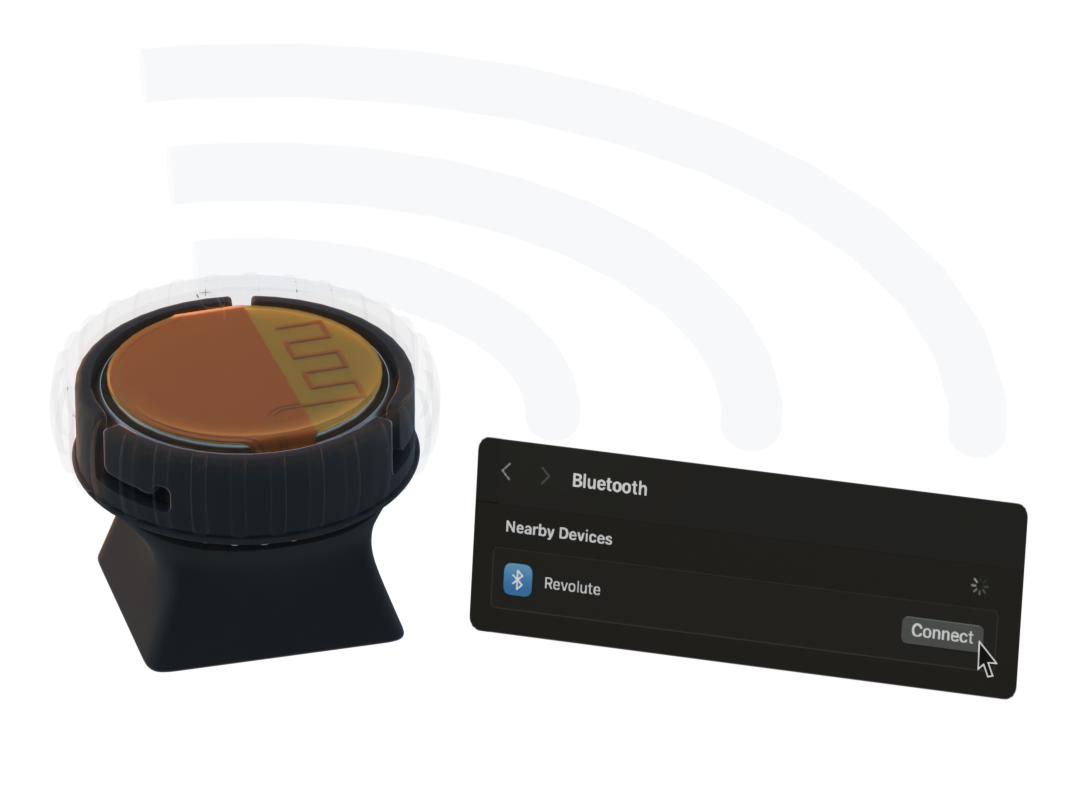
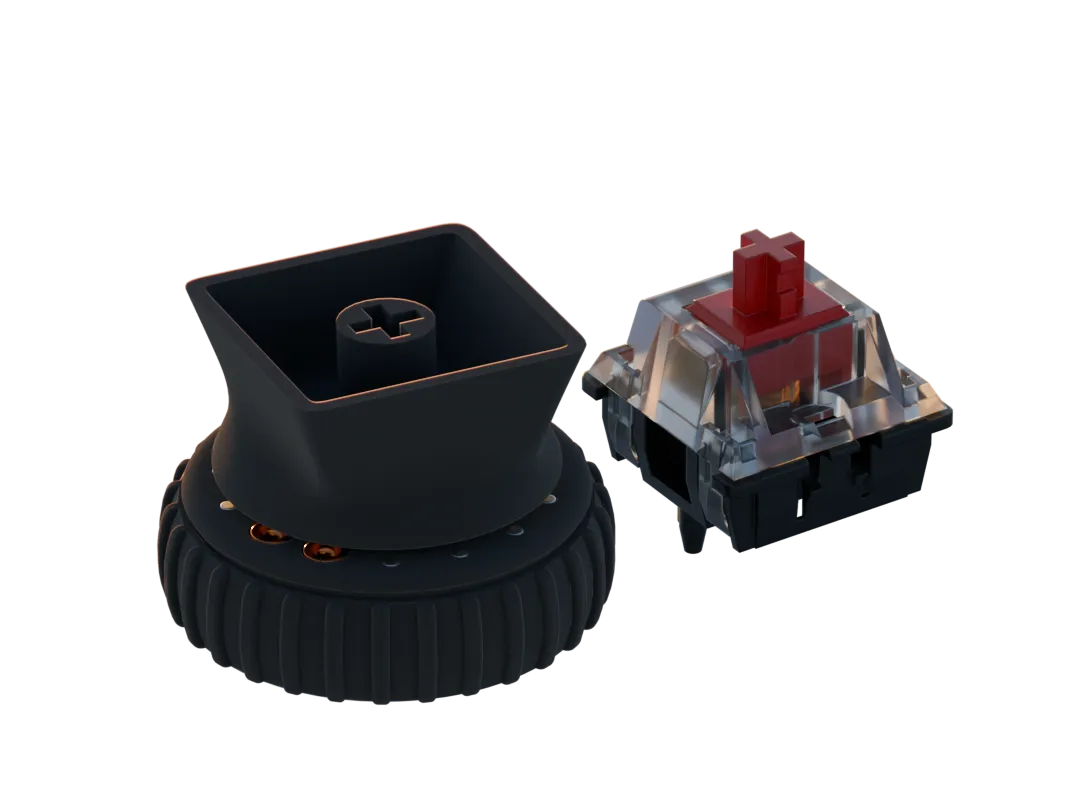
Revolute has a range of existing accessories that allow you to use it within different use cases
Key attachment
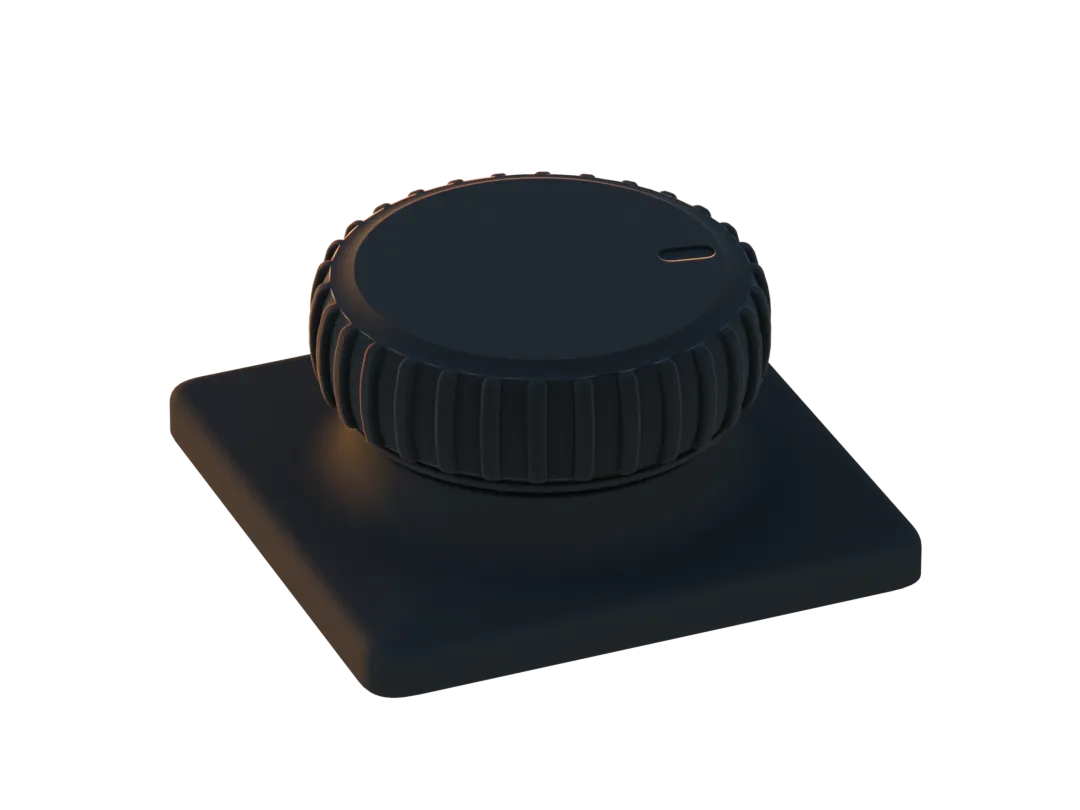
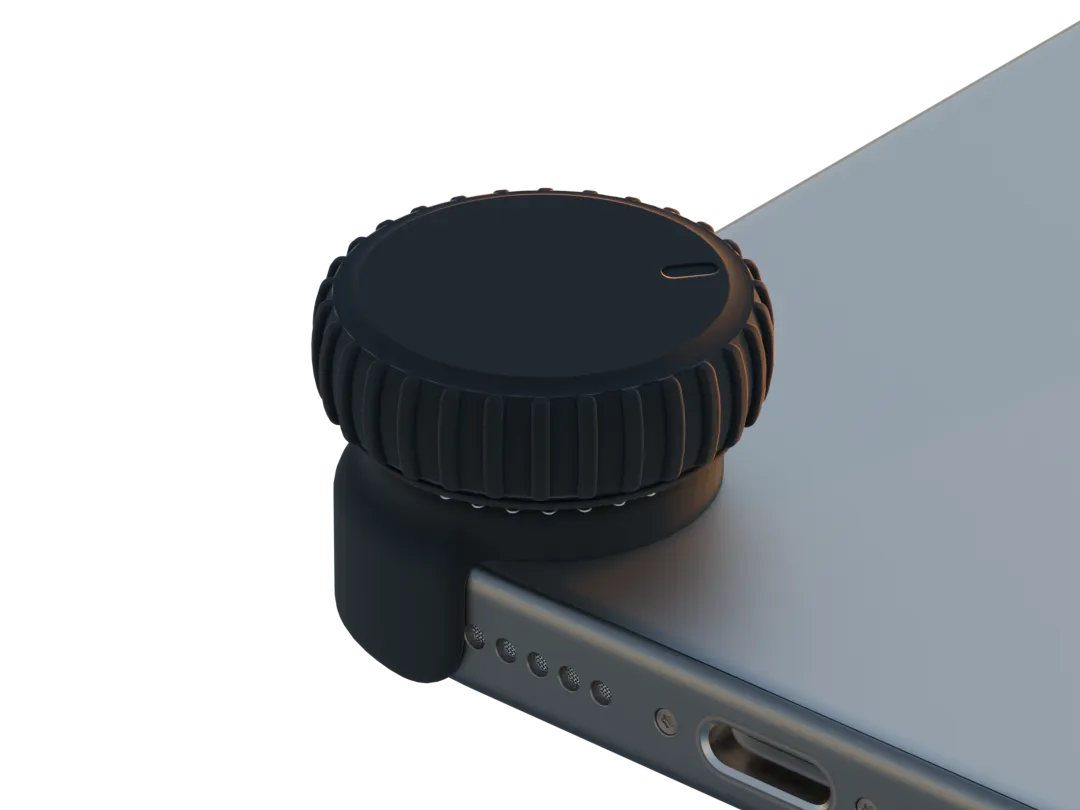
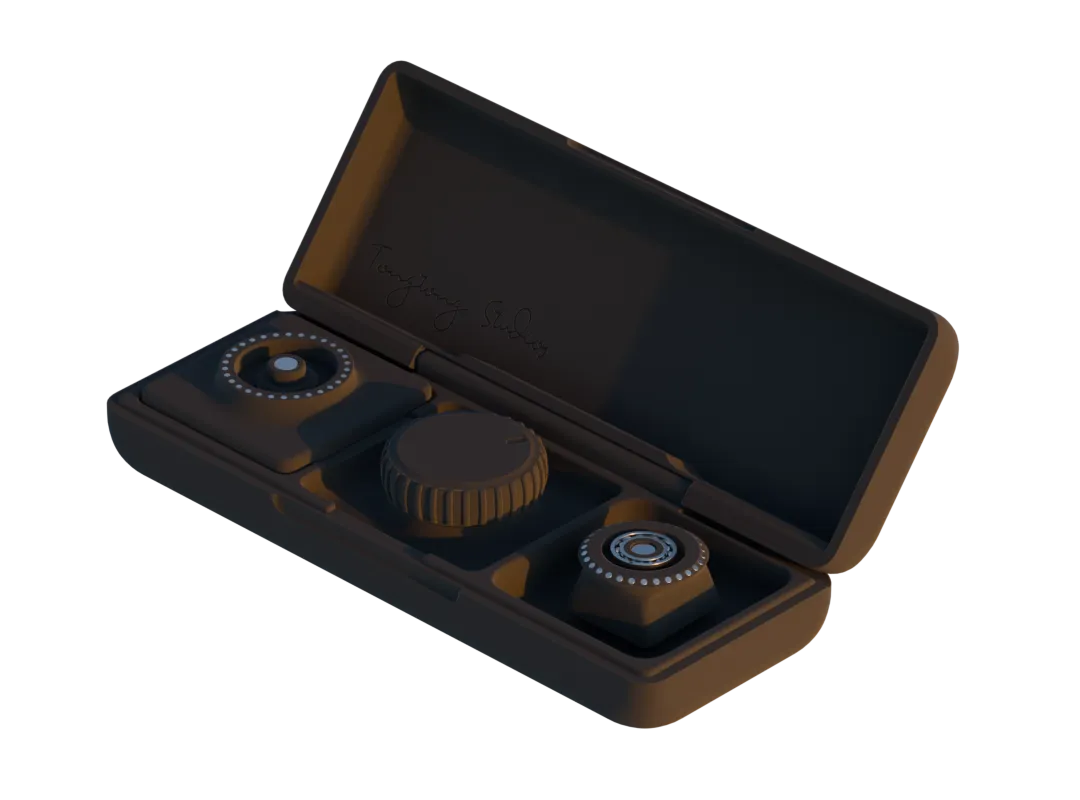
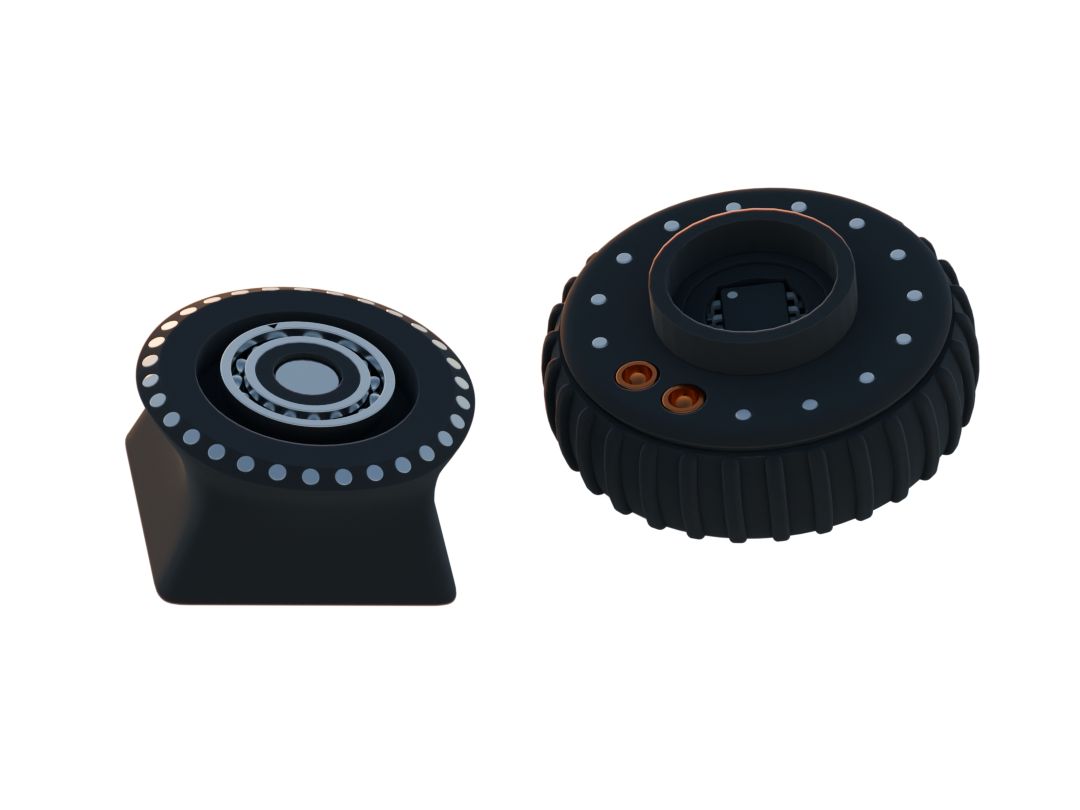
Revolute is still in development and will be ready soon
Feel free to DM us if you have any questions or requests
| Qty | Value | Footprint | References |
|---|---|---|---|
| 27 | argb_led | Library:Led-ARGB | D10, D11, D12, D13, D14, D15, D16, D17, D18, D19, D20, D21, D22, D23, D24, D25 +11 |
| 21 | 100nf | Library:0402 | C4, C11, C18, C25, C27, C32, C35, C38, C39, C46, C47, C48, C54, C59, C62, C63 +5 |
| 16 | TestPoint | TestPoint:TestPoint_Pad_D1.0mm | TP1, TP2, TP3, TP4, TP5, TP6, TP7, TP8, TP9, TP10, TP11, TP12, TP13, TP14, TP15, TP18 |
| 11 | 1uF | Library:0402 | C6, C9, C20, C21, C22, C24, C26, C34, C43, C50, C60 |
| 10 | 12pF | Library:0402 | C2, C3, C14, C15, C28, C29, C51, C52, C68, C69 |
| 7 | 10uF | Library:0402 | C23, C40, C41, C42, C45, C72, C75 |
| 6 | 10K | Library:0402 | R3, R13, R31, R47, R48, R49 |
| 6 | 4.7uF | Library:0402 | C1, C5, C7, C30, C31, C33 |
| 6 | 5.1K | Resistor_SMD:R_0402_1005Metric | R16, R28, R54, R55, R56, R57 |
| 5 | 10K | Resistor_SMD:R_0402_1005Metric | R8, R9, R35, R37, TH1 |
| 5 | SolderJumper_2_Open | Library:SolderBridge | JP2, JP3, JP4, JP5, JP6 |
| 4 | 0r | Library:0402 | R1, R2, R33, R46 |
| 4 | 2M | Library:0402 | R6, R34, R38, R45 |
| 4 | 4.7K | Library:0402 | R11, R12, R17, R25 |
| 4 | Conn_01x02_Pin | Connector_PinHeader_2.54mm:PinHeader_1x02_P2.54mm_Vertical | J1, J2, J3, J5 |
| 3 | 100K | Resistor_SMD:R_0402_1005Metric | R36, R41, R43 |
| 3 | 1K | Resistor_SMD:R_0402_1005Metric | R15, R20, R30 |
| 3 | 1pF | Library:0402 | C13, C49, C56 |
| 3 | 2.2uF | Library:0402 | C8, C19, C58 |
| 3 | 220r | Resistor_SMD:R_0402_1005Metric | R7, R58, R59 |
| 3 | Battery_Cell | Library:BatteryHolder_Keystone_1057_1x2032 | BT1, BT2, BT3 |
| 3 | Button 3*3*1.5 | Library:button 3x3 | S2, S3, S4 |
| 3 | PMOS-BSS84 | Package_TO_SOT_SMD:SOT-23-3 | Q7, Q9, Q10 |
| 3 | PMOS-CSD25483F4 | Library:Mosfet0402 | Q3, Q4, Q5 |
| 3 | SW_DPDT_x2 | Library:MST-12C05 SLIDEBUTTON | SW2, SW5, SW6 |
| 2 | *50r | Resistor_SMD:R_0402_1005Metric | R14, R32 |
| 2 | 1.5K | Library:0402 | R4, R5 |
| 2 | 100pF | Library:0402 | C16, C55 |
| 2 | 10uH | Library:0402 | L1, L7 |
| 2 | 120K | Resistor_SMD:R_0402_1005Metric | R18, R23 |
| 2 | 12uH | Inductor_SMD:L_0603_1608Metric | L9, L10 |
| 2 | 15nH | Library:0402 | L2, L6 |
| 2 | 22pf | Library:0402 | C77, C78 |
| 2 | 22uF | Library:0402 | C36, C37 |
| 2 | 32.768 kHz | Library:Crystal_SMD_2012-2Pin_2.0x1.2mm | X1, X3 |
| 2 | 32MHZ | Library:Crystal_SMD_2016-4Pin_2.0x1.6mm | X2, X4 |
| 2 | 442K | Resistor_SMD:R_0402_1005Metric | R39, R40 |
| 2 | 47nF | Library:0402 | C10, C44 |
| 2 | 47uF | Library:0402 | C66, C67 |
| 2 | 510Ω | Resistor_SMD:R_0402_1005Metric | R51, R52 |
| 2 | 68K | Resistor_SMD:R_0402_1005Metric | R21, R22 |
| 2 | 820pF | Library:0402 | C12, C53 |
| 2 | A3144e | Package_TO_SOT_SMD:TSOT-23 | U15, U16 |
| 2 | Antenna | Library:2.4GHz-meander-antenna | AE1, AE2 |
| 2 | BLUE | LED_SMD:LED_0402_1005Metric | D1, D33 |
| 2 | Conn_01x04_Socket | Connector_PinSocket_2.54mm:PinSocket_1x04_P2.54mm_Vertical | J4, J9 |
| 2 | Conn_01x14_Socket | Library:FPC | U3, U24 |
| 2 | Jumper_3_Open | Jumper:SolderJumper-3_P1.3mm_Open_RoundedPad1.0x1.5mm | JP7, JP8 |
| 2 | NMOS-CSD17381F4 | Library:Mosfet0402 | Q1, Q2 |
| 2 | SW_DIP_x06 | Button_Switch_SMD:SW_DIP_SPSTx06_Slide_Copal_CHS-06B_W7.62mm_P1.27mm | SW1, SW3 |
| 2 | TPS22910A | Library:BGA4N50P2X2_88X88X50N | U9, U14 |
| 2 | TPS54202DDC | Package_TO_SOT_SMD:SOT-23-6 | U20, U21 |
| 2 | TS5A3159AYZPR | Package_BGA:Texas_DSBGA-6_0.9x1.4mm_Layout2x3_P0.5mm | U8, U12 |
| 2 | USB_C_Receptacle_USB2.0 | Library:USB-C_C168688 | J7, J8 |
| 2 | White | LED_SMD:LED_0402_1005Metric | D34, D35 |
| 1 | 0.5r | Resistor_SMD:R_0402_1005Metric | R27 |
| 1 | 1.2pF | Library:0402 | C17 |
| 1 | 1.5K | Resistor_SMD:R_0402_1005Metric | R50 |
| 1 | 1.5pF | Library:0402 | C57 |
| 1 | 100r | Resistor_SMD:R_0402_1005Metric | R26 |
| 1 | 10nF | Library:0402 | C61 |
| 1 | 13K | Resistor_SMD:R_0402_1005Metric | R44 |
| 1 | 1615 RGB SMD LED | Library:1615 RGB SMD LED | U26 |
| 1 | 1M | Resistor_SMD:R_0402_1005Metric | R53 |
| 1 | 1N5819 | Diode_SMD:D_SOD-323_HandSoldering | D5 |
| 1 | 2.2nH | Library:0402 | L4 |
| 1 | 2.2uH | Inductor_SMD:L_Chilisin_BMRA00050520 | L5 |
| 1 | 22K | Resistor_SMD:R_0402_1005Metric | R42 |
| 1 | 3.9nH | Inductor_SMD:L_0402_1005Metric | L8 |
| 1 | 32.768KHZ | Crystal:Crystal_SMD_3215-2Pin_3.2x1.5mm | Y1 |
| 1 | 3k | Resistor_SMD:R_0402_1005Metric | R10 |
| 1 | 4.7nH | Library:0402 | L3 |
| 1 | 51K | Resistor_SMD:R_0402_1005Metric | R19 |
| 1 | 56pF | Library:0402 | C64 |
| 1 | 68pF | Library:0402 | C65 |
| 1 | 8Mhz | Crystal:Crystal_SMD_3225-4Pin_3.2x2.5mm | Y2 |
| 1 | 91K | Resistor_SMD:R_0402_1005Metric | R24 |
| 1 | AP2112K-3.3 | Package_TO_SOT_SMD:SOT-23-5 | U23 |
| 1 | AS5600 | Library:SOIC-8-1EP_3.9x4.9mm_P1.27mm_EP2.514x3.2mm | U5 |
| 1 | BQ25180 | Package_BGA:Texas_DSBGA-8_0.705x1.468mm_Layout2x4_P0.4mm | U6 |
The 251 most common of 271 parts.


RyanBLeon28/Estacao-Meteorologica
As estações meteorológicas são equipamentos utilizados para monitoramento e registro de condições climáticas por meio de sensores que analisam parâmetros atmosféricos como temperatura, umidade, pressão, velocidade e…


reivax-boucoi/PCB_Kicad
Repo for all my home projects involving PCBs developped with Kicad

Woz4tetra/auto-battlebot
This project brings aim-assist and autonomous control to combat robots.


It measures 54 × 85.7 mm and has 4 copper layers, 0.79 mm thick.
271 parts, built around the TPS54202DDC, A3144E and AP2112K-3.3. The full list of its parts is on this page, with links to each part's symbol and footprint where PCBKit's library has them.
From the tongtongwang86/Revolute repository on GitHub, at the commit this page was made from: the board is Hardware/Wireless/Revolutetestboard.kicad_pcb and its schematic Hardware/Debugger/SWDProgrammer.kicad_sch. PCBKit opens the board in the browser, with nothing to install.
Its repository states no licence, so its author keeps all rights: ask tongtongwang86 before reusing the design.