4 layers80 × 95 mm
Usb charging hub
hackclub/reflow
A YSWS for the northern hemisphere's summer and the aussie's winter. Run by @pmnlla, with love and loads of carrots.
214 parts2

 tobycm/raspberry-pi-power-hub2
one port (usb c) to rule them all!!!
Raspberry pi power hub is an open-source printed circuit board by tobycm, from the tobycm/raspberry-pi-power-hub repository on GitHub, published under the MIT licence. It is a 2-layer board of 39 × 27 mm with 87 parts on 85 nets, routed with 589 tracks and 92 vias.
It is built around the RP2040, W25Q32JVSSIQ and CYPD3177-24LQXQ, with the GT-USB-7010AN, TS24CA and AOD409-HXY among its other parts. Its parts include 24 capacitors, 18 resistors, 9 diodes, 6 ICs and 3 transistors. It belongs with the power boards and the RP2040 boards of this library.


one port (usb c) to rule them all!!! this board is designed to take a single USB-C input and negociate for your power needs. it can output 5v, 9v, 12v, or 20v at up to 3A. the usb c port is also connected to a RP2040 if you want more processing with the CYPD3177 through HPI.
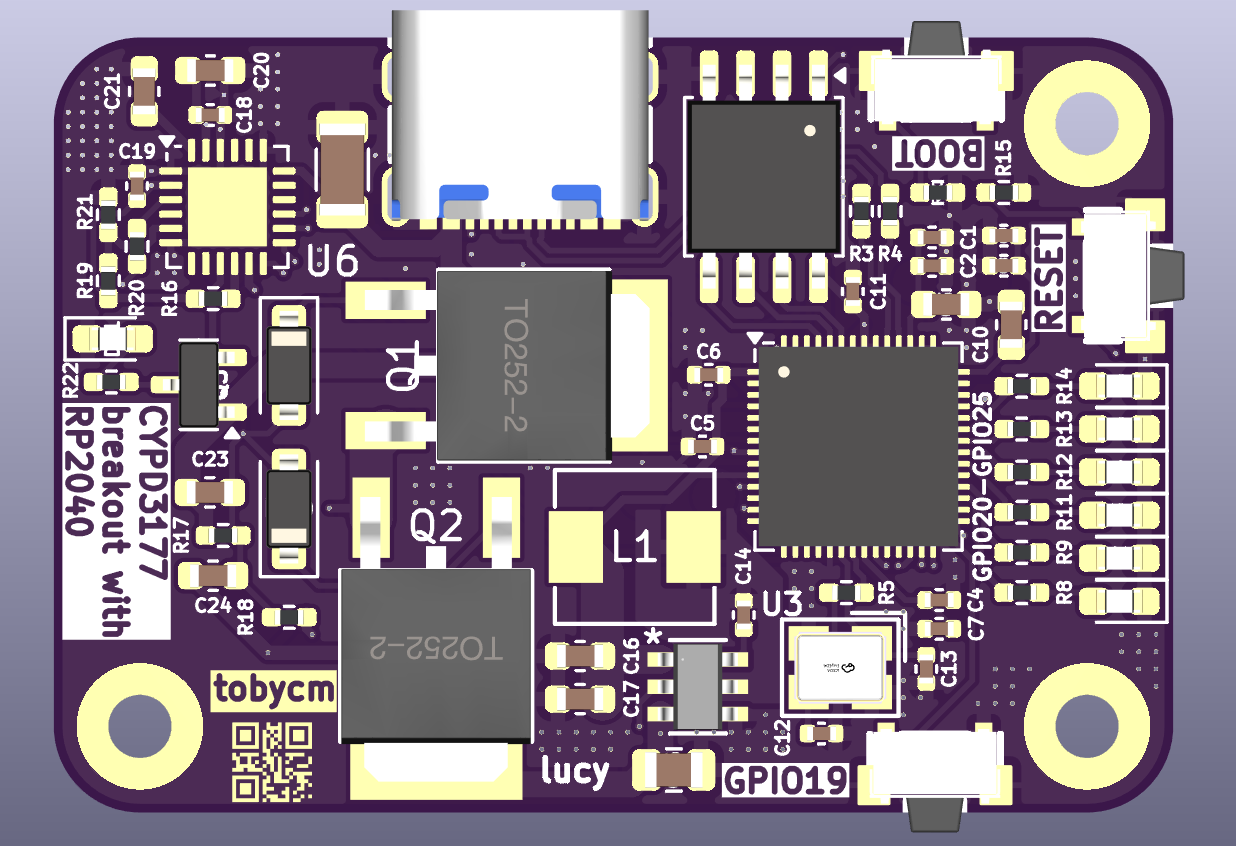
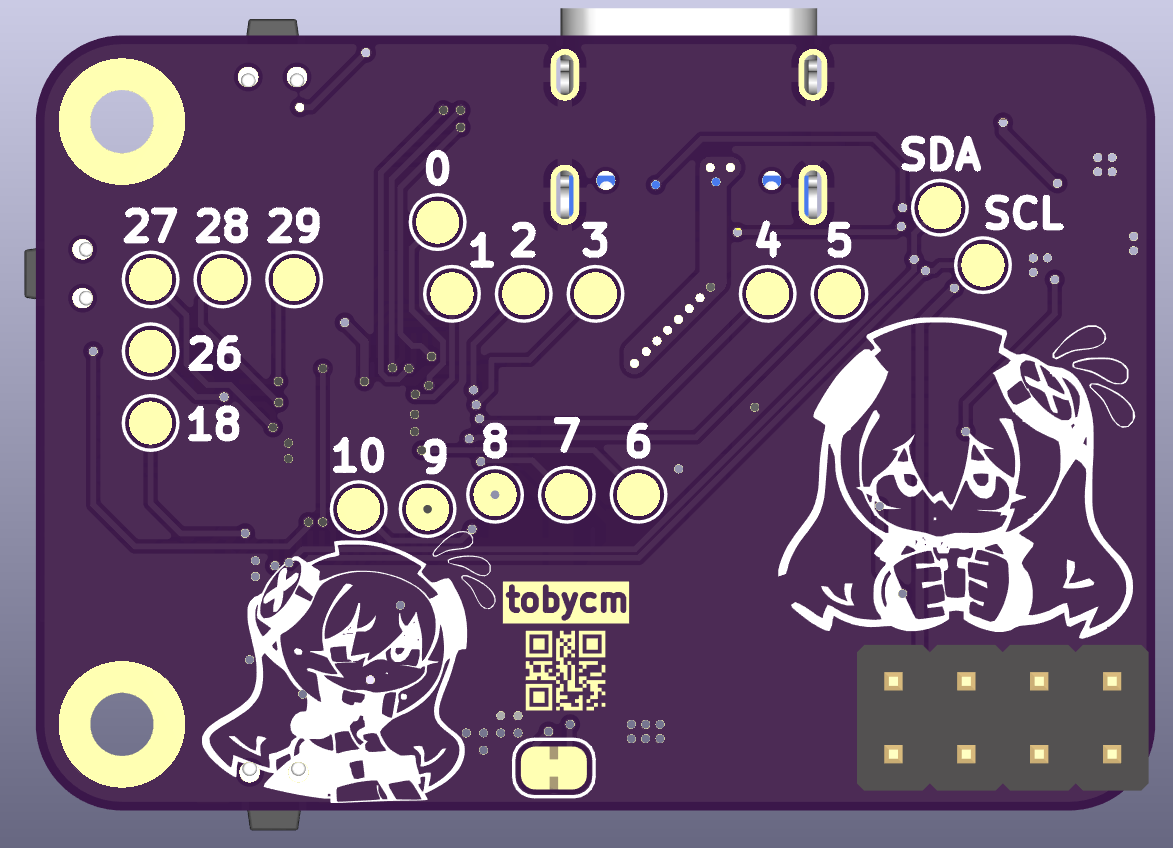
| Part Name | Quantity | Link |
|---|---|---|
| PCB | 1 | JLCPCB |
| Stencil | 1 | JLCPCB |
| RP2040 | 1 | C2040 |
| CYPD3177-24LQ | 1 | C5904158 |
| W25Q32JVSS | 1 | C82344 |
| GT-USB-7010AN | 1 | C963370 |
| ABM8-272-T3_C20625731 | 1 | C20625731 |
| TS24CA | 3 | C393942 |
| AP63203WU-7 | 1 | C780769 |
| Zener Diode | 2 | C82088 |
| NPN | 1 | C5338312 |
| AOD409-HXY | 2 | C6285771 |
| Green Led | 2 | C7496818 |
| Amber Led | 2 | C165983 |
| Red Led | 3 | C965799 |
| 18pF | 2 | C106202 |
| 100nF | 12 | C60474 |
| 10uF | 3 | C2762594 |
| 1uF | 6 | C1592 |
| 4.7uF | 1 | C51205 |
| 4.7uH | 1 | C41413058 |
| 470ohm | 7 | C25117 |
| 49.9kohm | 1 | C25897 |
| 4.7kohm | 1 | C25900 |
| 5.1kohm | 1 | C25905 |
| 10kohm | 1 | C60490 |
| 1kohm | 5 | C106235 |
| 27ohm | 2 | C138021 |
| Pin Headers | 1 | C7501275 |
| Total cost | 74.24 USD LCSC + 13.98 USD JLCPCB = 88.22 USD | |
| Soldering paste (cheaper than PCBA) | 1 | https://amazon.ca/dp/B0BLSJQPR6 |
| Total cost with soldering paste | 88.22 USD + 19.59 CAD = 102.43 USD |
| Qty | Value | Footprint | References |
|---|---|---|---|
| 18 | TestPoint | TestPoint:TestPoint_Pad_D1.5mm | TP1, TP2, TP3, TP4, TP5, TP6, TP7, TP10, TP11, TP17, TP18, TP19, TP20, TP21, TP22, TP23 +2 |
| 12 | 100nF | Capacitor_SMD:C_0402_1005Metric | C1, C2, C4, C5, C6, C7, C8, C9, C11, C14, C18, C19 |
| 7 | 470 | Resistor_SMD:R_0402_1005Metric_Pad0.72x0.64mm_HandSolder | R8, R9, R11, R12, R13, R14, R22 |
| 6 | 1uF | Capacitor_SMD:C_0603_1608Metric | C3, C10, C20, C21, C23, C24 |
| 5 | 1k | Resistor_SMD:R_0402_1005Metric_Pad0.72x0.64mm_HandSolder | R5, R10, R15, R20, R21 |
| 3 | Red | LED_SMD:LED_0603_1608Metric_Pad1.05x0.95mm_HandSolder | D5, D6, D11 |
| 3 | TS24CA | easyeda2kicad:SW-SMD_TS24CA | SW1, SW2, SW3 |
| 2 | 18pF | Capacitor_SMD:C_0402_1005Metric | C12, C13 |
| 2 | 22uF | Capacitor_SMD:C_0603_1608Metric | C16, C17 |
| 2 | 27 | Resistor_SMD:R_0402_1005Metric_Pad0.72x0.64mm_HandSolder | R3, R4 |
| 2 | AOD409-HXY | easyeda2kicad:TO-252-2_L6.6-W6.1-P4.57-LS9.9-TL-CW | Q1, Q2 |
| 2 | Amber | LED_SMD:LED_0603_1608Metric_Pad1.05x0.95mm_HandSolder | D3, D4 |
| 2 | D_Zener | Diode_SMD:D_SOD-123 | D9, D10 |
| 2 | Green | LED_SMD:LED_0603_1608Metric_Pad1.05x0.95mm_HandSolder | D1, D2 |
| 2 | MountingHole_Pad | MountingHole:MountingHole_2.2mm_M2_Pad | H2, H3 |
| 1 | 10k | Resistor_SMD:R_0402_1005Metric_Pad0.72x0.64mm_HandSolder | R17 |
| 1 | 10uF | Capacitor_SMD:C_0805_2012Metric | C15 |
| 1 | 4.7k | Resistor_SMD:R_0402_1005Metric_Pad0.72x0.64mm_HandSolder | R16 |
| 1 | 4.7uF | Capacitor_SMD:C_1206_3216Metric | C22 |
| 1 | 4.7uH | easyeda2kicad:IND-SMD_L5.4-W5.2_CMLE051E | L1 |
| 1 | 49.9k | Resistor_SMD:R_0402_1005Metric_Pad0.72x0.64mm_HandSolder | R18 |
| 1 | 5.1k | Resistor_SMD:R_0402_1005Metric_Pad0.72x0.64mm_HandSolder | R19 |
| 1 | ABM8-272-T3_C20625731 | easyeda2kicad:CRYSTAL-SMD_4P-L3.2-W2.5-BL | U3 |
| 1 | AP63203WU-7 | AP63203WU_7:AP63203WU-7_DIO | U5 |
| 1 | CYPD3177-24LQ | Package_DFN_QFN:QFN-24-1EP_4x4mm_P0.5mm_EP2.75x2.75mm | U6 |
| 1 | Conn_02x04_Counter_Clockwise | Connector_PinHeader_2.54mm:PinHeader_2x04_P2.54mm_Vertical | J1 |
| 1 | GT-USB-7010AN | easyeda2kicad:USB-SMD_GT-USB-7010AN | U7 |
| 1 | LOGO | Banana:Banana | G*** |
| 1 | NPN | Package_TO_SOT_SMD:SOT-23 | Q3 |
| 1 | RP2040 | Package_DFN_QFN:QFN-56-1EP_7x7mm_P0.4mm_EP3.2x3.2mm | U4 |
| 1 | SolderJumper_2_Bridged | Jumper:SolderJumper-2_P1.3mm_Bridged_RoundedPad1.0x1.5mm | JP1 |
| 1 | W25Q32JVSS | Package_SO:SOIC-8_5.3x5.3mm_P1.27mm | U1 |
hackclub/reflow
A YSWS for the northern hemisphere's summer and the aussie's winter. Run by @pmnlla, with love and loads of carrots.

victorhook/f8-fc
f8 fc is a fully open source AIO flight controller with 8 motor drives

victorhook/F1C200S-Dev-board
Custom PCB with the Allwinner F1C200S SoC, built to learn more about embedded Linux!

MaxMaeder/OpenPin
OpenPin: use your Humane Ai Pin again. Installable in a few clicks & without any ADB certs!


atricreations/Electronic-Dice-Roller
Repo containing all the neccessary files for the Electronic Dice Roller by Atricreations.
It measures 39 × 27 mm and has 2 copper layers, 1.6 mm thick.
87 parts, built around the RP2040, W25Q32JVSSIQ, CYPD3177-24LQXQ and GT-USB-7010AN. The full list of its parts is on this page, with links to each part's symbol and footprint where PCBKit's library has them.
From the tobycm/raspberry-pi-power-hub repository on GitHub, at the commit this page was made from: the board is raspberry-pi-power-hub.kicad_pcb and its schematic raspberry-pi-power-hub.kicad_sch. PCBKit opens the board in the browser, with nothing to install.
Its repository publishes it under the MIT licence: you may reuse it on that licence's terms (keep the author's notice, and for a copyleft licence share your changes alike).