
2 layers170 × 120 mm

 timshac/WekaHR
WekaHR - Internet accessible Modbus RTU Slave Holding Registers - read and set registers from modbus or the internet
ModbusRTUFeather is an open-source printed circuit board by timshac, from the timshac/WekaHR repository on GitHub, published under the MIT licence. It is a 2-layer board of 62.2 × 22.9 mm with 12 parts on 31 nets, routed with 67 tracks and 5 vias.
It is built around the SP3485EEN. Its parts include 2 capacitors, 2 resistors, 2 ICs, 2 diodes and 2 connectors.
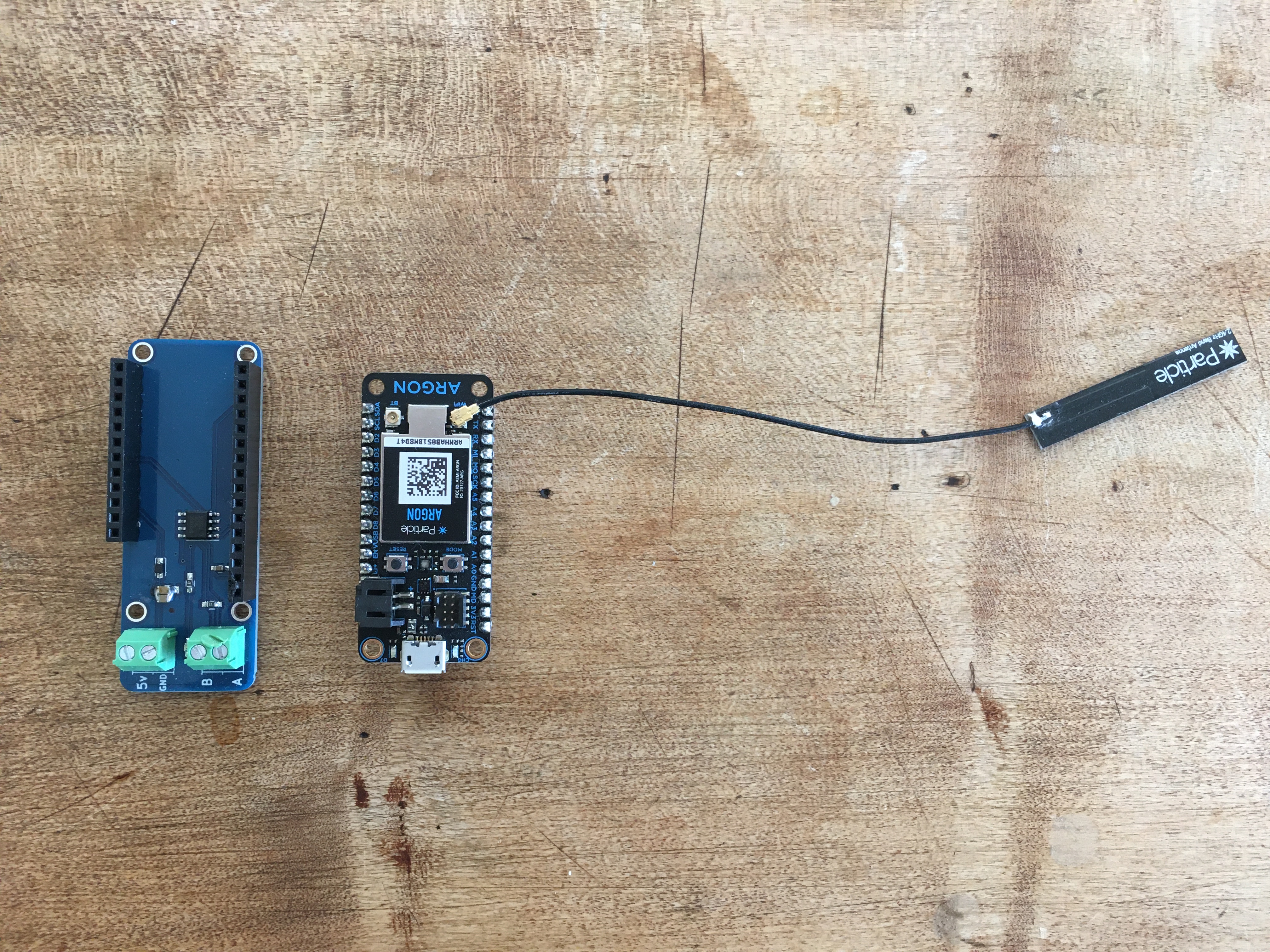
The WekaHR is a modbus slave (RS-485) with read/write registers that are synced with your google sheet. Your PLC can connect to the WekaHR modbus slave to read and write register values to report data or configure PLC operations.
Then you are ready to flash the firmware
Clone this repository, and install the particle command line tools
cd WekaHR/firmware/particle_gen3
# compile and flash over WiFi or Cellular
particle flash deviceName

# or, for usb connected particle
particle compile argon|boron --saveTo=bin
particle serial list
particle serial flash binIssue these commands to in the particle console (console.particle.io). The modbus baud is set in the code, currently to 19200 8N1
SetUnitID 10   # to set modbus slave ID (defaults to 10)
SetEventName "companyname/projectname"   # set the particle webhook event name
Save a copy of this WekaHR Google Sheets Template and follow the instructions in the worksheet to connect your particle to the google sheet using a webhook.
Follow the instructions in the google sheet to connect your particle device to the google sheeet using a particle webhook integration.
Trigger a manual JSON packet publish and JSON settings register response. Running this function ensures that application register values are set in the WekaHR.
Publish the current modbus id. Defaults to 10.
Set the device modbus id.
Publish the current event name.
Set the current event name. Suggested format is CompanyName/ProjectName, where multiple customer sites may share the same CompanyName and ProjectName.
Publish the current JSON settings saved to EEPROM.
Save string args as current JSON settings to EEPROM. Use with caution.
JSON:
{
  "name": "companyname/dairyshed",
  "data": "{\"v\":\"1.0\",\"func\":\"writeLog\",\"addr\":0,\"HR\":[0,0,0,0,0,0,0,0,0,0,0,0,0,0,0,0,0,0,2048,0,0,0,0,0,0,0,0,0,0,0,0,0,0,0,0,0,0,0,0,0,0,0,0,0,0,0,0,0,0,0,0,0,0,0,0,0,0,0,0,0,0,0,0,0,0,0,0,0,0,0,0,0,0,0,0,0,0,0,0,0]}",
  "ttl": 60,
  "published_at": "2019-10-20T01:54:46.580Z",
  "coreid": "coreid"
}

the data key, when interpreted as JSON:
{"v":"1.0","func":"writeLog","addr":0,"HR":[0,0,0,0,0,0,0,0,0,0,0,0,0,0,0,0,0,0,2048,0,0,0,0,0,0,0,0,0,0,0,0,0,0,0,0,0,0,0,0,0,0,0,0,0,0,0,0,0,0,0,0,0,0,0,0,0,0,0,0,0,0,0,0,0,0,0,0,0,0,0,0,0,0,0,0,0,0,0,0,0]}
Version "v" key, "v" = "1.0", where 1.0 could be anything < 2.0. (eg 1.1,1.2, etc) The holding registers are given as an array, starting at address "addr". HR = [javascript array]. The current length of the array is 80 [registers addr + 0 to addr + 79], but could be anything from length 1-100.
The WekaHR accepts a JSON response that sets HR values. The response looks like:
{"40":1,"41":2,"42":3,"43":0,"44":0,"45":0,"46":0,"47":0,"48":0,"49":0,"50":0,"51":0,"52":0,"53":0,"54":0,"55":0,"56":0,"57":0,"58":0,"59":0,"60":0,"61":0,"62":0,"63":0,"64":0,"65":0,"66":0,"67":0,"68":0,"69":0,"70":0,"71":0,"72":0,"73":0,"74":0,"75":0,"76":0,"77":0,"78":0,"79":12,"sheet":"https://docs.google.com/a/xxx.xxx.xxx/spreadsheets/d/yyyyyyyyyyyyyyyyyyyyyyyyyyyyyyyyyyyyyyyy/edit","row":38}This includes registers set and their numeric value to be set, as well as the source google sheet or application url.
| Qty | Value | Footprint | References |
|---|---|---|---|
| 2 | Conn_01x02 | Connectors_Terminal_Blocks:TerminalBlock_Pheonix_PT-3.5mm_2pol | J1, J2 |
| 1 | 0.1uF | Capacitors_SMD:C_0603_HandSoldering | C1 |
| 1 | 10uF | Capacitors_SMD:C_0805_HandSoldering | C2 |
| 1 | 220 | Resistors_SMD:R_0603_HandSoldering | R2 |
| 1 | 330 | Resistors_SMD:R_0603_HandSoldering | R1 |
| 1 | ARGON | winely_kicad:FeatherWing | U1 |
| 1 | D_Schottky | Diodes_SMD:D_SOD-323_HandSoldering | D1 |
| 1 | G*** | WEMOS_J:SHAClogo2 | SHAClogo2 |
| 1 | LED | LEDs:LED_0603_HandSoldering | D2 |
| 1 | SP3485 | Housings_SOIC:SOIC-8_3.9x4.9mm_Pitch1.27mm | U2 |
| 1 | VAL** | winely_kicad:PCB_FeatherWing_4hole | PCB** |

Jochen0x90h/RoomControl
Smart home room controller based on nRF52840 with MQTT and and IEEE 802.15.4 radio support. Buttons and relays for lights and roller shutters can also be connected with a local bus using LIN physical layer

timshac/RS-485-FeatherWing
RS-485 FeatherWing for Feather style microcontrollers. Instant Mobile App possible with Particle.io ecosystem

EdgeCoil/wiegand-bridge
ESP32-S3 Wiegand reader bridge for Home Assistant: 4-layer board, BOM and ESPHome firmware.


butchja/esphome-jk-bms-can-PCB
HW platform for https://github.com/Ackmaniac/esphome-jk-bms-can


It measures 62.2 × 22.9 mm and has 2 copper layers, 1.6 mm thick.
12 parts, built around the SP3485EEN. The full list of its parts is on this page, with links to each part's symbol and footprint where PCBKit's library has them.
From the timshac/WekaHR repository on GitHub, at the commit this page was made from: the board is hardware/MRv0.6-featherwing/kicad/ModbusRTUFeather.kicad_pcb. PCBKit opens the board in the browser, with nothing to install.
Its repository publishes it under the MIT licence: you may reuse it on that licence's terms (keep the author's notice, and for a copyleft licence share your changes alike).