Skip to the content
2 layers100 × 100 mmC64 Pi1541-III Module, the printed circuit board in 3D

C64 Pi1541-III Module

tebl/C64-Pi1541-III44

I wanted a Pi1541-module that did not feel like I was handling bare electronics, so I made another that manages to hide most of the scary bits without needing a 3d-printer.

Size
100 × 100 mm
Copper layers
2
Thickness
1.6 mm
Parts
25
Nets
24
Pads
127
Tracks, vias
275, 15
Pours
1
Routed
Yes
KiCad
KiCad 5 (file 20171130)
Created
23 Mar 2023
Updated
6 Jun 2024

Overview

C64 Pi1541-III Module is an open-source printed circuit board by tebl, from the tebl/C64-Pi1541-III repository on GitHub. It is a 2-layer board of 100 × 100 mm with 25 parts on 24 nets, routed with 275 tracks and 15 vias.

Its parts include 6 resistors, 4 connectors, 2 capacitors and 1 IC. It belongs with the retro computing and games boards of this library.

README

C64 Pi1541-III Module/README.md

Pi1541-III Module

This is the main PCB and will hold most of the active components in the device, but note that it is designed to be used with Pi1541-III Module Panel and has one listed in the BOM. Note that the mentioned panel also has its own separate BOM, so keep that in mind while ordering components.
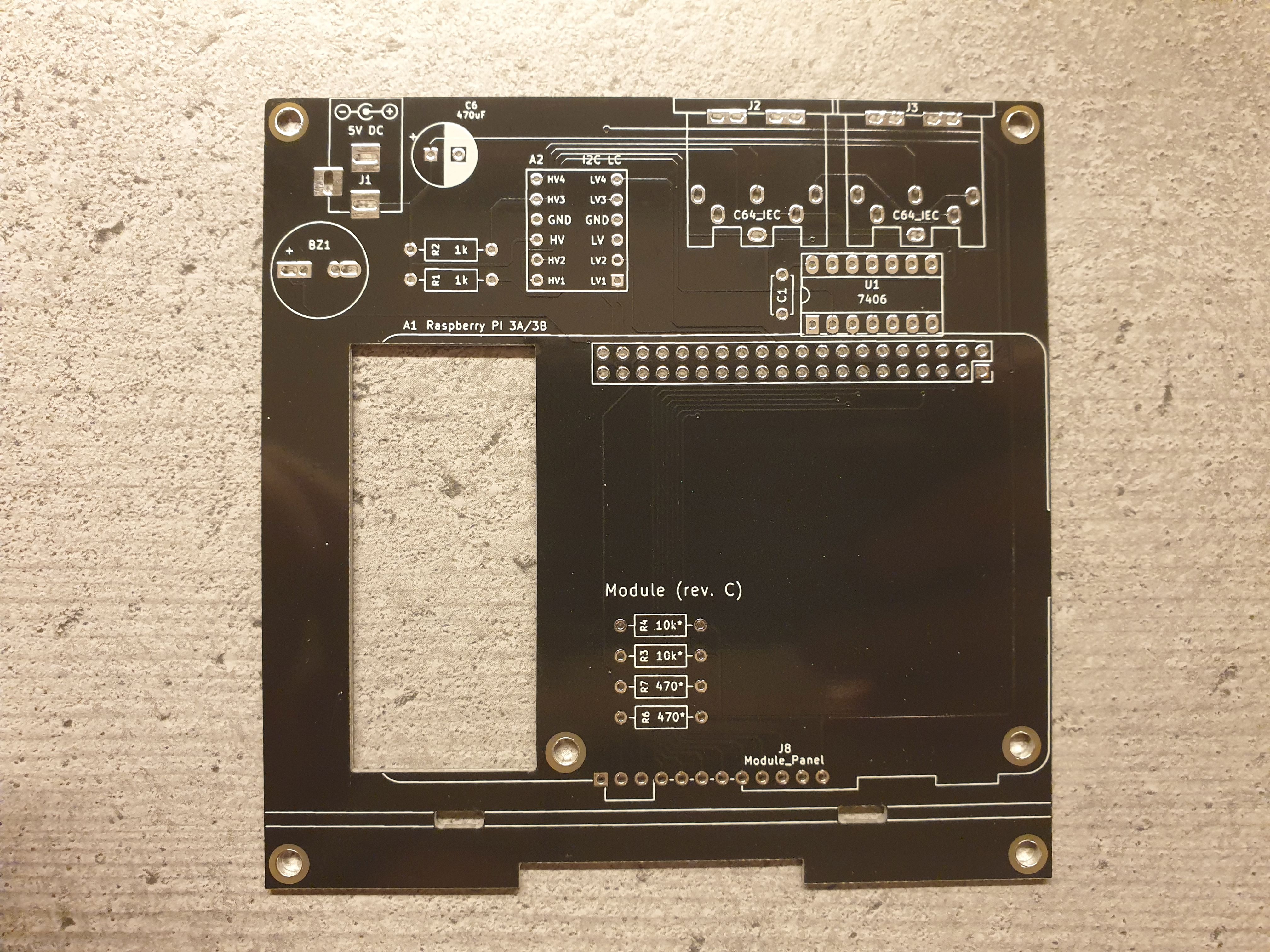
Current PCB

1> Build instructions

Assembling this module is covered as part of the overall documentation, as linked below. Note that BOM is supplied per module, the one belonging to this module in particular is included as part of this document (click here to go there).

2> Schematic

The supplied KiCad files should be sufficient as both a schematic and as a starting point for ordering PCBs (basically you could just zip the contents of the export folder and upload that on a fabrication site), the schematic is also available in PDF-format and this is what you'll need to print and work your way through this things don't work as expected after assembly.

3> BOM

Most parts should be easy to get a hold of from your favourite local electronic component shop, but given that I don't have access to such shops where I live so everything was based on whatever I could get cheapest from eBay/AliExpress (free shipping, but plan on waiting 3-4 weeks for delivery). Components in parenthesis can be considered optional for features beyond the more basic functionality, but where's the fun in that? You deserve the complete package.

ReferenceItemCountOrder
Module PCBPCB specific to this project1See modules
Faceplate (FB1) PCBTop faceplate1See modules
Faceplate (FB2) PCBBottom faceplate(1)See modules
A12x20 pin female header1
Raspberry Pi version 3B,3B+ or 3A+1
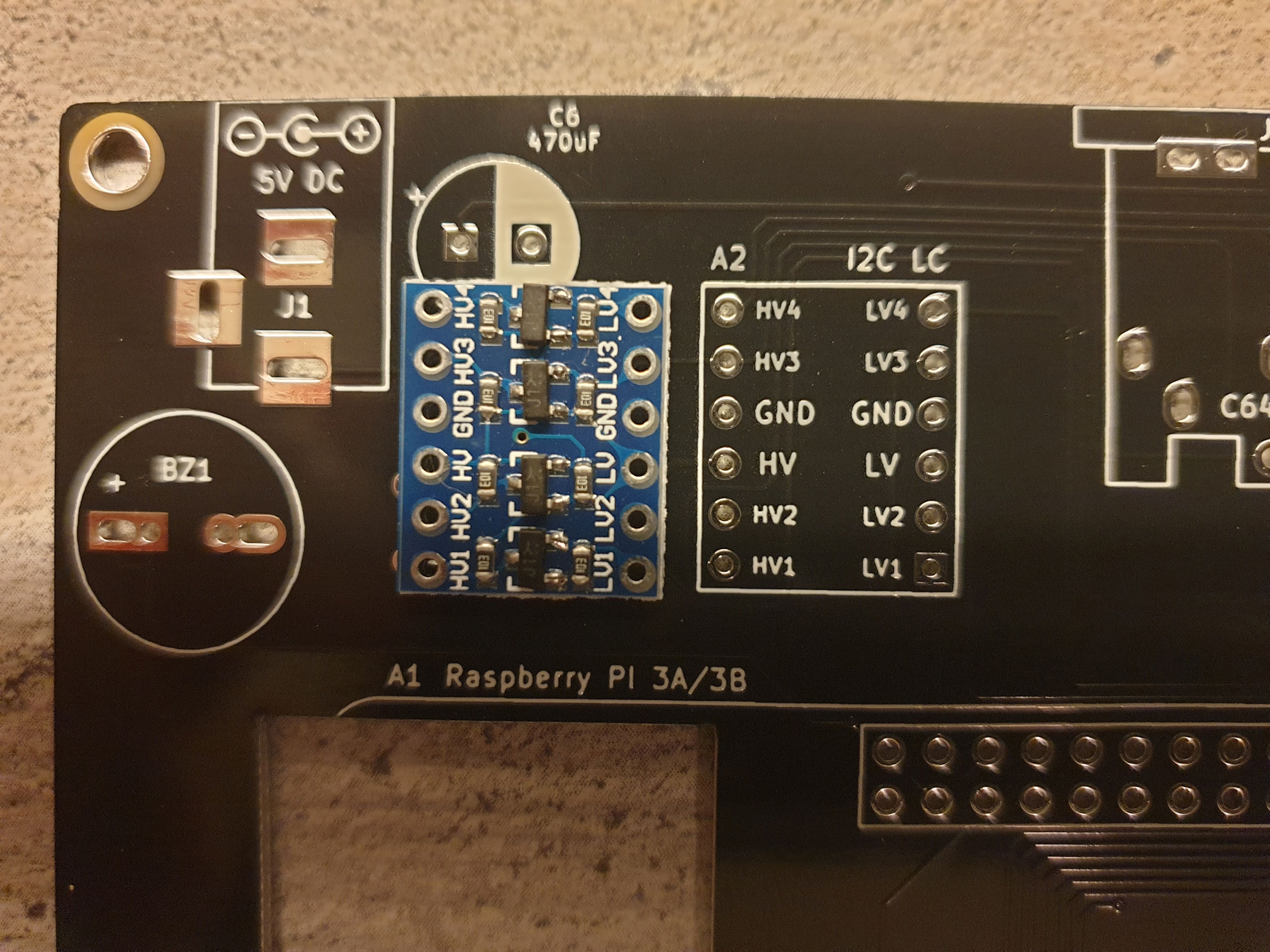
A2 *14ch I2C level converter module1
BZ1Passive buzzer (pin spacing from 3.81 to 7mm will work)(1)
C1100nF ceramic capacitor (5mm)1
C6470uF electrolytic capacitor (8mm x 3.5mm)1
J12.1mm x 5.5mm barrel plug1
J2,J3Female S-terminal 6-pin DIN PCB1 (1)
J8Pi1541-III Module Panel (completed unit)1
R1,R21k Ohm resistor2
R3,R410k Ohm resistor2
R6,R7 *2470 Ohm resistor2
U1 *37406 (DIP-14)1
Mounting *4Nylon M3 hex standoffs 6mm (M-F)4
Mounting *4Nylon M3 hex standoffs 8mm (M-F)2
Mounting *5Nylon M3 hex standoffs 12mm (M-F)(4)
Mounting *4Nylon M3 hex standoffs 20mm (M-F)4
Mounting *4Nylon M3x6mm nylon screws6
Mounting *4Nylon M3x6mm nylon nuts12
  1. There are multiple configurations of these being sold, this is usually sold with a blue PCB. When in doubt, compare the sale listing with the one shown in this image.
  2. This is the resistor for the LEDs mounted on Pi1541-III Module Panel, the value need to be sized according to the type of LED being used. This value is a somewhat safe choice cheaper coloured LEDs, for anything blue or especially marked as being bright - then you need to calculate a proper value for these.
  3. There are unfortunately counterfeit 7406-chips being circulated, the ones I've had the most success with has been marked 7406PC though a handful of SN7406 have also been found working. See troubleshooting for more information.
  4. These are used in various places of the project, these are available in the form of kits usually advertised M3 nylon standoff kit which should contain most of what you'd need though you should check that they include them in sufficient quantity.
  5. These are only needed when NOT installing bottom faceplate (Pi1541-III Faceplate (FB2))

Parts

25
QtyValueFootprintReferences
4Mountingmounting:M3M1, M2, M3, M4
210k*resistor:R_Axial_DIN0207_L6.3mm_D2.5mm_P10.16mm_HorizontalR3, R4
21kresistor:R_Axial_DIN0207_L6.3mm_D2.5mm_P10.16mm_HorizontalR1, R2
2470*resistor:R_Axial_DIN0207_L6.3mm_D2.5mm_P10.16mm_HorizontalR6, R7
2C64_IECC64_IEC:DIN6_IECJ2, J3
1pi1541:Pi1541-drivePi1541-drive
1100nFCapacitor_THT:C_Disc_D4.7mm_W2.5mm_P5.00mmC1
1470uFCapacitor_THT:CP_Radial_D8.0mm_P3.50mmC6
17406Package_DIP:DIP-14_W7.62mm_Socket_LongPadsU1
1Buzzersmall_buzzer:Buzzer_12x9.5RM7.6BZ1
1DC INpi1541:BARREL_JACKJ1
1DC_5VBulkyMIDI-32:PWR_SpecificationSYM1
1I2C LCIIC_4CH_Level_Converter:4CH_I2C_Level_ConverterA2
1LOGOpi1541:Pi1541-logo3G***
1Module_Panelpi1541:Module_PanelJ8
1Raspberry PI 3A/3BRPI:Raspberry_Pi_3B_Socketed_THT_FaceDown_MountingHolesA1

The 23 most common of 25 parts.

More from tebl/C64-Pi1541-III

1
  • 2 layers100 × 23.2 mmC64 Pi1541-III Module Panel, the printed circuit board in 3D

    C64 Pi1541-III Module Panel

    tebl/C64-Pi1541-III

    I wanted a Pi1541-module that did not feel like I was handling bare electronics, so I made another that manages to hide most of the scary bits without needing a 3d-printer.

    15 parts44

Similar boards

  • 2 layers159.5 × 30 mmType f, the printed circuit board in 3D

    Type f

    google/mozc-devices

    Circuit diagrams and firmware source code for Gboard DIY keyboards

    25 parts3kApache-2.0
  • 2 layers113.5 × 95.1 mmSweep high, the printed circuit board in 3D

    Sweep high

    davidphilipbarr/Sweep

    Sweep - a small promicro based keyboard inspired by the Ferris.

    25 parts2.1k
  • 2 layers58.4 × 114.3 mmPicoPedal, the printed circuit board in 3D

    PicoPedal

    hackclub/OnBoard

    💡 Join 1,000 teenagers and make your first PCB with a $100 grant!

    25 parts915
  • 2 layers54 × 15 mmXyp gpib, the printed circuit board in 3D

    Xyp gpib

    xyphro/UsbGpib

    Versatile, cheap and portable USB to GPIB converter (USBTMC class based)

    25 parts690MIT
  • 2 layers50 × 76 mmVoron 0, the printed circuit board in 3D

    Voron 0

    dennisss/dacha

    Monorepo for awesome tools/projects/libraries

    25 parts397Apache-2.0
  • 2 layers237.5 × 102.9 mmStorage, the printed circuit board in 3D

    Storage

    jes/scamp-cpu

    A homebrew 16-bit CPU with a homebrew Unix-like-ish operating system.

    25 parts301Unlicense
  • 2 layers43.3 × 21 mmNanoS3 Carrier, the printed circuit board in 3D

    NanoS3 Carrier

    UnexpectedMaker/esp32s3

    Assorted files for my ESP32-S3 development boards

    25 parts296

Questions

How big is the C64 Pi1541-III Module PCB?

It measures 100 × 100 mm and has 2 copper layers, 1.6 mm thick.

What parts does the C64 Pi1541-III Module use?

25 parts. The full list of its parts is on this page, with links to each part's symbol and footprint where PCBKit's library has them.

Where can I download the C64 Pi1541-III Module KiCad files?

From the tebl/C64-Pi1541-III repository on GitHub, at the commit this page was made from: the board is C64 Pi1541-III Module/C64 Pi1541-III Module.kicad_pcb. PCBKit opens the board in the browser, with nothing to install.

Can I use the C64 Pi1541-III Module design in my own project?

Its repository states no licence, so its author keeps all rights: ask tebl before reusing the design.