2 layers40 × 30 mm
 SunboX/Programmer_Clip1
Picture of the 3D-printed Programmer Clip body with pcb but without pogo-pin contacts in place. The Programmer Clip is a DIY pogo-pin clamp for in-circuit programming or debugging, replicating the function of the well…
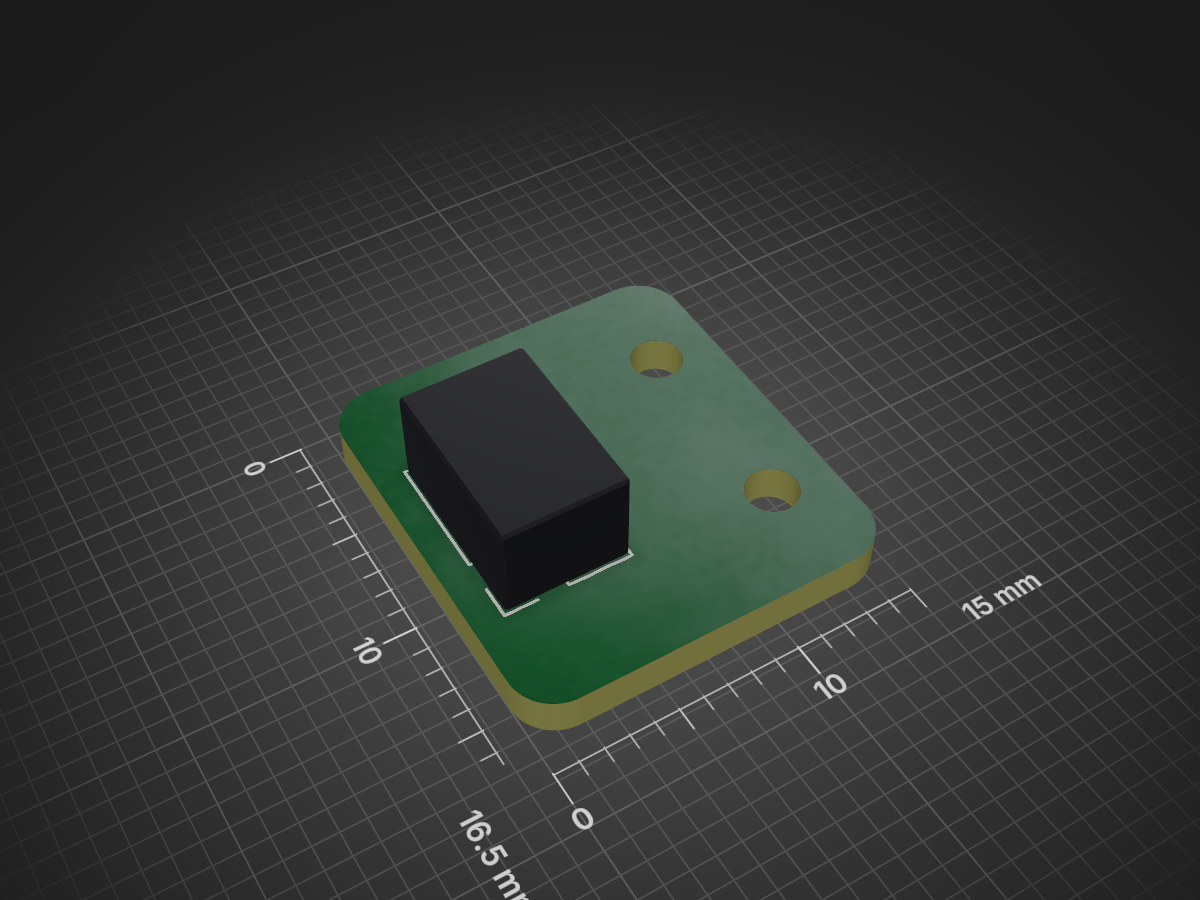
Programmer Clip PCB is an open-source printed circuit board by SunboX, from the SunboX/Programmer_Clip repository on GitHub, published under the CC0-1.0 licence. It is a 2-layer board of 15 × 16.5 mm with 3 parts on 6 nets.
It belongs with the interfaces and adapters boards of this library.
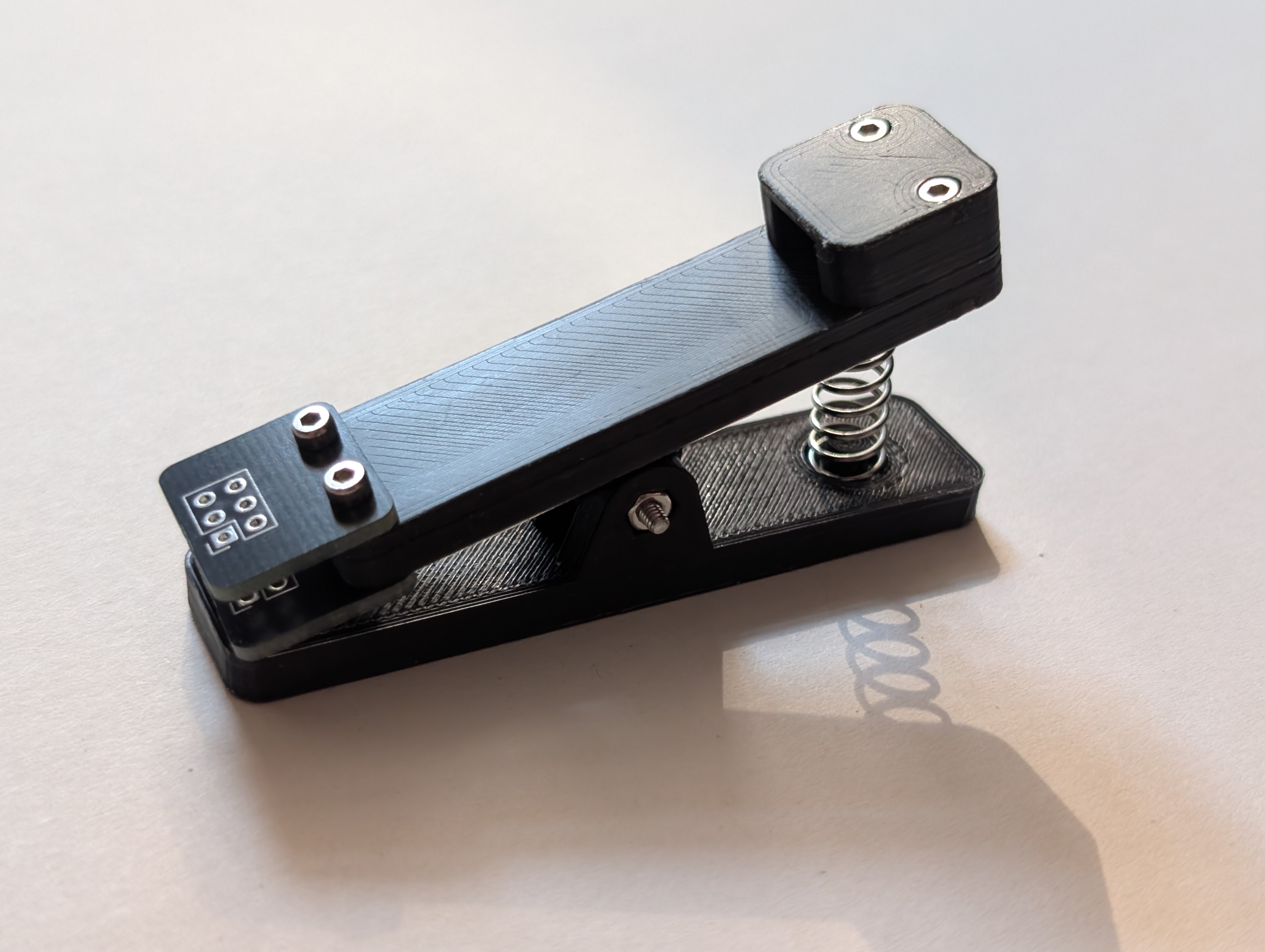
Picture of the 3D-printed Programmer Clip body with pcb but without pogo-pin contacts in place. The Programmer Clip is a DIY pogo-pin clamp for in-circuit programming or debugging, replicating the function of the well known commercial clip (such as those sold on AliExpress) in open-source form. This repository provides the clip body model (an OpenSCAD file, parametric with default length 60 mm), a STEP model of the 60 mm clip body, and a KiCad project for the pogo-pin “needle holder” PCB. You can easily adjust the clip length by editing the OpenSCAD parameters. Like similar pogo-pin clip designs, it uses a single compression spring and standard M2 screws/nuts to hold the jaws together.
OpenSCAD model – Parametric 3D design of the clip body. The main length parameter is set to 60 mm by default, but you can change this value and regenerate the STL.
STEP file – Solid-model export of the clip at 60 mm length, for reference or alternative CAD use.
KiCad project – Schematic and PCB layout for the pogo-pin needle holder (the board that holds the spring-loaded contacts). Edit this design to match your required number of pins or pitch.
Compression spring – Approximately 0.7×6×15 mm (inner Ø×outer Ø×length). A spring with 0.7-0.8 mm thickness and around 6-7 mm diameter, ~15–20 mm long is suitable.
Pogo pins – Spring-test probes, model PL75-E2 (2.54 mm pitch). Use one pin per target pad on the PCB (the KiCad footprint is laid out for 2.54 mm spacing).
M2 screws – Four ×10 mm (length) and one ×14 mm. (Flat or pan-head M2 screws are fine; hex/Allen (Inbus) style was used in testing.)
M2 nuts – Five pieces (to mate with the screws).
Print the clip body. 3D-print the OpenSCAD model (e.g. in PLA or PETG).
Solder the pogo pins. Insert the PL75-E2 pins into the PCBs. Make sure the pins stay straight while soldering. Only solder them to one PCB, not both!
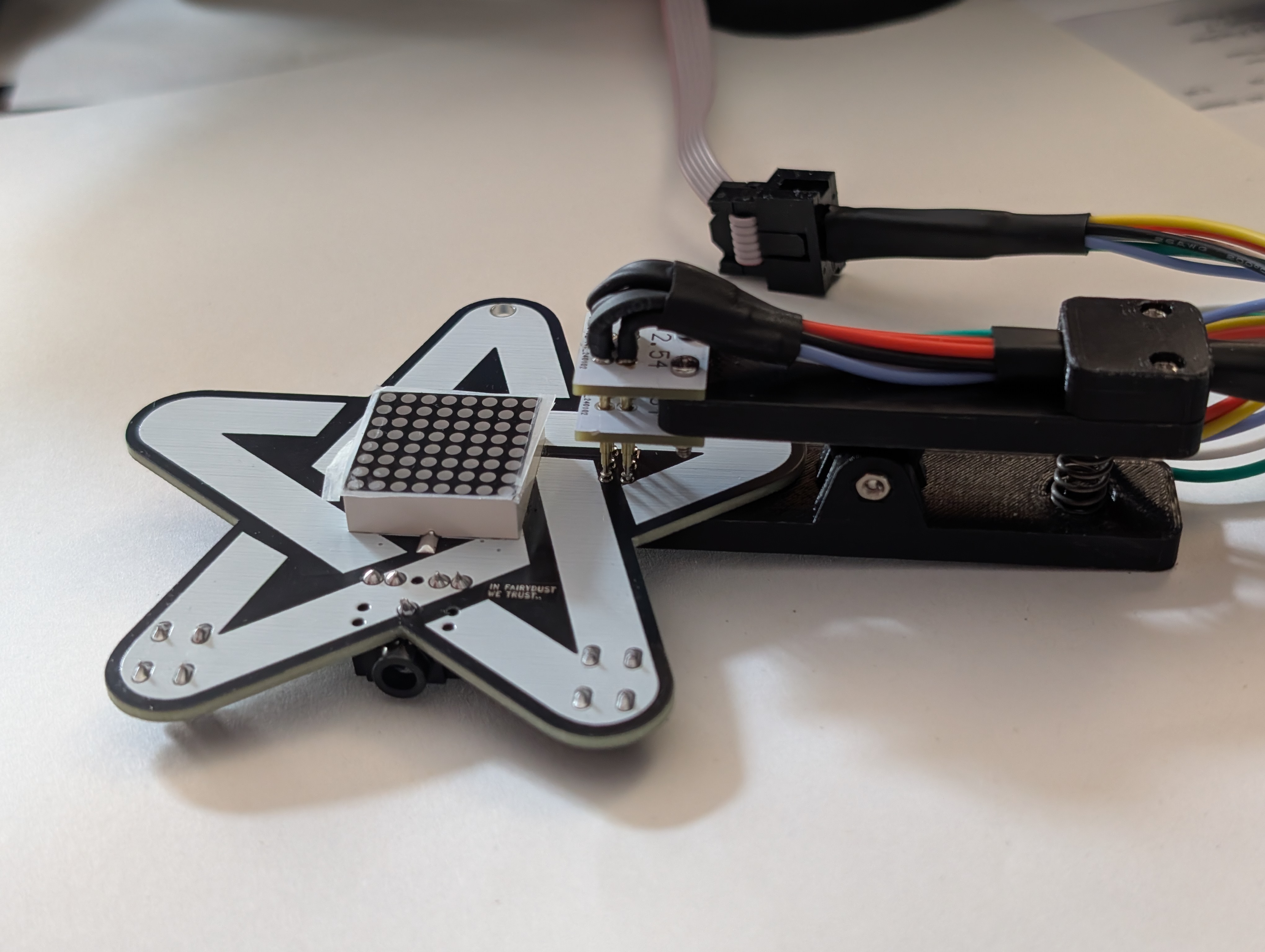
Example in use: the printed programmer clip holds pogo-pin probes against a PCB for programming. To use the clip, align it so the pogo pins land on the target pads or pins, squeeze the clip open, then release. The spring will push the pins into the pads (as shown above). Connect the ribbon cable from the PCB to your programmer. This allows a firm electrical connection without soldering pins to the board.
The OpenSCAD model is parametric: you can change the length and other variables at the top of the file to resize the clip or adapt its shape.
The KiCad PCB is fully editable: you can add or remove pads, change pad sizes, etc., to match different connectors.
| Qty | Value | Footprint | References |
|---|---|---|---|
| 2 | MountingHole_Pad | MountingHole:MountingHole_2.1mm | H1, H2 |
| 1 | Conn_02x03_Counter_Clockwise | Connector_PinSocket_2.54mm:PinSocket_2x03_P2.54mm_Vertical | J1 |
It measures 15 × 16.5 mm and has 2 copper layers, 1.6 mm thick.
3 parts. The full list of its parts is on this page, with links to each part's symbol and footprint where PCBKit's library has them.
From the SunboX/Programmer_Clip repository on GitHub, at the commit this page was made from: the board is Programmer_Clip_PCB/Programmer_Clip_PCB.kicad_pcb and its schematic Programmer_Clip_PCB/Programmer_Clip_PCB.kicad_sch. PCBKit opens the board in the browser, with nothing to install.
Its repository publishes it under the CC0-1.0 licence: you may reuse it on that licence's terms (keep the author's notice, and for a copyleft licence share your changes alike).

hzeller/rpi-rgb-led-matrix
Controlling up to three chains of 64x64, 32x32, 16x32 or similar RGB LED displays using Raspberry Pi GPIO


atopile/atopile
Design circuit boards with code! ✨ Get software-like design reuse 🚀, validation, version control and collaboration in hardware; starting with electronics ⚡️


hackclub/sprig
🍃 Learn to code by making games in a JavaScript web-based game editor.