
4 layers56.3 × 39 mm
Badge
atopile/atopile
Design circuit boards with code! ✨ Get software-like design reuse 🚀, validation, version control and collaboration in hardware; starting with electronics ⚡️
240 parts4kMIT

Design circuit boards with code! ✨ Get software-like design reuse 🚀, validation, version control and collaboration in hardware; starting with electronics ⚡️
Sub is an open-source printed circuit board by atopile, from the atopile/atopile repository on GitHub, published under the MIT licence. It is a 2-layer board with 3 parts on 4 nets, routed with 2 tracks and 0 vias.





Write hardware like software. atopile is a language, compiler, and toolchain for electronics—declarative .ato files, deep validation, and layout that works natively with KiCad.
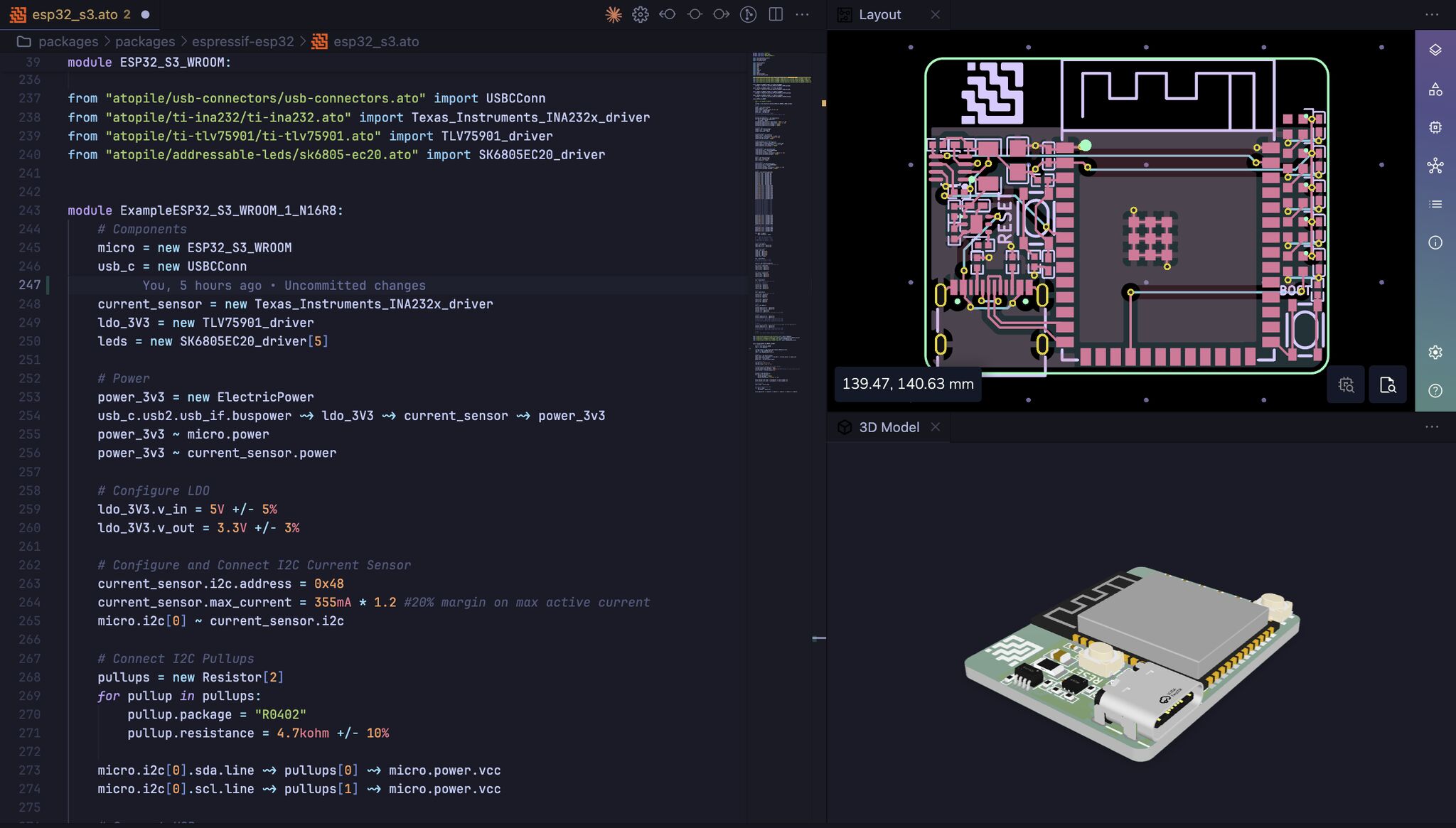
The easiest way is via the editor extension—it installs and manages ato for you:
Advanced setups and CLI installs: https://docs.atopile.io/atopile/guides/install
Install the extension (link above)
In the editor, run “atopile: Open Example” and pick one
Press the ▶ in the ato menu bar to build, or run ato build from the terminal
Open layout when ready
Notes:
.kicad_pcb. Install later when you’re ready for layout: https://docs.atopile.io/atopile/quickstartato is a declarative language for electronics: modules, interfaces, units, tolerances, and assertionsLearn more: https://docs.atopile.io/atopile/essentials/1-the-ato-language
High-level steps:
.ato modules and interfaces compose your systempytest -q.venv + Zig cache/output, then path rewrite):ato dev worktree <suffix>
cd ../atopile_<suffix>
source .venv/bin/activate
ato --helpBy default this command starts an interactive shell in the new worktree.
Pass --no-cd to skip shell handoff.
MIT. See LICENSE.
| Qty | Value | Footprint | References |
|---|---|---|---|
| 3 | 1kΩ | UNI_ROYAL_0402WGF1001TCE:R0402 | R1, R2, R3 |
atopile/atopile
Design circuit boards with code! ✨ Get software-like design reuse 🚀, validation, version control and collaboration in hardware; starting with electronics ⚡️

atopile/atopile
Design circuit boards with code! ✨ Get software-like design reuse 🚀, validation, version control and collaboration in hardware; starting with electronics ⚡️

atopile/atopile
Design circuit boards with code! ✨ Get software-like design reuse 🚀, validation, version control and collaboration in hardware; starting with electronics ⚡️

atopile/atopile
Design circuit boards with code! ✨ Get software-like design reuse 🚀, validation, version control and collaboration in hardware; starting with electronics ⚡️


hzeller/rpi-rgb-led-matrix
Controlling up to three chains of 64x64, 32x32, 16x32 or similar RGB LED displays using Raspberry Pi GPIO


hackclub/sprig
🍃 Learn to code by making games in a JavaScript web-based game editor.

hoglet67/RGBtoHDMI
Bare-metal Raspberry Pi project that provides pixel-perfect sampling of Retro Computer RGB/YUV video and conversion to HDMI
3 parts. The full list of its parts is on this page, with links to each part's symbol and footprint where PCBKit's library has them.
From the atopile/atopile repository on GitHub, at the commit this page was made from: the board is examples/layout_reuse/layout/sub/sub.kicad_pcb and its schematic test/common/resources/fileformats/kicad/v8/sch/test.kicad_sch. PCBKit opens the board in the browser, with nothing to install.
Its repository publishes it under the MIT licence: you may reuse it on that licence's terms (keep the author's notice, and for a copyleft licence share your changes alike).