4 layers120 × 89.3 mm
SMK macro pad
mburger89/SMK_macro_pad
4x4 wireless macro pad — RP2040 + Raspberry Pi RM2. KiCad project generated from Python; includes a 42%-smaller 'mini' variant with back-mounted electronics.
89 partsMIT

 Summa-Cogni/Mathpad243
A mathematical keypad for students and professionals
Mathpad is an open-source printed circuit board by Summa-Cogni, from the Summa-Cogni/Mathpad repository on GitHub. It is a 4-layer board of 95.6 × 73.6 mm with 93 parts on 84 nets, routed with 716 tracks and 109 vias.
It is built around the RP2040, 74LVC1T45W6 and SK6812MINI-EA, with the USBLC6-2P6, XC6206P332MR-G and 1N4148W among its other parts. Its parts include 24 capacitors, 19 resistors, 18 switches, 17 diodes and 6 ICs. It belongs with the keyboards and input boards and the RP2040 boards of this library.



Learn more about Mathpad with the Official Documentation. |

Chat with other users and ask your questions in the Forum. |

Get the latest updates about Mathpad on Twitter/X. |
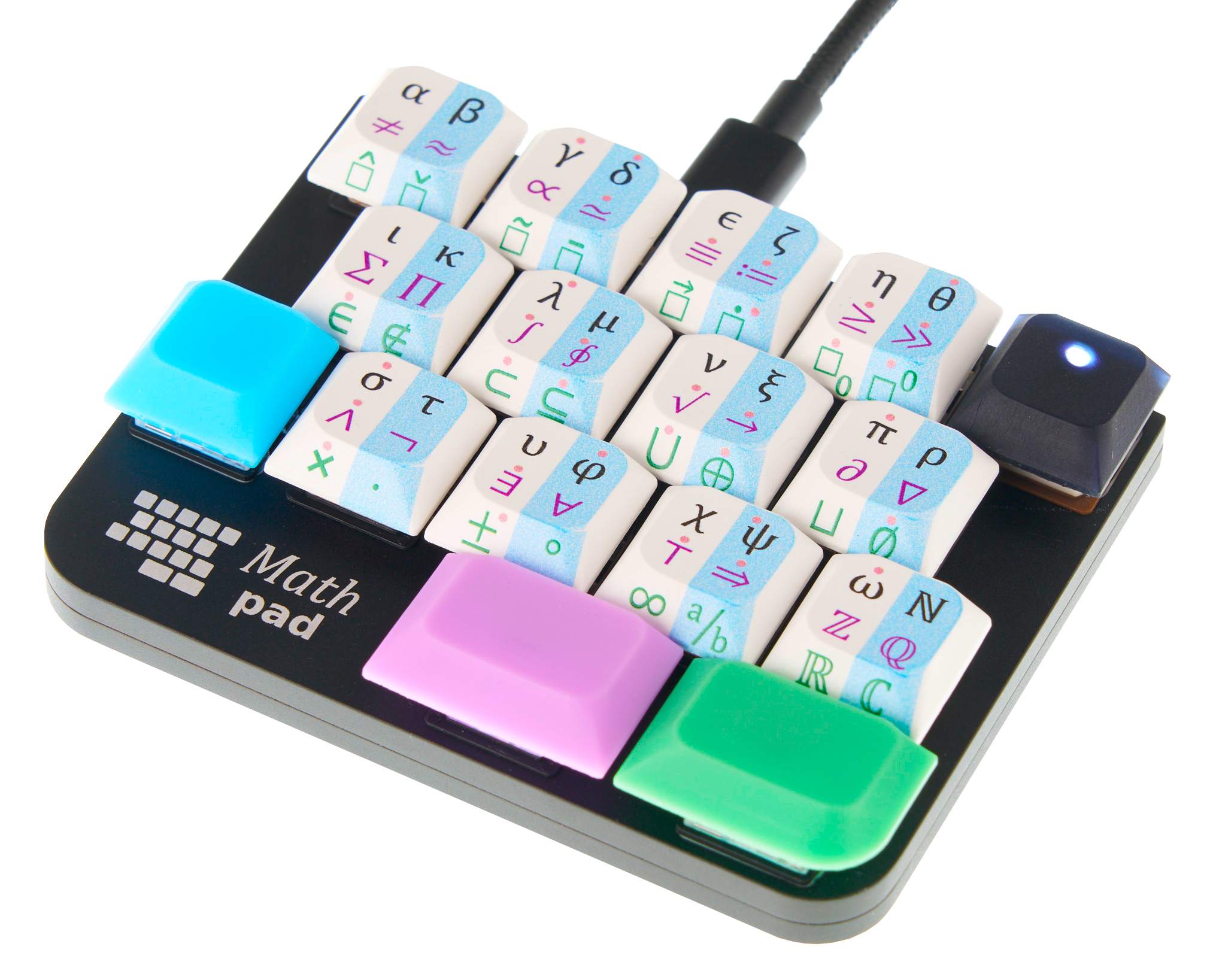
Mathpad is a keypad for typing math. It is intended for engineers, scientists, students, and professionals in STEM fields who regularly need to write equations or who use mathematical symbols in their day-to-day work.
With Mathpad you can type 120 symbols from algebra, calculus, set theory, and logic, and the full Greek alphabet. Mathpad plugs into your computer with a USB-C cable and works seamlessly alongside your regular keyboard.
The following equations are a few examples of what you can type directly with Mathpad:
E = mc²
∛β ≫ ∯Ω(t)dt
(A⊂B) ∧ (A⊂C) ⇔ A ⊂ (B ∪ C)
Mathpad is available now on Crowd Supply and Tindie.
Crowd Supply is a US-based reseller. Its price includes the US import tariff on its stock and its retail margin. Tindie orders ship directly from Summa Cogni in Denmark, so buyers outside the US do not pay the US tariff. In the US, Crowd Supply still works out cheaper: a parcel from Denmark has US import duty, a customs fee and international shipping added at the border.
Mathpad works on Windows 10 and 11, macOS 11 Big Sur and later, and Linux with IBus. Windows and Mac need a small, free background program: WinCompose on Windows and Mathpad Service on Mac.
Several output modes are supported. Plaintext outputs standard Unicode symbols and can be used practically anywhere you can type regular text. LaTeX is of course also supported, as well as the equation editors of Microsoft Office and LibreOffice.
| Output mode | Supported |
|---|---|
| Plaintext | ✅ |
| LaTeX | ✅ |
| Microsoft Office Equation Editor | ✅ |
| LibreOffice Equation Editor | ✅ |
Mathpad works on all computers with Latin keyboard layouts. This includes nearly all western layouts, including US ANSI, UK, French AZERTY, Dvorak, and many more. For a full list of all supported keyboard layouts, see this list.
Official releases are located in releases. The most recent version can always be found here.
If you wish to build the firmware binaries yourself, follow this guide from the official documentation.
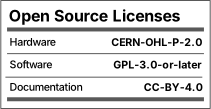
Everyone is permitted to replicate Mathpad based on the design files found in this repository. Everyone is permitted to modify, share, and distribute the files, as long as the terms set out in the licenses are respected.
The Summa Cogni logo and the Mathpad logo are the properties of Summacogni OÜ, and may not be replicated.
The OSHWA certification ID UK000074 is issued to Summacogni OÜ, and may not be replicated.
Mathpad is certified by the Open Source Hardware Association.
| Qty | Value | Footprint | References |
|---|---|---|---|
| 16 | 100n | Capacitor_SMD:C_0402_1005Metric | C1, C7, C9, C12, C13, C14, C15, C16, C17, C18, C19, C22, C24, C25, C26, C27 |
| 16 | 1N4148W | Diode_SMD:D_SOD-123 | D1, D2, D3, D4, D5, D6, D7, D8, D9, D10, D11, D12, D13, D14, D15, D16 |
| 16 | KS-2P02B01-02 | mathpad:SW_Gateron_LowProfile_THT_hotswap | SW1, SW2, SW3, SW4, SW5, SW6, SW7, SW8, SW9, SW10, SW11, SW12, SW13, SW14, SW15, SW16 |
| 6 | 10k | Resistor_SMD:R_0402_1005Metric | R1, R2, R3, R10, R11, R15 |
| 5 | 1k | Resistor_SMD:R_0402_1005Metric | R9, R14, R16, R17, R18 |
| 4 | 4.7u | Capacitor_SMD:C_0603_1608Metric | C3, C4, C20, C21 |
| 3 | 5.1k | Resistor_SMD:R_0402_1005Metric | R7, R8, R19 |
| 3 | 51k | Resistor_SMD:R_0402_1005Metric | R4, R5, R6 |
| 2 | 1u | Capacitor_SMD:C_0402_1005Metric | C10, C11 |
| 2 | 27 | Resistor_SMD:R_0603_1608Metric | R12, R13 |
| 2 | 2N7002VC- | Package_TO_SOT_SMD:SOT-563 | Q1, Q2 |
| 2 | 30p | Capacitor_SMD:C_0603_1608Metric | C6, C8 |
| 1 | 12MHz | Crystal:Crystal_SMD_2520-4Pin_2.5x2.0mm | Y1 |
| 1 | 500mA | Fuse:Fuse_0402_1005Metric | F1 |
| 1 | 74LVC1T45 | Package_TO_SOT_SMD:SOT-563 | U7 |
| 1 | A-SP192SGHC-C01-3C | mathpad:LED_SMD_0603_flat | D18 |
| 1 | MSK13C02 | mathpad:SWITCH_MSK13C02 | SW17 |
| 1 | MountingHole_Pad | MountingHole:MountingHole_2.7mm_M2.5_Pad | H1 |
| 1 | RP2040 | Package_DFN_QFN:QFN-56-1EP_7x7mm_P0.4mm_EP3.2x3.2mm | U6 |
| 1 | SK6812-MINI-E | mathpad:SK6812-MINI-E | U2 |
| 1 | SWITCH | mathpad:SW_Push_1P1T_XKB_TS-1187A | SW18 |
| 1 | TYPE-C sinking plate | mathpad:USB_C_Receptacle_GT-USB-7014B01 | J1 |
| 1 | USBLC6-2P6 | Package_TO_SOT_SMD:SOT-666 | U3 |
| 1 | W25Q64JV | mathpad:WSON-8-1EP_8x6mm_P1.27mm_EP3.4x4.3mm | U1 |
| 1 | XC6206P332MR-G | Package_TO_SOT_SMD:SOT-23 | U4 |
The 90 most common of 93 parts.
It measures 95.6 × 73.6 mm and has 4 copper layers, 1.02 mm thick.
93 parts, built around the RP2040, 74LVC1T45W6, SK6812MINI-EA and USBLC6-2P6. The full list of its parts is on this page, with links to each part's symbol and footprint where PCBKit's library has them.
From the Summa-Cogni/Mathpad repository on GitHub, at the commit this page was made from: the board is hardware/pcb/kicad/Mathpad.kicad_pcb and its schematic hardware/pcb/kicad/Mathpad.kicad_sch. PCBKit opens the board in the browser, with nothing to install.
Its repository states no licence, so its author keeps all rights: ask Summa-Cogni before reusing the design.
mburger89/SMK_macro_pad
4x4 wireless macro pad — RP2040 + Raspberry Pi RM2. KiCad project generated from Python; includes a 42%-smaller 'mini' variant with back-mounted electronics.


DangerousPrototypes/BusPirate5-hardware
Bus Pirate Hardware and accessories for v5 and higher


