2 layers103 × 30.5 mm
 sudermanjr/led-controller5
Golang Code, Image Builder, and PCB for a Pi-ZeroW NeoPixel Controller
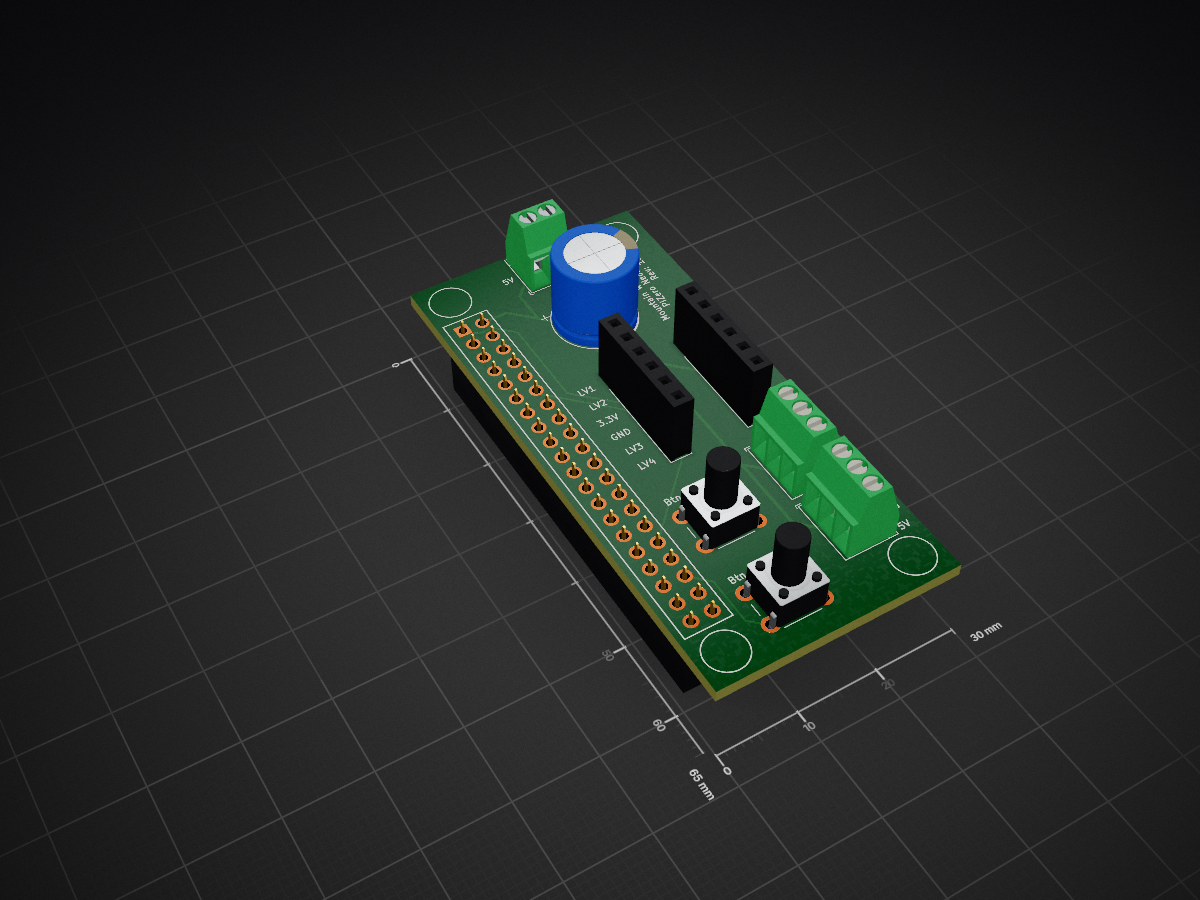
PiZeroLEDController is an open-source printed circuit board by sudermanjr, from the sudermanjr/led-controller repository on GitHub, published under the Apache-2.0 licence. It is a 2-layer board of 30 × 65 mm with 9 parts on 42 nets, routed with 62 tracks and 0 vias.
Its parts include 6 connectors, 2 switches and 1 capacitor. It belongs with the lEDs and displays boards of this library.
This is a project to control NeoPixel lights with a PiZeroW and golang
led-controller homekit will start this as a homekit device. Check the help for options, specifically the homekit pin. The homekit device will work with color and brightness controls once registered.
Currently under heavy development. The dashboard will allow viewing and controlling the neopixel strip.
In the pi-builder directory is the cloud-init for building my pi image using Hypriot. I have encrypted the cloud-init.yaml file using sops and pgp since it contains secrets. There's not much to this file, so it should be easy to re-create on your own if you like.
This is cross-compiled for the Raspberry Pi using the instructions in the rpi-ws281x repository. This utilizes a build container that is based on the Balena Golang Image. If you are using a different Pi, you will want to change the base image in the Dockerfile
The build commands are in the Makefile. You can make build to build the Docker container and then use that to build the binary for the Pi. At the end it will show the output of file led-controller to verify the type of the binary.
The build will also create a local .tmp directory for storing build cache so that subsequent builds are much much faster.
Another word of caution: This container build will utilize your local GOPATH and GOCACHE so that it doesn't have to download every package every time.
| Qty | Value | Footprint | References |
|---|---|---|---|
| 1 | 330uF | Capacitor_THT:CP_Radial_D10.0mm_P5.00mm | C1 |
| 1 | Button | Button_Switch_THT:SW_PUSH_6mm_H9.5mm | SW1 |
| 1 | Button 25 | Button_Switch_THT:SW_PUSH_6mm_H9.5mm | SW2 |
| 1 | Converter High Side | Connector_PinSocket_2.54mm:PinSocket_1x06_P2.54mm_Vertical | J6 |
| 1 | Converter Low Side | Connector_PinSocket_2.54mm:PinSocket_1x06_P2.54mm_Vertical | J5 |
| 1 | LED 12 | TerminalBlock_TE-Connectivity:TerminalBlock_TE_282834-3_1x03_P2.54mm_Horizontal | J4 |
| 1 | LED 18 | TerminalBlock_TE-Connectivity:TerminalBlock_TE_282834-3_1x03_P2.54mm_Horizontal | J3 |
| 1 | PiZero | Connector_PinSocket_2.54mm:PinSocket_2x20_P2.54mm_Vertical | J1 |
| 1 | Power | TerminalBlock_TE-Connectivity:TerminalBlock_TE_282834-2_1x02_P2.54mm_Horizontal | J2 |
It measures 30 × 65 mm and has 2 copper layers, 1.6 mm thick.
9 parts. The full list of its parts is on this page, with links to each part's symbol and footprint where PCBKit's library has them.
From the sudermanjr/led-controller repository on GitHub, at the commit this page was made from: the board is hack/kicad/PiZeroLEDController/PiZeroLEDController.kicad_pcb and its schematic hack/kicad/PiZeroLEDController/PiZeroLEDController.kicad_sch. PCBKit opens the board in the browser, with nothing to install.
Its repository publishes it under the Apache-2.0 licence: you may reuse it on that licence's terms (keep the author's notice, and for a copyleft licence share your changes alike).


FrameworkComputer/ExpansionCards
Reference designs and documentation to create Expansion Cards for the Framework Laptop

VoronDesign/Voron-Hardware
Cool Hardware designed by the Voron Design group

hackclub/OnBoard
💡 Join 1,000 teenagers and make your first PCB with a $100 grant!


adamws/kicad-kbplacer
KiCad plugin for automatic keyboard's key placement and routing