2 layers100 × 140 mm

 shohei/ball-mill-chamotte
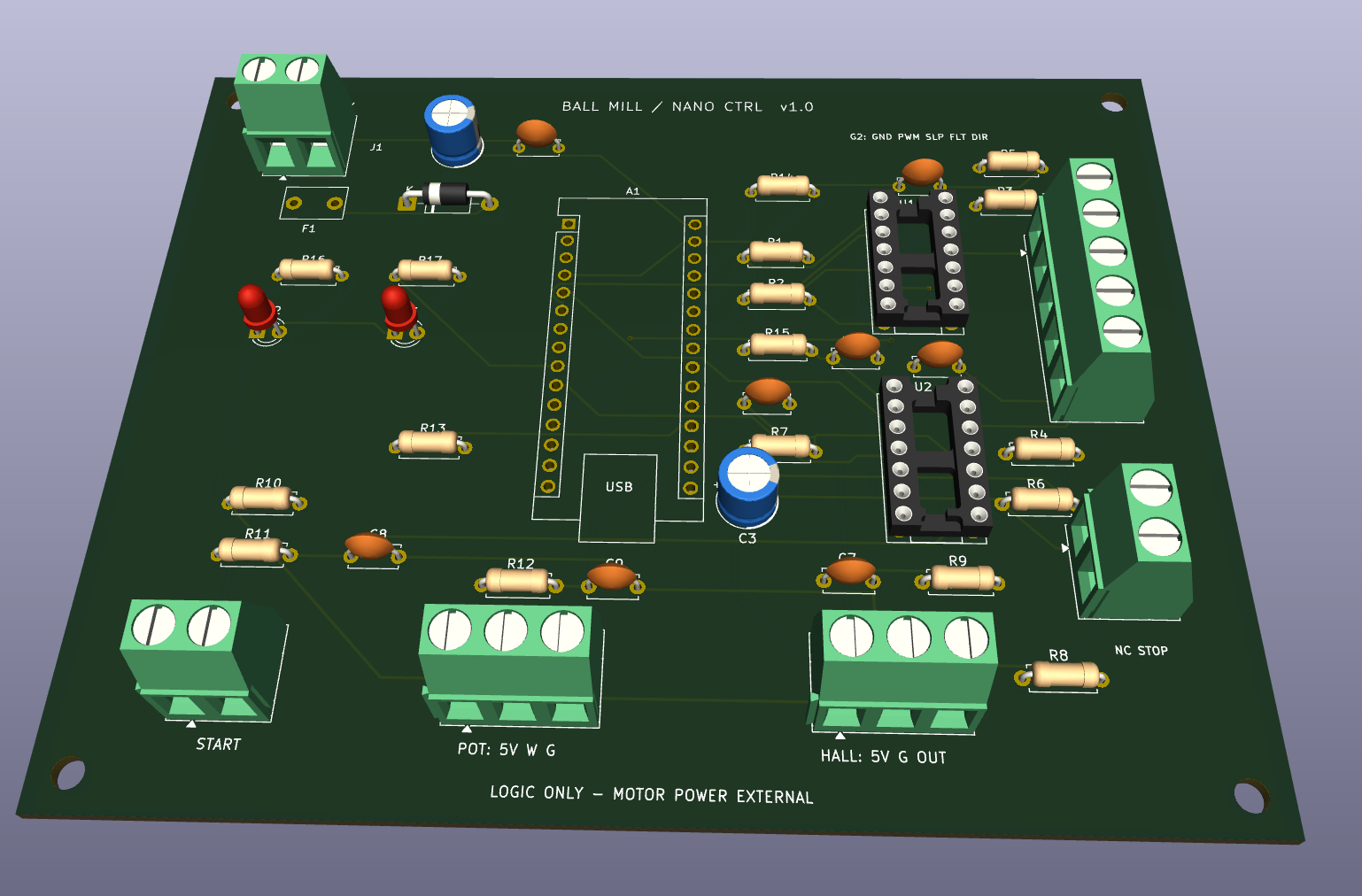
BallMillController is an open-source printed circuit board by shohei, from the shohei/ball-mill-chamotte repository on GitHub. It is a 2-layer board of 120 × 95 mm with 44 parts on 50 nets, routed with 264 tracks and 4 vias.
It is built around the SN74HC08N and SN74HC14N. Its parts include 17 resistors, 10 capacitors, 6 connectors, 3 diodes and 2 ICs. It belongs with the AVR (ATmega, ATtiny) boards of this library.

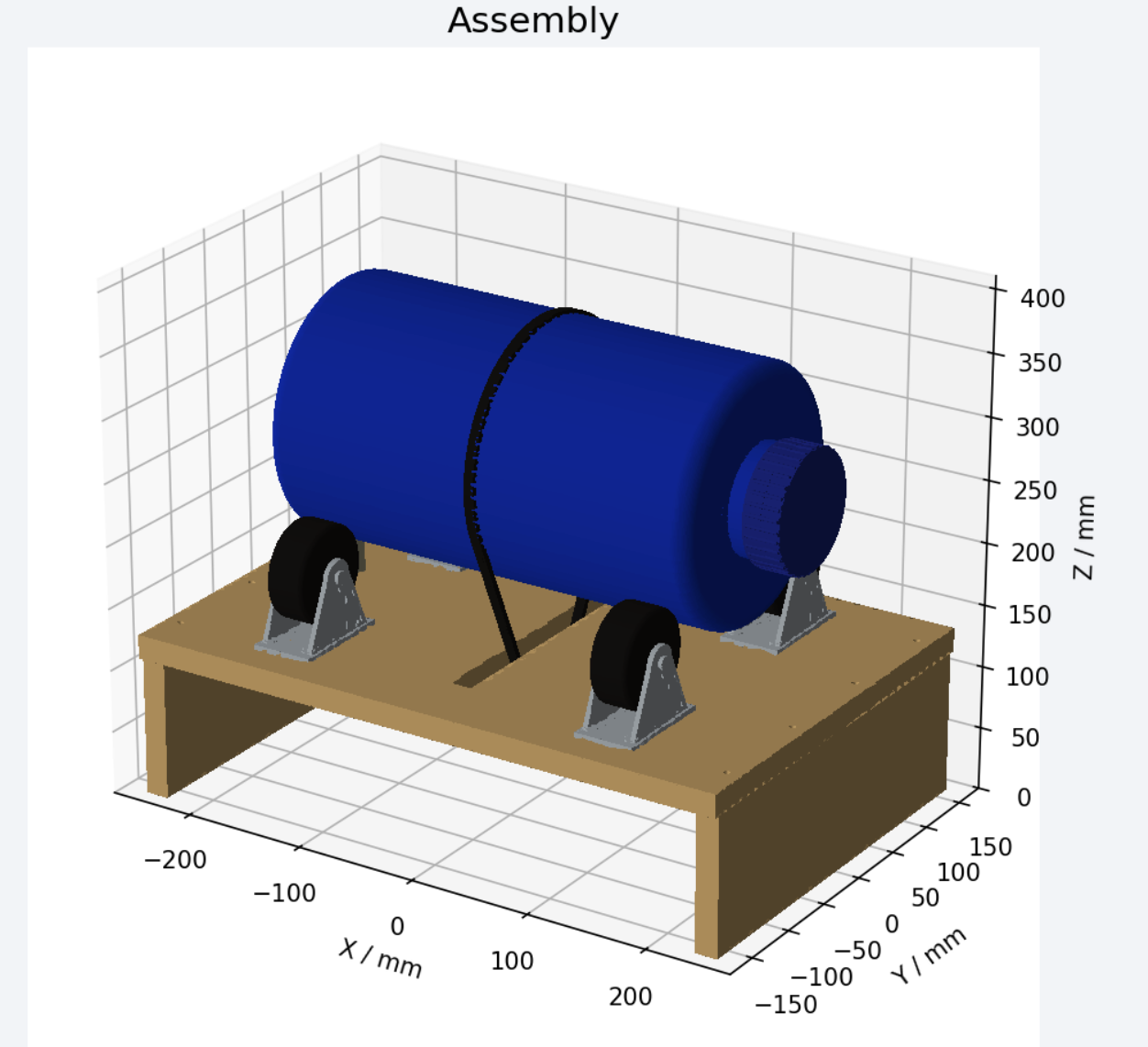
DIYでシャモット(グロッグ)を粉砕するためのボールミルの設計一式です。写真から推定で再構成したCADモデルと、回転数を制御するArduino基板の2つのサブプロジェクトで構成されています。
いずれも試作段階の設計であり、実機での測定・通電試験は未実施です。製作に進める場合は各サブプロジェクトの注意書きに従って実測・調整してください。
| ディレクトリ | 内容 |
|---|---|
ball_mill_cad/ | 提供写真4枚から推定した容器・架台・駆動部のCADモデル(STEP/CadQueryソース) |
ball_mill_controller/ | Arduino Nano Classic用の速度制御基板(KiCad 10プロジェクト、回路図、PCB、Gerber、ファームウェア) |
logs/ | ビルド・ルーティングツールのログ |
配布用のZIP(ball_mill_cad.zip、ball_mill_controller_KiCad.zip、ball_mill_controller_Gerber.zip)はリポジトリ直下に置いています。
ball_mill_assembly.step:部品名・色付きアセンブリ(容器・蓋・4輪・架台・ストッパー・モーター・ベルト)。build_model.py + parameters.json:CadQueryで再生成できる編集可能ソース。単位mm。再生成:
cd ball_mill_cad
pip install -r requirements.txt
python3 build_model.py最初に開くファイル:
hardware/BallMillController.kicad_pro:KiCadプロジェクトdocs/WIRING_ja.md:外部配線・部品選定・組立・試運転手順docs/BOM_PCB.csv / docs/BOM_EXTERNAL.csv:部品表firmware/BallMillController/BallMillController.ino:Arduino用プログラム詳細は各サブプロジェクトの README_ja.md を参照してください。
| Qty | Value | Footprint | References |
|---|---|---|---|
| 6 | 100n / 50V | BM:C_Disc_D5.0mm_W2.5mm_P5.00mm | C2, C4, C5, C7, C8, C9 |
| 6 | 1k | BM:R_Axial_DIN0207_L6.3mm_D2.5mm_P7.62mm_Horizontal | R7, R9, R11, R12, R15, R17 |
| 5 | 10k | BM:R_Axial_DIN0207_L6.3mm_D2.5mm_P7.62mm_Horizontal | R1, R2, R5, R6, R10 |
| 4 | MountingHole_3.2mm_M3 | BM:MountingHole_3.2mm_M3 | H1, H2, H3, H4 |
| 2 | 100R | BM:R_Axial_DIN0207_L6.3mm_D2.5mm_P7.62mm_Horizontal | R3, R4 |
| 2 | 1n / 50V | BM:C_Disc_D5.0mm_W2.5mm_P5.00mm | C6, C10 |
| 2 | 4.7k | BM:R_Axial_DIN0207_L6.3mm_D2.5mm_P7.62mm_Horizontal | R8, R14 |
| 1 | 0.10A hold / 60V | BM:PTC_MF_R010_P5.08 | F1 |
| 1 | 100k | BM:R_Axial_DIN0207_L6.3mm_D2.5mm_P7.62mm_Horizontal | R13 |
| 1 | 10k LINEAR POT | BM:TerminalBlock_Phoenix_MKDS-1,5-3-5.08_1x03_P5.08mm_Horizontal | J5 |
| 1 | 10u / 16V | BM:CP_Radial_D6.3mm_P2.50mm | C3 |
| 1 | 1N5819 | BM:D_DO-41_SOD81_P10.16mm_Horizontal | D1 |
| 1 | 2.2k | BM:R_Axial_DIN0207_L6.3mm_D2.5mm_P7.62mm_Horizontal | R16 |
| 1 | 47u / 25V | BM:CP_Radial_D6.3mm_P2.50mm | C1 |
| 1 | 9V LOGIC INPUT | BM:TerminalBlock_Phoenix_MKDS-1,5-2-5.08_1x02_P5.08mm_Horizontal | J1 |
| 1 | Arduino Nano CLASSIC 5V ATmega328P | BM:Arduino_Nano | A1 |
| 1 | DRUM HALL 5V | BM:TerminalBlock_Phoenix_MKDS-1,5-3-5.08_1x03_P5.08mm_Horizontal | J6 |
| 1 | G2 DRIVER SIGNALS | BM:TerminalBlock_Phoenix_MKDS-1,5-5-5.08_1x05_P5.08mm_Horizontal | J2 |
| 1 | NC STOP LOOP | BM:TerminalBlock_Phoenix_MKDS-1,5-2-5.08_1x02_P5.08mm_Horizontal | J3 |
| 1 | POWER green | BM:LED_D3.0mm | D2 |
| 1 | SN74HC08N | BM:DIP-14_W7.62mm_Socket | U1 |
| 1 | SN74HC14N | BM:DIP-14_W7.62mm_Socket | U2 |
| 1 | START NO | BM:TerminalBlock_Phoenix_MKDS-1,5-2-5.08_1x02_P5.08mm_Horizontal | J4 |
| 1 | STATUS amber | BM:LED_D3.0mm | D3 |


dsorensen228/sherman
Desktop robot project with C++ personality and display runtimes, Python hardware services, Pico 2 firmware, and PCB and enclosure design.

blkhurst/kicad-usb-c
This USB-C Powered AND Gate is the first PCB I have designed using KiCad, and serves as a proof of concept for integrating USB-C power into future projects. The design includes:


PhdWizards/4-Bit-Discrete-Transistor-Adder
The core 4-bit binary adder is implemented entirely using discrete transistor-resistor logic. The resulting 5-bit binary value is converted to BCD using 74HC-series logic and displayed on two 7-segment displays.

It measures 120 × 95 mm and has 2 copper layers, 1.6 mm thick.
44 parts, built around the SN74HC08N and SN74HC14N. The full list of its parts is on this page, with links to each part's symbol and footprint where PCBKit's library has them.
From the shohei/ball-mill-chamotte repository on GitHub, at the commit this page was made from: the board is ball_mill_controller/hardware/BallMillController.kicad_pcb and its schematic ball_mill_controller/hardware/BallMillController.kicad_sch. PCBKit opens the board in the browser, with nothing to install.
Its repository states no licence, so its author keeps all rights: ask shohei before reusing the design.